stop start HONDA FIT 2015 3.G Owner's Manual
[x] Cancel search | Manufacturer: HONDA, Model Year: 2015, Model line: FIT, Model: HONDA FIT 2015 3.GPages: 453, PDF Size: 21.19 MB
Page 88 of 453
87
Controls
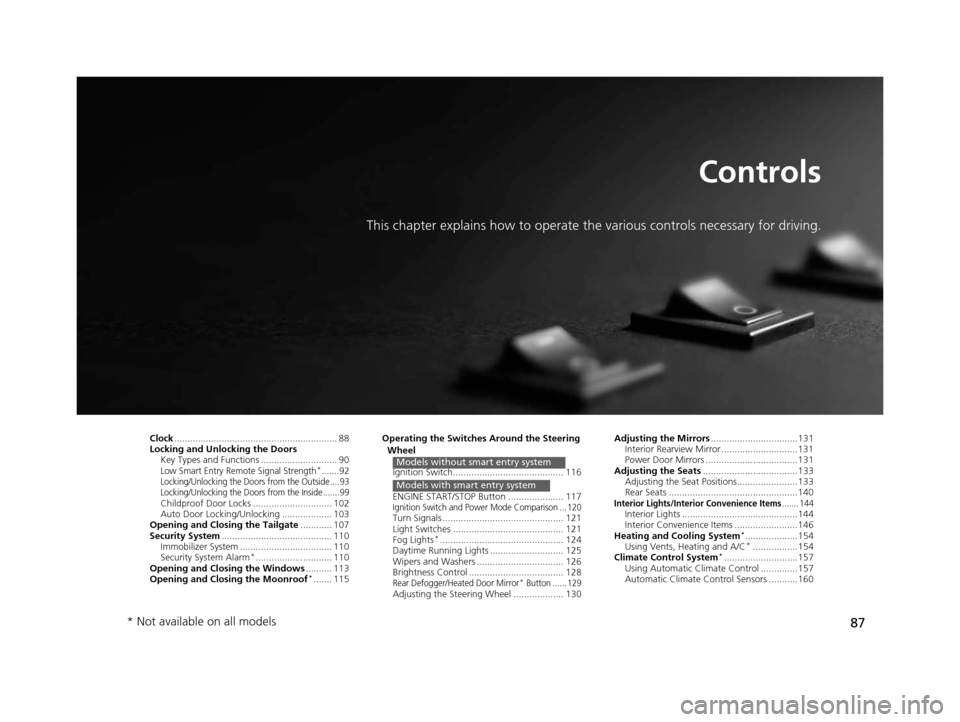
This chapter explains how to operate the various controls necessary for driving.
Clock.............................................................. 88
Locking and Unlocking the Doors Key Types and Functions ............................. 90
Low Smart Entry Remote Signal Strength*.......92Locking/Unlocking the Doors from the Outside ....93
Locking/Unlocking the Doors from the Inside .......99
Childproof Door Locks .............................. 102
Auto Door Locking/Unlocking ................... 103
Opening and Closing the Tailgate ............ 107
Security System .......................................... 110
Immobilizer System ......... ..................... ..... 110
Security System Alarm
*............................. 110
Opening and Closing the Windows .......... 113
Opening and Closing the Moonroof
*....... 115 Operating the Switches Around the Steering
Wheel
Ignition Switch.......................................... 116
ENGINE START/STOP Button ..................... 117
Ignition Switch and Power Mode Comparison ... 120Turn Signals .............................................. 121
Light Switches .......................................... 121
Fog Lights
*............................................... 124
Daytime Running Lights ............................ 125
Wipers and Washers ................................. 126
Brightness Control .................................... 128
Rear Defogger/Heated Door Mirror* Button ...... 129Adjusting the Steering Wheel ................... 130
Models without smart entry system
Models with smart entry system
Adjusting the Mirrors .................................131
Interior Rearview Mirror .............................131
Power Door Mirrors ...................................131
Adjusting the Seats .................................... 133
Adjusting the Seat Positi ons....................... 133
Rear Seats .................................................140
Interior Lights/Interior Convenience Items....... 144Interior Lights ............................................144
Interior Convenience Items ........................146
Heating and Cooling System
*....................154
Using Vents, Heating and A/C*.................154
Climate Control System*............................157
Using Automatic Climate Control ..............157
Automatic Climate Control Sensors ...........160
* Not available on all models
15 US FIT-31T5A6000.book 87 ページ 2014年3月6日 木曜日 午後7時5分
Page 89 of 453
88
Controls
Clock
Adjusting the Clock
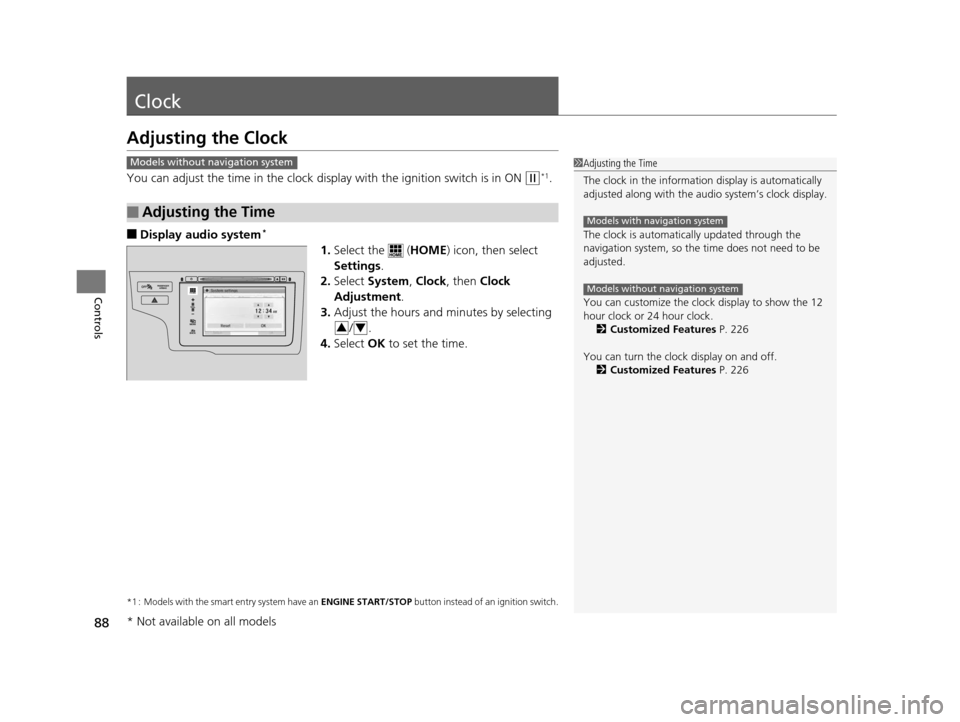
You can adjust the time in the clock display with the ignition switch is in ON (w*1.
■Display audio system*
1.Select the ( HOME) icon, then select
Settings .
2. Select System , Clock , then Clock
Adjustment .
3. Adjust the hours and minutes by selecting
/.
4. Select OK to set the time.
*1 : Models with the smart entry system have an ENGINE START/STOP button instead of an ignition switch.
■Adjusting the Time
1Adjusting the Time
The clock in the information display is automatically
adjusted along with the audio system’s clock display.
The clock is automatica lly updated through the
navigation system, so the ti me does not need to be
adjusted.
You can customize the clock display to show the 12
hour clock or 24 hour clock. 2 Customized Features P. 226
You can turn the clock display on and off. 2 Customized Features P. 226
Models with navigation system
Models without navigation system
Models without navigation system
VOL
HOME
MENU
BACK
34
* Not available on all models
15 US FIT-31T5A6000.book 88 ページ 2014年3月6日 木曜日 午後7時5分
Page 91 of 453
90
Controls
Locking and Unlocking the Doors
Key Types and Functions
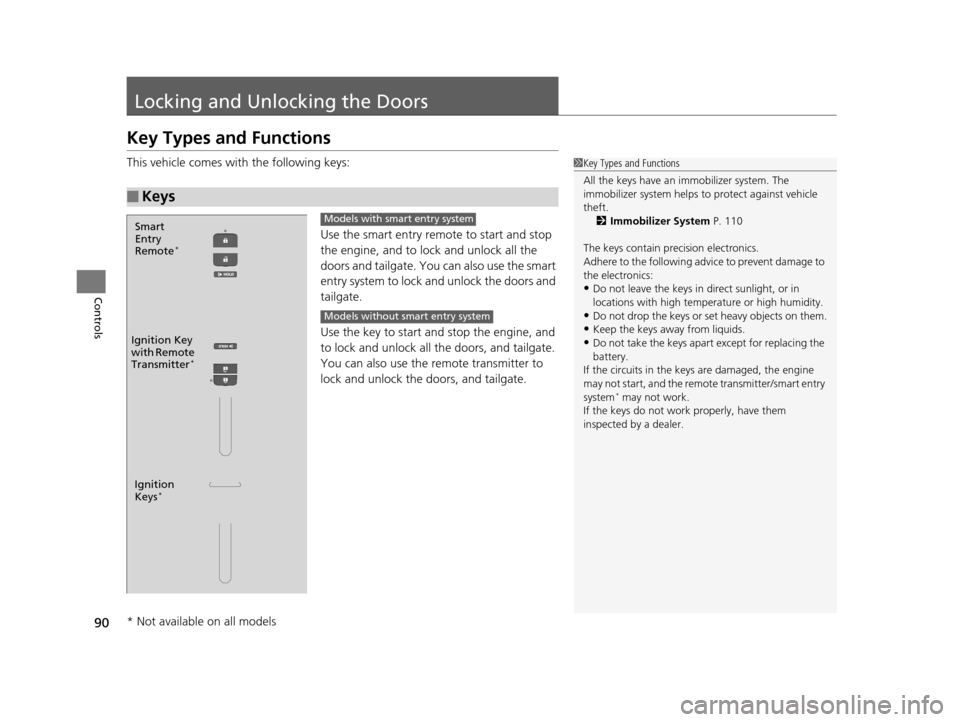
This vehicle comes with the following keys:Use the smart entry remote to start and stop
the engine, and to lock and unlock all the
doors and tailgate. You can also use the smart
entry system to lock and unlock the doors and
tailgate.
Use the key to start and stop the engine, and
to lock and unlock all the doors, and tailgate.
You can also use the re mote transmitter to
lock and unlock the doors, and tailgate.
■Keys
1 Key Types and Functions
All the keys have an immobilizer system. The
immobilizer system helps to protect against vehicle
theft. 2 Immobilizer System P. 110
The keys contain precision electronics.
Adhere to the following advi ce to prevent damage to
the electronics:
•Do not leave the keys in direct sunlight, or in
locations with high temperature or high humidity.
•Do not drop the keys or set heavy objects on them.
•Keep the keys away from liquids.
•Do not take the keys apart except for replacing the
battery.
If the circuits in the keys are damaged, the engine
may not start, and the remote transmitter/smart entry
system
* may not work.
If the keys do not work properly, have them
inspected by a dealer.
Ignition
Keys*
Ignition Key
with Remote
Transmitter
*
Smart
Entry
Remote
*
Models with smart entry system
Models without smart entry system
* Not available on all models
15 US FIT-31T5A6000.book 90 ページ 2014年3月6日 木曜日 午後7時5分
Page 106 of 453
105
uuLocking and Unlocking the Doors uCustomizing the Auto Door Locking/Unlocking Setting
Continued
Controls
*1 : Default setting
*2 : Models without smart entry system
*3 : Models with smart entry system
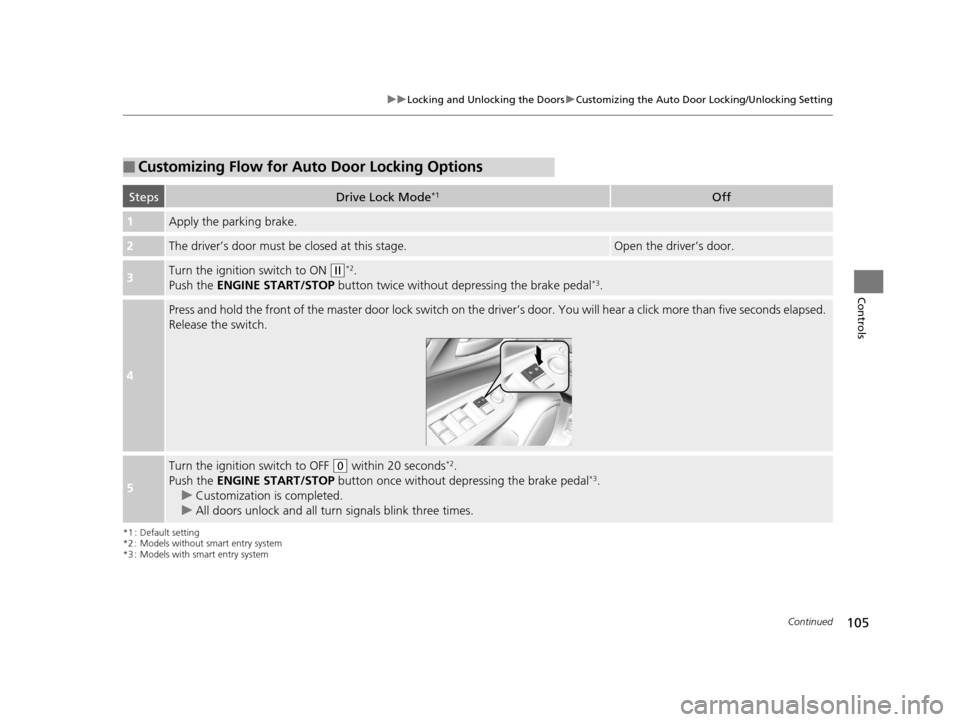
■Customizing Flow for Auto Door Locking Options
StepsDrive Lock Mode*1Off
1Apply the parking brake.
2The driver’s door must be closed at this stage.Open the driver’s door.
3Turn the ignition switch to ON (w*2.
Push the ENGINE START/STOP button twice without depressing the brake pedal*3.
4
Press and hold the front of the master door lock switch on the driver’s door. You will hear a click more than five seconds elapsed.
Release the switch.
5
Turn the ignition switch to OFF (0 within 20 seconds*2.
Push the ENGINE START/STOP button once without depressing the brake pedal*3.
u Customization is completed.
u All doors unlock and all turn signals blink three times.
15 US FIT-31T5A6000.book 105 ページ 2014年3月6日 木曜日 午後7時5分
Page 107 of 453
106
uuLocking and Unlocking the Doors uCustomizing the Auto Door Locking/Unlocking Setting
Controls
*1 : Default setting
*2 : Models without smart entry system
*3 : Models with smart entry system
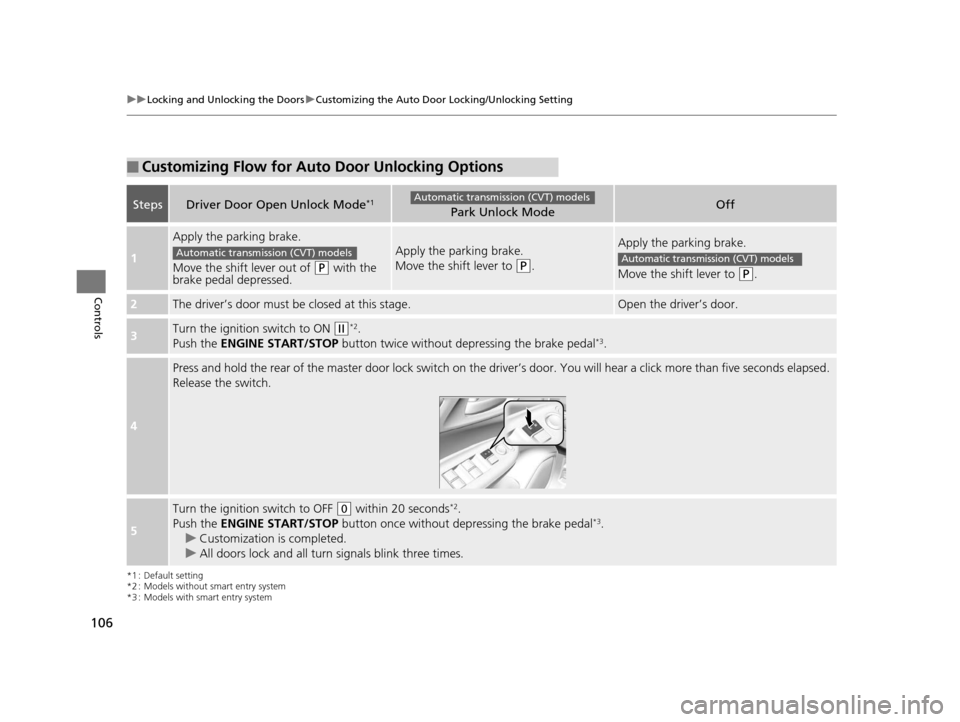
■Customizing Flow for Auto Door Unlocking Options
StepsDriver Door Open Unlock Mode*1Park Unlock ModeOff
1
Apply the parking brake.
Move the shift lever out of
(P with the
brake pedal depressed.
Apply the parking brake.
Move the shift lever to
(P.
Apply the parking brake.
Move the shift lever to
(P.
2The driver’s door must be closed at this stage.Open the driver’s door.
3Turn the ignition switch to ON (w*2.
Push the ENGINE START/STOP button twice without de pressing the brake pedal*3.
4
Press and hold the rear of the master door lock switch on the dr iver’s door. You will hear a click more than five seconds elaps ed.
Release the switch.
5
Turn the ignition switch to OFF (0 within 20 seconds*2.
Push the ENGINE START/STOP button once without depressing the brake pedal*3.
u Customization is completed.
u All doors lock and all turn signals blink three times.
Automatic transmission (CVT) models
Automatic transmission (CVT) modelsAutomatic transmission (CVT) models
15 US FIT-31T5A6000.book 106 ページ 2014年3月6日 木曜日 午後7時5分
Page 111 of 453
110
Controls
Security System
Immobilizer System
The immobilizer system prevents a key that has not been pre-registered from
starting the engine. Each key contains electronic transmitters that use electronic
signals to verify the key.
Pay attention to the following when inserti ng the key into the ignition switch or
pressing the ENGINE START/STOP button:
• Do not allow objects that emit strong radio waves near the ignition switch or the
ENGINE START/STOP button.
• Make sure the key is not covered by or touching a metal object.
• Do not bring a key from another vehicle’s immobilizer system near the ignition
switch.
Security System Alarm*
The security system alarm activates when the tailgate, hood or doors are forcibly
opened. The alarm does not go off if the tailgate or doors are opened with the key,
remote transmitter or smart entry system.
However, the alarm goes off when a door is opened with the key, then the shift
lever is moved out of
(P (automatic transmission (CVT) models) or the hood is
opened before the ignition switch is turned to ON
(w*1.
■When the security system alarm activates
The horn sounds intermittently and all of the exterior lights flash.
*1 : Models with the smart entry system have an ENGINE START/STOP button instead of an ignition switch.
1Immobilizer System
NOTICE
Leaving the ignition key in the vehicle can result in
theft or accidental move ment of the vehicle.
Always take the ignition key with you whenever you
leave the vehicle unattended.
Do not alter the system or add other devices to it.
Doing so may damage the system and make your
vehicle inoperable.
1 Security System Alarm*
The security alarm continues for a maximum of two
minutes until the security system deactivates.
* Not available on all models
15 US FIT-31T5A6000.book 110 ページ 2014年3月6日 木曜日 午後7時5分
Page 112 of 453
Continued111
uuSecurity System uSecurity System Alarm*
Controls
■To deactivate the security system alarm
Unlock the vehicle using the remote transmi tter or smart entry remote, or turn the
ignition switch to ON
(w*1. The system, along with the horn and flashing lights, is
deactivated.
■Setting the security system alarm
The security system alarm automatically sets when the following conditions have
been met:
• The ignition switch is in LOCK
(0*1, and the key has been removed from the
ignition switch.
• The hood is closed.
• All doors and the tailgate are locked from outside with the key, remote
transmitter, or smart entry system.
■When the security system alarm sets
The security system alarm indicator in the instrument panel blinks. When the
blinking interval changes after about 15 se conds, the security system alarm is set.
■To cancel the security system alarm
The security system alarm is canceled when the vehicle is unlocked using the remote
transmitter or smart entry system, or th e ignition switch is turned to ON
(w*1. The
security system alarm indicato r goes off at the same time.
*1 : Models with the smart entry system have an ENGINE START/STOP button instead of an ignition switch.
1Security System Alarm*
Do not set the security system alarm when someone
is in the vehicle or a window is open. The system can
accidentally activate when:
•Unlocking the door with the lock tab.•Opening the hood with the hood release handle.
•Moving the shift lever out of ( P.
If the battery goes dead after you have set the
security system alarm, the security alarm may go off
once the battery is re charged or replaced.
If this occurs, deactivate the security system alarm by
unlocking a door using the ke y, remote transmitter,
or smart entry system.
Do not attempt to alter th is system or add another
device to it.
Automatic transmission (CVT) models
* Not available on all models
15 US FIT-31T5A6000.book 111 ページ 2014年3月6日 木曜日 午後7時5分
Page 113 of 453
112
uuSecurity System uSecurity System Alarm*
Controls
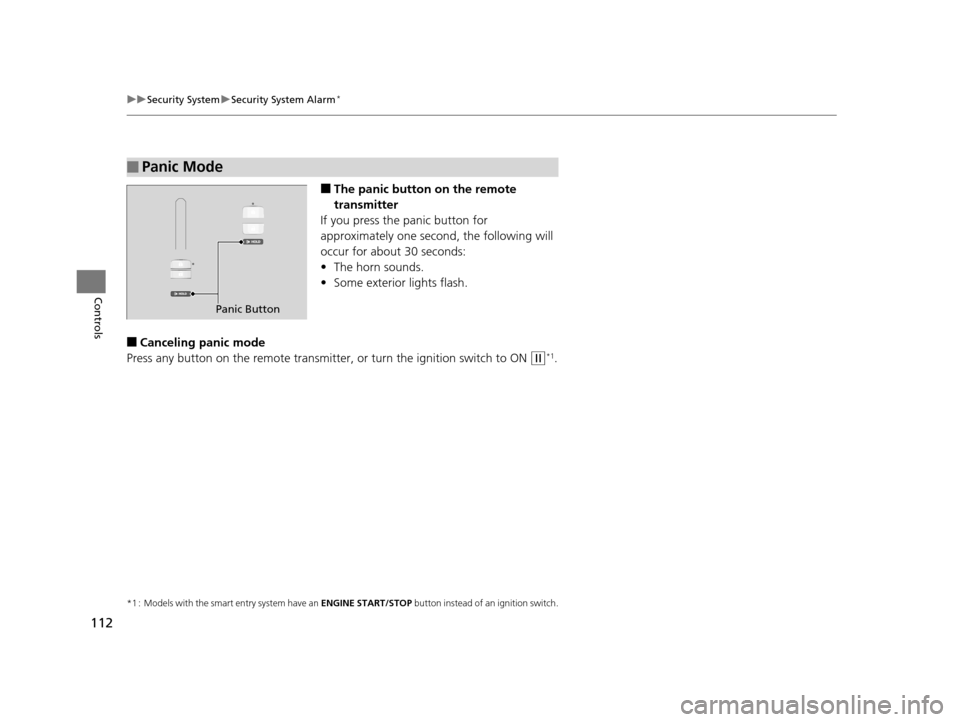
■The panic button on the remote
transmitter
If you press the panic button for
approximately one seco nd, the following will
occur for about 30 seconds:
• The horn sounds.
• Some exterior lights flash.
■Canceling panic mode
Press any button on the remote transmitter, or turn the ignition switch to ON
(w*1.
*1 : Models with the smart entry system have an ENGINE START/STOP button instead of an ignition switch.
■Panic Mode
Panic Button
15 US FIT-31T5A6000.book 112 ページ 2014年3月6日 木曜日 午後7時5分
Page 114 of 453
113Continued
Controls
Opening and Closing the Windows
Opening/Closing the Power Windows
The power windows can be opened and closed when the ignition switch is in ON
(w*1, using the switches on the doors. The driver’s side switches can be used to
open and close all of the windows.
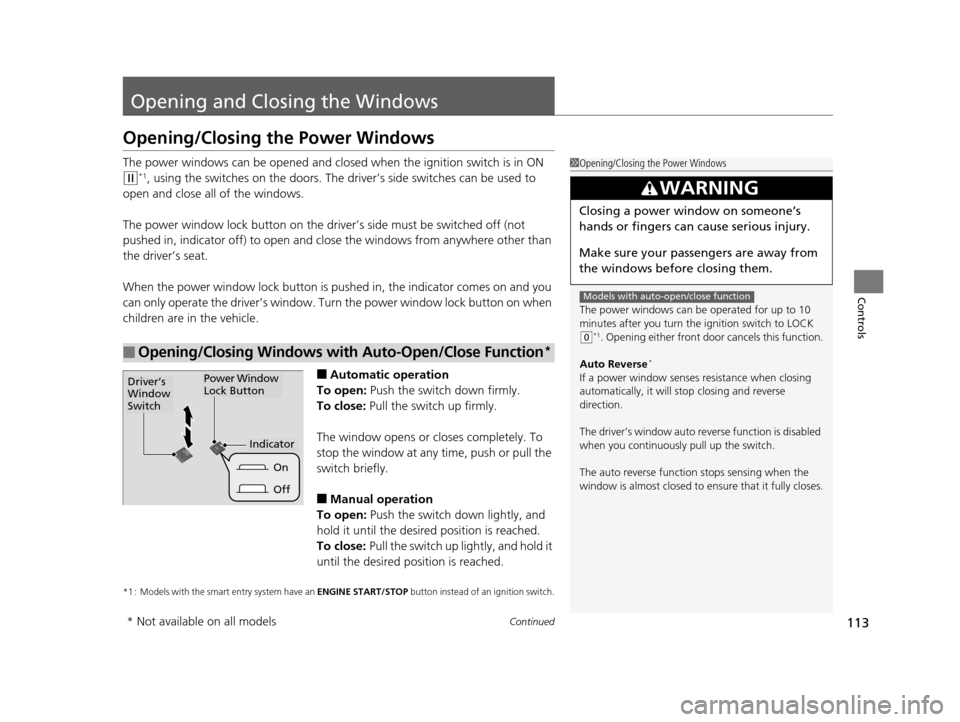
The power window lock button on the driver’s side must be switched off (not
pushed in, indicator off) to open and cl ose the windows from anywhere other than
the driver’s seat.
When the power window lock button is pushed in, the indicator comes on and you
can only operate the driver’s window. Turn the power window lock button on when
children are in the vehicle.
■Automatic operation
To open: Push the switch down firmly.
To close: Pull the switch up firmly.
The window opens or closes completely. To
stop the window at any time, push or pull the
switch briefly.
■Manual operation
To open: Push the switch down lightly, and
hold it until the desired position is reached.
To close: Pull the switch up lightly, and hold it
until the desired position is reached.
*1 : Models with the smart entry system have an ENGINE START/STOP button instead of an ignition switch.
■Opening/Closing Windows with Auto-Open/Close Function*
1Opening/Closing the Power Windows
The power windows can be operated for up to 10
minutes after you turn the ignition switch to LOCK
( 0*1. Opening either front door cancels this function.
Auto Reverse
*
If a power window senses resistance when closing
automatically, it will stop closing and reverse
direction.
The driver’s window auto re verse function is disabled
when you continuously pull up the switch.
The auto reverse function stops sensing when the
window is almost closed to en sure that it fully closes.
3WARNING
Closing a power window on someone’s
hands or fingers can cause serious injury.
Make sure your passengers are away from
the windows before closing them.
Models with auto-open/close function
Power Window
Lock ButtonDriver’s
Window
Switch
Off
On
Indicator
* Not available on all models
15 US FIT-31T5A6000.book 113 ページ 2014年3月6日 木曜日 午後7時5分
Page 116 of 453
115
Controls
Opening and Closing the Moonroof*
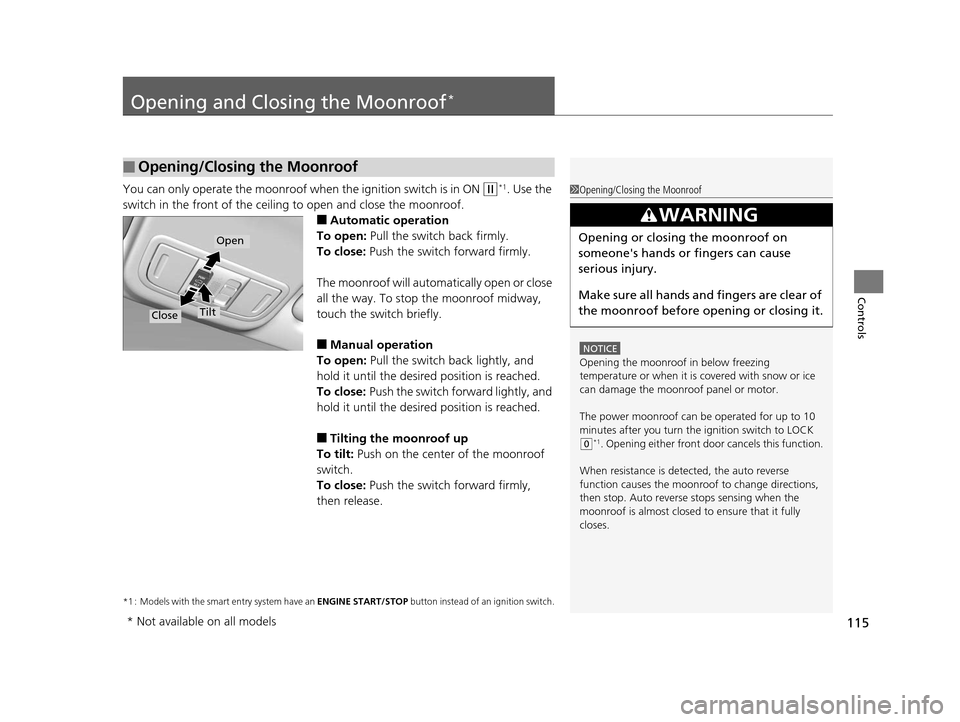
You can only operate the moonroof when the ignition switch is in ON (w*1. Use the
switch in the front of the ceiling to open and close the moonroof.
■Automatic operation
To open: Pull the switch back firmly.
To close: Push the switch forward firmly.
The moonroof will automatically open or close
all the way. To stop the moonroof midway,
touch the switch briefly.
■Manual operation
To open: Pull the switch back lightly, and
hold it until the desired position is reached.
To close: Push the switch fo rward lightly, and
hold it until the desired position is reached.
■Tilting the moonroof up
To tilt: Push on the center of the moonroof
switch.
To close: Push the switch forward firmly,
then release.
*1 : Models with the smart entry system have an ENGINE START/STOP button instead of an ignition switch.
■Opening/Closing the Moonroof
1Opening/Closing the Moonroof
NOTICE
Opening the moonroof in below freezing
temperature or when it is covered with snow or ice
can damage the moonr oof panel or motor.
The power moonroof can be operated for up to 10
minutes after you turn the ignition switch to LOCK
( 0*1. Opening either front door cancels this function.
When resistance is detected, the auto reverse
function causes the moonroof to change directions,
then stop. Auto reverse stops sensing when the
moonroof is almost closed to ensure that it fully
closes.
3WARNING
Opening or closing the moonroof on
someone's hands or fingers can cause
serious injury.
Make sure all hands and fingers are clear of
the moonroof before opening or closing it.Open
CloseTilt
* Not available on all models
15 US FIT-31T5A6000.book 115 ページ 2014年3月6日 木曜日 午後7時5分