display HONDA HR-V 2016 2.G User Guide
[x] Cancel search | Manufacturer: HONDA, Model Year: 2016, Model line: HR-V, Model: HONDA HR-V 2016 2.GPages: 489, PDF Size: 26.59 MB
Page 88 of 489
87
uuIndicators uInformation Display Warning and Information Messages
Instrument Panel
MessageConditionExplanation
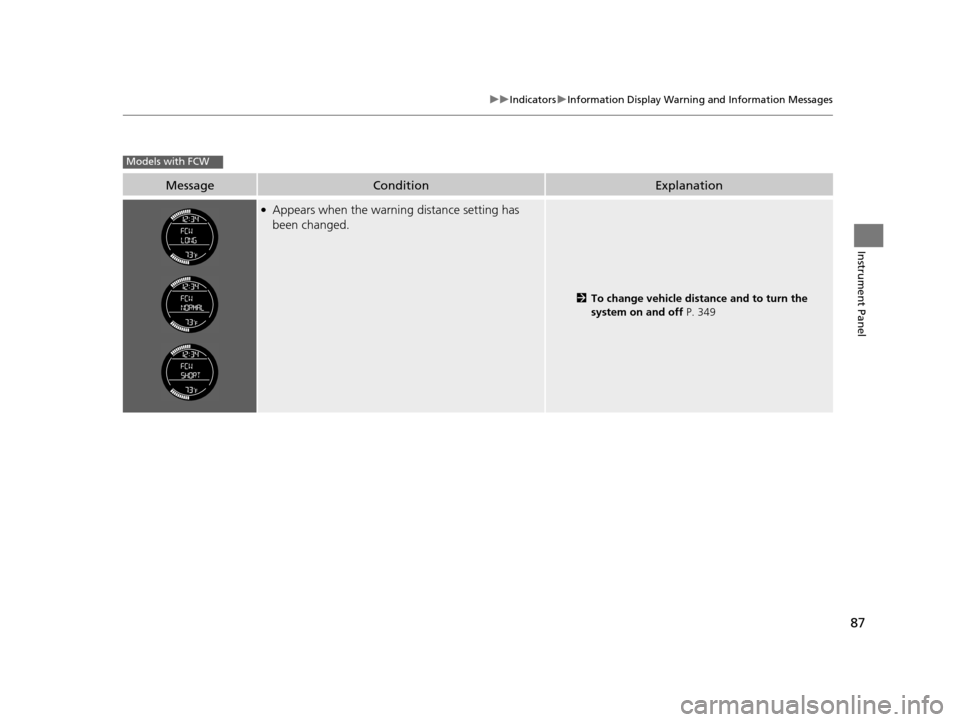
●Appears when the warning distance setting has
been changed.
2 To change vehicle distance and to turn the
system on and off P. 349
Models with FCW
15 HR-V GAS-31T7A6000.book 87 ページ 2015年6月29日 月曜日 午前11時36分
Page 89 of 489
88
Instrument Panel
Gauges and Displays
Gauges
Gauges include the speedometer, tachometer and related indicators. They are
displayed when the ignition switch is in ON
(w*1.
Displays your driving speed in mph and km/h.
Shows the number of engine revolutions per minute.
*1: Models with the smart entry system have an ENGINE START/STOP button instead of an
ignition switch.
■Speedometer
■Tachometer
15 HR-V GAS-31T7A6000.book 88 ページ 2015年6月29日 月曜日 午前11時36分
Page 90 of 489
89
uuGauges and Displays uInformation Display
Continued
Instrument Panel
Information Display
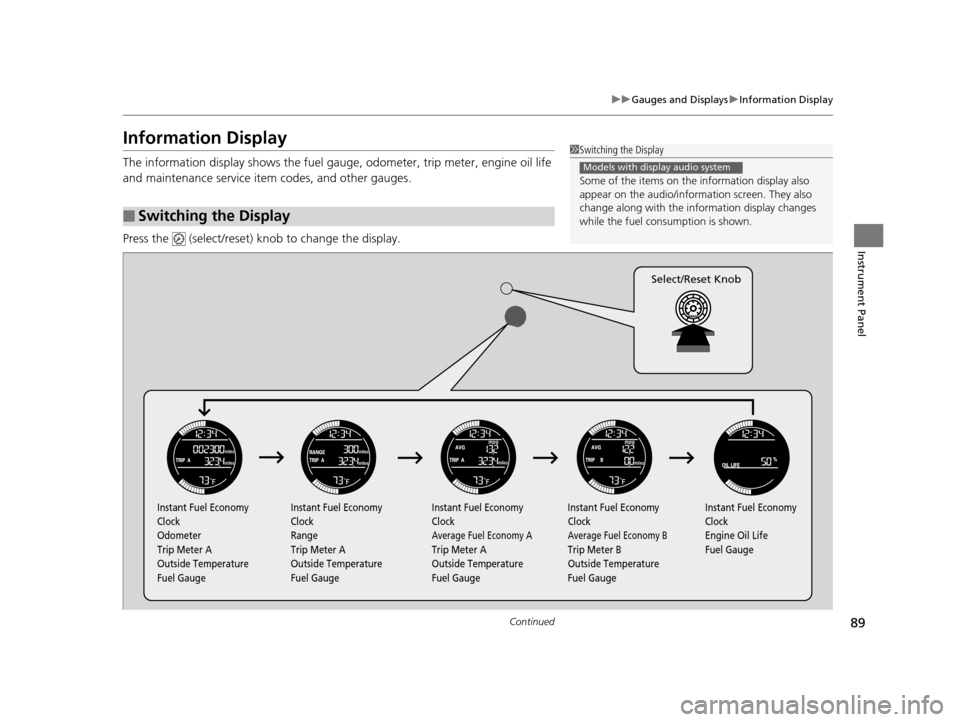
The information display shows the fuel gauge, odometer, trip meter, engine oil life
and maintenance service item codes, and other gauges.
Press the (select/reset) knob to change the display.
■Switching the Display
1Switching the Display
Some of the items on the information display also
appear on the audio/information screen. They also
change along with the info rmation display changes
while the fuel consumption is shown.
Models with display audio system
Instant Fuel Economy
Clock
Odometer
Trip Meter A
Outside Temperature
Fuel Gauge Instant Fuel Economy
Clock
Range
Trip Meter A
Outside Temperature
Fuel Gauge Instant Fuel Economy
Clock
Average Fuel Economy A
Trip Meter A
Outside Temperature
Fuel GaugeInstant Fuel Economy
Clock
Average Fuel Economy B
Trip Meter B
Outside Temperature
Fuel Gauge Instant Fuel Economy
Clock
Engine Oil Life
Fuel Gauge
Select/Reset Knob
15 HR-V GAS-31T7A6000.book 89 ページ 2015年6月29日 月曜日 午前11時36分
Page 91 of 489
uuGauges and Displays uInformation Display
90
Instrument Panel
Shows the instant fuel economy as a bar gr aph in mpg (U.S.) or l/100 km (Canada).
Shows the total number of miles (U.S.) or ki lometers (Canada) that your vehicle has
accumulated.
Shows the total number of miles (U.S.) or kilometers (Canada) driven since the last
reset. TRIP A and B can be used to measure two separate trips.
■Resetting a trip meter
To reset a trip meter, display it, then pr ess and hold the knob. The trip meter is
reset to 0.0 .
Shows the estimated distance you can travel on the remaining fuel. This distance is
estimated from the fuel economy of your previous trips.
Shows the estimated average fuel economy of each trip meter in mpg (U.S.) or l/100
km (Canada). The display is updated at set intervals. When a trip meter is reset, the
average fuel economy is also reset.
■Instant Fuel Economy
■Odometer
■Trip Meter
■Range
■Average Fuel Economy
1 Trip Meter
Switch between trip meter A and trip meter B by
pressing the knob.
15 HR-V GAS-31T7A6000.book 90 ページ 2015年6月29日 月曜日 午前11時36分
Page 92 of 489
Continued91
uuGauges and Displays uInformation Display
Instrument Panel
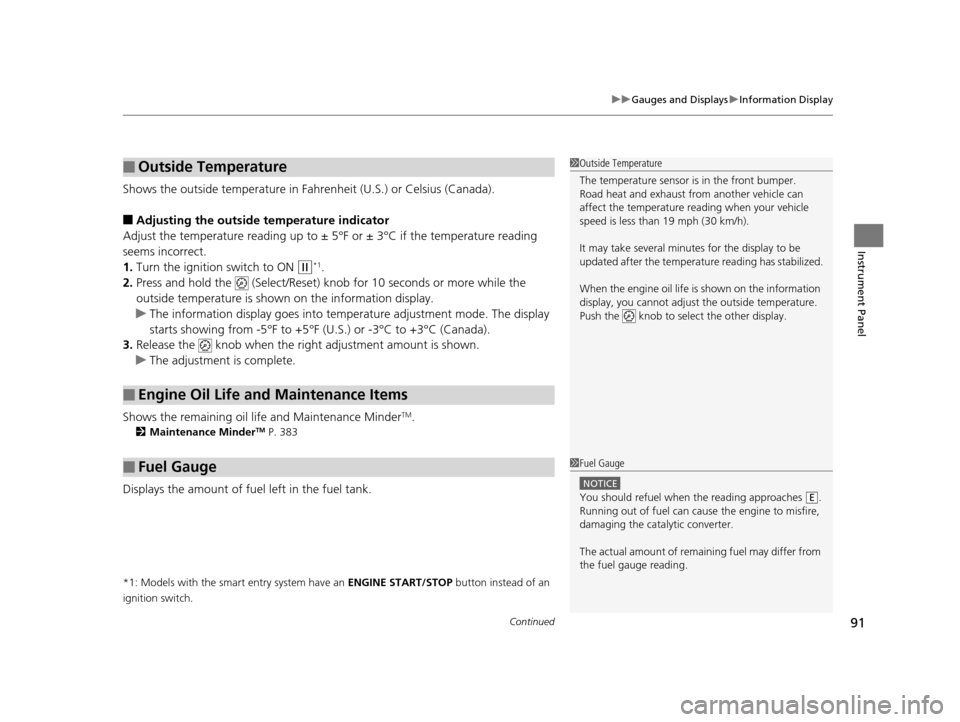
Shows the outside temperature in Fahr enheit (U.S.) or Celsius (Canada).
■Adjusting the outside temperature indicator
Adjust the temperature reading up to ± 5°F or ± 3°C if the temperature reading
seems incorrect.
1. Turn the ignition switch to ON
(w*1.
2. Press and hold the (Select/Reset) knob for 10 seconds or more while the
outside temperature is show n on the information display.
u The information display goes into temp erature adjustment mode. The display
starts showing from -5°F to +5°F (U .S.) or -3°C to +3°C (Canada).
3. Release the knob when the right adjustment amount is shown.
u The adjustment is complete.
Shows the remaining oil life and Maintenance Minder
TM.
2 Maintenance MinderTM P. 383
Displays the amount of fuel left in the fuel tank.
*1: Models with the smart entry system have an ENGINE START/STOP button instead of an
ignition switch.
■Outside Temperature
■Engine Oil Life and Maintenance Items
■Fuel Gauge
1 Outside Temperature
The temperature sensor is in the front bumper.
Road heat and exhaust from another vehicle can
affect the temperature reading when your vehicle
speed is less than 19 mph (30 km/h).
It may take several minutes for the display to be
updated after the temperature reading has stabilized.
When the engine oil life is shown on the information
display, you cannot adjust the outside temperature.
Push the knob to select the other display.
1 Fuel Gauge
NOTICE
You should refuel when the reading approaches .
Running out of fuel can cause the engine to misfire,
damaging the cata lytic converter.
The actual amount of remain ing fuel may differ from
the fuel gauge reading.E
15 HR-V GAS-31T7A6000.book 91 ページ 2015年6月29日 月曜日 午前11時36分
Page 93 of 489
92
uuGauges and Displays uInformation Display
Instrument Panel
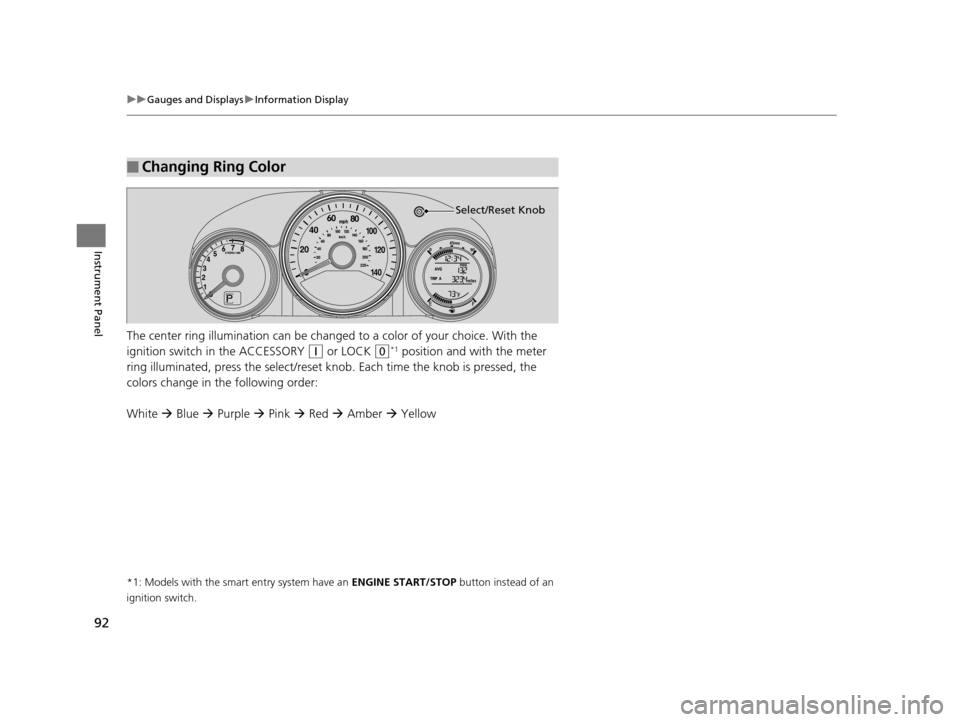
The center ring illumination can be changed to a color of your choice. With the
ignition switch in the ACCESSORY
(q or LOCK (0*1 position and with the meter
ring illuminated, press the select/reset knob. Each time the knob is pressed, the
colors change in the following order:
White Blue Purple Pink Red Amber Yellow
*1: Models with the smart entry system have an ENGINE START/STOP button instead of an
ignition switch.
■Changing Ring Color
Select/Reset Knob
15 HR-V GAS-31T7A6000.book 92 ページ 2015年6月29日 月曜日 午前11時36分
Page 95 of 489
94
Controls
Clock
Adjusting the Clock
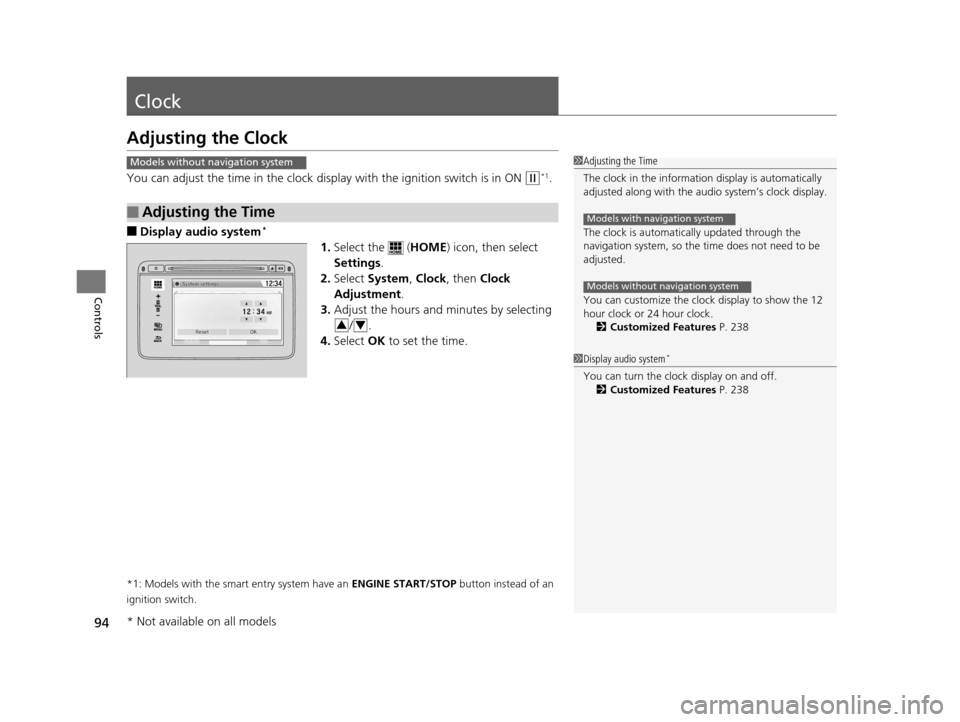
You can adjust the time in the clock display with the ignition switch is in ON (w*1.
■Display audio system*
1.Select the ( HOME) icon, then select
Settings .
2. Select System , Clock , then Clock
Adjustment .
3. Adjust the hours and minutes by selecting
/.
4. Select OK to set the time.
*1: Models with the smart entry system have an ENGINE START/STOP button instead of an
ignition switch.
■Adjusting the Time
Models without navigation system1 Adjusting the Time
The clock in the information display is automatically
adjusted along with the au dio system’s clock display.
The clock is automatically updated through the
navigation system, so the ti me does not need to be
adjusted.
You can customize the clock display to show the 12
hour clock or 24 hour clock. 2 Customized Features P. 238
Models with navigation system
Models without navigation system
1Display audio system*
You can turn the clock display on and off.
2 Customized Features P. 238
34
* Not available on all models
15 HR-V GAS-31T7A6000.book 94 ページ 2015年6月29日 月曜日 午前11時36分
Page 124 of 489
123
uuOperating the Switches Around the Steering Wheel uENGINE START/STOP Button
Continued
Controls
ENGINE START/STOP Button
*1 : Except U.S. models with continuously variable transmission
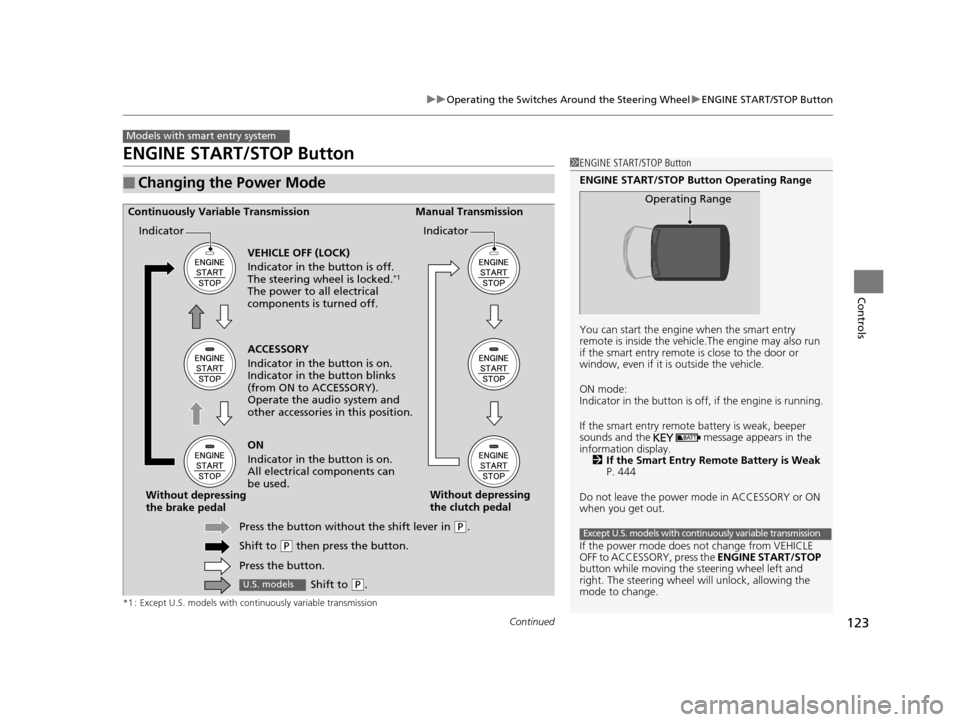
■Changing the Power Mode
Models with smart entry system
1ENGINE START/STOP Button
ENGINE START/STOP Button Operating Range
You can start the engine when the smart entry
remote is inside the vehicl e.The engine may also run
if the smart entry remote is close to the door or
window, even if it is outside the vehicle.
ON mode:
Indicator in the button is of f, if the engine is running.
If the smart entry remote battery is weak, beeper
sounds and the message appears in the
information display. 2 If the Smart Entry Remote Battery is Weak
P. 444
Do not leave the power mode in ACCESSORY or ON
when you get out.
If the power mode does not change from VEHICLE
OFF to ACCESSORY, press the ENGINE START/STOP
button while moving the st eering wheel left and
right. The steering wheel will unlock, allowing the
mode to change.
Operating Range
Except U.S. models with continuously variable transmission
ACCESSORY
Indicator in the button is on.
Indicator in th e button blinks
(from ON to ACCESSORY).
Operate the audio system and
other accessories in this position.
Continuously Variable Transmission Manual Transmission
VEHICLE OFF (LOCK)
Indicator in the button is off.
The steering wheel is locked.
*1
The power to all electrical
components is turned off.
ON
Indicator in the button is on.
All electrical components can
be used.
Press the button withou t the shift lever in
(P.
Shift to
( P then press the button.
Press the button.
Without depressing
the brake pedal
Without depressing
the clutch pedal
Indicator Indicator
Shift to (
P.U.S. models
15 HR-V GAS-31T7A6000.book 123 ページ 2015年6月29日 月曜日 午前11時36分
Page 126 of 489
125
uuOperating the Switches Around the Steering Wheel uENGINE START/STOP Button
Controls
If you open the driver’s door when the power mode is set to ACCESSORY, a warning
buzzer sounds.
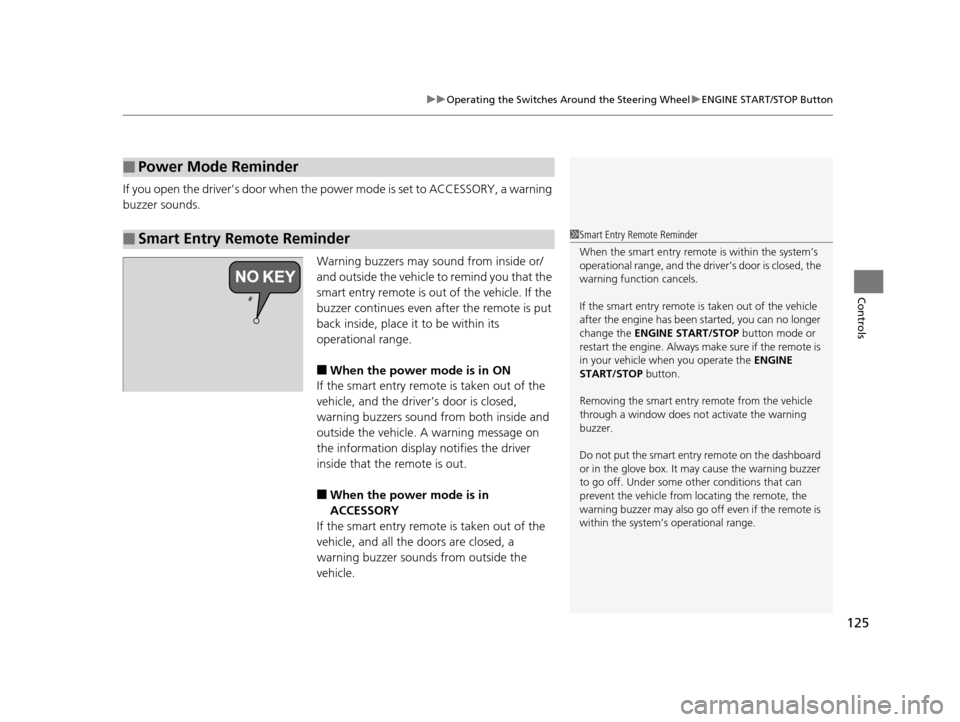
Warning buzzers may sound from inside or/
and outside the vehicle to remind you that the
smart entry remote is out of the vehicle. If the
buzzer continues even after the remote is put
back inside, place it to be within its
operational range.
■When the power mode is in ON
If the smart entry remote is taken out of the
vehicle, and the driver’s door is closed,
warning buzzers sound from both inside and
outside the vehicle. A warning message on
the information display notifies the driver
inside that the remote is out.
■When the power mode is in
ACCESSORY
If the smart entry remote is taken out of the
vehicle, and all the doors are closed, a
warning buzzer sounds from outside the
vehicle.
■Power Mode Reminder
■Smart Entry Remote Reminder1 Smart Entry Remote Reminder
When the smart entry remote is within the system’s
operational range, and the driv er’s door is closed, the
warning function cancels.
If the smart entry remote is taken out of the vehicle
after the engine has been started, you can no longer
change the ENGINE START/STOP button mode or
restart the engine. Always make sure if the remote is
in your vehicle when you operate the ENGINE
START/STOP button.
Removing the smart entry remote from the vehicle
through a window does not activate the warning
buzzer.
Do not put the smart entr y remote on the dashboard
or in the glove box. It may cause the warning buzzer
to go off. Under some other conditions that can
prevent the vehicle from locating the remote, the
warning buzzer may al so go off even if the remote is
within the system’s operational range.
15 HR-V GAS-31T7A6000.book 125 ページ 2015年6月29日 月曜日 午前11時36分
Page 135 of 489
134
uuOperating the Switches Around the Steering Wheel uBrightness Control
Controls
Brightness Control
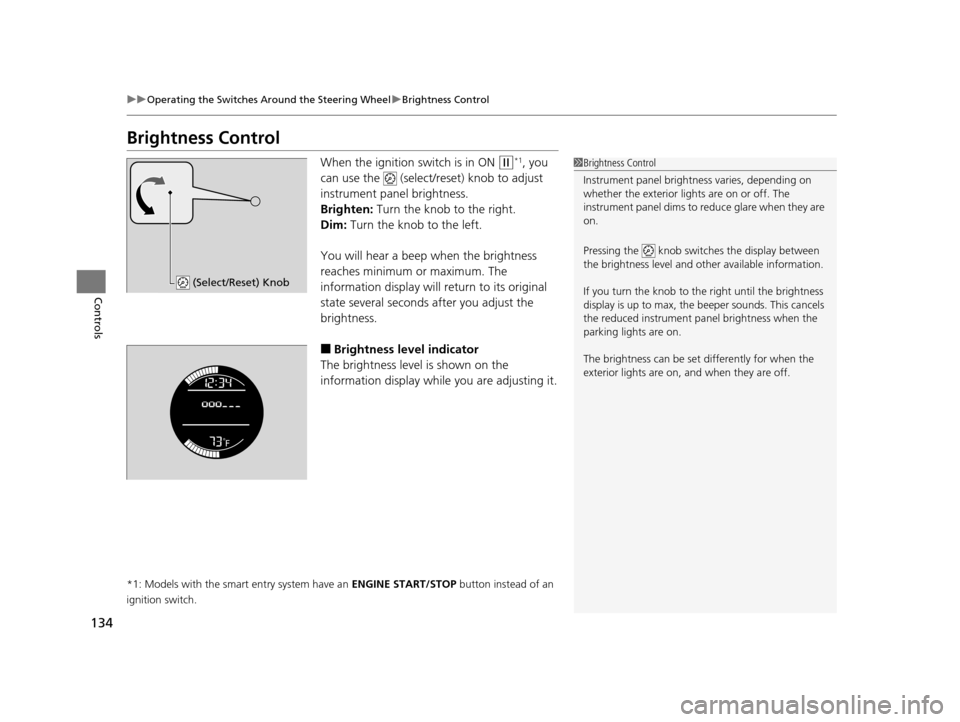
When the ignition switch is in ON (w*1, you
can use the (select/reset) knob to adjust
instrument panel brightness.
Brighten: Turn the knob to the right.
Dim: Turn the knob to the left.
You will hear a beep when the brightness
reaches minimum or maximum. The
information display will return to its original
state several seconds after you adjust the
brightness.
■Brightness level indicator
The brightness level is shown on the
information display while you are adjusting it.
*1: Models with the smart entry system have an ENGINE START/STOP button instead of an
ignition switch.
1 Brightness Control
Instrument panel brightne ss varies, depending on
whether the exterior lights are on or off. The
instrument panel dims to reduce glare when they are
on.
Pressing the knob switch es the display between
the brightness level and ot her available information.
If you turn the knob to the right until the brightness
display is up to max, the beeper sounds. This cancels
the reduced instrument panel brightness when the
parking lights are on.
The brightness can be set differently for when the
exterior lights are on, and when they are off.
(Select/Reset) Knob
15 HR-V GAS-31T7A6000.book 134 ページ 2015年6月29日 月曜日 午前11時36分