Econ button HONDA HR-V 2016 2.G Owner's Guide
[x] Cancel search | Manufacturer: HONDA, Model Year: 2016, Model line: HR-V, Model: HONDA HR-V 2016 2.GPages: 489, PDF Size: 26.59 MB
Page 180 of 489
179
uuAudio System uAudio System Theft Protection
Features
Audio System Theft Protection
The audio system is disabled when it is disconnected from the power source, such as
when the battery is disconnected or goes dead. In certain conditions, the system
may display ENTER CODE
*2/Enter code*3. If this occurs, r eactivate the audio
system.
■Reactivating the audio system
1. Turn the ignition switch to ON
(w*1.
2. Turn on the audio system.
3. Press and hold the audio system powe r button for more than two seconds.
u The audio system is reac tivated when the audio co ntrol unit establishes a
connection with the vehicl e control unit. If the control unit fails to recognize
the audio unit, you must go to a dealer and have the audio unit checked.
*1: Models with the smart entry system have an ENGINE START/STOP button instead of an
ignition switch.
*2: Models with color audio system.
*3: Models with display audio system.
15 HR-V GAS-31T7A6000.book 179 ページ 2015年6月29日 月曜日 午前11時36分
Page 191 of 489
uuAudio System Basic Operation uPlaying the AM/FM Radio
190
Features
Provides text data information related to your selected RDS capable FM station.
■To find an RDS station from Station List
1. Press while listening to an FM station.
2. Rotate to select the station, then press .
■Update List
Updates your available station list at any time.
1. Press while listening to an FM station.
2. Rotate to select Update List, then press .
■Radio text
Displays the radio text informat ion of the selected RDS station.
1. Press the MENU/CLOCK button.
2. Rotate to select Settings, then press .
3. Rotate to select RDS Settings, then press .
4. Rotate to select Radio Text, then press .
■Scan
Samples each of the strongest stations on the selected band for 10 seconds.
1. Press the MENU/CLOCK button.
2. Rotate to select Scan, then press .
To turn off scan, press .
■Radio Data System (RDS)1 Playing the AM/FM Radio
The ST indicator appears on the display indicating
stereo FM broadcasts.
Stereo reproduction in AM is not available.
You can store 6 AM stations and 12 FM stations into
the preset memory.
Switching the Audio Mode
Press the SOURCE button on the steering wheel.
2 Audio Remote Controls P. 180
1Radio Data System (RDS)
When you select an RDS-capable FM station, the RDS
automatically turns on, and the frequency display
changes to the station name. However, when the
signals of that station become weak, the display
changes from the statio n name to the frequency.
15 HR-V GAS-31T7A6000.book 190 ページ 2015年6月29日 月曜日 午前11時36分
Page 194 of 489
193
uuAudio System Basic Operation uPlaying a CD
Features
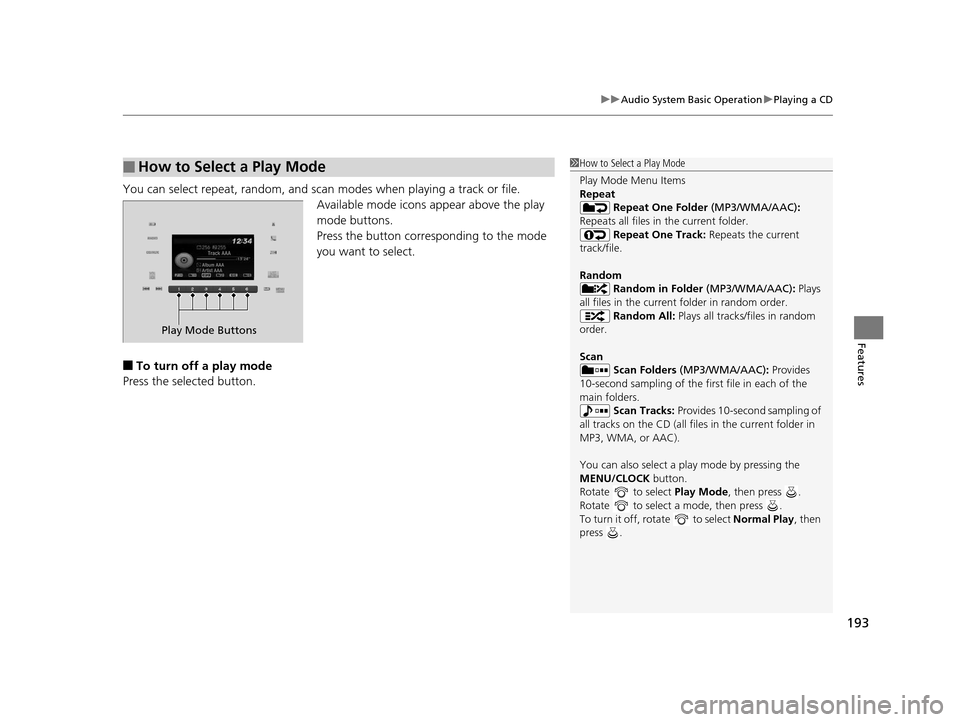
You can select repeat, random, and scan modes when playing a track or file.
Available mode icons ap pear above the play
mode buttons.
Press the button corresponding to the mode
you want to select.
■To turn off a play mode
Press the selected button.
■How to Select a Play Mode1 How to Select a Play Mode
Play Mode Menu Items
Repeat
Repeat One Folder (MP3/WMA/AAC):
Repeats all files in the current folder. Repeat One Track: Repeats the current
track/file.
Random Random in Folder (MP3/WMA/AAC) : Plays
all files in the current folder in random order. Random All: Plays all tracks/files in random
order.
Scan Scan Folders (MP3/WMA/AAC): Provides
10-second sampling of the firs t file in each of the
main folders.
Scan Tracks: Provides 10-second sampling of
all tracks on the CD (all files in the current folder in
MP3, WMA, or AAC).
You can also select a pl ay mode by pressing the
MENU/CLOCK button.
Rotate to select Play Mode, then press .
Rotate to select a mode, then press .
To turn it off, rotate to select Normal Play, then
press .
Play Mode Buttons
15 HR-V GAS-31T7A6000.book 193 ページ 2015年6月29日 月曜日 午前11時36分
Page 200 of 489
199
uuAudio System Basic Operation uPlaying a USB Flash Drive
Features
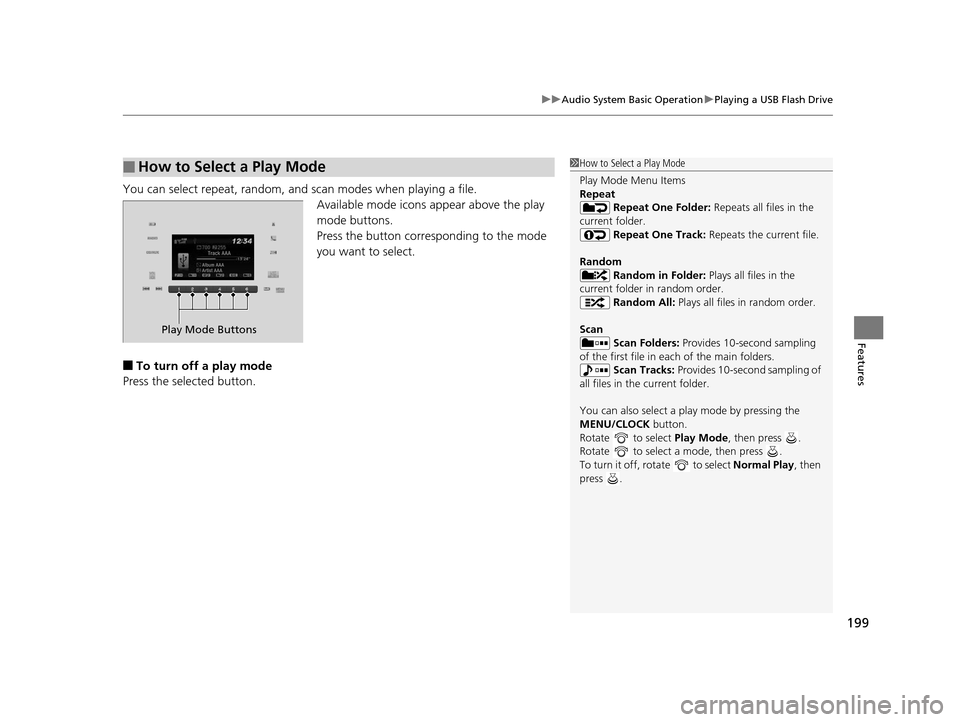
You can select repeat, random, and scan modes when playing a file.
Available mode icons appear above the play
mode buttons.
Press the button corresponding to the mode
you want to select.
■To turn off a play mode
Press the selected button.
■How to Select a Play Mode1 How to Select a Play Mode
Play Mode Menu Items
Repeat
Repeat One Folder: Repeats all files in the
current folder. Repeat One Track: Repeats the current file.
Random Random in Folder: Plays all files in the
current folder in random order. Random All: Plays all files in random order.
Scan Scan Folders: Provides 10-second sampling
of the first file in each of the main folders.
Scan Tracks: Provides 10-second sampling of
all files in the current folder.
You can also select a pl ay mode by pressing the
MENU/CLOCK button.
Rotate to select Play Mode, then press .
Rotate to select a mode, then press .
To turn it off, rotate to select Normal Play, then
press .
Play Mode Buttons
15 HR-V GAS-31T7A6000.book 199 ページ 2015年6月29日 月曜日 午前11時36分
Page 287 of 489
286
uuBluetooth ® HandsFreeLink ®u HFL Menus
Features
HFL Menus
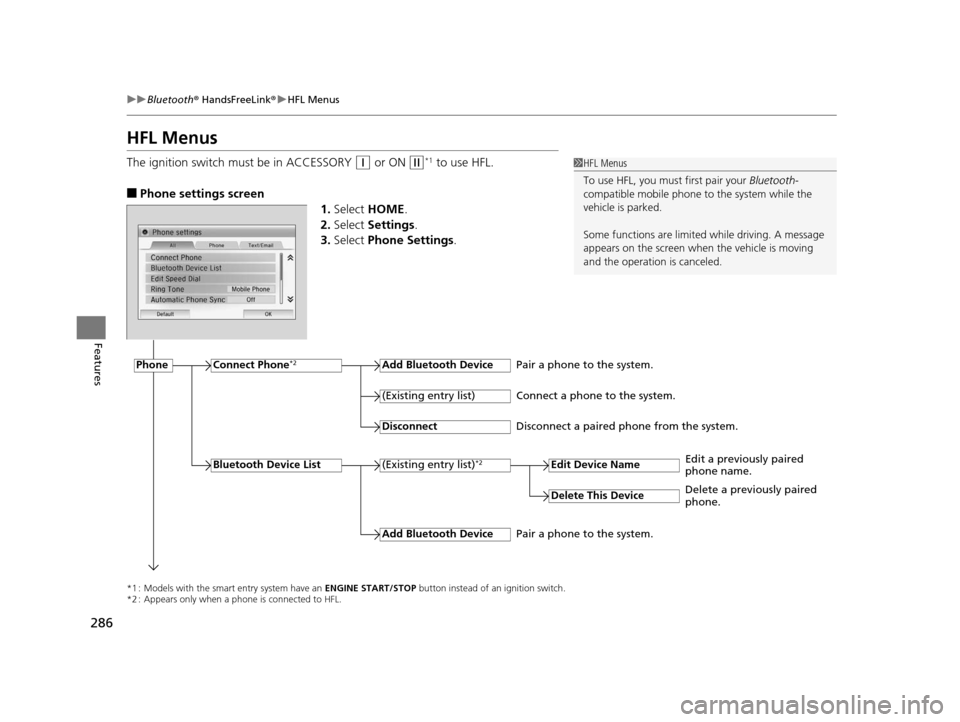
The ignition switch must be in ACCESSORY (q or ON (w*1 to use HFL.
■Phone settings screen
1.Select HOME .
2. Select Settings .
3. Select Phone Settings .
1HFL Menus
To use HFL, you must first pair your Bluetooth-
compatible mobile phone to the system while the
vehicle is parked.
Some functions are limited while driving. A message
appears on the screen when the vehicle is moving
and the operation is canceled.
*1 : Models with the smart entry system have an ENGINE START/STOP button instead of an ignition switch.
*2 : Appears only when a phone is connected to HFL.
PhoneConnect Phone*2Add Bluetooth Device
(Existing entry list)*2
(Existing entry list)
Disconnect
Edit Device Name
Add Bluetooth Device
Bluetooth Device List
Delete This Device
Pair a phone to the system.
Connect a phone to the system.
Disconnect a paired phone from the system.
Edit a previously paired
phone name.
Pair a phone to the system. Delete a previously paired
phone.
15 HR-V GAS-31T7A6000.book 286 ページ 2015年6月29日 月曜日 午前11時36分
Page 314 of 489
313
Driving
This chapter discusses driving, refueling, and information on items such as accessories.
Before Driving
Driving Preparation ................................... 314
Maximum Load Limit ................................ 317
Towing a Trailer Towing Your Vehicle ................................. 320
Off-Highway Driving Guidelines ............... 323
When Driving
Starting the Engine ................................... 325
Starting the Engine ................................... 328
Precautions While Driving ......................... 332
Continuously Variable Transmission
*......... 333
Shifting ..................................................... 334
Models without smart entry system
Models with smart entry system
Continuously variable transmission models
without paddle shifters
Shifting .......................................................... 336
Shifting .......................................................... 340
ECON Button
*................................................ 343
Cruise Control ................................................ 344
Forward Collision Warning (FCW)
*................. 347
Lane Departure Warning (LDW)*.................... 351
Vehicle Stability Assist (VSA ®), aka Electronic Stability
Control (ESC), System .................................. 354
LaneWatch
TM*................................................ 356Real Time AWD with Intelligent Control SystemTM*.... 358Tire Pressure Monitoring System (TPMS) ......... 359
Tire Pressure Monitoring System (TPMS) - Required Federal Explanation ...................................... 361
Continuously variable transmission models
with paddle shifters
Manual transmission models
Braking
Brake System ........................................ 363
Anti-lock Brake System (ABS) ................ 369
Brake Assist System .............................. 370
Parking Your Vehicle When Stopped ..................................... 371
Multi-View Rear Camera ....................... 372
Refueling Fuel Information ................................... 374
How to Refuel ...................................... 375
Fuel Economy Improving Fuel Economy....................... 376
Accessories and Modifications Accessories ........................................... 377
Modifications ....................................... 377
* Not available on all models
15 HR-V GAS-31T7A6000.book 313 ページ 2015年6月29日 月曜日 午前11時36分
Page 330 of 489
Continued329
uuWhen Driving uStarting the Engine
Driving
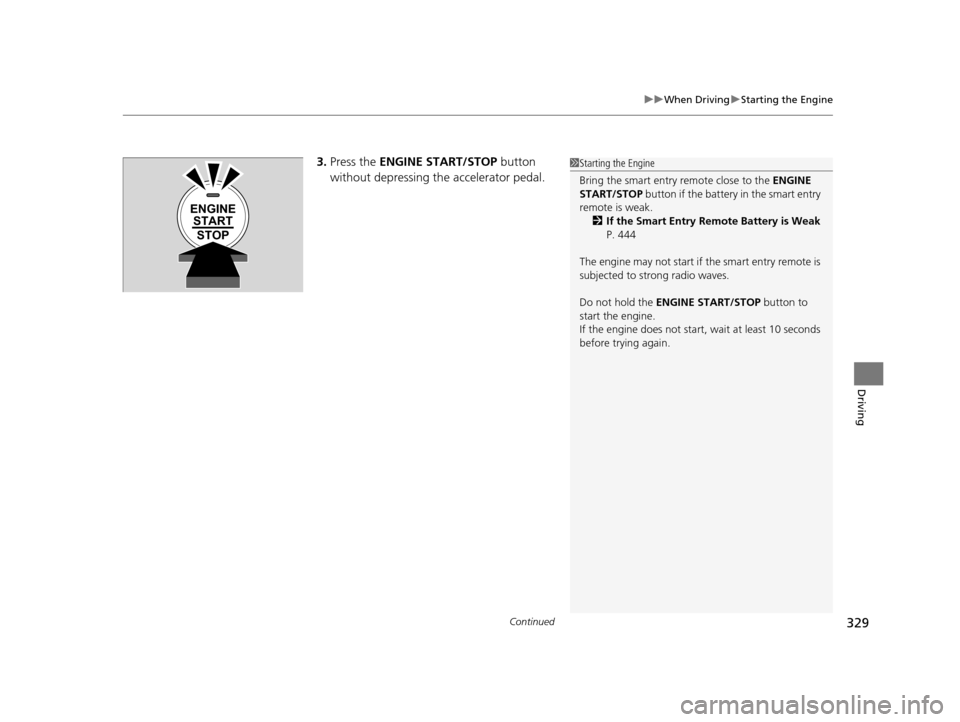
3. Press the ENGINE START/STOP button
without depressing the accelerator pedal.1 Starting the Engine
Bring the smart entry remote close to the ENGINE
START/STOP button if the battery in the smart entry
remote is weak.
2 If the Smart Entry Remote Battery is Weak
P. 444
The engine may not start if the smart entry remote is
subjected to strong radio waves.
Do not hold the ENGINE START/STOP button to
start the engine.
If the engine does not start, wait at least 10 seconds
before trying again.
ENGINE START
STOP
15 HR-V GAS-31T7A6000.book 329 ページ 2015年6月29日 月曜日 午前11時36分
Page 344 of 489
343
uuWhen Driving uECON Button*
Driving
ECON Button*
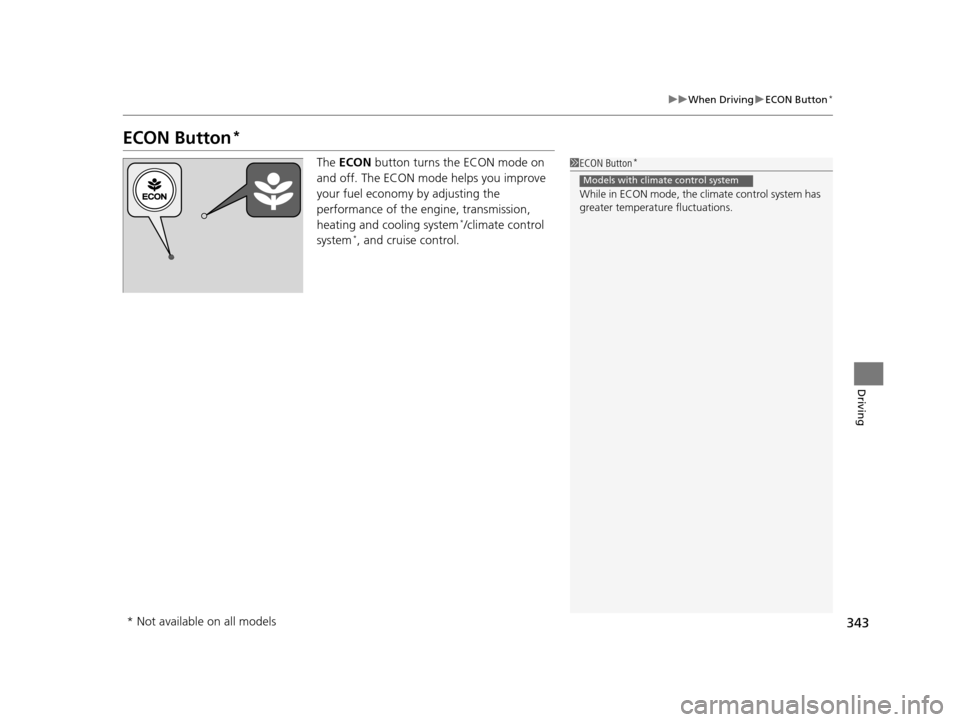
The ECON button turns the ECON mode on
and off. The ECON mode helps you improve
your fuel economy by adjusting the
performance of the engine, transmission,
heating and cooling system
*/climate control
system*, and cruise control.
1 ECON Button*
While in ECON mode, the climate control system has
greater temperature fluctuations.
Models with climate control system
* Not available on all models
15 HR-V GAS-31T7A6000.book 343 ページ 2015年6月29日 月曜日 午前11時36分
Page 345 of 489
344
uuWhen Driving uCruise Control
Driving
Cruise Control
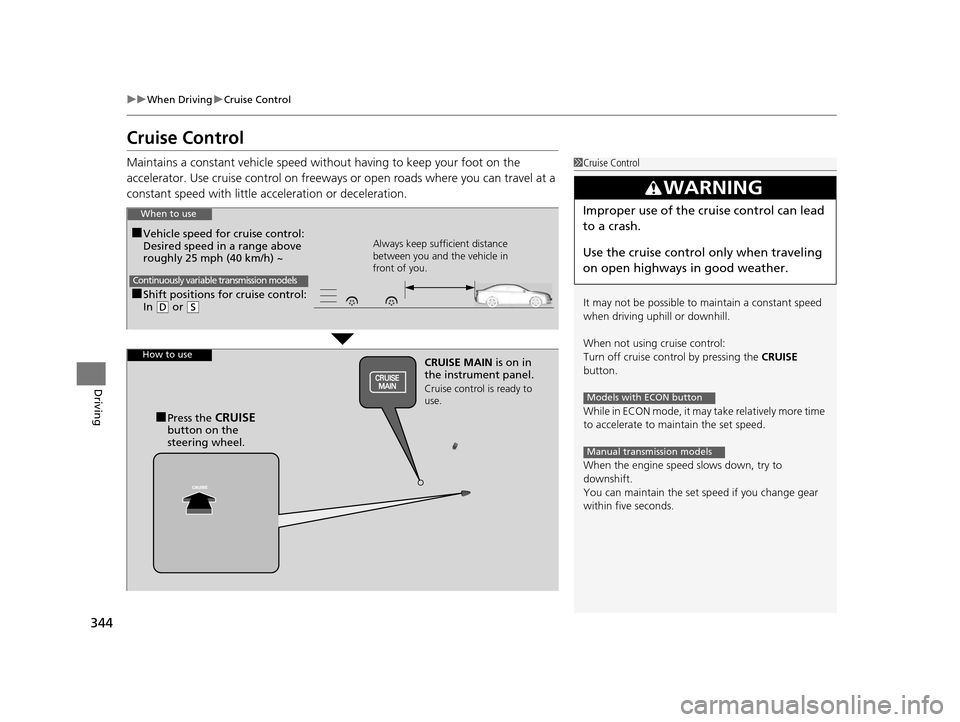
Maintains a constant vehicle speed without having to keep your foot on the
accelerator. Use cruise control on freeways or open roads where you can travel at a
constant speed with little acceleration or deceleration.1Cruise Control
It may not be possible to maintain a constant speed
when driving uphill or downhill.
When not using cruise control:
Turn off cruise control by pressing the CRUISE
button.
While in ECON mode, it may take relatively more time
to accelerate to maintain the set speed.
When the engine speed slows down, try to
downshift.
You can maintain the set sp eed if you change gear
within five seconds.
3WARNING
Improper use of the cruise control can lead
to a crash.
Use the cruise control only when traveling
on open highways in good weather.
Models with ECON button
Manual transmission models
■Shift positions for cruise control:
In ( D or (S Always keep sufficient distance
between you and the vehicle in
front of you.
Continuously variable transmission models
■Vehicle speed for cruise control:
Desired speed in a range above
roughly 25 mph (40 km/h) ~
When to use
CRUISE MAIN
is on in
the instrument panel.
Cruise control is ready to
use.
■Press the CRUISE
button on the
steering wheel.
How to use
15 HR-V GAS-31T7A6000.book 344 ページ 2015年6月29日 月曜日 午前11時36分
Page 347 of 489
uuWhen Driving uCruise Control
346
Driving
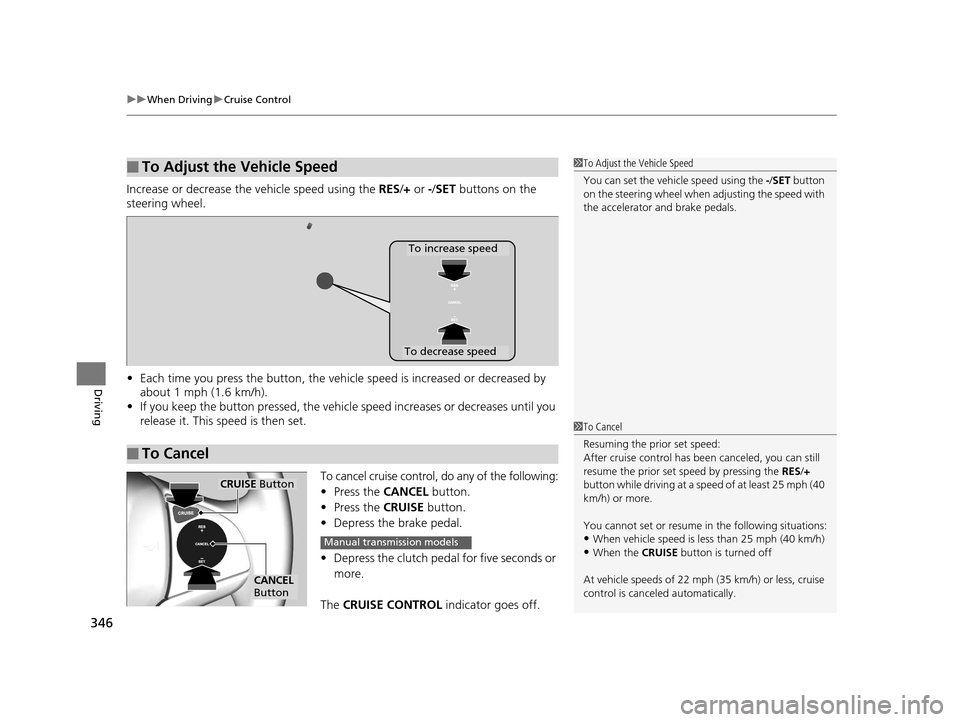
Increase or decrease the vehicle speed using the RES/+ or -/SET buttons on the
steering wheel.
• Each time you press the button, the vehicl e speed is increased or decreased by
about 1 mph (1.6 km/h).
• If you keep the button pressed, the vehicl e speed increases or decreases until you
release it. This speed is then set.
To cancel cruise control, do any of the following:
• Press the CANCEL button.
• Press the CRUISE button.
• Depress the brake pedal.
• Depress the clutch pedal for five seconds or
more.
The CRUISE CONTROL indicator goes off.
■To Adjust the Vehicle Speed1To Adjust the Vehicle Speed
You can set the vehicle speed using the -/SET button
on the steering wheel when adjusting the speed with
the accelerator and brake pedals.
■To Cancel
To decrease speed
To increase speed
1 To Cancel
Resuming the prior set speed:
After cruise control has be en canceled, you can still
resume the prior set speed by pressing the RES/+
button while driving at a speed of at least 25 mph (40
km/h) or more.
You cannot set or resume in the following situations:
•When vehicle speed is less than 25 mph (40 km/h)
•When the CRUISE button is turned off
At vehicle speeds of 22 m ph (35 km/h) or less, cruise
control is canceled automatically.
CRUISE Button
CANCEL
Button
Manual transmission models
15 HR-V GAS-31T7A6000.book 346 ページ 2015年6月29日 月曜日 午前11時36分