reset HONDA HR-V 2016 2.G Quick Guide
[x] Cancel search | Manufacturer: HONDA, Model Year: 2016, Model line: HR-V, Model: HONDA HR-V 2016 2.GPages: 77, PDF Size: 14.93 MB
Page 64 of 77
120 || 121 MAINTENANCE MAINTENANCE
TABLE OF CONTENTS
INDEX
VISUAL INDEX
VOICE COMMAND
INDEX
SAFETY
INFORMATION
CUSTOMER
INFORMATION
INSTRUMENT PANEL
SPECIFICATIONS
VEHICLE
CONTROLS
MAINTENANCE
AUDIO AND
CONNECTIVITY
HANDLING THE
UNEXPECTED
BLUETOOTH®
HANDSFREELINK®
DRIVING
HONDALINK®
NAVIGATION
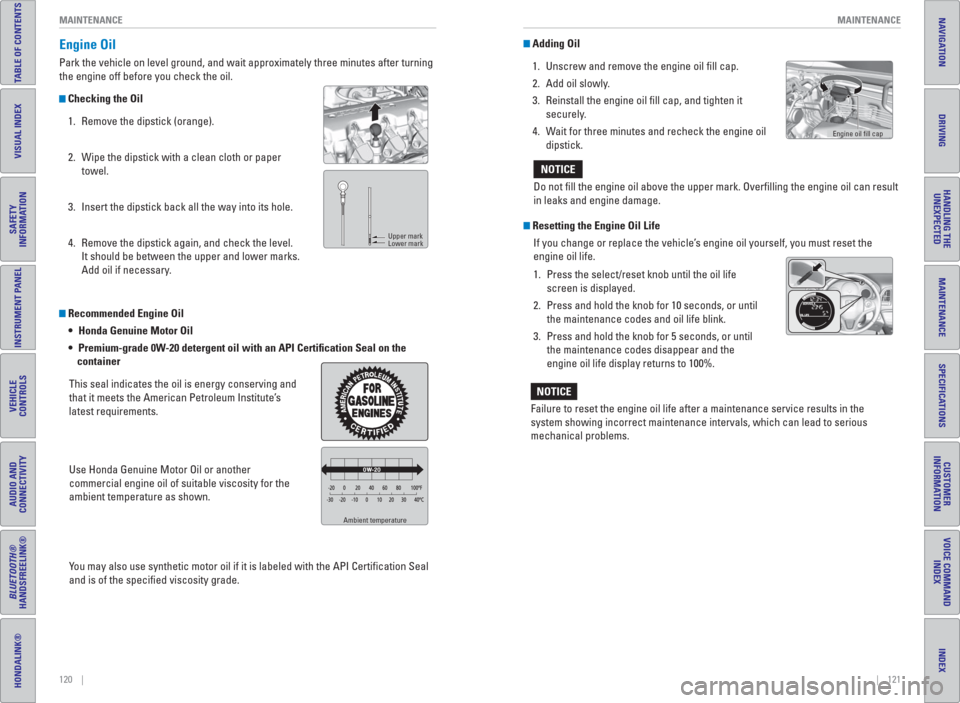
Recommended Engine Oil
Honda Genuine Motor Oil
Premium-grade 0W-20 detergent oil with an API Certi cation Seal on the
container
This seal indicates the oil is energy conserving and
that it meets the American Petroleum Institute’s
latest requirements.
Use Honda Genuine Motor Oil or another
commercial engine oil of suitable viscosity for the
ambient temperature as shown.
You may also use synthetic motor oil if it is labeled with the API Certifi cation Seal
and is of the specifi ed viscosity grade.
Ambient temperature
Engine Oil
Park the vehicle on level ground, and wait approximately three minutes after turning
the engine off before you check the oil.
Checking the Oil
1. Remove the dipstick (orange).
2. Wipe the dipstick with a clean cloth or paper
towel.
3. Insert the dipstick back all the way into its hole.
4. Remove the dipstick again, and check the level.
It should be between the upper and lower marks.
Add oil if necessary.
Upper mark
Lower mark
Adding Oil
1. Unscrew and remove the engine oil fi ll cap.
2. Add oil slowly.
3. Reinstall the engine oil fi ll cap, and tighten it
securely.
4. Wait for three minutes and recheck the engine oil
dipstick.
Resetting the Engine Oil Life
If you change or replace the vehicle’s engine oil yourself, you must reset the
engine oil life.
1. Press the select/reset knob until the oil life
screen is displayed.
2. Press and hold the knob for 10 seconds, or until
the maintenance codes and oil life blink.
3. Press and hold the knob for 5 seconds, or until
the maintenance codes disappear and the
engine oil life display returns to 100%. Do not fi ll the engine oil above the upper mark. Overfi lling the engine oil can result
in leaks and engine damage.
NOTICE
Failure to reset the engine oil life after a maintenance service results in the
system showing incorrect maintenance intervals, which can lead to serious
mechanical problems.
NOTICE
Engine oil fi ll cap
Page 74 of 77
140 || 141 VOICE COMMAND INDEX VOICE COMMAND INDEX
TABLE OF CONTENTS
INDEX
VISUAL INDEX
VOICE COMMAND
INDEX
SAFETY
INFORMATION
CUSTOMER
INFORMATION
INSTRUMENT PANEL
SPECIFICATIONS
VEHICLE
CONTROLS
MAINTENANCE
AUDIO AND
CONNECTIVITY
HANDLING THE
UNEXPECTED
BLUETOOTH®
HANDSFREELINK®
DRIVING
HONDALINK®
NAVIGATION
Route Commands
The system accepts these commands when a route is set.
• How long to the destination?
• How far to the destination?
• Display destination map
• Display entire route − Travel center
− Airport
− Automobile club
− Bus station
− Camping
− Commuter rail station
− Ferry terminal
− Named place
− Park & ride − Parking garage
− Parking lot
− Rental car agency
− Rest area
− Ski area
− Tourist information
− Train station
− Travel agency
− Truck stop
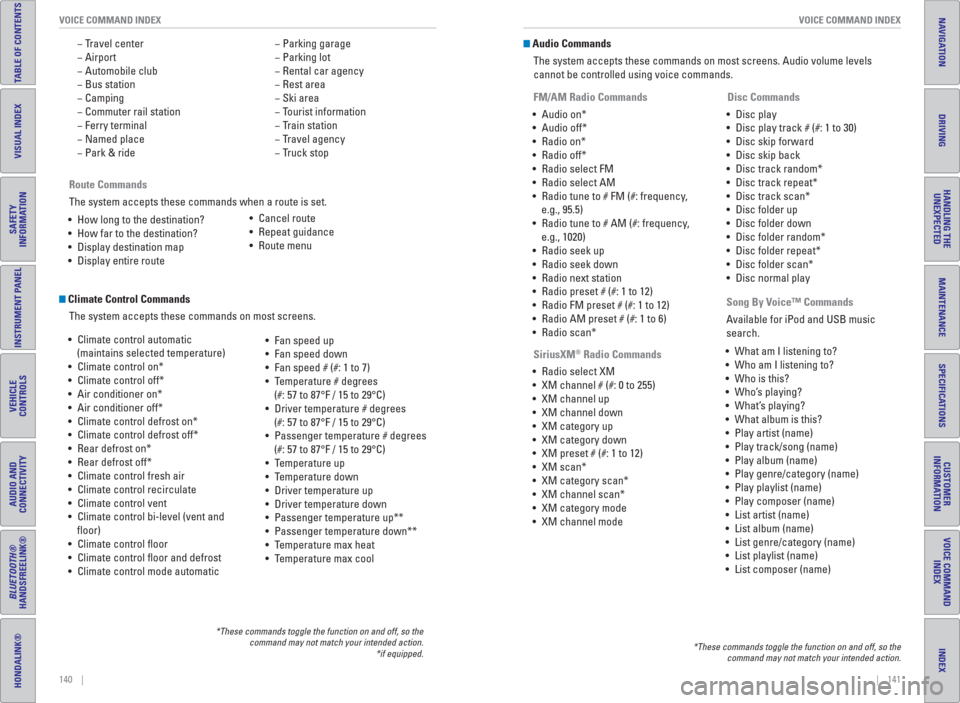
Climate Control Commands
The system accepts these commands on most screens.
• Climate control automatic
(maintains selected temperature)
• Climate control on*
• Climate control off*
• Air conditioner on*
• Air conditioner off*
• Climate control defrost on*
• Climate control defrost off*
• Rear defrost on*
• Rear defrost off*
• Climate control fresh air
• Climate control recirculate
• Climate control vent
• Climate control bi-level (vent and
fl oor)
• Climate control fl oor
• Climate control fl oor and defrost
• Climate control mode automatic• Fan speed up
• Fan speed down
• Fan speed # (#: 1 to 7)
• Temperature # degrees
(#: 57 to 87°F / 15 to 29°C)
• Driver temperature # degrees
(#: 57 to 87°F / 15 to 29°C)
• Passenger temperature # degrees
(#: 57 to 87°F / 15 to 29°C)
• Temperature up
• Temperature down
• Driver temperature up
• Driver temperature down
• Passenger temperature up**
• Passenger temperature down**
• Temperature max heat
• Temperature max cool
*These commands toggle the function on and off, so the
command may not match your intended action.
*if equipped.
• Cancel route
• Repeat guidance
• Route menu
Audio Commands
The system accepts these commands on most screens. Audio volume levels
cannot be controlled using voice commands.
FM/AM Radio Commands
• Audio on*
• Audio off*
• Radio on*
• Radio off*
• Radio select FM
• Radio select AM
• Radio tune to # FM (#: frequency,
e.g., 95.5)
• Radio tune to # AM (#: frequency,
e.g., 1020)
• Radio seek up
• Radio seek down
• Radio next station
• Radio preset # (#: 1 to 12)
• Radio FM preset # (#: 1 to 12)
• Radio AM preset # (#: 1 to 6)
• Radio scan*
SiriusXM
® Radio Commands
• Radio select XM
• XM channel # (#: 0 to 255)
• XM channel up
• XM channel down
• XM category up
• XM category down
• XM preset # (#: 1 to 12)
• XM scan*
• XM category scan*
• XM channel scan*
• XM category mode
• XM channel mode Disc Commands
• Disc play
• Disc play track # (#: 1 to 30)
• Disc skip forward
• Disc skip back
• Disc track random*
• Disc track repeat*
• Disc track scan*
• Disc folder up
• Disc folder down
• Disc folder random*
• Disc folder repeat*
• Disc folder scan*
• Disc normal play
*These commands toggle the function on and off, so the
command may not match your intended action.
Song By Voice™ Commands
Available for iPod and USB music
search.
• What am I listening to?
• Who am I listening to?
• Who is this?
• Who’s playing?
• What’s playing?
• What album is this?
• Play artist (name)
• Play track/song (name)
• Play album (name)
• Play genre/category (name)
• Play playlist (name)
• Play composer (name)
• List artist (name)
• List album (name)
• List genre/category (name)
• List playlist (name)
• List composer (name)
Page 77 of 77
146 || 147 INDEX INDEX
TABLE OF CONTENTS
INDEX
VISUAL INDEX
VOICE COMMAND
INDEX
SAFETY
INFORMATION
CUSTOMER
INFORMATION
INSTRUMENT PANEL
SPECIFICATIONS
VEHICLE
CONTROLS
MAINTENANCE
AUDIO AND
CONNECTIVITY
HANDLING THE
UNEXPECTED
BLUETOOTH®
HANDSFREELINK®
DRIVING
HONDALINK®
NAVIGATION
Talk Button Tips .........................................79
Traffi c..........................................................83
Voice Prompt .............................................79
Navigation Commands ..............................138
One-Touch Turn Signal ................................37
On-screen Commands ..............................143
Opening the Hood ......................................119
Overheating ................................................104
Paddle Shifters .............................................90
Pairing a Phone ......................................68, 72
Pandora
® .......................................................65
Pandora® Commands ................................142
Panic button ..................................................30
Parking brake ...............................................26
Passenger Airbag Off Indicator .................12
Phone .......................................................68, 72
Phonebook ..............................................69, 73
PHONE button ...............................................67
Phone Commands ......................................143
Pick-Up button ..................................67, 70, 77
Place Category .............................................81
Power Door Mirrors ....................................43
Power Mode .................................................89
Power Moonroof ..........................................35
Power Windows ...........................................34
Radio ........................................................52, 59
Readiness Codes .......................................133
Rear Camera .........................................99, 100
Rear Seats ...............................................40, 42
Rearview Mirror ...........................................43
Rear Wiper ....................................................38
Refueling .....................................................101
Remote Battery Strength ..........................102
Remote Transmitter .....................................30
Reporting Safety Defects ...........................23
Roadside Assistance .................................137
Route Commands .......................................140
Routing ...........................................................82
Safety Information .........................................3
Carbon Monoxide Gas ...............................4
Childproof Door Locks .............................32
Child Safety ...............................................15
Handling Information .................................4
Reporting Safety Defects ........................23
Safety Label Locations ............................22
Safety Messages ........................................3
Seat Belts ........................................................5
Fastening a Seat Belt .................................7
Lap/Shoulder Seat Belts ...........................5
Seat Belt Inspection ..................................6
Seat Belt Reminder ..................................26
Seat Belt with Detachable Anchor ..........8
Shoulder Anchor ........................................7
Seat Heaters .................................................47
Seats ..............................................................39Front Seats ................................................39
Rear Seats ...........................................40, 42
Selector knob ...............................................67
Select/reset knob ...................................28, 29
Service Codes ............................................118
Settings ..........................................................29
Setting the Clock ..........................................47
Shifting ...........................................................89
Shift Lever Does Not Move ......................103
Shoulder Anchor ............................................7
Side Airbags .................................................10
Side Curtain Airbags ...................................10
Siri Eyes Free ................................................76
SiriusXM
® Radio ...........................................60
SiriusXM® Radio Commands ....................141
Smart entry system ................................25, 31
SMS Text Messaging ..................................75
Song By Voice™ Commands ....................141
Sound .............................................................50
Specifi cations .............................................134
Speed Dial ...............................................69, 74
Starter system ..............................................25
Steering Wheel ............................................44
Steering Wheel and Nearby Controls ........1
Steering Wheel Controls ......................49, 77
Street Address .............................................80
Supplemental Restraint System (SRS) 11, 24
System message ..........................................26
Tailgate ..............................................30, 31, 33
Talk button .........................................67, 70, 77
Talk Button Tips ......................................71, 79
Text Messaging ............................................75
Tire Chains...................................................128
Tire Information ..........................................126
DOT Tire Quality Grading .......................130
Infl ation Guidelines ................................126
Tire and Loading Information Label .....127
Tire and Wheel Replacement ...............127
Tire Identifi cation Number (TIN) ..........129
Tire Labeling ............................................129
Tire Service Life ......................................128
Tire Terminology .....................................129
Wear Indicators ......................................126
Tire Pressure Monitoring System (TPMS)
.........................................................25, 106, 132
Tires ..............................................................134
Touchscreen Operation ..............................57
Towing ..........................................................105
TPMS .............................................25, 106, 132
Traffi c .............................................................83
Troubleshooting ..........................................135
Turn Signal ..............................................27, 37
Under the Hood ..........................................119
USB Commands .........................................142
USB Flash Drive .....................................55, 63USB Port ........................................................48
Vehicle .........................................................134
Vehicle Controls ...........................................30
Vehicle Stability Assist (VSA
®) ......25, 27, 94
Visual Index ....................................................1
Voice Command Index ..............................138
Voice Prompt ................................................79
VSA
® ...................................................25, 27, 94
Warranty Coverages .................................137
Washer fl uid level ........................................27
Wear Indicators .........................................126
Window Washer Fluid ...............................123
Windows .......................................................34
Winter Tires.................................................128
Wiper Blades ..............................................124
Wiper Operation ...........................................38