brakes HONDA HR-V 2017 2.G Owners Manual
[x] Cancel search | Manufacturer: HONDA, Model Year: 2017, Model line: HR-V, Model: HONDA HR-V 2017 2.GPages: 489, PDF Size: 29.22 MB
Page 26 of 489
25
Quick Reference Guide
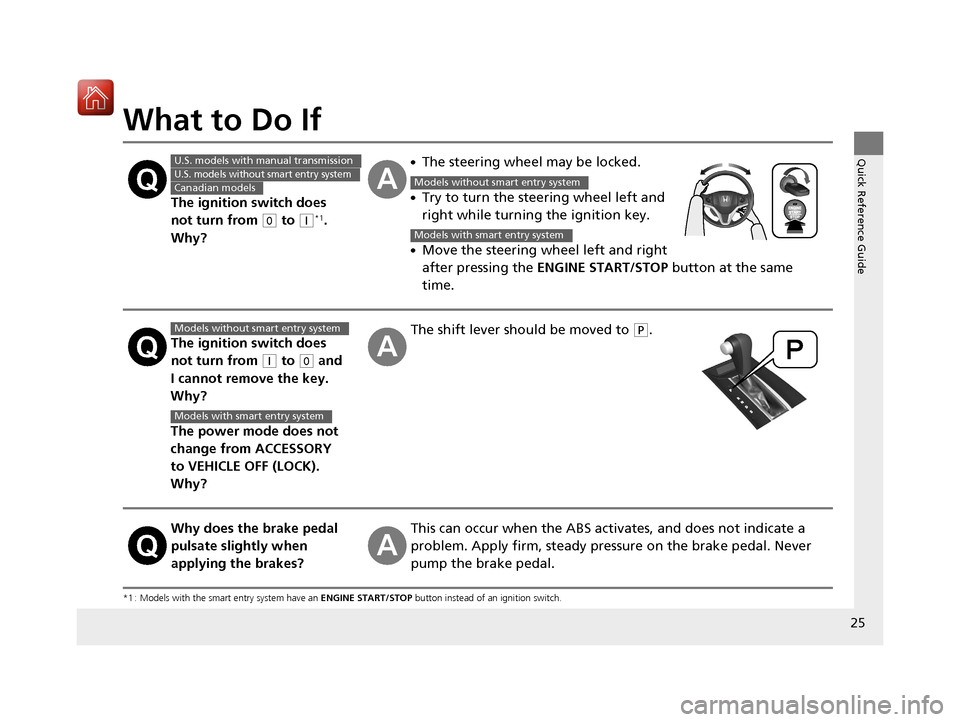
What to Do If
*1 : Models with the smart entry system have an ENGINE START/STOP button instead of an ignition switch.
The ignition switch does
not turn from
(0 to (q*1.
Why?
●The steering wheel may be locked.
●Try to turn the steering wheel left and
right while turning the ignition key.
●Move the steering wheel left and right
after pressing the ENGINE START/STOP button at the same
time.
The ignition switch does
not turn from
(q to (0 and
I cannot remove the key.
Why?
The power mode does not
change from ACCESSORY
to VEHICLE OFF (LOCK).
Why?
The shift lever should be moved to (P.
Why does the brake pedal
pulsate slightly when
applying the brakes?This can occur when the ABS activates, and does not indicate a
problem. Apply firm, steady pressure on the brake pedal. Never
pump the brake pedal.
U.S. models with manual transmission
U.S. models without smart entry system
Canadian modelsModels without smart entry system
Models with smart entry system
Models without smart entry system
Models with smart entry system
17 HR-V HDMC-31T7A6100.book 25 ページ 2016年7月20日 水曜日 午前9時50分
Page 84 of 489
83
uuIndicators u
Continued
Instrument Panel
*1:Models with the smart entry system have an ENGINE START/STOP button instead of an ignition switch.
IndicatorNameOn/BlinkingExplanationMessage
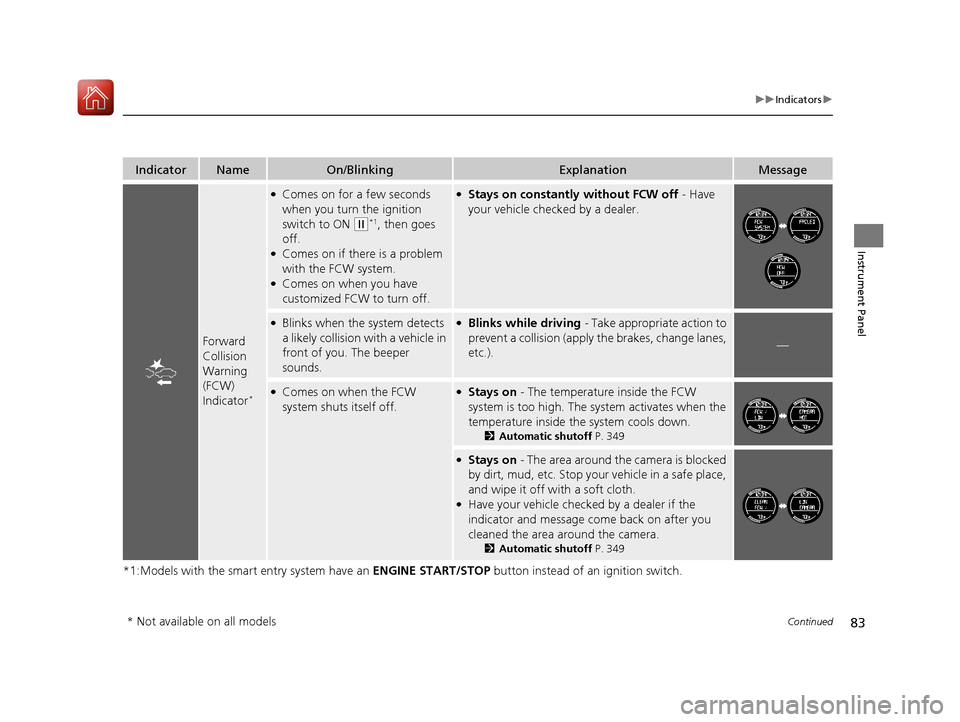
Forward
Collision
Warning
(FCW)
Indicator
*
●Comes on for a few seconds
when you turn the ignition
switch to ON
(w*1, then goes
off.
●Comes on if there is a problem
with the FCW system.
●Comes on when you have
customized FCW to turn off.
●Stays on constantly without FCW off - Have
your vehicle checked by a dealer.
●Blinks when the system detects
a likely collision with a vehicle in
front of you. The beeper
sounds.●Blinks while driving - Take appropriate action to
prevent a collisio n (apply the brakes, change lanes,
etc.).
—
●Comes on when the FCW
system shuts itself off.●Stays on - The temperature inside the FCW
system is too high. The sy stem activates when the
temperature inside the system cools down.
2 Automatic shutoff P. 349
●Stays on - The area around the camera is blocked
by dirt, mud, etc. Stop your vehicle in a safe place,
and wipe it off with a soft cloth.
●Have your vehicle checked by a dealer if the
indicator and message come back on after you
cleaned the area around the camera.
2 Automatic shutoff P. 349
* Not available on all models
17 HR-V HDMC-31T7A6100.book 83 ページ 2016年7月20日 水曜日 午前9時50分
Page 348 of 489
347
uuWhen Driving uForward Collision Warning (FCW)*
Continued
Driving
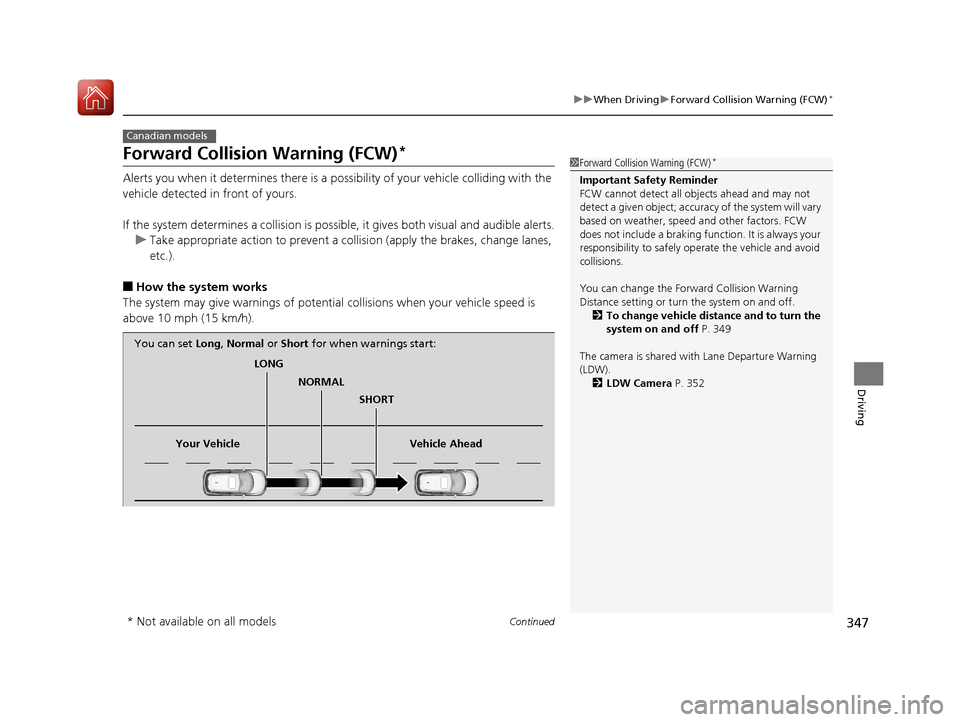
Forward Collision Warning (FCW)*
Alerts you when it determines there is a po ssibility of your vehicle colliding with the
vehicle detected in front of yours.
If the system determines a collision is possible, it gives both visual and audible alerts. u Take appropriate action to prevent a coll ision (apply the brakes, change lanes,
etc.).
■How the system works
The system may give warnings of potentia l collisions when your vehicle speed is
above 10 mph (15 km/h).
Canadian models
1 Forward Collision Warning (FCW)*
Important Safety Reminder
FCW cannot detect all ob jects ahead and may not
detect a given object; accura cy of the system will vary
based on weather, speed and other factors. FCW
does not include a braking func tion. It is always your
responsibility to sa fely operate the vehicle and avoid
collisions.
You can change the Forward Collision Warning
Distance setting or turn the system on and off. 2 To change vehicle distance and to turn the
system on and off P. 349
The camera is shared with Lane Departure Warning
(LDW). 2 LDW Camera P. 352
LONG
NORMAL SHORT
Your Vehicle Vehicle Ahead
You can set
Long, Normal or Short for when warnings start:
* Not available on all models
17 HR-V HDMC-31T7A6100.book 347 ページ 2016年7月20日 水曜日 午前9時50分
Page 351 of 489
350
uuWhen Driving uForward Collision Warning (FCW)*
Driving
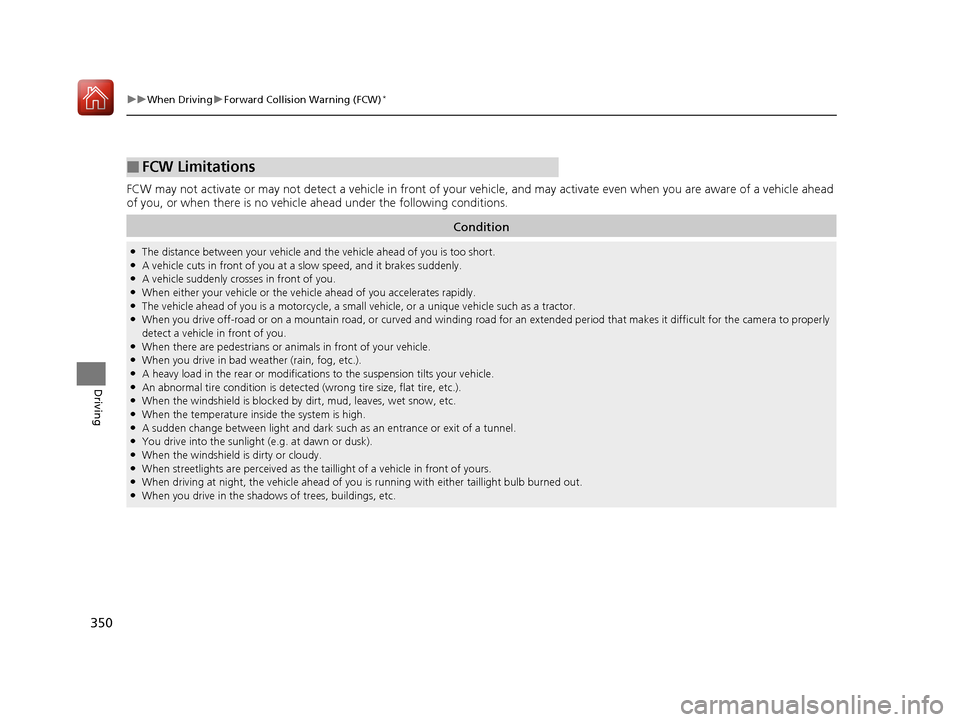
FCW may not activate or may not detect a vehicle in front of your vehicle, and may activate even when you are aware of a vehicl e ahead
of you, or when there is no vehicl e ahead under the following conditions.
■FCW Limitations
Condition
●The distance between your vehicle and the vehicle ahead of you is too short.●A vehicle cuts in front of you at a slow speed, and it brakes suddenly.●A vehicle suddenly crosses in front of you.●When either your vehicle or the vehi cle ahead of you accelerates rapidly.●The vehicle ahead of you is a motorcycle, a small vehicle, or a unique vehicle such as a tractor.●When you drive off-road or on a mountain road, or curved and wi nding road for an extended period that makes it difficult for the camera to properly
detect a vehicle in front of you.
●When there are pedestrians or animals in front of your vehicle.●When you drive in bad weather (rain, fog, etc.).●A heavy load in the rear or modificati ons to the suspension tilts your vehicle.●An abnormal tire condition is detected (wrong tire size, flat tire, etc.).●When the windshield is blocked by dirt, mud, leaves, wet snow, etc.●When the temperature inside the system is high.●A sudden change between light and dark such as an entrance or exit of a tunnel.●You drive into the sunlight (e.g. at dawn or dusk).●When the windshield is dirty or cloudy.●When streetlights are perceived as the ta illight of a vehicle in front of yours.●When driving at night, the vehi cle ahead of you is running with either taillight bulb burned out.●When you drive in the shadows of trees, buildings, etc.
17 HR-V HDMC-31T7A6100.book 350 ページ 2016年7月20日 水曜日 午前9時50分
Page 355 of 489
354
uuWhen Driving uVehicle Stability Assist (VSA® ), aka Electronic Stability Control (ESC), System
Driving
Vehicle Stability Assist (VSA®), aka Electronic
Stability Control (ESC), System
VSA ® helps to stabilize the vehicle during cornering if the vehicle turns more or less
than what was intended. It also assists in maintaining traction on slippery surfaces.
It does so by regulating engine output and select ively applying the brakes.
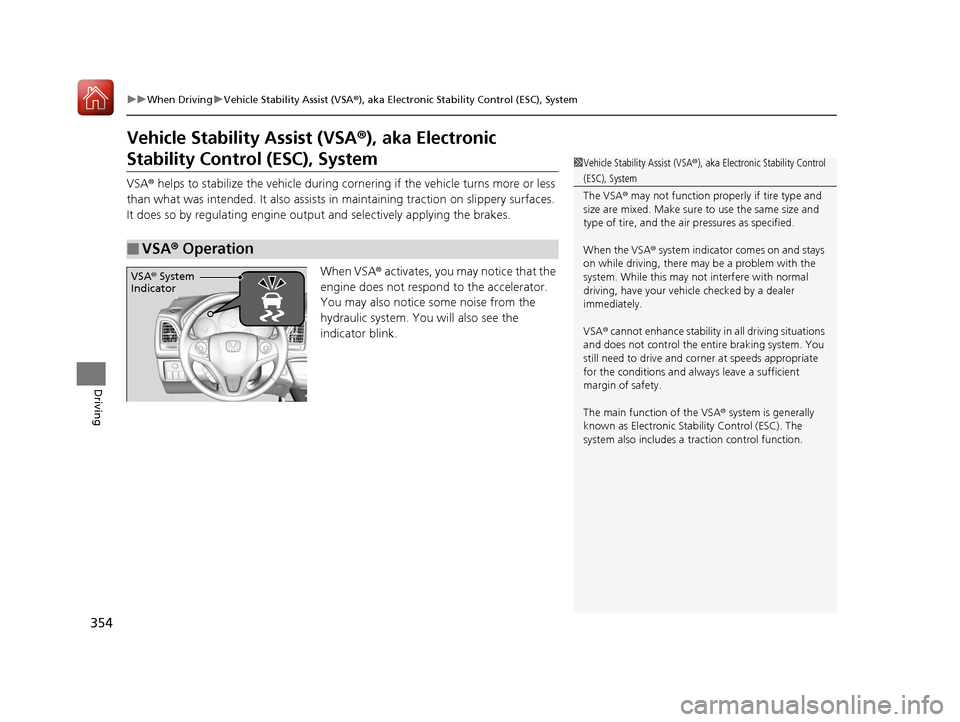
When VSA ® activates, you may notice that the
engine does not respond to the accelerator.
You may also notice some noise from the
hydraulic system. You will also see the
indicator blink.
■VSA ® Operation
1 Vehicle Stability Assist (VSA ®), aka Electronic Stability Control
(ESC), System
The VSA ® may not function properl y if tire type and
size are mixed. Make sure to use the same size and
type of tire, and the air pressures as specified.
When the VSA ® system indicator comes on and stays
on while driving, there ma y be a problem with the
system. While this may not interfere with normal
driving, have your vehi cle checked by a dealer
immediately.
VSA ® cannot enhance stability in all driving situations
and does not control the entire braking system. You
still need to drive and corner at speeds appropriate
for the conditions and always leave a sufficient
margin of safety.
The main function of the VSA ® system is generally
known as Electronic Stability Control (ESC). The
system also includes a traction control function.
VSA® System
Indicator
17 HR-V HDMC-31T7A6100.book 354 ページ 2016年7月20日 水曜日 午前9時50分
Page 366 of 489
Continued365
uuBraking uBrake System
Driving
You can release the parking brake automatically when:
• You are wearing the driver’s seat belt.
• The engine is running.
• The transmission is not in
(P or (N.
• The transmission is not in
(N.
Your vehicle is equipped with disc brakes at all four wheels. A vacuum power assist
helps to reduce the effort needed on th e brake pedal. The brake assist system
increases the stopping force when you depress the brake pedal hard in an
emergency situation. The an ti-lock brake system (ABS) helps you retain steering
control when brak ing very hard.
2Brake Assist System P. 370
2 Anti-lock Brake System (ABS) P. 369
■Foot Brake
Continuously variable transmission models
Manual transmission models
1Foot Brake
Check the brakes after driving through deep water,
or if there is a buildup of road surface water. If
necessary, dry the brakes by lightly depressing the
pedal several times.
If you hear a continuous me tallic friction sound when
applying the brakes, this is caused by the brake wear
indicator rubbing on the brake rotor and indicates
that the brake pads need to be replaced. Have the
vehicle checked by a deal er. If you hear only an
occasional squeak or squeal when you initially apply
the brake pedal, this may be normal and caused by
high frequency vibration of the brake pads against
the rotating brake disc.
Constantly using the brak e pedal while going down a
long hill builds up heat, which reduces the brake
effectiveness. Apply engine braking by taking your
foot off the accelerator pe dal and downshifting to a
lower gear/speed position. With ma nual transmission
use a lower gear for gr eater engine braking.
Do not rest your foot on the brake pedal while
driving, as it will lightly apply the brakes and cause
them to lose effectiveness over time and reduce pad
life. It will also conf use drivers behind you.
17 HR-V HDMC-31T7A6100.book 365 ページ 2016年7月20日 水曜日 午前9時50分
Page 370 of 489
369
uuBraking uAnti-lock Brake System (ABS)
Driving
Anti-lock Brake System (ABS)
Helps prevent the wheels from locking up, and helps you retain steering control by
pumping the brakes rapidly, much faster than you.
The electronic brake distribu tion (EBD) system, which is part of the ABS, also
balances the front-to-rear braking distribution according to vehicle loading.
You should never pump the brake pedal. Let the ABS work for you by always
keeping firm, steady pressure on the brake pe dal. This is sometimes referred to as
“stomp and steer.”
■ABS operation
The brake pedal may pulsate slightly when the ABS is working. Keep holding the
pedal firmly down. On dry pavement, you will need to press on the brake pedal very
hard before the ABS activates. However, you may feel the ABS activate immediately
if you are trying to stop on snow or ice.
When the vehicle speed goes under 6 mph (10 km/h), the ABS stops.
■ABS1Anti-lock Brake System (ABS)
NOTICE
The ABS may not function correctly if you use an
incorrect tire type and size.
When the ABS indicator comes on while driving,
there may be a problem with the system.
While normal braking is not affected, there is a
possibility of the ABS not operating. Have your
vehicle checked by a dealer immediately.
The ABS does not reduce the time or distan ce it takes
to stop the vehicle. It only helps with steering control
during hard braking.
In the following cases, your vehicle may need more
stopping distance than a vehicle without the ABS:
•When driving on rough road surfaces, including
when driving on uneven surf aces, such as gravel or
snow.
•When snow chains are installed.
You may hear a motor sound coming from the
engine compartment while system checks are being
performed immediately after starting the engine or
while driving. This is normal.
17 HR-V HDMC-31T7A6100.book 369 ページ 2016年7月20日 水曜日 午前9時50分
Page 384 of 489
383
uuMaintenance MinderTMuTo Use Maintenance MinderTM
Continued
Maintenance
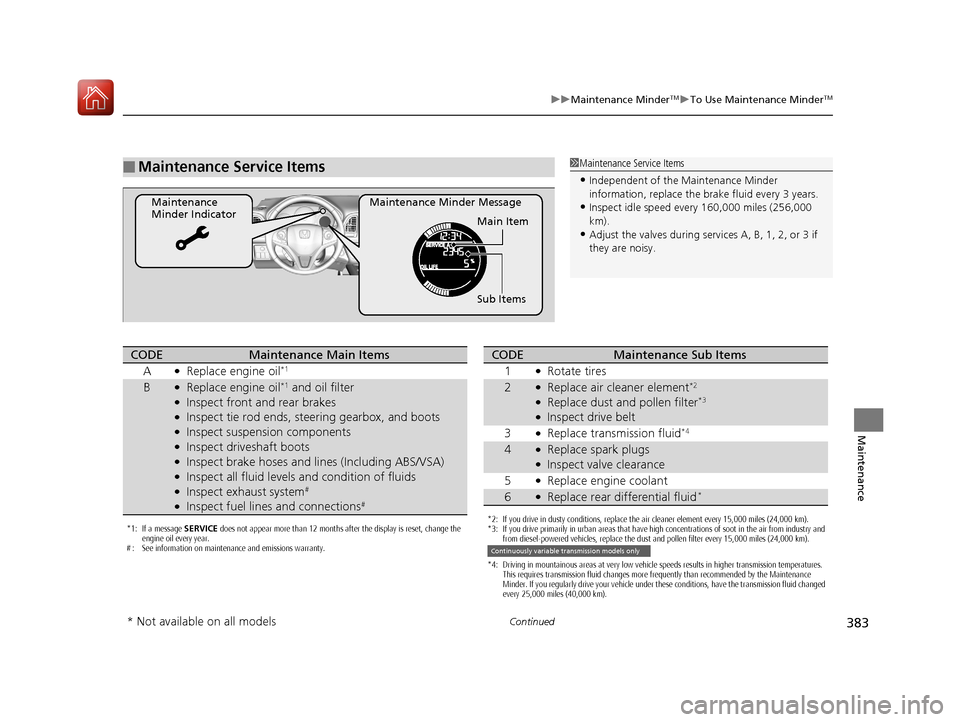
■Maintenance Service Items
Maintenance Minder Message
Maintenance
Minder Indicator
Sub Items Main Item
1Maintenance Service Items
•Independent of the Maintenance Minder
information, replace the brake fluid every 3 years.
•Inspect idle speed every 160,000 miles (256,000
km).
•Adjust the valves during services A, B, 1, 2, or 3 if
they are noisy.
*1: If a message SERVICE does not appear more than 12 months after the display is reset, change the
engine oil every year.
# : See information on maintenance and emissions warranty.
CODEMaintenance Main Items
A
●Replace engine oil*1
B●Replace engine oil*1 and oil filter●Inspect front and rear brakes●Inspect tie rod ends, steering gearbox, and boots●Inspect suspension components●Inspect driveshaft boots●Inspect brake hoses and li nes (Including ABS/VSA)●Inspect all fluid levels and condition of fluids●Inspect exhaust system#
●Inspect fuel lines and connections#
*2: If you drive in dusty conditions, replace the air cleaner element every 15,000 miles (24,000 km).
*3: If you drive primarily in urban areas that have high concentrations of soot in the air from industry and
from diesel-powered vehicles, replace the dust and pollen filter every 15,000 miles (24,000 km).
*4: Driving in mountainous areas at very low vehicle speeds results in higher transmission temperatures. This requires transmission fluid changes more frequently than recommended by the Maintenance
Minder. If you regularly drive your vehicle under these conditions, have the transmission fluid changed
every 25,000 miles (40,000 km).
CODEMaintenance Sub Items
1
●Rotate tires
2●Replace air cleaner element*2
●Replace dust and pollen filter*3
●Inspect drive belt
3
●Replace transmission fluid*4
4●Replace spark plugs●Inspect valve clearance
5
●Replace engine coolant
6●Replace rear differential fluid*
Continuously variable transmission models only
* Not available on all models
17 HR-V HDMC-31T7A6100.book 383 ページ 2016年7月20日 水曜日 午前9時50分
Page 396 of 489
395
uuMaintenance Under the Hood uBrake/Clutch* Fluid
Maintenance
Brake/Clutch* Fluid
Use the same fluid for bo th the brakes and clutch.
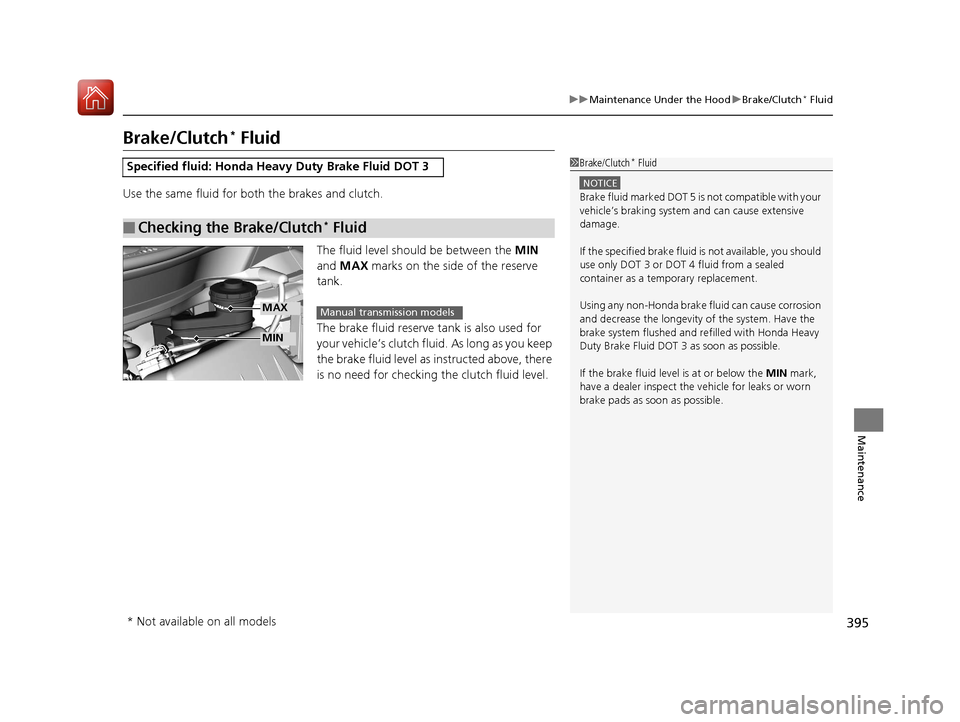
The fluid level should be between the MIN
and MAX marks on the side of the reserve
tank.
The brake fluid reserve tank is also used for
your vehicle’s clutch fluid. As long as you keep
the brake fluid level as instructed above, there
is no need for checking the clutch fluid level.
Specified fluid: Honda He avy Duty Brake Fluid DOT 3
■Checking the Brake/Clutch* Fluid
1Brake/Clutch* Fluid
NOTICE
Brake fluid marked DOT 5 is not compatible with your
vehicle’s braking system and can cause extensive
damage.
If the specified brake fluid is not available, you should
use only DOT 3 or DOT 4 fluid from a sealed
container as a tem porary replacement.
Using any non-Honda brake fluid can cause corrosion
and decrease the longevity of the system. Have the
brake system flushed and re filled with Honda Heavy
Duty Brake Fluid DOT 3 as soon as possible.
If the brake fluid level is at or below the MIN mark,
have a dealer inspect the vehicle for leaks or worn
brake pads as soon as possible.
MIN
MAXManual transmission models
* Not available on all models
17 HR-V HDMC-31T7A6100.book 395 ページ 2016年7月20日 水曜日 午前9時50分
Page 419 of 489
418
uuChecking and Maintaining Tires uWinter Tires
Maintenance
Winter Tires
If driving on snowy or frozen roads, mount all season marked M+S tires, snow tires,
or tire chains; reduce speed; and maintain su fficient distance between vehicles when
driving.
Be particularly careful when operating the steering wheel or brakes to prevent
skidding.
Use tire chains, snow tires, or all season ti res when necessary or according to the law.
When mounting, refer to the following points.
For winter tires:
• Select the size and load ranges that are the same as the original tires.
• Mount the tires to all four wheels.
For tire chains:
• Install them on the front tires only.
• Because your vehicle has limited tire cl earance, we strongly recommend using the
chains listed below:
• Follow the chain manufacturer’s instruction when installing. Mount them as
tightly as you can.
• Check that the chains do not to uch the brake lines or suspension.
• Drive slowly.
Cable-type: SCC Radial Chain SC1036
1Winter Tires
NOTICE
Traction devices that are th e wrong size or improperly
installed can damage your vehicle’s brake lines,
suspension, body, and wheels. Stop driving if they are
hitting any part of the vehicle.
When tire chains are mounted, follow the chain
manufacturer’s instructi ons regarding vehicle
operational limits.
If your vehicle is equipped with summer tires, be
aware that these tires are not designed for winter
driving conditions. For more information, contact a
dealer.
3WARNING
Using the wrong chains, or not properly
installing chains, can damage the brake
lines and cause a crash in which you can be
seriously injured or killed.
Follow all instruction s in this owner’s
manual regarding the selection and use of
tire chains.
17 HR-V HDMC-31T7A6100.book 418 ページ 2016年7月20日 水曜日 午前9時50分