keyless HONDA HRV 2022 Owners Manual
[x] Cancel search | Manufacturer: HONDA, Model Year: 2022, Model line: HRV, Model: HONDA HRV 2022Pages: 641, PDF Size: 21.37 MB
Page 462 of 641
uuWhen Driving uTire Pressure Monitoring System (TPMS)
460
Driving
You must start TPMS calibration every time you:
• Adjust the pressure in one or more tires.
• Rotate the tires.
• Replace one or more tires.
Before calibrating the TPMS:
• Set the cold tire pressu re in all four tires.
2Checking Tires P. 559
Make sure:
• The vehicle is at a complete stop.
• The shift lever is in
(P.
• The ignition switch is in ON
(w*1.
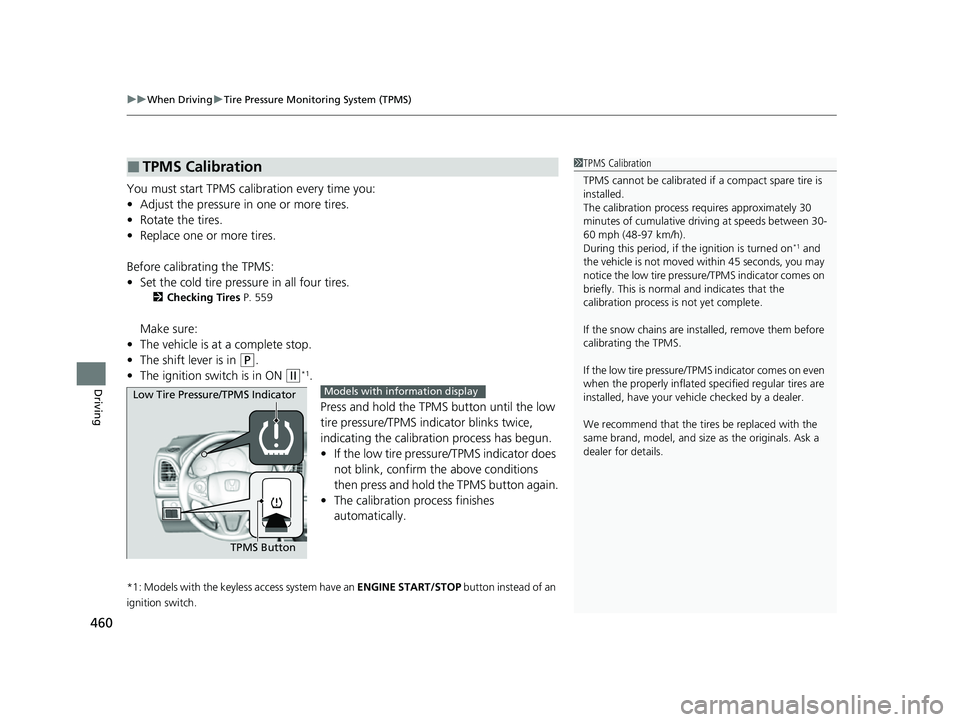
Press and hold the TPMS button until the low
tire pressure/TPMS indi cator blinks twice,
indicating the calibration process has begun.
• If the low tire pressure/TPMS indicator does
not blink, confirm the above conditions
then press and hold the TPMS button again.
• The calibration pr ocess finishes
automatically.
*1: Models with the keyless access system have an ENGINE START/STOP button instead of an
ignition switch.
■TPMS Calibration1 TPMS Calibration
TPMS cannot be calibrated if a compact spare tire is
installed.
The calibration process requires approximately 30
minutes of cumulative driv ing at speeds between 30-
60 mph (48-97 km/h).
During this period, if the ignition is turned on
*1 and
the vehicle is not moved within 45 seconds, you may
notice the low tire pressure/TPMS indicator comes on
briefly. This is normal and indicates that the
calibration process is not yet complete.
If the snow chains are installed, remove them before
calibrating the TPMS.
If the low tire pressure/TPMS indicator comes on even
when the properly inflated specified regular tires are
installed, have your vehicle checked by a dealer.
We recommend that the tires be replaced with the
same brand, model, and size as the originals. Ask a
dealer for details.
TPMS Button
Low Tire Pressure/TPMS Indicator
Models with info
rmation display
22 HR-V HDMC-31T7A6600.book 460 ページ 2021年4月12日 月曜日 午前10時50分
Page 509 of 641
507Continued
Driving
Braking
Brake System
Use the parking brake to keep the vehicle stationary when parked. When the
parking brake is applied, you can manu ally or automatically release it.
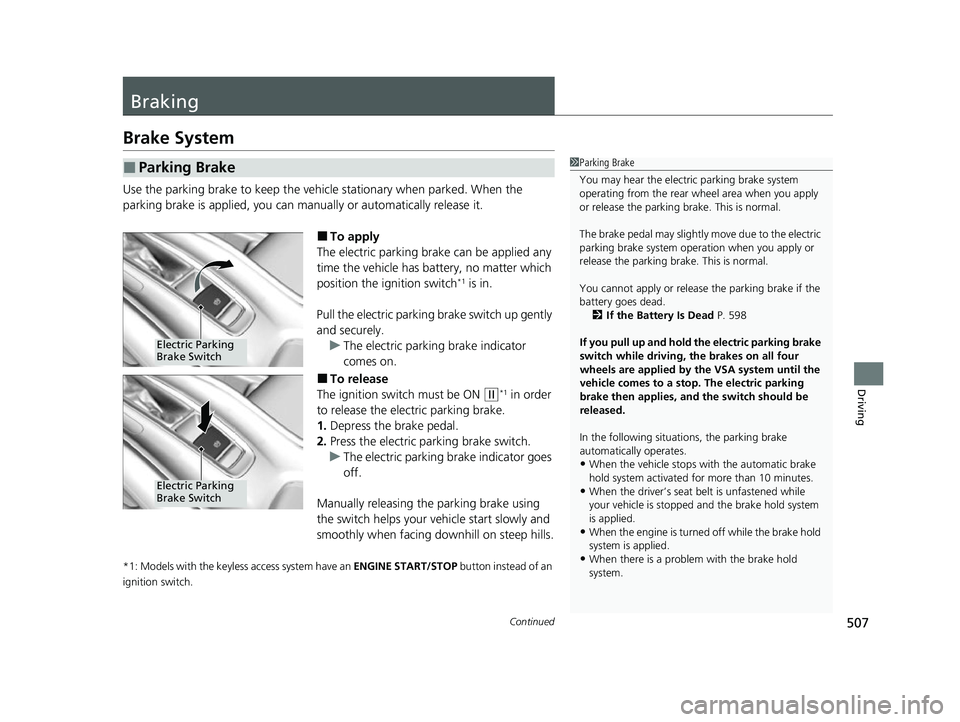
■To apply
The electric parking brake can be applied any
time the vehicle has battery, no matter which
position the ignition switch
*1 is in.
Pull the electric parking brake switch up gently
and securely. u The electric parking brake indicator
comes on.
■To release
The ignition switch must be ON
(w*1 in order
to release the electric parking brake.
1. Depress the brake pedal.
2. Press the electric parking brake switch.
u The electric parking brake indicator goes
off.
Manually releasing the parking brake using
the switch helps your vehicle start slowly and
smoothly when facing downhill on steep hills.
*1: Models with the keyless access system have an ENGINE START/STOP button instead of an
ignition switch.
■Parking Brake1 Parking Brake
You may hear the electric parking brake system
operating from the rear wh eel area when you apply
or release the parking brake. This is normal.
The brake pedal may slightly move due to the electric
parking brake system opera tion when you apply or
release the parking br ake. This is normal.
You cannot apply or release the parking brake if the
battery goes dead.
2 If the Battery Is Dead P. 598
If you pull up and hold the electric parking brake
switch while driving, the brakes on all four
wheels are applied by the VSA system until the
vehicle comes to a stop. The electric parking
brake then applies, and the switch should be
released.
In the following situations, the parking brake
automatically operates.
•When the vehicle stops with the automatic brake
hold system activated for more than 10 minutes.
•When the driver’s seat belt is unfastened while
your vehicle is stopped and the brake hold system
is applied.
•When the engine is turned off while the brake hold
system is applied.
•When there is a problem with the brake hold
system.
Electric Parking
Brake Switch
Electric Parking
Brake Switch
22 HR-V HDMC-31T7A6600.book 507 ページ 2021年4月12日 月曜日 午前10時50分
Page 518 of 641
516
uuMulti-View Rear Camera uAbout Your Multi-View Rear Camera
Driving
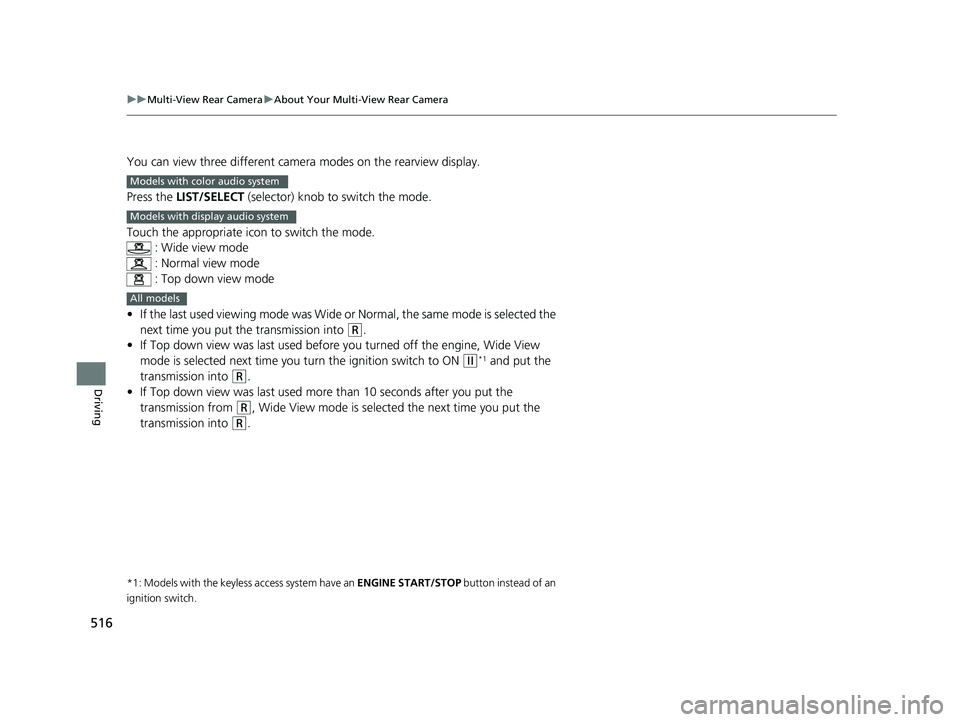
You can view three different camera modes on the rearview display.
Press the LIST/SELECT (selector) knob to switch the mode.
Touch the appropriate icon to switch the mode. : Wide view mode
: Normal view mode
: Top down view mode
• If the last used viewing mode was Wide or Normal, the same mode is selected the
next time you put the transmission into
(R.
• If Top down view was last used before you turned off the engine, Wide View
mode is selected next time you turn the ignition switch to ON
(w*1 and put the
transmission into
(R.
• If Top down view was last used more than 10 seconds after you put the
transmission from
(R, Wide View mode is selected the next time you put the
transmission into
(R.
*1: Models with the keyless access system have an ENGINE START/STOP button instead of an
ignition switch.
Models with color audio system
Models with display audio system
All models
22 HR-V HDMC-31T7A6600.book 516 ページ 2021年4月12日 月曜日 午前10時50分
Page 527 of 641
525Continued
Maintenance
Maintenance MinderTM
If the engine oil life is less than 15%, you will see the Maintenance Minder messages
appear on the information display or the multi-information display every time you
turn the ignition switch to ON
(w*1. The messages notify you when to change the
engine oil, or when to bring your vehicle to a dealer for indicated maintenance
services.
To Use Maintenance MinderTM
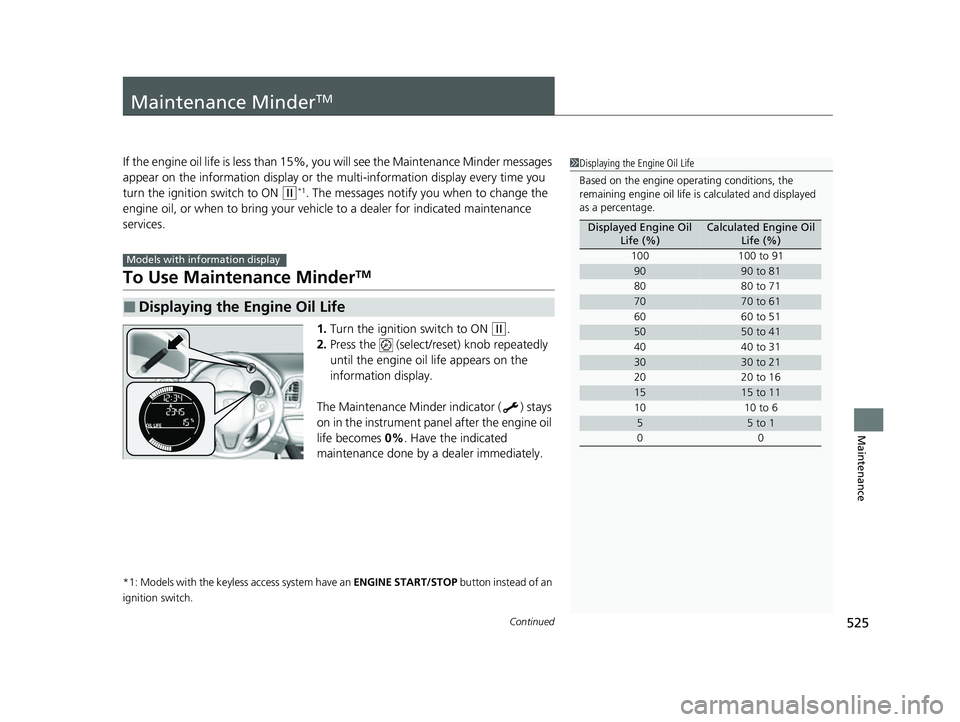
1. Turn the ignition switch to ON (w.
2. Press the (select/reset) knob repeatedly
until the engine oil life appears on the
information display.
The Maintenance Minder indicator ( ) stays
on in the instrument panel after the engine oil
life becomes 0% . Have the indicated
maintenance done by a dealer immediately.
*1: Models with the keyless access system have an ENGINE START/STOP button instead of an
ignition switch.
■Displaying the Engine Oil Life
Models with info rmation display
1Displaying the Engine Oil Life
Based on the engine ope rating conditions, the
remaining engine oi l life is calculated and displayed
as a percentage.
Displayed Engine Oil Life (%)Calculated Engine Oil Life (%)
100 100 to 91
9090 to 81
80 80 to 71
7070 to 61
60 60 to 51
5050 to 41
40 40 to 31
3030 to 21
20 20 to 16
1515 to 11
10 10 to 6
55 to 1
00
22 HR-V HDMC-31T7A6600.book 525 ページ 2021年4月12日 月曜日 午前10時50分
Page 531 of 641
529
uuMaintenance MinderTMuTo Use Maintenance MinderTM
Continued
Maintenance
To Use Maintenance MinderTM
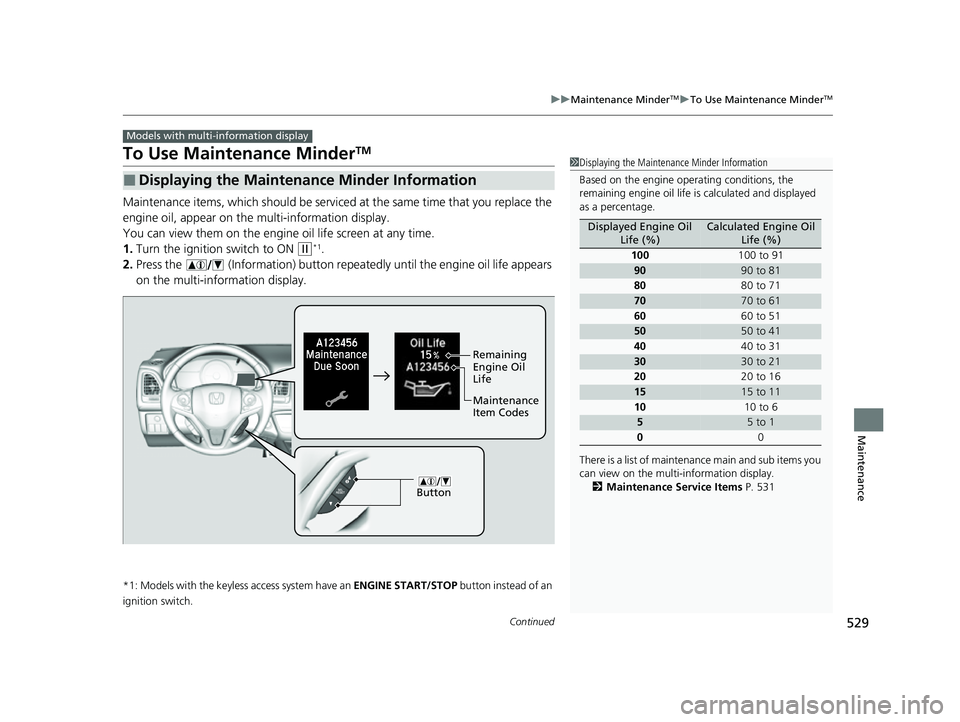
Maintenance items, which should be serviced at the same time that you replace the
engine oil, appear on the multi-information display.
You can view them on the engine oil life screen at any time.
1. Turn the ignition switch to ON
(w*1.
2. Press the (Information) button repeated ly until the engine oil life appears
on the multi-information display.
*1: Models with the keyless access system have an ENGINE START/STOP button instead of an
ignition switch.
■Displaying the Maintenance Minder Information
Models with multi- information display
1Displaying the Maintena nce Minder Information
Based on the engine ope rating conditions, the
remaining engine oi l life is calculated and displayed
as a percentage.
There is a list of maintena nce main and sub items you
can view on the multi-information display.
2 Maintenance Service Items P. 531
Displayed Engine Oil
Life (%)Calculated Engine Oil Life (%)
100 100 to 91
9090 to 81
80 80 to 71
7070 to 61
60 60 to 51
5050 to 41
40 40 to 31
3030 to 21
20 20 to 16
1515 to 11
10 10 to 6
55 to 1
0 0
Button
Maintenance
Item Codes Remaining
Engine Oil
Life
22 HR-V HDMC-31T7A6600.book 529 ページ 2021年4月12日 月曜日 午前10時50分
Page 534 of 641
uuMaintenance MinderTMuTo Use Maintenance MinderTM
532
Maintenance
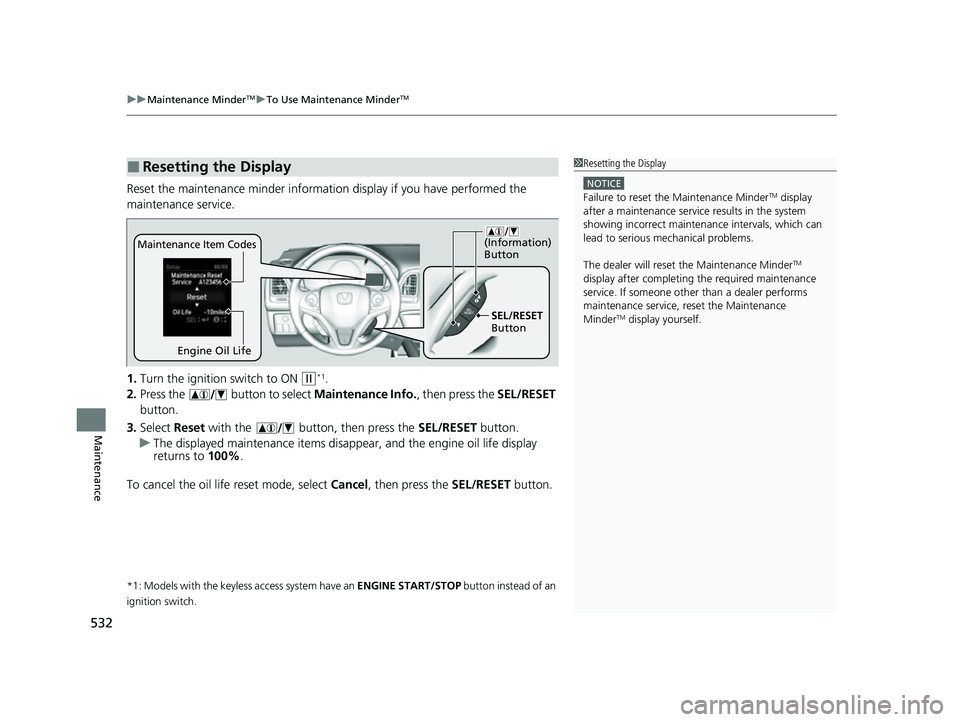
Reset the maintenance minder informati on display if you have performed the
maintenance service.
1. Turn the ignition switch to ON
(w*1.
2. Press the button to select Maintenance Info., then press the SEL/RESET
button.
3. Select Reset with the button, then press the SEL/RESET button.
u The displayed maintenance items disappea r, and the engine oil life display
returns to 100%.
To cancel the oil life reset mode, select Cancel, then press the SEL/RESET button.
*1: Models with the keyless access system have an ENGINE START/STOP button instead of an
ignition switch.
■Resetting the Display1 Resetting the Display
NOTICE
Failure to reset the Maintenance MinderTM display
after a maintenance servic e results in the system
showing incorrect maintena nce intervals, which can
lead to serious mechanical problems.
The dealer will reset the Maintenance Minder
TM
display after completing th e required maintenance
service. If someone other than a dealer performs
maintenance service, reset the Maintenance
Minder
TM display yourself.
Engine Oil Life
SEL/RESET
Button
Maintenance Item Codes
(Information)
Button
22 HR-V HDMC-31T7A6600.book 532 ページ 2021年4月12日 月曜日 午前10時50分
Page 575 of 641
573
uuRemote Transmitter Care uReplacing the Remote Battery
Maintenance
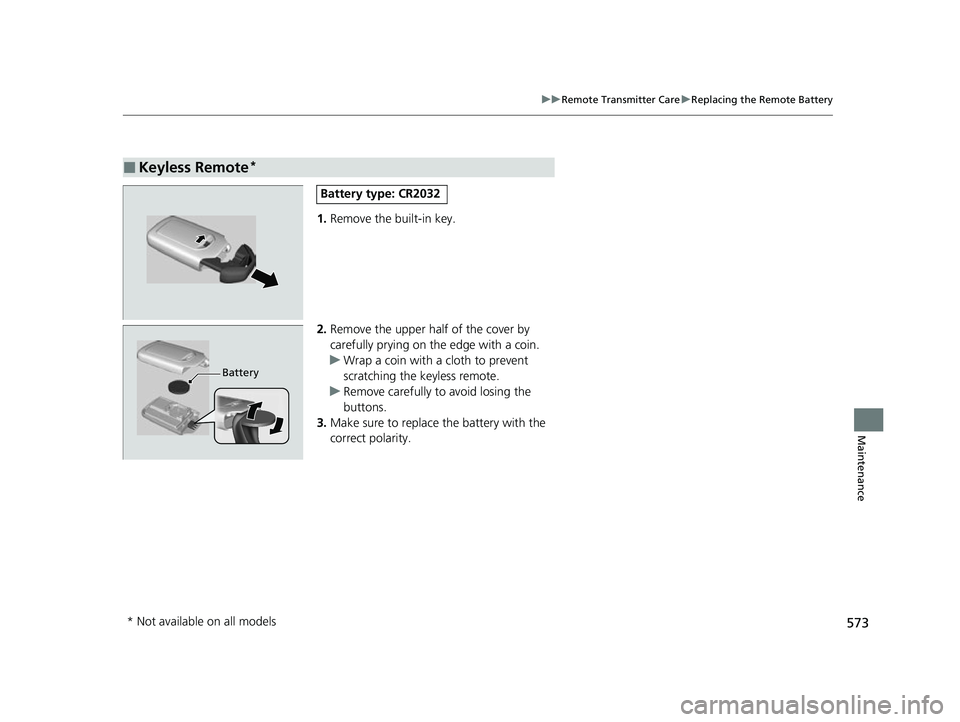
1. Remove the built-in key.
2. Remove the upper half of the cover by
carefully prying on the edge with a coin.
u Wrap a coin with a cloth to prevent
scratching the keyless remote.
u Remove carefully to avoid losing the
buttons.
3. Make sure to replace the battery with the
correct polarity.
■Keyless Remote*
Battery type: CR2032
Battery
* Not available on all models
22 HR-V HDMC-31T7A6600.book 573 ページ 2021年4月12日 月曜日 午前10時50分
Page 585 of 641
583
Handling the Unexpected
This chapter explains how to handle unexpected troubles.
ToolsTypes of Tools .................................. 584
If a Tire Goes Flat Changing a Flat Tire ......................... 586
Engine Does Not Start Checking the Engine ........................ 595
If the Keyless Remote Battery is Weak ......... 596
Emergency Engine Stop ................... 597
If the Battery Is Dead ....................... 598
Shift Lever Does Not Move .............. 600
Overheating How to Handle Overheating ............. 601 Indicator, Coming On/Blinking
If the Low Oil Pressure Indicator Comes On....603
If the Charging System Indicator Comes
On ................................................. 603
If the Malfunction Indicator Lamp Comes On or Blinks ................................... 604
If the Brake System Indicator (Red) Comes On ................................................. 605
If the Electric Power Steering (EPS) System Indicator Comes On ....................... 605
If the Electric Parking Brake System Indicator Comes On ....................... 606 If the Low Tire Pressure/TPMS Indicator
Comes On or Blinks ....................... 607
Fuses Fuse Locations ................................. 608
Inspecting and Changing Fuses ........ 612
Emergency Towing ........................... 613
If You Cannot Open the Tailgate .... 614
22 HR-V HDMC-31T7A6600.book 583 ページ 2021年4月12日 月曜日 午前10時50分
Page 588 of 641
586
Handling the Unexpected
If a Tire Goes Flat
Changing a Flat Tire
If a tire goes flat while driving, grasp the steering wheel firmly, and brake gradually
to reduce speed. Then, stop in a safe place. Replace the flat tire with a compact
spare tire. Go to a dealer as soon as possible to have th e full-size tire repaired or
replaced.
1. Park the vehicle on firm, level, non-slip pery surface and apply the parking brake.
2. Put the transmission into
(P.
3. Turn on the hazard warning lights an d turn the ignition switch to LOCK
(0*1.
*1: Models with the keyless access system have an ENGINE START/STOP button instead of an
ignition switch.
1 Changing a Flat Tire
Follow compact spare precautions:
Periodically check the tire pressure of the compact
spare. It should be set to the specified pressure.
Specified Pressure: 60 psi (420 kPa, 4.2 kgf/cm
2)
When driving with the compact spare tire, keep the
vehicle speed under 50 mph (80 km/h). Replace with
a full-size tire as soon as possible.
The compact spare tire and wheel in your vehicle are
specifically for this model. Do not use them with
another vehicle. Do not us e another type of compact
spare tire or wheel with your vehicle.
Do not mount tire chains on a compact spare tire.
If a chain-mounted front tire goes flat, remove one of
the full-size rear tires and replace it with the compact
spare tire. Remove the flat front tire and replace it
with the full-size tire that was removed from the rear.
Mount the tire chains on the front tire.
Do not use the jack if it doesn’t work properly. Call
your dealer or a prof essional towing service.
22 HR-V HDMC-31T7A6600.book 586 ページ 2021年4月12日 月曜日 午前10時50分
Page 597 of 641
595
Handling the Unexpected
Engine Does Not Start
Checking the Engine
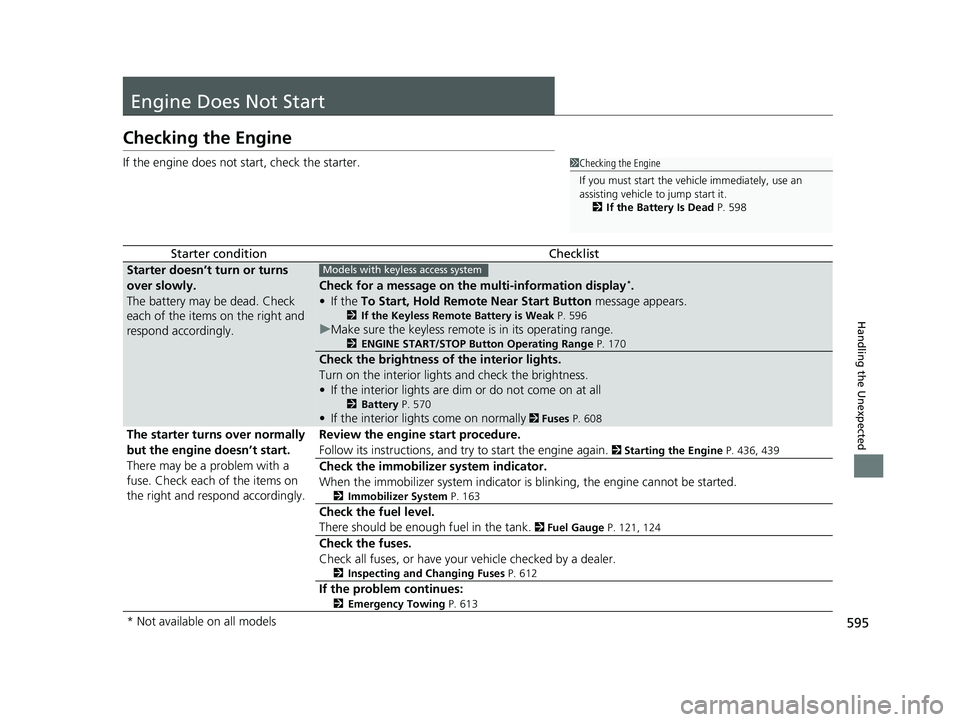
If the engine does not start, check the starter.
Starter conditionChecklist
Starter doesn’t turn or turns
over slowly.
The battery may be dead. Check
each of the items on the right and
respond accordingly.
Check for a message on the multi-information display*.
• If the To Start, Hold Remote Near Start Button message appears.
2If the Keyless Remote Battery is Weak P. 596
uMake sure the keyless remote is in its operating range.
2 ENGINE START/STOP Button Operating Range P. 170
Check the brightness of the interior lights.
Turn on the interior lights and check the brightness.
• If the interior lights are dim or do not come on at all
2 Battery P. 570
•If the interior lights come on normally 2 Fuses P. 608
The starter turns over normally
but the engine doesn’t start.
There may be a problem with a
fuse. Check each of the items on
the right and respond accordingly. Review the engine start procedure.
Follow its instructions, and try
to start the engine again.
2 Starting the Engine P. 436, 439
Check the immobilizer system indicator.
When the immobilizer system indicator is blinking, the engine cannot be started.
2Immobilizer System P. 163
Check the fuel level.
There should be enough fuel in the tank.
2 Fuel Gauge P. 121, 124
Check the fuses.
Check all fuses, or have your vehicle checked by a dealer.
2Inspecting and Changing Fuses P. 612
If the problem continues:
2Emergency Towing P. 613
1Checking the Engine
If you must start the vehi cle immediately, use an
assisting vehicle to jump start it.
2 If the Battery Is Dead P. 598
Models with keyless access system
* Not available on all models
22 HR-V HDMC-31T7A6600.book 595 ページ 2021年4月12日 月曜日 午前10時50分