multi HONDA HRV 2022 User Guide
[x] Cancel search | Manufacturer: HONDA, Model Year: 2022, Model line: HRV, Model: HONDA HRV 2022Pages: 641, PDF Size: 21.37 MB
Page 85 of 641
83
Instrument Panel
This chapter describes the buttons, indicators, and gauges that are used while driving.
Indicators............................................ 84
Information Display Warning and Information Messages
*.................. 103
Multi-Information Display Warning and Information Messages
*.................. 104
Gauges and Displays Gauges ............................................ 117
Information Display
*........................ 119
Multi-Information Display*............... 122
* Not available on all models
22 HR-V HDMC-31T7A6600.book 83 ページ 2021年4月12日 月曜日 午前10時50分
Page 97 of 641
95
uuIndicators u
Continued
Instrument Panel
*1:Models with the keyless access system have an ENGINE START/STOP button instead of an ignition switch.
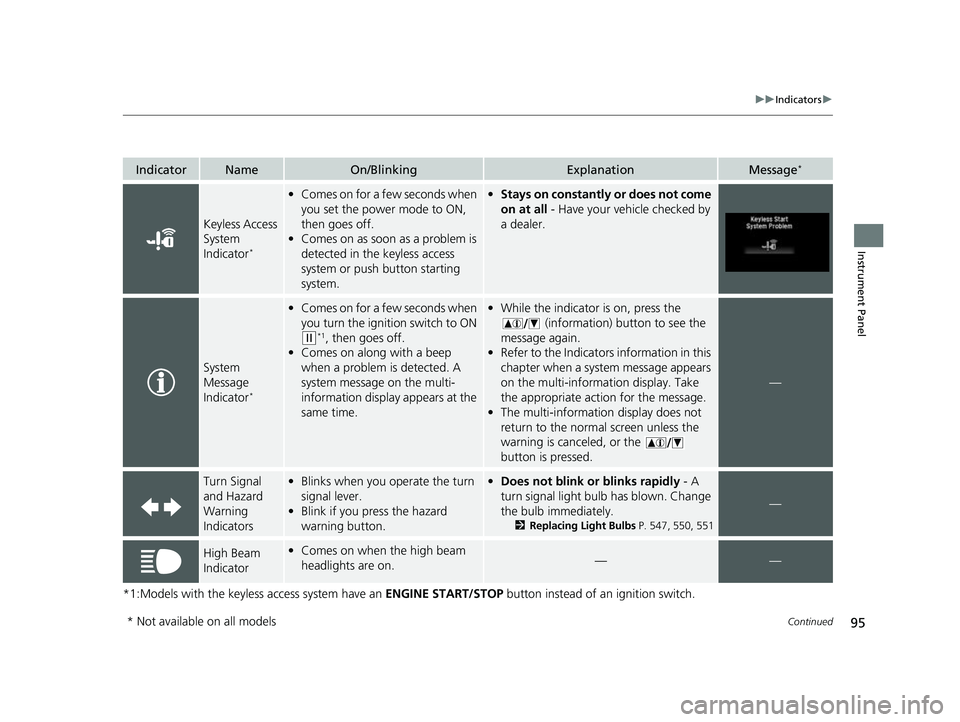
IndicatorNameOn/BlinkingExplanationMessage*
Keyless Access
System
Indicator
*
•Comes on for a few seconds when
you set the power mode to ON,
then goes off.
• Comes on as soon as a problem is
detected in the keyless access
system or push button starting
system.•Stays on constantly or does not come
on at all - Have your vehicle checked by
a dealer.
System
Message
Indicator
*
• Comes on for a few seconds when
you turn the ignition switch to ON
(w*1, then goes off.
• Comes on along with a beep
when a problem is detected. A
system message on the multi-
information display appears at the
same time.
•While the indicator is on, press the
(information) button to see the
message again.
• Refer to the Indicators information in this
chapter when a system message appears
on the multi-information display. Take
the appropriate action for the message.
• The multi-information display does not
return to the normal screen unless the
warning is canceled, or the
button is pressed.
—
Turn Signal
and Hazard
Warning
Indicators•Blinks when you operate the turn
signal lever.
• Blink if you press the hazard
warning button.•Does not blink or blinks rapidly - A
turn signal light bulb has blown. Change
the bulb immediately.
2 Replacing Light Bulbs P. 547, 550, 551
—
High Beam
Indicator•Comes on when the high beam
headlights are on.——
* Not available on all models
22 HR-V HDMC-31T7A6600.book 95 ページ 2021年4月12日 月曜日 午前10時50分
Page 103 of 641
101
uuIndicators u
Continued
Instrument Panel
*1:Models with the keyless access system have an ENGINE START/STOP button instead of an ignition switch.
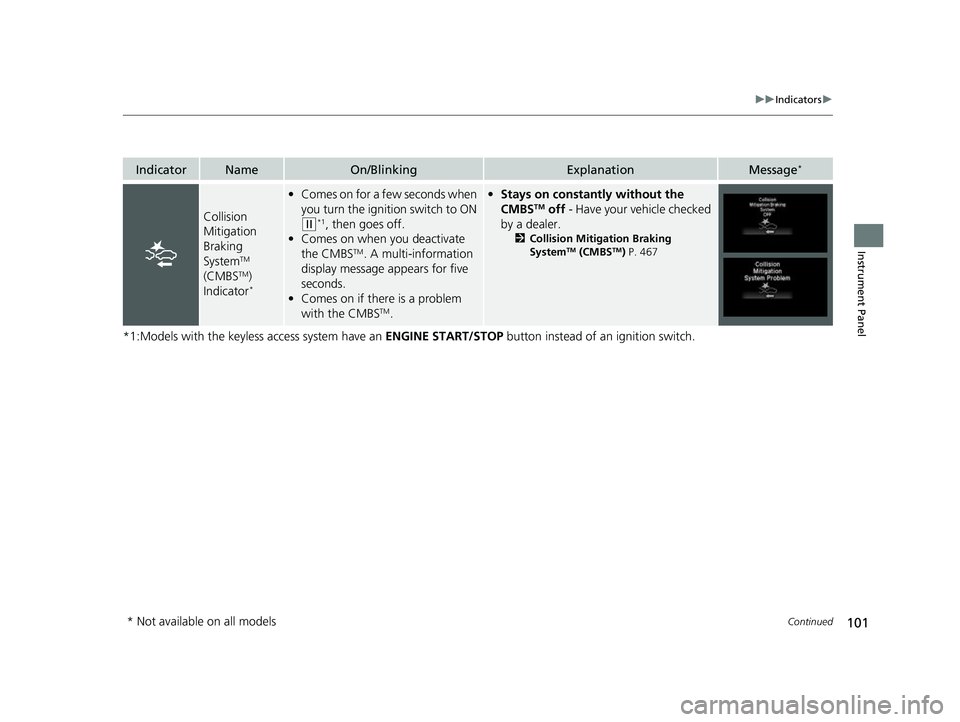
IndicatorNameOn/BlinkingExplanationMessage*
Collision
Mitigation
Braking
System
TM
(CMBSTM)
Indicator*
• Comes on for a few seconds when
you turn the ignition switch to ON
(w*1, then goes off.
• Comes on when you deactivate
the CMBS
TM. A multi-information
display message appears for five
seconds.
• Comes on if there is a problem
with the CMBS
TM.
•Stays on constantly without the
CMBSTM off - Have your vehicle checked
by a dealer.
2 Collision Mitigation Braking
SystemTM (CMBSTM) P. 467
* Not available on all models
22 HR-V HDMC-31T7A6600.book 101 ページ 2021年4月12日 月曜日 午前10時50分
Page 106 of 641
104
uuIndicators uMulti-Information Display Warn ing and Information Messages*
Instrument Panel
Multi-Information Display Warn ing and Information Messages*
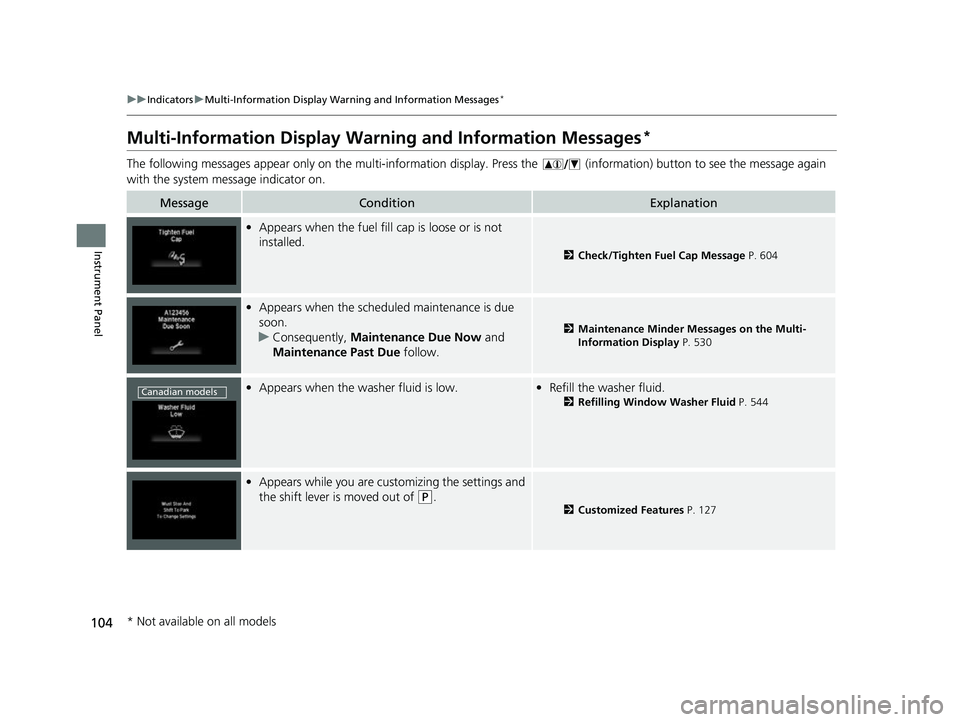
The following messages appear only on the multi-information display. Press the (information) button to see the message again
with the system me ssage indicator on.
MessageConditionExplanation
•Appears when the fuel fill cap is loose or is not
installed.
2 Check/Tighten Fuel Cap Message P. 604
•Appears when the scheduled maintenance is due
soon.
u Consequently, Maintenance Due Now and
Maintenance Past Due follow.
2Maintenance Minder Messages on the Multi-
Information Display P. 530
•Appears when the washer fluid is low.•Refill the washer fluid.
2 Refilling Window Washer Fluid P. 544
•Appears while you are customizing the settings and
the shift lever is moved out of
(P.2 Customized Features P. 127
Canadian models
* Not available on all models
22 HR-V HDMC-31T7A6600.book 104 ページ 2021年4月12日 月曜日 午前10時50分
Page 107 of 641
105
uuIndicators uMulti-Information Display Warn ing and Information Messages*
Continued
Instrument Panel
MessageConditionExplanation
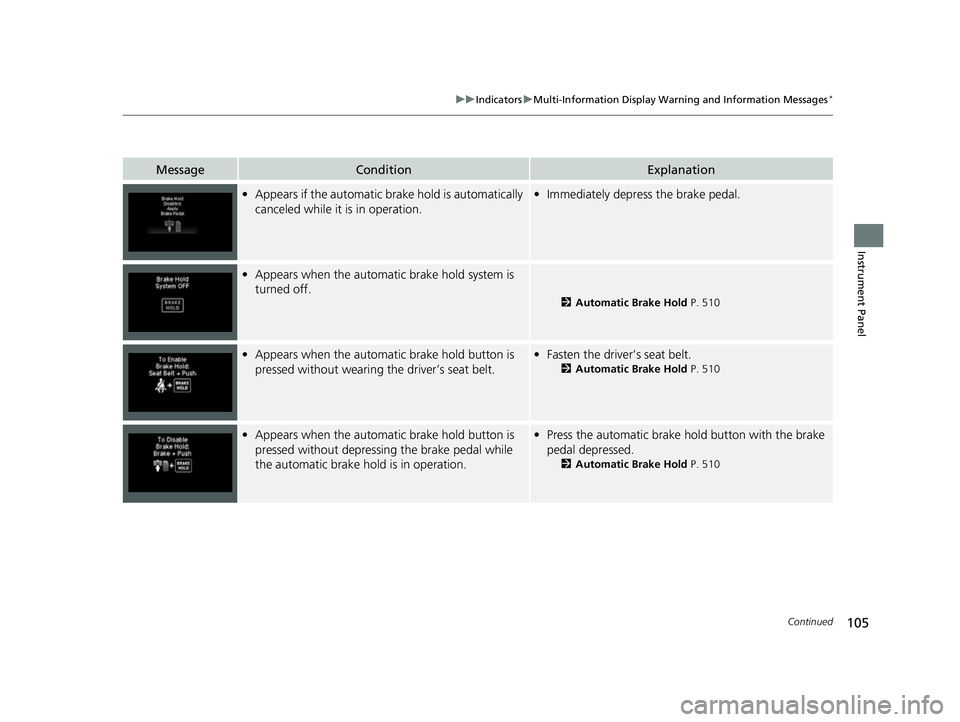
•Appears if the automatic brake hold is automatically
canceled while it is in operation.•Immediately depress the brake pedal.
•Appears when the automatic brake hold system is
turned off.
2 Automatic Brake Hold P. 510
•Appears when the automatic brake hold button is
pressed without wearing the driver’s seat belt.•Fasten the driver’s seat belt.
2 Automatic Brake Hold P. 510
•Appears when the automatic brake hold button is
pressed without depressi ng the brake pedal while
the automatic brake hold is in operation.• Press the automatic brake hold button with the brake
pedal depressed.
2 Automatic Brake Hold P. 510
22 HR-V HDMC-31T7A6600.book 105 ページ 2021年4月12日 月曜日 午前10時50分
Page 108 of 641
106
uuIndicators uMulti-Information Display Warn ing and Information Messages*
Instrument Panel
MessageConditionExplanation
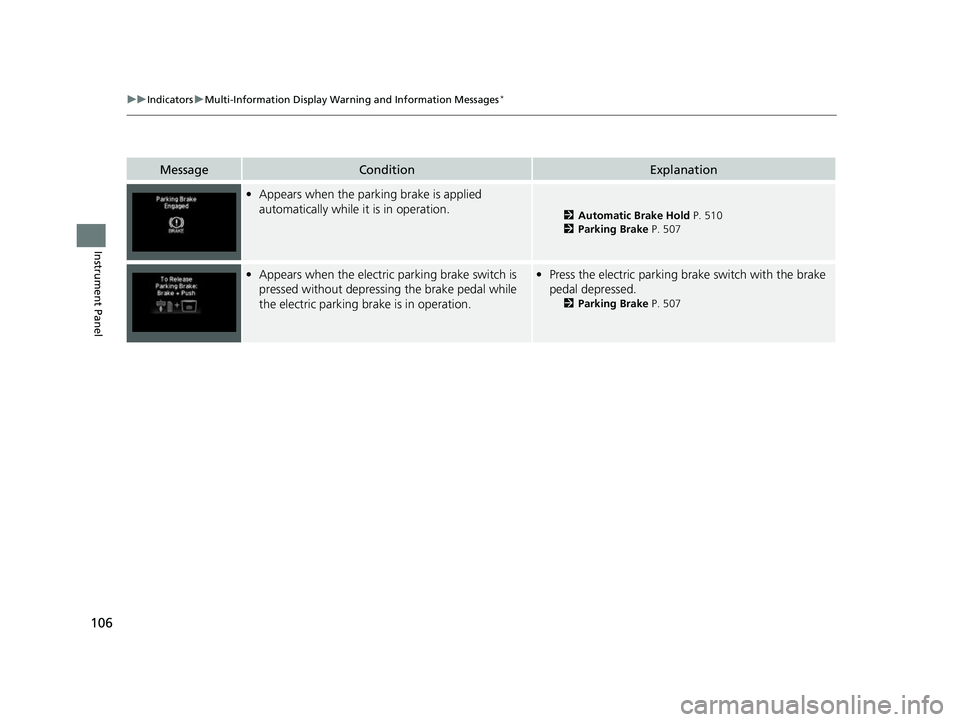
•Appears when the parking brake is applied
automatically while it is in operation.
2 Automatic Brake Hold P. 510
2 Parking Brake P. 507
•Appears when the electric parking brake switch is
pressed without depressing the brake pedal while
the electric parking brake is in operation.•Press the electric parking brake switch with the brake
pedal depressed.
2 Parking Brake P. 507
22 HR-V HDMC-31T7A6600.book 106 ページ 2021年4月12日 月曜日 午前10時50分
Page 109 of 641
107
uuIndicators uMulti-Information Display Warn ing and Information Messages*
Continued
Instrument Panel
MessageConditionExplanation
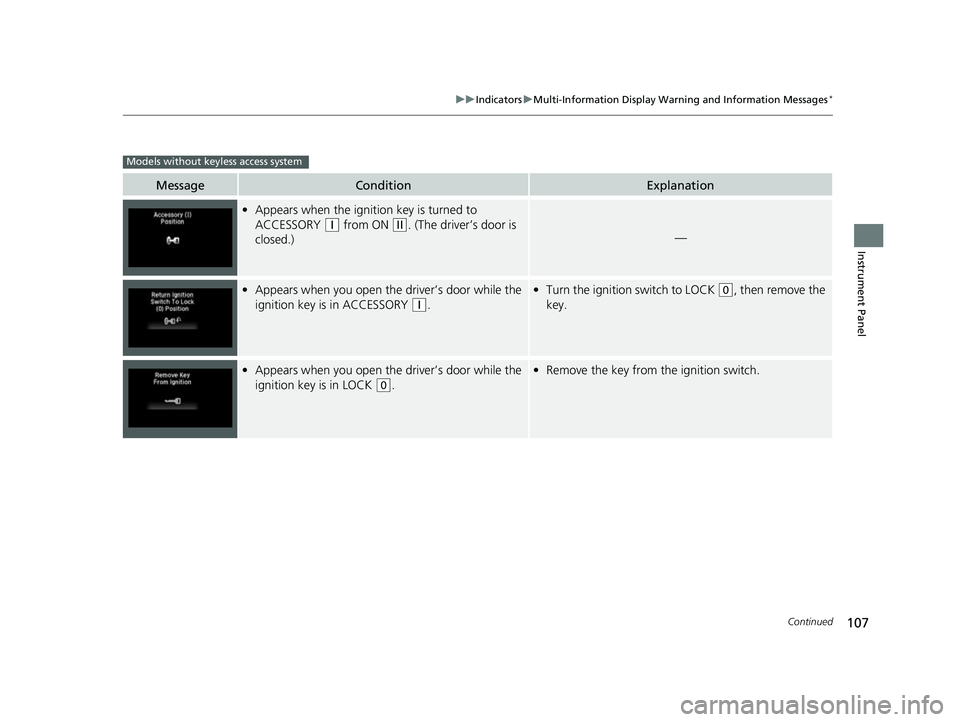
•Appears when the ignition key is turned to
ACCESSORY
(q from ON (w. (The driver’s door is
closed.)—
• Appears when you open the driver’s door while the
ignition key is in ACCESSORY
(q.
• Turn the ignition switch to LOCK (0, then remove the
key.
• Appears when you open the driver’s door while the
ignition key is in LOCK
(0.
• Remove the key from the ignition switch.
Models without keyless access system
22 HR-V HDMC-31T7A6600.book 107 ページ 2021年4月12日 月曜日 午前10時50分
Page 110 of 641
108
uuIndicators uMulti-Information Display Warn ing and Information Messages*
Instrument Panel
MessageConditionExplanation
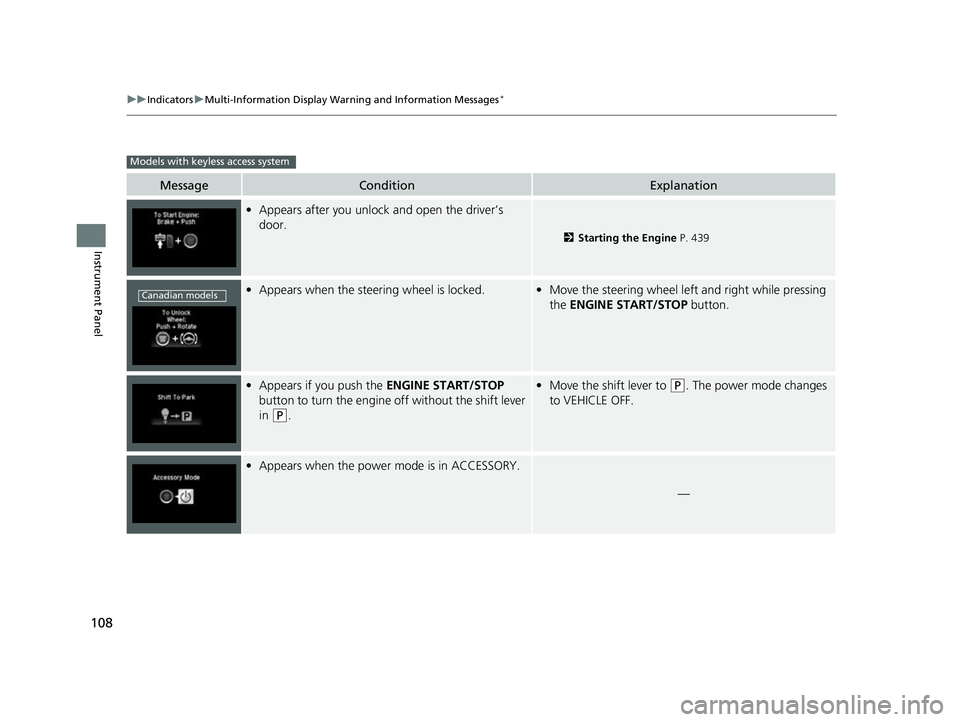
•Appears after you unlock and open the driver’s
door.
2 Starting the Engine P. 439
•Appears when the steering wheel is locked.•Move the steering wheel left and right while pressing
the ENGINE START/STOP button.
•Appears if you push the ENGINE START/STOP
button to turn the engine off without the shift lever
in
(P.
• Move the shift lever to (P. The power mode changes
to VEHICLE OFF.
• Appears when the power mode is in ACCESSORY.
—
Models with keyless access system
Canadian models
22 HR-V HDMC-31T7A6600.book 108 ページ 2021年4月12日 月曜日 午前10時50分
Page 111 of 641
109
uuIndicators uMulti-Information Display Warn ing and Information Messages*
Continued
Instrument Panel
MessageConditionExplanation
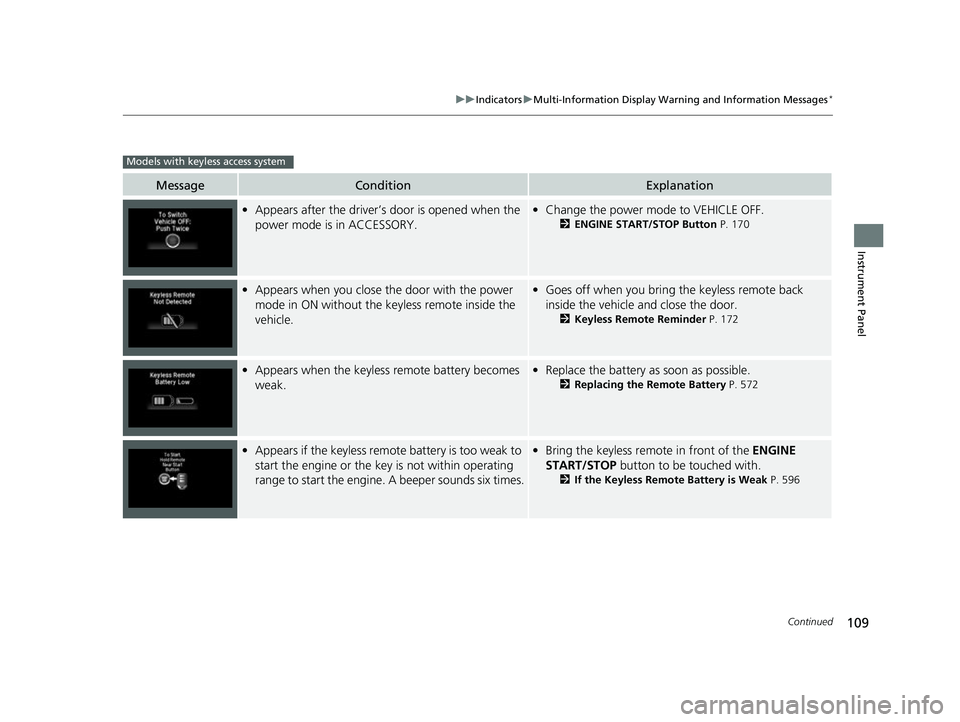
•Appears after the driver’s door is opened when the
power mode is in ACCESSORY.• Change the power mode to VEHICLE OFF.
2 ENGINE START/STOP Button P. 170
•Appears when you close the door with the power
mode in ON without the keyless remote inside the
vehicle.•Goes off when you bring the keyless remote back
inside the vehicle and close the door.
2 Keyless Remote Reminder P. 172
•Appears when the keyless remote battery becomes
weak.• Replace the battery as soon as possible.
2 Replacing the Remote Battery P. 572
•Appears if the keyless remo te battery is too weak to
start the engine or the key is not within operating
range to start the engine. A beeper sounds six times.• Bring the keyless remote in front of the ENGINE
START/STOP button to be touched with.
2If the Keyless Remote Battery is Weak P. 596
Models with keyless access system
22 HR-V HDMC-31T7A6600.book 109 ページ 2021年4月12日 月曜日 午前10時50分
Page 112 of 641
110
uuIndicators uMulti-Information Display Warn ing and Information Messages*
Instrument Panel
MessageConditionExplanation
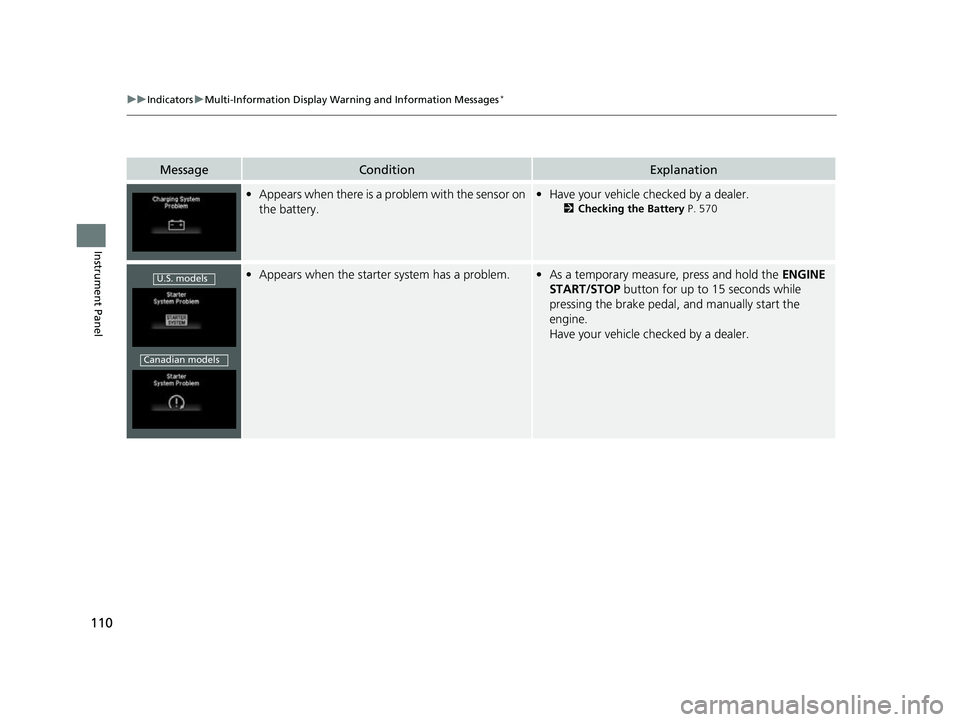
•Appears when there is a problem with the sensor on
the battery.•Have your vehicle checked by a dealer.
2 Checking the Battery P. 570
•Appears when the starter system has a problem.•As a temporary measure, press and hold the ENGINE
START/STOP button for up to 15 seconds while
pressing the brake pedal, and manually start the
engine.
Have your vehicle checked by a dealer.U.S. models
Canadian models
22 HR-V HDMC-31T7A6600.book 110 ページ 2021年4月12日 月曜日 午前10時50分