wheel HONDA HRV 2022 Manual PDF
[x] Cancel search | Manufacturer: HONDA, Model Year: 2022, Model line: HRV, Model: HONDA HRV 2022Pages: 641, PDF Size: 21.37 MB
Page 474 of 641
472
uuHonda Sensing ®*uCollision Mitigation Braking SystemTM (CMBSTM)
Driving
■Vehicle conditions
• Headlight lenses are dirty or the headlights are not properly adjusted.
• The outside of the windshie ld is blocked by dirt, mud, leaves, wet snow, etc.
• The inside of the windshield is fogged.
• An abnormal tire or wheel condition (incor rect sizes, varied sizes or construction,
improperly inflated, comp act spare tire, etc.).
• When tire chains are installed.
• The vehicle is tilted due to a heav y load or suspension modifications.
• The camera temperature gets too high.
• Driving with the parking brake applied.
• When the radar sensor in the front grille gets dirty.
22 HR-V HDMC-31T7A6600.book 472 ページ 2021年4月12日 月曜日 午前10時50分
Page 480 of 641
uuHonda Sensing ®*uAdaptive Cruise Control (ACC)
478
Driving
■How to activate the system1Adaptive Cruise Control (ACC)
Important Reminder
As with any system, there are limits to ACC. Use the
brake pedal whenever necessary, and always keep a
safe interval betw een your vehicle and other vehicles.
You can read about handling information for the
camera equipped with this system. 2 Front Sensor Camera P. 504
For directions on the prop er handling of the radar
sensor, refer to the following page.
2 Radar Sensor P. 506
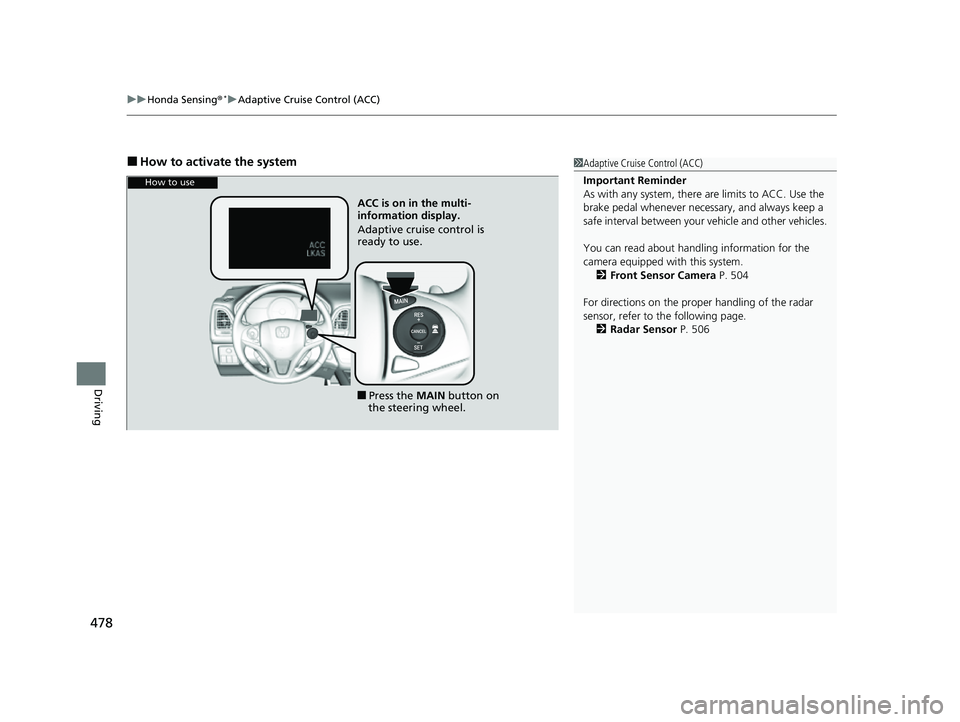
How to use
ACC is on in the multiL
information display.
Adaptive cruise control is
ready to use.
■Press the MAIN button on
the steering wheel.
22 HR-V HDMC-31T7A6600.book 478 ページ 2021年4月12日 月曜日 午前10時50分
Page 484 of 641
uuHonda Sensing ®*uAdaptive Cruise Control (ACC)
482
Driving
The system may automatically shut off under certain conditions. Some examples of
these conditions are listed below. Other conditions may reduce some of the ACC
functions.
2 Front Sensor Camera P. 504
2 Radar Sensor P. 506
■Environmental conditions
Driving in bad weather (r ain, fog, snow, etc.).
■Roadway conditions
Driving on a snowy or wet roadway (obscure d lane marking, vehicle tracks, reflected
lights, road spray, high contrast).
■Vehicle conditions
• The outside of the windshie ld is blocked by dirt, mud, leaves, wet snow, etc.
• An abnormal tire or wheel condition (incor rect sizes, varied sizes or construction,
improperly inflated, comp act spare tire, etc.).
• The camera temperature gets too high.
• The parking brake is applied.
• The front grille is dirty.
• The vehicle is tilted due to a heav y load or suspension modifications.
• Tire chains are installed.
■ACC Conditions and Limitations1ACC Conditions and Limitations
If you need the radar sensor to be repaired, or
removed, or the radar se nsor cover is strongly
impacted, turn off the system by pressing the MAIN
button and take your vehicle to a dealer.
22 HR-V HDMC-31T7A6600.book 482 ページ 2021年4月12日 月曜日 午前10時50分
Page 487 of 641
Continued485
uuHonda Sensing ®*uAdaptive Cruise Control (ACC)
Driving
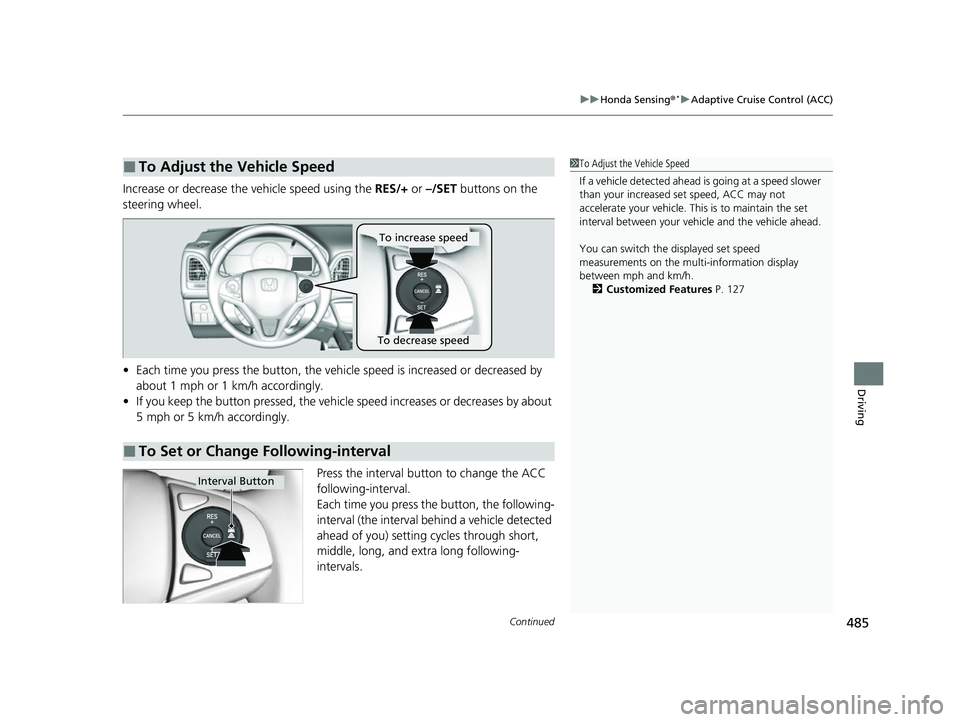
Increase or decrease the vehicle speed using the RES/+ or –/SET buttons on the
steering wheel.
• Each time you press the button, the vehicl e speed is increased or decreased by
about 1 mph or 1 km/h accordingly.
• If you keep the button pressed, the vehicle speed increases or decreases by about
5 mph or 5 km/h accordingly.
Press the interval button to change the ACC
following-interval.
Each time you press the button, the following-
interval (the interval behind a vehicle detected
ahead of you) setting cycles through short,
middle, long, and extra long following-
intervals.
■To Adjust the Vehicle Speed1 To Adjust the Vehicle Speed
If a vehicle detected ahead is going at a speed slower
than your increased set speed, ACC may not
accelerate your vehicle. This is to maintain the set
interval between your vehi cle and the vehicle ahead.
You can switch the displayed set speed
measurements on the mult i-information display
between mph and km/h. 2 Customized Features P. 127
■To Set or Change Following-interval
To increase speed
To decrease speed
Interval Button
22 HR-V HDMC-31T7A6600.book 485 ページ 2021年4月12日 月曜日 午前10時50分
Page 489 of 641
Continued487
uuHonda Sensing ®*uAdaptive Cruise Control (ACC)
Driving
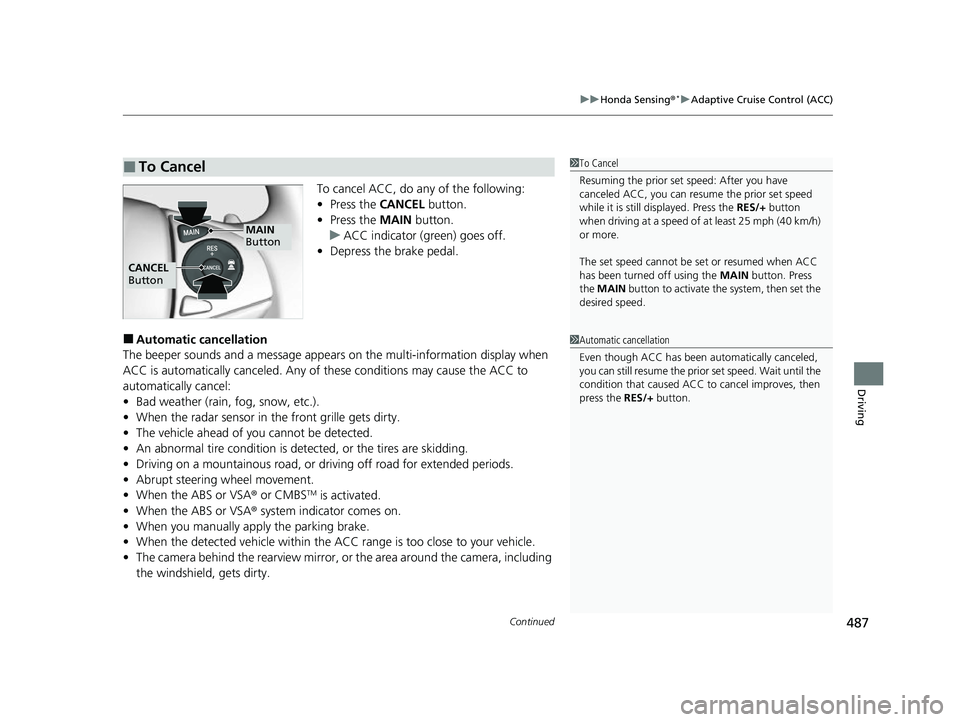
To cancel ACC, do any of the following:
• Press the CANCEL button.
• Press the MAIN button.
u ACC indicator (green) goes off.
• Depress the brake pedal.
■Automatic cancellation
The beeper sounds and a message appears on the multi-information display when
ACC is automatically cancel ed. Any of these conditions may cause the ACC to
automatically cancel:
• Bad weather (rain, fog, snow, etc.).
• When the radar sensor in the front grille gets dirty.
• The vehicle ahead of yo u cannot be detected.
• An abnormal tire condition is de tected, or the tires are skidding.
• Driving on a mountainous road, or driving off road for extended periods.
• Abrupt steering wheel movement.
• When the ABS or VSA ® or CMBS
TM is activated.
• When the ABS or VSA ® system indicator comes on.
• When you manually apply the parking brake.
• When the detected vehicle within the AC C range is too close to your vehicle.
• The camera behind the rearview mirror, or the area around the camera, including
the windshield, gets dirty.
■To Cancel1 To Cancel
Resuming the prior set speed: After you have
canceled ACC, you can resume the prior set speed
while it is still displayed. Press the RES/+ button
when driving at a speed of at least 25 mph (40 km/h)
or more.
The set speed cannot be set or resumed when ACC
has been turned off using the MAIN button. Press
the MAIN button to activate the system, then set the
desired speed.
MAIN
Button
CANCEL
Button
1 Automatic cancellation
Even though ACC has been automatically canceled,
you can still resume the prior set speed. Wait until the
condition that caused ACC to cancel improves, then
press the RES/+ button.
22 HR-V HDMC-31T7A6600.book 487 ページ 2021年4月12日 月曜日 午前10時50分
Page 492 of 641
490
uuHonda Sensing ®*uLane Keeping Assist System (LKAS)
Driving
Lane Keeping Assist System (LKAS)
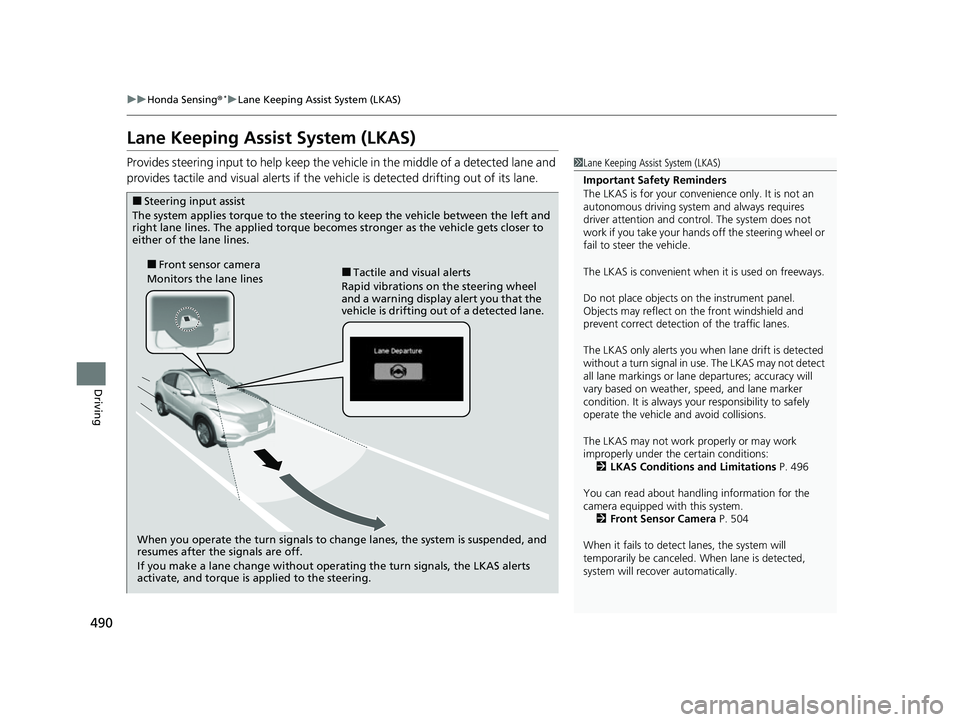
Provides steering input to help keep the vehicle in the middle of a detected lane and
provides tactile and visual alerts if the ve hicle is detected drifting out of its lane.1Lane Keeping Assist System (LKAS)
Important Safety Reminders
The LKAS is for your convenience only. It is not an
autonomous driving system and always requires
driver attention and control. The system does not
work if you take your hands off the steering wheel or
fail to steer the vehicle.
The LKAS is convenient when it is used on freeways.
Do not place objects on the instrument panel.
Objects may reflect on th e front windshield and
prevent correct detectio n of the traffic lanes.
The LKAS only alerts you when lane drift is detected
without a turn signal in use. The LKAS may not detect
all lane markings or lane departures; accuracy will
vary based on weather, speed, and lane marker
condition. It is always your responsibility to safely
operate the vehicle an d avoid collisions.
The LKAS may not work properly or may work
improperly under the certain conditions: 2 LKAS Conditions and Limitations P. 496
You can read about handling information for the
camera equipped with this system. 2 Front Sensor Camera P. 504
When it fails to detect lanes, the system will
temporarily be canceled. When lane is detected,
system will recover automatically.
■Tactile and visual alerts
Rapid vibrations on the steering wheel
and a warning display alert you that the
vehicle is drifting out of a detected lane.■Front sensor camera
Monitors the lane lines
■Steering input assist
The system applies torque to the steering to keep the vehicle between the left and
right lane lines. The applied torque becomes stronger as the vehicle gets closer to
either of the lane lines.
When you operate the turn signals to change lanes, the system is suspended, and
resumes after the signals are off.
If you make a lane change without operating the turn signals, the LKAS alerts
activate, and torque is applied to the steering.
22 HR-V HDMC-31T7A6600.book 490 ページ 2021年4月12日 月曜日 午前10時50分
Page 493 of 641
Continued491
uuHonda Sensing ®*uLane Keeping Assist System (LKAS)
Driving
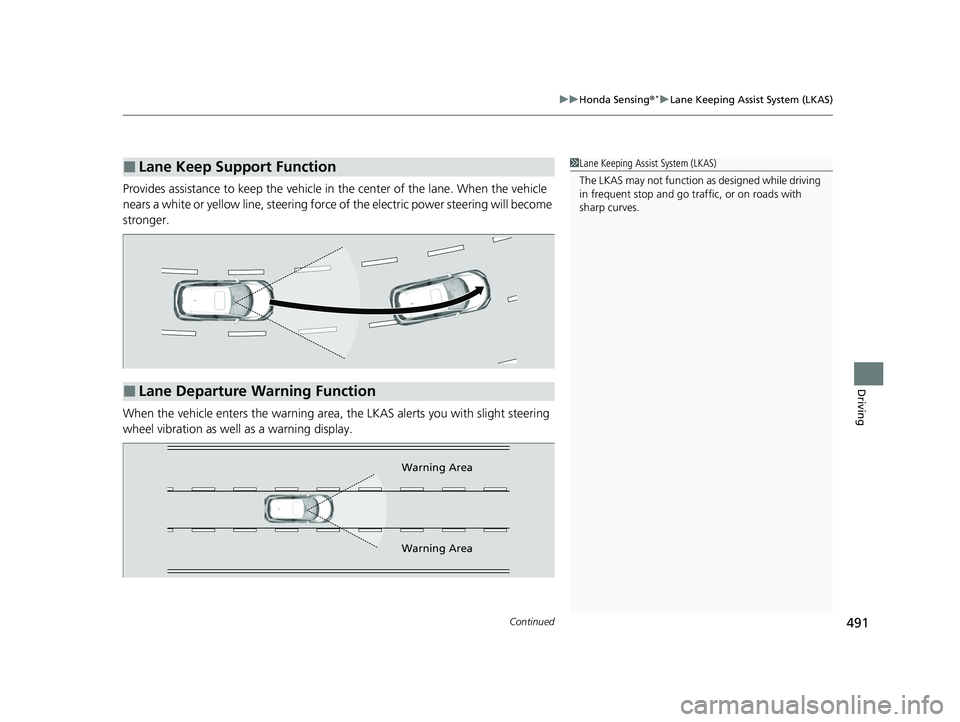
Provides assistance to keep the vehicle in the center of the lane. When the vehicle
nears a white or yellow line, steering force of the electric power steering will become
stronger.
When the vehicle enters the warning area, the LKAS alerts you with slight steering
wheel vibration as well as a warning display.
■Lane Keep Support Function1 Lane Keeping Assist System (LKAS)
The LKAS may not function as designed while driving
in frequent stop and go traf fic, or on roads with
sharp curves.
■Lane Departure Warning Function
Warning Area
Warning Area
22 HR-V HDMC-31T7A6600.book 491 ページ 2021年4月12日 月曜日 午前10時50分
Page 497 of 641
495
uuHonda Sensing ®*uLane Keeping Assist System (LKAS)
Continued
Driving
■The LKAS may be automatically suspended when:
• The system fails to detect lane lines.
• The steering wheel is quickly turned.
• You fail to steer the vehicle.
• Driving through a sharp curve.
• Driving at a speed in excess of approximately 90 mph (145 km/h).
Once these conditions no longer exist, the LKAS automatically resumes.
■The LKAS may be automatically canceled when:
• The camera temperature gets extremely high.
• The camera behind the rearview mirror, or the area around the camera, including
the windshield, gets dirty.
• The ABS or VSA ® system engages.
The beeper sounds if the LKAS is automatically canceled.
22 HR-V HDMC-31T7A6600.book 495 ページ 2021年4月12日 月曜日 午前10時50分
Page 500 of 641
498
uuHonda Sensing ®*uLane Keeping Assist System (LKAS)
Driving
• The vehicle in front of you is driving near the lane lines.
• The road is hilly or the vehicle is approaching the crest of a hill.
• Driving on rough or unpaved roads, or over bumpy surfaces.
• When objects on the road (c urb, guard rail, pylons, etc.) are recognized as white
lines (or yellow lines).
• Driving on roads with double lines.
■Vehicle conditions
• Headlight lenses are dirty or the headlights are not properly adjusted.
• The outside of the windshield is streake d or blocked by dirt, mud, leaves, wet
snow, etc.
• The inside of the windshield is fogged.
• The camera temperature gets too high.
• An abnormal tire or wheel condition (incor rect sizes, varied sizes or construction,
improperly inflated, comp act spare tire, etc.).
• The vehicle is tilted due to a heav y load or suspension modifications.
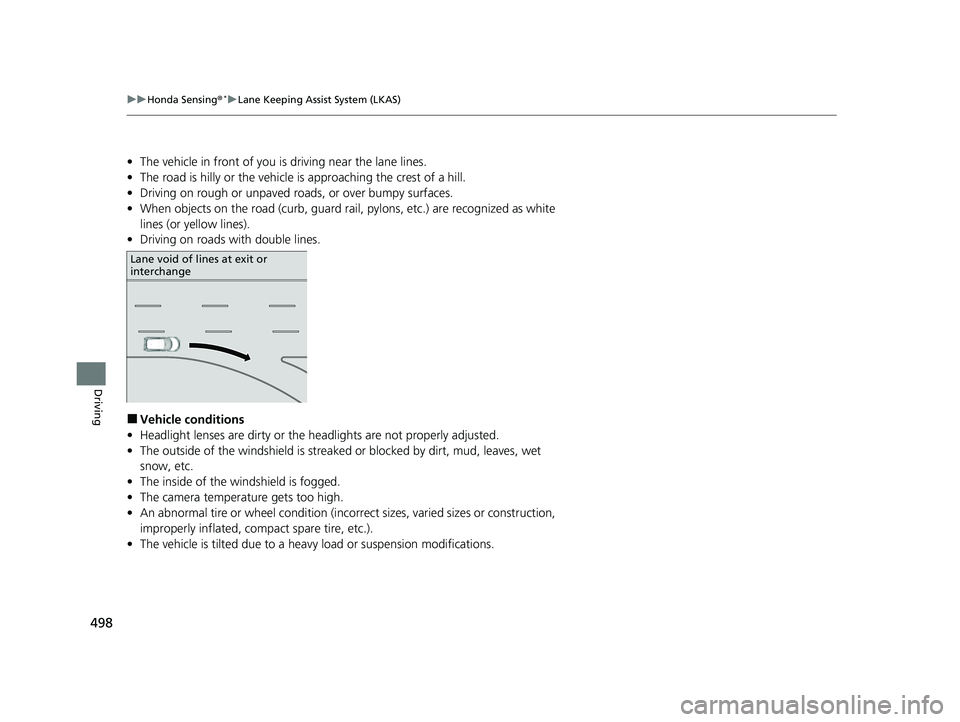
Lane void of lines at exit or
interchange
22 HR-V HDMC-31T7A6600.book 498 ページ 2021年4月12日 月曜日 午前10時50分
Page 501 of 641
499
uuHonda Sensing ®*uRoad Departure Mitigation (RDM) System
Continued
Driving
Road Departure Mitigation (RDM) System
Alerts and helps to assist you when the system detects a possibility of your vehicle
unintentionally crossing over detected lane markings and/or leaving the roadway
altogether.
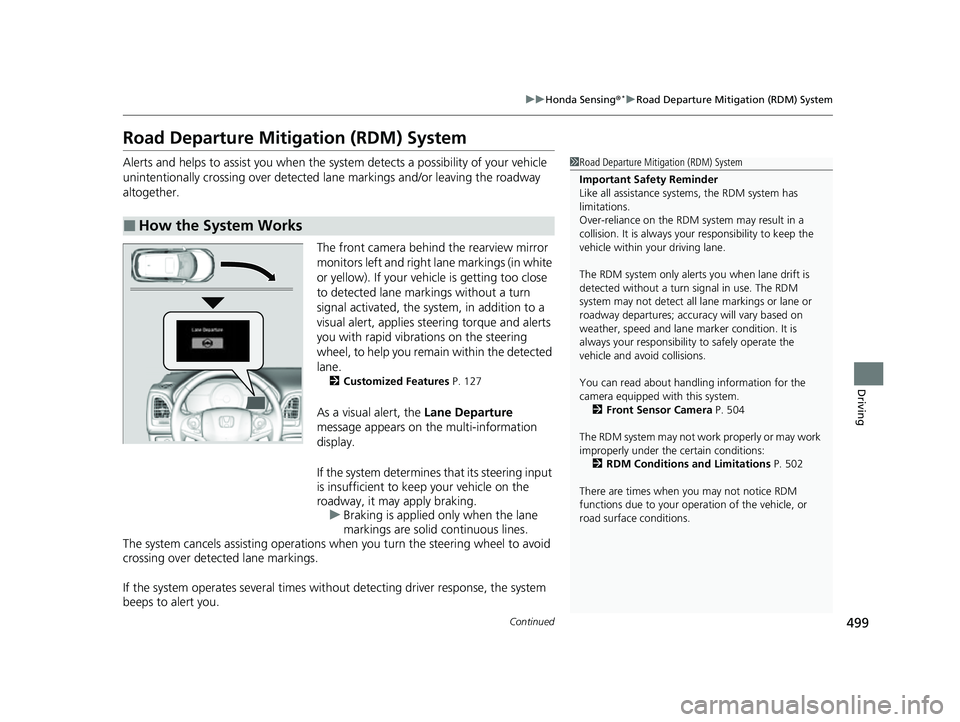
The front camera behind the rearview mirror
monitors left and right lane markings (in white
or yellow). If your vehicle is getting too close
to detected lane markings without a turn
signal activated, the system, in addition to a
visual alert, applies st eering torque and alerts
you with rapid vibrations on the steering
wheel, to help you remain within the detected
lane.
2 Customized Features P. 127
As a visual alert, the Lane Departure
message appears on the multi-information
display.
If the system determines that its steering input
is insufficient to keep your vehicle on the
roadway, it may apply braking. u Braking is applied only when the lane
markings are solid continuous lines.
The system cancels assisting operations wh en you turn the steering wheel to avoid
crossing over detected lane markings.
If the system operates several times with out detecting driver response, the system
beeps to alert you.
■How the System Works
1 Road Departure Mitigation (RDM) System
Important Safety Reminder
Like all assistance systems, the RDM system has
limitations.
Over-reliance on the RDM system may result in a
collision. It is always your responsibility to keep the
vehicle within your driving lane.
The RDM system only alerts you when lane drift is
detected without a turn signal in use. The RDM
system may not detect all la ne markings or lane or
roadway departures; accu racy will vary based on
weather, speed and lane marker condition. It is
always your responsibilit y to safely operate the
vehicle and avoid collisions.
You can read about handling information for the
camera equipped with this system. 2 Front Sensor Camera P. 504
The RDM system may not wo rk properly or may work
improperly under the certain conditions:
2 RDM Conditions and Limitations P. 502
There are times when you may not notice RDM
functions due to your opera tion of the vehicle, or
road surface conditions.
22 HR-V HDMC-31T7A6600.book 499 ページ 2021年4月12日 月曜日 午前10時50分