lock HONDA HRV 2023 Owners Manual
[x] Cancel search | Manufacturer: HONDA, Model Year: 2023, Model line: HRV, Model: HONDA HRV 2023Pages: 664, PDF Size: 20.2 MB
Page 571 of 664
569
uuMaintenance Under the Hood uChanging the Engine Oil and Oil Filter
Maintenance
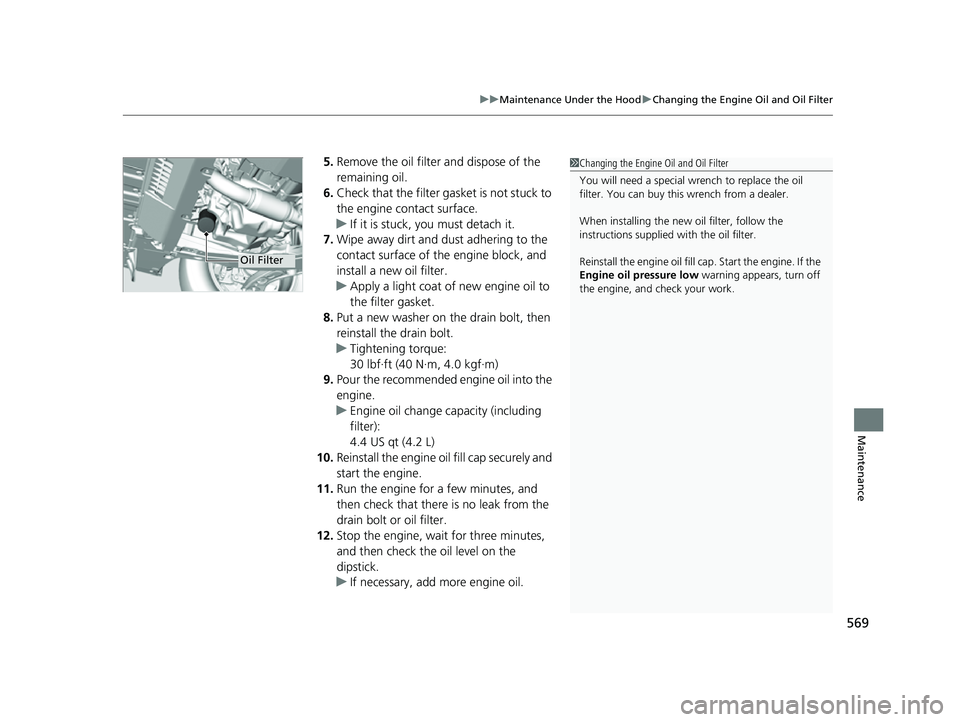
5. Remove the oil filter and dispose of the
remaining oil.
6. Check that the filter gasket is not stuck to
the engine contact surface.
u If it is stuck, you must detach it.
7. Wipe away dirt and dust adhering to the
contact surface of the engine block, and
install a new oil filter.
u Apply a light coat of new engine oil to
the filter gasket.
8. Put a new washer on the drain bolt, then
reinstall the drain bolt.
u Tightening torque:
30 lbf∙ft (40 N∙m, 4.0 kgf∙m)
9. Pour the recommended engine oil into the
engine.
u Engine oil change capacity (including
filter):
4.4 US qt (4.2 L)
10. Reinstall the engine oil fill cap securely and
start the engine.
11. Run the engine for a few minutes, and
then check that there is no leak from the
drain bolt or oil filter.
12. Stop the engine, wait for three minutes,
and then check the oil level on the
dipstick.
u If necessary, add more engine oil.1Changing the Engine Oil and Oil Filter
You will need a special wrench to replace the oil
filter. You can buy this wrench from a dealer.
When installing the new oil filter, follow the
instructions supplied with the oil filter.
Reinstall the engine oil fill cap. Start the engine. If the
Engine oil pressure low warning appears, turn off
the engine, and check your work.
Oil Filter
23 HR-V-313V06000_01.book 569 ページ 2022年4月4日 月曜日 午前10時49分
Page 573 of 664
571
uuMaintenance Under the Hood uEngine Coolant
Maintenance
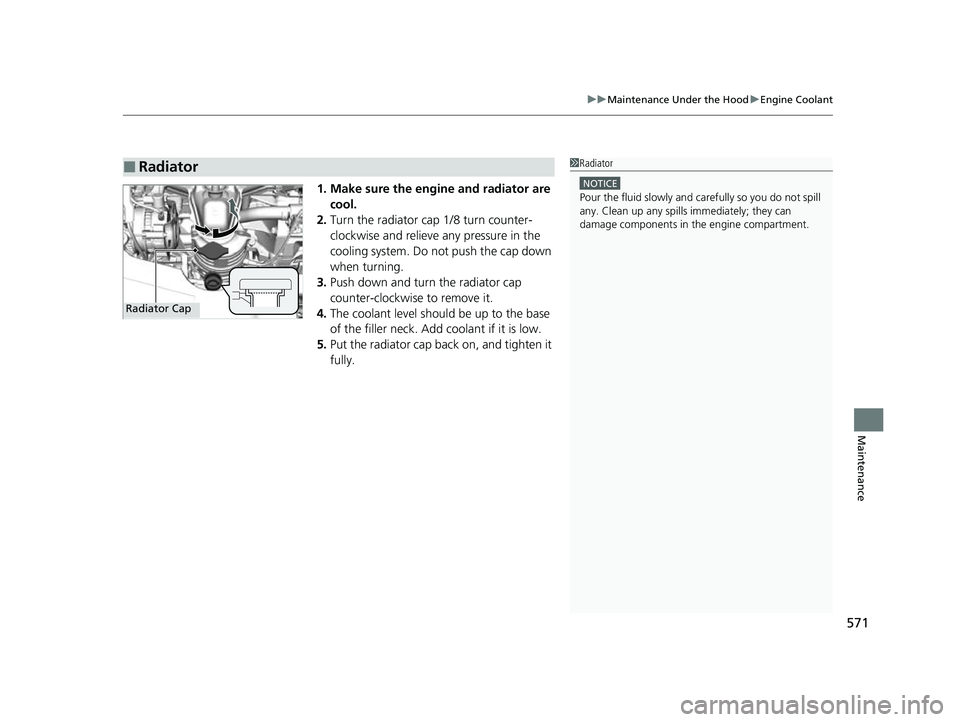
1. Make sure the engine and radiator are
cool.
2. Turn the radiator cap 1/8 turn counter-
clockwise and relieve any pressure in the
cooling system. Do not push the cap down
when turning.
3. Push down and turn the radiator cap
counter-clockwise to remove it.
4. The coolant level should be up to the base
of the filler neck. Add coolant if it is low.
5. Put the radiator cap back on, and tighten it
fully.
■Radiator1Radiator
NOTICE
Pour the fluid slowly and ca refully so you do not spill
any. Clean up any spills immediately; they can
damage components in the engine compartment.
Radiator Cap
23 HR-V-313V06000_01.book 571 ページ 2022年4月4日 月曜日 午前10時49分
Page 580 of 664
578
uuChecking and Maintaining Wiper Blades uChanging the Front Wiper Blade
Maintenance
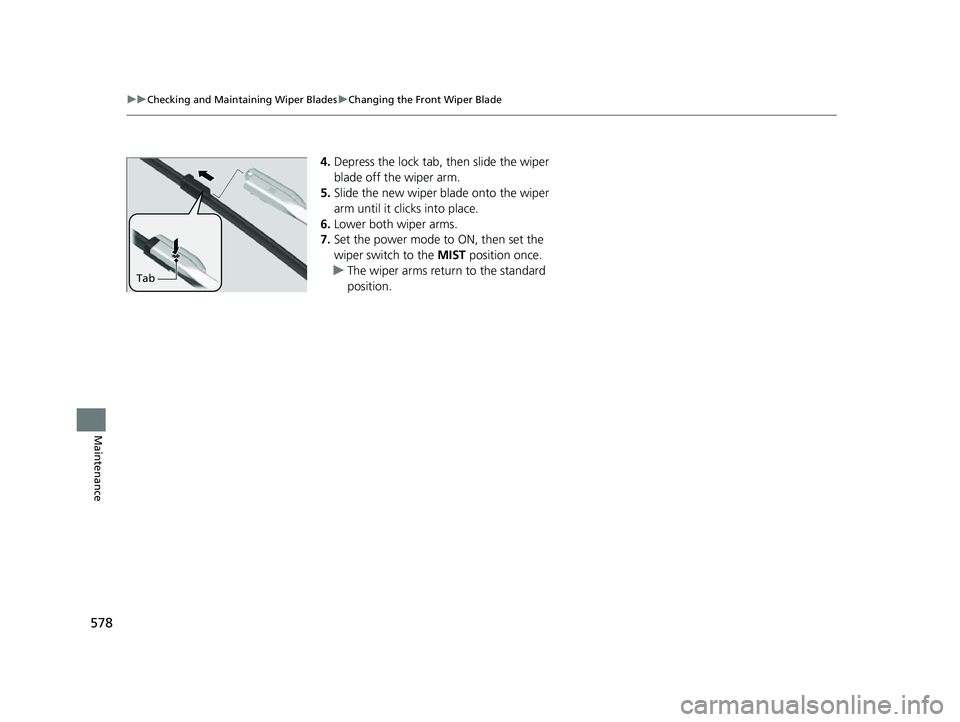
4. Depress the lock tab, then slide the wiper
blade off the wiper arm.
5. Slide the new wiper blade onto the wiper
arm until it clicks into place.
6. Lower both wiper arms.
7. Set the power mode to ON, then set the
wiper switch to the MIST position once.
u The wiper arms return to the standard
position.
Tab
23 HR-V-313V06000_01.book 578 ページ 2022年4月4日 月曜日 午前10時49分
Page 594 of 664
592
Maintenance
Battery
Checking the Battery
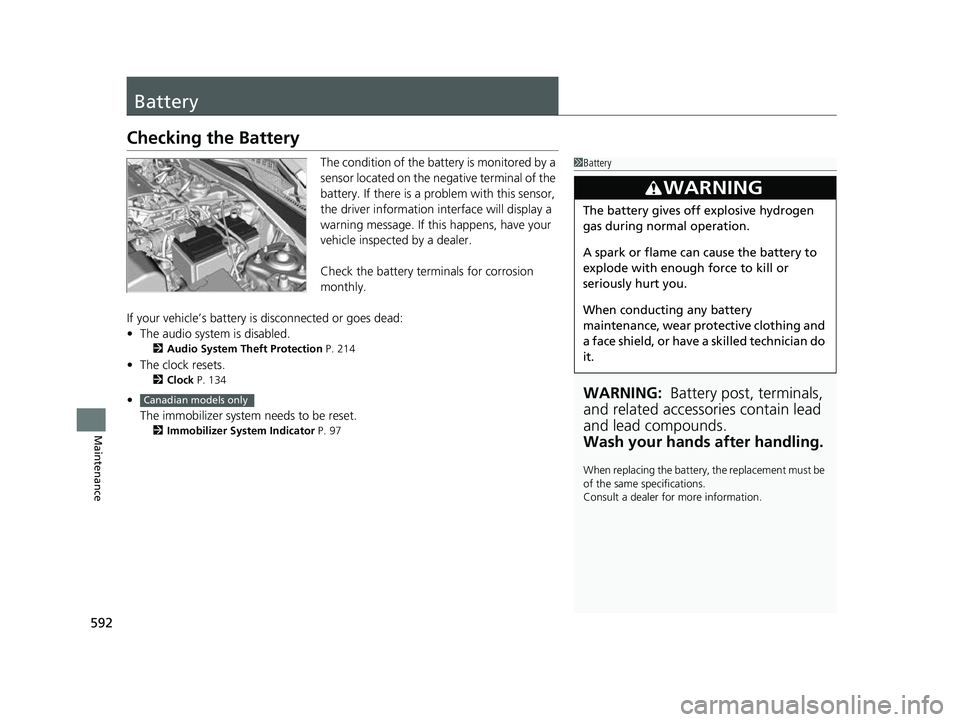
The condition of the battery is monitored by a
sensor located on the negative terminal of the
battery. If there is a problem with this sensor,
the driver information interface will display a
warning message. If this happens, have your
vehicle inspected by a dealer.
Check the battery te rminals for corrosion
monthly.
If your vehicle’s battery is disconnected or goes dead:
• The audio system is disabled.
2 Audio System Theft Protection P. 214
•The clock resets.
2 Clock P. 134
•
The immobilizer system needs to be reset.
2 Immobilizer System Indicator P. 97
1Battery
WARNING: Battery post, terminals,
and related accessories contain lead
and lead compounds.
Wash your hands after handling.
When replacing the battery, the replacement must be
of the same specifications.
Consult a dealer for more information.
3WARNING
The battery gives off explosive hydrogen
gas during normal operation.
A spark or flame can cause the battery to
explode with enough force to kill or
seriously hurt you.
When conducting any battery
maintenance, wear prot ective clothing and
a face shield, or have a skilled technician do
it.
Canadian models only
23 HR-V-313V06000_01.book 592 ページ 2022年4月4日 月曜日 午前10時49分
Page 599 of 664
597
uuCleaning uInterior Care
Maintenance
Wipe using a glass cleaner.
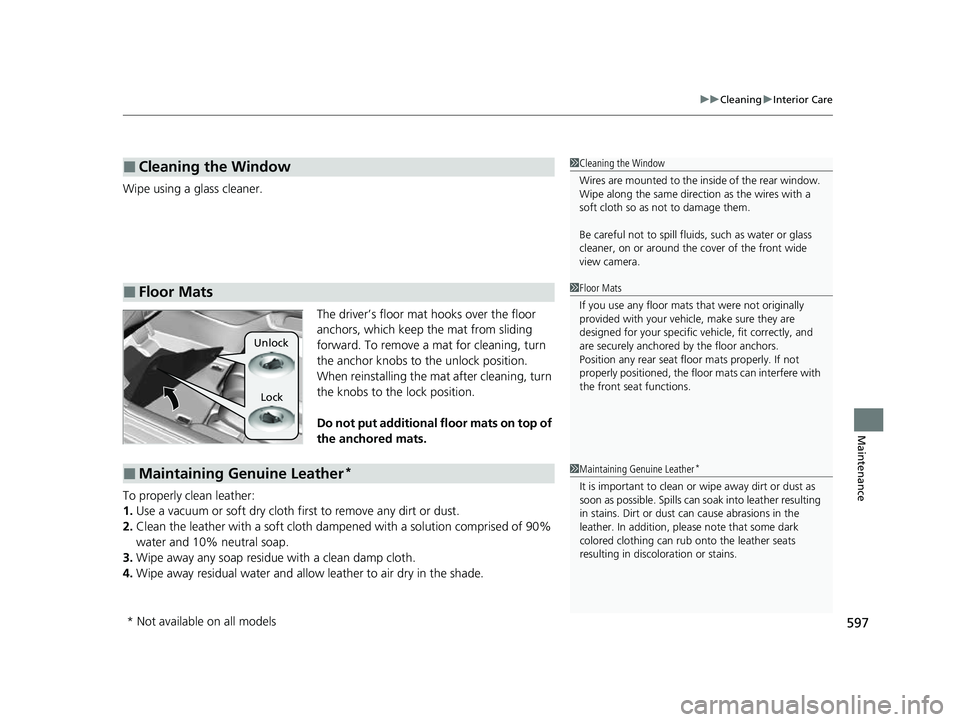
The driver’s floor mat hooks over the floor
anchors, which keep the mat from sliding
forward. To remove a mat for cleaning, turn
the anchor knobs to the unlock position.
When reinstalling the mat after cleaning, turn
the knobs to the lock position.
Do not put additional floor mats on top of
the anchored mats.
To properly clean leather:
1. Use a vacuum or soft dry cloth first to remove any dirt or dust.
2. Clean the leather with a soft cloth dampen ed with a solution comprised of 90%
water and 10% neutral soap.
3. Wipe away any soap residu e with a clean damp cloth.
4. Wipe away residual water and allo w leather to air dry in the shade.
■Cleaning the Window
■Floor Mats
1Cleaning the Window
Wires are mounted to the in side of the rear window.
Wipe along the same direct ion as the wires with a
soft cloth so as not to damage them.
Be careful not to spill fluids, such as water or glass
cleaner, on or around the cover of the front wide
view camera.
1 Floor Mats
If you use any floor mats that were not originally
provided with your vehicle, make sure they are
designed for your specific ve hicle, fit correctly, and
are securely anchored by the floor anchors.
Position any rear seat floor mats properly. If not
properly positioned, the floor mats can interfere with
the front seat functions.
Lock
Unlock
■Maintaining Genuine Leather*1
Maintaining Genuine Leather*
It is important to clean or wipe away dirt or dust as
soon as possible. Spills can soak into leather resulting
in stains. Dirt or dust ca n cause abrasions in the
leather. In addition, pl ease note that some dark
colored clothing can rub onto the leather seats
resulting in discol oration or stains.
* Not available on all models
23 HR-V-313V06000_01.book 597 ページ 2022年4月4日 月曜日 午前10時49分
Page 600 of 664
598
uuCleaning uExterior Care
Maintenance
Exterior Care
Dust off the vehicle body after you drive.
Regularly inspect your vehi cle for scratches on painted surfaces. A scratch on a
painted surface can result in body rust. If you find a scratch, promptly repair it.
Wash the vehicle regularly. Wash more frequently when driving in the following
conditions:
• If driving on roads with road salt.
• If driving in coastal areas.
• If tar, soot, bird droppings, insects, or tree sap are stuck to painted surfaces.
• Make sure to follow the instructions indicated on the automated car wash.
• Fold in the door mirrors.
• Keep sufficient distance between the cleaning nozzl e and the vehicle body.
• Take particular care around the windows. St anding too close may cause water to
enter the vehicle interior.
• Do not spray high pressure water directly into the engine compartment. Instead,
use low pressure water and a mild detergent.
• Do not spray water directly onto the ca mera or the area around it. Water may
enter the lens and cause the camera to malfunction.
■Washing the Vehicle
■Using an Automated Car Wash
■Using High Pressure Cleaners
1 Washing the Vehicle
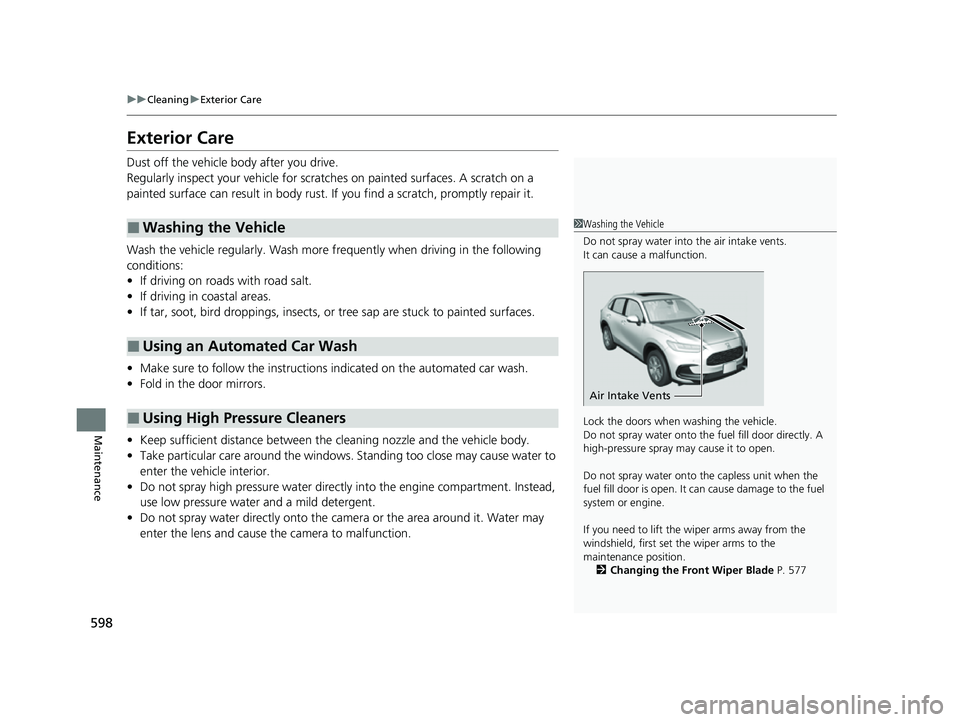
Do not spray water into the air intake vents.
It can cause a malfunction.
Lock the doors when washing the vehicle.
Do not spray water onto the fuel fill door directly. A
high-pressure spray ma y cause it to open.
Do not spray water onto the capless unit when the
fuel fill door is open. It ca n cause damage to the fuel
system or engine.
If you need to lift the wiper arms away from the
windshield, first set the wiper arms to the
maintenance position. 2 Changing the Front Wiper Blade P. 577
Air Intake Vents
23 HR-V-313V06000_01.book 598 ページ 2022年4月4日 月曜日 午前10時49分
Page 605 of 664
603
Handling the Unexpected
This chapter explains how to handle unexpected troubles.
ToolsTypes of Tools .................................. 604
If a Tire Goes Flat Changing a Flat Tire ......................... 605
Engine Does Not Start Checking the Engine ........................ 612
If the Keyless Remote Battery is Weak ......... 614
Emergency Engine Start ................... 615
Emergency Engine Stop ................... 616
If the Battery Is Dead ....................... 617
Shift Lever Does Not Move .............. 619
Overheating How to Handle Overheating ............. 620 Indicator, Coming On/Blinking
If the Engine oil pressure low Warning Appears .... 622
If the Charging System Indicator Comes On ...623
If the Malfunction Indicator Lamp Comes
On or Blinks ................................... 623
If the Brake System Indicator (Red) Comes On or Blinks ................................... 624
If the Electric Power Steering (EPS) System Indicator Comes On ....................... 625
If the Brake System Indicator (Red) Comes On or Blinks at the Same Time When the Brake
System Indicator (Amber) Comes On .. 626 If the Low Tire Pressure/TPMS Indicator
Comes On or Blinks ....................... 627
Fuses Fuse Locations ................................. 628
Inspecting and Changing Fuses ........ 632
Emergency Towing ........................... 634
If You Cannot Unlock the Fuel Fill Door... 635
If You Cannot Open the Tailgate .... 636
Refueling
Refueling From a Portable Fuel Container ... 637
23 HR-V-313V06000_01.book 603 ページ 2022年4月4日 月曜日 午前10時49分
Page 609 of 664
607
uuIf a Tire Goes Flat uChanging a Flat Tire
Continued
Handling the Unexpected
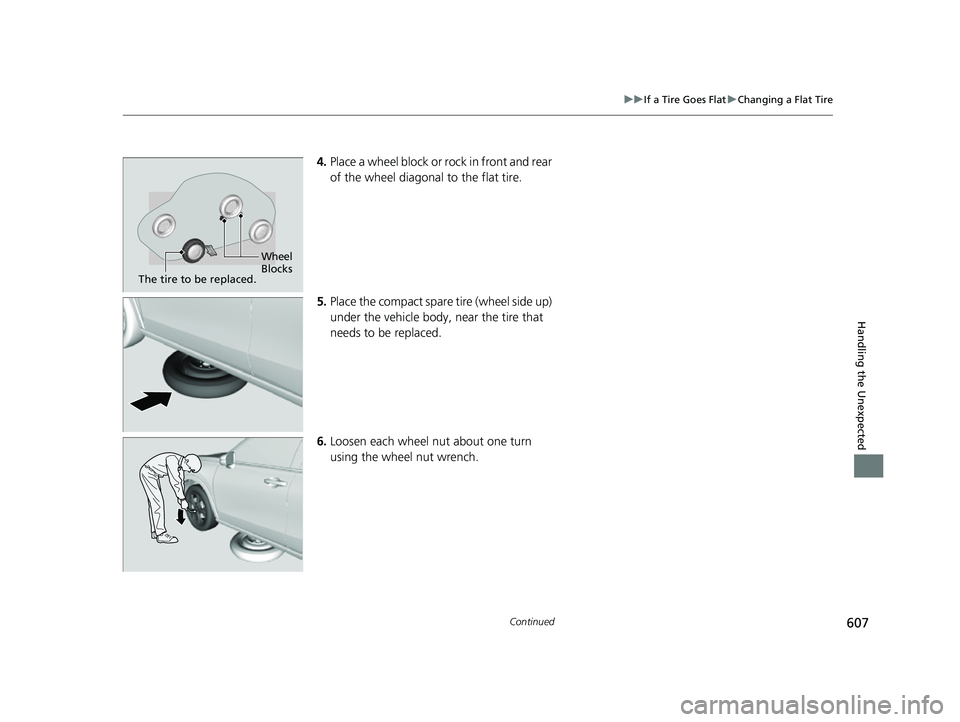
4. Place a wheel block or rock in front and rear
of the wheel diagonal to the flat tire.
5. Place the compact spare tire (wheel side up)
under the vehicle body, near the tire that
needs to be replaced.
6. Loosen each wheel nut about one turn
using the wheel nut wrench.
Wheel
Blocks
The tire to be replaced.
23 HR-V-313V06000_01.book 607 ページ 2022年4月4日 月曜日 午前10時49分
Page 618 of 664
616
uuEngine Does Not StartuEmergency Engine Stop
Handling the Unexpected
Emergency Engine Stop
The ENGINE START/STOP button may be used to stop the engine due to an
emergency situation even while driving. If you must stop the engine, do either of the
following operations:
• Press and hold the ENGINE START/STOP button for about two seconds.
• Firmly press the ENGINE START/STOP button three times.
The steering wheel will not lock. However, because turning off the engine disables
the power assist the engine provides to the steering and braking systems, it will
require significantly more physical effort an d time to steer and slow the vehicle. Use
both feet on the brake pedal to slow down the vehicle and stop immediately in a
safe place.
The power mode is in ACCESSORY when the engine is stopped.
To change the mode to VEHICLE OFF, put the transmission into
(P after the vehicle
comes to a complete stop.
1 Emergency Engine Stop
Do not press the ENGINE START/STOP button while
driving unless it is absolute ly necessary for the engine
to be turned off.
If you press the ENGINE START/STOP button while
driving, the beeper sounds.
23 HR-V-313V06000_01.book 616 ページ 2022年4月4日 月曜日 午前10時49分
Page 621 of 664
619
Handling the Unexpected
Shift Lever Does Not Move
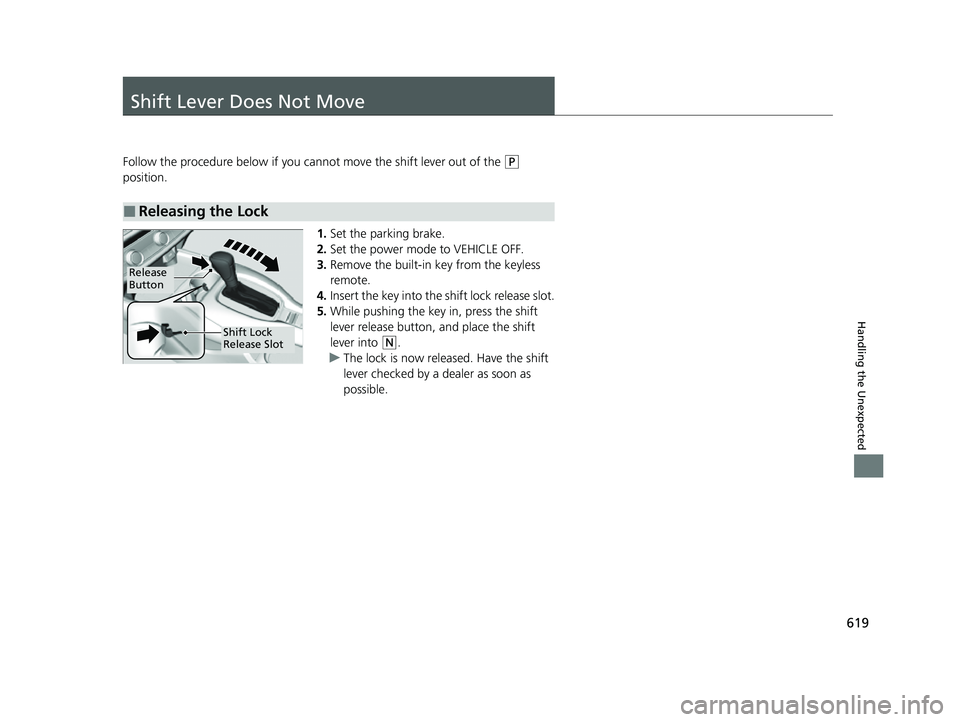
Follow the procedure below if you cannot move the shift lever out of the (P
position.
1.Set the parking brake.
2. Set the power mode to VEHICLE OFF.
3. Remove the built-in key from the keyless
remote.
4. Insert the key into the shift lock release slot.
5. While pushing the key in, press the shift
lever release button, and place the shift
lever into
(N.
u The lock is now released. Have the shift
lever checked by a de aler as soon as
possible.
■Releasing the Lock
Release
Button
Shift Lock
Release Slot
23 HR-V-313V06000_01.book 619 ページ 2022年4月4日 月曜日 午前10時49分