key HONDA HRV 2023 Owner's Manual
[x] Cancel search | Manufacturer: HONDA, Model Year: 2023, Model line: HRV, Model: HONDA HRV 2023Pages: 664, PDF Size: 20.2 MB
Page 159 of 664
Continued157
uuSecurity System uSecurity System Alarm
Controls
■To deactivate the security system alarm
Unlock the vehicle using the key, the remo te transmitter or keyless access system*,
or set the power mode to ON. The system, along with the horn and flashing lights,
is deactivated.
■Setting the security system alarm
The security system alarm automatically sets when the following conditions have
been met:
• The power mode is set to VEHICLE OFF.
• The hood is closed.
• All doors and the tailgate are locked from outside with the remote transmitter or
keyless access system
*.
■When the security system alarm sets
The security system alarm in dicator in the instrument panel blinks and the blinking
interval changes after about 15 seconds.
■To cancel the security system alarm
The security system alarm is canceled when the vehicle is unlocked using the remote
transmitter or keyle ss access system
*, or when the power mode is set to ON. The
security system alarm indicato r goes off at the same time.
1Security System Alarm
Do not set the security system alarm when someone
is in the vehicle or a window is open. The system can
accidentally activate when:
•Unlocking the door with the lock tab.•Opening the hood with the hood release handle.
•Taking the transmission out of ( P.
If the battery goes dead after you have set the
security system alarm, the security alarm may activate
once the battery is re charged or replaced.
If this occurs, deactivate the security system alarm by
unlocking a door using the ke y, remote transmitter,
or keyless access system
*.
* Not available on all models
23 HR-V-313V06000_01.book 157 ページ 2022年4月4日 月曜日 午前10時49分
Page 163 of 664
161
uuWindows uOpening/Closing the Power Windows
Controls
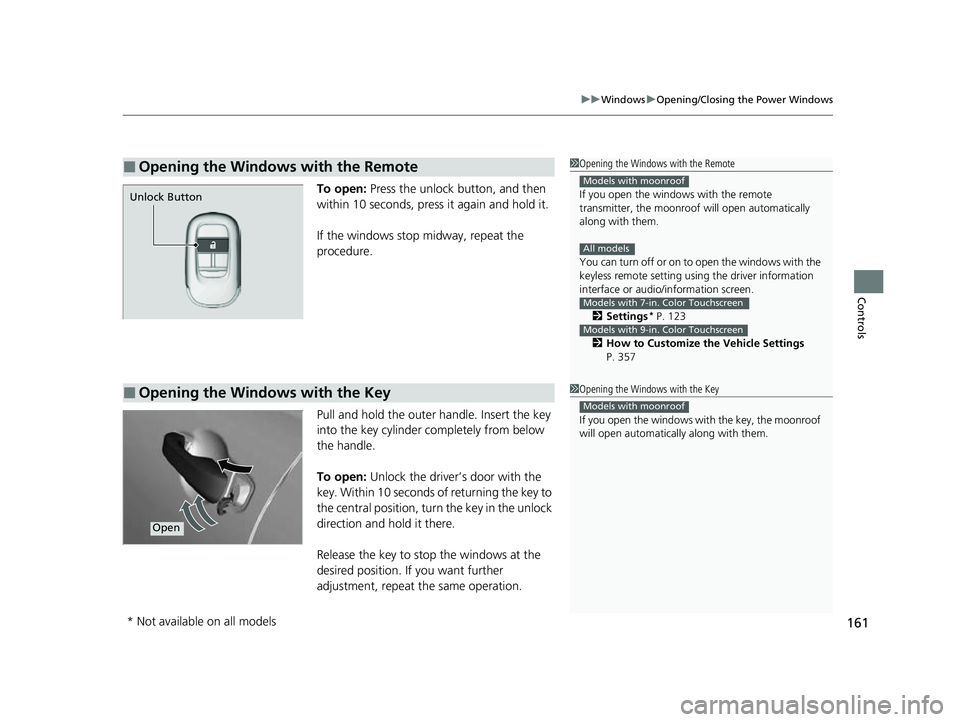
To open: Press the unlock button, and then
within 10 seconds, press it again and hold it.
If the windows stop midway, repeat the
procedure.
Pull and hold the outer handle. Insert the key
into the key cylinder completely from below
the handle.
To open: Unlock the driver’s door with the
key. Within 10 seconds of returning the key to
the central position, turn the key in the unlock
direction and hold it there.
Release the key to stop the windows at the
desired position. If you want further
adjustment, repeat the same operation.
■Opening the Windows with the Remote1 Opening the Windows with the Remote
If you open the window s with the remote
transmitter, the moonroo f will open automatically
along with them.
You can turn off or on to open the windows with the
keyless remote setting usi ng the driver information
interface or audio/ information screen.
2 Settings
* P. 123
2 How to Customize the Vehicle Settings
P. 357
Models with moonroof
All models
Models with 7-in. Color Touchscreen
Models with 9-in. Color Touchscreen
Unlock Button
■Opening the Windows with the Key1 Opening the Windows with the Key
If you open the windows wi th the key, the moonroof
will open automatica lly along with them.
Models with moonroof
Open
* Not available on all models
23 HR-V-313V06000_01.book 161 ページ 2022年4月4日 月曜日 午前10時49分
Page 164 of 664
162
Controls
Moonroof*
Opening/Closing the Moonroof
You can operate the moonroof when the power mode is in ON. Use the switch in
the front of the ceiling to open and close the moonroof.
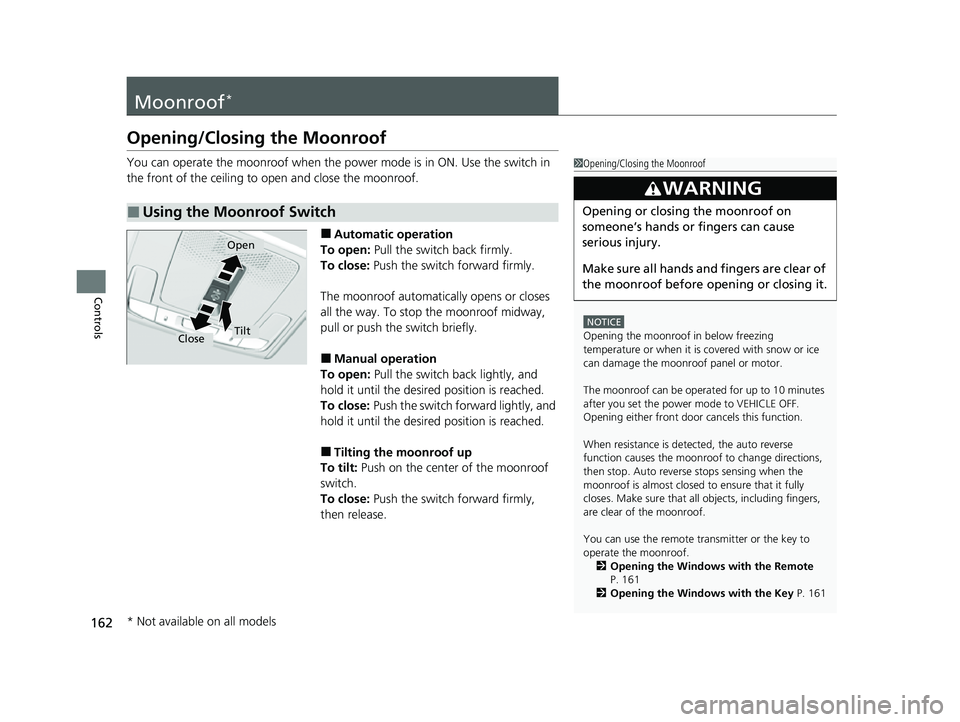
■Automatic operation
To open: Pull the switch back firmly.
To close: Push the switch forward firmly.
The moonroof automatica lly opens or closes
all the way. To stop the moonroof midway,
pull or push the switch briefly.
■Manual operation
To open: Pull the switch back lightly, and
hold it until the desired position is reached.
To close: Push the switch forward lightly, and
hold it until the desired position is reached.
■Tilting the moonroof up
To tilt: Push on the center of the moonroof
switch.
To close: Push the switch forward firmly,
then release.
■Using the Moonroof Switch
1 Opening/Closing the Moonroof
NOTICE
Opening the moonroof in below freezing
temperature or when it is covered with snow or ice
can damage the moonr oof panel or motor.
The moonroof can be opera ted for up to 10 minutes
after you set the power mode to VEHICLE OFF.
Opening either front door cancels this function.
When resistance is detected, the auto reverse
function causes the moonroof to change directions,
then stop. Auto reverse stops sensing when the
moonroof is almost closed to ensure that it fully
closes. Make sure that al l objects, including fingers,
are clear of the moonroof.
You can use the remote transmitter or the key to
operate the moonroof.
2 Opening the Windows with the Remote
P. 161
2 Opening the Windows with the Key P. 161
3WARNING
Opening or closing the moonroof on
someone’s hands or fingers can cause
serious injury.
Make sure all hands and fingers are clear of
the moonroof before opening or closing it.
Open
CloseTilt
* Not available on all models
23 HR-V-313V06000_01.book 162 ページ 2022年4月4日 月曜日 午前10時49分
Page 165 of 664
163Continued
Controls
Operating the Switches Around the Steering Wheel
ENGINE START/STOP Button
If you carry the keyless remote and press
ENGINE START/STOP button without
depressing the brake pedal, the power mode
will change in this order: VEHICLE
OFF ACCESSORY ON
VEHICLE OFF.
VEHICLE OFF:
Vehicle power is turned OFF.
ACCESSORY:
The audio system and some accessories can be
used.
ON:
All accessories can be used.
■Changing the Power Mode1 ENGINE START/STOP Button
If the keyless remote is set in a storage box or another
place where its signal can be interrupted, the power
mode may not change.
When the power mode is set to ON, the power mode
will change to ACCESSORY if the ENGINE START/
STOP button is pressed while th e transmission is in a
position other than
( P.
23 HR-V-313V06000_01.book 163 ページ 2022年4月4日 月曜日 午前10時49分
Page 167 of 664
165
uuOperating the Switches Around the Steering Wheel uENGINE START/STOP Button
Controls
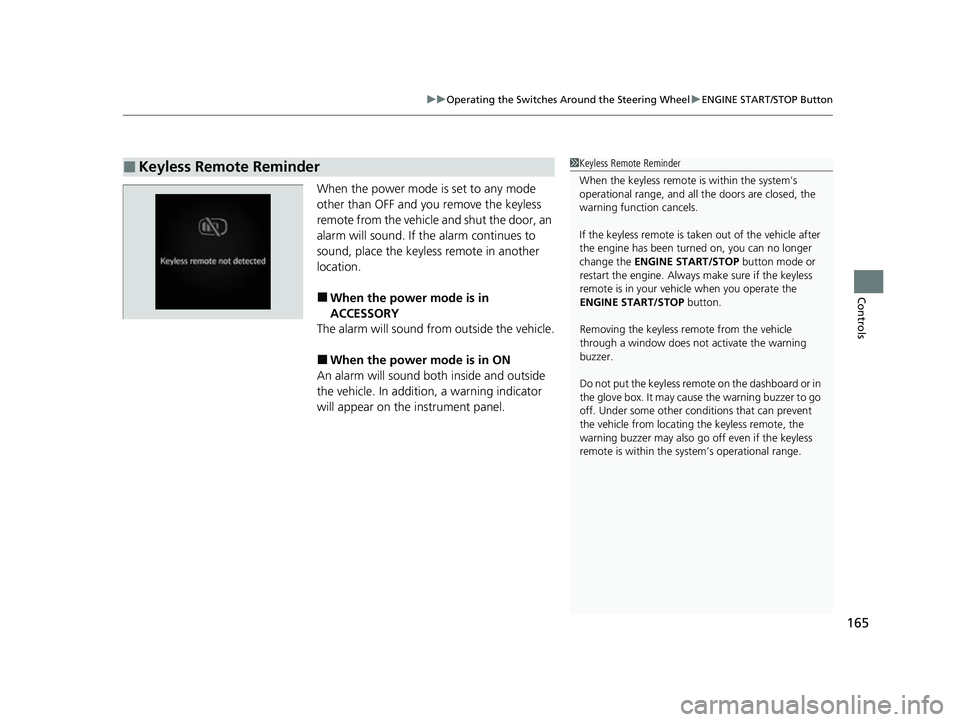
When the power mode is set to any mode
other than OFF and yo u remove the keyless
remote from the vehicle and shut the door, an
alarm will sound. If the alarm continues to
sound, place the keyless remote in another
location.
■When the power mode is in
ACCESSORY
The alarm will sound from outside the vehicle.
■When the power mode is in ON
An alarm will sound both inside and outside
the vehicle. In additi on, a warning indicator
will appear on the instrument panel.
■Keyless Remote Reminder1 Keyless Remote Reminder
When the keyless remote is within the system’s
operational range, and all the doors are closed, the
warning function cancels.
If the keyless remote is taken out of the vehicle after
the engine has been turned on, you can no longer
change the ENGINE START/STOP button mode or
restart the engine. Always make sure if the keyless
remote is in your vehi cle when you operate the
ENGINE START/STOP button.
Removing the keyless remote from the vehicle
through a window does not activate the warning
buzzer.
Do not put the keyless remo te on the dashboard or in
the glove box. It may cause the warning buzzer to go
off. Under some other cond itions that can prevent
the vehicle from locating the keyless remote, the
warning buzzer may also go off even if the keyless
remote is within the system’s operational range.
23 HR-V-313V06000_01.book 165 ページ 2022年4月4日 月曜日 午前10時49分
Page 202 of 664
uuInterior Convenience Items uOther Interior Convenience Items
200
Controls
1Wireless Charger*
During the charging phase, it is normal for the
charging area and de vice to heat up.
Charging may be briefl y interrupted when:
•All the doors and the tailgate are closed
- to avoid interference with the proper functioning
of the keyless access system.
•The position of the device is altered.
Do not charge more than one device at a time on a
charging area.
If the device becomes too hot and its battery
protection function activa tes, it may charge
extremely slowly or no longer charge.
The temperature at which the battery protection
function activates de pends on the device.
* Not available on all models
23 HR-V-313V06000_01.book 200 ページ 2022年4月4日 月曜日 午前10時49分
Page 243 of 664
Continued241
uuAudio System Basic Operation uAndroid AutoTM
Features
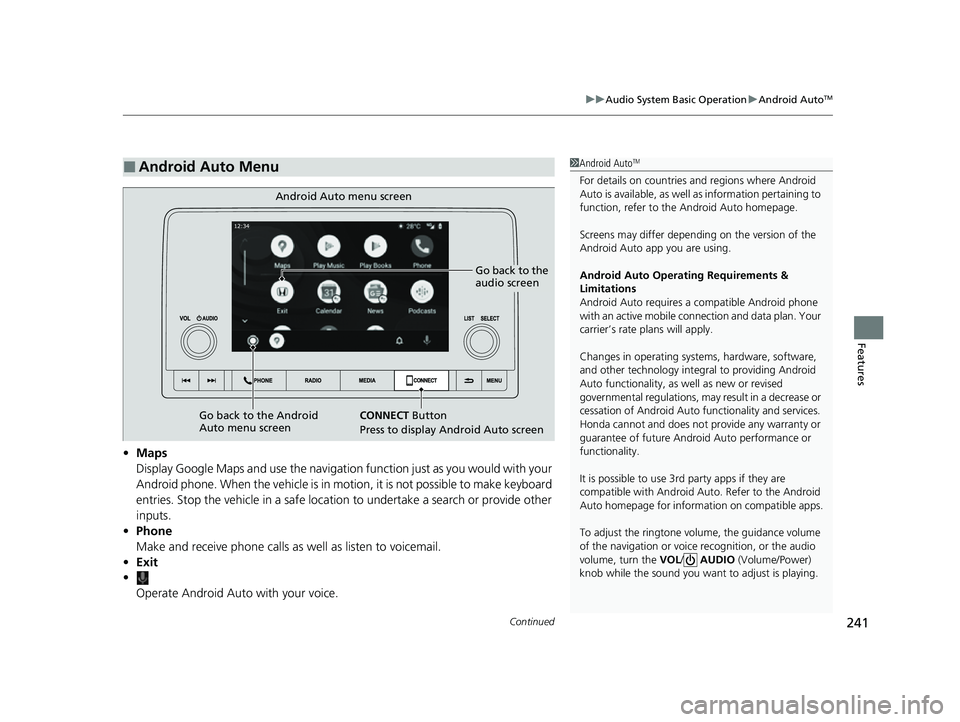
• Maps
Display Google Maps and use the navigation function just as you would with your
Android phone. When the vehicle is in motion, it is not possible to make keyboard
entries. Stop the vehicle in a safe location to undertake a search or provide other
inputs.
• Phone
Make and receive phone calls as well as listen to voicemail.
• Exit
•
Operate Android Auto with your voice.
■Android Auto Menu1Android AutoTM
For details on c ountries and regions where Android
Auto is available, as well as information pertaining to
function, refer to the Android Auto homepage.
Screens may differ depending on the version of the
Android Auto app you are using.
Android Auto Operating Requirements &
Limitations
Android Auto requires a compatible Android phone
with an active mobile connection and data plan. Your
carrier’s rate plans will apply.
Changes in operating systems, hardware, software,
and other technology integral to providing Android
Auto functionality, as well as new or revised
governmental regulations, may result in a decrease or
cessation of Android Auto functionality and services.
Honda cannot and does not pr ovide any warranty or
guarantee of future Android Auto performance or
functionality.
It is possible to use 3r d party apps if they are
compatible with Android Auto. Refer to the Android
Auto homepage for informat ion on compatible apps.
To adjust the ringtone volume, the guidance volume
of the navigation or voice recognition, or the audio
volume, turn the VOL / AUDIO (Volume/Power)
knob while the sound you want to adjust is playing.
Go back to the
audio screen
CONNECT Button
P
ress to display Android Auto screen
Android Auto menu screen
Go back to the Android
Auto menu screen
23 HR-V-313V06000_01.book 241 ページ 2022年4月4日 月曜日 午前10時49分
Page 271 of 664
269
uuAudio System Basic Operation uPlaying AM/FM Radio
Continued
Features
Playing AM/FM Radio
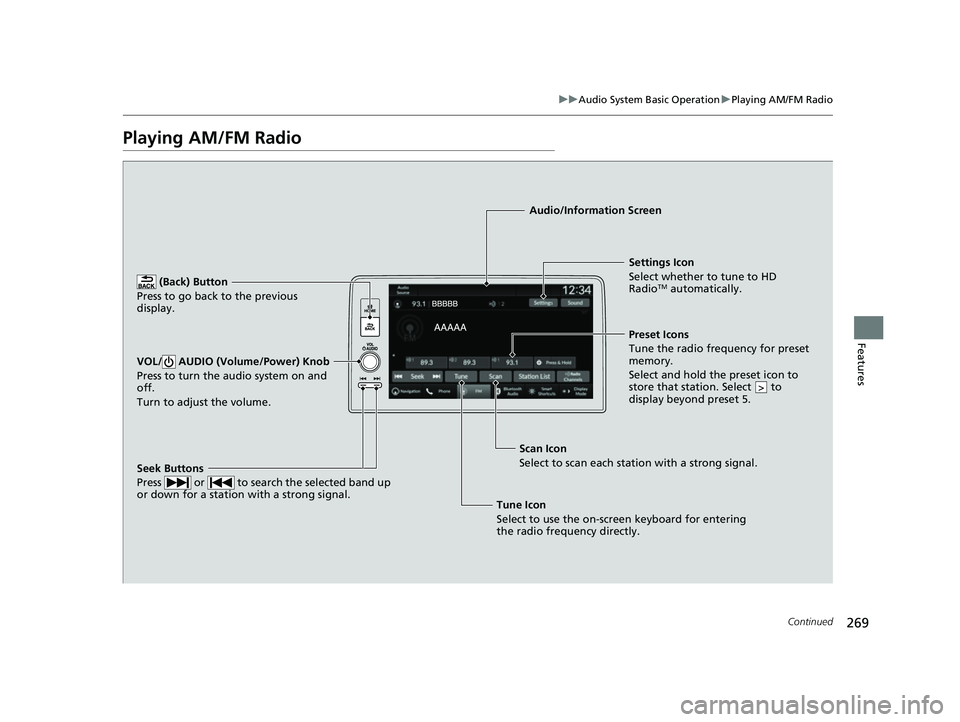
(Back) Button
Press to go back to the previous
display.
Seek Buttons
Press or to search the selected band up
or down for a station with a strong signal.
VOL/ AUDIO (Volume/Power) Knob
Press to turn the audio system on and
off.
Turn to adjust the volume.
Settings Icon
Select whether to tune to HD
Radio
TM automatically.
Tune Icon
Select to use the on-scr een keyboard for entering
the radio frequency directly. Audio/Information Screen
Scan Icon
Select to sca n each
station with a strong signal.Preset Icons
Tune the radio frequency for preset
memory.
Select and hold the preset icon to
store that station. Select to
display beyond preset 5.
>
23 HR-V-313V06000_01.book 269 ページ 2022年4月4日 月曜日 午前10時49分
Page 278 of 664
uuAudio System Basic Operation uPlaying SiriusXM ® Radio
276
Features
Suggested channel listing received from SiriusXM ® can be displayed and selected.
1. Select More.
2. Select Category List .
3. Select Featured Favorites .
4. Select the featured favorite list title you want to listen to.
u The selected channel list of the title is displayed.
5. Select the channel.
■Listening to Featured Channels1Listening to Featured Channels
Up to 10 featured channels by SiriusXM ® can be
displayed.
To switch the sorting method, select Number or
Name on the upper right of the screen.
Select Keypad to use the on-screen keyboard for
entering the channel number directly.
23 HR-V-313V06000_01.book 276 ページ 2022年4月4日 月曜日 午前10時49分
Page 282 of 664
uuAudio System Basic Operation uPlaying SiriusXM ® Radio
280
Features
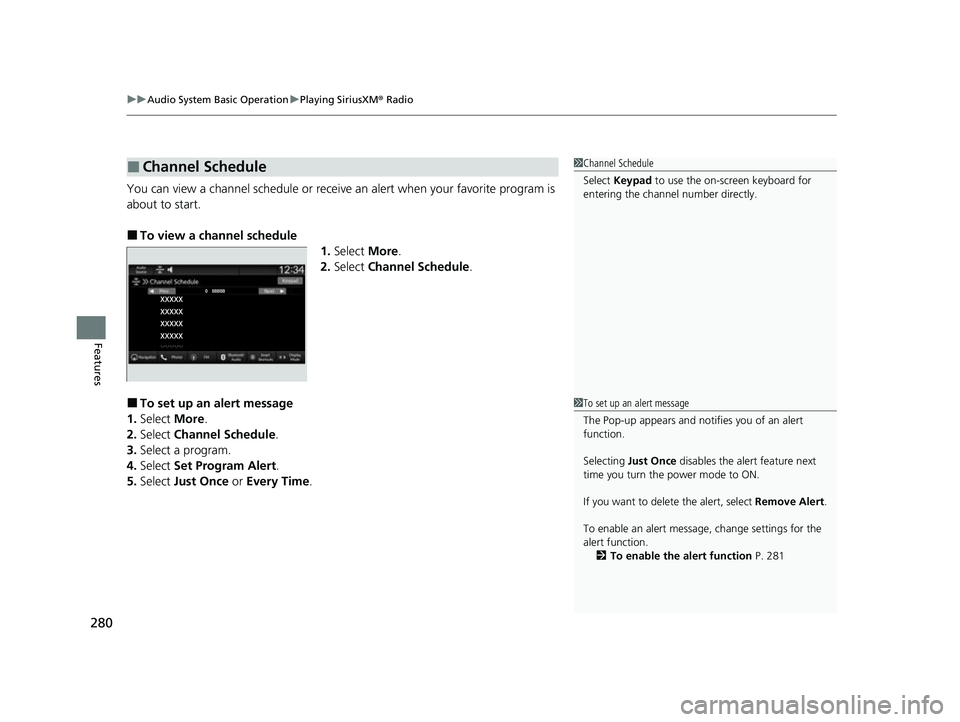
You can view a channel schedule or receive an alert when your favorite program is
about to start.
■To view a channel schedule
1.Select More.
2. Select Channel Schedule .
■To set up an alert message
1. Select More.
2. Select Channel Schedule .
3. Select a program.
4. Select Set Program Alert .
5. Select Just Once or Every Time .
■Channel Schedule1Channel Schedule
Select Keypad to use the on-screen keyboard for
entering the channel number directly.
1To set up an alert message
The Pop-up appears and not ifies you of an alert
function.
Selecting Just Once disables the alert feature next
time you turn the power mode to ON.
If you want to delete the alert, select Remove Alert.
To enable an alert message, change settings for the
alert function. 2 To enable the alert function P. 281
23 HR-V-313V06000_01.book 280 ページ 2022年4月4日 月曜日 午前10時49分