remote control HONDA HRV 2023 Owner's Manual
[x] Cancel search | Manufacturer: HONDA, Model Year: 2023, Model line: HRV, Model: HONDA HRV 2023Pages: 664, PDF Size: 20.2 MB
Page 160 of 664
158
uuSecurity System uSecurity System Alarm
Controls
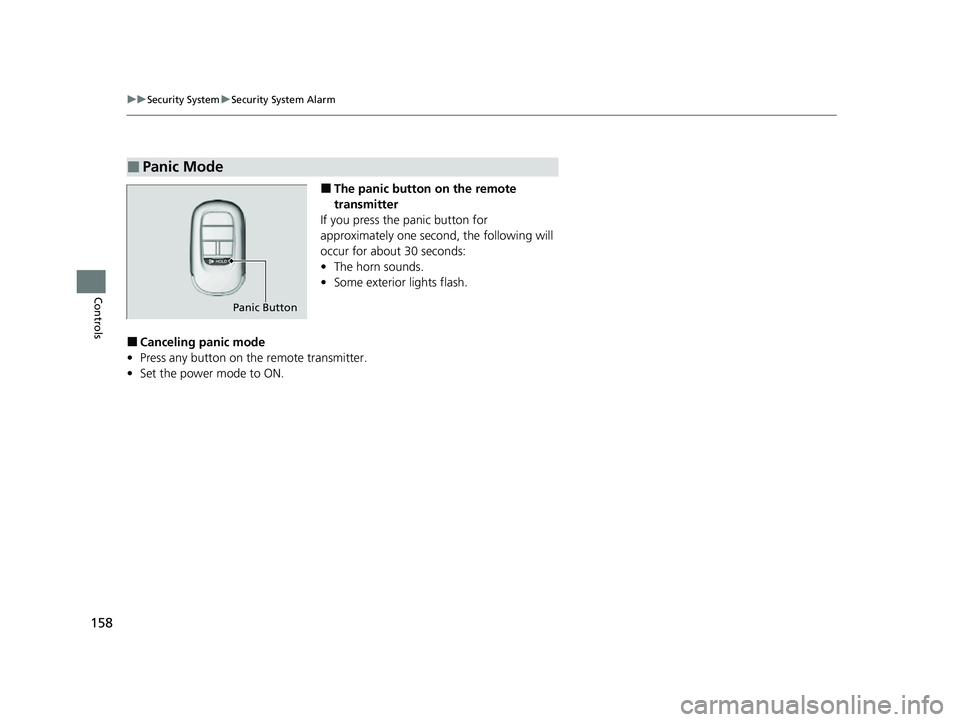
■The panic button on the remote
transmitter
If you press the panic button for
approximately one seco nd, the following will
occur for about 30 seconds:
• The horn sounds.
• Some exterior lights flash.
■Canceling panic mode
• Press any button on the remote transmitter.
• Set the power mode to ON.
■Panic Mode
Panic Button
23 HR-V-313V06000_01.book 158 ページ 2022年4月4日 月曜日 午前10時49分
Page 163 of 664
161
uuWindows uOpening/Closing the Power Windows
Controls
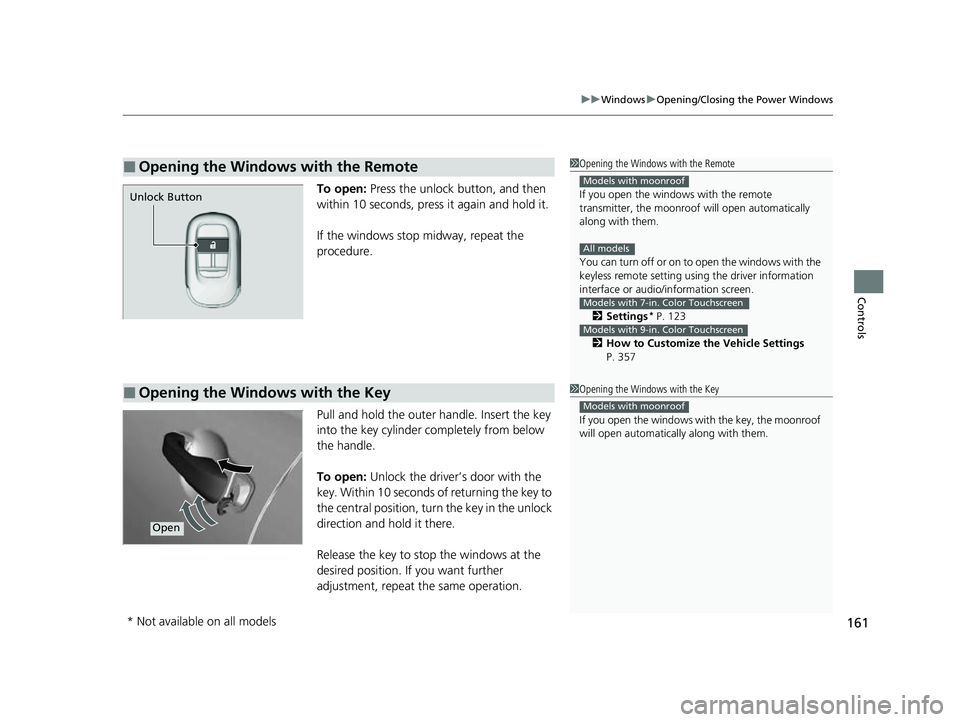
To open: Press the unlock button, and then
within 10 seconds, press it again and hold it.
If the windows stop midway, repeat the
procedure.
Pull and hold the outer handle. Insert the key
into the key cylinder completely from below
the handle.
To open: Unlock the driver’s door with the
key. Within 10 seconds of returning the key to
the central position, turn the key in the unlock
direction and hold it there.
Release the key to stop the windows at the
desired position. If you want further
adjustment, repeat the same operation.
■Opening the Windows with the Remote1 Opening the Windows with the Remote
If you open the window s with the remote
transmitter, the moonroo f will open automatically
along with them.
You can turn off or on to open the windows with the
keyless remote setting usi ng the driver information
interface or audio/ information screen.
2 Settings
* P. 123
2 How to Customize the Vehicle Settings
P. 357
Models with moonroof
All models
Models with 7-in. Color Touchscreen
Models with 9-in. Color Touchscreen
Unlock Button
■Opening the Windows with the Key1 Opening the Windows with the Key
If you open the windows wi th the key, the moonroof
will open automatica lly along with them.
Models with moonroof
Open
* Not available on all models
23 HR-V-313V06000_01.book 161 ページ 2022年4月4日 月曜日 午前10時49分
Page 164 of 664
162
Controls
Moonroof*
Opening/Closing the Moonroof
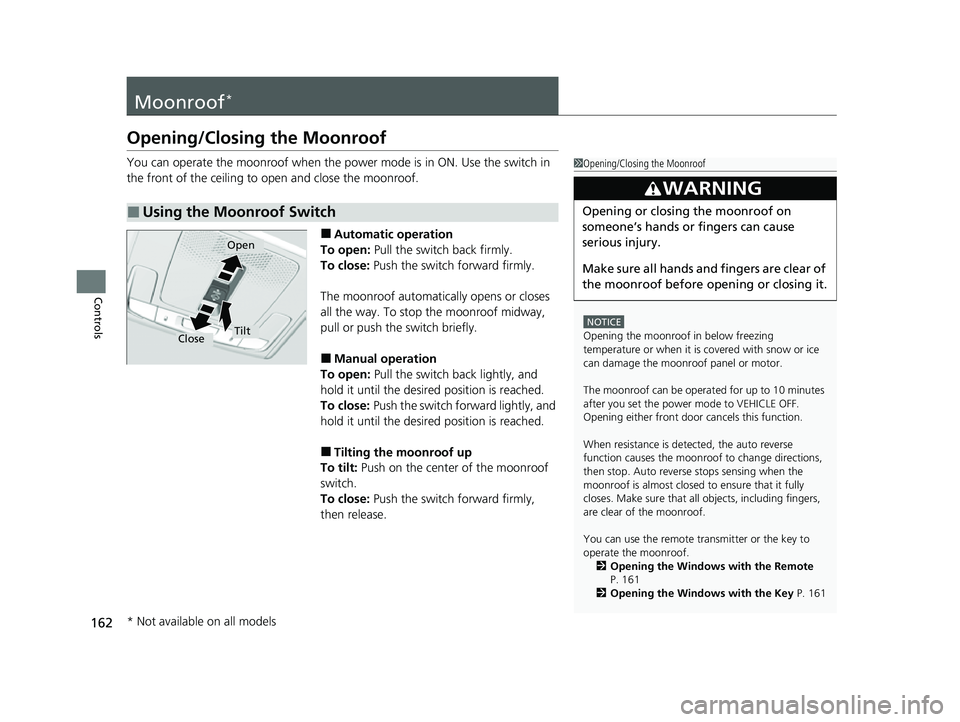
You can operate the moonroof when the power mode is in ON. Use the switch in
the front of the ceiling to open and close the moonroof.
■Automatic operation
To open: Pull the switch back firmly.
To close: Push the switch forward firmly.
The moonroof automatica lly opens or closes
all the way. To stop the moonroof midway,
pull or push the switch briefly.
■Manual operation
To open: Pull the switch back lightly, and
hold it until the desired position is reached.
To close: Push the switch forward lightly, and
hold it until the desired position is reached.
■Tilting the moonroof up
To tilt: Push on the center of the moonroof
switch.
To close: Push the switch forward firmly,
then release.
■Using the Moonroof Switch
1 Opening/Closing the Moonroof
NOTICE
Opening the moonroof in below freezing
temperature or when it is covered with snow or ice
can damage the moonr oof panel or motor.
The moonroof can be opera ted for up to 10 minutes
after you set the power mode to VEHICLE OFF.
Opening either front door cancels this function.
When resistance is detected, the auto reverse
function causes the moonroof to change directions,
then stop. Auto reverse stops sensing when the
moonroof is almost closed to ensure that it fully
closes. Make sure that al l objects, including fingers,
are clear of the moonroof.
You can use the remote transmitter or the key to
operate the moonroof.
2 Opening the Windows with the Remote
P. 161
2 Opening the Windows with the Key P. 161
3WARNING
Opening or closing the moonroof on
someone’s hands or fingers can cause
serious injury.
Make sure all hands and fingers are clear of
the moonroof before opening or closing it.
Open
CloseTilt
* Not available on all models
23 HR-V-313V06000_01.book 162 ページ 2022年4月4日 月曜日 午前10時49分
Page 165 of 664
163Continued
Controls
Operating the Switches Around the Steering Wheel
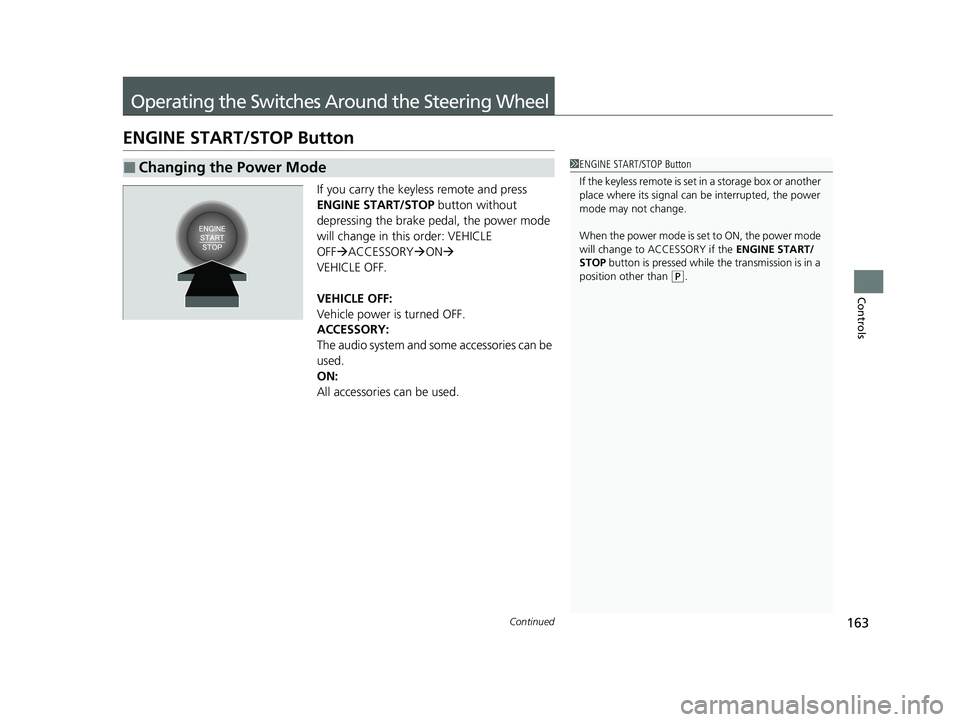
ENGINE START/STOP Button
If you carry the keyless remote and press
ENGINE START/STOP button without
depressing the brake pedal, the power mode
will change in this order: VEHICLE
OFF ACCESSORY ON
VEHICLE OFF.
VEHICLE OFF:
Vehicle power is turned OFF.
ACCESSORY:
The audio system and some accessories can be
used.
ON:
All accessories can be used.
■Changing the Power Mode1 ENGINE START/STOP Button
If the keyless remote is set in a storage box or another
place where its signal can be interrupted, the power
mode may not change.
When the power mode is set to ON, the power mode
will change to ACCESSORY if the ENGINE START/
STOP button is pressed while th e transmission is in a
position other than
( P.
23 HR-V-313V06000_01.book 163 ページ 2022年4月4日 月曜日 午前10時49分
Page 167 of 664
165
uuOperating the Switches Around the Steering Wheel uENGINE START/STOP Button
Controls
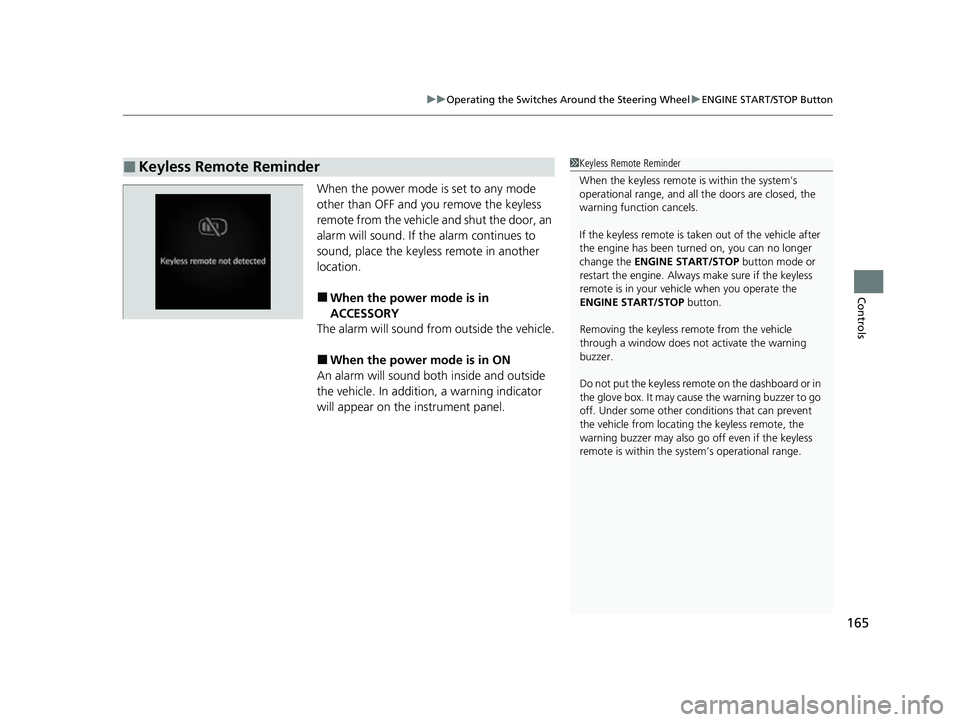
When the power mode is set to any mode
other than OFF and yo u remove the keyless
remote from the vehicle and shut the door, an
alarm will sound. If the alarm continues to
sound, place the keyless remote in another
location.
■When the power mode is in
ACCESSORY
The alarm will sound from outside the vehicle.
■When the power mode is in ON
An alarm will sound both inside and outside
the vehicle. In additi on, a warning indicator
will appear on the instrument panel.
■Keyless Remote Reminder1 Keyless Remote Reminder
When the keyless remote is within the system’s
operational range, and all the doors are closed, the
warning function cancels.
If the keyless remote is taken out of the vehicle after
the engine has been turned on, you can no longer
change the ENGINE START/STOP button mode or
restart the engine. Always make sure if the keyless
remote is in your vehi cle when you operate the
ENGINE START/STOP button.
Removing the keyless remote from the vehicle
through a window does not activate the warning
buzzer.
Do not put the keyless remo te on the dashboard or in
the glove box. It may cause the warning buzzer to go
off. Under some other cond itions that can prevent
the vehicle from locating the keyless remote, the
warning buzzer may also go off even if the keyless
remote is within the system’s operational range.
23 HR-V-313V06000_01.book 165 ページ 2022年4月4日 月曜日 午前10時49分
Page 171 of 664
Continued169
uuOperating the Switches Around the Steering Wheel uLights
Controls
The headlights automatically come on when th e wipers are used several times within
a certain number of intervals with the headlight switch in AUTO.
The headlights automatically go off a few mi nutes later if the wipers are stopped.
The headlights, all other exterior lights, and the instrument panel lights turn off 15
seconds after you set the power mode to VEHICLE OFF, take the remote with you,
and close the driver’s door.
If you set the power mode to VEHICLE OFF with the headlight switch on, but do not
open the door, the lights turn off after 10 minu tes (3 minutes, if the switch is in the
AUTO position).
The lights turn on again when you unlock or open the driver’s door. If you unlock
the door, but do not open it within 15 seconds, the lights go off. If you open the
driver’s door, you will hear a reminder chime alerting you that the lights are on.
■Headlight Integration with Wipers
■Automatic Lighting Off Feature
1 Headlight Integration with Wipers
This feature activates while the headlights are off in
AUTO .
The instrument panel br ightness does not change
when the headlights come on.
At dark ambient light leve ls, the automatic lighting
control feature turns on the headlights, regardless of
the number of wiper sweeps.
You can turn the headlight integration with wipers
function on and off.
2 Settings
* P. 123
2 How to Customize the Vehicle Settings
P. 357
Models with 7-in. Color Touchscreen
Models with 9-in. Color Touchscreen
1 Automatic Lighting Off Feature
You can change the headlight auto off timer setting.
2 Settings
* P. 123
2 How to Customize the Vehicle Settings
P. 357
Models with 7-in. Color Touchscreen
Models with 9-in. Color Touchscreen
* Not available on all models
23 HR-V-313V06000_01.book 169 ページ 2022年4月4日 月曜日 午前10時49分
Page 213 of 664
211
Features
This chapter describes how to operate technology features.
Audio System
About Your Audio System ................ 212
USB Ports ......................................... 213
Audio System Theft Protection ......... 214
Audio Remote Controls .................... 215
Audio System Basic Operation ........ 219
Adjusting the Sound ........................ 220
Display Setup ................................... 221
Playing AM/FM Radio ....................... 222
Playing an iPod ................................ 224
Playing a USB Flash Drive ................. 227
Playing Bluetooth ® Audio ................. 230
Siri Eyes Free .................................... 234
Models with 7-in. Color Touchscreen
Smartphone Voice Recognition ........ 23T
Apple CarPlay .................................. 23U
Android Auto
TM................................ 24O
Audio System Basic Operation ........ 244
Start Up ........................................... 245
Audio/Information Screen ................ 246
System Updates ............................... 257
Adjusting the Sound ........................ 263
Display Setup ................................... 264
Voice Control Operation .................. 266
Playing AM/FM Radio ....................... 269
Playing SiriusXM ® Radio ................... 273
Playing an iPod ................................ 284Models with 9-in. Color Touchscreen
Playing a USB Flash Drive ................M 28V
Playing Bluetooth ® Audio ................ 290
HondaLink ®..................................... 293
Smart Shortcuts ............................... 297
Wi-Fi Connection ............................. 300
Apple CarPlay .................................. 301
Android Auto
TM............................... 308
Audio Error Messages ...................... 314
General Information on the Audio System ............................................. 316
Customized Features ................ 337, 345
Bluetooth® HandsFreeLink® ..... 369, 389
Refuel Recommend .......................... 408
23 HR-V-313V06000_01.book 211 ページ 2022年4月4日 月曜日 午前10時49分
Page 214 of 664
212
Features
Audio System
About Your Audio System
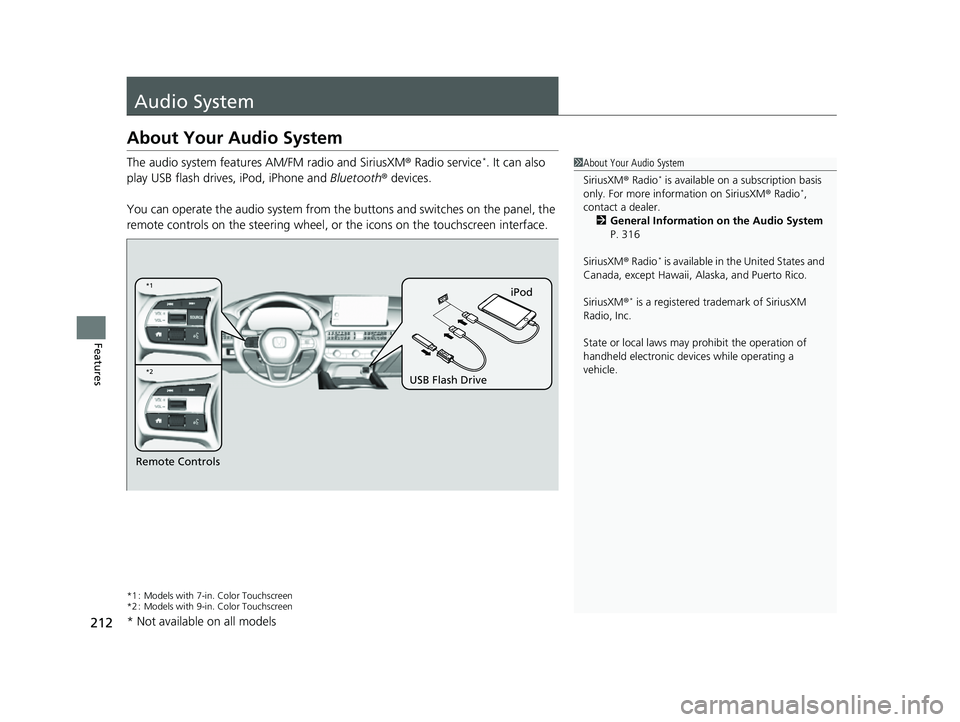
The audio system features AM/FM radio and SiriusXM® Radio service*. It can also
play USB flash drives, iPod, iPhone and Bluetooth® devices.
You can operate the audio system from the buttons and switches on the panel, the
remote controls on the steering wheel, or the icons on the touchscreen interface.
*1 : Models with 7-in. Color Touchscreen
*2 : Models with 9-in. Color Touchscreen
1 About Your Audio System
SiriusXM ® Radio
* is available on a subscription basis
only. For more information on SiriusXM ® Radio*,
contact a dealer.
2 General Information on the Audio System
P. 316
SiriusXM ® Radio
* is available in the United States and
Canada, except Ha waii, Alaska, and Puerto Rico.
SiriusXM ®
* is a registered tra demark of SiriusXM
Radio, Inc.
State or local laws may pr ohibit the operation of
handheld electronic devices while operating a
vehicle.
Remote Controls iPod
USB Flash Drive
*2
*1
* Not available on all models
23 HR-V-313V06000_01.book 212 ページ 2022年4月4日 月曜日 午前10時49分
Page 217 of 664
215
uuAudio System uAudio Remote Controls
Continued
Features
Audio Remote Controls
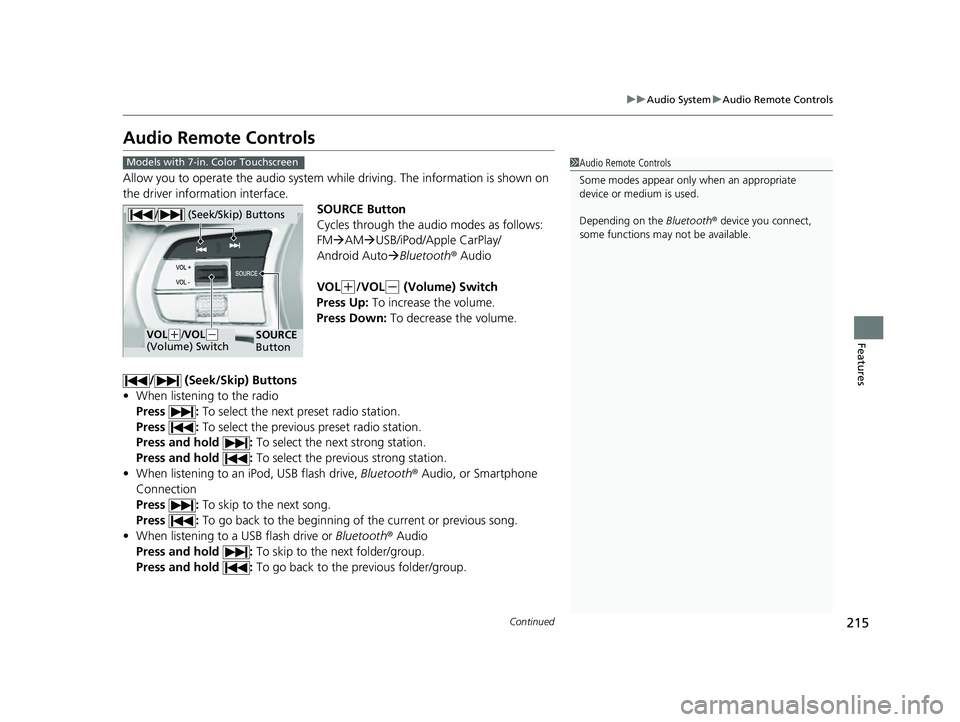
Allow you to operate the audio system whil e driving. The information is shown on
the driver information interface.
SOURCE Button
Cycles through the audio modes as follows:
FMAM USB/iPod/Apple CarPlay/
Android Auto Bluetooth® Audio
VOL
(+/VOL(- (Volume) Switch
Press Up: To increase the volume.
Press Down: To decrease the volume.
/ (Seek/Skip) Buttons
• When listening to the radio
Press : To select the next preset radio station.
Press : To select the previous preset radio station.
Press and hold : To select the next strong station.
Press and hold : To select the previous strong station.
• When listening to an iPod, USB flash drive, Bluetooth® Audio, or Smartphone
Connection
Press : To skip to the next song.
Press : To go back to the beginning of the current or previous song.
• When listening to a USB flash drive or Bluetooth® Audio
Press and hold : To skip to the next folder/group.
Press and hold : To go back to the previous folder/group.
1Audio Remote Controls
Some modes appear only when an appropriate
device or medium is used.
Depending on the Bluetooth® device you connect,
some functions may not be available.Models with 7-in. Color Touchscreen
/ (Seek/Skip) Buttons
SOURCE
ButtonVOL( +/VOL( -
(Volume) Switch
23 HR-V-313V06000_01.book 215 ページ 2022年4月4日 月曜日 午前10時49分
Page 218 of 664
uuAudio System uAudio Remote Controls
216
Features
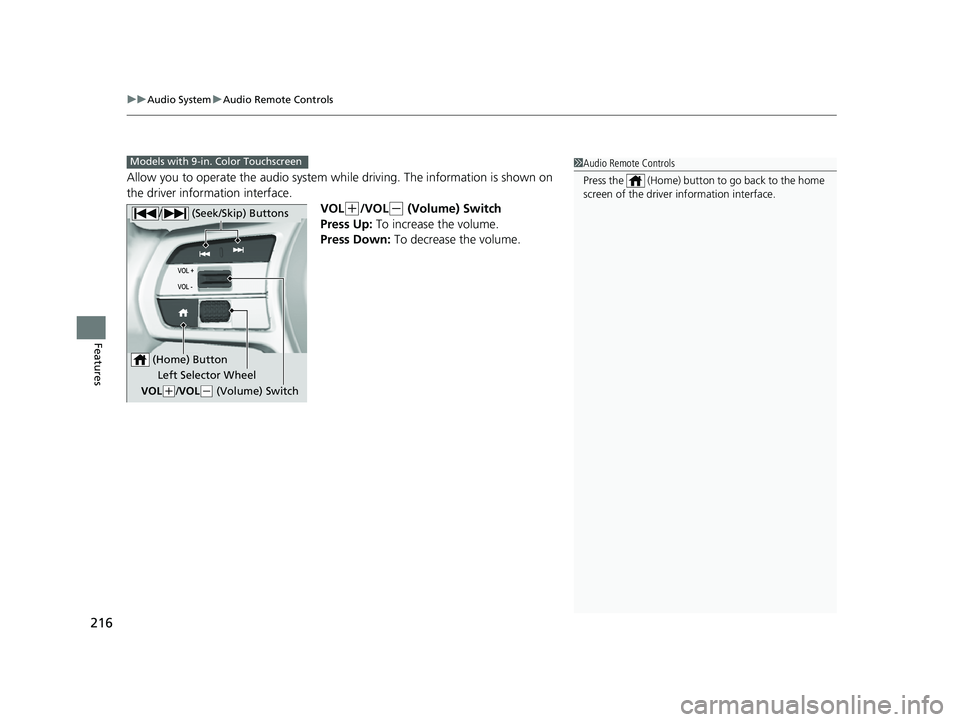
Allow you to operate the audio system wh ile driving. The information is shown on
the driver information interface.
VOL
(+/VOL(- (Volume) Switch
Press Up: To increase the volume.
Press Down: To decrease the volume.
1Audio Remote Controls
Press the (Home) button to go back to the home
screen of the driver information interface.Models with 9-in. Color Touchscreen
/ (Seek/Skip) Buttons
Left Selector Wheel
VOL
( +/VOL(- (Volume) Switch
(Home) Button
23 HR-V-313V06000_01.book 216 ページ 2022年4月4日 月曜日 午前10時49分