lane assist HONDA HRV 2023 Owner's Guide
[x] Cancel search | Manufacturer: HONDA, Model Year: 2023, Model line: HRV, Model: HONDA HRV 2023Pages: 664, PDF Size: 20.2 MB
Page 507 of 664
Continued505
uuHonda Sensing ®u Traffic Jam Assist*
Driving
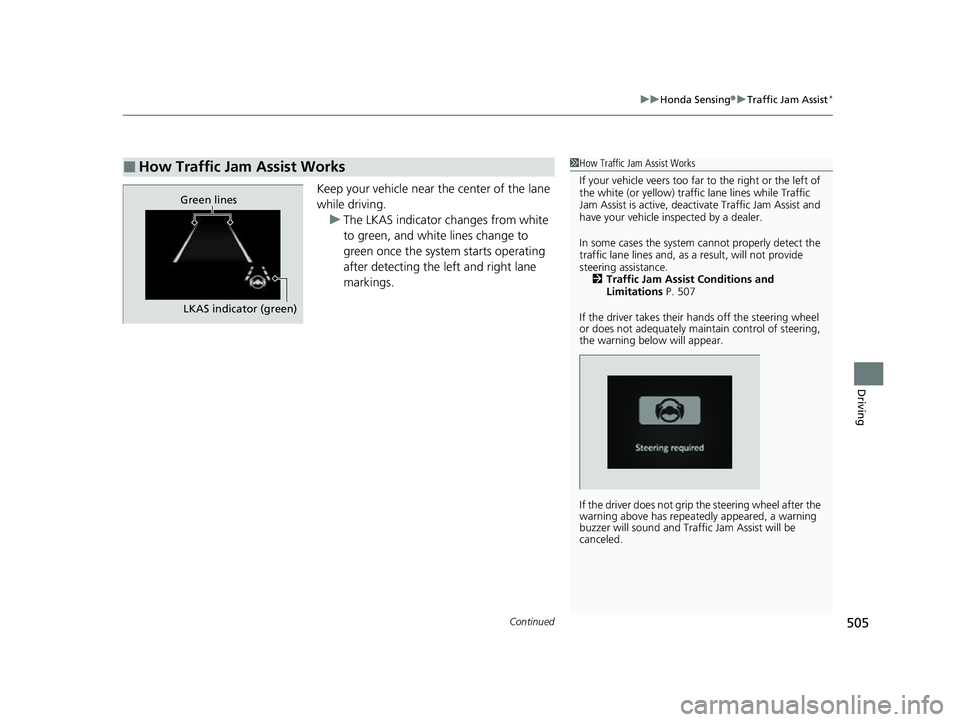
Keep your vehicle near the center of the lane
while driving.
u The LKAS indicator changes from white
to green, and white lines change to
green once the system starts operating
after detecting the left and right lane
markings.
■How Traffic Jam Assist Works1How Traffic Jam Assist Works
If your vehicle veers too far to the right or the left of
the white (or yellow) traffic lane lines while Traffic
Jam Assist is active, deactivate Traffic Jam Assist and
have your vehicle in spected by a dealer.
In some cases the system cannot properly detect the
traffic lane lines and, as a result, will not provide
steering assistance. 2 Traffic Jam Assist Conditions and
Limitations P. 507
If the driver takes their hands off the steering wheel
or does not adequately main tain control of steering,
the warning below will appear.
If the driver does not grip the steering wheel after the
warning above has repeatedly appeared, a warning
buzzer will sound and Traffi c Jam Assist will be
canceled.
Green lines
LKAS indicator (green)
23 HR-V-313V06000_01.book 505 ページ 2022年4月4日 月曜日 午前10時49分
Page 508 of 664
uuHonda Sensing ®u Traffic Jam Assist*
506
Driving
Press the LKAS button to cancel Traffic Jam Assist.
■Traffic Jam Assist may be au tomatically suspended when:
The system is automatically temporarily ca nceled under the following circumstances.
• The system fails to detect lane lines.
• The steering wheel is turned sharply.
• You fail to steer the vehicle.
• You are driving through a sharp curve.
• The brake pedal is depressed.
Once these conditions no longer exist, Traffic Jam Assist automatically resumes.
■Traffic Jam Assist may be automatically canceled when:
The traffic lane lines will disappear from the screen, the beeper may sound, and
Traffic Jam Assist will be canceled under the following circumstances:
• The temperature of the camera is too high.
• The camera behind the rearview mirror, or the area around the camera, including
the windshield, is dirty.
■Canceling Traffic Jam Assist
1Traffic Jam Assist may be au tomatically suspended when:
You are traveling over 45 mph (72 km/h).
u When the speed of the vehicle reaches 45 mph
(72 km/h), Traffic Jam Assi st is deactivated and
LKAS is activated instead. Once the speed of the
vehicle drops to under 40 mph (64 km/h), Traffic
Jam Assist is reactivated.
23 HR-V-313V06000_01.book 506 ページ 2022年4月4日 月曜日 午前10時49分
Page 509 of 664
507
uuHonda Sensing ®u Traffic Jam Assist*
Continued
Driving
The system may not detect lane markings and therefore may not keep the vehicle in
the middle of the lane under certain conditions, including the following:
■Environmental conditions
• There is little contrast between lane lines and the roadway surface.
• Driving in bad weather (rain, fog, snow, etc.).
• Driving on a snowy or wet roadway.
• Driving into low sunlight (e.g., at dawn or dusk).
• Shadows of adjacent objects (trees, buildings, guard rails, vehicles, etc.) are
parallel to white (or yellow) lines.
• Sudden changes between light and dark, such as the entrance or exit of a tunnel
or the shadows of trees, buildings, etc.
• Driving at night or in a dark place such as a tunnel (due to low-light conditions,
lane lines or the road surf ace may not be illuminated).
• When the lane lines or road surface are not visible, such as when the distance to
the vehicle in front of you is extremely short or when at an intersection.
• Strong light is reflec ted onto the roadway.
■Traffic Jam Assist Conditions and Limitations
23 HR-V-313V06000_01.book 507 ページ 2022年4月4日 月曜日 午前10時49分
Page 510 of 664
508
uuHonda Sensing ®u Traffic Jam Assist*
Driving
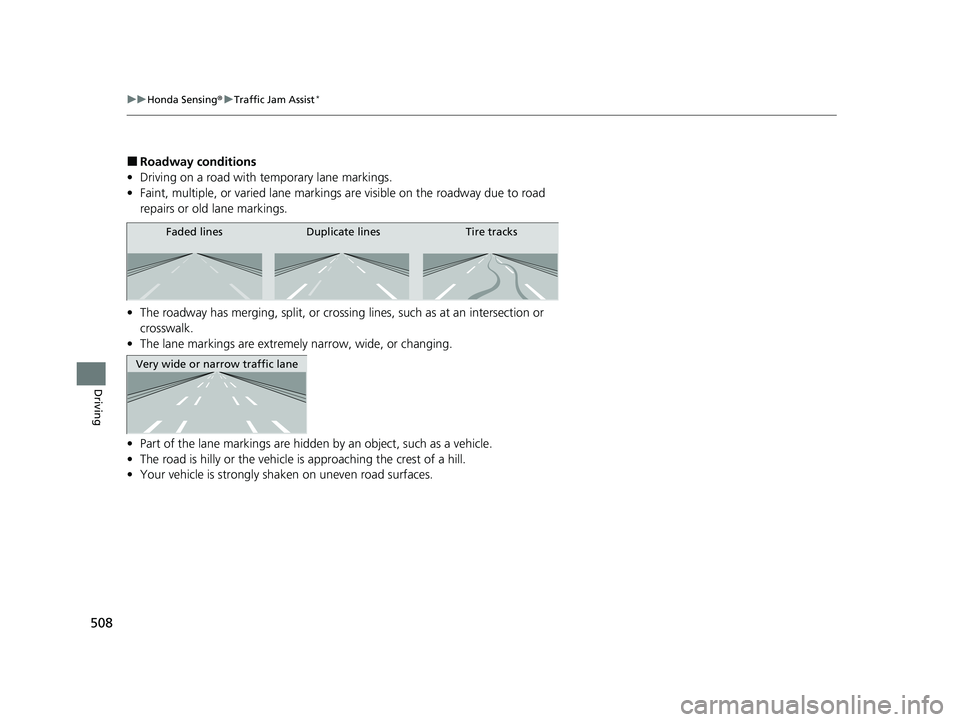
■Roadway conditions
• Driving on a road with temporary lane markings.
• Faint, multiple, or varied lane markings are visible on the roadway due to road
repairs or old lane markings.
• The roadway has merging, split, or crossing lines, such as at an intersection or
crosswalk.
• The lane markings are extremely narrow, wide, or changing.
• Part of the lane markings are hidden by an object, such as a vehicle.
• The road is hilly or the vehicle is approaching the crest of a hill.
• Your vehicle is strongly shaken on uneven road surfaces.
Faded lines Duplicate lines Tire tracks
Very wide or narrow traffic lane
23 HR-V-313V06000_01.book 508 ページ 2022年4月4日 月曜日 午前10時49分
Page 511 of 664
509
uuHonda Sensing ®u Traffic Jam Assist*
Continued
Driving
• When objects on the road (curb, guard rail, pylons, etc.) are recognized as white
(or yellow) lines.
• Driving on rough or unpaved roads, or over bumpy surfaces.
• Driving on roads with double lane lines.
• Driving on snowy or slippery roads.
• The pavement is only partially visible due to snow or puddles on the road.
• There is a film of water or puddles on the road surface.
• White (or yellow) lines are not recognized correctly due to road conditions such as
curves, twists, or hills.
• Driving on unpaved or rutted roads.
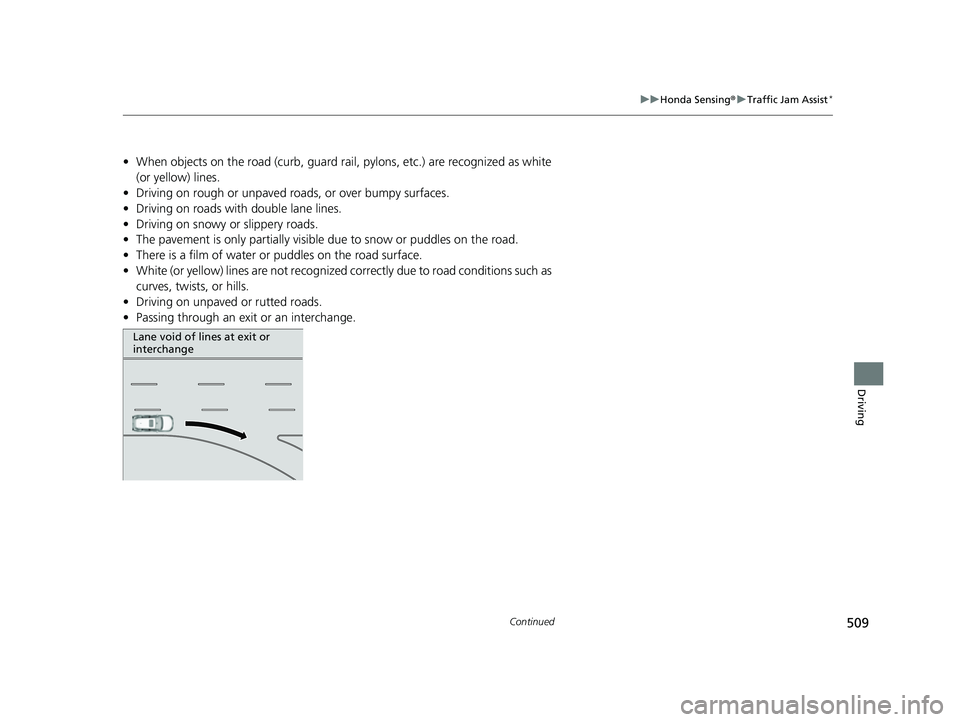
• Passing through an exit or an interchange.
Lane void of lines at exit or
interchange
23 HR-V-313V06000_01.book 509 ページ 2022年4月4日 月曜日 午前10時49分
Page 513 of 664
511
uuHonda Sensing ®u Road Departure Mitigation System
Continued
Driving
Road Departure Mi tigation System
Alerts and helps assist you when the system detects a possibility of your vehicle
crossing over detected lane markings, or approaching the outer edge of the
pavement (into grass or gravel bord er) or a detected oncoming vehicle.
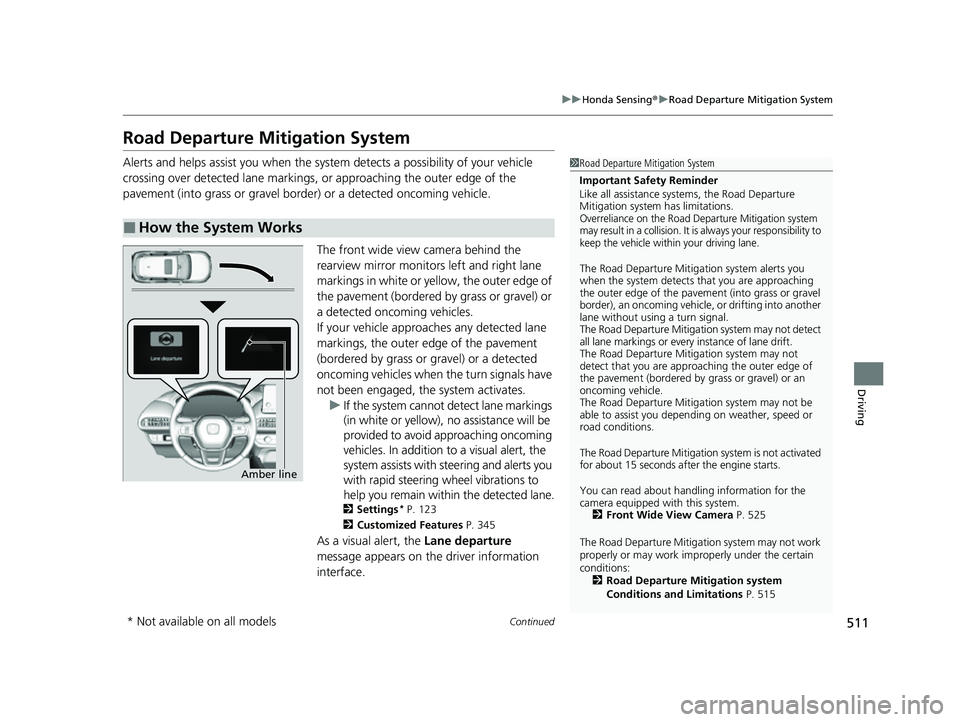
The front wide view camera behind the
rearview mirror monitors left and right lane
markings in white or yellow, the outer edge of
the pavement (bordered by grass or gravel) or
a detected oncoming vehicles.
If your vehicle approach es any detected lane
markings, the outer edge of the pavement
(bordered by grass or gravel) or a detected
oncoming vehicles when the turn signals have
not been engaged, the system activates. u If the system cannot de tect lane markings
(in white or yellow), no assistance will be
provided to avoid approaching oncoming
vehicles. In addition to a visual alert, the
system assists with steering and alerts you
with rapid steering wheel vibrations to
help you remain within the detected lane.
2 Settings* P. 123
2 Customized Features P. 345
As a visual alert, the Lane departure
message appears on the driver information
interface.
■How the System Works
1 Road Departure Mitigation System
Important Safety Reminder
Like all assistance systems, the Road Departure
Mitigation system has limitations.
Overreliance on the Road Departure Mitigation system
may result in a collision. It is always your responsibility to
keep the vehicle within your driving lane.
The Road Departure Mitiga tion system alerts you
when the system detects that you are approaching
the outer edge of the paveme nt (into grass or gravel
border), an oncoming vehicle, or drifting into another
lane without using a turn signal.
The Road Departure Mitigation system may not detect
all lane markings or ever y instance of lane drift.
The Road Departure Miti gation system may not
detect that you are approa ching the outer edge of
the pavement (bordered by grass or gravel) or an
oncoming vehicle.
The Road Departure Mitiga tion system may not be
able to assist you depend ing on weather, speed or
road conditions.
The Road Departure Mitigation system is not activated
for about 15 seconds af ter the engine starts.
You can read about handling information for the
camera equipped with this system. 2 Front Wide View Camera P. 525
The Road Departure Mitigati on system may not work
properly or may work im properly under the certain
conditions: 2 Road Departure Mitigation system
Conditions and Limitations P. 515
Amber line
* Not available on all models
23 HR-V-313V06000_01.book 511 ページ 2022年4月4日 月曜日 午前10時49分
Page 514 of 664
uuHonda Sensing ®u Road Departure Mitigation System
512
Driving
The system cancels assisting operations wh en you turn the steering wheel to avoid
crossing over detected lane markings or approaching the outer edge of the
pavement (into grass or gravel border) or an oncoming vehicle.
If the system operates several times without detecting driver response, the system
beeps to alert you.1 Road Departure Mitigation System
There are times when you may not notice the Road
Departure Mitigation system functions due to your
operation of the vehicle, or road surface conditions.
You can change the settin gs for the Road Departure
Mitigation system.
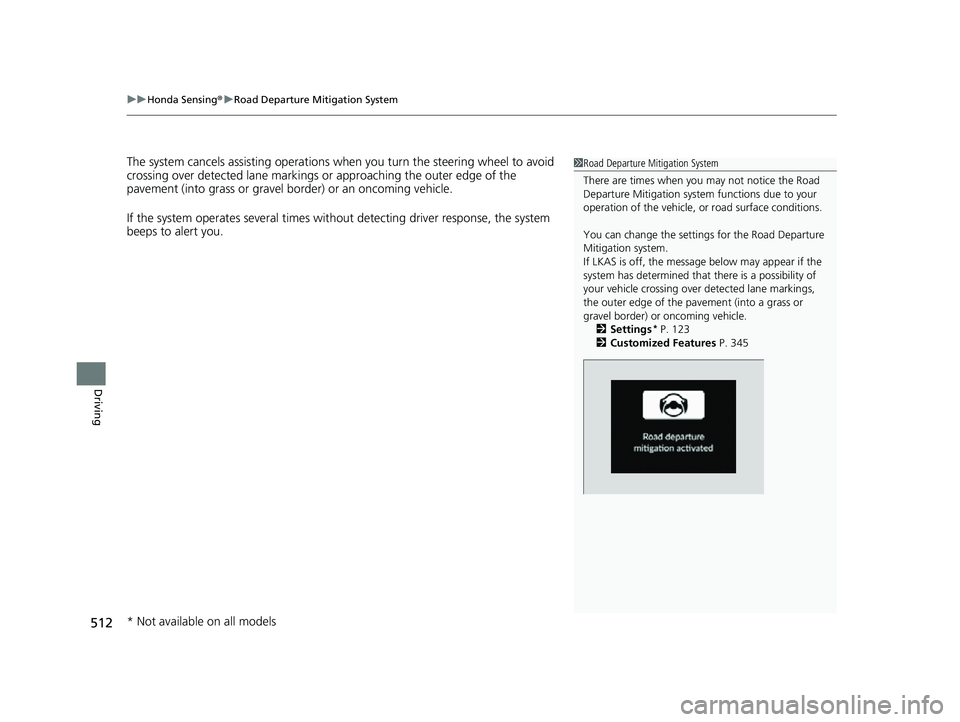
If LKAS is off, the message below may appear if the
system has determined that there is a possibility of
your vehicle crossing over detected lane markings,
the outer edge of the pa vement (into a grass or
gravel border) or oncoming vehicle.
2 Settings
* P. 123
2 Customized Features P. 345
* Not available on all models
23 HR-V-313V06000_01.book 512 ページ 2022年4月4日 月曜日 午前10時49分
Page 527 of 664
525
uuHonda Sensing ®u Front Wide View Camera
Continued
Driving
Front Wide View Camera
The camera, used in systems such as Lane Keeping Assist System (LKAS), Road
Departure Mitigation system, Adaptive Cruise Control (ACC) with Low Speed
Follow, Traffic Sign Recognition system, CMBS
TM, and Traffic Jam Assist*, is designed
to detect an object that triggers any of the systems to operate their functions.
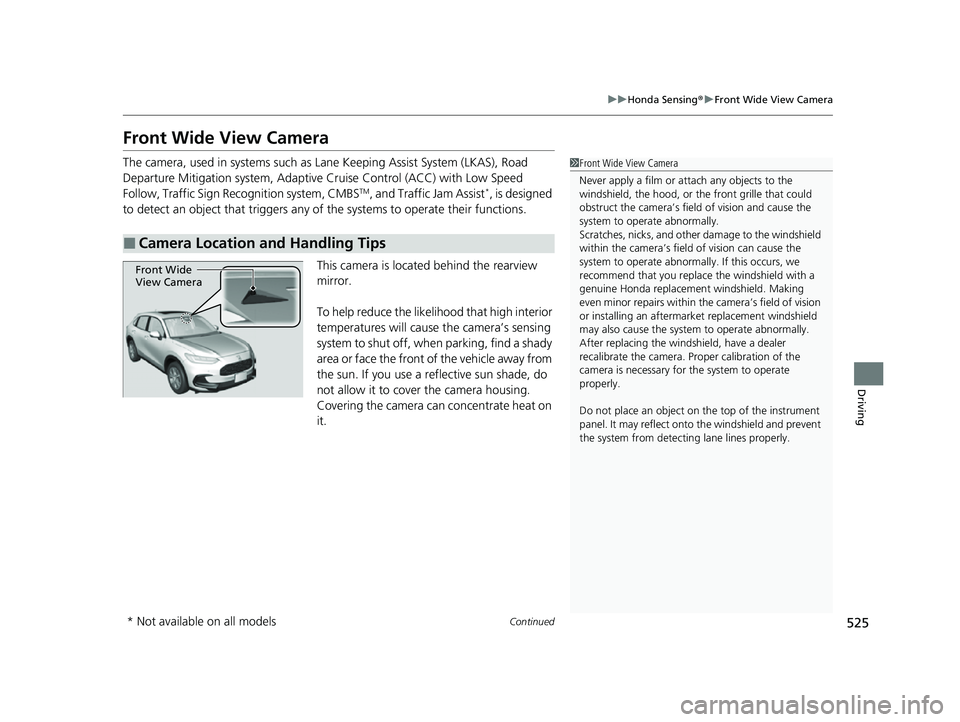
This camera is located behind the rearview
mirror.
To help reduce the likelihood that high interior
temperatures will cause the camera’s sensing
system to shut off, when parking, find a shady
area or face the front of the vehicle away from
the sun. If you use a reflective sun shade, do
not allow it to cover the camera housing.
Covering the camera can concentrate heat on
it.
■Camera Location and Handling Tips
1 Front Wide View Camera
Never apply a film or attach any objects to the
windshield, the hood, or th e front grille that could
obstruct the camera’s fiel d of vision and cause the
system to operate abnormally.
Scratches, nicks, and othe r damage to the windshield
within the camera’s fiel d of vision can cause the
system to operate abnormall y. If this occurs, we
recommend that you replac e the windshield with a
genuine Honda replacem ent windshield. Making
even minor repairs within th e camera’s field of vision
or installing an aftermarket replacement windshield
may also cause the system to operate abnormally.
After replacing the winds hield, have a dealer
recalibrate the camera. Pr oper calibration of the
camera is necessary for the system to operate
properly.
Do not place an object on the top of the instrument
panel. It may reflect onto the windshield and prevent
the system from detecting lane lines properly.
Front Wide
View Camera
* Not available on all models
23 HR-V-313V06000_01.book 525 ページ 2022年4月4日 月曜日 午前10時49分
Page 659 of 664
657
Index
Hill Descent Control System (White/Green) ......................................... 98
Immobilizer System ................................... 97
Lane Keeping Assist System (LKAS) (Amber) ................................................ 100
Lane Keeping Assist System (LKAS) (White/Green) ....................................... 100
Lights On .................................................. 96
Low Fuel (Amber)...................................... 92
Low Temperature...................................... 92
Low Tire Pressure/TPMS ............ 95, 438, 627
Malfunction Indicator Lamp .............. 91, 623
NORMAL Mode ................................ 98, 429
Parking Brake and Brake System
(Amber) .......................................... 90, 626
Parking Brake and Brake System (Red) ................................. 88, 89, 624, 626
Safety Support (Amber)........................... 101
Safety Support (Green/Gray) ................... 103
Seat Belt Reminder.............................. 41, 92
Security System Alarm............................... 97
Shift Position............................................. 91
SNOW Mode ............................................ 98
Supplemental Restraint System ........... 66, 93
System Message ....................................... 98
Transmission System Indicator ................... 91
Turn Signal and Hazard Warning............... 96
Vehicle Stability Assist
TM (VSA ®) OFF .. 94, 435
Vehicle Stability AssistTM (VSA ®)
System ............................................ 94, 434
Information .............................................. 639 Instant Fuel Economy
............................... 110
Instrument Panel ........................................ 85
Interior Lights ........................................... 189
Interior Rearview Mirror .......................... 178
iPod ................................................... 224, 284
J
Jack (Wheel Nut Wrench) ................ 604, 608
Jump Starting ........................................... 617
K
Keys........................................................... 136
Number Tag ............................................ 137
Rear Door Won’t Open ............................ 151
Remote Transmitter ................................. 145
Kickdown (Continuously Variable Transmission) .......................................... 426
Knee Airbags .............................................. 58
L
Lane Keeping Assist System (LKAS) ......... 491
LATCH (Child Seats) .................................... 75
Lights ................................................. 166, 575
Auto High-Beam ...................................... 171
Bulb Replacement .................................... 575
Daytime Running Lights ........................... 170
High Beam Indicator .................................. 96
Interior .................................................... 189
Light Switches ......................................... 166 Lights On Indicator .................................... 96
Parking Lights.......................................... 166
Load Limits ................................................ 413
Locking/Unlocking .................................... 136
Auto Door Locking/Unlocking.................. 152
Childproof Door Locks............................. 151
From Inside ............................................. 149
From Outside .......................................... 139
Keys ........................................................ 136
Using a Key ............................................. 146
Low Battery Charge ................................. 623
Low Fuel Indicator (Amber) ....................... 92
Low Speed Braking Control ..................... 465
Low Temperature Indicator ....................... 92
Lower Anchors ............................................ 75
Lubricant Specifications Chart ................. 641
Luggage (Maximum Load Limit) ............. 413
M
Maintenance............................................. 551
Battery .................................................... 592
Brake Fluid .............................................. 573
Cleaning ................................................. 596
Climate Control System ........................... 595
Coolant ................................................... 570
Maintenance Minder ............................... 555
Oil ........................................................... 566
Precautions ............................................. 553
Radiator .................................................. 571
Remote Transmitter ................................. 594
23 HR-V-313V06000_01.book 657 ページ 2022年4月4日 月曜日 午前10時49分