ECO mode HONDA HRV 2023 Repair Manual
[x] Cancel search | Manufacturer: HONDA, Model Year: 2023, Model line: HRV, Model: HONDA HRV 2023Pages: 664, PDF Size: 20.2 MB
Page 364 of 664
362
uuCustomized Features u
Features
*1:Default Setting
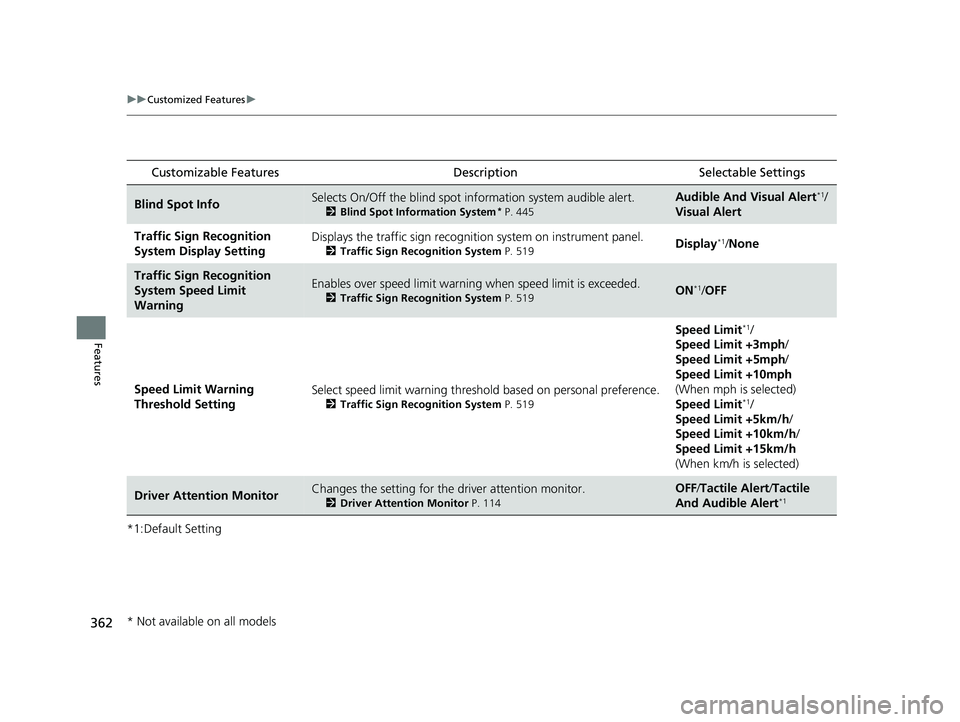
Customizable Features Description Selectable Settings
Blind Spot InfoSelects On/Off the blind spot information system audible alert.
2Blind Spot Information System* P. 445
Audible And Visual Alert*1/
Visual Alert
Traffic Sign Recognition
System Display SettingDisplays the traffic sign recognit ion system on instrument panel.
2Traffic Sign Recognition System P. 519Display*1/None
Traffic Sign Recognition
System Speed Limit
WarningEnables over speed limit warning when speed limi t is exceeded.
2Traffic Sign Recognition System P. 519ON*1/OFF
Speed Limit Warning
Threshold Setting Select speed limit warning threshold based on personal preference.
2
Traffic Sign Recognition System P. 519
Speed Limit*1/
Speed Limit +3mph /
Speed Limit +5mph /
Speed Limit +10mph
(When mph is selected)
Speed Limit
*1/
Speed Limit +5km/h /
Speed Limit +10km/h /
Speed Limit +15km/h
(When km/h is selected)
Driver Attention MonitorChanges the setting for the driver attention monitor.
2Driver Attention Monitor P. 114
OFF/Tactile Alert /Tactile
And Audible Alert*1
* Not available on all models
23 HR-V-313V06000_01.book 362 ページ 2022年4月4日 月曜日 午前10時49分
Page 374 of 664

372
uuBluetooth ® HandsFreeLink ®u HFL Menus
Features
HFL Menus
The power mode must be in ACCESSORY or ON to use the system.1HFL Menus
To use HFL, you must first pair your Bluetooth-
compatible cell phone to th e system while the vehicle
is parked.
Some functions are limited while driving. A message
appears on the screen when the vehicle is moving
and the operation is canceled.
PHONE button
Recent Calls
*1All
Pair a phone to the system.Connect New Device
Change DeviceConnects a paired phone.
Priority Device
Sets a device as the priority device.
Bluetooth Settings
Keypad*1
Settings
Favorite
Contacts*1(Existing entry list)
Contacts*1
Dialed
Missed
Received
Display the last outgoing, incoming and missed calls.
Display the last outgoing calls.
Display the last missed calls.
Display the last incoming calls.
Dial the selected number in the favorite contacts list.
Display the phonebook of the paired phone.
Enter a phone number to dial.
Disconnect All DeviceDisconnect a paired phone from the system.
Delete Device
Delete a previously paired phone.*1 : Available only when a phone is connected to HFL.
23 HR-V-313V06000_01.book 372 ページ 2022年4月4日 月曜日 午前10時49分
Page 410 of 664
408
Features
Refuel Recommend
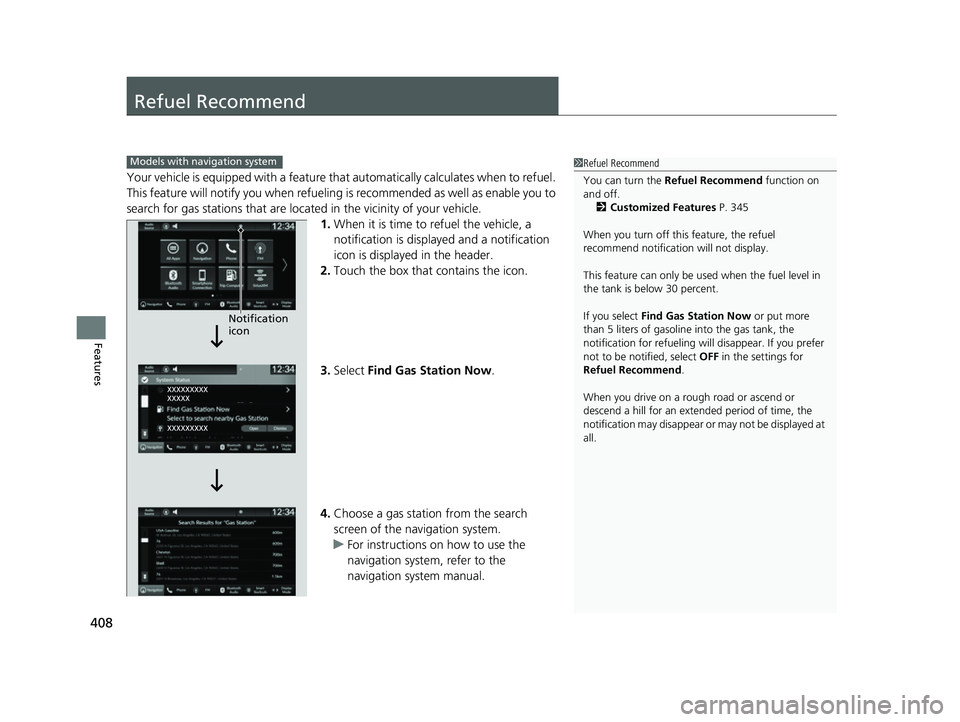
Your vehicle is equipped with a feature that automatically calculates when to refuel.
This feature will notify you when refueling is recommended as well as enable you to
search for gas stations that are loca ted in the vicinity of your vehicle.
1. When it is time to refuel the vehicle, a
notification is displayed and a notification
icon is displayed in the header.
2. Touch the box that contains the icon.
3. Select Find Gas Station Now .
4. Choose a gas station from the search
screen of the navigation system.
u For instructions on how to use the
navigation system, refer to the
navigation system manual.
1Refuel Recommend
You can turn the Refuel Recommend function on
and off.
2 Customized Features P. 345
When you turn off this feature, the refuel
recommend notification will not display.
This feature can only be used when the fuel level in
the tank is below 30 percent.
If you select Find Gas Station Now or put more
than 5 liters of gasoline into the gas tank, the
notification for refueling will disappear. If you prefer
not to be notified, select OFF in the settings for
Refuel Recommend .
When you drive on a rough road or ascend or
descend a hill for an ex tended period of time, the
notification may disappear or may not be displayed at
all.Models with navigation system
Notification
icon
23 HR-V-313V06000_01.book 408 ページ 2022年4月4日 月曜日 午前10時49分
Page 411 of 664
409
Driving
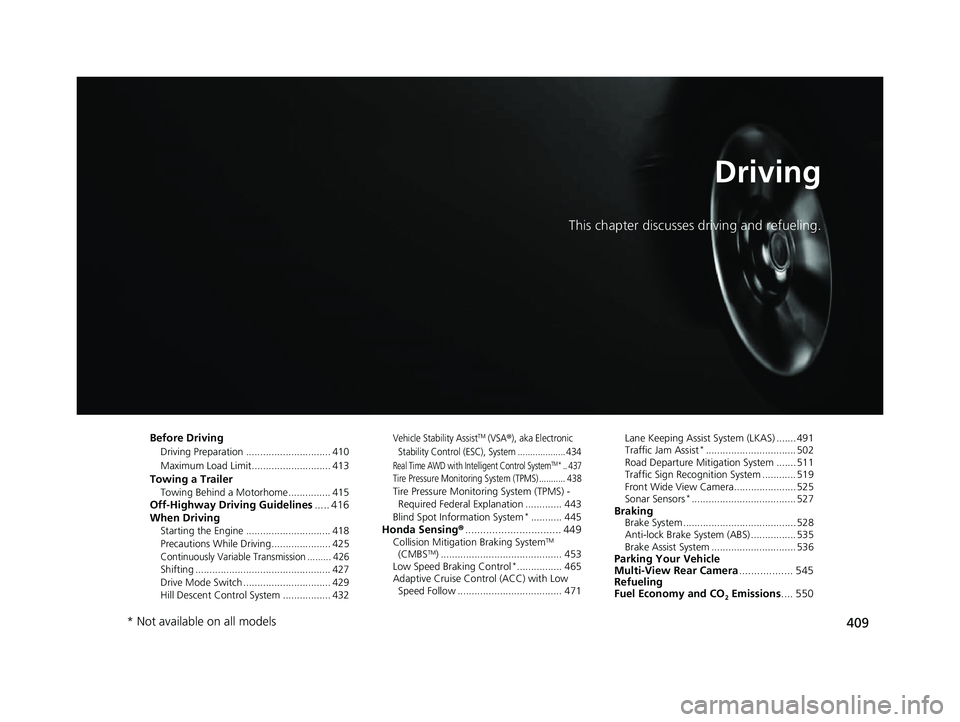
This chapter discusses driving and refueling.
Before Driving
Driving Preparation .............................. 410
Maximum Load Limit............................ 413
Towing a TrailerTowing Behind a Motorhome............... 415Off-Highway Driving Guidelines..... 416
When Driving
Starting the Engine .............................. 418
Precautions While Driving..................... 425
Continuously Variable Transmission ......... 426Shifting ................................................ 427
Drive Mode Switch ............................... 429
Hill Descent Control System ................. 432
Vehicle Stability AssistTM (VSA®), aka Electronic
Stability Control (ESC), System ................... 434
Real Time AWD with Intelligent Control SystemTM*.. 437Tire Pressure Monitoring System (TPMS) ........... 438Tire Pressure Monitoring System (TPMS) - Required Federal Explanation ............. 443
Blind Spot Information System
*........... 445Honda Sensing ®................................ 449Collision Mitigation Braking SystemTM
(CMBSTM) ........................................... 453
Low Speed Braking Control*................ 465
Adaptive Cruise Control (ACC) with Low Speed Follow ..................................... 471 Lane Keeping Assist System (LKAS) ....... 491
Traffic Jam Assist
*................................ 502
Road Departure Mitigation System ....... 511
Traffic Sign Recognition System ............ 519
Front Wide View Camera...................... 525
Sonar Sensors
*..................................... 527BrakingBrake System ........................................ 528
Anti-lock Brake System (ABS) ................ 535
Brake Assist System .............................. 536
Parking Your Vehicle
Multi-View Rear Camera .................. 545
Refueling
Fuel Economy and CO
2 Emissions .... 550
* Not available on all models
23 HR-V-313V06000_01.book 409 ページ 2022年4月4日 月曜日 午前10時49分
Page 424 of 664
uuWhen Driving uStarting the Engine
422
Driving
■To stop the engine
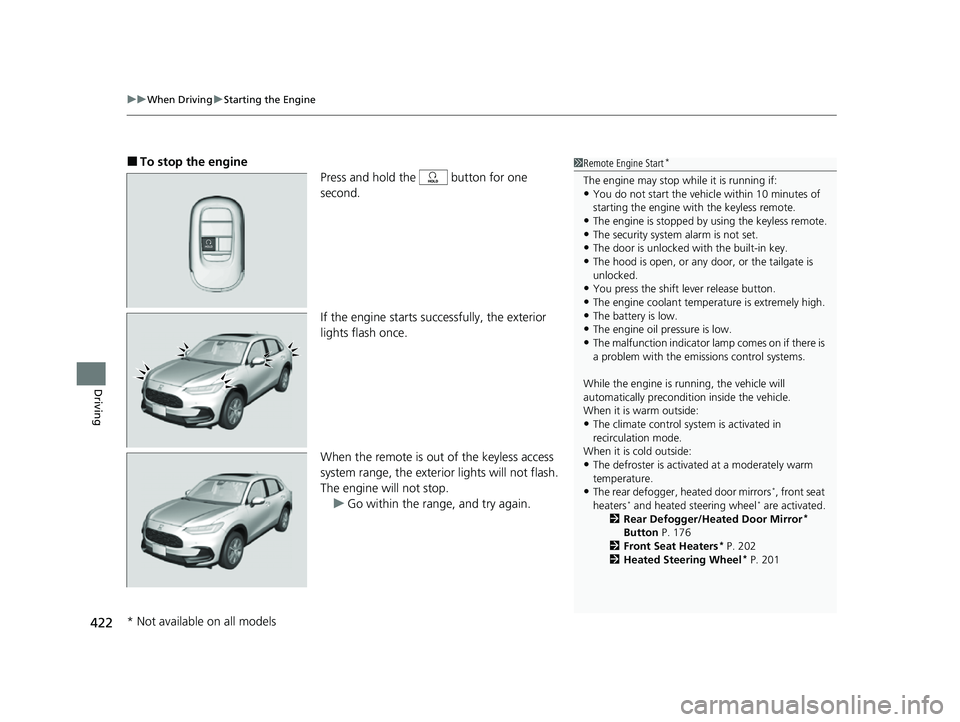
Press and hold the button for one
second.
If the engine starts successfully, the exterior
lights flash once.
When the remote is out of the keyless access
system range, the exterior lights will not flash.
The engine will not stop. u Go within the rang e, and try again.1Remote Engine Start*
The engine may stop whil e it is running if:•You do not start the vehicl e within 10 minutes of
starting the engine with the keyless remote.
•The engine is stopped by using the keyless remote.•The security system alarm is not set.
•The door is unlocked with the built-in key.
•The hood is open, or any door, or the tailgate is
unlocked.
•You press the shift lever release button.
•The engine coolant temper ature is extremely high.•The battery is low.
•The engine oil pressure is low.
•The malfunction indicator la mp comes on if there is
a problem with the emissions control systems.
While the engine is running, the vehicle will
automatically preconditi on inside the vehicle.
When it is warm outside:
•The climate control system is activated in
recirculation mode.
When it is cold outside:
•The defroster is activated at a moderately warm
temperature.
•The rear defogger, heated door mirrors*, front seat
heaters* and heated steering wheel* are activated.
2 Rear Defogger/Heated Door Mirror*
Button P. 176
2 Front Seat Heaters
* P. 202
2 Heated Steering Wheel* P. 201
* Not available on all models
23 HR-V-313V06000_01.book 422 ページ 2022年4月4日 月曜日 午前10時49分
Page 427 of 664
425
uuWhen Driving uPrecautions While Driving
Continued
Driving
Precautions While Driving
Utility vehicles have a significantly higher rollover rate than other types of vehicles.
To prevent rollovers or loss of control:
• Take corners at slower speeds than yo u would with a passenger vehicle.
• Avoid sharp turns and abrupt maneuvers whenever possible.
• Do not modify your vehicle in any way th at you would raise the center of gravity.
• Do not carry heavy cargo on the roof.
• Roof load capacity is 132 lbs (60 kg), ava ilable roof racks/carriers may have lower
capacities. Please check accessory’ s information (Honda accessory).
Avoid driving in deep water and on flooded roads. This can damage the engine or
driveline, or cause electrical component failure.
■Driving Guidelines for Your Utility Vehicle
■In Rain
1 Precautions While Driving
NOTICE
Do not change the shift position while pressing the
accelerator pedal. You could damage the
transmission.
NOTICE
If you repeatedly turn the steering wheel at an
extremely low speed, or hold the steering wheel in
the full left or right position for a while, the electric
power steering (EPS) system heats up. The system
goes into a protective mode, and limits its
performance. The steering wheel becomes harder
and harder to operate. Once the system cools down,
the EPS system is restor ed. Repeated operation under
these conditions can eventually damage the system.
If the power mode is set to ACCESSORY while
driving, the engine will shut down and all steering
and brake power assist functi ons will stop, making it
difficult to control the vehicle.
Do not select
( N while driving as you will lose engine
braking (and accelera tion) performance.
During the first 600 miles (1,000 km) of operation,
avoid sudden acceleration or full throttle operation so
as to not damage the engine or powertrain.
Avoid hard braking for the first 200 miles (300 km)
after purchasing your new vehicle or replacing the
brake pads or rotors, to allow for proper break-in.
23 HR-V-313V06000_01.book 425 ページ 2022年4月4日 月曜日 午前10時49分
Page 431 of 664
429
uuWhen Driving uDrive Mode Switch
Continued
Driving
Drive Mode Switch
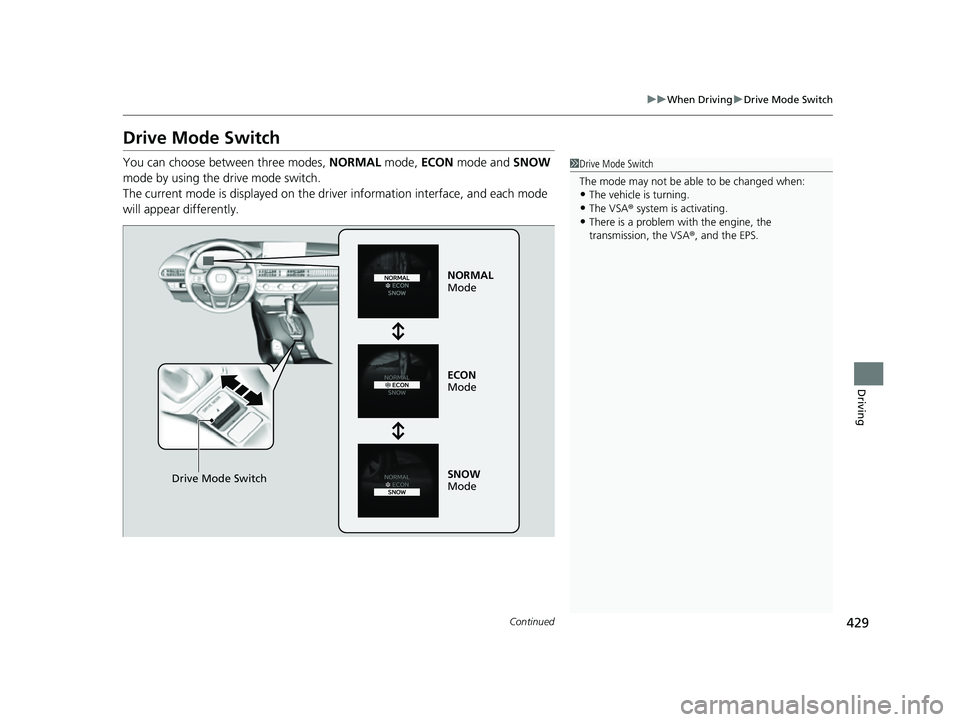
You can choose between three modes, NORMAL mode, ECON mode and SNOW
mode by using the drive mode switch.
The current mode is displayed on the driv er information interface, and each mode
will appear differently.1 Drive Mode Switch
The mode may not be able to be changed when:
•The vehicle is turning.•The VSA ® system is activating.
•There is a problem wi th the engine, the
transmission, the VSA® , and the EPS.
Drive Mode Switch
NORMAL
Mode
ECON
Mode
SNOW
Mode
23 HR-V-313V06000_01.book 429 ページ 2022年4月4日 月曜日 午前10時49分
Page 432 of 664
uuWhen Driving uDrive Mode Switch
430
Driving
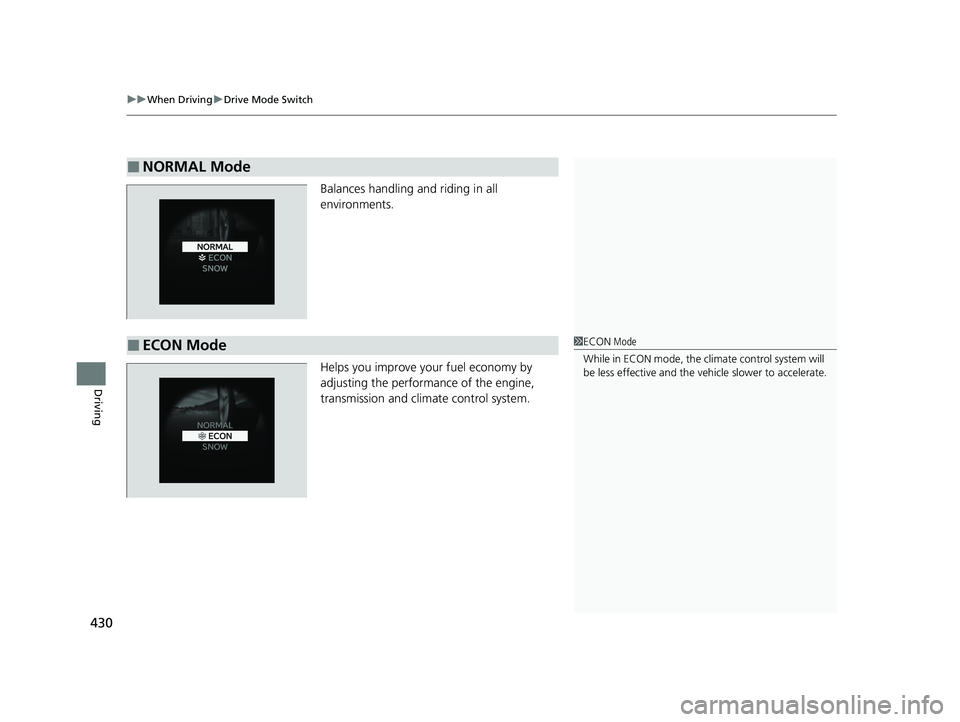
Balances handling and riding in all
environments.
Helps you improve your fuel economy by
adjusting the performance of the engine,
transmission and climate control system.
■NORMAL Mode
■ECON Mode1ECON Mode
While in ECON mode, the climate control system will
be less effective and the vehi cle slower to accelerate.
23 HR-V-313V06000_01.book 430 ページ 2022年4月4日 月曜日 午前10時49分
Page 433 of 664
431
uuWhen Driving uDrive Mode Switch
Driving
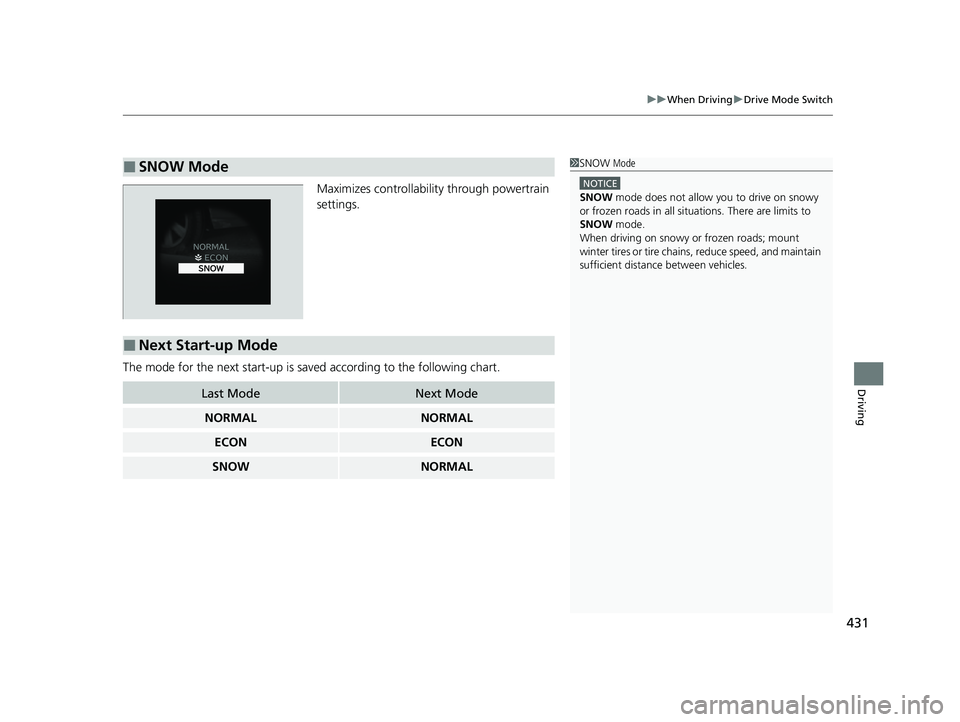
Maximizes controllabilit y through powertrain
settings.
The mode for the next start-up is sa ved according to the following chart.
■SNOW Mode1SNOW Mode
NOTICE
SNOW mode does not allow you to drive on snowy
or frozen roads in all situations. There are limits to
SNOW mode.
When driving on snowy or frozen roads; mount
winter tires or tire chains , reduce speed, and maintain
sufficient distance between vehicles.
■Next Start-up Mode
Last ModeNext Mode
NORMALNORMAL
ECONECON
SNOWNORMAL
23 HR-V-313V06000_01.book 431 ページ 2022年4月4日 月曜日 午前10時49分
Page 440 of 664
438
uuWhen Driving uTire Pressure Monitoring System (TPMS)
Driving
Tire Pressure Monitoring System (TPMS)
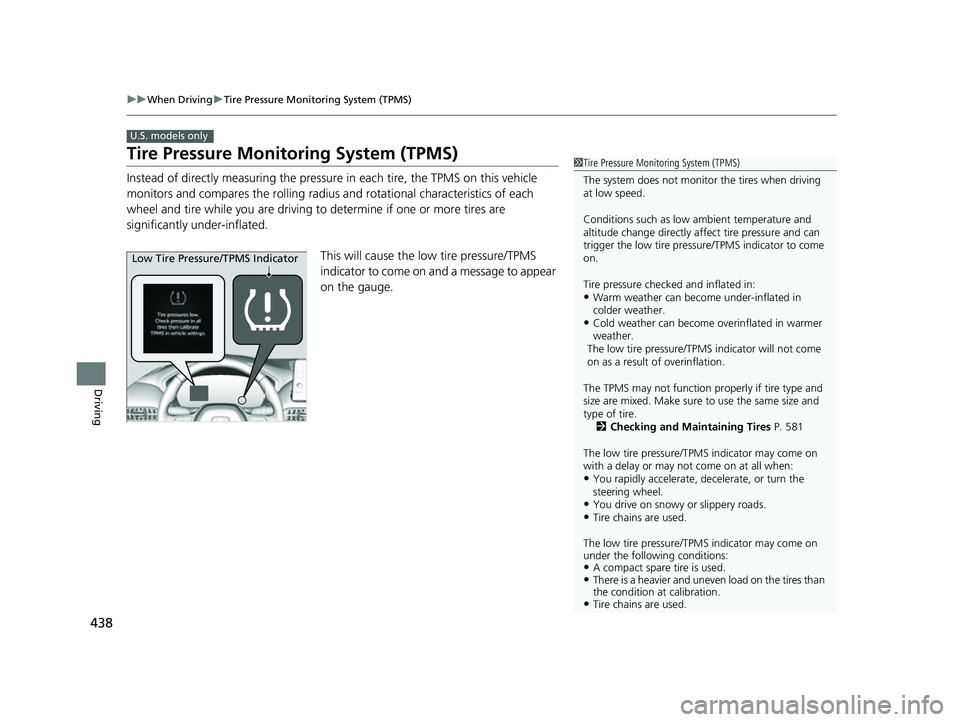
Instead of directly measuring the pressu re in each tire, the TPMS on this vehicle
monitors and compares the rolling radius and rotational characteristics of each
wheel and tire while you are driving to determine if one or more tires are
significantly under-inflated.
This will cause the low tire pressure/TPMS
indicator to come on and a message to appear
on the gauge.
U.S. models only
1 Tire Pressure Monitoring System (TPMS)
The system does not monitor the tires when driving
at low speed.
Conditions such as low ambient temperature and
altitude change directly affect tire pressure and can
trigger the low tire pressure/TPMS indicator to come
on.
Tire pressure checked and inflated in:
•Warm weather can beco me under-inflated in
colder weather.
•Cold weather can become overinflated in warmer
weather.
The low tire pressure/TPMS indicator will not come
on as a result of overinflation.
The TPMS may not function pr operly if tire type and
size are mixed. Make sure to use the same size and
type of tire. 2 Checking and Maintaining Tires P. 581
The low tire pressure/TPMS indicator may come on
with a delay or may not come on at all when:
•You rapidly accelerate, decelerate, or turn the
steering wheel.
•You drive on snowy or slippery roads.•Tire chains are used.
The low tire pressure/TPMS indicator may come on
under the following conditions:
•A compact spare tire is used.•There is a heavier and uneve n load on the tires than
the condition at calibration.
•Tire chains are used.
Low Tire Pressure/TPMS Indicator
23 HR-V-313V06000_01.book 438 ページ 2022年4月4日 月曜日 午前10時49分