ECO mode HONDA HRV 2023 Manual PDF
[x] Cancel search | Manufacturer: HONDA, Model Year: 2023, Model line: HRV, Model: HONDA HRV 2023Pages: 664, PDF Size: 20.2 MB
Page 441 of 664
Continued439
uuWhen Driving uTire Pressure Monitoring System (TPMS)
Driving
You must start TPMS calibration every time you:
• Adjust the pressure in one or more tires.
• Rotate the tires.
• Replace one or more tires.
Before calibrating the TPMS:
• Set the cold tire pressure in all four tires.
2 Checking Tires P. 581
Make sure:
• The vehicle is at a complete stop.
• The transmission is in
(P.
• The power mode is in ON.
■TPMS Calibration
1Tire Pressure Monitoring System (TPMS)
The Vehicle Stability Assist
TM (VSA ®) system, Vehicle
Stability AssistTM (VSA ®) OFF , Adaptive Cruise Control
(ACC) with Low Speed Follow, low tire pressure/
TPMS
*, parking brake and bra ke system and safety
support indicators may come on in amber along with
a message in the gauge when you set the power
mode to ON after re connecting the battery.
Drive a short distance at more than 12 mph (20 km/h).
Each indicator should go off. If any do not, have your
vehicle checked by a dealer.
1 TPMS Calibration
TPMS cannot be calibrated if a co mpact spare tire is installed.
The calibration process requires approximately 30
minutes of cumulative driv ing at speeds between 30-
60 mph (48-97 km/h).
During this period, if the power mode is set to ON
and the vehicle is not moved within 45 seconds, you
may notice the low tire pressure/TPMS indicator
comes on briefly. This is no rmal and indicates that the
calibration process is not yet complete.
If the tire chains are installed, remove them before
calibrating the TPMS.
If the low tire pressure/TPMS indicator comes on even
when the properly inflated specified regular tires are
installed, have your vehi cle checked by a dealer.
We recommend that the tires be replaced with the
same brand, model, and size as the originals. Ask a
dealer for details.
* Not available on all models
23 HR-V-313V06000_01.book 439 ページ 2022年4月4日 月曜日 午前10時49分
Page 445 of 664
443
uuWhen Driving uTire Pressure Monitoring System (TPMS) - Required Federal Explanation
Continued
Driving
Tire Pressure Monitoring System (TPMS) - Required
Federal Explanation
Each tire, including the spare (if provided), should be checked
monthly when cold and inflated to the inflation pressure
recommended by the vehicle manufa cturer on the vehicle placard
or tire inflation pressure label.
(If your vehicle has tires of a diff erent size than the size indicated
on the vehicle placard or tire inflation pressure label, you should
determine the proper tire inflat ion pressure for those tires.)
As an added safety feature, your vehicle has been equipped with
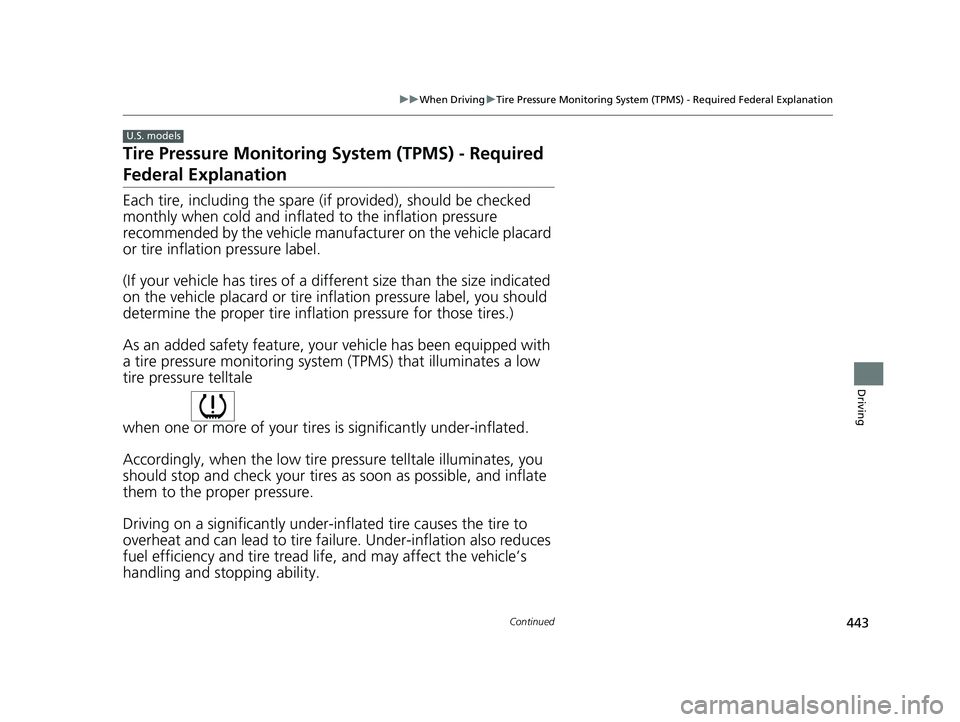
a tire pressure monitoring system (TPMS) that illuminates a low
tire pressure telltale
when one or more of your tires is significantly under-inflated.
Accordingly, when the low tire pressure telltale illuminates, you
should stop and check your tires as soon as possible, and inflate
them to the proper pressure.
Driving on a significantly under-inf lated tire causes the tire to
overheat and can lead to tire fail ure. Under-inflation also reduces
fuel efficiency and tire tread life, and may affect the vehicle’s
handling and stopping ability.
U.S. models
23 HR-V-313V06000_01.book 443 ページ 2022年4月4日 月曜日 午前10時49分
Page 452 of 664
450
uuHonda Sensing ®u
Driving
Honda Sensing® has the following functions.
■The functions whic h do not require switch operations to activate
• Collision Mitigation Braking SystemTM (CMBSTM) 2 P. 453
• Low Speed Braking Control* 2 P. 465
• Road Departure Mitigation System 2 P. 511
• Traffic Sign Recognition System 2 P. 519
■The functions wh ich require switch op erations to activate
• Adaptive Cruise Control ( ACC) with Low Speed Follow
2 P. 471
• Lane Keeping Assist System (LKAS) 2 P. 491
• Traffic Jam Assist* 2 P. 502
* Not available on all models
23 HR-V-313V06000_01.book 450 ページ 2022年4月4日 月曜日 午前10時49分
Page 459 of 664
Continued457
uuHonda Sensing ®u Collision Mitigation Braking SystemTM (CMBSTM)
Driving
You can turn the system on and off using the driver information interface.
2 Switching the Display P. 107
2 Safety Support P. 118
The CMBSTM is turned on every time you start th e engine, even if you turned it off
the last time you drove the vehicle.
■CMBSTM On and Off1 Collision Mitigation Braking SystemTM (CMBSTM)
You cannot turn the CMBS
TM off while driving.
The CMBS
TM may automatically shut off, and the
safety support indicator (amb er) will come and stay
on under certain conditions: 2 CMBS
TM Conditions and Limitations P. 458
The CMBS
TM is not activated for about 15 seconds
after the engine starts.
The Vehicle Stability Assist
TM (VSA ®) system, Vehicle
Stability AssistTM (VSA ®) OFF , Adaptive Cruise Control
(ACC) with Low Speed Follow*, low tire pressure/
TPMS*, parking brake and bra ke system and safety
support indicators may come on in amber along with
a message in the gauge when you set the power
mode to ON after re connecting the battery.
Drive a short distance at more than 12 mph (20 km/h).
Each indicator should go off. If any do not, have your
vehicle checked by a dealer.
* Not available on all models
23 HR-V-313V06000_01.book 457 ページ 2022年4月4日 月曜日 午前10時49分
Page 468 of 664
uuHonda Sensing ®u Low Speed Braking Control*
466
Driving
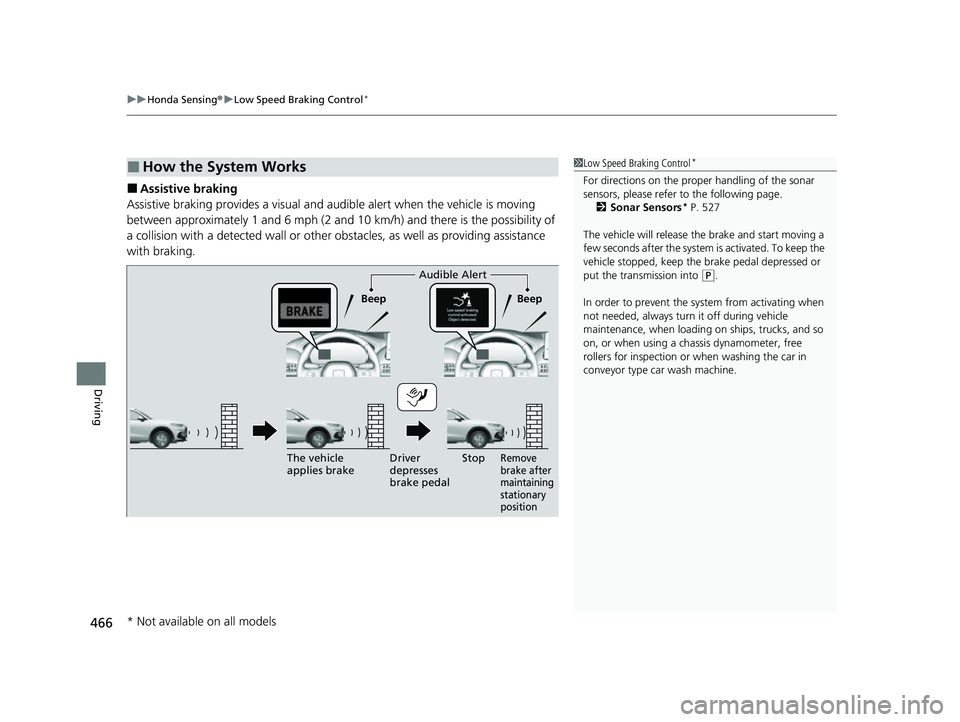
■Assistive braking
Assistive braking provides a visual and audible alert when the vehicle is moving
between approximately 1 and 6 mph (2 and 10 km/h) and there is the possibility of
a collision with a detected wall or other obstacles, as well as providing assistance
with braking.
■How the System Works1 Low Speed Braking Control*
For directions on the prop er handling of the sonar
sensors, please refer to the following page.
2 Sonar Sensors
* P. 527
The vehicle will release the brake and start moving a
few seconds after the system is activated. To keep the
vehicle stopped, keep the brake pedal depressed or
put the transmission into
( P.
In order to prevent the sy stem from activating when
not needed, always turn it off during vehicle
maintenance, when loading on ships, trucks, and so
on, or when using a chassis dynamometer, free
rollers for inspection or when washing the car in
conveyor type car wash machine.Audible Alert
Beep Beep
The vehicle
applies brake Driver
depresses
brake pedal
Remove
brake after
maintaining
stationary
positionStop
* Not available on all models
23 HR-V-313V06000_01.book 466 ページ 2022年4月4日 月曜日 午前10時49分
Page 475 of 664
Continued473
uuHonda Sensing ®u Adaptive Cruise Control (ACC) with Low Speed Follow
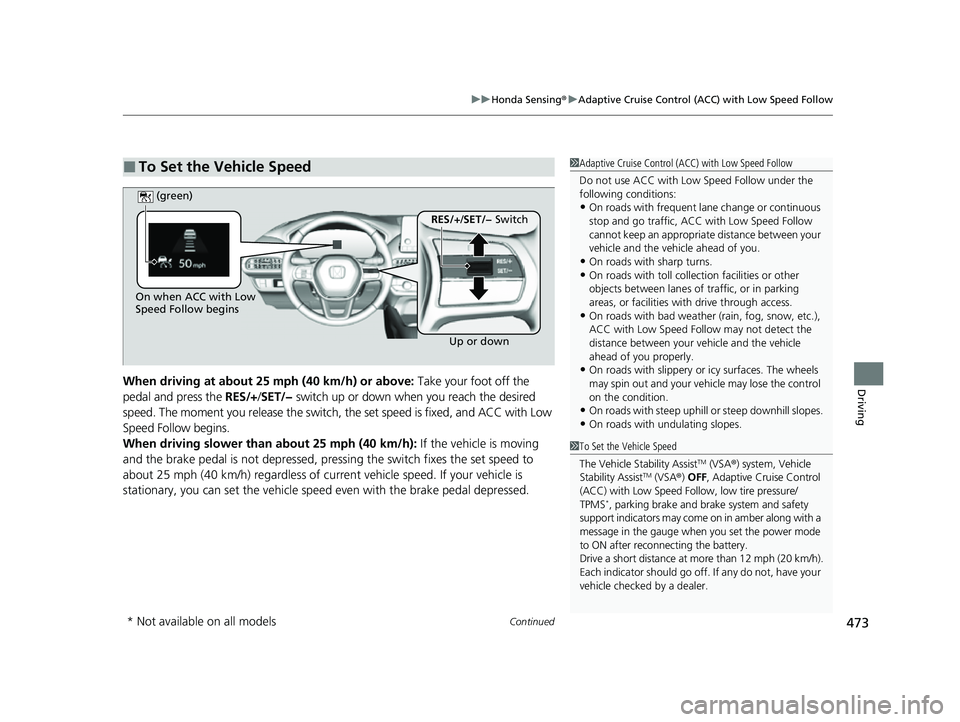
DrivingWhen driving at about 25 mph (40 km/h) or above: Take your foot off the
pedal and press the RES/+/SET/− switch up or down when you reach the desired
speed. The moment you release the switch, the set speed is fixed, and ACC with Low
Speed Follow begins.
When driving slower than about 25 mph (40 km/h): If the vehicle is moving
and the brake pedal is not depressed, pressing the switch fixes the set speed to
about 25 mph (40 km/h) regardless of current vehicle speed. If your vehicle is
stationary, you can set the vehicle speed even with the brake pedal depressed.
■To Set the Vehicle Speed1 Adaptive Cruise Control (ACC) with Low Speed Follow
Do not use ACC with Low Speed Follow under the
following conditions:
•On roads with frequent la ne change or continuous
stop and go traffic, ACC with Low Speed Follow
cannot keep an appropriate distance between your
vehicle and the vehicle ahead of you.
•On roads with sharp turns.•On roads with toll collection facilities or other
objects between lanes of traffic, or in parking
areas, or faci lities with driv e through access.
•On roads with bad weather (rain, fog, snow, etc.),
ACC with Low Speed Follow may not detect the
distance between your vehicle and the vehicle
ahead of you properly.
•On roads with slippery or icy surfaces. The wheels
may spin out and your vehi cle may lose the control
on the condition.
•On roads with steep uphill or steep downhill slopes.
•On roads with undulating slopes.
On when ACC with Low
Speed Follow begins
Up or down
RES/+/SET/− Switch
(green)
1
To Set the Vehicle Speed
The Vehicle Stability Assist
TM (VSA ®) system, Vehicle
Stability AssistTM (VSA ®) OFF , Adaptive Cruise Control
(ACC) with Low Speed Follow, low tire pressure/
TPMS
*, parking brake and brake system and safety
support indicators may come on in amber along with a
message in the gauge when you set the power mode
to ON after reconn ecting the battery.
Drive a short distance at more than 12 mph (20 km/h).
Each indicator should go off. If any do not, have your
vehicle checked by a dealer.
* Not available on all models
23 HR-V-313V06000_01.book 473 ページ 2022年4月4日 月曜日 午前10時49分
Page 490 of 664
uuHonda Sensing ®u Adaptive Cruise Control (ACC) with Low Speed Follow
488
Driving
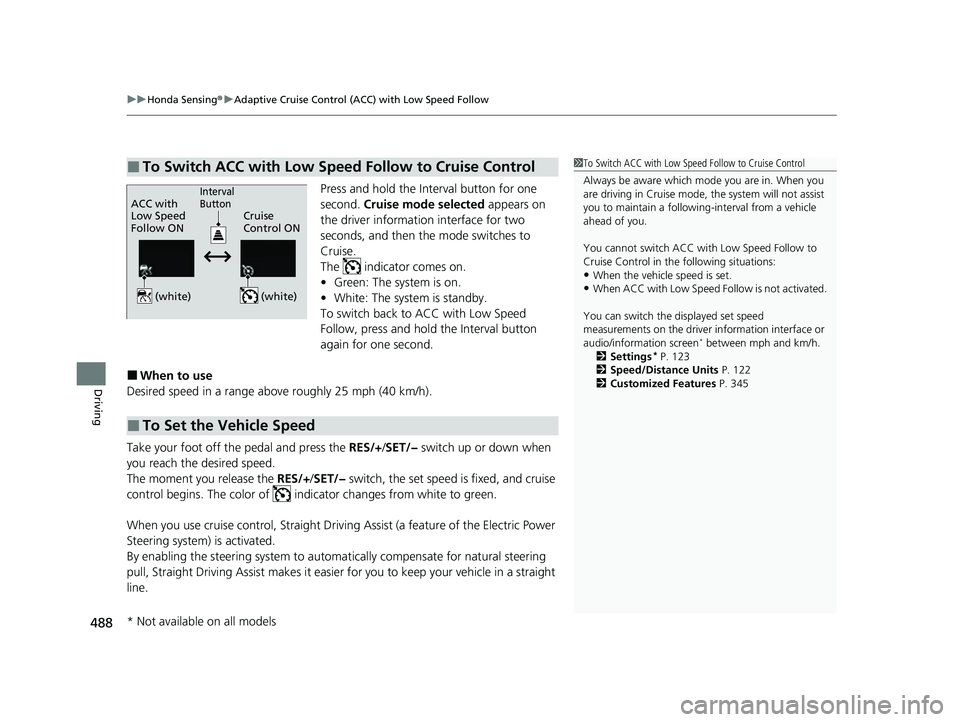
Press and hold the Interval button for one
second. Cruise mode selected appears on
the driver information interface for two
seconds, and then the mode switches to
Cruise.
The indicator comes on.
• Green: The system is on.
• White: The system is standby.
To switch back to ACC with Low Speed
Follow, press and hold the Interval button
again for one second.
■When to use
Desired speed in a range above roughly 25 mph (40 km/h).
Take your foot off the pedal and press the RES/+ /SET/− switch up or down when
you reach the desired speed.
The moment you release the RES/+/SET/− switch, the set speed is fixed, and cruise
control begins. The color of indicator changes from white to green.
When you use cruise control, Straight Driving Assist (a feature of the Electric Power
Steering system) is activated.
By enabling the steering system to automa tically compensate for natural steering
pull, Straight Driving Assist makes it easier for you to keep your vehicle in a straight
line.
■To Switch ACC with Low Speed Follow to Cruise Control1 To Switch ACC with Low Speed Follow to Cruise Control
Always be aware which mode you are in. When you
are driving in Cruise mode, the system will not assist
you to maintain a following-interval from a vehicle
ahead of you.
You cannot switch ACC with Low Speed Follow to
Cruise Control in the following situations:
•When the vehicle speed is set.
•When ACC with Low Speed Follow is not activated.
You can switch the displayed set speed
measurements on the driver information interface or
audio/information screen
* between mph and km/h.
2 Settings* P. 123
2 Speed/Distance Units P. 122
2 Customized Features P. 345
ACC with
Low Speed
Follow ON Cruise
Control ONInterval
Button
(white) (white)
■To Set the Vehicle Speed
* Not available on all models
23 HR-V-313V06000_01.book 488 ページ 2022年4月4日 月曜日 午前10時49分
Page 513 of 664
511
uuHonda Sensing ®u Road Departure Mitigation System
Continued
Driving
Road Departure Mi tigation System
Alerts and helps assist you when the system detects a possibility of your vehicle
crossing over detected lane markings, or approaching the outer edge of the
pavement (into grass or gravel bord er) or a detected oncoming vehicle.
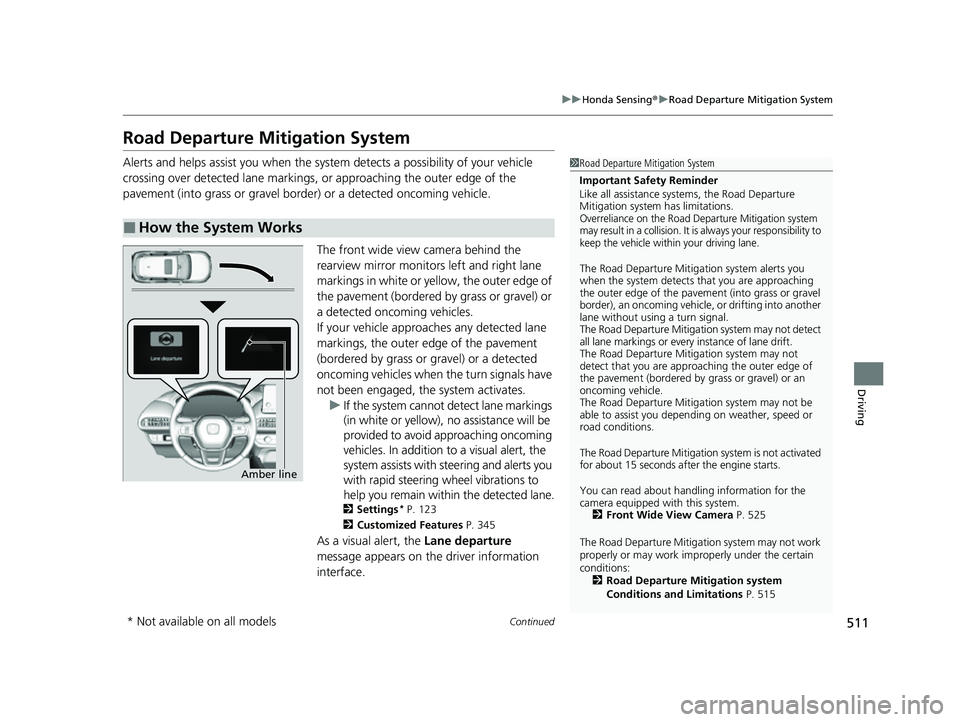
The front wide view camera behind the
rearview mirror monitors left and right lane
markings in white or yellow, the outer edge of
the pavement (bordered by grass or gravel) or
a detected oncoming vehicles.
If your vehicle approach es any detected lane
markings, the outer edge of the pavement
(bordered by grass or gravel) or a detected
oncoming vehicles when the turn signals have
not been engaged, the system activates. u If the system cannot de tect lane markings
(in white or yellow), no assistance will be
provided to avoid approaching oncoming
vehicles. In addition to a visual alert, the
system assists with steering and alerts you
with rapid steering wheel vibrations to
help you remain within the detected lane.
2 Settings* P. 123
2 Customized Features P. 345
As a visual alert, the Lane departure
message appears on the driver information
interface.
■How the System Works
1 Road Departure Mitigation System
Important Safety Reminder
Like all assistance systems, the Road Departure
Mitigation system has limitations.
Overreliance on the Road Departure Mitigation system
may result in a collision. It is always your responsibility to
keep the vehicle within your driving lane.
The Road Departure Mitiga tion system alerts you
when the system detects that you are approaching
the outer edge of the paveme nt (into grass or gravel
border), an oncoming vehicle, or drifting into another
lane without using a turn signal.
The Road Departure Mitigation system may not detect
all lane markings or ever y instance of lane drift.
The Road Departure Miti gation system may not
detect that you are approa ching the outer edge of
the pavement (bordered by grass or gravel) or an
oncoming vehicle.
The Road Departure Mitiga tion system may not be
able to assist you depend ing on weather, speed or
road conditions.
The Road Departure Mitigation system is not activated
for about 15 seconds af ter the engine starts.
You can read about handling information for the
camera equipped with this system. 2 Front Wide View Camera P. 525
The Road Departure Mitigati on system may not work
properly or may work im properly under the certain
conditions: 2 Road Departure Mitigation system
Conditions and Limitations P. 515
Amber line
* Not available on all models
23 HR-V-313V06000_01.book 511 ページ 2022年4月4日 月曜日 午前10時49分
Page 521 of 664
519
uuHonda Sensing ®u Traffic Sign Recognition System
Continued
Driving
Traffic Sign Recognition System
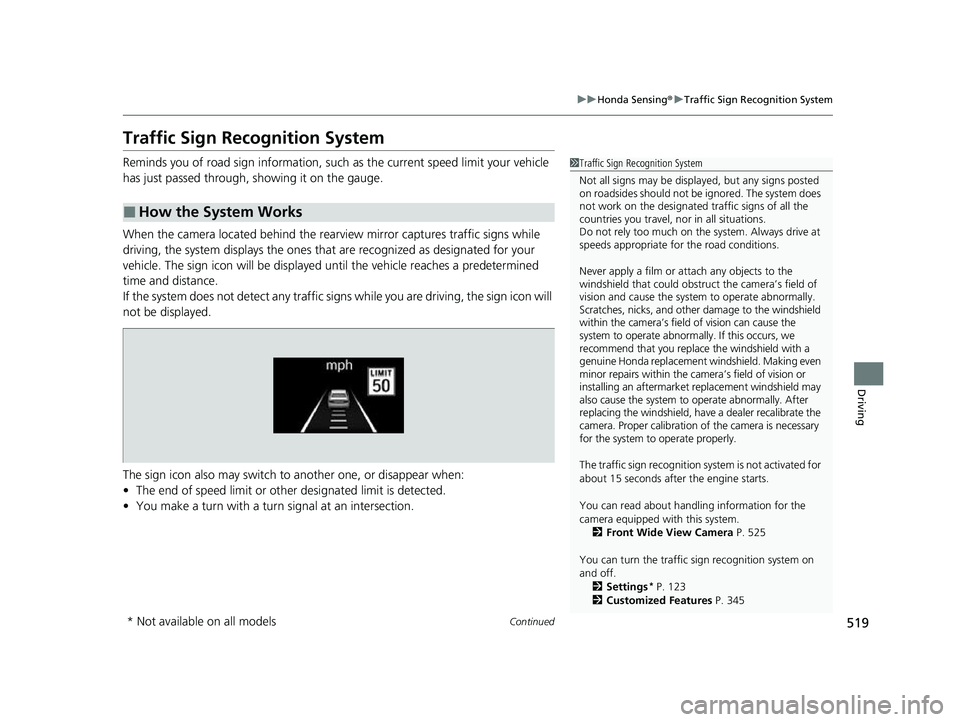
Reminds you of road sign information, such as the current speed limit your vehicle
has just passed through, showing it on the gauge.
When the camera located behind the rear view mirror captures traffic signs while
driving, the system displays the ones that are recognized as designated for your
vehicle. The sign icon will be displayed un til the vehicle reaches a predetermined
time and distance.
If the system does not detect any traffic signs while you are driving, the sign icon will
not be displayed.
The sign icon also may switch to another one, or disappear when:
• The end of speed limit or other designated limit is detected.
• You make a turn with a turn signal at an intersection.
■How the System Works
1Traffic Sign Recognition System
Not all signs may be displa yed, but any signs posted
on roadsides should not be ignored. The system does
not work on the designated traffic signs of all the
countries you travel, nor in all situations.
Do not rely too much on the system. Always drive at
speeds appropriate fo r the road conditions.
Never apply a film or attach any objects to the
windshield that could obstruc t the camera’s field of
vision and cause the system to operate abnormally.
Scratches, nicks, and othe r damage to the windshield
within the camera’s field of vision can cause the
system to operate abnormally. If this occurs, we
recommend that you replace the windshield with a
genuine Honda replacement windshield. Making even
minor repairs within the ca mera’s field of vision or
installing an aftermarket replacement windshield may
also cause the system to operate abnormally. After
replacing the windshield, have a dealer recalibrate the
camera. Proper calibration of the camera is necessary
for the system to operate properly.
The traffic sign recognition sy stem is not activated for
about 15 seconds after the engine starts.
You can read about handling information for the
camera equipped with this system. 2 Front Wide View Camera P. 525
You can turn the traffic sign recognition system on
and off. 2 Settings
* P. 123
2 Customized Features P. 345
* Not available on all models
23 HR-V-313V06000_01.book 519 ページ 2022年4月4日 月曜日 午前10時49分
Page 522 of 664
uuHonda Sensing ®u Traffic Sign Recognition System
520
Driving
1Traffic Sign Recognition System
To help reduce the likel ihood that high interior
temperatures will cause the camera’s sensing system
to shut off, when parking, find a shady area or face
the front of the vehicle away from the sun. If you use
a reflective sun shade, do not allow it to cover the
camera housing.
Covering the camera can concentrate heat on it.
If your vehicle exceeds the detected speed limit, an
icon representing the speed limit sign for the current
area will blink in the display. 2 Settings
* P. 123
2 Customized Features P. 345
The system’s ability to accurately notify the driver of
the speed limit is depend ent on certain conditions
such as the units displayed on the traffic sign as well
as the speed and direction of travel of the vehicle. In
some cases, the system may display false warnings or
other inaccurate information. 2 Traffic Sign Recognition System Conditions
and Limitations P. 521
The unit for speed limits (mph or km/h) varies from
country to country. Just after entering a country
whose unit differs to the one of the country from
which you came, Traffic Sign Recognition System
may not work correctly. 2 Settings
* P. 123
2 Speed/Distance Units P. 122
2 Customized Features P. 345
* Not available on all models
23 HR-V-313V06000_01.book 520 ページ 2022年4月4日 月曜日 午前10時49分