audio HONDA HRV 2023 Repair Manual
[x] Cancel search | Manufacturer: HONDA, Model Year: 2023, Model line: HRV, Model: HONDA HRV 2023Pages: 664, PDF Size: 20.2 MB
Page 252 of 664
uuAudio System Basic Operation uAudio/Information Screen
250
Features
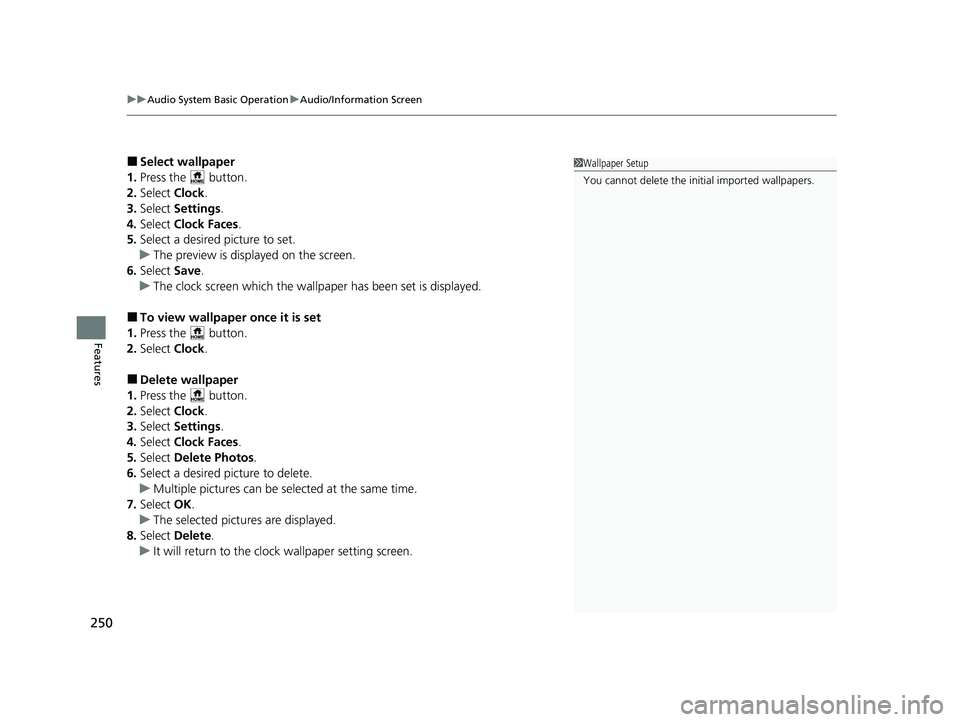
■Select wallpaper
1. Press the button.
2. Select Clock.
3. Select Settings .
4. Select Clock Faces .
5. Select a desired picture to set.
u The preview is displayed on the screen.
6. Select Save.
u The clock screen which the wallpap er has been set is displayed.
■To view wallpaper once it is set
1. Press the button.
2. Select Clock.
■Delete wallpaper
1. Press the button.
2. Select Clock.
3. Select Settings .
4. Select Clock Faces .
5. Select Delete Photos .
6. Select a desired picture to delete.
u Multiple pictures can be selected at the same time.
7. Select OK.
u The selected pictures are displayed.
8. Select Delete.
u It will return to the clock wallpaper setting screen.
1Wallpaper Setup
You cannot delete the initial imported wallpapers.
23 HR-V-313V06000_01.book 250 ページ 2022年4月4日 月曜日 午前10時49分
Page 253 of 664
Continued251
uuAudio System Basic Operation uAudio/Information Screen
Features
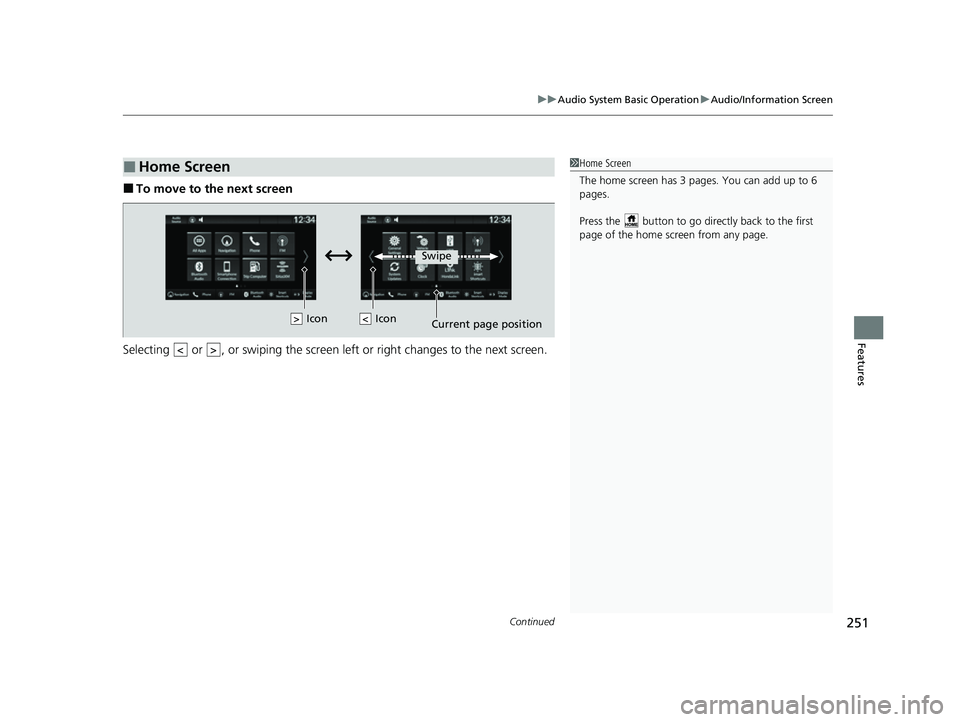
■To move to the next screen
Selecting or , or swiping the screen le ft or right changes to the next screen.
■Home Screen1Home Screen
The home screen has 3 pages. You can add up to 6
pages.
Press the button to go directly back to the first
page of the home screen from any page.
Swipe
Icon
> Icon
23 HR-V-313V06000_01.book 251 ページ 2022年4月4日 月曜日 午前10時49分
Page 254 of 664
uuAudio System Basic Operation uAudio/Information Screen
252
Features
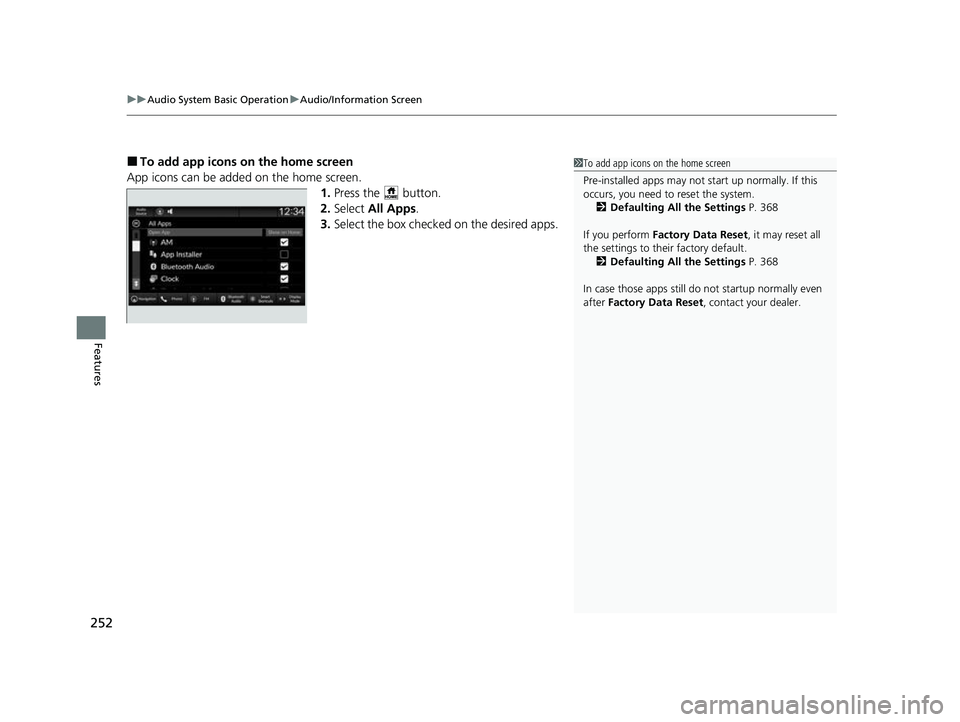
■To add app icons on the home screen
App icons can be added on the home screen. 1.Press the button.
2. Select All Apps .
3. Select the box checked on the desired apps.1To add app icons on the home screen
Pre-installed apps may not start up normally. If this
occurs, you need to reset the system.
2 Defaulting All the Settings P. 368
If you perform Factory Data Reset , it may reset all
the settings to their factory default. 2 Defaulting All the Settings P. 368
In case those apps still do not startup normally even
after Factory Data Reset , contact your dealer.
23 HR-V-313V06000_01.book 252 ページ 2022年4月4日 月曜日 午前10時49分
Page 255 of 664
Continued253
uuAudio System Basic Operation uAudio/Information Screen
Features
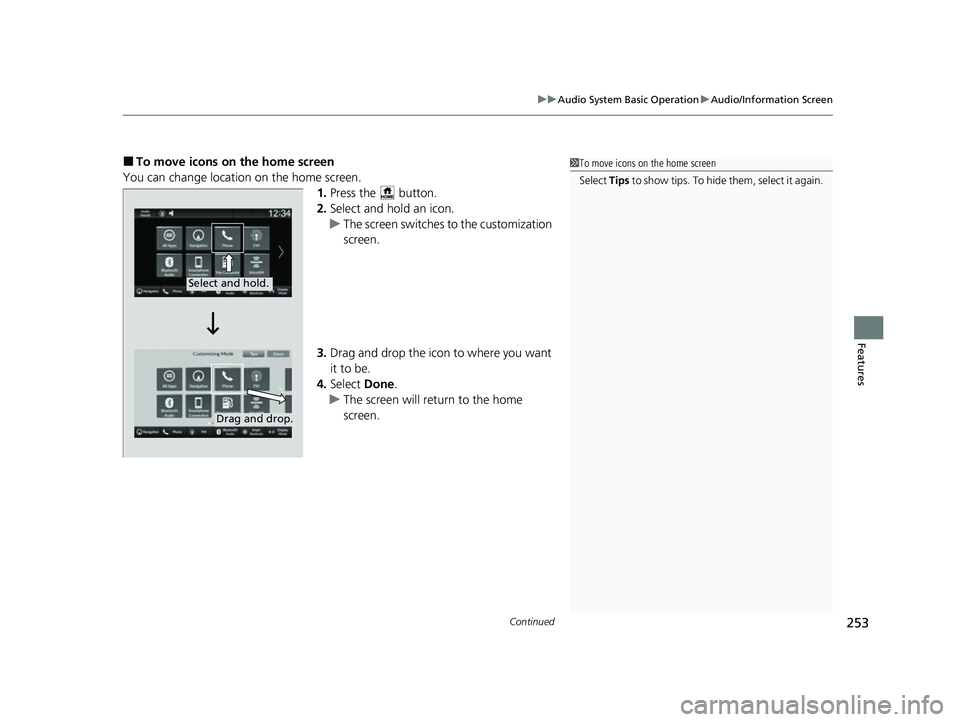
■To move icons on the home screen
You can change location on the home screen. 1.Press the button.
2. Select and hold an icon.
u The screen switches to the customization
screen.
3. Drag and drop the icon to where you want
it to be.
4. Select Done.
u The screen will return to the home
screen.1To move icons on the home screen
Select Tips to show tips. To hide them, select it again.
Select and hold.
Drag and drop.
23 HR-V-313V06000_01.book 253 ページ 2022年4月4日 月曜日 午前10時49分
Page 256 of 664
uuAudio System Basic Operation uAudio/Information Screen
254
Features
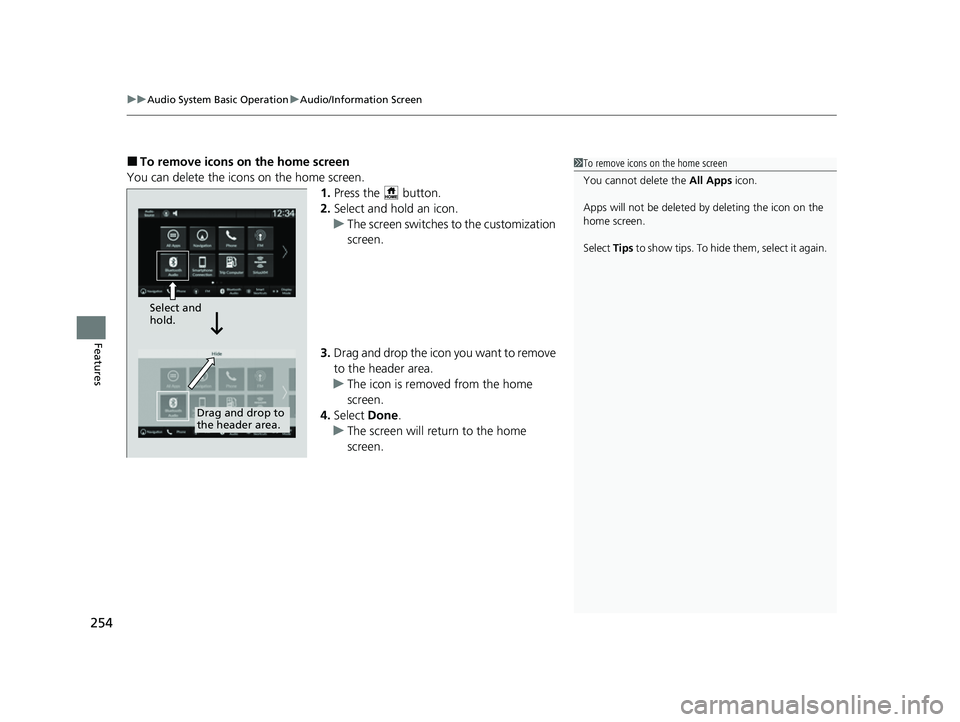
■To remove icons on the home screen
You can delete the icons on the home screen. 1.Press the button.
2. Select and hold an icon.
u The screen switches to the customization
screen.
3. Drag and drop the icon you want to remove
to the header area.
u The icon is removed from the home
screen.
4. Select Done.
u The screen will return to the home
screen.1To remove icons on the home screen
You cannot delete the All Apps icon.
Apps will not be deleted by deleting the icon on the
home screen.
Select Tips to show tips. To hide them, select it again.
Select and
hold.
Drag and drop to
the header area.
23 HR-V-313V06000_01.book 254 ページ 2022年4月4日 月曜日 午前10時49分
Page 257 of 664
Continued255
uuAudio System Basic Operation uAudio/Information Screen
Features
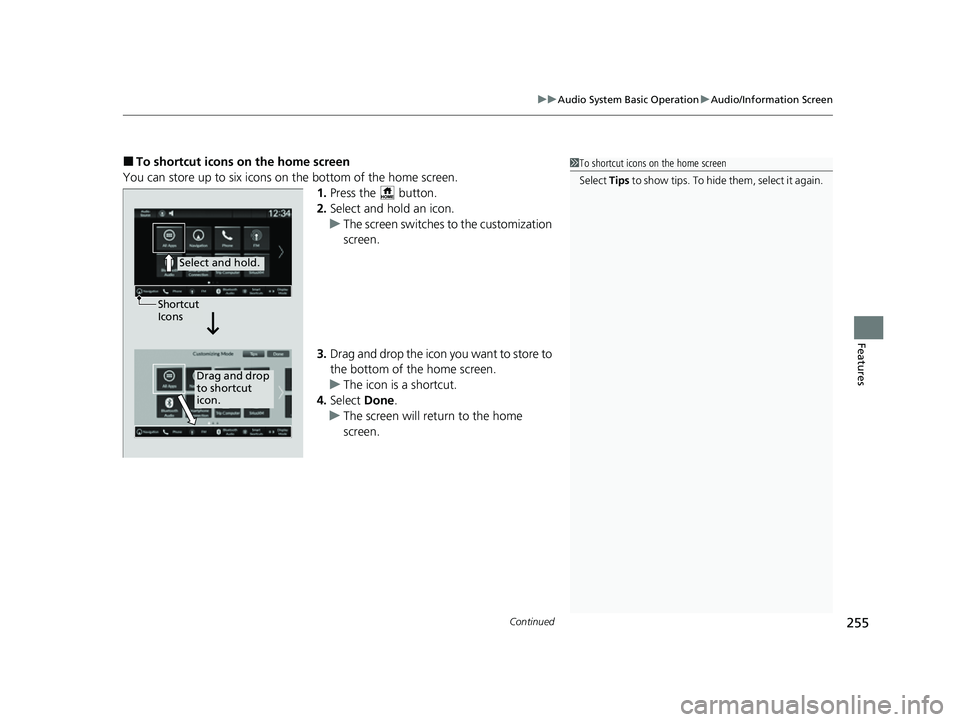
■To shortcut icons on the home screen
You can store up to six icons on the bottom of the home screen. 1.Press the button.
2. Select and hold an icon.
u The screen switches to the customization
screen.
3. Drag and drop the icon you want to store to
the bottom of the home screen.
u The icon is a shortcut.
4. Select Done.
u The screen will return to the home
screen.1To shortcut icons on the home screen
Select Tips to show tips. To hide them, select it again.
Select and hold.
Drag and drop
to shortcut
icon.
Shortcut
Icons
23 HR-V-313V06000_01.book 255 ページ 2022年4月4日 月曜日 午前10時49分
Page 258 of 664
256
uuAudio System Basic Operation uAudio/Information Screen
Features
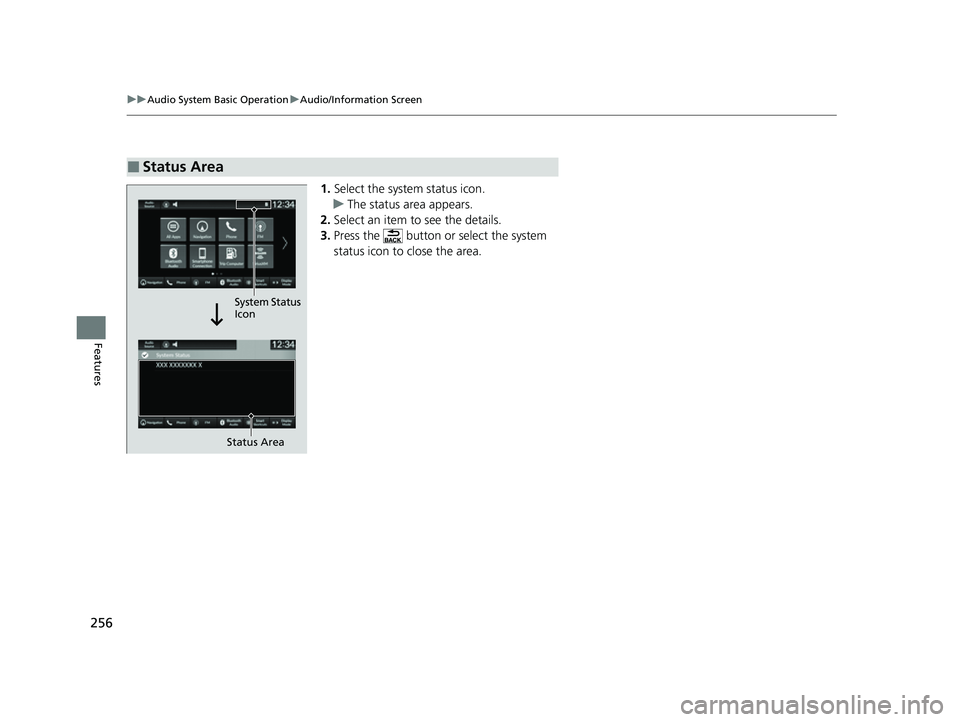
1. Select the system status icon.
u The status area appears.
2. Select an item to see the details.
3. Press the button or select the system
status icon to close the area.
■Status Area
Status Area
System Status
Icon
23 HR-V-313V06000_01.book 256 ページ 2022年4月4日 月曜日 午前10時49分
Page 259 of 664
257
uuAudio System Basic Operation uSystem Updates
Continued
Features
System Updates
The audio system’s firmware can be updated with a Wi-Fi connection or with a USB
device.
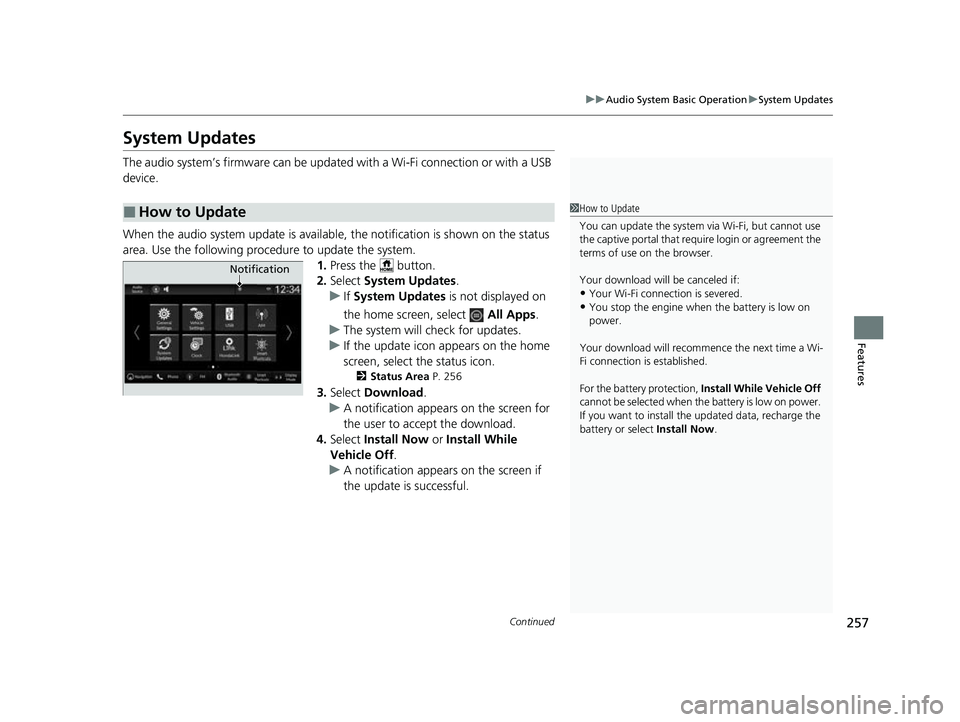
When the audio system update is available, the notification is shown on the status
area. Use the following procedure to update the system. 1.Press the button.
2. Select System Updates .
u If System Updates is not displayed on
the home screen, select All Apps.
u The system will check for updates.
u If the update icon appears on the home
screen, select the status icon.
2 Status Area P. 256
3.Select Download .
u A notification appears on the screen for
the user to acce pt the download.
4. Select Install Now or Install While
Vehicle Off.
u A notification appears on the screen if
the update is successful.
■How to Update1How to Update
You can update the system vi a Wi-Fi, but cannot use
the captive portal that require login or agreement the
terms of use on the browser.
Your download will be canceled if:
•Your Wi-Fi connection is severed.
•You stop the engine when the battery is low on
power.
Your download will recommence the next time a Wi-
Fi connection is established.
For the battery protection, Install While Vehicle Off
cannot be selected when the battery is low on power.
If you want to install the updated data, recharge the
battery or select Install Now.
Notification
23 HR-V-313V06000_01.book 257 ページ 2022年4月4日 月曜日 午前10時49分
Page 260 of 664
258
uuAudio System Basic Operation uSystem Updates
Features
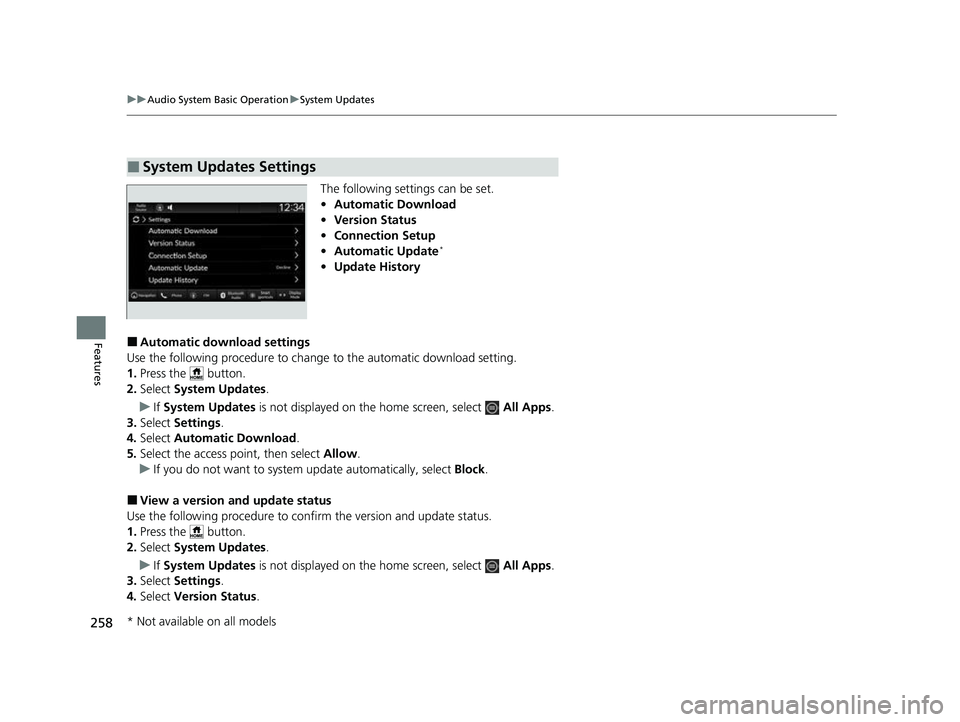
The following settings can be set.
• Automatic Download
• Version Status
• Connection Setup
• Automatic Update
*
•Update History
■Automatic download settings
Use the following procedure to change to the automatic download setting.
1. Press the button.
2. Select System Updates .
u If System Updates is not displayed on th e home screen, select All Apps.
3. Select Settings .
4. Select Automatic Download .
5. Select the access point, then select Allow.
u If you do not want to system update automatically, select Block.
■View a version and update status
Use the following procedure to conf irm the version and update status.
1. Press the button.
2. Select System Updates .
u If System Updates is not displayed on th e home screen, select All Apps.
3. Select Settings .
4. Select Version Status .
■System Updates Settings
* Not available on all models
23 HR-V-313V06000_01.book 258 ページ 2022年4月4日 月曜日 午前10時49分
Page 261 of 664
259
uuAudio System Basic Operation uSystem Updates
Continued
Features
■Connection setup
Use the following procedure to connect to the Internet via a Wi-Fi network.
1. Press the button.
2. Select System Updates .
u If System Updates is not displayed on the home screen, select All Apps.
3. Select Settings .
4. Select Connection Setup .
5. Select OK.
6. Select an access point from the network list.
u To connect to a hotspot that is not automatically detected, select Options
then Add Network .
7. Enter the password.
u If you check the Use this network to automatically download system
updates box, you can set the network to be used for system updates.
8. Select Connect .
■Automatic update settings*
Use the following procedure to chan ge to the automatic update setting.
1. Press the button.
2. Select System Updates .
u If System Updates is not displayed on the home screen, select All Apps.
3. Select Settings .
4. Select Automatic Update .
5. Select Accept .
u If you do not want to system update automatically, select Decline.
* Not available on all models
23 HR-V-313V06000_01.book 259 ページ 2022年4月4日 月曜日 午前10時49分