phone HONDA INSIGHT 2013 2.G Navigation Manual
[x] Cancel search | Manufacturer: HONDA, Model Year: 2013, Model line: INSIGHT, Model: HONDA INSIGHT 2013 2.GPages: 202, PDF Size: 11.63 MB
Page 37 of 202
36
XXPersonal InformationXHome Addresses
Home Addresses
HINFO button X Setup X Personal Information X Home Address 1 or Home
Address 2
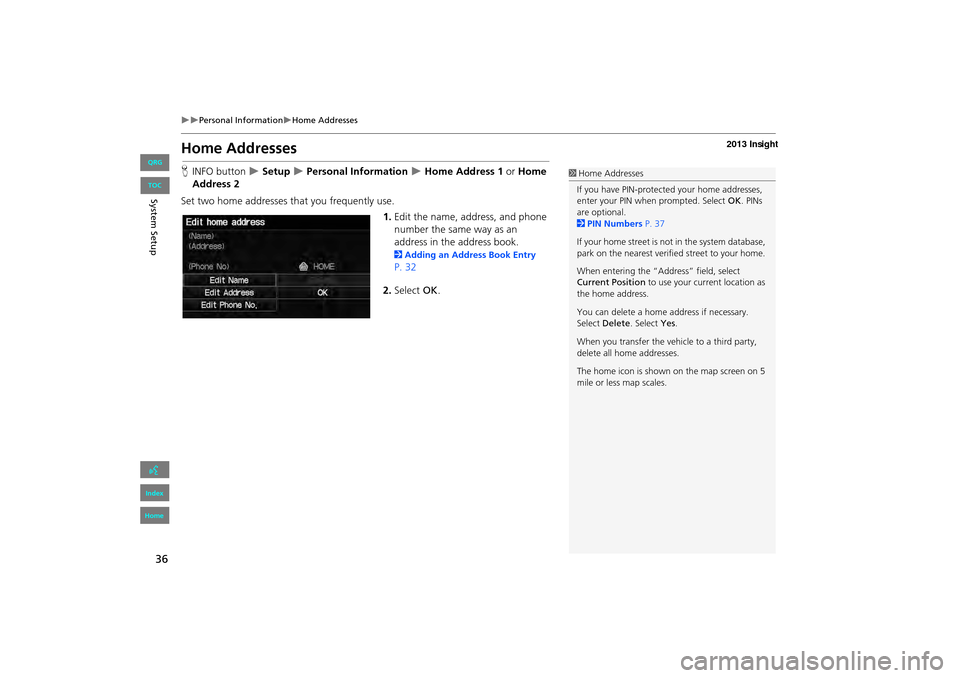
Set two home addresses that you frequently use. 1.Edit the name, address, and phone
number the same way as an
address in the address book.
2 Adding an Address Book Entry
P. 32
2. Select OK.
1Home Addresses
If you have PIN-protecte d your home addresses,
enter your PIN when prompted. Select OK. PINs
are optional.
2 PIN Numbers P. 37
If your home street is not in the system database,
park on the nearest verified street to your home.
When entering the “Addr ess” field, select
Current Position to use your current location as
the home address.
You can delete a home address if necessary.
Select Delete . Select Yes .
When you transfer the vehicle to a third party,
delete all home addresses.
The home icon is shown on the map screen on 5
mile or less map scales.
INSIGHT_KA-31TM8820.book 36 ページ 2011年8月9日 火曜日 午後1時26分
QRG
Index
Home
Sy stem S etup
TOC
Page 54 of 202
53
Data Reset
Reset Factory Default Settings
HINFO button X Setup X Other X Reset Factory Default
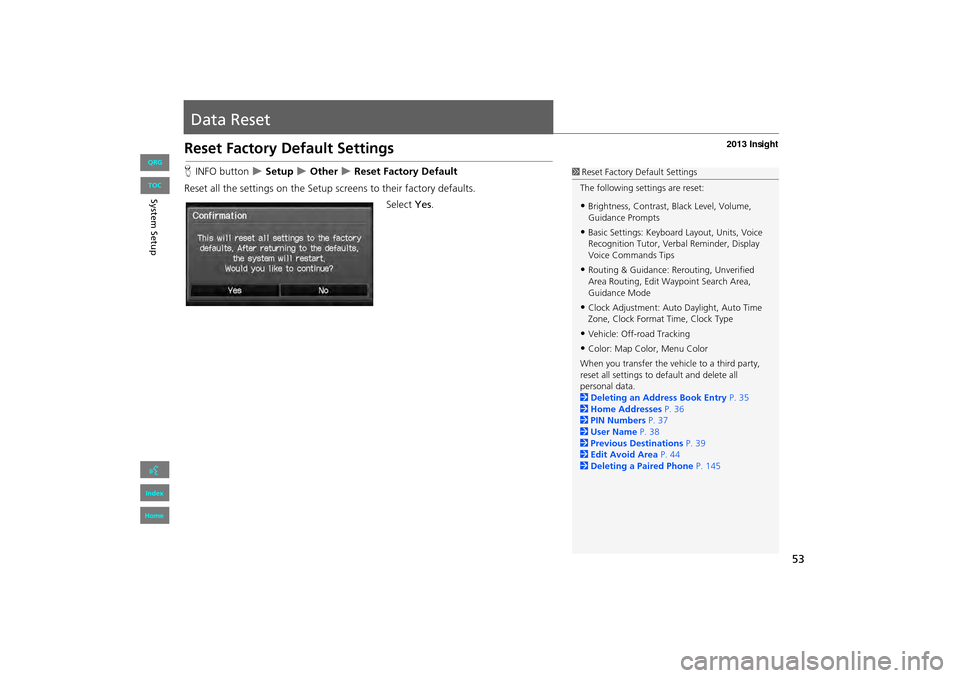
Reset all the settings on the Setup sc reens to their factory defaults.
Select Yes.1Reset Factory Default Settings
The following settings are reset:
•Brightness, Contrast, Black Level, Volume,
Guidance Prompts
•Basic Settings: Keyboard Layout, Units, Voice
Recognition Tutor, Verb al Reminder, Display
Voice Commands Tips
•Routing & Guidance: Rer outing, Unverified
Area Routing, Edit Wayp oint Search Area,
Guidance Mode
•Clock Adjustment: Auto Daylight, Auto Time
Zone, Clock Format Time, Clock Type
•Vehicle: Off-road Tracking
•Color: Map Color, Menu Color
When you transfer the vehicle to a third party,
reset all settings to default and delete all
personal data.
2 Deleting an Address Book Entry P. 35
2 Home Addresses P. 36
2 PIN Numbers P. 37
2 User Name P. 38
2 Previous Destinations P. 39
2 Edit Avoid Area P. 44
2 Deleting a Paired Phone P. 145
INSIGHT_KA-31TM8820.book 53 ページ 2011年8月9日 火曜日 午後1時26分
QRG
Index
Home
System S etup
TOC
Page 56 of 202
55
Navigation
This section describes how to enter a destination, select a route to take,
and follow the route to your destination. It also describes how to change your route or destination along the way.
Entering a Destination........................... 56
Address ................................................. 58
Address Book ......................................... 63
Previous Destinations ............................. 64
Place Name ............................................ 65
Place Category ....................................... 67
Place Phone Number .............................. 72
Coordinate ............................................ 73
Intersection ............................................ 74
Map Input.............................................. 75Calculating the Route
..............................77
Changing the Route Preference ..............78
Viewing the Routes .................................78
Calculating the Route on the Destination
Map .................................................... ..79
Driving to Your Destination ...................80
Viewing the Route ..................................80
Listening to Voice Guidance ....................84
Map Menu ................................................85
Displaying the Map Menu .......................85
Guidance Menu ......................................87
Showing Icons on the Map .....................92
Map Legend ...........................................94
FM Traffic ...............................................99 Changing Your Route
........................... 101
Canceling the Route............................. 102
Taking a Detour ................................... 102
Avoiding Streets ................................... 102
Adding Waypoints ............................... 103
Editing My Destination ......................... 107
Changing Your Destination ................. 108
Find Nearest Place ................................ 108
Selecting a Destination on the Map ...... 109
Entering a New Destination .................. 110
Resuming Your Trip .............................. 112
INSIGHT_KA-31TM8820.book 55 ページ 2011年8月9日 火曜日 午後1時26分
QRG
Index
Home 2013 Insight
Page 58 of 202
57
XXEntering a DestinationX
•Place Name : Sets a destination by entering a place name.
2Place Name P. 65
• Place Category : Sets a destination by selecting a place/landmark.
2Place Category P. 67
• Place Phone Number : Sets a destination by entering the phone number of a
place/landmark.
2 Place Phone Number P. 72
• Coordinate: Sets a destination by entering latitude and longitude.
2 Coordinate P. 73
• Intersection : Sets a destination (intersection) by entering two streets.
2Intersection P. 74
• Map Input : Sets a destination by scrolling through the map.
2Map Input P. 75
• Go Home 1 or 2 : Sets your home addres s as a destination.
2Going Home P. 10
INSIGHT_KA-31TM8820.book 57 ページ 2011年8月9日 火曜日 午後1時26分
QRG
Index
Home
Navig ationTOC
Page 73 of 202
72
XXEntering a DestinationXPlace Phone Number
Place Phone Number
HDEST button X DEST Menu 2 X Place Phone Number
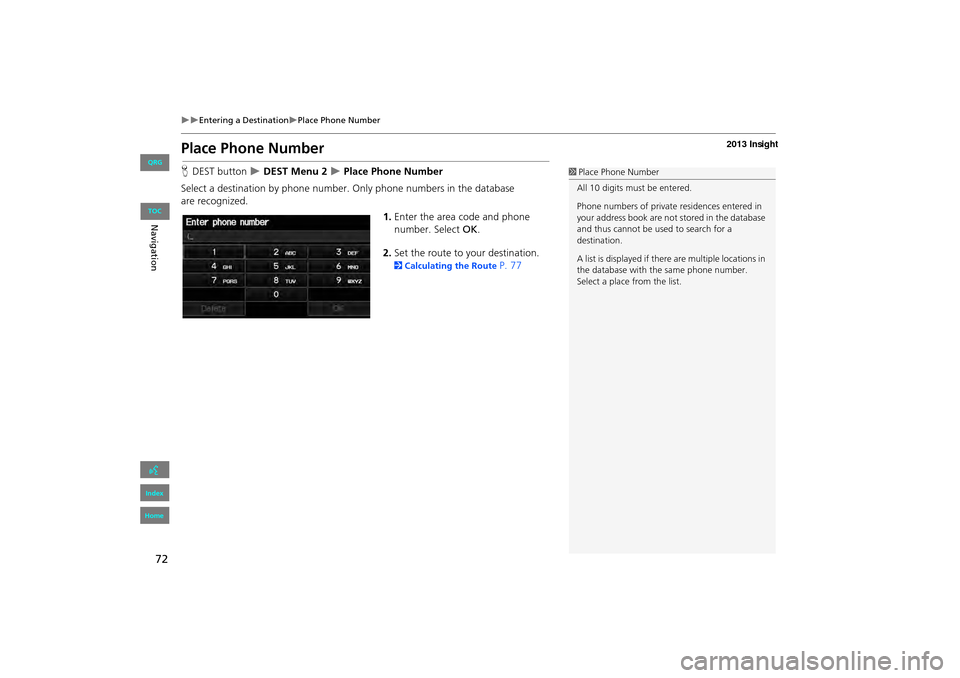
Select a destination by phone number. Only phone numbers in the database
are recognized. 1.Enter the area code and phone
number. Select OK.
2. Set the route to your destination.
2 Calculating the Route P. 77
1Place Phone Number
All 10 digits must be entered.
Phone numbers of private residences entered in
your address book are not stored in the database
and thus cannot be used to search for a
destination.
A list is displayed if there are multiple locations in
the database with the same phone number.
Select a place from the list.
INSIGHT_KA-31TM8820.book 72 ページ 2011年8月9日 火曜日 午後1時26分
QRG
Index
Home
Navig ationTOC
Page 78 of 202
77
Calculating the Route
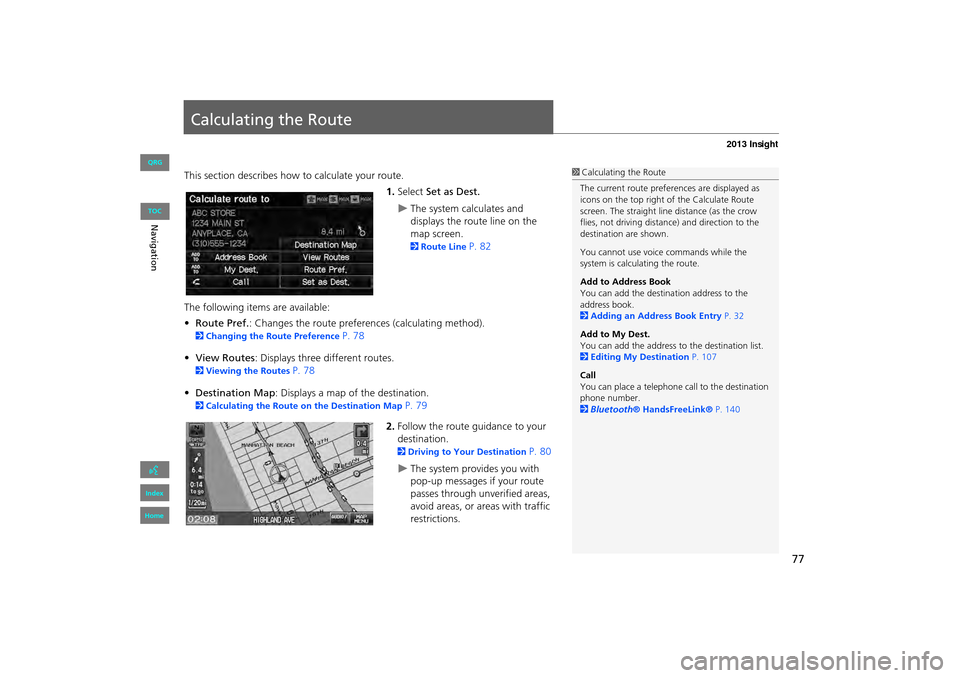
This section describes how to calculate your route.1.Select Set as Dest.
XThe system calculates and
displays the route line on the
map screen.
2Route Line P. 82
The following items are available:
• Route Pref. : Changes the route preferences (calculating method).
2Changing the Route Preference P. 78
• View Routes : Displays three different routes.
2Viewing the Routes P. 78
• Destination Map : Displays a map of the destination.
2Calculating the Route on the Destination Map P. 79
2. Follow the route guidance to your
destination.
2 Driving to Your Destination P. 80
XThe system provides you with
pop-up messages if your route
passes through unverified areas,
avoid areas, or areas with traffic
restrictions.
1Calculating the Route
The current route prefer ences are displayed as
icons on the top right of the Calculate Route
screen. The straight line distance (as the crow
flies, not driving distan ce) and direction to the
destination are shown.
You cannot use voice commands while the
system is calculating the route.
Add to Address Book
You can add the destination address to the
address book.
2 Adding an Address Book Entry P. 32
Add to My Dest.
You can add the address to the destination list.
2 Editing My Destination P. 107
Call
You can place a telephone ca ll to the destination
phone number.
2 Bluetooth® HandsFreeLink® P. 140
INSIGHT_KA-31TM8820.book 77 ページ 2011年8月9日 火曜日 午後1時26分
QRG
Index
Home
NavigationTOC
Page 99 of 202

98
XXMap MenuXMap Legend
Display and save your current location for future use as a destination. The address,
latitude, longitude, and elevation of your current location are displayed.
■ To save your current loca tion in the address book:
1.Select the vehicle icon on the map.
2. Select Save.
3. Edit the name, phone number, and
category.
2 Address Book P. 31
4. Select OK.
■Current Location1 Current Location
d “Display Current Location” (on map screen)
You can also save the current location by saying
d “Register the Current Location” .
If you have PIN-protec ted your address book,
enter your PIN when prompted. Select OK. PINs
are optional.
2 PIN Numbers P. 37
The elevation is not displayed if the system is
receiving insufficient GPS information. When
elevation is displayed, it may differ with roadside
elevation signs by ±100 feet or more.
Saving your current loca tion does not change or
cancel your current route.
INSIGHT_KA-31TM8820.book 98 ページ 2011年8月9日 火曜日 午後1時26分
QRG
Index
Home
Navig ationTOC
Page 113 of 202
112
Resuming Your Trip
Stop your vehicle en route (e.g., to rest, stop for gas, etc.), and then continue on
your route.
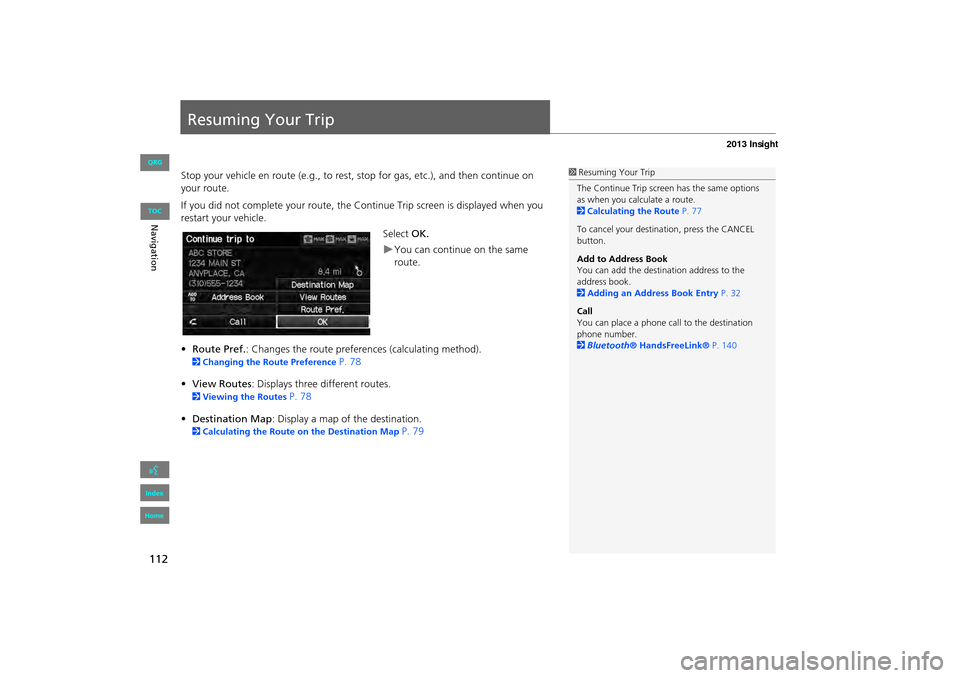
If you did not complete your route, the Continue Trip screen is displayed when you
restart your vehicle.
Select OK.
XYou can continue on the same
route.
• Route Pref. : Changes the route preferences (calculating method).
2Changing the Route Preference P. 78
• View Routes : Displays three different routes.
2Viewing the Routes P. 78
• Destination Map : Display a map of the destination.
2Calculating the Route on the Destination Map P. 79
1Resuming Your Trip
The Continue Trip screen has the same options
as when you calculate a route.
2 Calculating the Route P. 77
To cancel your destination, press the CANCEL
button.
Add to Address Book
You can add the destination address to the
address book.
2 Adding an Address Book Entry P. 32
Call
You can place a phone ca ll to the destination
phone number.
2 Bluetooth ® HandsFreeLink® P. 140
INSIGHT_KA-31TM8820.book 112 ページ 2011年8月9日 火曜日 午後1時26分
QRG
Index
Home
NavigationTOC
Page 115 of 202
114
Audio
Audio System
About Your Audio System
The audio system features FM/AM radio. It can also play audio discs, WMA/MP3/
AAC tracks, iPods®, USB flash drives, and Bluetooth® devices.
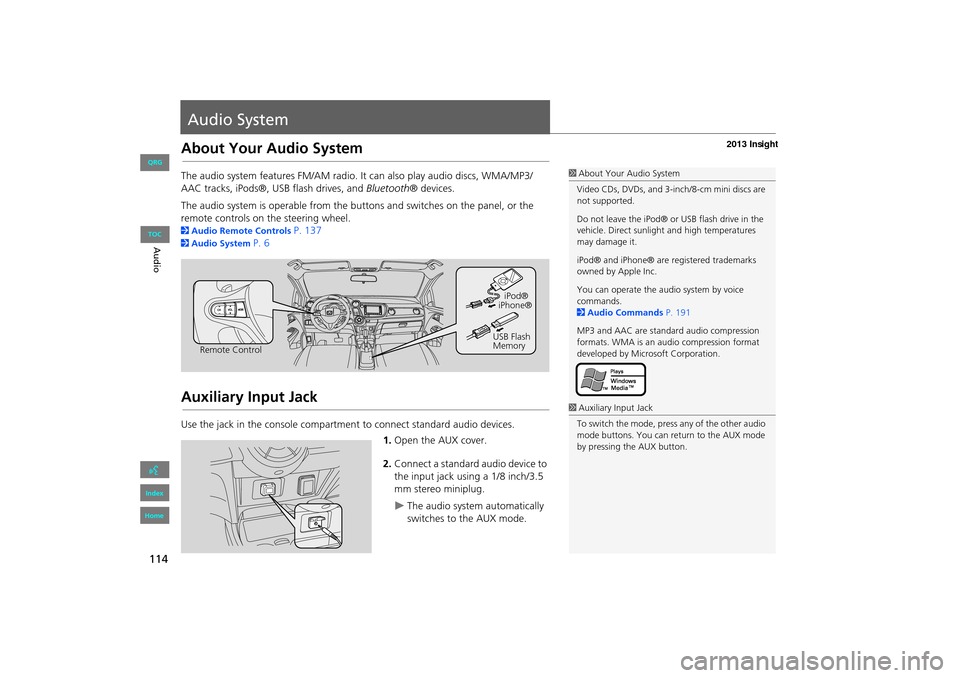
The audio system is operable from the buttons and switches on the panel, or the
remote controls on the steering wheel.
2 Audio Remote Controls P. 137
2Audio System P. 6
Auxiliary Input Jack
Use the jack in the console compartment to connect standard audio devices.
1.Open the AUX cover.
2. Connect a standard audio device to
the input jack using a 1/8 inch/3.5
mm stereo miniplug.
XThe audio system automatically
switches to the AUX mode.
1About Your Audio System
Video CDs, DVDs, and 3-inch/8-cm mini discs are
not supported.
Do not leave the iPod® or USB flash drive in the
vehicle. Direct sunlight and high temperatures
may damage it.
iPod® and iPhone® are registered trademarks
owned by Apple Inc.
You can operate the audio system by voice
commands.
2 Audio Commands P. 191
MP3 and AAC are standard audio compression
formats. WMA is an audio compression format
developed by Micr osoft Corporation.
Remote Control iPod®
USB Flash
Memory iPhone®
1
Auxiliary Input Jack
To switch the mode, press any of the other audio
mode buttons. You can return to the AUX mode
by pressing the AUX button.
INSIGHT_KA-31TM8820.book 114 ページ 2011年8月9日 火曜日 午後1時26分
QRG
Index
Home
TOC
Page 126 of 202
125
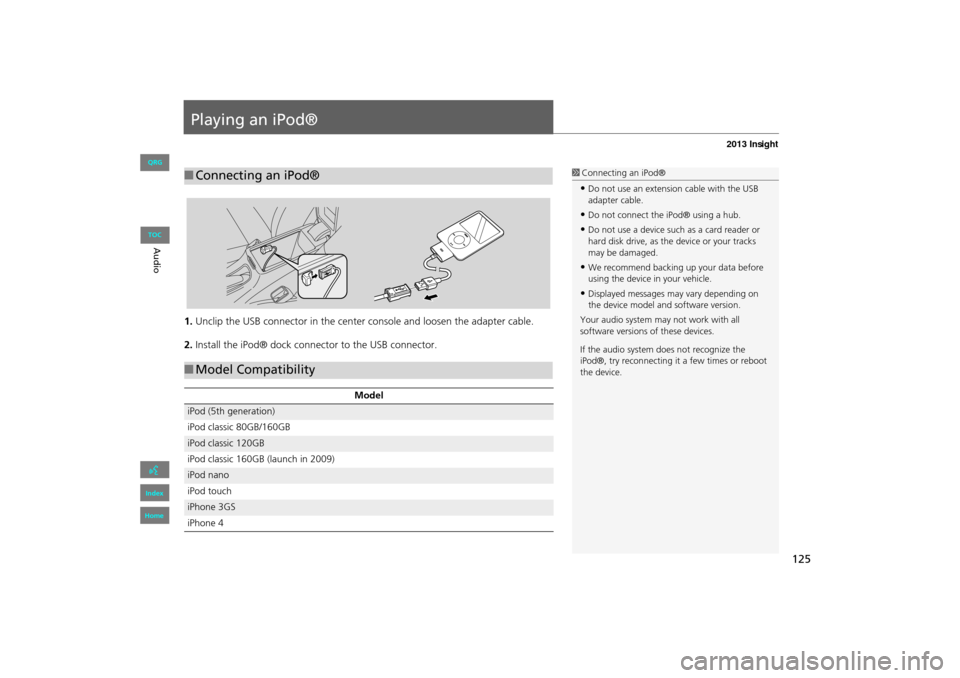
Playing an iPod®
1.Unclip the USB connector in the center console and loosen the adapter cable.
2. Install the iPod® dock connector to the USB connector.
■Connecting an iPod®1 Connecting an iPod®
•Do not use an extension cable with the USB
adapter cable.
•Do not connect the iPod® using a hub.
•Do not use a device such as a card reader or
hard disk drive, as th e device or your tracks
may be damaged.
•We recommend backing up your data before
using the device in your vehicle.
•Displayed messages ma y vary depending on
the device model and software version.
Your audio system ma y not work with all
software versions of these devices.
If the audio system do es not recognize the
iPod®, try reconne cting it a few times or reboot
the device.
■ Model Compatibility
Model
iPod (5th generation)
iPod classic 80GB/160GB
iPod classic 120GB
iPod classic 160GB (launch in 2009)
iPod nano
iPod touch
iPhone 3GS
iPhone 4
INSIGHT_KA-31TM8820.book 125 ページ 2011年8月9日 火曜日 午後1時26分
QRG
Index
Home
Au dioTOC