jump start HONDA INSIGHT 2019 Owner's Manual (in English)
[x] Cancel search | Manufacturer: HONDA, Model Year: 2019, Model line: INSIGHT, Model: HONDA INSIGHT 2019Pages: 675, PDF Size: 36.97 MB
Page 5 of 675
Contents
Child Safety P. 64Exhaust Gas Hazard P. 77Safety Labels P. 78
Opening and Closing the Trunk P. 180 Security System P. 183 Opening and Closing the Windows P. 186
Operating the Switches Around the Steering Wheel P. 190 Adjusting the Mirrors P. 205
Interior Lights/Interior Convenience Items P. 215 Climate Control System P. 225
Audio Error Messages P. 332General Information on the Audio System P. 337
Bluetooth ® HandsFreeLink ® P. 389, 414 Refuel Recommend P. 439
When Driving P. 448 Honda Sensing® P. 480 Braking P. 531
Refueling P. 546 Fuel Economy and CO
2 Emissions P. 549
Maintenance Under the Hood P. 562 Replacing Light Bulbs P. 575
Checking and Maintaining Tires P. 582 12-Volt Battery P. 591 Remote Transmitter Care P. 593
Cleaning P. 595 Accessories and Modifications P. 601
Power System Won’t Start P. 625 Jump Starting P. 628 Overheating P. 631
Emergency Towing P. 648 When You Cannot Unlock the Fuel Fill Door P. 649
Devices that Emit Radio Waves P. 655 Reporting Safety Defects P. 657
Authorized Manuals P. 661 Customer Service Information P. 662
Quick Reference GuideP. 4
Safe DrivingP. 39
Instrument PanelP. 79
ControlsP. 163
FeaturesP. 233
DrivingP. 441
MaintenanceP. 551
Handling the UnexpectedP. 603
InformationP. 651
IndexP. 664
19 INSIGHT HMIN-31TXM6000.book 3 ページ 2018年4月20日 金曜日 午後4時22分
Page 36 of 675
34
Quick Reference Guide
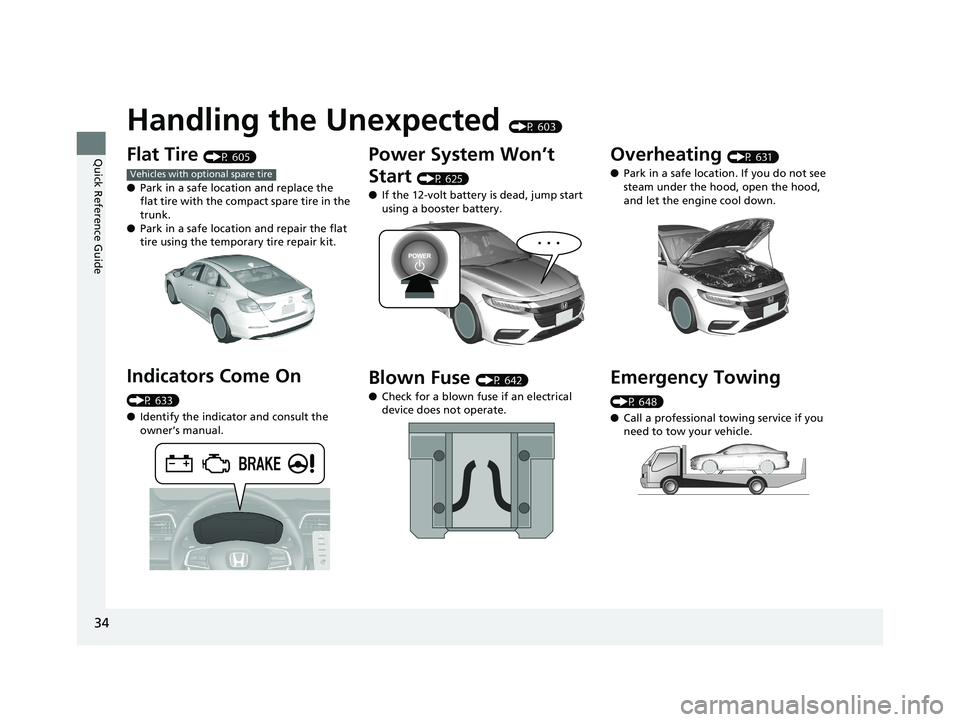
Handling the Unexpected (P 603)
Flat Tire (P 605)
● Park in a safe location and replace the
flat tire with the compact spare tire in the
trunk.
● Park in a safe location and repair the flat
tire using the temporary tire repair kit.
Indicators Come On
(P 633)
●Identify the indicator and consult the
owner’s manual.
Vehicles with optional spare tire
Power System Won’t
Start
(P 625)
● If the 12-volt battery is dead, jump start
using a booster battery.
Blown Fuse (P 642)
● Check for a blown fuse if an electrical
device does not operate.
Overheating (P 631)
● Park in a safe location. If you do not see
steam under the hood, open the hood,
and let the engine cool down.
Emergency Towing
(P 648)
●Call a professional towing service if you
need to tow your vehicle.
19 INSIGHT HMIN-31TXM6000.book 34 ページ 2018年4月20日 金曜日 午後4時22分
Page 533 of 675
531Continued
Driving
Braking
Brake System
Use the parking brake to keep the vehicle stationary when parked. When the
parking brake is applied, you can manu ally or automatically release it.
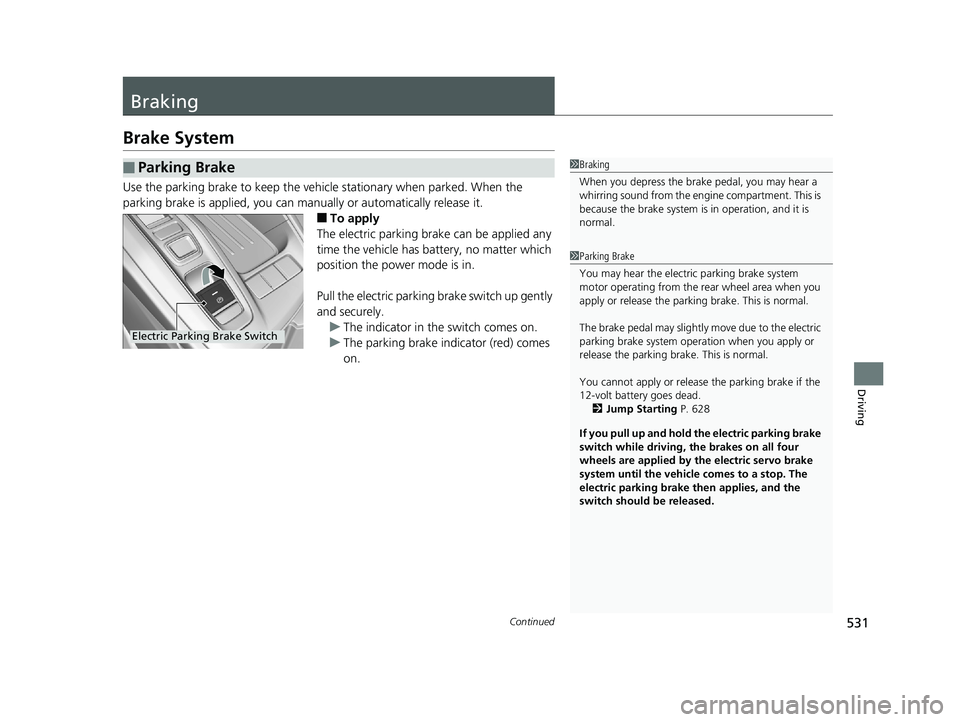
■To apply
The electric parking brake can be applied any
time the vehicle has battery, no matter which
position the power mode is in.
Pull the electric parking brake switch up gently
and securely. u The indicator in the switch comes on.
u The parking brake indicator (red) comes
on.
■Parking Brake1Braking
When you depress the brak e pedal, you may hear a
whirring sound from the engine compartment. This is
because the brake system is in operation, and it is
normal.
1 Parking Brake
You may hear the electric parking brake system
motor operating from the re ar wheel area when you
apply or release the parking brake. This is normal.
The brake pedal may slightly move due to the electric
parking brake system opera tion when you apply or
release the parking br ake. This is normal.
You cannot apply or release the parking brake if the
12-volt battery goes dead. 2 Jump Starting P. 628
If you pull up and hold the electric parking brake
switch while driving, the brakes on all four
wheels are applied by the electric servo brake
system until the vehicle comes to a stop. The
electric parking brake then applies, and the
switch should be released.
Electric Parking Brake Switch
19 INSIGHT HMIN-31TXM6000.book 531 ページ 2018年4月20日 金曜日 午後4時22分
Page 605 of 675
603
Handling the Unexpected
This chapter explains how to handle unexpected troubles.
ToolsTypes of Tools .................................. 604
If a Tire Goes Flat
Changing a Flat Tire ......................... 605
Temporarily Repairi ng a Flat Tire....... 611
Power System Won’t Start Checking the Procedure ................... 625
If the Remote Battery is Weak .......... 626
Emergency Power System Off........... 627
Jump Starting .................................... 628
Overheating
How to Handle Overheating ............. 631
Vehicles with optional spare tire
Indicator, Coming On/BlinkingIf the Low Oil Pressure Warning Appears ... 633If the 12-Volt Battery Charging System Indicator Comes On ....................... 634
If the Malfunction Indicator Lamp Comes On or Blinks ................................... 635
If the Brake System Indicator (Red) Comes On or Blinks ..................................... 636
If the Brake System Indicator (Red) Comes On
or Blinks at the Same Time When the Brake
System Indicator (Amber) Comes On.... 637
If the Electric Power Steering (EPS) System Indicator Comes On......................... 638 If the Low Tire Pressure/TPMS Indicator
Comes On or Blinks ....................... 640
If the Transmission System Indicator Blinks
along with the Warning Message ...... 641
Fuses Fuse Locations ................................. 642
Inspecting and Changing Fuses ........ 647
Emergency Towing ........................... 648
When You Cannot Unlock the Fuel Fill
Door ................................................. 649
When You Cannot Open the Trunk ... 650
19 INSIGHT HMIN-31TXM6000.book 603 ページ 2018年4月20日 金曜日 午後4時22分
Page 627 of 675
625
Handling the Unexpected
Power System Won’t Start
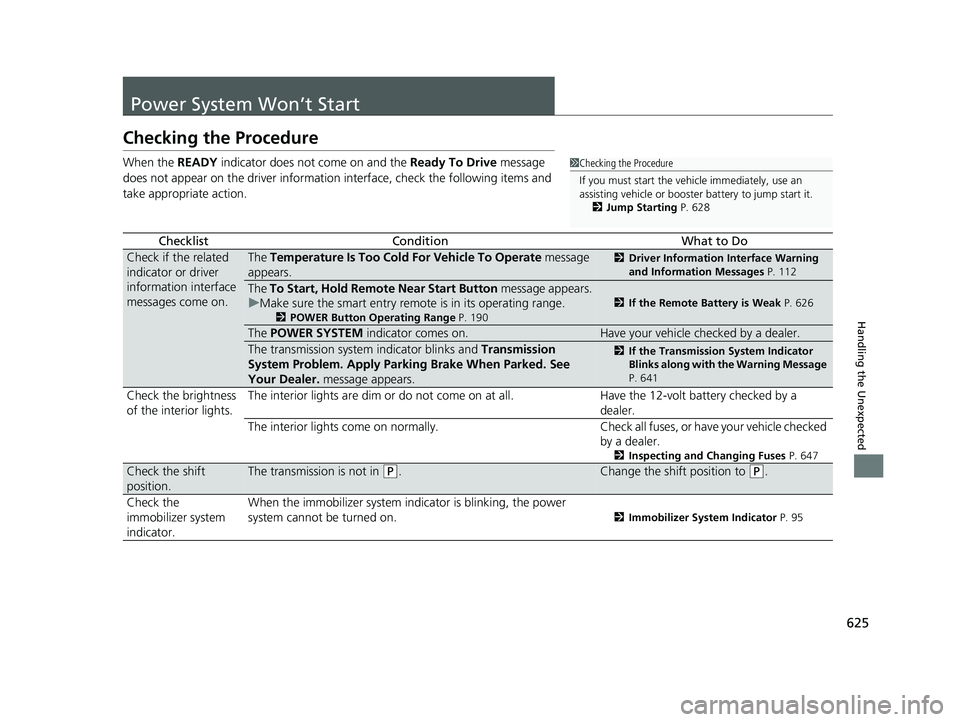
Checking the Procedure
When the READY indicator does not come on and the Ready To Drive message
does not appear on the driver informatio n interface, check the following items and
take appropriate action.
ChecklistConditionWhat to Do
Check if the related
indicator or driver
information interface
messages come on.The Temperature Is Too Cold For Vehicle To Operate message
appears.2 Driver Information Interface Warning
and Information Messages P. 112
The To Start, Hold Remote Near Start Button message appears.
u Make sure the smart entry remote is in its operating range.
2 POWER Button Operating Range P. 190
2If the Remote Battery is Weak P. 626
The POWER SYSTEM indicator comes on.Have your vehicle checked by a dealer.
The transmission system indicator blinks and Transmission
System Problem. Apply Parkin g Brake When Parked. See
Your Dealer. message appears.2If the Transmission System Indicator
Blinks along with the Warning Message
P. 641
Check the brightness
of the interior lights. The interior lights are dim or do not come on at all. Have the 12-volt battery checked by a
dealer.
The interior lights come on normally. Check all fuses, or have your vehicle checked
by a dealer.
2 Inspecting and Changing Fuses P. 647
Check the shift
position.The transmission is not in (P.Change the shift position to (P.
Check the
immobilizer system
indicator. When the immobilizer system i
ndicator is blinking, the power
system cannot be turned on.
2 Immobilizer System Indicator P. 95
1Checking the Procedure
If you must start the vehi cle immediately, use an
assisting vehicle or booster battery to jump start it.
2 Jump Starting P. 628
19 INSIGHT HMIN-31TXM6000.book 625 ページ 2018年4月20日 金曜日 午後4時22分
Page 630 of 675
628
Handling the Unexpected
Jump Starting
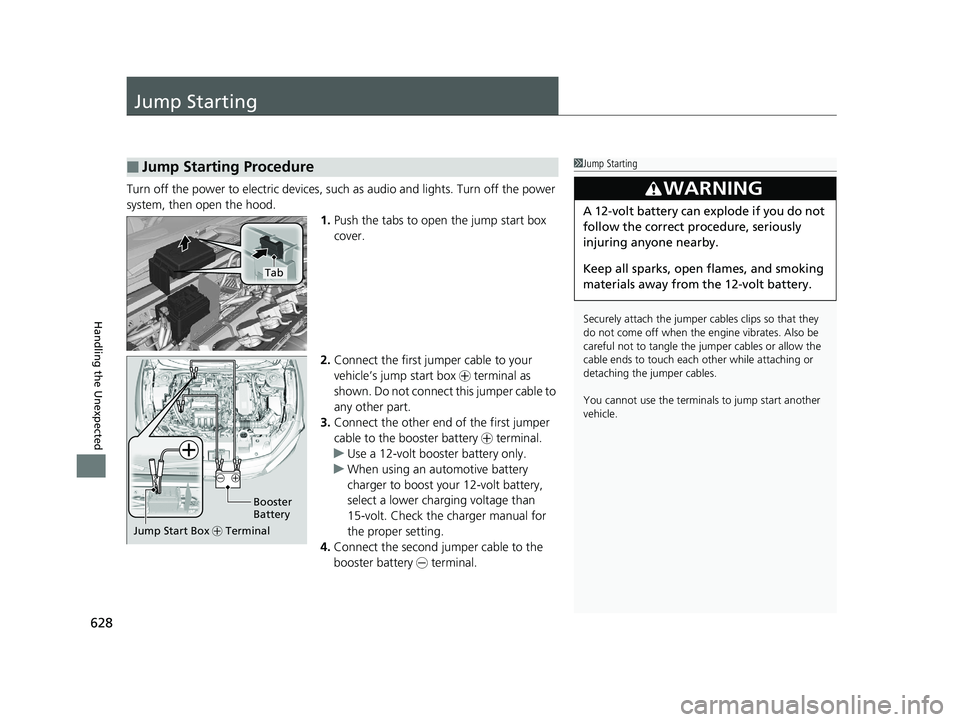
Turn off the power to electric devices, such as audio and lights. Turn off the power
system, then open the hood. 1.Push the tabs to open the jump start box
cover.
2. Connect the first jump er cable to your
vehicle’s jump start box + terminal as
shown. Do not connect this jumper cable to
any other part.
3. Connect the other end of the first jumper
cable to the booster battery + terminal.
u Use a 12-volt booster battery only.
u When using an automotive battery
charger to boost your 12-volt battery,
select a lower charging voltage than
15-volt. Check the charger manual for
the proper setting.
4. Connect the second jumper cable to the
booster battery - terminal.
■Jump Starting Procedure1Jump Starting
Securely attach the jumper cables clips so that they
do not come off when the e ngine vibrates. Also be
careful not to tangle the ju mper cables or allow the
cable ends to touch each other while attaching or
detaching the jumper cables.
You cannot use the terminal s to jump start another
vehicle.
3WARNING
A 12-volt battery can explode if you do not
follow the correct procedure, seriously
injuring anyone nearby.
Keep all sparks, open flames, and smoking
materials away from the 12-volt battery.
Tab
Booster
Battery
Jump Start Box + Terminal
19 INSIGHT HMIN-31TXM6000.book 628 ページ 2018年4月20日 金曜日 午後4時22分
Page 631 of 675
Continued629
uuJump Starting u
Handling the Unexpected
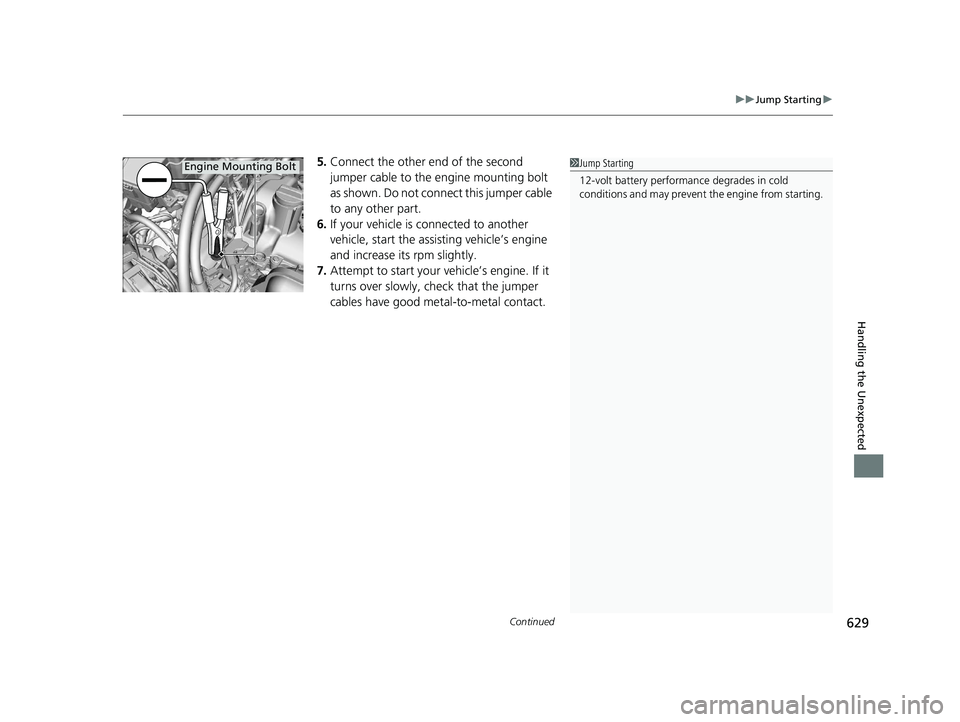
5.Connect the other end of the second
jumper cable to the engine mounting bolt
as shown. Do not connect this jumper cable
to any other part.
6. If your vehicle is connected to another
vehicle, start the assisting vehicle’s engine
and increase its rpm slightly.
7. Attempt to start your ve hicle’s engine. If it
turns over slowly, check that the jumper
cables have good metal-to-metal contact.1 Jump Starting
12-volt battery performa nce degrades in cold
conditions and may prevent the engine from starting.Engine Mounting Bolt
19 INSIGHT HMIN-31TXM6000.book 629 ページ 2018年4月20日 金曜日 午後4時22分
Page 632 of 675
uuJump Starting u
630
Handling the Unexpected
Once your vehicle’s engine has started, re move the jumper cables in the following
order.
1. Disconnect the jumper cable from your vehicle’s ground.
2. Disconnect the other end of the jumper cable from the booster battery -
terminal.
3. Disconnect the jumper cable from your vehicle’s jump start box + terminal.
4. Disconnect the other end of the jumper cable from the booster battery +
terminal.
Have your vehicle inspected by a n earby service station or a dealer.
■What to Do After the Engine Starts1What to Do After the Engine Starts
The Vehicle Stability Assist ® (VSA ®) system, Vehicle
Stability Assist ® (VSA ®) OFF, Adaptive Cruise Control
(ACC) with Low Speed Follow (LSF), safety support
and low tire pressure/TPM S indicators may come on
in amber along with a message in the driver
information interface when you set the power mode
to ON after re-connecting a battery.
Drive a short distance at more than 12 mph (20 km/h).
Each indicator should go off. If any do not, have your
vehicle checked by a dealer.
19 INSIGHT HMIN-31TXM6000.book 630 ページ 2018年4月20日 金曜日 午後4時22分
Page 666 of 675
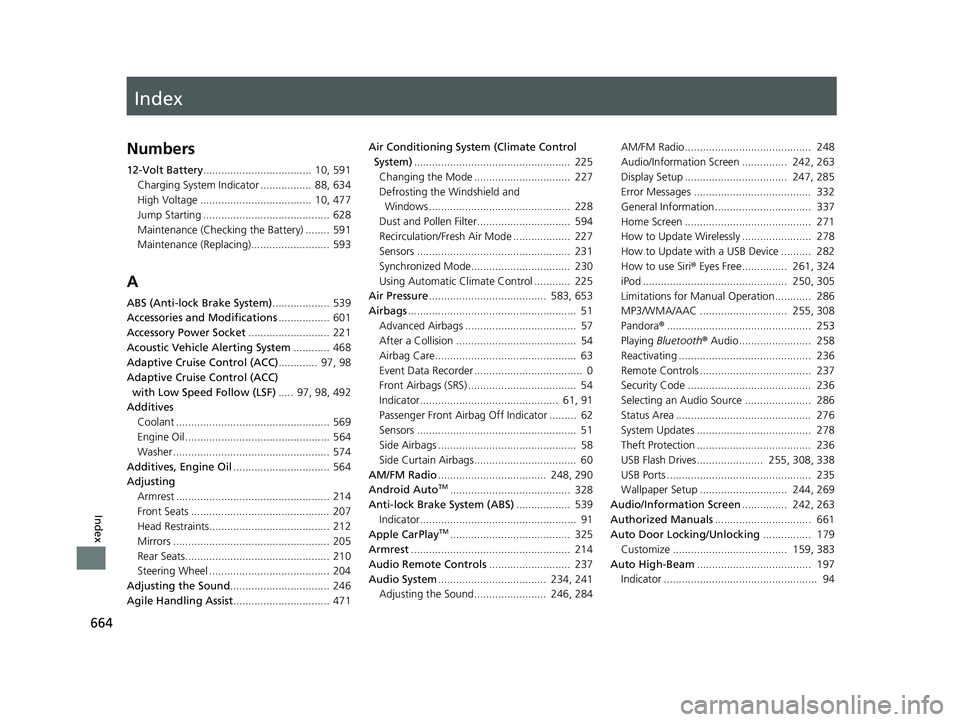
Index
664
Index
Index
Numbers
12-Volt Battery.................................... 10, 591
Charging System Indicator ................. 88, 634
High Voltage ..................................... 10, 477
Jump Starting .......................................... 628
Maintenance (Checking the Battery) ........ 591
Maintenance (Replacing).......................... 593
A
ABS (Anti-lock Brake System) ................... 539
Accessories and Modifications ................. 601
Accessory Power Socket ........................... 221
Acoustic Vehicle Alerting System ............ 468
Adaptive Cruise Control (ACC) ............. 97, 98
Adaptive Cruise Control (ACC)
with Low Speed Follow (LSF) ..... 97, 98, 492
Additives
Coolant ................................................... 569
Engine Oil ................................................ 564
Washer .................................................... 574
Additives, Engine Oil ................................ 564
Adjusting Armrest ................................................... 214
Front Seats .............................................. 207
Head Restraints........................................ 212
Mirrors .................................................... 205
Rear Seats................................................ 210
Steering Wheel ........................................ 204
Adjusting the Sound ................................. 246
Agile Handling Assist ................................ 471 Air Conditioning System (Climate Control
System) .................................................... 225
Changing the Mode ................................ 227
Defrosting the Windshield and Windows ............................................... 228
Dust and Pollen Filter............................... 594
Recirculation/Fresh Air Mode ................... 227
Sensors ................................................... 231
Synchronized Mode................................. 230
Using Automatic Climate Control ............ 225
Air Pressure ....................................... 583, 653
Airbags ........................................................ 51
Advanced Airbags ..................................... 57
After a Collision ........................................ 54
Airbag Care............................................... 63
Event Data Recorder .................................... 0
Front Airbags (SRS) .................................... 54
Indicator.............................................. 61, 91
Passenger Front Airbag Off Indicator ......... 62
Sensors ..................................................... 51
Side Airbags .............................................. 58
Side Curtain Airbags.................................. 60
AM/FM Radio .................................... 248, 290
Android Auto
TM........................................ 328
Anti-lock Brake System (ABS) .................. 539
Indicator.................................................... 91
Apple CarPlay
TM........................................ 325
Armrest ..................................................... 214
Audio Remote Controls ........................... 237
Audio System .................................... 234, 241
Adjusting the Sound........................ 246, 284 AM/FM Radio.......................................... 248
Audio/Information Screen ............... 242, 263
Display Setup .................................. 247, 285
Error Messages ....................................... 332
General Information................................ 337
Home Screen .......................................... 271
How to Update Wirelessly ....................... 278
How to Update with a USB Device .......... 282
How to use Siri
® Eyes Free............... 261, 324
iPod ................................................ 250, 305
Limitations for Manual Operation ............ 286
MP3/WMA/AAC ............................. 255, 308
Pandora ®................................................ 253
Playing Bluetooth ® Audio........................ 258
Reactivating ............................................ 236
Remote Controls ..................................... 237
Security Code ......................................... 236
Selecting an Audio Source ...................... 286
Status Area ............................................. 276
System Updates ...................................... 278
Theft Protection ...................................... 236
USB Flash Drives...................... 255, 308, 338
USB Ports ................................................ 235
Wallpaper Setup ............................. 244, 269
Audio/Information Screen ............... 242, 263
Authorized Manuals ................................ 661
Auto Door Locking/Unlocking ................ 179
Customize ...................................... 159, 383
Auto High-Beam ...................................... 197
Indicator ................................................... 94
19 INSIGHT HMIN-31TXM6000.book 664 ページ 2018年4月20日 金曜日 午後4時22分
Page 668 of 675
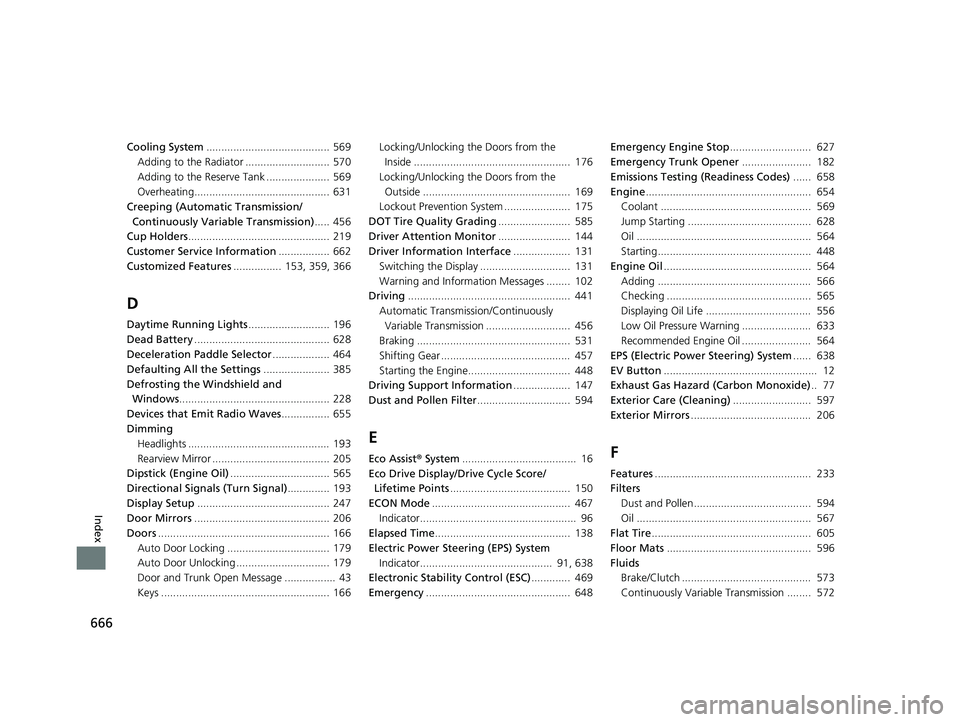
666
Index
Cooling System......................................... 569
Adding to the Radiator ............................ 570
Adding to the Reserve Tank ..................... 569
Overheating............................................. 631
Creeping (Automatic Transmission/
Continuously Variable Transmission) ..... 456
Cup Holders ............................................... 219
Customer Service Information ................. 662
Customized Features ................ 153, 359, 366
D
Daytime Running Lights ........................... 196
Dead Battery ............................................. 628
Deceleration Paddle Selector ................... 464
Defaulting All the Settings ...................... 385
Defrosting the Windshield and Windows .................................................. 228
Devices that Emit Radio Waves ................ 655
Dimming Headlights ............................................... 193
Rearview Mirror ....................................... 205
Dipstick (Engine Oil) ................................. 565
Directional Signals (Turn Signal) .............. 193
Display Setup ............................................ 247
Door Mirrors ............................................. 206
Doors ......................................................... 166
Auto Door Locking .................................. 179
Auto Door Unlocking ............................... 179
Door and Trunk Open Message ................. 43
Keys ........................................................ 166 Locking/Unlocking the Doors from the
Inside .................................................... 176
Locking/Unlocking the Doors from the Outside ................................................. 169
Lockout Prevention System ...................... 175
DOT Tire Quality Grading ........................ 585
Driver Attention Monitor ........................ 144
Driver Information Interface ................... 131
Switching the Display .............................. 131
Warning and Information Messages ........ 102
Driving ...................................................... 441
Automatic Transmission/Continuously Variable Transmission ............................ 456
Braking ................................................... 531
Shifting Gear ........................................... 457
Starting the Engine.................................. 448
Driving Support Information ................... 147
Dust and Pollen Filter ............................... 594
E
Eco Assist® System ...................................... 16
Eco Drive Display/Drive Cycle Score/ Lifetime Points ........................................ 150
ECON Mode .............................................. 467
Indicator.................................................... 96
Elapsed Time ............................................. 138
Electric Power Steering (EPS) System Indicator............................................ 91, 638
Electronic Stability Control (ESC) ............. 469
Emergency ................................................ 648 Emergency Engine Stop
........................... 627
Emergency Trunk Opener ....................... 182
Emissions Testing (Readiness Codes) ...... 658
Engine ....................................................... 654
Coolant .................................................. 569
Jump Starting ......................................... 628
Oil .......................................................... 564
Starting................................................... 448
Engine Oil ................................................. 564
Adding ................................................... 566
Checking ................................................ 565
Displaying Oil Life ................................... 556
Low Oil Pressure Warning ....................... 633
Recommended Engine Oil ....................... 564
EPS (Electric Power Steering) System ...... 638
EV Button ................................................... 12
Exhaust Gas Hazard (Carbon Monoxide) .. 77
Exterior Care (Cleaning) .......................... 597
Exterior Mirrors ........................................ 206F
Features.................................................... 233
Filters
Dust and Pollen....................................... 594
Oil .......................................................... 567
Flat Tire ..................................................... 605
Floor Mats ................................................ 596
Fluids Brake/Clutch ........................................... 573
Continuously Variable Transmission ........ 572
19 INSIGHT HMIN-31TXM6000.book 666 ページ 2018年4月20日 金曜日 午後4時22分