display HONDA INSIGHT 2022 Owners Manual
[x] Cancel search | Manufacturer: HONDA, Model Year: 2022, Model line: INSIGHT, Model: HONDA INSIGHT 2022Pages: 609, PDF Size: 18.48 MB
Page 461 of 609
uuHonda Sensing ®u Traffic Sign Recognition System
460
Driving
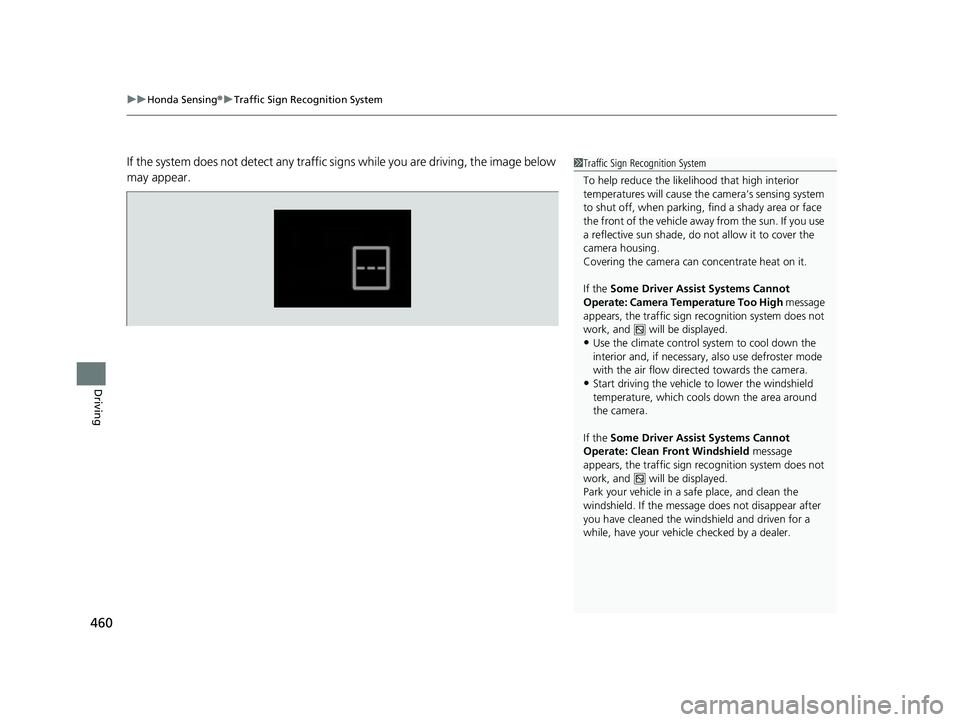
If the system does not detect any traffic signs while you are driving, the image below
may appear.1 Traffic Sign Recognition System
To help reduce the likel ihood that high interior
temperatures will cause the camera’s sensing system
to shut off, when parking, find a shady area or face
the front of the vehicle away from the sun. If you use
a reflective sun shade, do not allow it to cover the
camera housing.
Covering the camera can concentrate heat on it.
If the Some Driver Assist Systems Cannot
Operate: Camera Temperature Too High message
appears, the traffic sign recognition system does not
work, and will be displayed.
•Use the climate control system to cool down the
interior and, if necessary, also use defroster mode
with the air flow directed towards the camera.
•Start driving the vehicle to lower the windshield
temperature, which cool s down the area around
the camera.
If the Some Driver Assist Systems Cannot
Operate: Clean Front Windshield message
appears, the traffic sign recognition system does not
work, and will be displayed.
Park your vehicle in a safe place, and clean the
windshield. If the message does not disappear after
you have cleaned the winds hield and driven for a
while, have your vehicl e checked by a dealer.
22 INSIGHT HMIN-31TXM6300.book 460 ページ 2021年2月24日 水曜日 午後3時45分
Page 464 of 609
463
uuHonda Sensing ®u Traffic Sign Recognition System
Continued
Driving
The traffic sign recognition system may not operate correctly, such as displaying a
sign that does not follow the actual regula tion for the roadway or does not exist at
all in the following cases.
u A speed limit sign may display at a higher or lower speed than the actual speed
limit.
• There is a supplementary sign with further information such as weather, time,
vehicle type, school zone, etc.
• Figures on the sign are hard to read (electric signs, numbers on the sign are
blurred, etc.).
• A sign is in the vicinity of the lane you are driving in, even though it is not for the
lane (speed limit sign situated at the j unction between the side road and the main
road, etc.).
• There are things that look similar to th e color or shape of the recognition object
(similar sign, electric sign, signboard, structure, etc.).
• A truck or another large vehicle with a sticker of the speed limit sign on the back
is traveling in front of you.
22 INSIGHT HMIN-31TXM6300.book 463 ページ 2021年2月24日 水曜日 午後3時45分
Page 465 of 609
464
uuHonda Sensing ®u Traffic Sign Recognition System
Driving
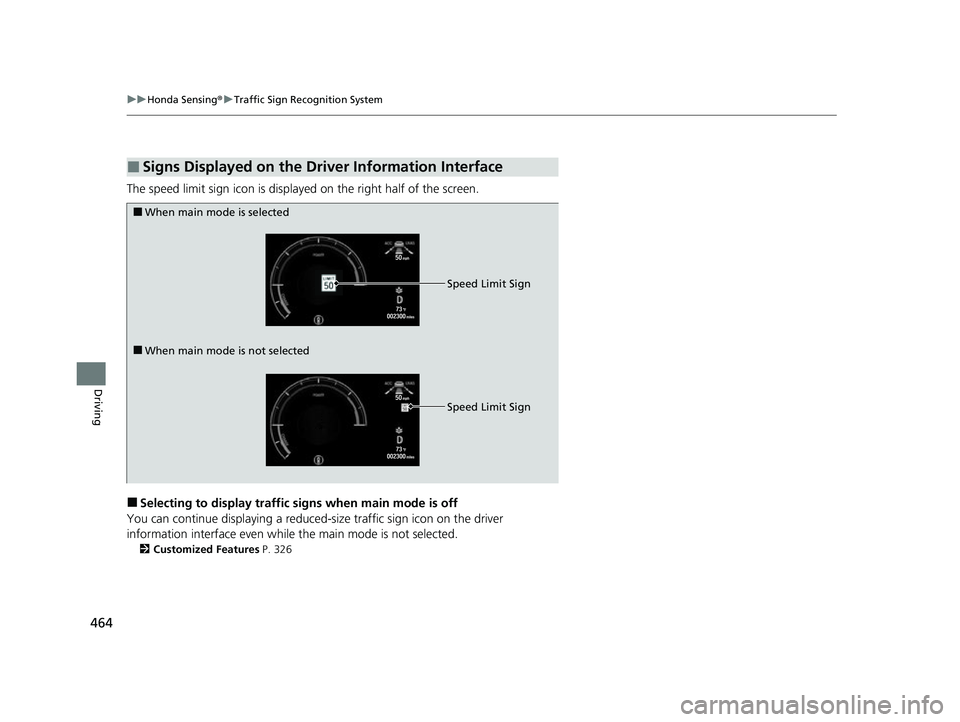
The speed limit sign icon is displayed on the right half of the screen.
■Selecting to display traffic signs when main mode is off
You can continue displaying a reduced-size traffic sign icon on the driver
information interface even while the main mode is not selected.
2 Customized Features P. 326
■Signs Displayed on the Driver Information Interface
■When main mode is selected
■When main mode is not selected Speed Limit Sign
Speed Limit Sign
22 INSIGHT HMIN-31TXM6300.book 464 ページ 2021年2月24日 水曜日 午後3時45分
Page 482 of 609
Continued481
uuParking Your Vehicle uCross Traffic Monitor
Driving
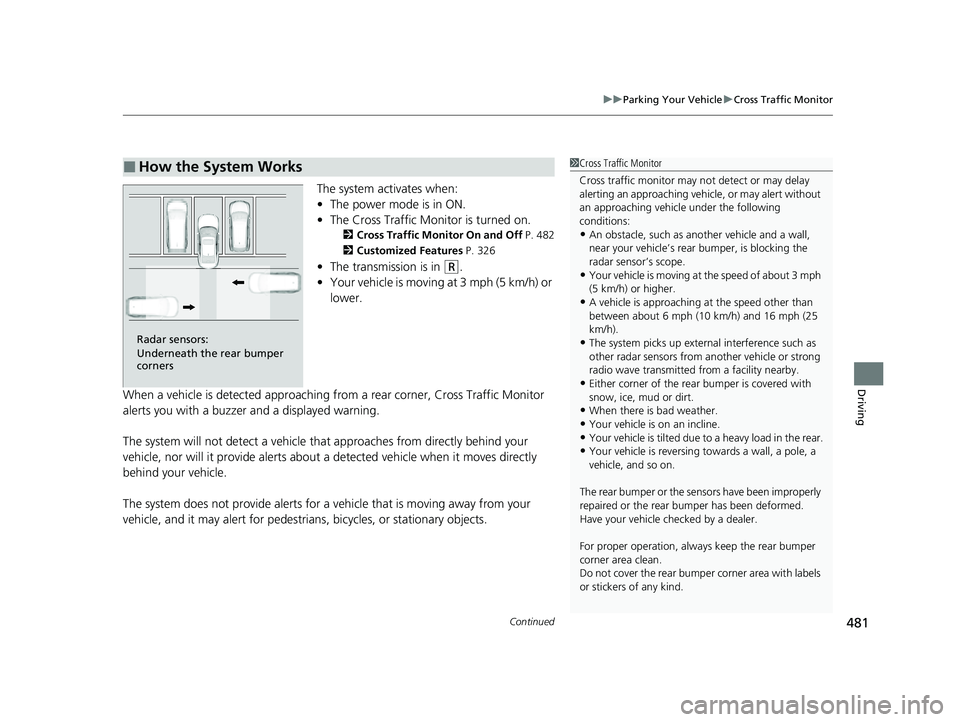
The system activates when:
• The power mode is in ON.
• The Cross Traffic Monitor is turned on.
2 Cross Traffic Monitor On and Off P. 482
2 Customized Features P. 326
•The transmission is in (R.
• Your vehicle is moving at 3 mph (5 km/h) or
lower.
When a vehicle is detected approaching from a rear corner, Cross Traffic Monitor
alerts you with a buzzer and a displayed warning.
The system will not detect a vehicle that approaches from directly behind your
vehicle, nor will it provide alerts about a detected vehicle when it moves directly
behind your vehicle.
The system does not provide alerts for a vehicle that is moving away from your
vehicle, and it may alert for pedestrians, bicycles, or stationary objects.
■How the System Works1 Cross Traffic Monitor
Cross traffic monitor may not detect or may delay
alerting an approaching vehi cle, or may alert without
an approaching vehicle under the following
conditions:
•An obstacle, such as a nother vehicle and a wall,
near your vehicle’s rear bumper, is blocking the
radar sensor’s scope.
•Your vehicle is moving at the speed of about 3 mph
(5 km/h) or higher.
•A vehicle is approaching at the speed other than
between about 6 mph (10 km/h) and 16 mph (25
km/h).
•The system picks up external interference such as
other radar sensors from an other vehicle or strong
radio wave transmitted fr om a facility nearby.
•Either corner of the rear bumper is covered with
snow, ice, mud or dirt.
•When there is bad weather.
•Your vehicle is on an incline.
•Your vehicle is tilted due to a heavy load in the rear.•Your vehicle is reversing towards a wall, a pole, a
vehicle, and so on.
The rear bumper or the sens ors have been improperly
repaired or the rear bum per has been deformed.
Have your vehicle checked by a dealer.
For proper operation, always keep the rear bumper
corner area clean.
Do not cover the rear bumper corner area with labels
or stickers of any kind.
Radar sensors:
Underneath the rear bumper
corners
22 INSIGHT HMIN-31TXM6300.book 481 ページ 2021年2月24日 水曜日 午後3時45分
Page 483 of 609
uuParking Your Vehicle uCross Traffic Monitor
482
Driving
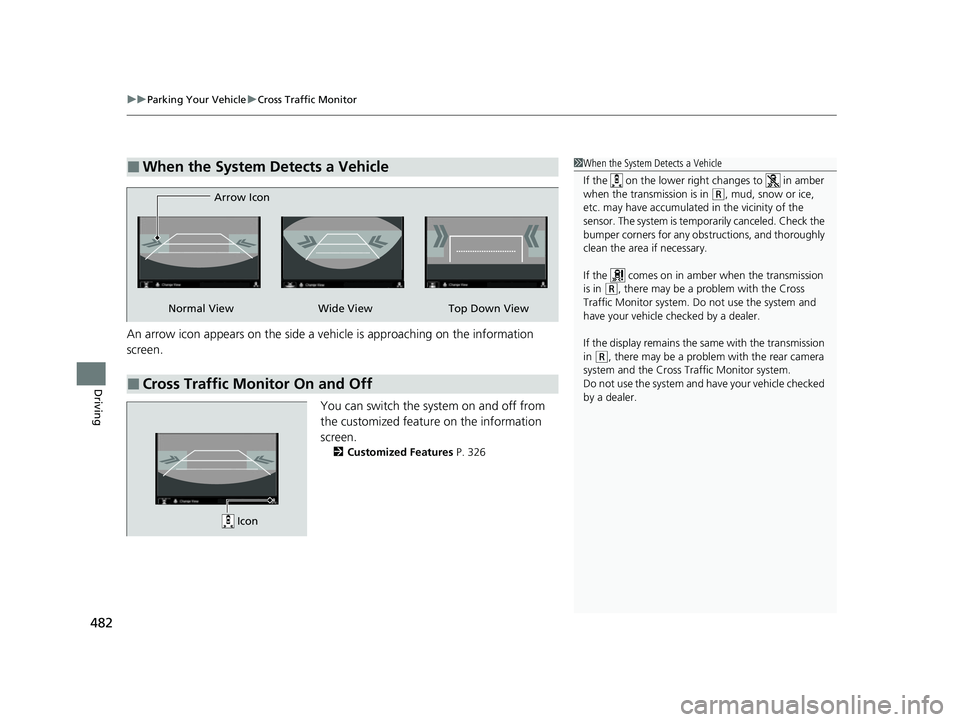
An arrow icon appears on the side a vehi cle is approaching on the information
screen.
You can switch the system on and off from
the customized feature on the information
screen.
2 Customized Features P. 326
■When the System Detects a Vehicle1When the System Detects a Vehicle
If the on the lower right changes to in amber
when the transmission is in
( R, mud, snow or ice,
etc. may have accumulated in the vicinity of the
sensor. The system is temp orarily canceled. Check the
bumper corners for any obs tructions, and thoroughly
clean the area if necessary.
If the comes on in amber when the transmission
is in
( R, there may be a problem with the Cross
Traffic Monitor system. Do not use the system and
have your vehicle ch ecked by a dealer.
If the display remains the same with the transmission
in
( R, there may be a problem with the rear camera
system and the Cross Traffic Monitor system.
Do not use the system and have your vehicle checked
by a dealer.
■Cross Traffic Monitor On and Off
Wide View Top Down View
Arrow IconNormal View
Icon
22 INSIGHT HMIN-31TXM6300.book 482 ページ 2021年2月24日 水曜日 午後3時45分
Page 484 of 609
483Continued
Driving
Multi-View Rear Camera
About Your Multi-View Rear Camera
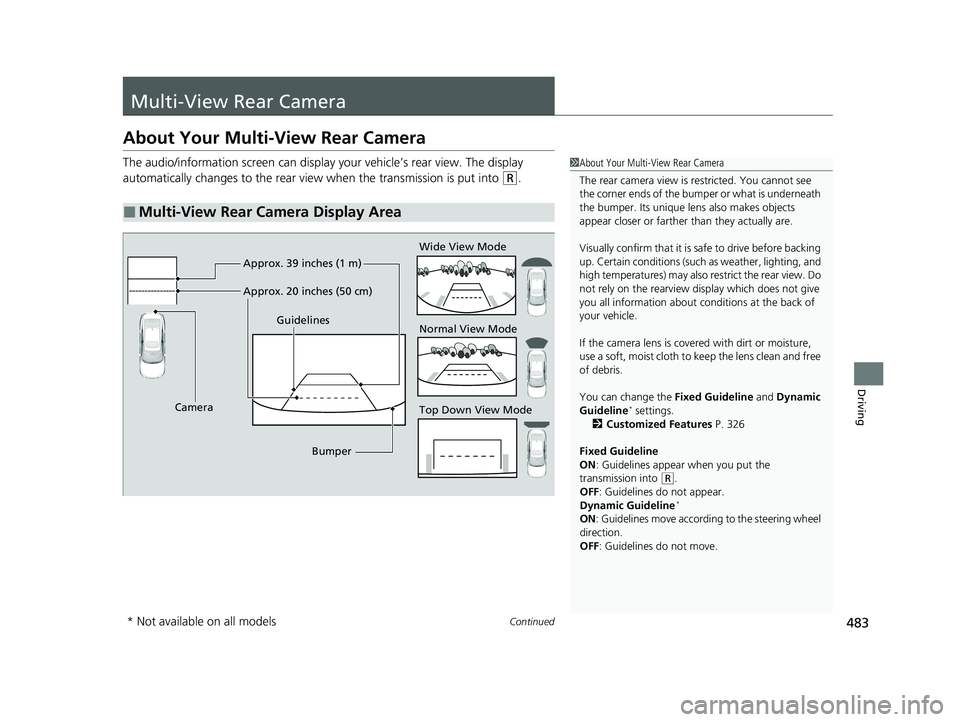
The audio/information screen can display your vehicle’s rear view. The display
automatically changes to the rear view when the transmission is put into
(R.
■Multi-View Rear Camera Display Area
1About Your Multi-View Rear Camera
The rear camera view is restricted. You cannot see
the corner ends of the bumper or what is underneath
the bumper. Its unique le ns also makes objects
appear closer or farther than they actually are.
Visually confirm that it is safe to drive before backing
up. Certain conditions (such as weather, lighting, and
high temperatures) may also restrict the rear view. Do
not rely on the rearview display which does not give
you all information about conditions at the back of
your vehicle.
If the camera lens is cove red with dirt or moisture,
use a soft, moist cloth to keep the lens clean and free
of debris.
You can change the Fixed Guideline and Dynamic
Guideline
* settings.
2 Customized Features P. 326
Fixed Guideline
ON : Guidelines appear when you put the
transmission into
( R.
OFF: Guidelines do not appear.
Dynamic Guideline
*
ON : Guidelines move accord ing to the steering wheel
direction.
OFF: Guidelines do not move.
Top Down View Mode Normal View Mode Wide View Mode
Guidelines
Bumper
Camera Approx. 39 inches (1 m)
Approx. 20 inches (50 cm)
* Not available on all models
22 INSIGHT HMIN-31TXM6300.book 483 ページ 2021年2月24日 水曜日 午後3時45分
Page 488 of 609
487
uuRefueling uHow to Refuel
Driving
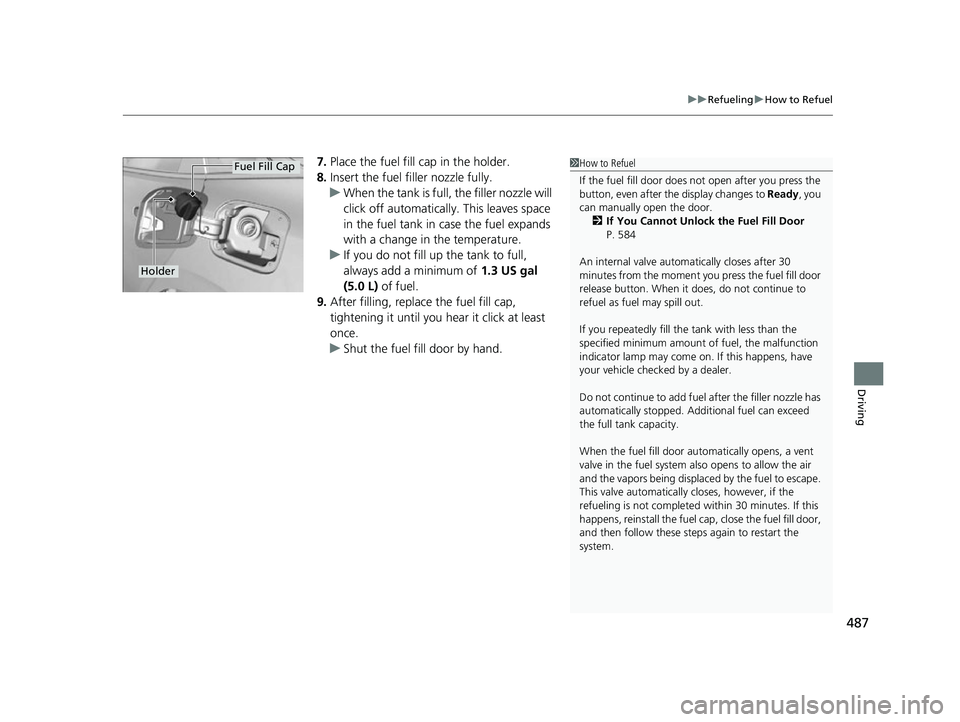
7. Place the fuel fill cap in the holder.
8. Insert the fuel filler nozzle fully.
u When the tank is full, the filler nozzle will
click off automatically. This leaves space
in the fuel tank in case the fuel expands
with a change in the temperature.
u If you do not fill up the tank to full,
always add a minimum of 1.3 US gal
(5.0 L) of fuel.
9. After filling, replace the fuel fill cap,
tightening it until you hear it click at least
once.
u Shut the fuel fill door by hand.1How to Refuel
If the fuel fill door does not open after you press the
button, even after the display changes to Ready, you
can manually open the door. 2 If You Cannot Unlock the Fuel Fill Door
P. 584
An internal valve automatically closes after 30
minutes from the moment y ou press the fuel fill door
release button. When it does, do not continue to
refuel as fuel may spill out.
If you repeatedly fill the tank with less than the
specified minimum amount of fuel, the malfunction
indicator lamp may come on. If this happens, have
your vehicle checked by a dealer.
Do not continue to add fuel after the filler nozzle has
automatically stopped. Addi tional fuel can exceed
the full tank capacity.
When the fuel fill door auto matically opens, a vent
valve in the fuel system also opens to allow the air
and the vapors being displace d by the fuel to escape.
This valve automatically closes, however, if the
refueling is not completed within 30 minutes. If this
happens, reinstall the fuel ca p, close the fuel fill door,
and then follow these steps again to restart the
system.
Holder
Fuel Fill Cap
22 INSIGHT HMIN-31TXM6300.book 487 ページ 2021年2月24日 水曜日 午後3時45分
Page 489 of 609
488
Driving
Fuel Economy and CO2 Emissions
Improving Fuel Economy and Reducing CO2 Emissions
Achieving fuel economy and reducing CO2 emissions is dependent on several
factors, including driving conditions, load weight, idling time, driving habits, and
vehicle condition. Depending on these and other factors, you may not achieve the
rated fuel economy of this vehicle.
You can optimize your fuel economy with proper maintenance of your vehicle.
Always maintain your vehicle in accordance with the messages displayed on the
driver information interface.
• Use the recommended viscosity engine oil.
2 Recommended Engine Oil P. 501
•Maintain the specified tire pressure.
• Do not load the vehicl e with excess cargo.
• Keep your vehicle clean. A buildup of snow or mud on your vehicle’s underside
adds weight and increases wind resistance.
■Maintenance and Fuel Economy
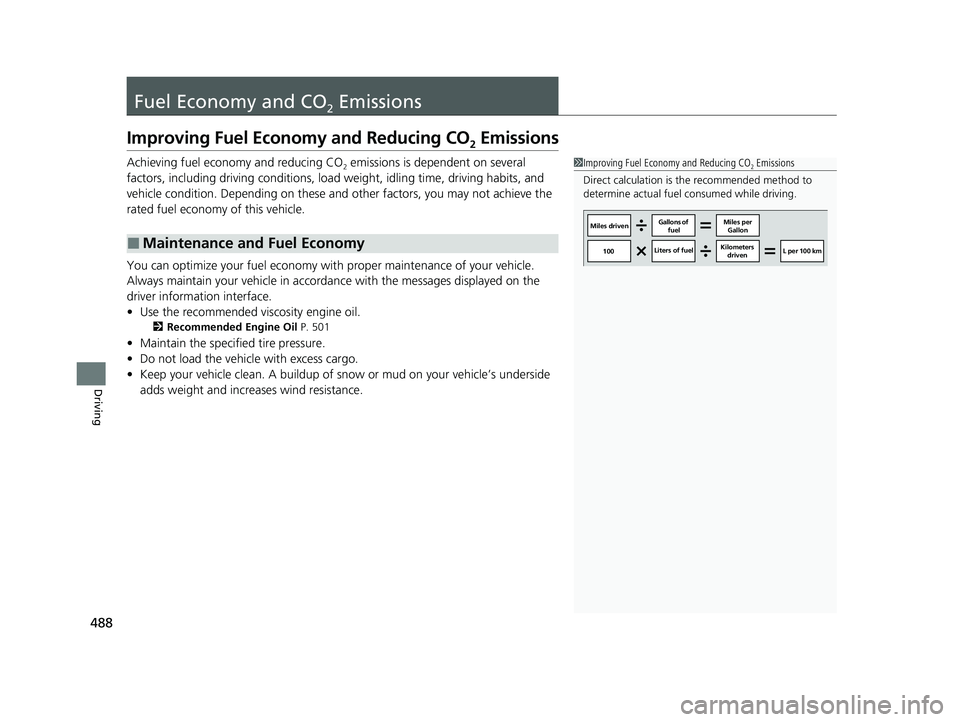
1Improving Fuel Economy and Reducing CO2 Emissions
Direct calculation is the recommended method to
determine actual fuel consumed while driving.
Miles driven Gallons of
fuel Miles per
Gallon
100 Liters of fuel Kilometers
driven L per 100 km
22 INSIGHT HMIN-31TXM6300.book 488 ページ 2021年2月24日 水曜日 午後3時45分
Page 495 of 609
494
uuMaintenance MinderTMuTo Use Maintenance MinderTM
Maintenance
To Use Maintenance MinderTM
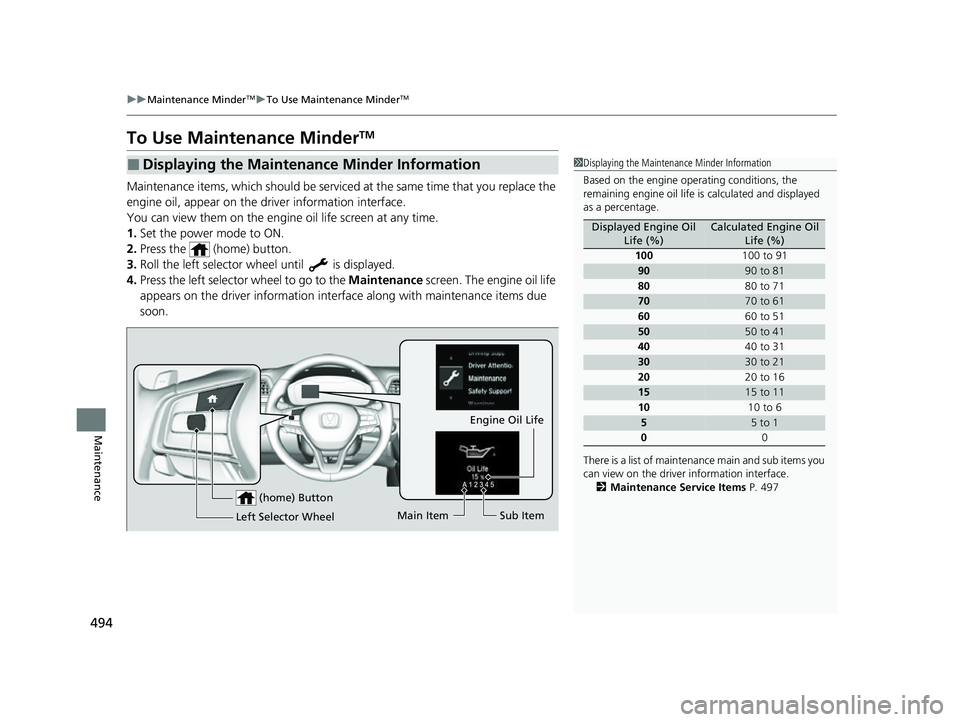
Maintenance items, which should be serviced at the same time that you replace the
engine oil, appear on the driver information interface.
You can view them on the engine oil life screen at any time.
1. Set the power mode to ON.
2. Press the (home) button.
3. Roll the left selector wheel until is displayed.
4. Press the left selector wheel to go to the Maintenance screen. The engine oil life
appears on the driver info rmation interface along with maintenance items due
soon.
■Displaying the Maintenance Minder Information1 Displaying the Maintena nce Minder Information
Based on the engine ope rating conditions, the
remaining engine oi l life is calculated and displayed
as a percentage.
There is a list of maintena nce main and sub items you
can view on the driver information interface.
2 Maintenance Service Items P. 497
Displayed Engine Oil
Life (%)Calculated Engine Oil Life (%)
100 100 to 91
9090 to 81
80 80 to 71
7070 to 61
60 60 to 51
5050 to 41
40 40 to 31
3030 to 21
20 20 to 16
1515 to 11
10 10 to 6
55 to 1
0 0
(home) Button
Engine Oil Life
Main Item Sub Item
Left Selector Wheel
22 INSIGHT HMIN-31TXM6300.book 494 ページ 2021年2月24日 水曜日 午後3時45分
Page 496 of 609
495
uuMaintenance MinderTMuTo Use Maintenance MinderTM
Continued
Maintenance
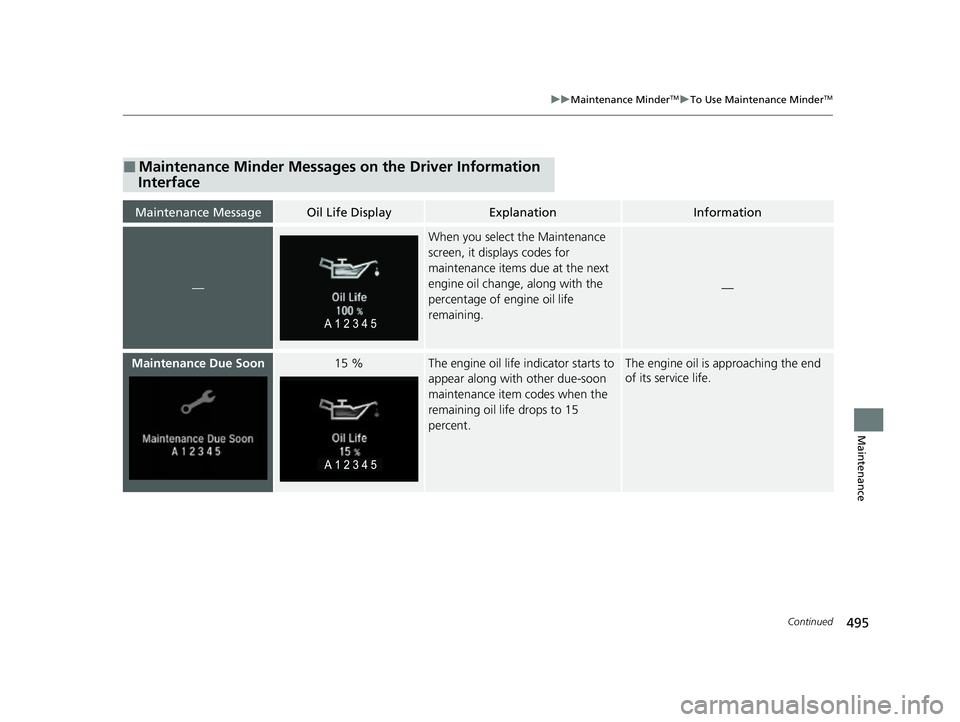
■Maintenance Minder Messages on the Driver Information
Interface
Maintenance MessageOil Life DisplayExplanationInformation
—
When you select the Maintenance
screen, it displays codes for
maintenance items due at the next
engine oil change, along with the
percentage of engine oil life
remaining.
—
Maintenance Due Soon15 %The engine oil life indicator starts to
appear along with other due-soon
maintenance item codes when the
remaining oil life drops to 15
percent.The engine oil is approaching the end
of its service life.
22 INSIGHT HMIN-31TXM6300.book 495 ページ 2021年2月24日 水曜日 午後3時45分