ECO mode HONDA INSIGHT 2022 Owner's Manual
[x] Cancel search | Manufacturer: HONDA, Model Year: 2022, Model line: INSIGHT, Model: HONDA INSIGHT 2022Pages: 609, PDF Size: 18.48 MB
Page 116 of 609
115
uuIndicators uDriver Information Interface Wa rning and Information Messages
Continued
Instrument Panel
MessageConditionExplanation
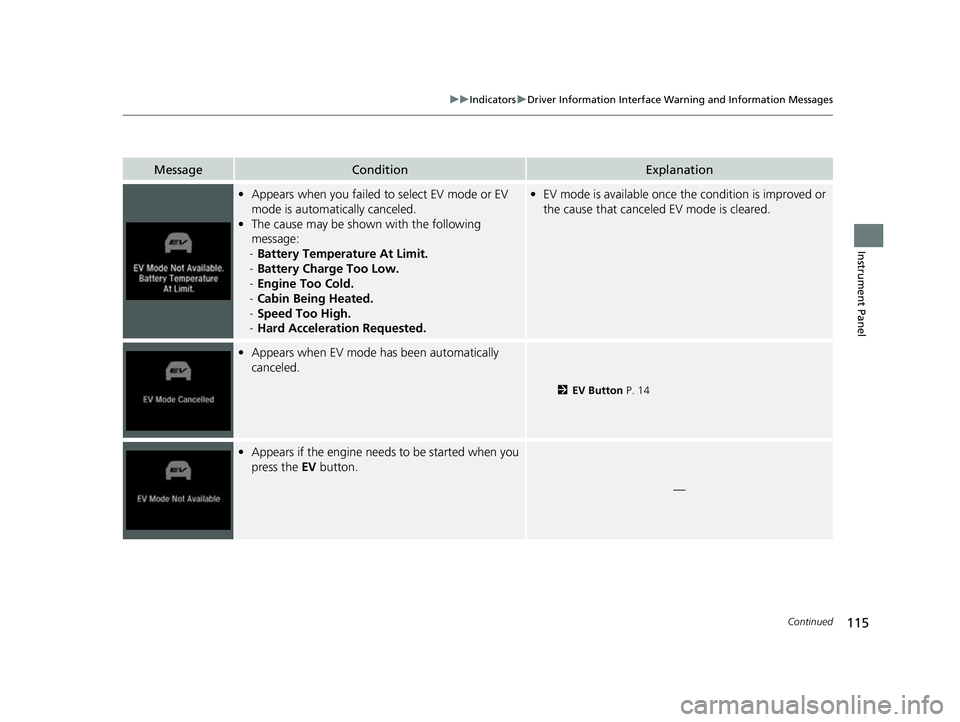
•Appears when you failed to select EV mode or EV
mode is automatically canceled.
• The cause may be shown with the following
message:
- Battery Temperature At Limit.
- Battery Charge Too Low.
- Engine Too Cold.
- Cabin Being Heated.
- Speed Too High.
- Hard Acceleration Requested.• EV mode is available once th e condition is improved or
the cause that canceled EV mode is cleared.
• Appears when EV mode has been automatically
canceled.
2 EV Button P. 14
•Appears if the engine needs to be started when you
press the EV button.
—
22 INSIGHT HMIN-31TXM6300.book 115 ページ 2021年2月24日 水曜日 午後3時45分
Page 117 of 609

116
uuIndicators uDriver Information Interface Wa rning and Information Messages
Instrument Panel
MessageConditionExplanation
•Appears when you try to ch ange the shift position
without releasing your foot off the accelerator pedal.• Release your foot off the accelerator pedal, then select
a shift button.
•Appears when the (P button is pressed while the
vehicle is moving.
• Appears if you put the transmission into
(R while
the vehicle is moving forward, or into
(D while the
vehicle is reversing.
• Make sure that the vehicl e comes to a stop before
operating the select button.
• Appears when you set the power mode to ON
without fastening the driver’s seat belt.
• Appears when you change the shift position after
(P has been automatically selected with the driver’s
door open, the driver’s se at belt unfastened, then
the brake pedal is released.
• Fasten the seat belt properly before you start to drive.
2 Shift Operation P. 393
•Appears when you try to ch ange the shift position
without depressing the brake pedal.• Depress the brake pedal, then select a shift button.
22 INSIGHT HMIN-31TXM6300.book 116 ページ 2021年2月24日 水曜日 午後3時45分
Page 118 of 609
117
uuIndicators uDriver Information Interface Wa rning and Information Messages
Continued
Instrument Panel
MessageConditionExplanation
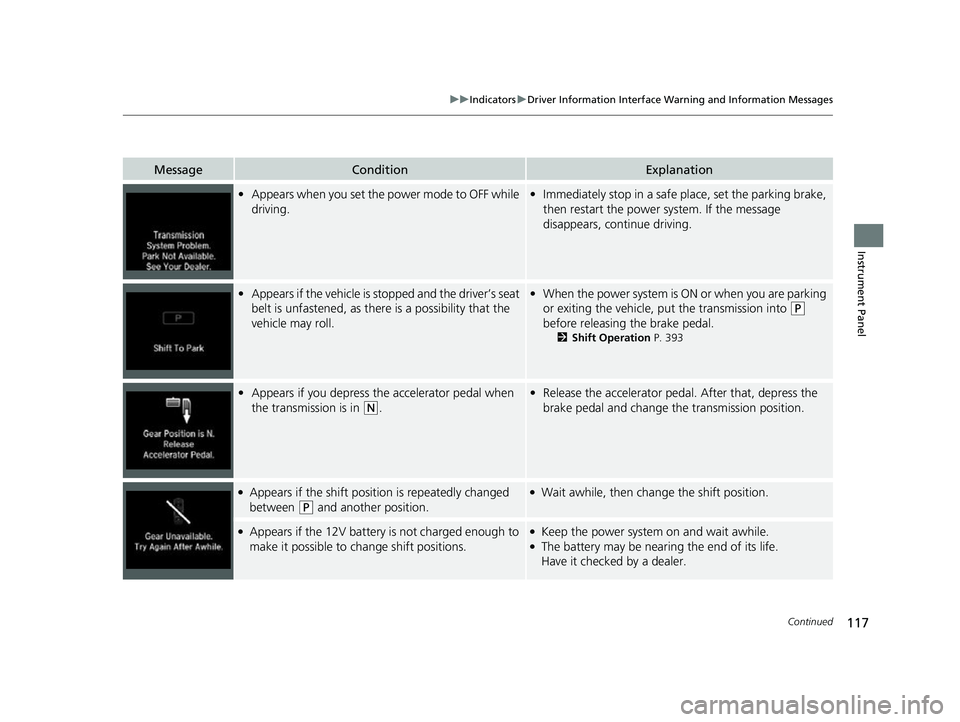
•Appears when you set the power mode to OFF while
driving.•Immediately stop in a safe place, set the parking brake,
then restart the power system. If the message
disappears, continue driving.
• Appears if the vehicle is st opped and the driver’s seat
belt is unfastened, as there is a possibility that the
vehicle may roll.• When the power system is ON or when you are parking
or exiting the vehicle, put the transmission into
(P
before releasing the brake pedal.
2 Shift Operation P. 393
•Appears if you depress the accelerator pedal when
the transmission is in
(N.
•Release the accelerator pedal. After that, depress the
brake pedal and change the transmission position.
●Appears if the shift position is repeatedly changed
between
(P and another position.
●Wait awhile, then chan ge the shift position.
●Appears if the 12V battery is not charged enough to
make it possible to change shift positions.●Keep the power system on and wait awhile.●The battery may be nearing the end of its life.
Have it checked by a dealer.
22 INSIGHT HMIN-31TXM6300.book 117 ページ 2021年2月24日 水曜日 午後3時45分
Page 119 of 609
118
uuIndicators uDriver Information Interface Wa rning and Information Messages
Instrument Panel
MessageConditionExplanation
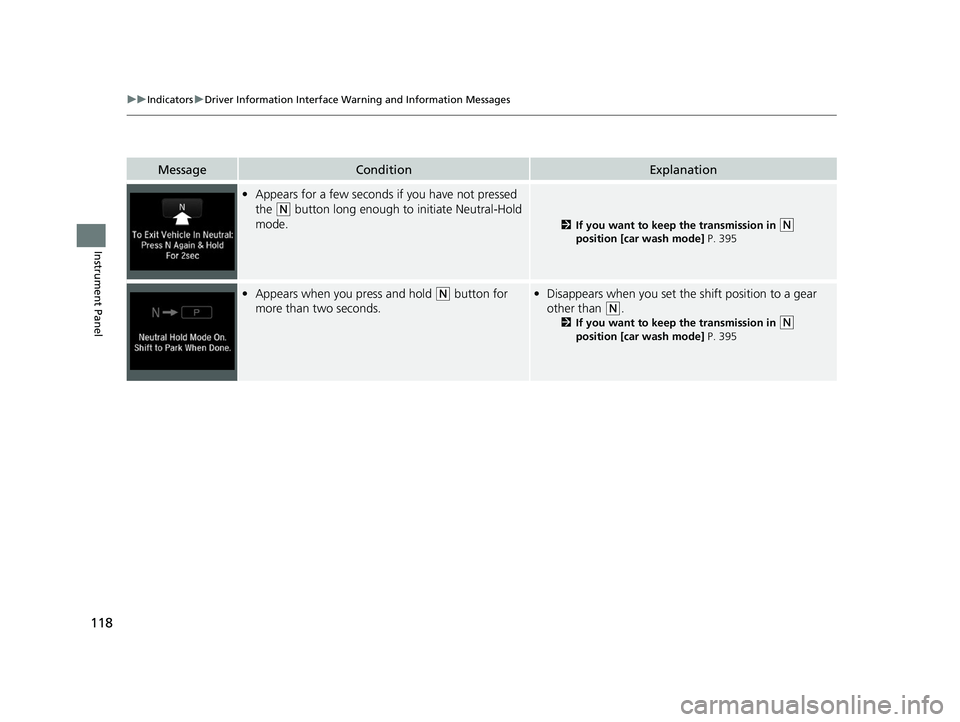
•Appears for a few seconds if you have not pressed
the
(N button long enough to initiate Neutral-Hold
mode.
2 If you want to keep the transmission in (N
position [car wash mode] P. 395
• Appears when you press and hold (N button for
more than two seconds.• Disappears when you set the shift position to a gear
other than
(N.
2 If you want to keep the transmission in (N
position [car wash mode] P. 395
22 INSIGHT HMIN-31TXM6300.book 118 ページ 2021年2月24日 水曜日 午後3時45分
Page 128 of 609
127
uuIndicators uDriver Information Interface Wa rning and Information Messages
Continued
Instrument Panel
MessageConditionExplanation
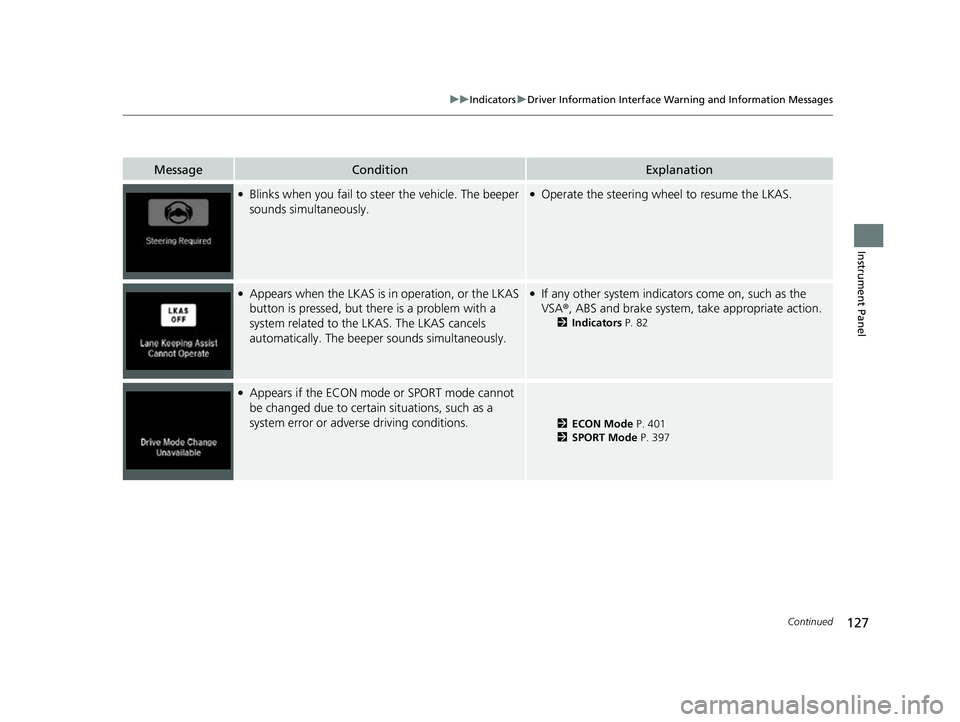
●Blinks when you fail to steer the vehicle. The beeper
sounds simultaneously.●Operate the steering wheel to resume the LKAS.
●Appears when the LKAS is in operation, or the LKAS
button is pressed, but there is a problem with a
system related to the LKAS. The LKAS cancels
automatically. The beeper sounds simultaneously.●If any other system indicators come on, such as the
VSA®, ABS and brake system, take appropriate action.
2Indicators P. 82
●Appears if the ECON mode or SPORT mode cannot
be changed due to certain situations, such as a
system error or adverse driving conditions.
2ECON Mode P. 401
2 SPORT Mode P. 397
22 INSIGHT HMIN-31TXM6300.book 127 ページ 2021年2月24日 水曜日 午後3時45分
Page 151 of 609
150
uuGauges and Driver Information Interface uDriver Information Interface
Instrument Panel
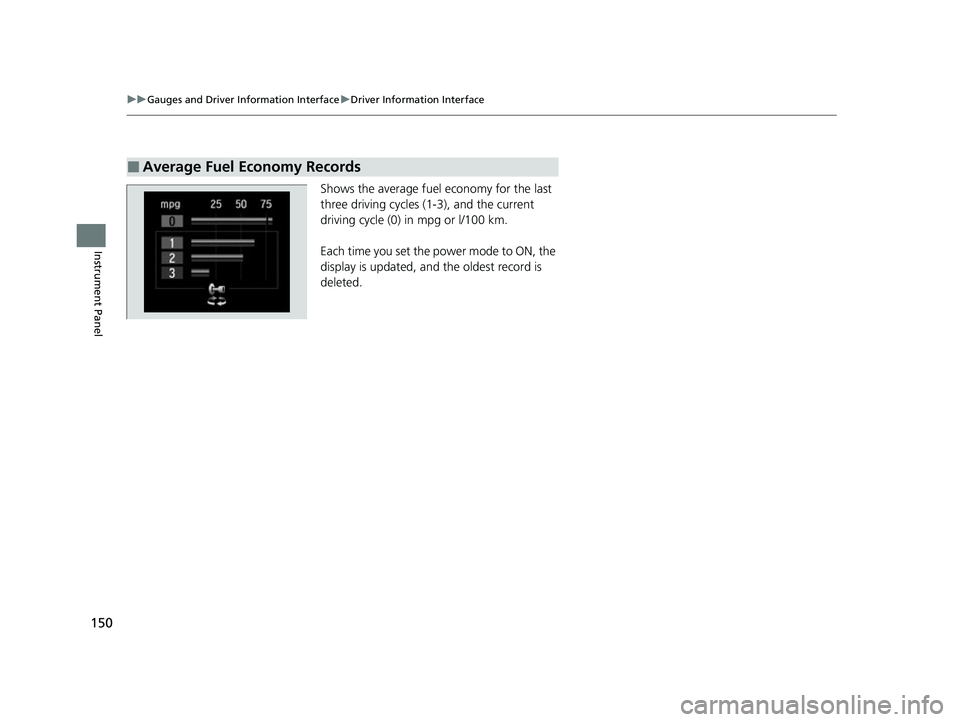
Shows the average fuel economy for the last
three driving cycles (1-3), and the current
driving cycle (0) in mpg or l/100 km.
Each time you set the power mode to ON, the
display is updated, and the oldest record is
deleted.
■Average Fuel Economy Records
22 INSIGHT HMIN-31TXM6300.book 150 ページ 2021年2月24日 水曜日 午後3時45分
Page 152 of 609
Continued151
uuGauges and Driver Information Interface uDriver Information Interface
Instrument Panel
■Eco Drive Display
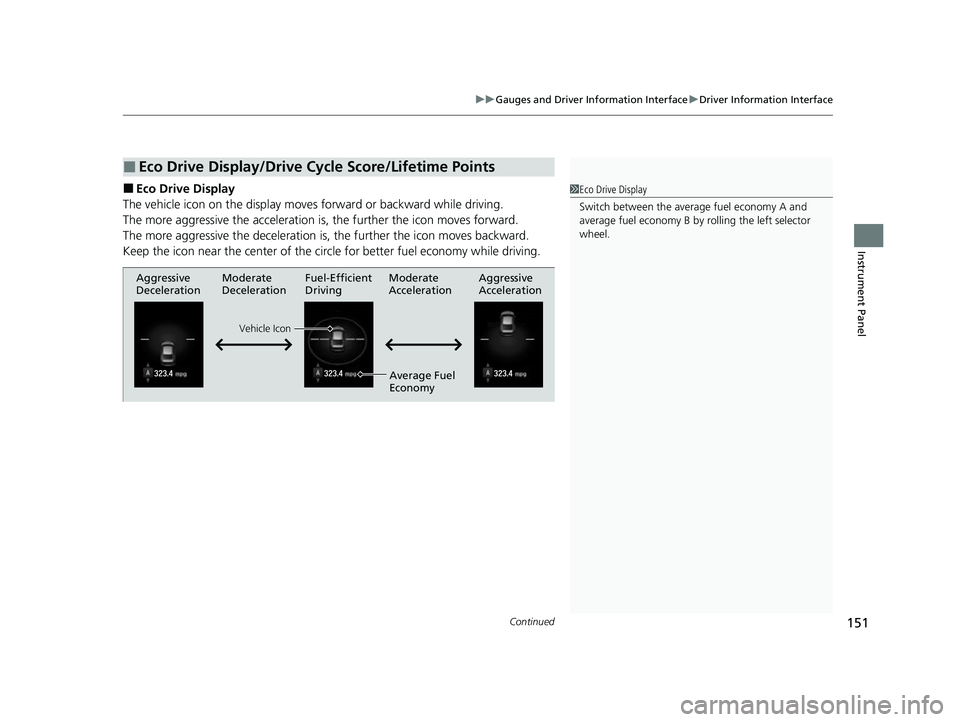
The vehicle icon on the display moves forward or backward while driving.
The more aggressive the acceleration is , the further the icon moves forward.
The more aggressive the deceleration is , the further the icon moves backward.
Keep the icon near the cent er of the circle for better fuel economy while driving.
■Eco Drive Display/Drive Cycle Score/Lifetime Points
1Eco Drive Display
Switch between the average fuel economy A and
average fuel economy B by ro lling the left selector
wheel.
Aggressive
Deceleration Fuel-Efficient
Driving Aggressive
Acceleration
Moderate
Deceleration Moderate
Acceleration
Average Fuel
Economy
Vehicle Icon
22 INSIGHT HMIN-31TXM6300.book 151 ページ 2021年2月24日 水曜日 午後3時45分
Page 153 of 609
152
uuGauges and Driver Information Interface uDriver Information Interface
Instrument Panel
■Drive Cycle Score/Lifetime Points
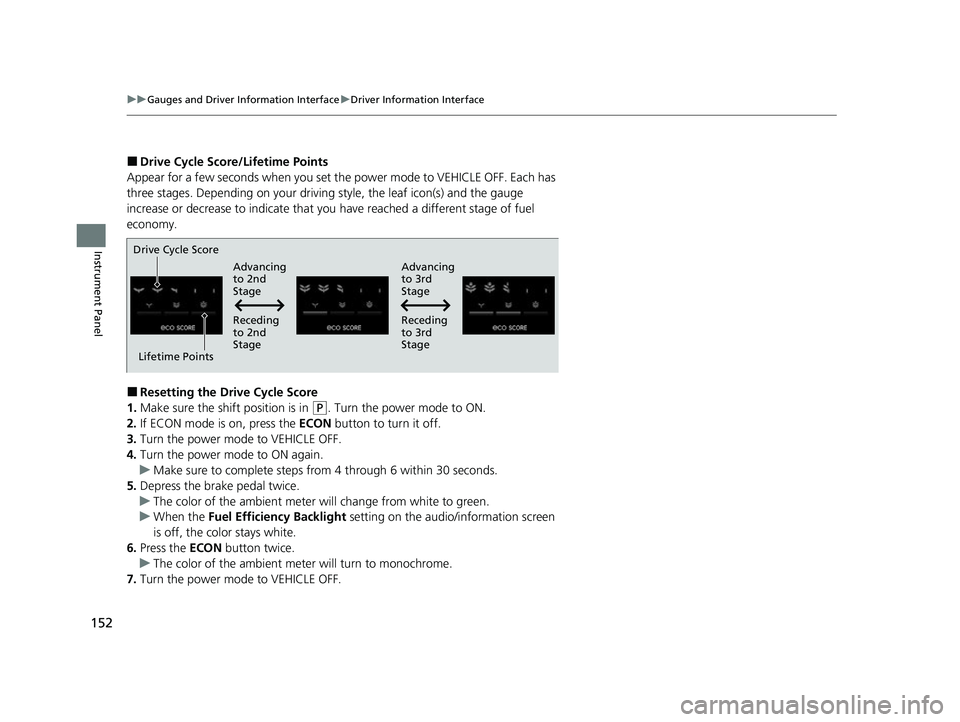
Appear for a few seconds when you set th e power mode to VEHICLE OFF. Each has
three stages. Depending on your driving style, the leaf icon(s) and the gauge
increase or decrease to indicate that you have reached a different stage of fuel
economy.
■Resetting the Drive Cycle Score
1. Make sure the shift position is in
(P. Turn the power mode to ON.
2. If ECON mode is on, press the ECON button to turn it off.
3. Turn the power mode to VEHICLE OFF.
4. Turn the power mode to ON again.
u Make sure to complete steps from 4 through 6 within 30 seconds.
5. Depress the brake pedal twice.
u The color of the ambient meter wi ll change from white to green.
u When the Fuel Efficiency Backlight setting on the audio/information screen
is off, the color stays white.
6. Press the ECON button twice.
u The color of the ambient mete r will turn to monochrome.
7. Turn the power mode to VEHICLE OFF.
Drive Cycle Score
Lifetime Points Advancing
to 2nd
Stage
Advancing
to 3rd
Stage
Receding
to 3rd
Stage
Receding
to 2nd
Stage
22 INSIGHT HMIN-31TXM6300.book 152 ページ 2021年2月24日 水曜日 午後3時45分
Page 161 of 609
160
uuLocking and Unlocking the Doors uLocking/Unlocking the Doors from the Outside
Controls
Locking/Unlocking the Doors from the Outside
When you carry the keyless remote, you can
lock/unlock the doors and open the trunk.
You can lock/unlock the doors within a radius
of about 32 inches (80 cm) of the outside door
handle. You can open the trunk within about
32 inches (80 cm) radius from the trunk
release button.
■Locking the doors
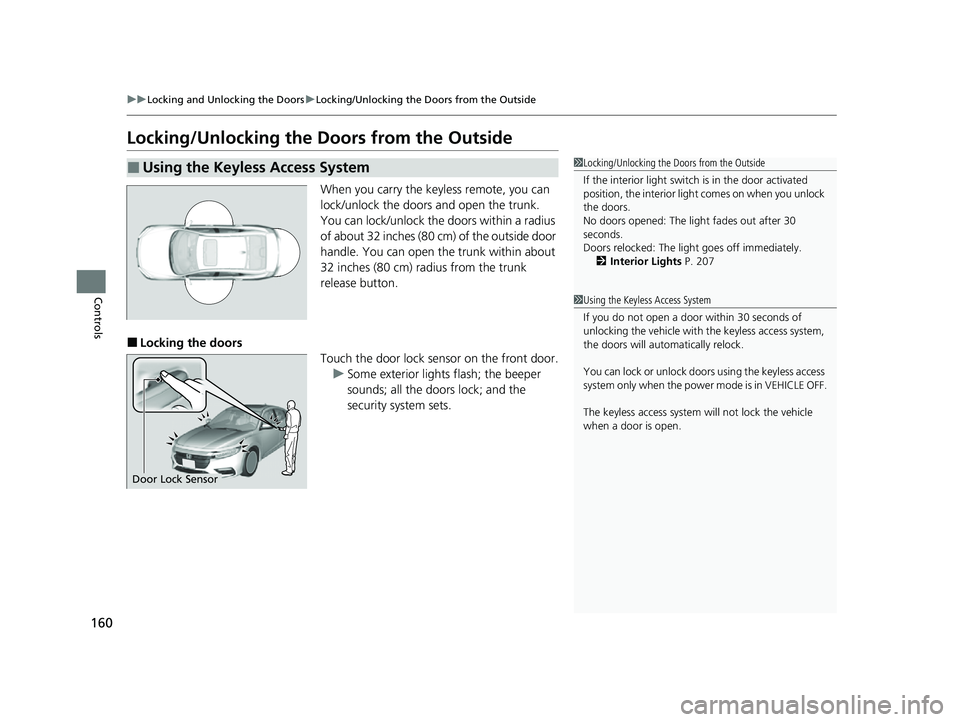
Touch the door lock sensor on the front door.u Some exterior lights flash; the beeper
sounds; all the doors lock; and the
security system sets.
■Using the Keyless Access System1Locking/Unlocking the Doors from the Outside
If the interior light switch is in the door activated
position, the interior light comes on when you unlock
the doors.
No doors opened: The li ght fades out after 30
seconds.
Doors relocked: The light goes off immediately.
2 Interior Lights P. 207
Door Lock Sensor
1Using the Keyless Access System
If you do not open a door within 30 seconds of
unlocking the vehicle with the keyless access system,
the doors will automatically relock.
You can lock or unlock doors using the keyless access
system only when the power mode is in VEHICLE OFF.
The keyless access system will not lock the vehicle
when a door is open.
22 INSIGHT HMIN-31TXM6300.book 160 ページ 2021年2月24日 水曜日 午後3時45分
Page 162 of 609
Continued161
uuLocking and Unlocking the Doors uLocking/Unlocking the Doors from the Outside
Controls
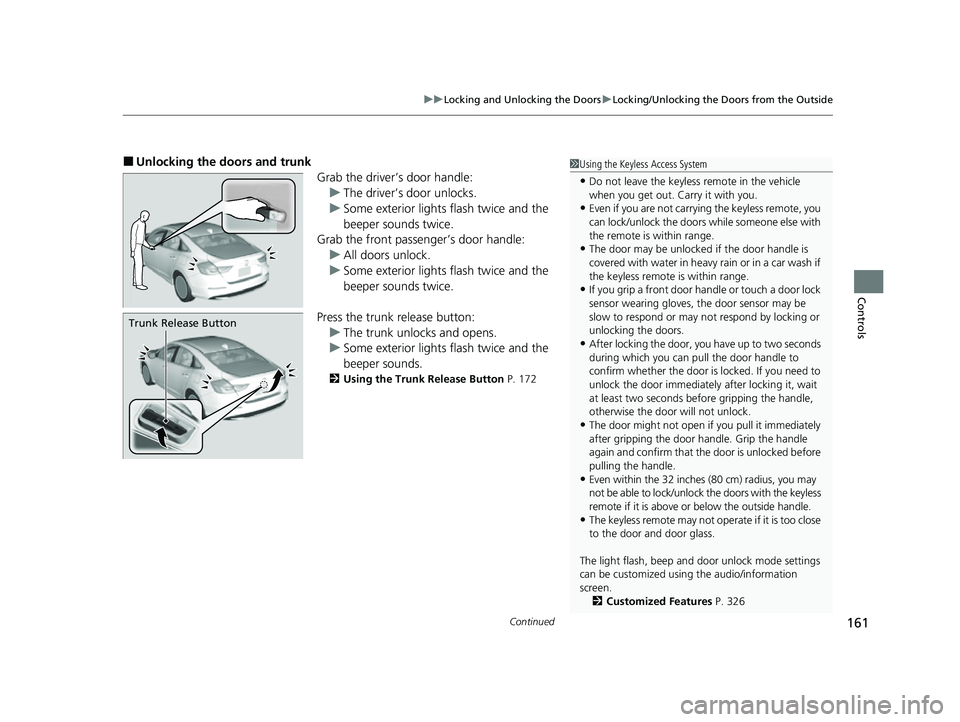
■Unlocking the doors and trunk
Grab the driver’s door handle:u The driver’s door unlocks.
u Some exterior lights flash twice and the
beeper sounds twice.
Grab the front passenger’s door handle:
u All doors unlock.
u Some exterior lights flash twice and the
beeper sounds twice.
Press the trunk release button: u The trunk unlocks and opens.
u Some exterior lights flash twice and the
beeper sounds.
2 Using the Trunk Release Button P. 172
Trunk Release Button
1Using the Keyless Access System
•Do not leave the keyless remote in the vehicle
when you get out. Carry it with you.
•Even if you are not carrying the keyless remote, you
can lock/unlock the doors while someone else with
the remote is within range.
•The door may be unlocked if the door handle is
covered with water in heavy rain or in a car wash if
the keyless remote is within range.
•If you grip a front door ha ndle or touch a door lock
sensor wearing gloves, the door sensor may be
slow to respond or may no t respond by locking or
unlocking the doors.
•After locking the door, yo u have up to two seconds
during which you can pull the door handle to
confirm whether the door is locked. If you need to
unlock the door immediately after locking it, wait
at least two seconds befo re gripping the handle,
otherwise the door will not unlock.
•The door might not open if you pull it immediately
after gripping the door handle. Grip the handle
again and confirm that th e door is unlocked before
pulling the handle.
•Even within the 32 inches (80 cm) radius, you may
not be able to lock/unloc k the doors with the keyless
remote if it is above or below the outside handle.
•The keyless remote may not operate if it is too close
to the door and door glass.
The light flash, beep and door unlock mode settings
can be customized using the audio/information
screen. 2 Customized Features P. 326
22 INSIGHT HMIN-31TXM6300.book 161 ページ 2021年2月24日 水曜日 午後3時45分