ad blue HONDA INSIGHT 2022 Service Manual
[x] Cancel search | Manufacturer: HONDA, Model Year: 2022, Model line: INSIGHT, Model: HONDA INSIGHT 2022Pages: 609, PDF Size: 18.48 MB
Page 366 of 609
Continued365
uuBluetooth ® HandsFreeLink ®u HFL Menus
Features
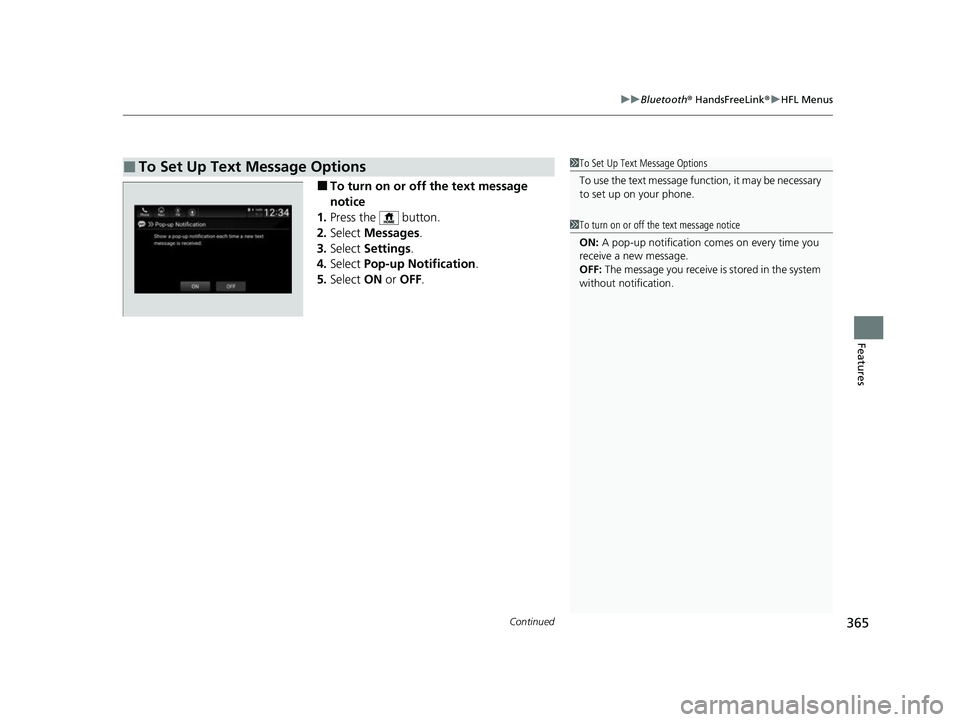
■To turn on or off the text message
notice
1. Press the button.
2. Select Messages.
3. Select Settings .
4. Select Pop-up Notification .
5. Select ON or OFF .
■To Set Up Text Message Options1To Set Up Text Message Options
To use the text message func tion, it may be necessary
to set up on your phone.
1 To turn on or off the text message notice
ON: A pop-up notification comes on every time you
receive a new message.
OFF: The message you receive is stored in the system
without not ification.
22 INSIGHT HMIN-31TXM6300.book 365 ページ 2021年2月24日 水曜日 午後3時45分
Page 367 of 609
uuBluetooth ® HandsFreeLink ®u HFL Menus
366
Features
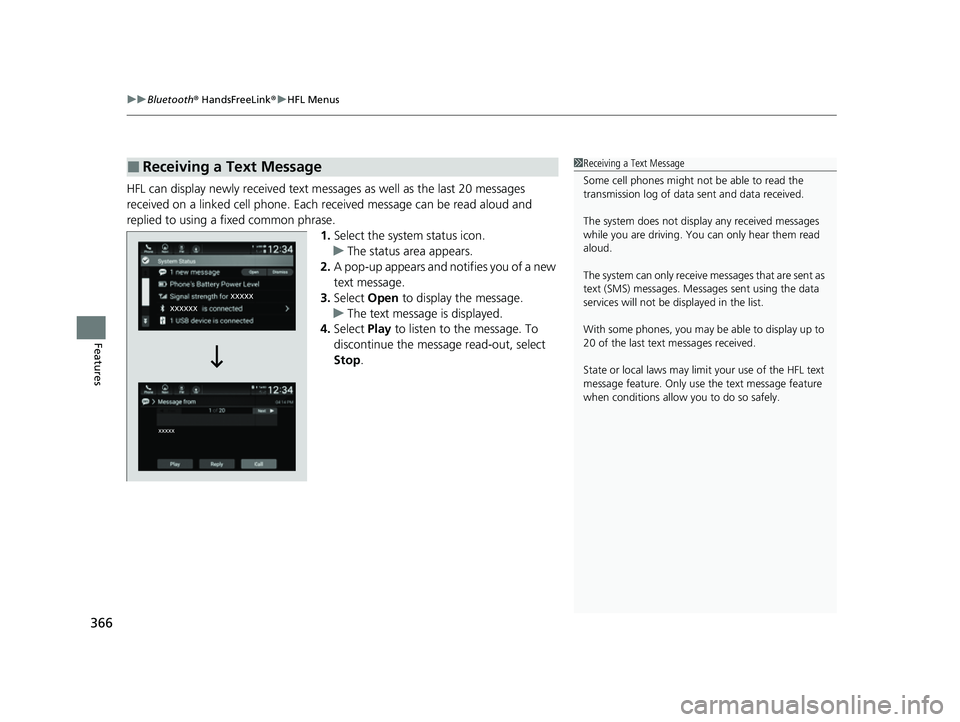
HFL can display newly received text messa ges as well as the last 20 messages
received on a linked cell phone. Each received message can be read aloud and
replied to using a fixed common phrase. 1.Select the system status icon.
u The status area appears.
2. A pop-up appears and notifies you of a new
text message.
3. Select Open to display the message.
u The text message is displayed.
4. Select Play to listen to the message. To
discontinue the message read-out, select
Stop .
■Receiving a Text Message1Receiving a Text Message
Some cell phones might not be able to read the
transmission log of data sent and data received.
The system does not display any received messages
while you are driving. You can only hear them read
aloud.
The system can only receive messages that are sent as
text (SMS) messages. Messages sent using the data
services will not be displayed in the list.
With some phones, you may be able to display up to
20 of the last text messages received.
State or local laws may limit your use of the HFL text
message feature. Only use the text message feature
when conditions allow you to do so safely.
22 INSIGHT HMIN-31TXM6300.book 366 ページ 2021年2月24日 水曜日 午後3時45分
Page 368 of 609
Continued367
uuBluetooth ® HandsFreeLink ®u HFL Menus
Features
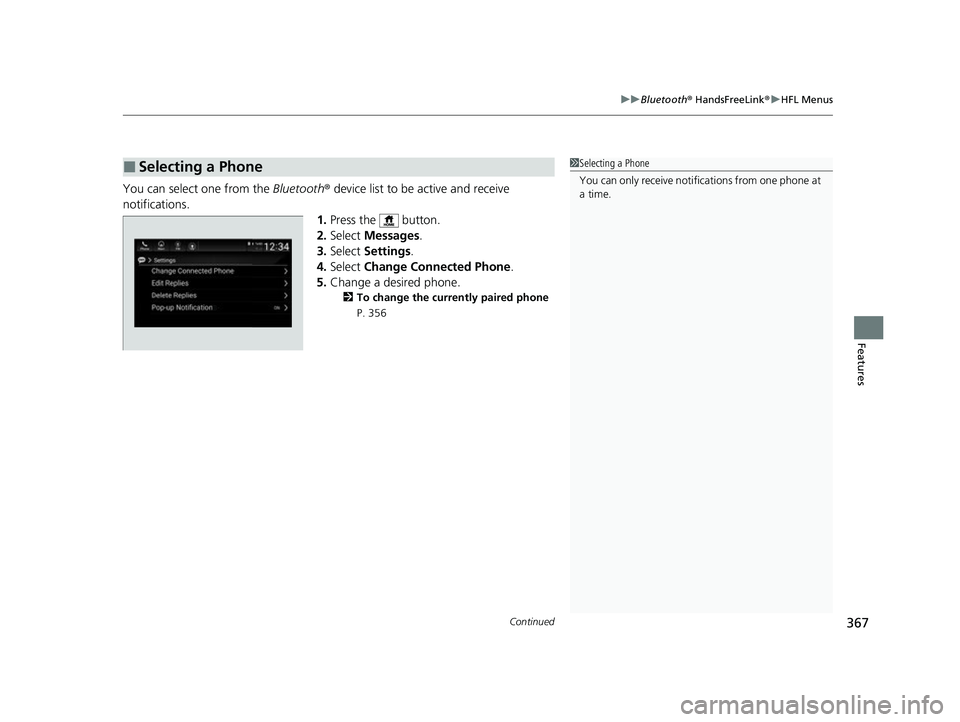
You can select one from the Bluetooth® device list to be active and receive
notifications. 1.Press the button.
2. Select Messages.
3. Select Settings .
4. Select Change Connected Phone .
5. Change a desired phone.
2 To change the currently paired phone
P. 356
■Selecting a Phone1 Selecting a Phone
You can only receive notifications from one phone at
a time.
22 INSIGHT HMIN-31TXM6300.book 367 ページ 2021年2月24日 水曜日 午後3時45分
Page 369 of 609
uuBluetooth ® HandsFreeLink ®u HFL Menus
368
Features
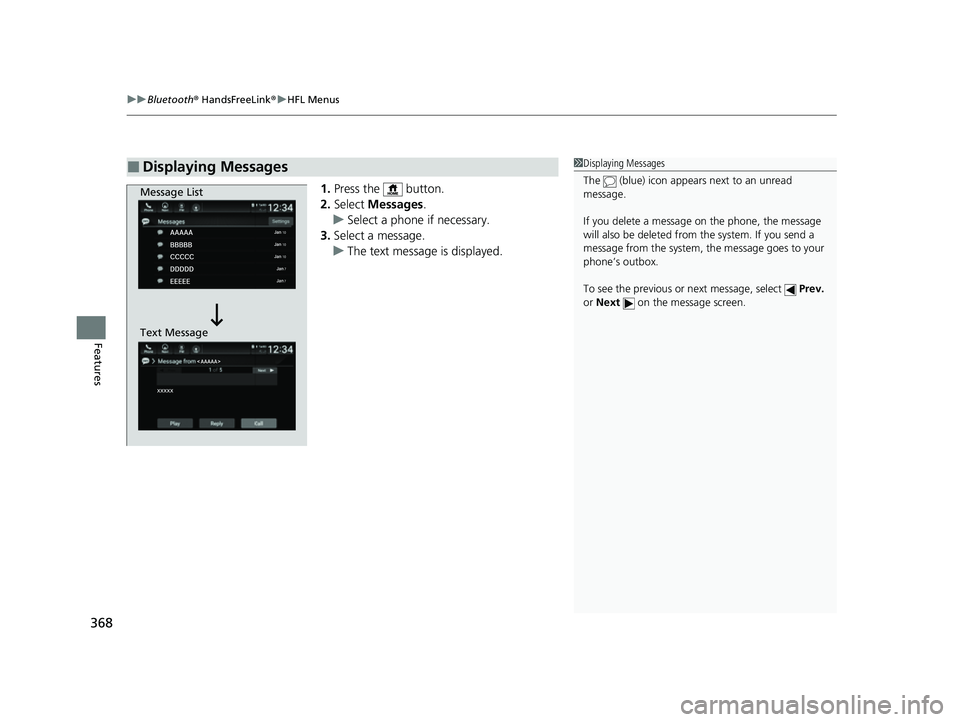
1. Press the button.
2. Select Messages .
u Select a phone if necessary.
3. Select a message.
u The text message is displayed.
■Displaying Messages1Displaying Messages
The (blue) icon appears next to an unread
message.
If you delete a message on the phone, the message
will also be dele ted from the system. If you send a
message from the system, the message goes to your
phone’s outbox.
To see the previous or next message, select Prev.
or Next on the message screen.
Message List
Text Message
22 INSIGHT HMIN-31TXM6300.book 368 ページ 2021年2月24日 水曜日 午後3時45分
Page 370 of 609
Continued369
uuBluetooth ® HandsFreeLink ®u HFL Menus
Features
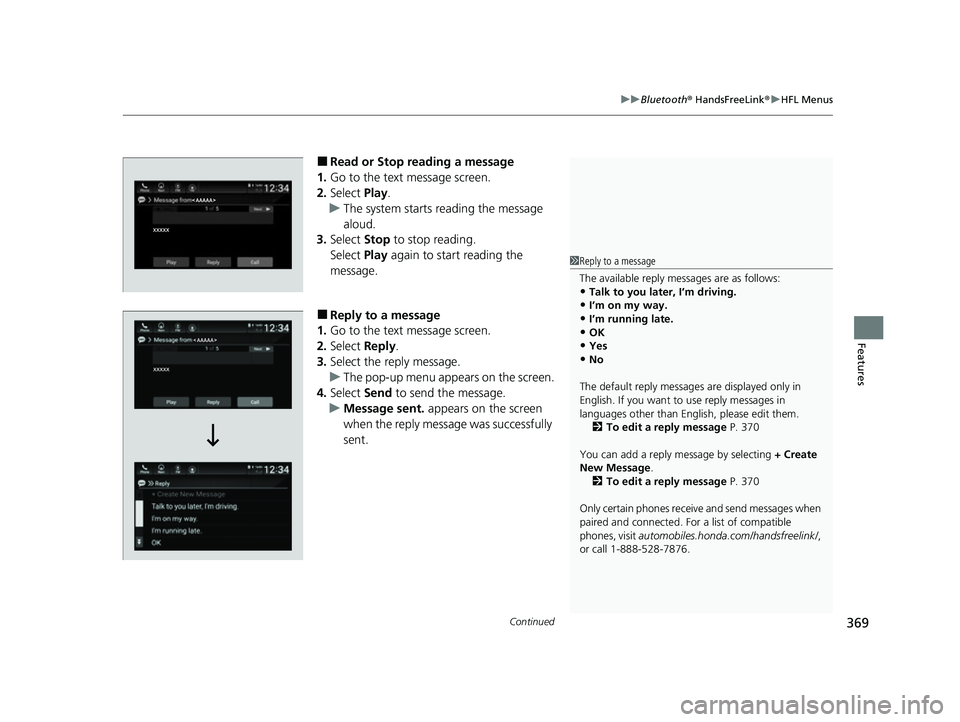
■Read or Stop reading a message
1. Go to the text message screen.
2. Select Play.
u The system starts reading the message
aloud.
3. Select Stop to stop reading.
Select Play again to start reading the
message.
■Reply to a message
1. Go to the text message screen.
2. Select Reply.
3. Select the reply message.
u The pop-up menu appears on the screen.
4. Select Send to send the message.
u Message sent. appears on the screen
when the reply message was successfully
sent.
1 Reply to a message
The available reply messages are as follows:
•Talk to you later, I’m driving.
•I’m on my way.•I’m running late.
•OK
•Yes•No
The default reply messages are displayed only in
English. If you want to use reply messages in
languages other than Englis h, please edit them.
2 To edit a reply message P. 370
You can add a reply message by selecting + Create
New Message .
2 To edit a reply message P. 370
Only certain phones receive and send messages when
paired and connected. For a list of compatible
phones, visit automobiles.honda.com/handsfreelink/ ,
or call 1-888-528-7876.
22 INSIGHT HMIN-31TXM6300.book 369 ページ 2021年2月24日 水曜日 午後3時45分
Page 371 of 609
uuBluetooth ® HandsFreeLink ®u HFL Menus
370
Features
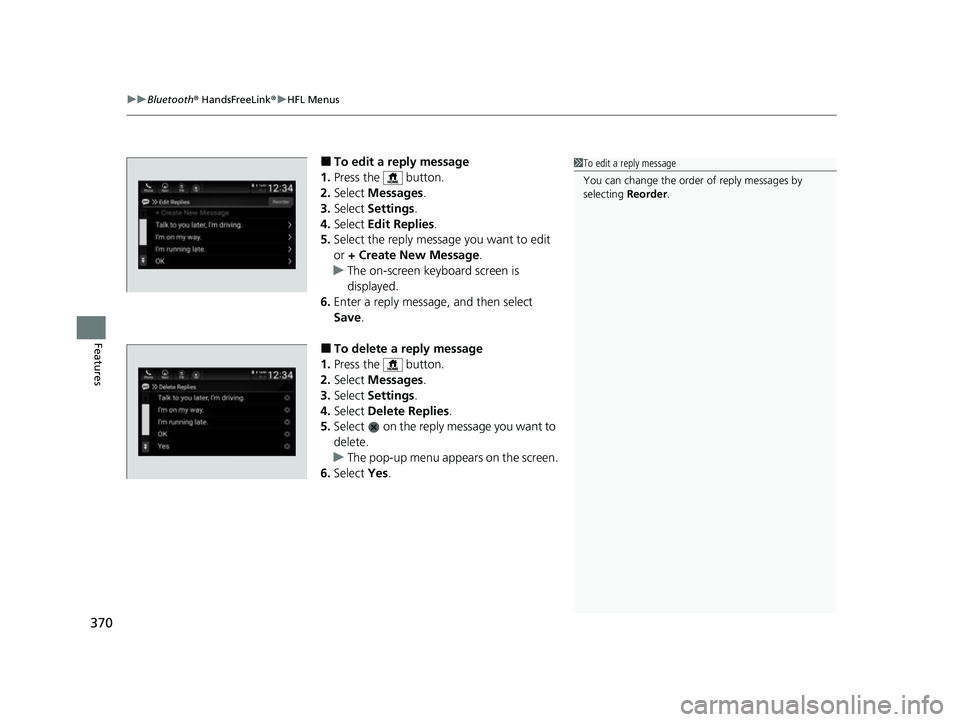
■To edit a reply message
1. Press the button.
2. Select Messages .
3. Select Settings .
4. Select Edit Replies .
5. Select the reply message you want to edit
or + Create New Message .
u The on-screen keyboard screen is
displayed.
6. Enter a reply message, and then select
Save.
■To delete a reply message
1. Press the button.
2. Select Messages .
3. Select Settings .
4. Select Delete Replies .
5. Select on the reply message you want to
delete.
u The pop-up menu appears on the screen.
6. Select Yes.
1To edit a reply message
You can change the order of reply messages by
selecting Reorder.
22 INSIGHT HMIN-31TXM6300.book 370 ページ 2021年2月24日 水曜日 午後3時45分
Page 372 of 609
371
uuBluetooth ® HandsFreeLink ®u HFL Menus
Features
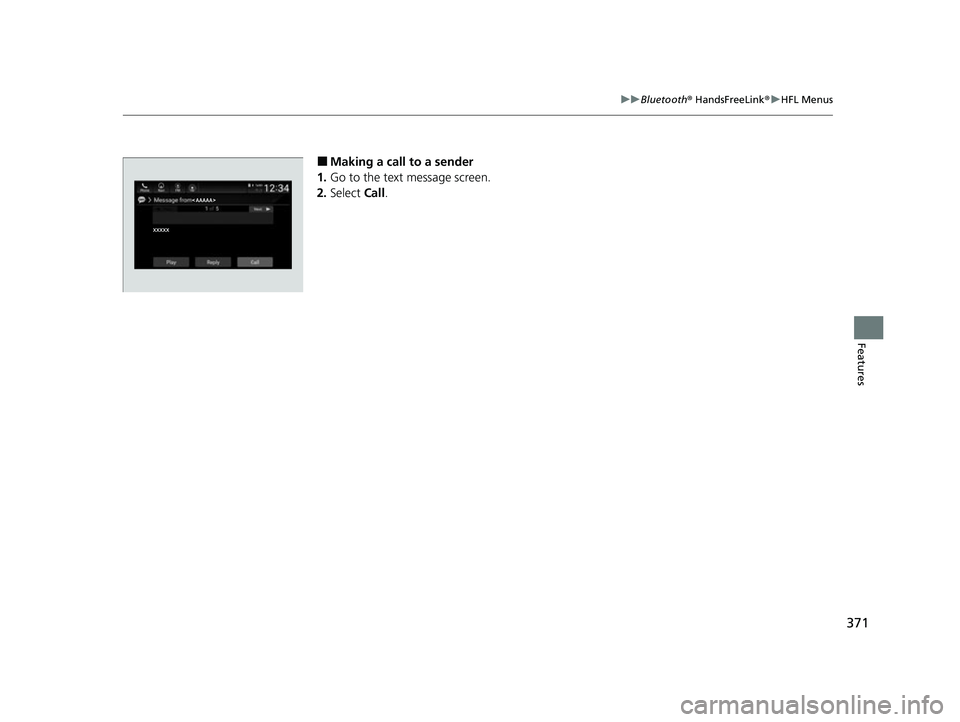
■Making a call to a sender
1. Go to the text message screen.
2. Select Call.
22 INSIGHT HMIN-31TXM6300.book 371 ページ 2021年2月24日 水曜日 午後3時45分
Page 373 of 609
372
uuBluetooth ® HandsFreeLink ®u HondaLink ® Assist*
Features
HondaLink ® Assist*
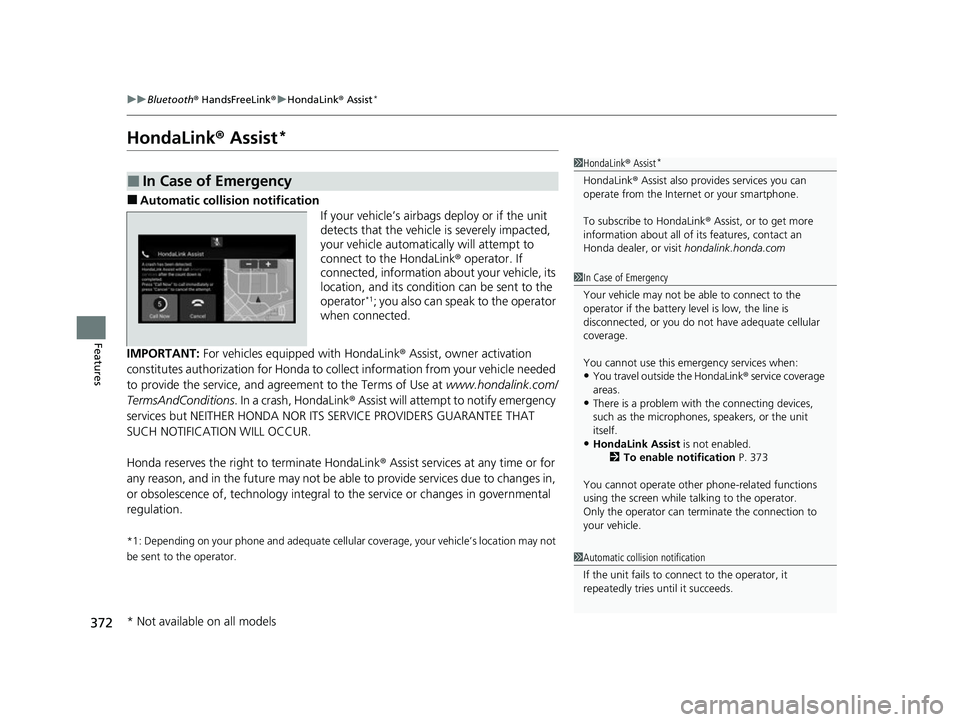
■Automatic collision notification
If your vehicle’s airbags deploy or if the unit
detects that the vehicle is severely impacted,
your vehicle automatically will attempt to
connect to the HondaLink® operator. If
connected, information about your vehicle, its
location, and its condition can be sent to the
operator
*1; you also can speak to the operator
when connected.
IMPORTANT: For vehicles equipp ed with HondaLink® Assist, owner activation
constitutes authorization for Honda to collect information from your vehicle needed
to provide the service, and agr eement to the Terms of Use at www.hondalink.com/
TermsAndConditions . In a crash, HondaLink ® Assist will attempt to notify emergency
services but NEITHER HONDA NOR ITS SERVICE PROVIDERS GUARANTEE THAT
SUCH NOTIFICATION WILL OCCUR.
Honda reserves the right to terminate HondaLink ® Assist services at any time or for
any reason, and in the future may not be ab le to provide services due to changes in,
or obsolescence of, technology integral to the service or changes in governmental
regulation.
*1: Depending on your phone and ad equate cellular coverage, your vehicle’s location may not
be sent to the operator.
■In Case of Emergency
1 HondaLink ® Assist*
HondaLink ® Assist also provides services you can
operate from the Intern et or your smartphone.
To subscribe to HondaLink ® Assist, or to get more
information about all of its features, contact an
Honda dealer, or visit hondalink.honda.com
1In Case of Emergency
Your vehicle may not be able to connect to the
operator if the battery level is low, the line is
disconnected, or you do not have adequate cellular
coverage.
You cannot use this emergency services when:
•You travel outside the HondaLink ® service coverage
areas.
•There is a problem with the connecting devices,
such as the microphones, speakers, or the unit
itself.
•HondaLink Assist is not enabled.
2 To enable notification P. 373
You cannot operate othe r phone-related functions
using the screen while talking to the operator.
Only the operator can terminate the connection to
your vehicle.
1 Automatic collision notification
If the unit fails to connect to the operator, it
repeatedly tries until it succeeds.
* Not available on all models
22 INSIGHT HMIN-31TXM6300.book 372 ページ 2021年2月24日 水曜日 午後3時45分
Page 374 of 609
373
uuBluetooth ® HandsFreeLink ®u HondaLink ® Assist*
Features
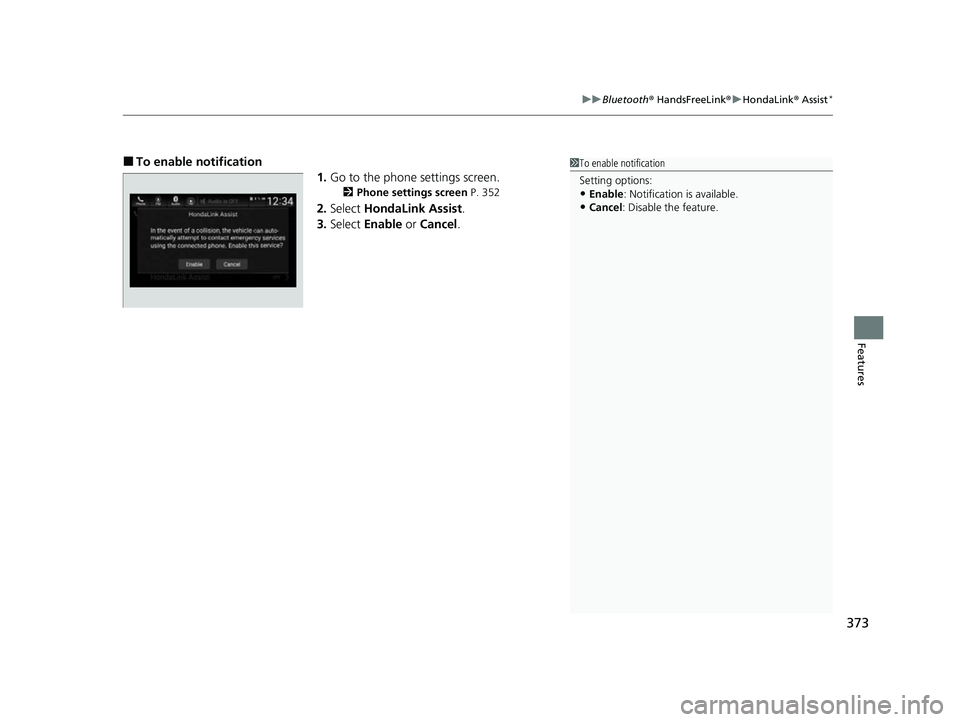
■To enable notification
1.Go to the phone settings screen.
2 Phone settings screen P. 352
2.Select HondaLink Assist .
3. Select Enable or Cancel .
1To enable notification
Setting options:
•Enable: Notification is available.
•Cancel : Disable the feature.
22 INSIGHT HMIN-31TXM6300.book 373 ページ 2021年2月24日 水曜日 午後3時45分
Page 500 of 609
499
Maintenance
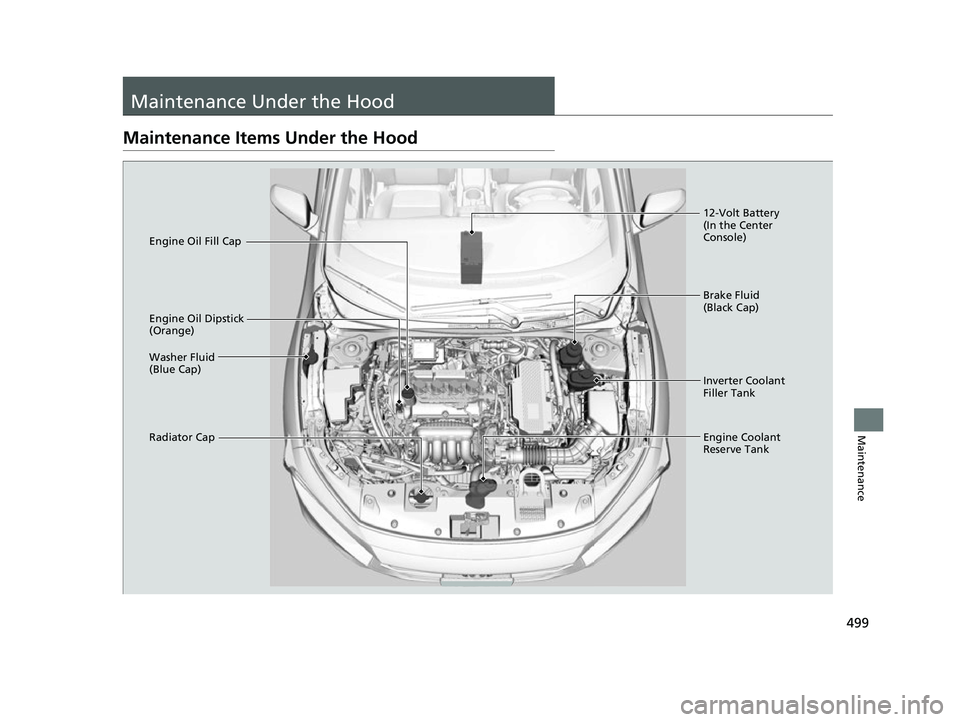
Maintenance Under the Hood
Maintenance Items Under the Hood
Brake Fluid
(Black Cap)
Engine Coolant
Reserve Tank
Radiator Cap Washer Fluid
(Blue Cap) Engine Oil Dipstick
(Orange) Engine Oil Fill Cap
12-Volt Battery
(In the Center
Console)
Inverter Coolant
Filler Tank
22 INSIGHT HMIN-31TXM6300.book 499 ページ 2021年2月24日 水曜日 午後3時45分