change time HONDA INSIGHT 2022 Owners Manual
[x] Cancel search | Manufacturer: HONDA, Model Year: 2022, Model line: INSIGHT, Model: HONDA INSIGHT 2022Pages: 609, PDF Size: 18.48 MB
Page 5 of 609
Contents
This owner’s manual should be considered a permanent part of the
vehicle and should remain with the vehicle when it is sold.
The Navigation Manual is available online at owners.honda.com
(U.S.). If you are the first registered owner of your vehicle,
you may request a complimenta ry printed copy of the
Navigation Manual within the first six months of vehicle
purchase. To request a copy, visit owners.honda.com.
This owner’s manual covers all models of your vehicle. You may find
descriptions of equipment and features that are not on your
particular model.
Images throughout this owner’s manu al (including the front cover)
represent features and equipment that are available on some, but
not all, models. Your particular mo del may not have some of these
features.
This owner’s manual is for vehicl es sold in the United States.
The information and specifications in cluded in this publication were
in effect at the time of approval for printing. Honda Motor Co., Ltd.
reserves the right, however, to discontinue or change specifications
or design at any time without notice and without incurring any
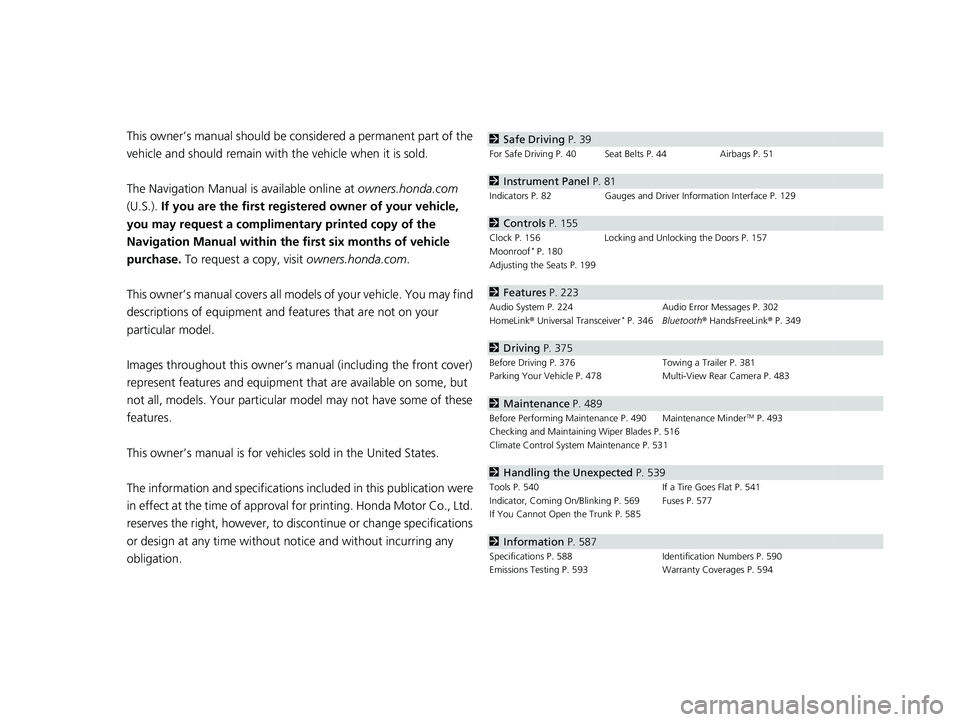
obligation.2 Safe Driving P. 39
For Safe Driving P. 40 Seat Belts P. 44 Airbags P. 51
2Instrument Panel P. 81
Indicators P. 82 Gauges and Driver Information Interface P. 129
2Controls P. 155
Clock P. 156 Locking and Unlocking the Doors P. 157
Moonroof* P. 180
Adjusting the Seats P. 199
2 Features P. 223
Audio System P. 224 Audio Error Messages P. 302
HomeLink ® Universal Transceiver* P. 346 Bluetooth ® HandsFreeLink ® P. 349
2 Driving P. 375
Before Driving P. 376 Towing a Trailer P. 381
Parking Your Vehicle P. 478 Multi-View Rear Camera P. 483
2Maintenance P. 489
Before Performing Maintenance P. 490 Maintenance MinderTM P. 493
Checking and Maintaining Wiper Blades P. 516
Climate Control System Maintenance P. 531
2Handling the Unexpected P. 539
Tools P. 540 If a Tire Goes Flat P. 541
Indicator, Coming On/Blinking P. 569 Fuses P. 577
If You Cannot Open the Trunk P. 585
2Information P. 587
Specifications P. 588 Identification Numbers P. 590
Emissions Testing P. 593 Warranty Coverages P. 594
22 INSIGHT HMIN-31TXM6300.book 4 ページ 2021年2月24日 水曜日 午後3時45分
Page 23 of 609
22
Quick Reference Guide
Controls (P 155)
Clock (P156)
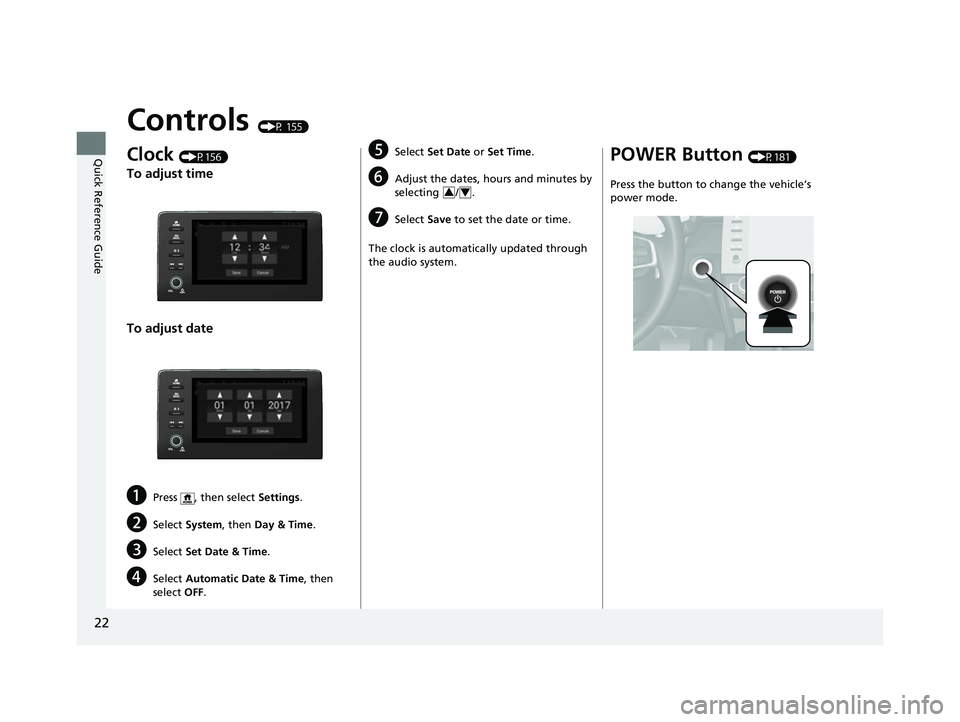
To adjust time
To adjust date
aPress , then select Settings.
bSelect System , then Day & Time .
cSelect Set Date & Time .
dSelect Automatic Date & Time , then
select OFF.
eSelect Set Date or Set Time.
fAdjust the dates, hours and minutes by
selecting / .
gSelect Save to set the date or time.
The clock is automatically updated through
the audio system.
34
POWER Button (P181)
Press the button to change the vehicle’s
power mode.
22 INSIGHT HMIN-31TXM6300.book 22 ページ 2021年2月24日 水曜日 午後3時45分
Page 31 of 609
30
Quick Reference Guide
CMBSTM On and Off
(P 422)
●When a possible frontal collision is likely
unavoidable, the CMBSTM can help you to
reduce the vehicle sp eed and the severity
of the collision.
●The CMBSTM is turned on every time you
turn on the power system.
●To turn the CMBSTM on or off, use the
safety support switch.
VSA ® On and Off (P 404)
●The Vehicle Stability AssistTM (VSA® )
system helps stabilize the vehicle during
cornering, and helps maintain traction
while accelerating on loose or slippery
road surfaces.
●VSA ® comes on automatically every time
you turn on the power system.
●To partially disable or fully restore VSA ®
function, press and ho ld the button until
you hear a beep.
Tire Pressure Monitoring
System (TPMS)
(P 406)
●Detects a change in tire conditions and
overall dimensions due to decrease in tire
pressures.
●The TPMS is turned on automatically
every time you turn on the power system.
●A calibration procedure must be
performed when certain conditions arise.
22 INSIGHT HMIN-31TXM6300.book 30 ページ 2021年2月24日 水曜日 午後3時45分
Page 42 of 609
41
uuFor Safe Driving uImportant Safety Precautions
Safe Driving
■Pay appropriate attention to the task of driving safely
Engaging in cell phone conversation or other activities that keep you from paying
close attention to the road, other vehicles , and pedestrians could lead to a crash.
Remember, situations can change quickly, and only you can decide when it is safe to
divert some attention away from driving.
■Control your speed
Excessive speed is a major factor in crash injuries and deaths. Generally, the higher
the speed, the greater the risk, but serious injuries can also occur at lower speeds.
Never drive faster than is safe for current conditions, regardless of the maximum
speed posted.
■Keep your vehicle in safe condition
Having a tire blowout or a mechanical failure can be extremely hazardous.
To reduce the possibility of such problems, check your tire pressures and condition
frequently, and perform all re gularly scheduled maintenance.
■Do not leave children unattended in the vehicle
Children, pets and people needing assistan ce left unattended in the vehicle may be
injured if they activate one or more of the vehicle controls. They may also cause the
vehicle to move, resulting in a crash in wh ich they and/or another person(s) can be
injured or killed. Also, depending on the am bient temperature, the temperature of
the interior may reach extreme levels, which can result in harm or death.
Even if the climate control system is on, never leave them in the vehicle unattended
as the climate control system can shut off at any time.
22 INSIGHT HMIN-31TXM6300.book 41 ページ 2021年2月24日 水曜日 午後3時45分
Page 132 of 609
131
uuGauges and Driver Information Interface uGauges
Instrument Panel
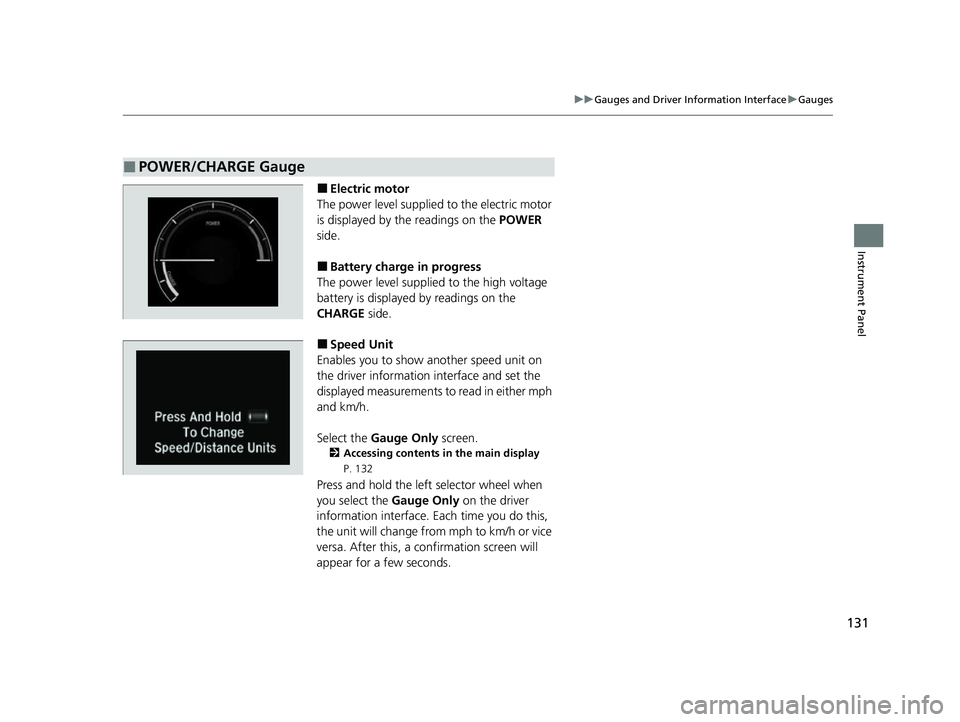
■Electric motor
The power level supplied to the electric motor
is displayed by th e readings on the POWER
side.
■Battery charge in progress
The power level supplied to the high voltage
battery is displayed by readings on the
CHARGE side.
■Speed Unit
Enables you to show another speed unit on
the driver information interface and set the
displayed measurements to read in either mph
and km/h.
Select the Gauge Only screen.
2Accessing contents in the main display
P. 132
Press and hold the left selector wheel when
you select the Gauge Only on the driver
information interface. Each time you do this,
the unit will change from mph to km/h or vice
versa. After this, a confirmation screen will
appear for a few seconds.
■POWER/CHARGE Gauge
22 INSIGHT HMIN-31TXM6300.book 131 ページ 2021年2月24日 水曜日 午後3時45分
Page 138 of 609
Continued137
uuGauges and Driver Information Interface uDriver Information Interface
Instrument Panel
■Trip meter
Shows the total number of miles or kilomete rs driven since the last reset. Meters A
and B can be used to measure two separate trips.
Resetting a trip meter
To reset the trip meter, display it, press the left selector wheel and then select Reset.
u The trip meter is reset to 0.0.
■Average fuel economy (Avg. Fuel)
Shows the estimated average fuel economy of each trip meter in mpg or l/100 km.
The display is updated at set intervals. Wh en a trip meter is reset, the average fuel
economy is also reset.
■Instant fuel economy
Shows the instant fuel economy as a bar graph in mpg or l/100 km.
■Range
Shows the estimated distance you can trave l on the remaining fuel. This estimated
distance is based on the vehicle’s current fuel economy.
1 Trip meter
Switch between trip meter A and trip meter B by
rolling the left selector wheel.
Resetting the trip meter in the Range & Fuel, the trip
meter in the sub display resets at the same time.
1 Average fuel economy (Avg. Fuel)
You can change when the average fuel economy is
reset.
2 Customized Features P. 326
22 INSIGHT HMIN-31TXM6300.book 137 ページ 2021年2月24日 水曜日 午後3時45分
Page 140 of 609
Continued139
uuGauges and Driver Information Interface uDriver Information Interface
Instrument Panel
■Trip meter
2 Trip meter P. 137
■Elapsed Time
Shows the time elapsed since the last time Trip A or Trip B was reset.
■Average Speed (Avg. Speed)
Shows the average speed in mph or km/h si nce the last time Trip A or Trip B was
reset.
1 Elapsed Time
You can change when to reset the elapsed time.
2 Customized Features P. 326
1Average Speed (Avg. Speed)
You can change when to reset the average speed.
2 Customized Features P. 326
22 INSIGHT HMIN-31TXM6300.book 139 ページ 2021年2月24日 水曜日 午後3時45分
Page 153 of 609
152
uuGauges and Driver Information Interface uDriver Information Interface
Instrument Panel
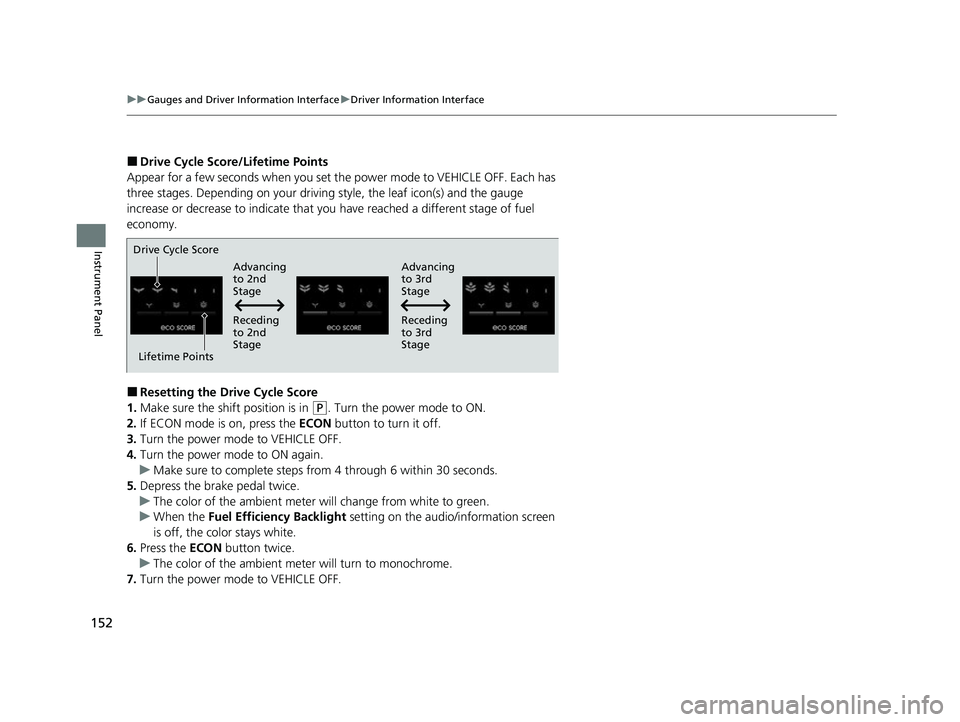
■Drive Cycle Score/Lifetime Points
Appear for a few seconds when you set th e power mode to VEHICLE OFF. Each has
three stages. Depending on your driving style, the leaf icon(s) and the gauge
increase or decrease to indicate that you have reached a different stage of fuel
economy.
■Resetting the Drive Cycle Score
1. Make sure the shift position is in
(P. Turn the power mode to ON.
2. If ECON mode is on, press the ECON button to turn it off.
3. Turn the power mode to VEHICLE OFF.
4. Turn the power mode to ON again.
u Make sure to complete steps from 4 through 6 within 30 seconds.
5. Depress the brake pedal twice.
u The color of the ambient meter wi ll change from white to green.
u When the Fuel Efficiency Backlight setting on the audio/information screen
is off, the color stays white.
6. Press the ECON button twice.
u The color of the ambient mete r will turn to monochrome.
7. Turn the power mode to VEHICLE OFF.
Drive Cycle Score
Lifetime Points Advancing
to 2nd
Stage
Advancing
to 3rd
Stage
Receding
to 3rd
Stage
Receding
to 2nd
Stage
22 INSIGHT HMIN-31TXM6300.book 152 ページ 2021年2月24日 水曜日 午後3時45分
Page 165 of 609
uuLocking and Unlocking the Doors uLocking/Unlocking the Doors from the Outside
164
Controls
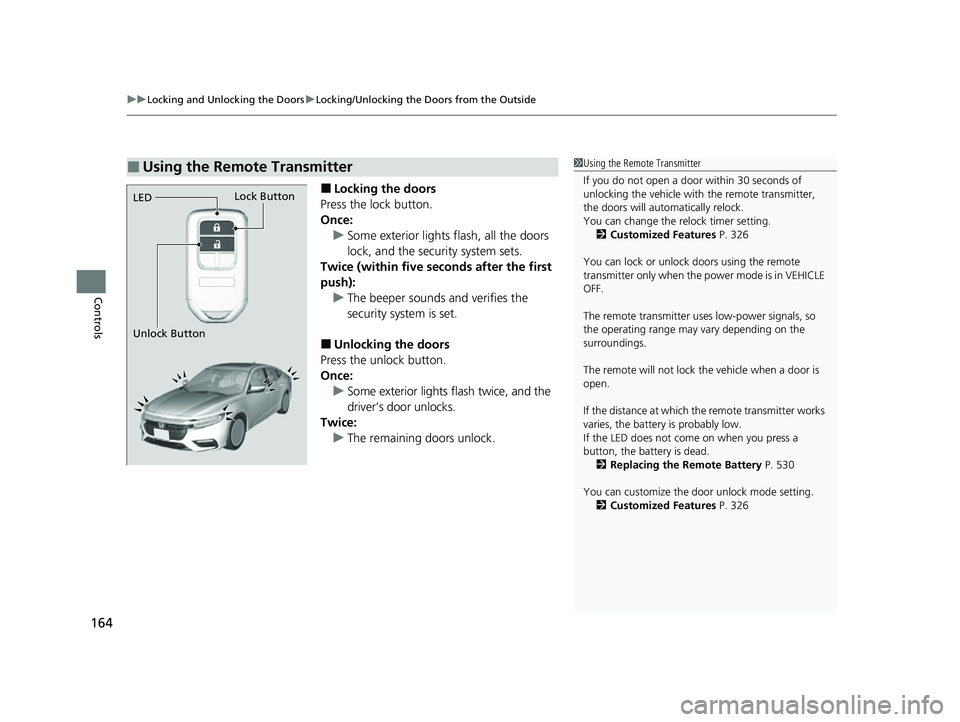
■Locking the doors
Press the lock button.
Once: u Some exterior lights flash, all the doors
lock, and the security system sets.
Twice (within five se conds after the first
push):
u The beeper sounds and verifies the
security system is set.
■Unlocking the doors
Press the unlock button.
Once: u Some exterior lights flash twice, and the
driver’s door unlocks.
Twice:
u The remaining doors unlock.
■Using the Remote Transmitter1Using the Remote Transmitter
If you do not open a door within 30 seconds of
unlocking the vehicle with the remote transmitter,
the doors will automatically relock.
You can change the relock timer setting. 2 Customized Features P. 326
You can lock or unlock doors using the remote
transmitter only when the power mode is in VEHICLE
OFF.
The remote transmitter us es low-power signals, so
the operating range may vary depending on the
surroundings.
The remote will not lock th e vehicle when a door is
open.
If the distance at which the remote transmitter works
varies, the batter y is probably low.
If the LED does not come on when you press a
button, the battery is dead. 2 Replacing the Remote Battery P. 530
You can customize the door unlock mode setting. 2 Customized Features P. 326
LED
Unlock ButtonLock Button
22 INSIGHT HMIN-31TXM6300.book 164 ページ 2021年2月24日 水曜日 午後3時45分
Page 176 of 609
175
uuSecurity System uSecurity System Alarm
Continued
Controls
Security System Alarm
The security system alarm activates when the trunk, hood or doors are forcibly
opened. The alarm does not activate if the trunk or doors are opened with the key,
remote transmitter or keyless access system.
However, the alarm activates if a door is op ened with the key and then the hood is
opened before the power mode is set to ON.
■When the security system alarm activates
The horn sounds intermittently and some exterior lights flash.
■To deactivate the security system alarm
Unlock the vehicle using the key, remote tra nsmitter or keyless access system, or set
the power mode to ON. The system, along with the horn and flashing lights, is
deactivated.
■Setting the security system alarm
The security system alarm automatically sets when the following conditions have
been met:
• The power mode is set to VEHICLE OFF (LOCK).
• The hood is closed.
• All doors and the trunk are locked from ou tside with the key, remote transmitter
or keyless access system.
■When the security system alarm sets
The security system alarm in dicator in the instrument panel blinks and the blinking
interval changes after about 15 seconds.
■To cancel the security system alarm
The security system alarm is canceled when the vehicle is unlocked using the remote
transmitter or keyless access system, or when the power mode is set to ON. The
security system alarm indicato r goes off at the same time.
1Security System Alarm
Do not alter the system or add other devices to it.
Doing so may damage the system and make your
vehicle inoperable.
The security system alarm continues for a maximum
of two minutes until the security system alarm
deactivates.
Do not set the security system alarm when someone
is in the vehicle or a window is open. The system can
accidentally activate when:
•Unlocking the door with the lock tab.
•Opening the trunk with the trunk opener or the
emergency trunk opener.
•Opening the hood with the hood release.
If the 12-volt battery goes dead after you have set the
security system alarm, the security alarm may go off
once the 12-volt battery is recharged or replaced.
If this occurs, deactivate the security system alarm by
unlocking a door using the ke y, remote transmitter,
or keyless access system.
22 INSIGHT HMIN-31TXM6300.book 175 ページ 2021年2月24日 水曜日 午後3時45分