ignition HONDA ODYSSEY 1995 User Guide
[x] Cancel search | Manufacturer: HONDA, Model Year: 1995, Model line: ODYSSEY, Model: HONDA ODYSSEY 1995Pages: 240, PDF Size: 2.44 MB
Page 45 of 240
Controls Near the Steering Wheel
Rear Window Wiper and Washer
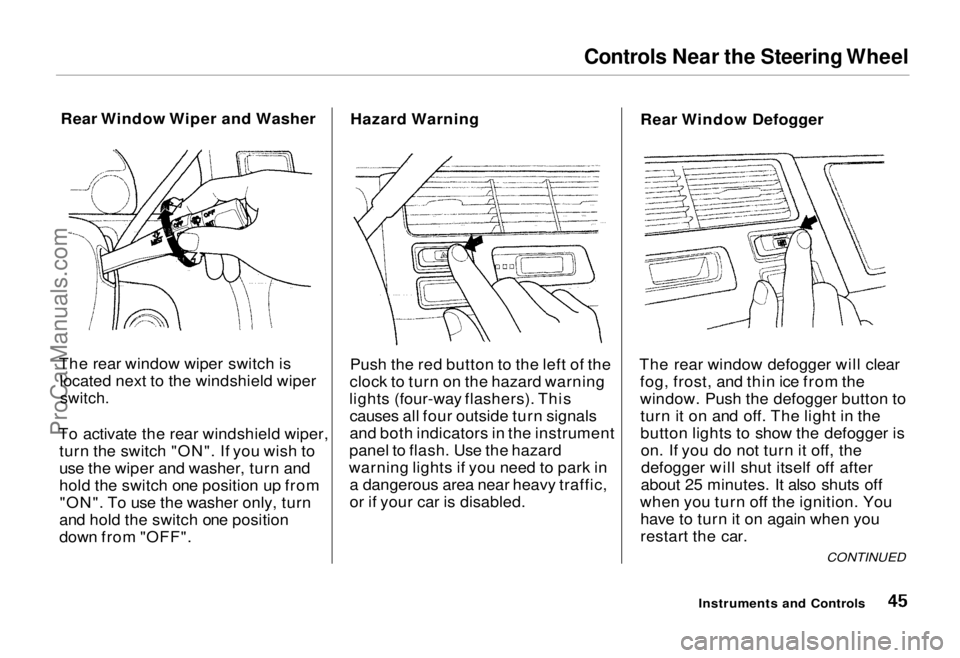
The rear window wiper switch is located next to the windshield wiper
switch.
To activate the rear windshield wiper, turn the switch "ON". If you wish to
use the wiper and washer, turn and
hold the switch one position up from"ON". To use the washer only, turn
and hold the switch one position
down from "OFF". Hazard Warning
Push the red button to the left of the
clock to turn on the hazard warning
lights (four-way flashers). This causes all four outside turn signals
and both indicators in the instrument
panel to flash. Use the hazard
warning lights if you need to park in a dangerous area near heavy traffic,
or if your car is disabled. Rear Window Defogger
The rear window defogger will clear fog, frost, and thin ice from the
window. Push the defogger button toturn it on and off. The light in the
button lights to show the defogger ison. If you do not turn it off, thedefogger will shut itself off after
about 25 minutes. It also shuts off
when you turn off the ignition. You have to turn it on again when you
restart the car.
Instruments and Controls
CONTINUEDProCarManuals.comMain Menu Table of Contents s t
Page 51 of 240
Steering Wheel Controls, Keys and Locks
Horn
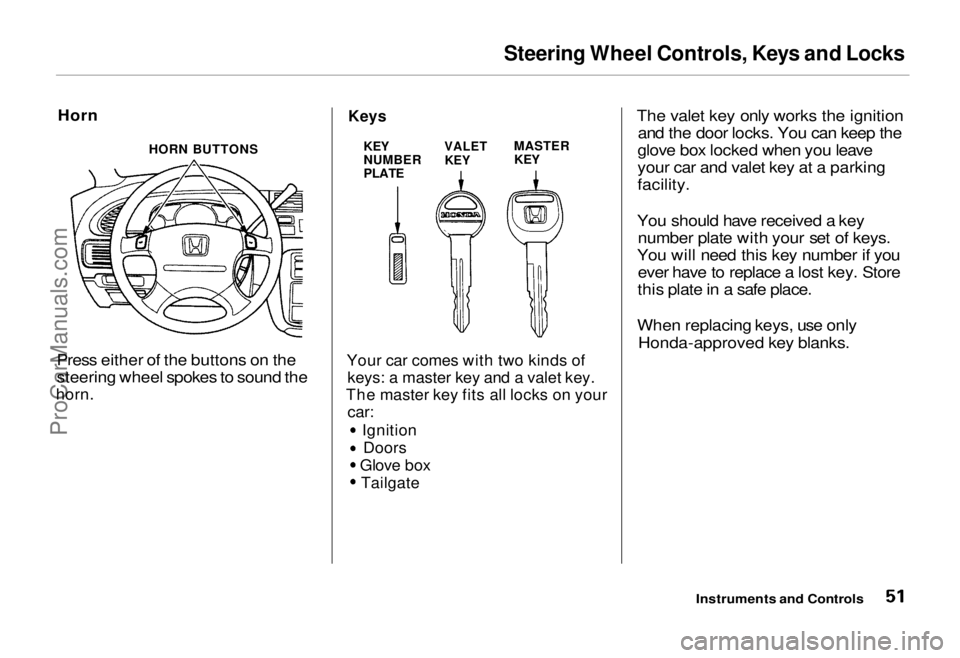
Press either of the buttons on the
steering wheel spokes to sound the
horn.
Keys
Your car comes with two kinds of
keys: a master key and a valet key.
The master key fits all locks on your
car:
IgnitionDoors
Glove box Tailgate
The valet key only works the ignition
and the door locks. You can keep the
glove box locked when you leave
your car and valet key at a parking
facility.
You should have received a key number plate with your set of keys.
You will need this key number if you ever have to replace a lost key. Store
this plate in a safe place.
When replacing keys, use only Honda-approved key blanks.
Instruments and Controls
HORN BUTTONS
KEY
NUMBER
PLATE
VALET
KEY
MASTER
KEYProCarManuals.comMain Menu Table of Contents s t
Page 52 of 240
Keys and Locks
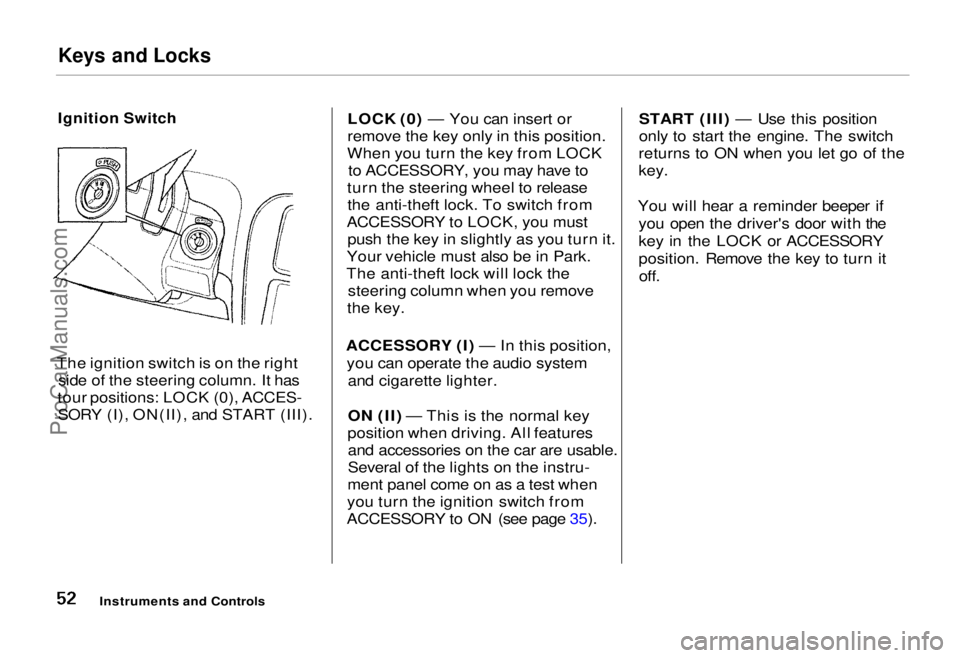
Ignition Switch
The ignition switch is on the right side of the steering column. It has
tour positions: LOCK (0), ACCES- SORY (I), ON(II), and START (III). LOCK (0) — You can insert or
remove the key only in this position.
When you turn the key from LOCK to ACCESSORY, you may have to
turn the steering wheel to release the anti-theft lock. To switch from
ACCESSORY to LOCK, you must push the key in slightly as you turn it.
Your vehicle must also be in Park.
The anti-theft lock will lock the steering column when you remove
the key.
ACCESSORY (I) — In this position, you can operate the audio system and cigarette lighter.
ON (II) — This is the normal key
position when driving. All features and accessories on the car are usable.
Several of the lights on the instru-
ment panel come on as a test when
you turn the ignition switch from
ACCESSORY to ON (see page 35). START (III) — Use this position
only to start the engine. The switch
returns to ON when you let go of the
key.
You will hear a reminder beeper if you open the driver's door with the
key in the LOCK or ACCESSORY
position. Remove the key to turn itoff.
Instruments and ControlsProCarManuals.comMain Menu Table of Contents s t
Page 54 of 240
Keys and Locks
Remote Transmitter U.S. EX model
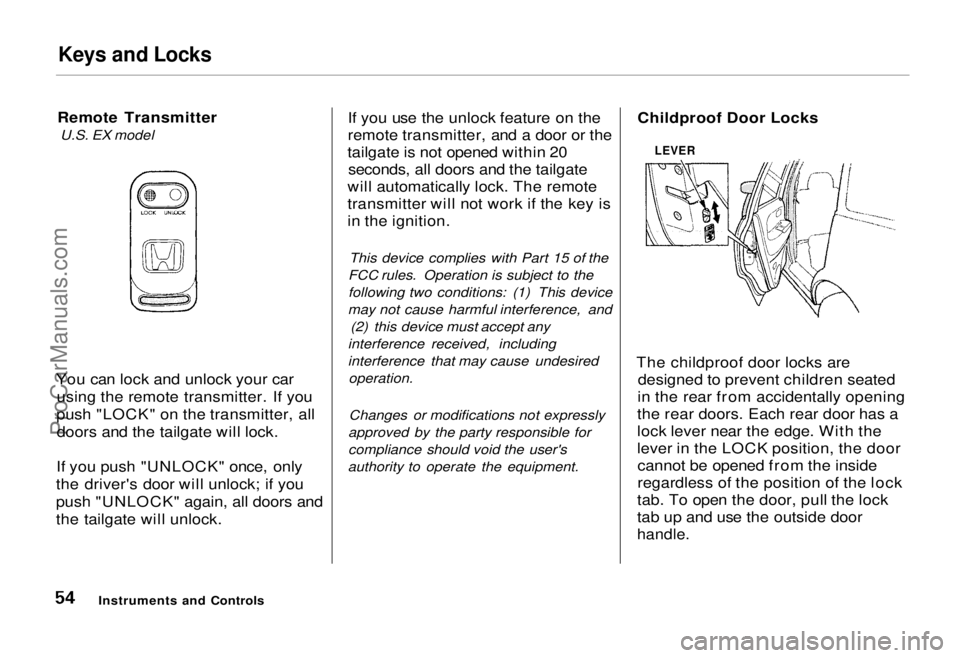
You can lock and unlock your car using the remote transmitter. If you
push "LOCK" on the transmitter, all doors and the tailgate will lock.
If you push "UNLOCK" once, only
the driver's door will unlock; if you
push "UNLOCK" again, all doors and
the tailgate will unlock. If you use the unlock feature on the
remote transmitter, and a door or the
tailgate is not opened within 20 seconds, all doors and the tailgate
will automatically lock. The remote
transmitter will not work if the key is
in the ignition.
This device complies with Part 15 of the
FCC rules. Operation is subject to the
following two conditions: (1) This device
may not cause harmful interference, and (2) this device must accept any
interference received, including
interference that may cause undesired operation.
Changes or modifications not expressly
approved by the party responsible for
compliance should void the user's
authority to operate the equipment. Childproof Door Locks
The childproof door locks are designed to prevent children seated
in the rear from accidentally opening
the rear doors. Each rear door has a
lock lever near the edge. With the
lever in the LOCK position, the door cannot be opened from the inside
regardless of the position of the lock
tab. To open the door, pull the lock
tab up and use the outside door
handle.
Instruments and Controls
LEVERProCarManuals.comMain Menu Table of Contents s t
Page 64 of 240
Power Windows
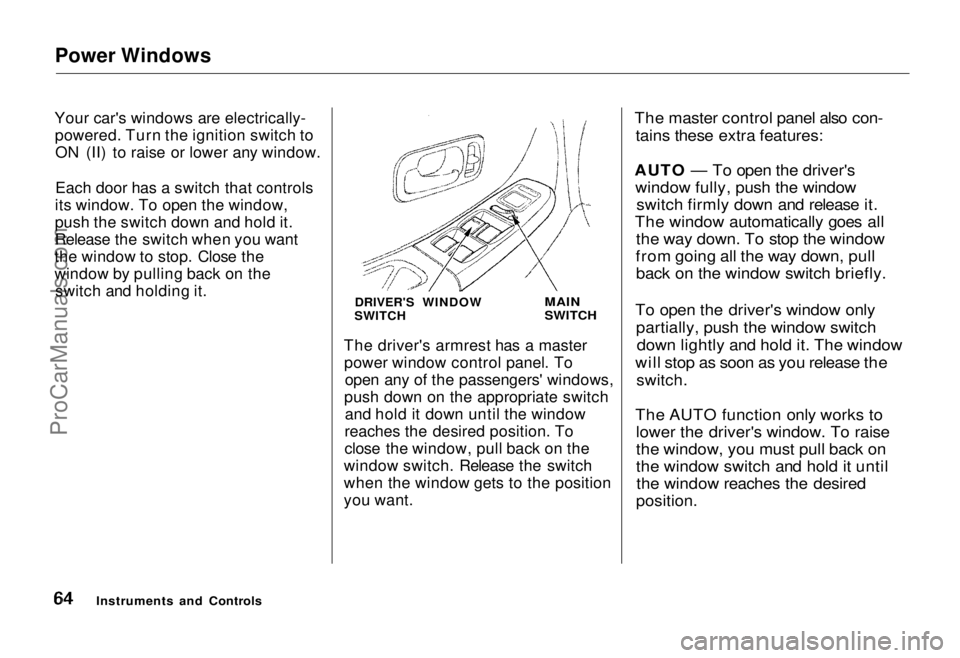
Your car's windows are electrically- powered. Turn the ignition switch toON (II) to raise or lower any window.
Each door has a switch that controls
its window. To open the window,
push the switch down and hold it.
Release the switch when you want
the window to stop. Close the
window by pulling back on the switch and holding it.
DRIVER'S WINDOW
SWITCH
MAIN
SWITCH
The driver's armrest has a master power window control panel. To open any of the passengers' windows,
push down on the appropriate switch and hold it down until the window
reaches the desired position. To
close the window, pull back on the
window switch. Release the switch
when the window gets to the position
you want.
The master control panel also con-
tains these extra features:
AUTO — To open the driver's window fully, push the window switch firmly down and release it.
The window automatically goes all the way down. To stop the window
from going all the way down, pull back on the window switch briefly.
To open the driver's window only partially, push the window switchdown lightly and hold it. The window
will stop as soon as you release the
switch.
The AUTO function only works to lower the driver's window. To raise
the window, you must pull back on
the window switch and hold it untilthe window reaches the desired
position.
Instruments and ControlsProCarManuals.comMain Menu Table of Contents s t
Page 65 of 240
Power Windows, Sunroof
The MAIN switch controls power to the passengers' windows. With thisswitch off, the passengers' windows
cannot be raised or lowered. The
MAIN switch does not affect the driver's window. Keep the MAIN
switch off when you have children in
the car so they do not injure them- selves by operating the windows
unintentionally. Sunroof
On some models
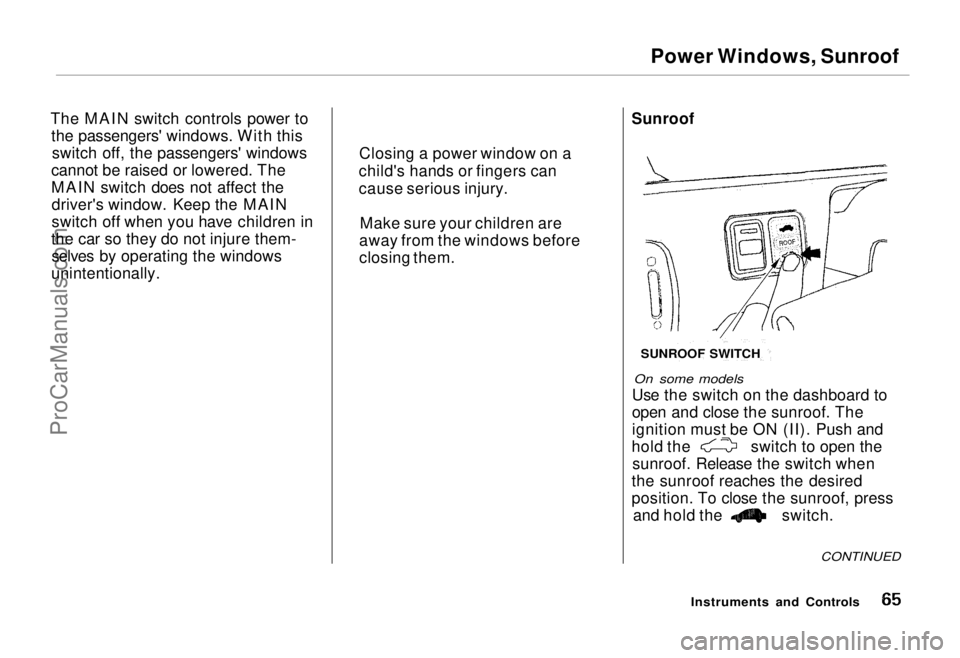
Use the switch on the dashboard to
open and close the sunroof. The
ignition must be ON (II). Push and hold the switch to open the
sunroof. Release the switch when
the sunroof reaches the desired
position. To close the sunroof, press and hold the switch.
CONTINUED
Instruments and Controls
Closing a power window on a
child's hands or fingers can
cause serious injury.
Make sure your children are
away from the windows before
closing them.
SUNROOF SWITCH
ProCarManuals.comMain Menu Table of Contents s t
Page 67 of 240
Mirrors
Adjusting the Power Mirrors
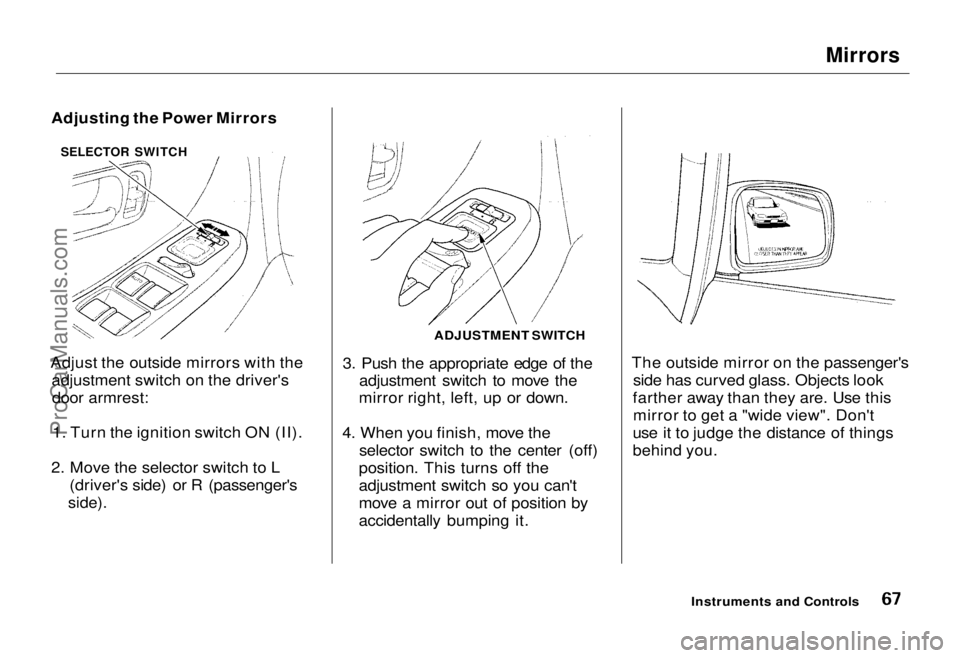
Adjust the outside mirrors with the adjustment switch on the driver'sdoor armrest:
1. Turn the ignition switch ON (II).
2. Move the selector switch to L (driver's side) or R (passenger's
side).
3. Push the appropriate edge of the
adjustment switch to move the
mirror right, left, up or down.
4. When you finish, move the selector switch to the center (off)
position. This turns off the
adjustment switch so you can't
move a mirror out of position by
accidentally bumping it. The outside mirror on the passenger's
side has curved glass. Objects look
farther away than they are. Use this mirror to get a "wide view". Don't
use it to judge the distance of things
behind you.
Instruments and Controls
ADJUSTMENT SWITCH
SELECTOR SWITCHProCarManuals.comMain Menu Table of Contents s t
Page 68 of 240
Parking Brake, Digital Clock
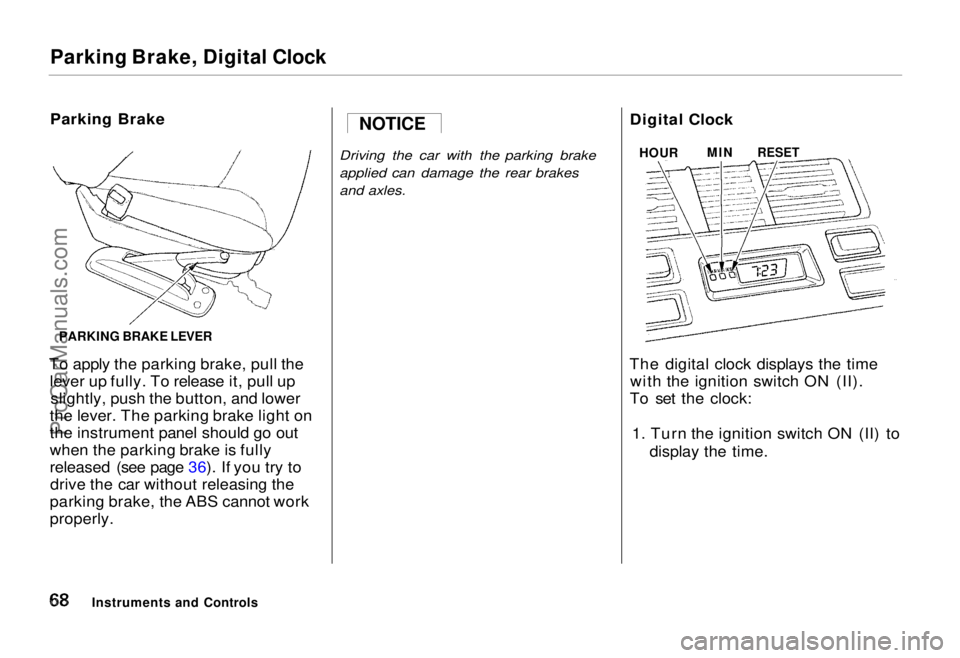
Parking Brake
To apply the parking brake, pull the lever up fully. To release it, pull upslightly, push the button, and lower
the lever. The parking brake light on
the instrument panel should go out
when the parking brake is fully
released (see page 36). If you try to drive the car without releasing the
parking brake, the ABS cannot work
properly.
Driving the car with the parking brake
applied can damage the rear brakes
and axles.
Digital Clock
The digital clock displays the time with the ignition switch ON (II).
To set the clock:
1. Turn the ignition switch ON (II) to display the time.
Instruments and Controls NOTICE
HOUR
MIN
RESET
PARKING BRAKE LEVERProCarManuals.comMain Menu Table of Contents s t
Page 72 of 240
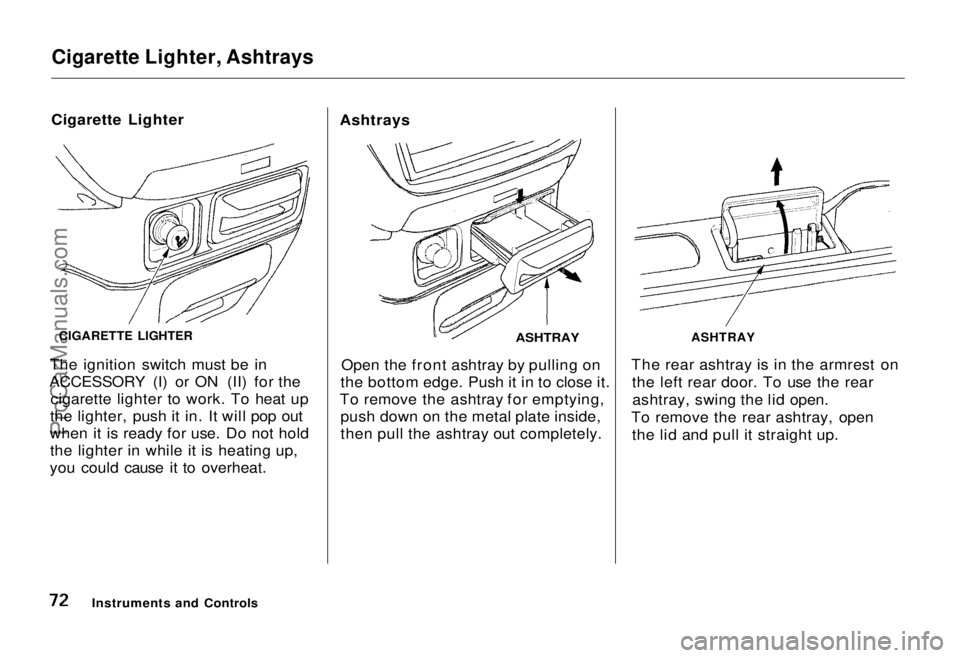
Cigarette Lighter, Ashtrays
Cigarette Lighter
The ignition switch must be in
ACCESSORY (I) or ON (II) for the cigarette lighter to work. To heat up
the lighter, push it in. It will pop out
when it is ready for use. Do not hold the lighter in while it is heating up,
you could cause it to overheat. Ashtrays
ASHTRAY
Open the front ashtray by pulling on
the bottom edge. Push it in to close it.
To remove the ashtray for emptying, push down on the metal plate inside,
then pull the ashtray out completely. The rear ashtray is in the armrest on
the left rear door. To use the rearashtray, swing the lid open.
To remove the rear ashtray, open the lid and pull it straight up.
Instruments and Controls
CIGARETTE LIGHTER
ASHTRAYProCarManuals.comMain Menu Table of Contents s t
Page 74 of 240
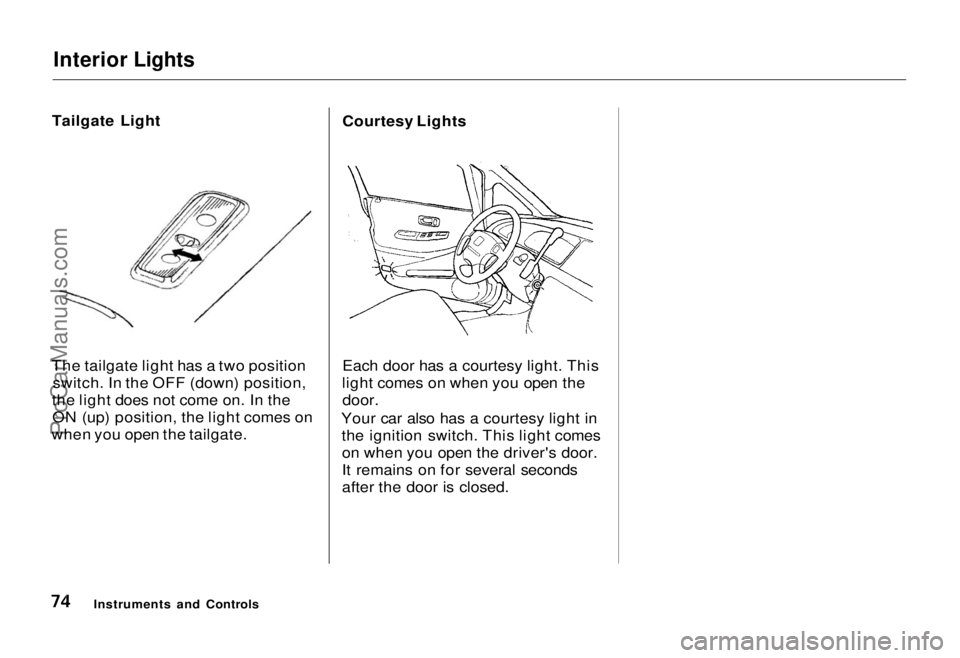
Interior Lights
Tailgate Light
The tailgate light has a two position switch. In the OFF (down) position,
the light does not come on. In the ON (up) position, the light comes on
when you open the tailgate. Courtesy Lights
Each door has a courtesy light. This
light comes on when you open the
door.
Your car also has a courtesy light in the ignition switch. This light comeson when you open the driver's door.
It remains on for several seconds
after the door is closed.
Instruments and ControlsProCarManuals.comMain Menu Table of Contents s t