window HONDA ODYSSEY 1995 Owners Manual
[x] Cancel search | Manufacturer: HONDA, Model Year: 1995, Model line: ODYSSEY, Model: HONDA ODYSSEY 1995Pages: 240, PDF Size: 2.44 MB
Page 30 of 240
Carbon Monoxide Hazard
Your car's exhaust contains carbon monoxide gas. You should have no
problem with carbon monoxide
entering the car in normal driving if
you maintain your car properly. Have the exhaust system inspected
for leaks whenever:
The car is raised for an oil change.
You notice a change in the soundof the exhaust.
The car was in an accident that may have damaged the underside.
Carbon monoxide gas is toxic.Breathing it can cause
unconsciousness and can even
kill you.
Avoid any enclosed areas or activities that expose you to
carbon monoxide. High levels of carbon monoxide can
collect rapidly in enclosed areas,
such as a garage. Do not run the
engine with the garage door closed.
Even with the door open, run the
engine only long enough to move thecar out of the garage.
With the tailgate open, air flow can pull exhaust gas into your car's
interior and create a hazardous
condition. If you must drive with the
tailgate open, open all the windowsand set the heating and cooling
system as follows. If you must sit in your parked car,
even in an unconfined area, with the
engine running, adjust the heating
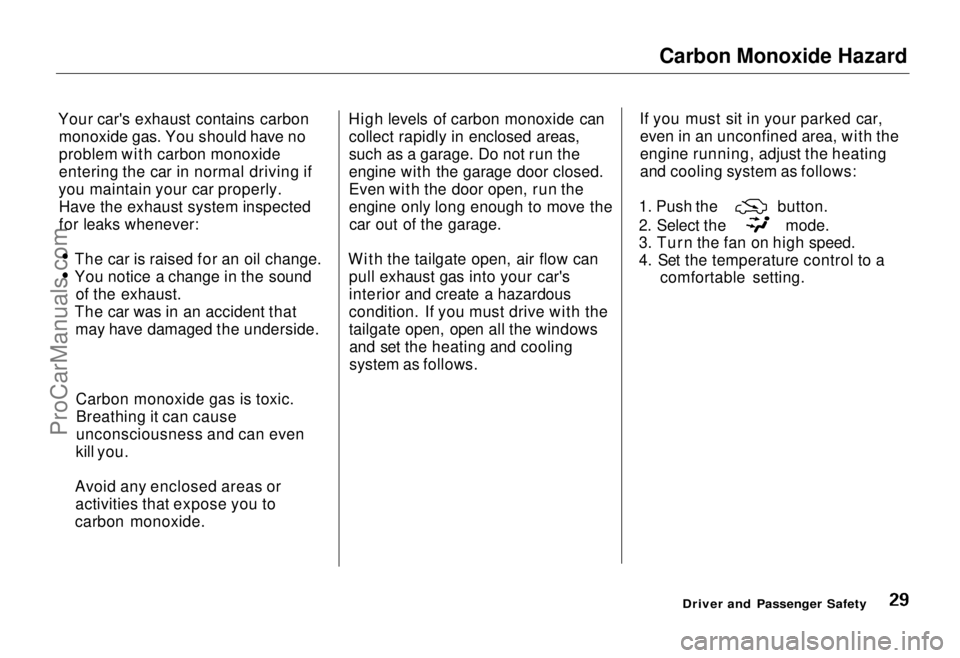
and cooling system as follows: 1. Push the button.
2. Select the mode.
3. Turn the fan on high speed.
4. Set the temperature control to a
comfortable setting.
Driver and Passenger SafetyProCarManuals.comMain Menu Table of Contents s t
Page 33 of 240
Instruments and Controls
This section gives information about the controls and displays thatcontribute to the daily operation of
your Honda. All the essential controls are within easy reach.
Control Locations............................ 34
Indicator Lights................................ 35
Gauges............................................. 39
Speedometer............................... 39
Trip Meter................................... 39
Odometer..................................... 39
Temperature Gauge................... 40
Fuel Gauge.................................. 40
Maintenance Required
Indicator................................... 40
Controls Near the Steering Wheel...................................... 41
Headlights...................................
42
Daytime Running
Lights............ 42
Instrument Panel Brightness.... 43
Turn Signals................................. 43
Windshield Wipers...................... 44
Windshield Washers................... 44 Rear Window Wiper and Washer...................................... 45
Hazard Warning.......................... 45
Rear Window Defogger.............. 45
Steering Wheel Adjustment....... 46
Steering Wheel Controls ................ 48 Cruise Control.............................. 48
Horn............................................. 51
Keys and Locks................................ 51
Keys............................................... 51
Ignition Switch............................. 52
Power Door Locks....................... 53Remote Transmitter.................... 54
Childproof Door Locks............... 54
Tailgate......................................... 55 Glove Box..................................... 55
Seats................................................. 56
Passenger Seating...................... 56
Seat Adjustments........................ 56
Driver's Seat Power HeightAdjustment.............................. 57
Head Restraints.......................... 58
Third Seat Access....................... 58 Removing the Second Seats
in the Six-Passenger Model.... 59
Folding the Second Seats in the Seven-Passenger
Model................................... 60
Reclining the Second Seat.......... 61
Folding the Third Seat in All Models...........................
62
Power Windows.............................. .
64
Sunroof............................................. 65
Mirrors............................................. 66
Adjusting the Power Mirrors.....
67
Parking Brake.................................
68
Digital Clock..................................... 68
Beverage Holder.............................. 69 Dashboard Compartment............... 70
Center Poket.................................... 71
Coin Box........................................... 71
Vanity Mirror................................... 71
Cigarette Lighter............................. 72
Ashtrays........................................... 72
Interior Lights.................................. 73
Ceiling Lights.............................. 73
Spotlights..................................... 73
Tailgate Light............................... 74 Courtesy Lights........................... 74
Instruments and ControlsProCarManuals.comMain Menu s t
Page 34 of 240
Control Locations
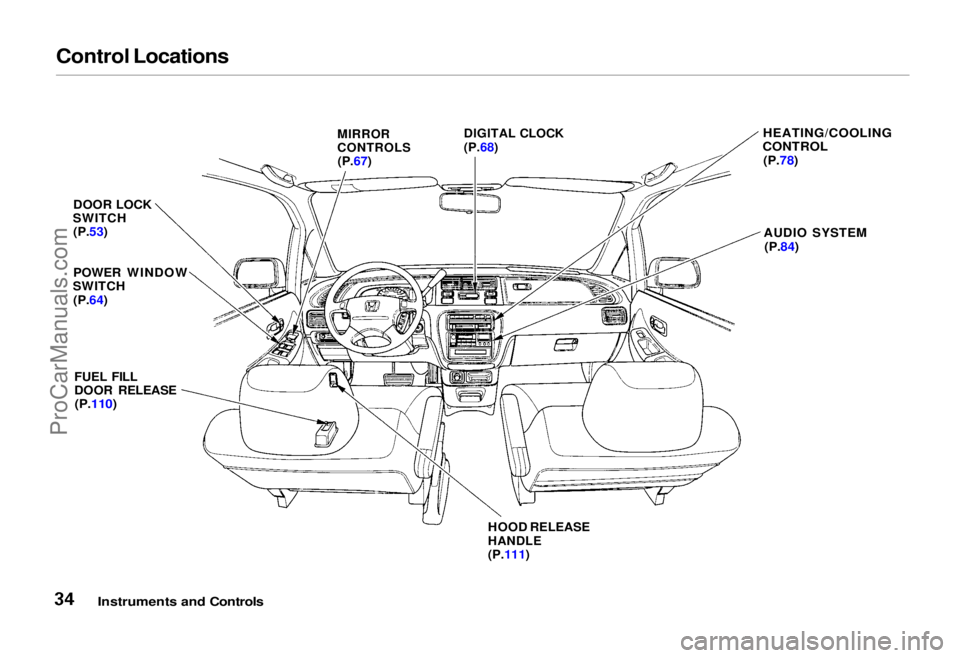
DOOR LOCK
SWITCH
(P.53)
POWER WINDOW
SWITCH
(P.64)
FUEL FILL
DOOR RELEASE
(P.110)
HOOD RELEASE
HANDLE
(P.111)
HEATING/COOLING
CONTROL
(P.78)
AUDIO SYSTEM
(P.84)
Instruments and Controls
MIRROR
CONTROLS
(P.67)
DIGITAL CLOCK
(P.68)ProCarManuals.comMain Menu Table of Contents s t
Page 41 of 240
Controls Near the Steering Wheel
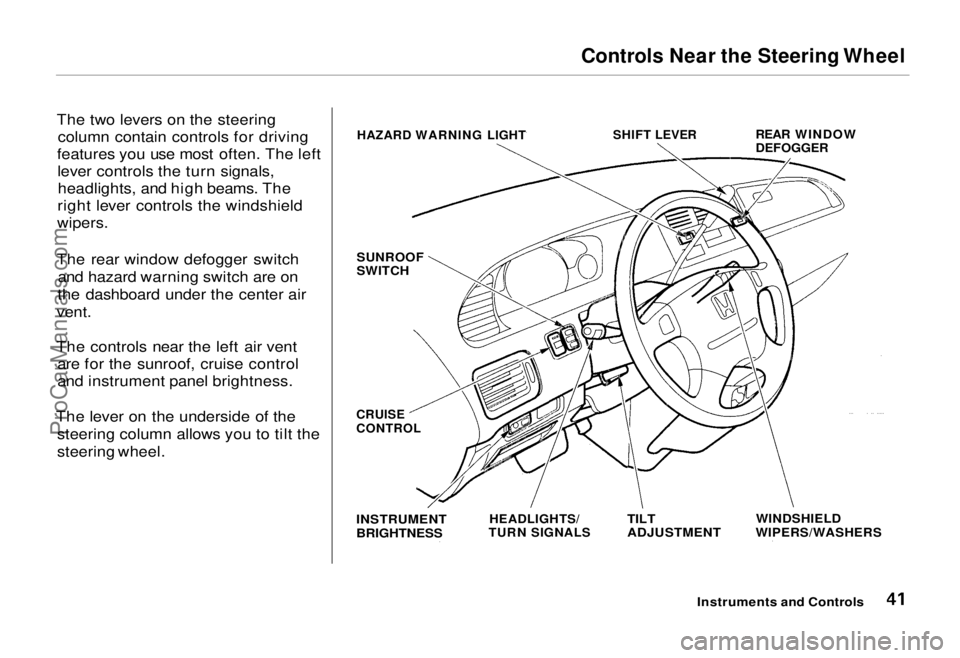
The two levers on the steering column contain controls for driving
features you use most often. The left lever controls the turn signals,headlights, and high beams. The
right lever controls the windshield
wipers.
The rear window defogger switch and hazard warning switch are on
the dashboard under the center air
vent.
The controls near the left air vent are for the sunroof, cruise control
and instrument panel brightness.
The lever on the underside of the steering column allows you to tilt the
steering wheel.
Instruments and Controls
HAZARD WARNING LIGHT
SHIFT LEVER
REAR WINDOW
DEFOGGER
SUNROOF
SWITCH
WINDSHIELD
WIPERS/WASHERS
TILT
ADJUSTMENT
HEADLIGHTS/
TURN SIGNALS
INSTRUMENT
BRIGHTNESS
CRUISE
CONTROLProCarManuals.comMain Menu Table of Contents s t
Page 45 of 240
Controls Near the Steering Wheel
Rear Window Wiper and Washer
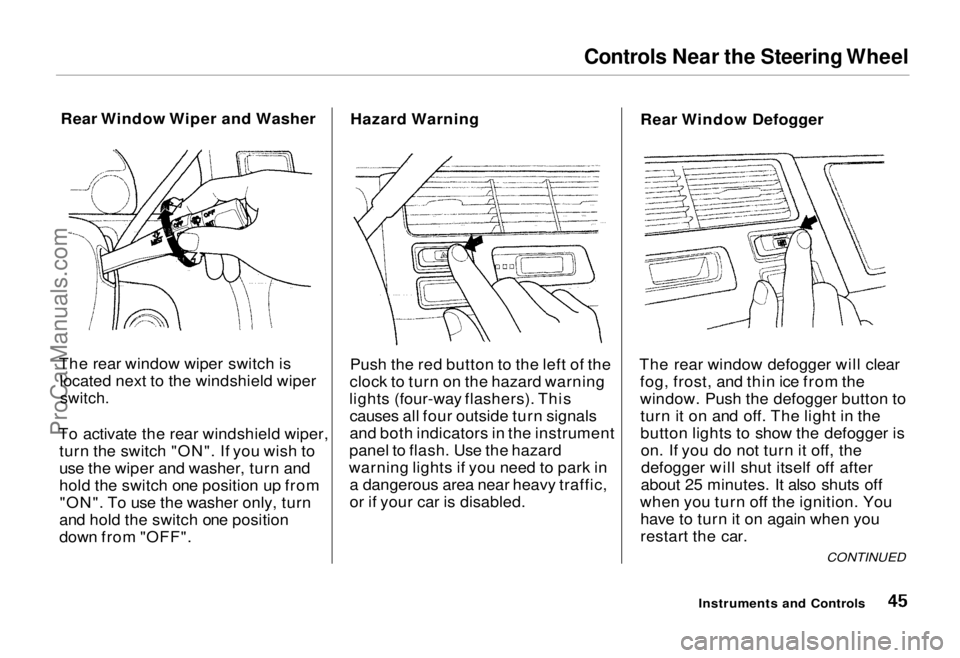
The rear window wiper switch is located next to the windshield wiper
switch.
To activate the rear windshield wiper, turn the switch "ON". If you wish to
use the wiper and washer, turn and
hold the switch one position up from"ON". To use the washer only, turn
and hold the switch one position
down from "OFF". Hazard Warning
Push the red button to the left of the
clock to turn on the hazard warning
lights (four-way flashers). This causes all four outside turn signals
and both indicators in the instrument
panel to flash. Use the hazard
warning lights if you need to park in a dangerous area near heavy traffic,
or if your car is disabled. Rear Window Defogger
The rear window defogger will clear fog, frost, and thin ice from the
window. Push the defogger button toturn it on and off. The light in the
button lights to show the defogger ison. If you do not turn it off, thedefogger will shut itself off after
about 25 minutes. It also shuts off
when you turn off the ignition. You have to turn it on again when you
restart the car.
Instruments and Controls
CONTINUEDProCarManuals.comMain Menu Table of Contents s t
Page 46 of 240
Controls Near the Steering Wheel
Make sure the rear window is clear
and you have good visibility before
starting to drive.
The defogger wires on the inside of the rear window can be accidentallydamaged. When cleaning the glass,
always wipe side to side. Steering Wheel Adjustment
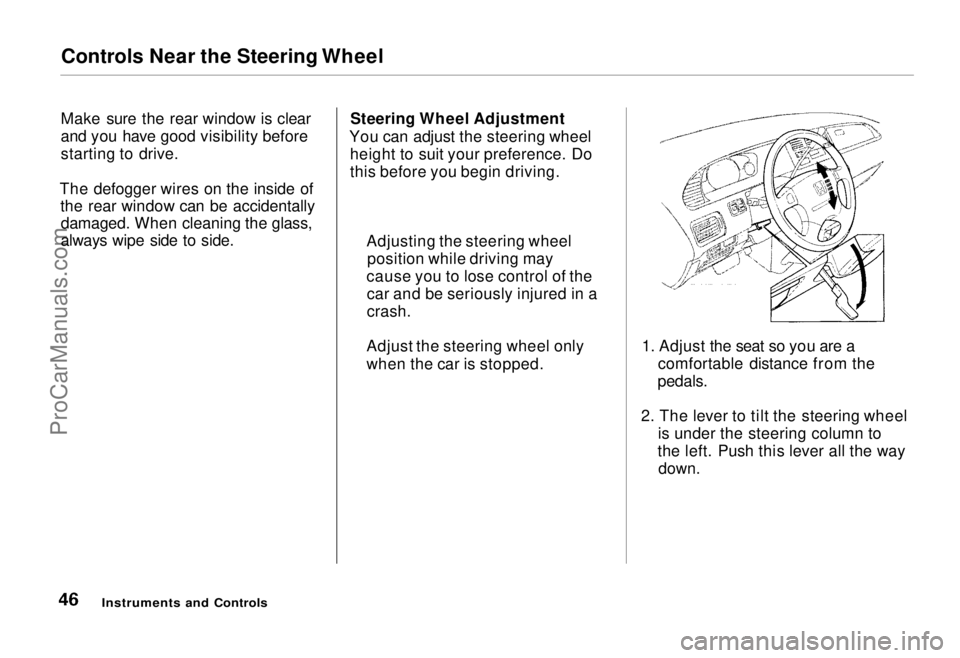
You can adjust the steering wheel height to suit your preference. Do
this before you begin driving.
1. Adjust the seat so you are acomfortable distance from the
pedals.
2. The lever to tilt the steering wheel is under the steering column to
the left. Push this lever all the way
down.
Instruments and Controls
Adjusting the steering wheel
position while driving may
cause you to lose control of the car and be seriously injured in a
crash.
Adjust the steering wheel only
when the car is stopped.ProCarManuals.comMain Menu Table of Contents s t
Page 64 of 240
Power Windows
Your car's windows are electrically- powered. Turn the ignition switch toON (II) to raise or lower any window.
Each door has a switch that controls
its window. To open the window,
push the switch down and hold it.
Release the switch when you want
the window to stop. Close the
window by pulling back on the switch and holding it.
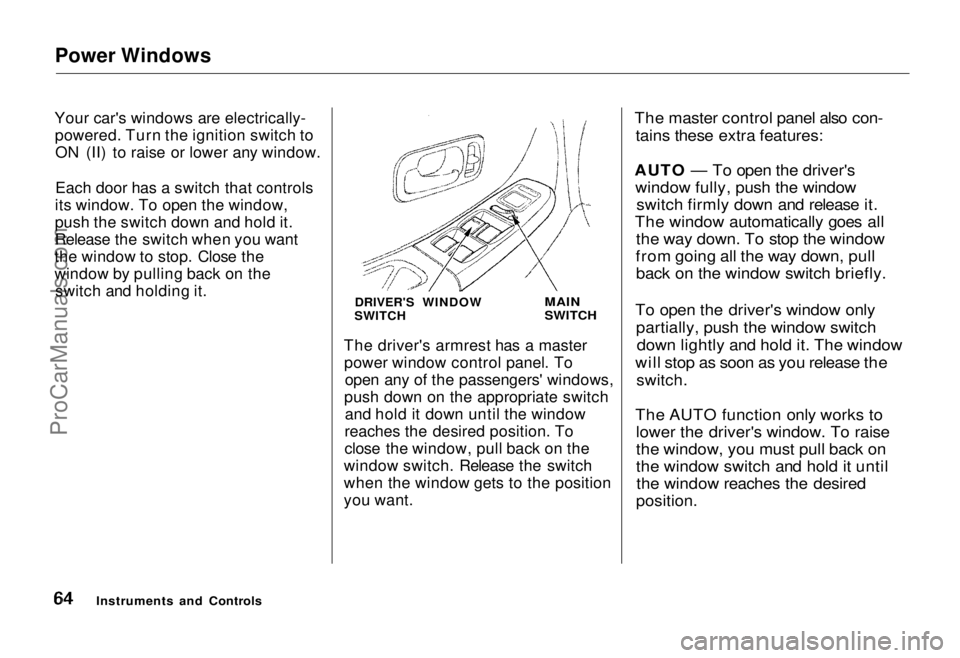
DRIVER'S WINDOW
SWITCH
MAIN
SWITCH
The driver's armrest has a master power window control panel. To open any of the passengers' windows,
push down on the appropriate switch and hold it down until the window
reaches the desired position. To
close the window, pull back on the
window switch. Release the switch
when the window gets to the position
you want.
The master control panel also con-
tains these extra features:
AUTO — To open the driver's window fully, push the window switch firmly down and release it.
The window automatically goes all the way down. To stop the window
from going all the way down, pull back on the window switch briefly.
To open the driver's window only partially, push the window switchdown lightly and hold it. The window
will stop as soon as you release the
switch.
The AUTO function only works to lower the driver's window. To raise
the window, you must pull back on
the window switch and hold it untilthe window reaches the desired
position.
Instruments and ControlsProCarManuals.comMain Menu Table of Contents s t
Page 65 of 240
Power Windows, Sunroof
The MAIN switch controls power to the passengers' windows. With thisswitch off, the passengers' windows
cannot be raised or lowered. The
MAIN switch does not affect the driver's window. Keep the MAIN
switch off when you have children in
the car so they do not injure them- selves by operating the windows
unintentionally. Sunroof
On some models
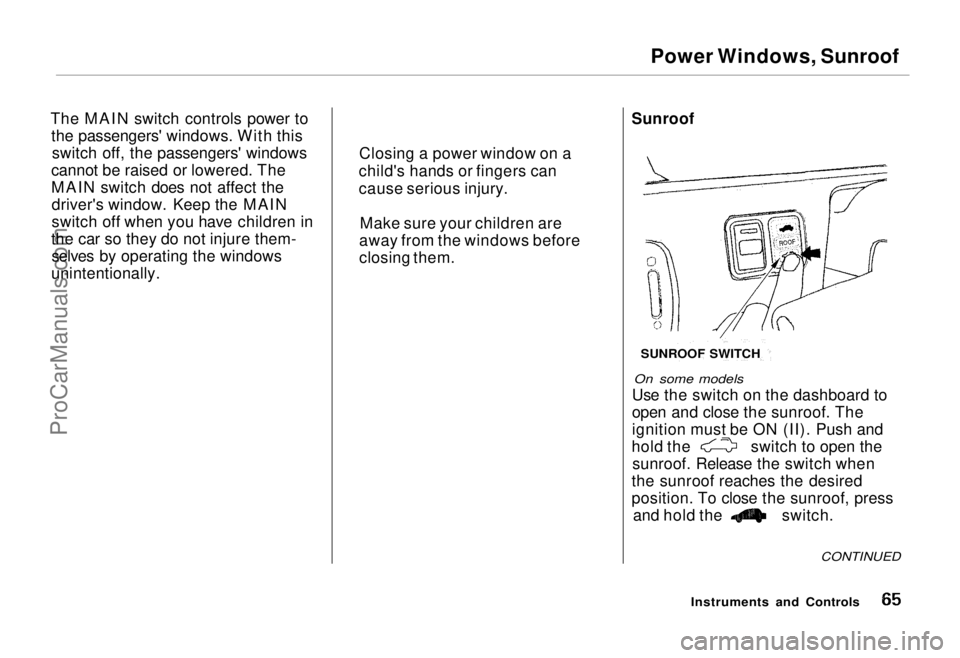
Use the switch on the dashboard to
open and close the sunroof. The
ignition must be ON (II). Push and hold the switch to open the
sunroof. Release the switch when
the sunroof reaches the desired
position. To close the sunroof, press and hold the switch.
CONTINUED
Instruments and Controls
Closing a power window on a
child's hands or fingers can
cause serious injury.
Make sure your children are
away from the windows before
closing them.
SUNROOF SWITCH
ProCarManuals.comMain Menu Table of Contents s t
Page 79 of 240
Heating and Cooling
How to Use the System
This section covers the best way to use the system for ventilation,cooling, dehumidifying, defrosting
and heating. In most cases, the mode
and air source selections are only
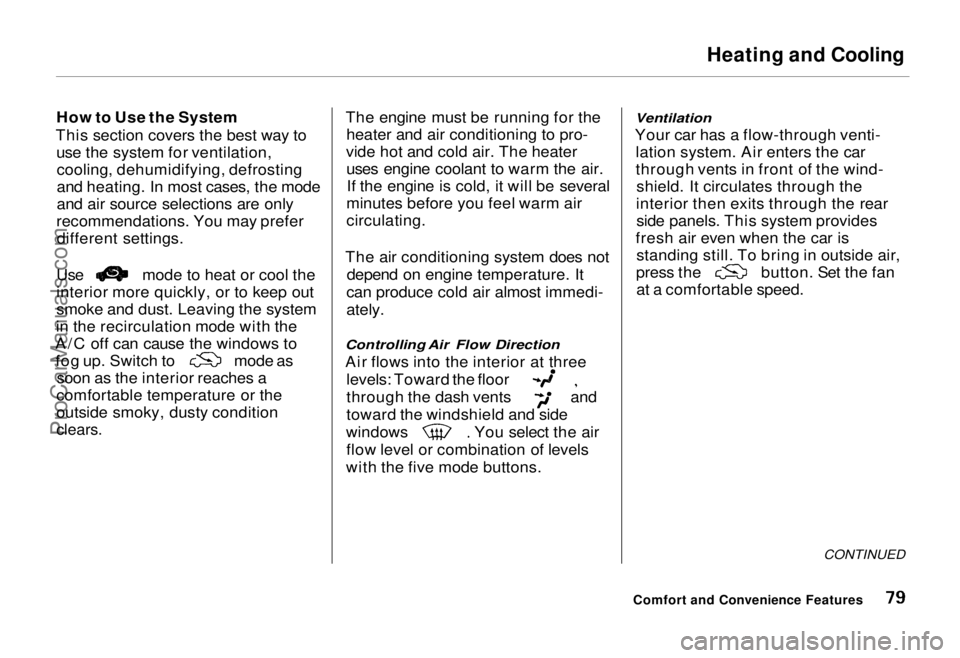
recommendations. You may prefer different settings. Use mode to heat or cool the
interior more quickly, or to keep out
smoke and dust. Leaving the system
in the recirculation mode with the
A/C off can cause the windows to fog up. Switch to
mode as
soon as the interior reaches a
comfortable temperature or the
outside smoky, dusty condition
clears.
The engine must be running for the
heater and air conditioning to pro-
vide hot and cold air. The heater uses engine coolant to warm the air.If the engine is cold, it will be several
minutes before you feel warm air
circulating.
The air conditioning system does not depend on engine temperature. It
can produce cold air almost immedi-
ately.
Controlling Air Flow Direction
Air flows into the interior at three
levels: Toward the floor
through the dash vents and
toward the windshield and side
windows You select the air
flow level or combination of levels
with the five mode buttons.
Ventilation
Your car has a flow-through venti- lation system. Air enters the car
through vents in front of the wind-shield. It circulates through the
interior then exits through the rear side panels. This system provides
fresh air even when the car is standing still. To bring in outside air, press the button. Set the fan
at a comfortable speed.
CONTINUED
Comfort and Convenience FeaturesProCarManuals.comMain Menu Table of Contents s t
Page 80 of 240
Heating and Cooling
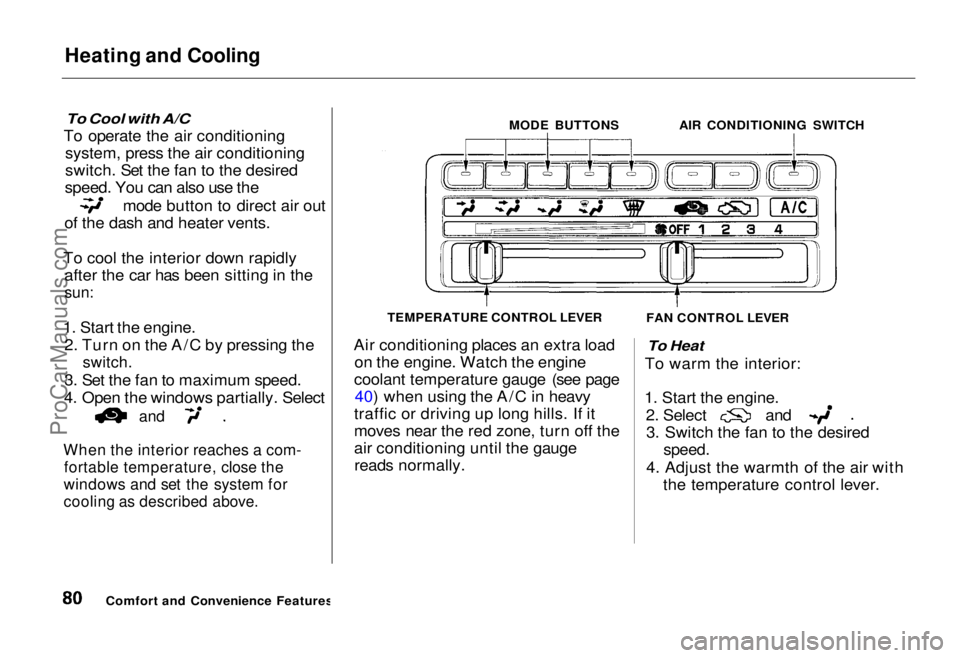
To Cool with A/C
To operate the air conditioning system, press the air conditioning
switch. Set the fan to the desired
speed. You can also use the mode button to direct air out
of the dash and heater vents.
To cool the interior down rapidly after the car has been sitting in the
sun:
1. Start the engine. 2. Turn on the A/C by pressing the
switch.
3. Set the fan to maximum speed.
4. Open the windows partially. Select
and
When the interior reaches a com-
fortable temperature, close the
windows and set the system for
cooling as described above.
Air conditioning places an extra load
on the engine. Watch the engine
coolant temperature gauge (see page 40) when using the A/C in heavy
traffic or driving up long hills. If it
moves near the red zone, turn off the
air conditioning until the gauge reads normally.
To Heat
To warm the interior:
1. Start the engine. 2. Select and
3. Switch the fan to the desired
speed.
4. Adjust the warmth of the air with the temperature control lever.
Comfort and Convenience Features MODE BUTTONS
AIR CONDITIONING SWITCH
FAN CONTROL LEVER
TEMPERATURE CONTROL LEVERProCarManuals.comMain Menu Table of Contents s t