air condition HONDA ODYSSEY 1998 User Guide
[x] Cancel search | Manufacturer: HONDA, Model Year: 1998, Model line: ODYSSEY, Model: HONDA ODYSSEY 1998Pages: 272, PDF Size: 2.67 MB
Page 101 of 272
Heating and Cooling
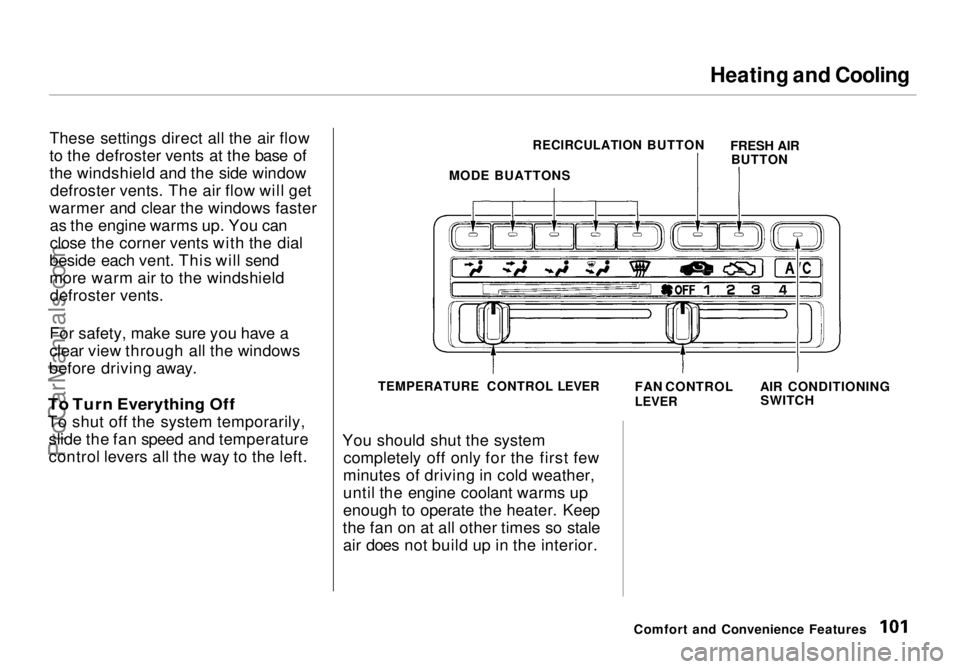
These settings direct all the air flow
to the defroster vents at the base of
the windshield and the side window defroster vents. The air flow will get
warmer and clear the windows faster as the engine warms up. You can
close the corner vents with the dial
beside each vent. This will send
more warm air to the windshield defroster vents.
For safety, make sure you have a
clear view through all the windows
before driving away.
To Turn Everything Off
To shut off the system temporarily, slide the fan speed and temperature
control levers all the way to the left. You should shut the system
completely off only for the first few
minutes of driving in cold weather,
until the engine coolant warms up
enough to operate the heater. Keep
the fan on at all other times so stale air does not build up in the interior.
Comfort and Convenience Features
MODE BUATTONS
RECIRCULATION BUTTON
FRESH AIR
BUTTON
TEMPERATURE CONTROL LEVER
FAN CONTROL
LEVER
AIR CONDITIONING
SWITCHProCarManuals.comMain Menu Table of Contents s t
Page 117 of 272
Audio System
Radio Frequencies
Your Honda's radio can receive the complete AM and FM bands.
Those bands cover these frequen-
cies:
AM band: 530 to 1,710 kilohertz
FM band:
87.7 to 107.9 megahertz
Radio stations on the AM band are assigned frequencies at least ten
kilohertz apart (530, 540, 550).
Stations on the FM band are
assigned frequencies at least 0.2
megahertz apart (87.9, 88.1, 88.3).
Stations must use these exact
frequencies. It is fairly common for stations to round-off the frequency in
their advertising, so your radio could display a frequency of 100.9 even
though the announcer may identify
the station as "FM101." Radio Reception
How well your Honda's radio
receives stations is dependent on
many factors, such as the distance
from the station's transmitter, nearby large objects, and atmos-
pheric conditions.
A radio station's signal gets weaker as you get farther away from its
transmitter. If you are listening to an
AM station, you will notice the sound volume becoming weaker, and the station drifting in and out. If you are
listening to an FM station, you will see the stereo indicator flickering off
and on as the signal weakens.
Eventually, the stereo indicator will
go off and the sound will fade completely as you get out of range of
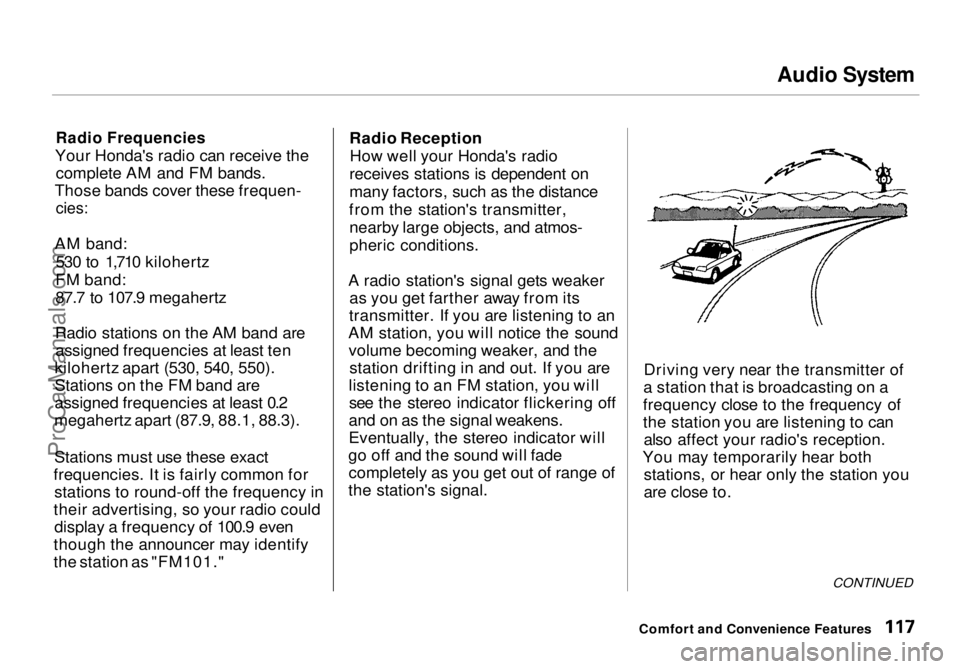
the station's signal. Driving very near the transmitter of
a station that is broadcasting on a
frequency close to the frequency of
the station you are listening to can also affect your radio's reception.
You may temporarily hear both stations, or hear only the station you
are close to.
CONTINUED
Comfort and Convenience FeaturesProCarManuals.comMain Menu Table of Contents s t
Page 133 of 272

Fuel Economy
The condition of your vehicle and
your driving habits are the two most important things that affect the fuel
mileage you get.
Vehicle Condition Always maintain your vehicle accord- ing to the maintenance schedule.
This will keep it in top operating condition.
An important part of that mainte- nance is the Owner Maintenance
Checks (see page 146). For
example, an underinflated tire
causes more "rolling resistance,"
which uses fuel. It also wears out faster, so check the tire pressure at
least monthly.
In winter, the build-up of snow on
your vehicle's underside adds weight and rolling resistance. Frequent
cleaning helps your fuel mileage and
reduces the chance of corrosion. Driving Habits
You can improve fuel economy by driving moderately. Rapid acceler-
ation, abrupt cornering, and hard
braking use more fuel.
Always drive in the highest gear that allows the engine to run and acceler-
ate smoothly.
Depending on traffic conditions, try
to maintain a constant speed. Every
time you slow down and speed up,
your vehicle uses extra fuel. Use the cruise control, when appropriate, to
increase fuel economy. A cold engine uses more fuel than a
warm engine. It is not necessary to"warm-up" a cold engine by letting it
idle for a long time. You can drive away in about a minute, no matter
how cold it is outside. The engine
will warm up faster, and you get
better fuel economy. To cut clown on the number of "cold starts," try tocombine several short trips into one.
The air conditioning puts an extra load on the engine which makes it
use more fuel. Turn off the A/C tocut down on air conditioning use.
Use the flow-through ventilation
when the outside air temperature is moderate.
Before DrivingProCarManuals.comMain Menu Table of Contents s t
Page 151 of 272
Driving in Bad Weather
Visibility — Being able to see clearly in all directions and being
visible to other drivers are important in all weather conditions. This is
more difficult in bad weather. To beseen more clearly during daylight
hours, turn on your headlights.
Inspect your windshield wipers and
washers frequently. Keep the wind- shield washer reservoir full of the
proper fluid. Have the windshield
wiper blades replaced if they start to streak the windshield or leave parts
unwiped. Use the defrosters and air
conditioning to keep the windows
from fogging up on the inside (see
page 99).
Traction — Check your tires
frequently for wear and proper
pressure. Both are important in
preventing "hydroplaning" (loss of
traction on a wet surface). In the
winter, mount snow tires on all four
wheels for the best handling.
Watch road conditions carefully, they can change from moment to
moment. Wet leaves can be as slip-
pery as ice. "Clear" roads can have
patches of ice. Driving conditionscan be very hazardous when the
outside temperature is near freezing.
The road surface can become covered with areas of water puddles
mixed with areas of ice, so your
traction can change without warning.
Be careful when downshifting. If
traction is low, you can lock up the drive wheels for a moment and cause
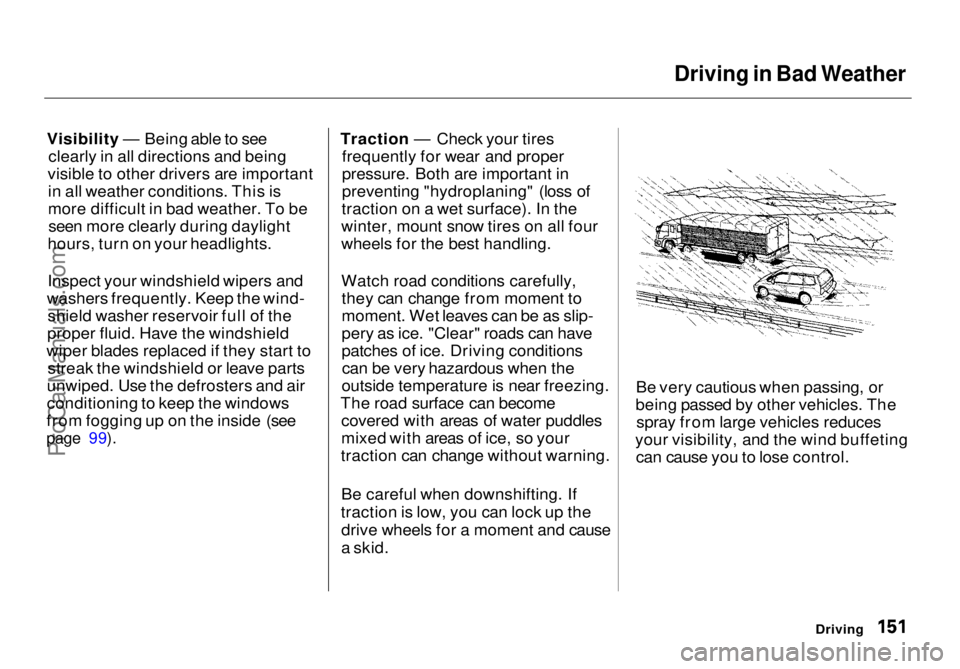
a skid. Be very cautious when passing, or
being passed by other vehicles. The spray from large vehicles reduces
your visibility, and the wind buffeting can cause you to lose control.
DrivingProCarManuals.comMain Menu Table of Contents s t
Page 155 of 272
Towing a Trailer
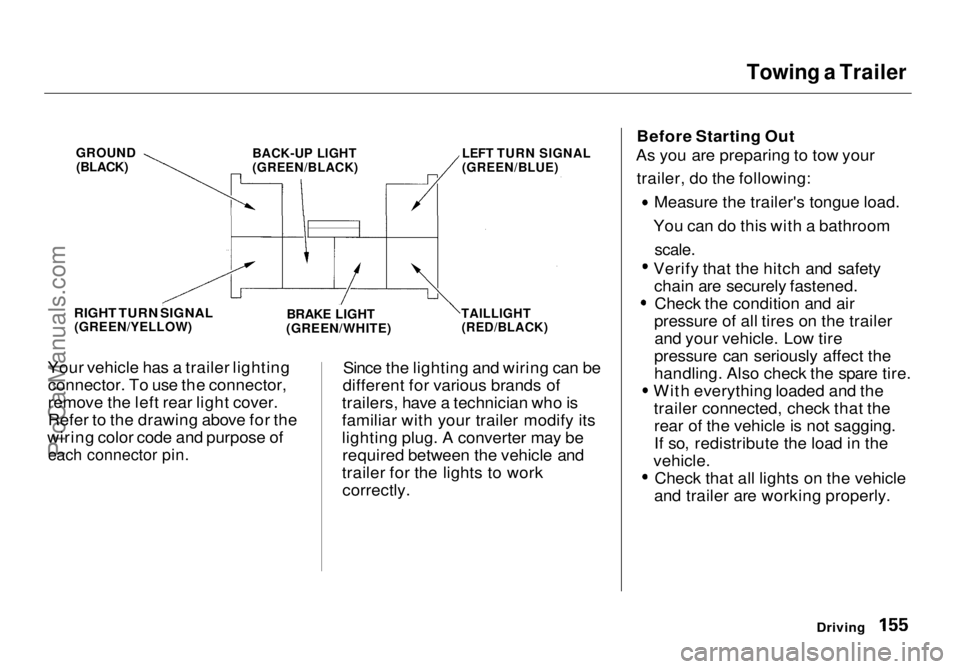
Your vehicle has a trailer lighting connector. To use the connector,
remove the left rear light cover.
Refer to the drawing above for the
wiring color code and purpose of
each connector pin.
Since the lighting and wiring can be
different for various brands of
trailers, have a technician who is
familiar with your trailer modify its
lighting plug. A converter may be required between the vehicle and
trailer for the lights to work correctly. Before Starting Out
As you are preparing to tow your
trailer, do the following: Measure the trailer's tongue load.
You can do this with a bathroom
scale.
Verify that the hitch and safety
chain are securely fastened. Check the condition and air
pressure of all tires on the trailer and your vehicle. Low tire
pressure can seriously affect the
handling. Also check the spare tire. With everything loaded and the
trailer connected, check that therear of the vehicle is not sagging.
If so, redistribute the load in the
vehicle. Check that all lights on the vehicle
and trailer are working properly.
Driving
GROUND
(BLACK)
BACK-UP LIGHT
(GREEN/BLACK)
LEFT TURN SIGNAL
(GREEN/BLUE)
RIGHT TURN SIGNAL
(GREEN/YELLOW)
BRAKE LIGHT
(GREEN/WHITE)
TAILLIGHT
(RED/BLACK)ProCarManuals.comMain Menu Table of Contents s t
Page 156 of 272
Towing a Trailer
Towing Safety
Your vehicle will not stop as quicklywith a trailer in tow. Leave extra distance between your vehicle and
other vehicles. Avoid braking or
turning suddenly. This could cause
the trailer to jackknife or possibly
turn over.
Keep in mind that your total vehicle
is now much longer. Leave more
room when making turns. The trailer
tracks a smaller arc than the vehicle
and can hit or run over something
that the vehicle misses. When
passing another vehicle, make sure
the trailer is clear before changing
lanes.
The vehicle/trailer combination is
more affected by crosswinds and
buffeting. When being passed by a
large vehicle, keep a constant speed and steer straight ahead. If there is
too much wind buffeting, slow down
to get out of the other vehicle's air
turbulence.
Towing a trailer puts an extra load on your vehicle. You should have
your vehicle serviced according to the "Maintenance Schedule undersevere driving conditions" on page 164. This extra load is magnified when
you are driving in hilly terrain.
Watch the temperature gauge closely when climbing hills. If it gets
near the hot area, turn off the air
conditioning (if it is on). If this does
not reduce the heat, it may be
necessary to pull to the side of the
road and wait for the engine to cool.
If the automatic transmission shifts
frequently between 3rd and 4th gears, put it in D3. This will help
prevent the transmission fromoverheating. Help keep the brakes
from overheating by shifting to a lower gear when going downhill.
DrivingProCarManuals.comMain Menu Table of Contents s t
Page 158 of 272
Maintenance
This section explains why it is important to keep your vehicle well
maintained and to follow basic
maintenance safety precautions.
This section also includes Maintenance Schedules for normaldriving and severe driving conditions,
a Maintenance Record, and instruc-
tions for simple maintenance tasks
you may want to take care of
yourself.
If you have the skills and tools to per-
form more complex maintenance tasks on your Honda, you may want
to purchase the Service Manual. See
page 235 for information on how to obtain a copy, or see your Honda
dealer.
Maintenance Safety....................... 160
Important Safety Precautions.. 161
Maintenance Schedule.................. 162
Required Maintenance Record.... 169 Owner Maintenance Checks........ 171
Fluid Locations............................... 172
Engine Oil....................................... 173 Adding Oil................................... 173Recommended Oil..................... 173
Synthetic Oil............................... 174
Additives..................................... 175
Changing the Oil and Filter...... 175
Cooling System.............................. 177
Adding Engine Coolant............. 177Replacing Engine Coolant........ 179
Windshield Washers..................... 181
Automatic Transmission Fluid..... 182
Brake Fluid..................................... 183
Brake System............................. 183
Power Steering............................... 184
Air Cleaner Element...................... 185 Spark Plugs..................................... 187
Replacement............................... 187
Specifications............................. 188
Battery............................................ 189
Wiper Blades.................................. 191 Air Conditioning System............... 194
Drive Belts...................................... 195
Timing Belt..................................... 195
Tires................................................ 196 Inflation....................................... 196
Inspection................................... 198
Maintenance............................... 198
Tire Rotation.............................. 199
Replacing Tires and Wheels .... 199
Wheels and Tires....................... 200
Winter Driving........................... 200
Snow Tires.............................. 201
Tire Chains............................. 201
Lights.............................................. 202 Headlight Aiming...................... 204
Replacing Bulbs......................... 206
Storing Your Vehicle..................... 211
MaintenanceProCarManuals.comMain Menu s t
Page 184 of 272
Air Cleaner Element
The air cleaner element should be cleaned or replaced according to the
time and distance recommendations
in the maintenance schedule. Cleaning (Severe Conditions)
Clean the air cleaner element by
blowing compressed air through it in
the opposite direction to normal air
flow. If you do not have access to compressed air (such as a service
station), ask your Honda dealer to do
this service.
Follow the replacement procedure
for removal and reinstallation. Replacement
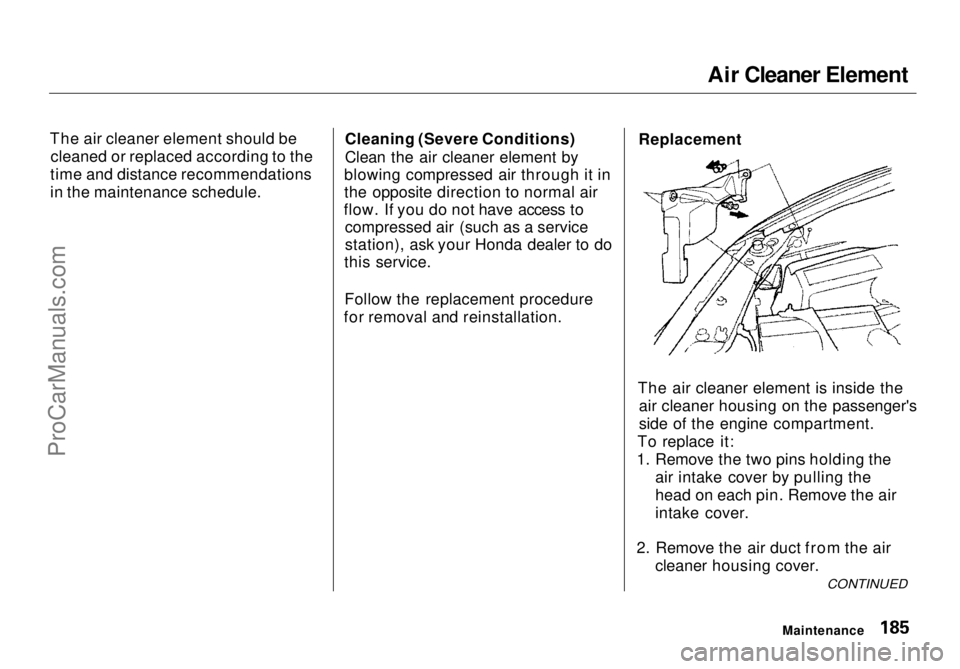
The air cleaner element is inside the air cleaner housing on the passenger's
side of the engine compartment.
To replace it:
1. Remove the two pins holding the air intake cover by pulling the
head on each pin. Remove the air
intake cover.
2. Remove the air duct from the air cleaner housing cover.
Maintenance
CONTINUEDProCarManuals.comMain Menu Table of Contents s t
Page 193 of 272
Air Conditioning System
Your vehicle's air conditioning is a sealed system. Any major mainte-
nance, such as recharging, should be done by a qualified mechanic. You
can do a couple of things to make sure the air conditioning works
efficiently.
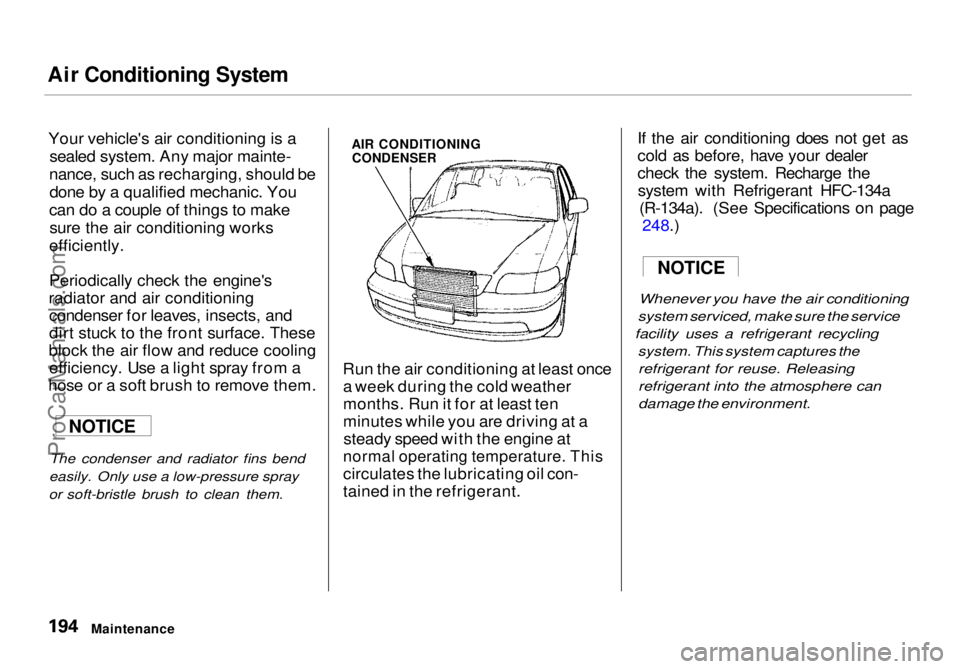
Periodically check the engine's
radiator and air conditioning condenser for leaves, insects, and
dirt stuck to the front surface. These
block the air flow and reduce cooling efficiency. Use a light spray from a
hose or a soft brush to remove them.
The condenser and radiator fins bend
easily. Only use a low-pressure spray
or soft-bristle brush to clean them.
AIR CONDITIONING
CONDENSER
Run the air conditioning at least once a week during the cold weather
months. Run it for at least ten
minutes while you are driving at asteady speed with the engine at
normal operating temperature. This
circulates the lubricating oil con-
tained in the refrigerant. If the air conditioning does not get as
cold as before, have your dealer
check the system. Recharge the
system with Refrigerant HFC-134a (R-134a). (See Specifications on page 248.
)
Whenever you
have the air conditioning
system serviced, make sure the service
facility uses a refrigerant recycling
system. This system captures the
refrigerant for reuse. Releasing
refrigerant into the atmosphere can
damage the environment.
Maintenance
NOTICE
NOTICEProCarManuals.comMain Menu Table of Contents s t
Page 195 of 272
Tires
To safely operate your vehicle, your
tires must be the proper type and
size, in good condition with adequate
tread, and correctly inflated. The
following pages give more detailed
information on how and when tocheck air pressure, how to inspect
your tires for damage and wear, and
what to do when your tires need to
be replaced.
Inflation
Keeping the tires properly inflated
provides the best combination of
handling, tread life and riding comfort. Underinflated tires wear
unevenly, adversely affect handling and fuel economy, and are more
likely to fail from being overheated. Overinflated tires can make your
vehicle ride more harshly, are more prone to damage from road hazards,
and wear unevenly.
We recommend that you visually check your tires every day. If you
think a tire might be low, check it
immediately with a tire gauge. Use a gauge to measure the air
pressure at least once a month. Even
tires that are in good condition may lose one to two psi (10 to 20 kPa, 0.1
to 0.2 kgf/cm2) per month.
Remember to check the spare tire at
the same time you check all theother tires.
Check the pressure in the tires when
they are cold. This means the vehicle
has been parked for at least three
hours. If you have to drive the
vehicle before checking the tire pressure, the tires can still be
considered "cold" if you drive less
than 1 mile (1.6 km).
Maintenance
Using tires that are excessively
worn or improperly inflated can
cause a crash in which you can be seriously hurt or killed.
Follow all instructions in this
owner's manual regarding tire inflation and maintenance.ProCarManuals.comMain Menu Table of Contents s t