ignition HONDA ODYSSEY 1998 User Guide
[x] Cancel search | Manufacturer: HONDA, Model Year: 1998, Model line: ODYSSEY, Model: HONDA ODYSSEY 1998Pages: 272, PDF Size: 2.67 MB
Page 59 of 272
Controls Near the Steering Wheel
Headlights
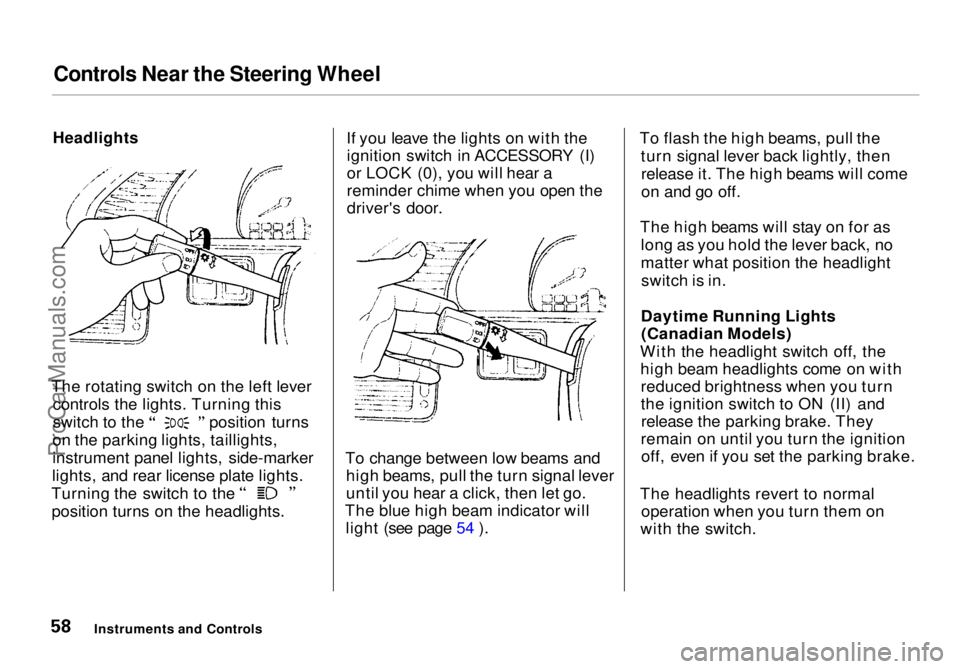
The rotating switch on the left lever controls the lights. Turning this switch to the position turns
on the parking lights, taillights,
instrument panel lights, side-marker
lights, and rear license plate lights. Turning the switch to the
position turns on the headlights. If you leave the lights on with the
ignition switch in ACCESSORY (I)
or LOCK (0), you will hear a
reminder chime when you open the
driver's door.
To change between low beams and high beams, pull the turn signal lever
until you hear a click, then let go.
The blue high beam indicator will light (see page 54 ). To flash the high beams, pull the
turn signal lever back lightly, thenrelease it. The high beams will come
on and go off.
The high beams will stay on for as long as you hold the lever back, no
matter what position the headlightswitch is in.
Daytime Running Lights (Canadian Models)
With the headlight switch off, the high beam headlights come on withreduced brightness when you turn
the ignition switch to ON (II) andrelease the parking brake. They
remain on until you turn the ignition off, even if you set the parking brake.
The headlights revert to normal operation when you turn them on
with the switch.
Instruments and ControlsProCarManuals.comMain Menu Table of Contents s t
Page 63 of 272
Controls Near the Steering Wheel
Rear Window Defogger
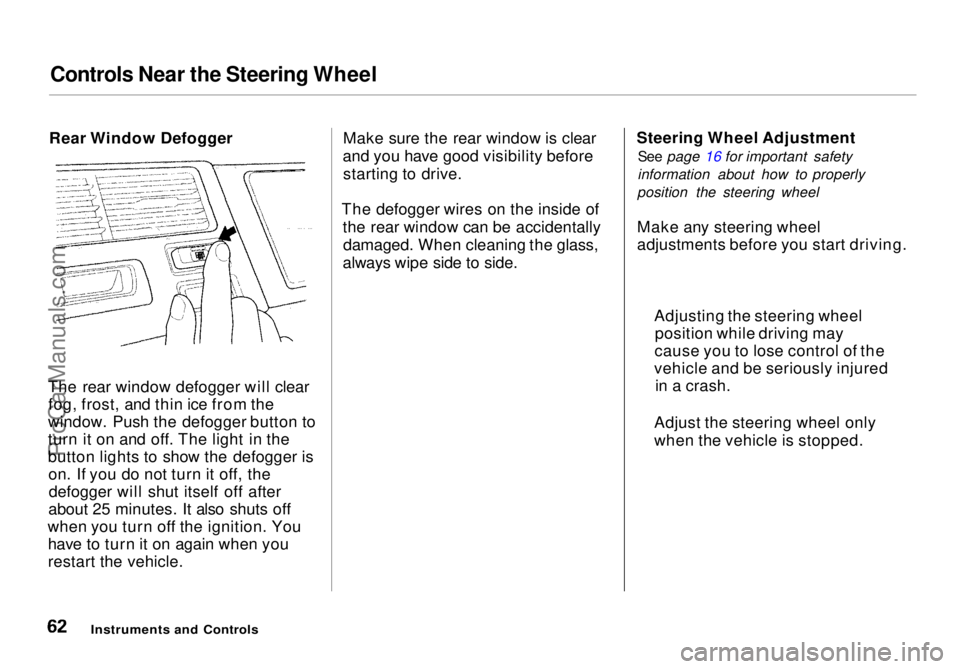
The rear window defogger will clear fog, frost, and thin ice from the
window. Push the defogger button to
turn it on and off. The light in the
button lights to show the defogger is on. If you do not turn it off, thedefogger will shut itself off after
about 25 minutes. It also shuts off
when you turn off the ignition. You have to turn it on again when you
restart the vehicle. Make sure the rear window is clear
and you have good visibility before starting to drive.
The defogger wires on the inside of the rear window can be accidentallydamaged. When cleaning the glass,
always wipe side to side. Steering Wheel Adjustment
See page 16 for important safety
information about how to properly
position the steering wheel
Make any steering wheel
adjustments before you start driving.
Instruments and Controls
Adjusting the steering wheel
position while driving may
cause you to lose control of the
vehicle and be seriously injured in a crash.
Adjust the steering wheel only
when the vehicle is stopped.ProCarManuals.comMain Menu Table of Contents s t
Page 68 of 272
Keys and Locks
Keys
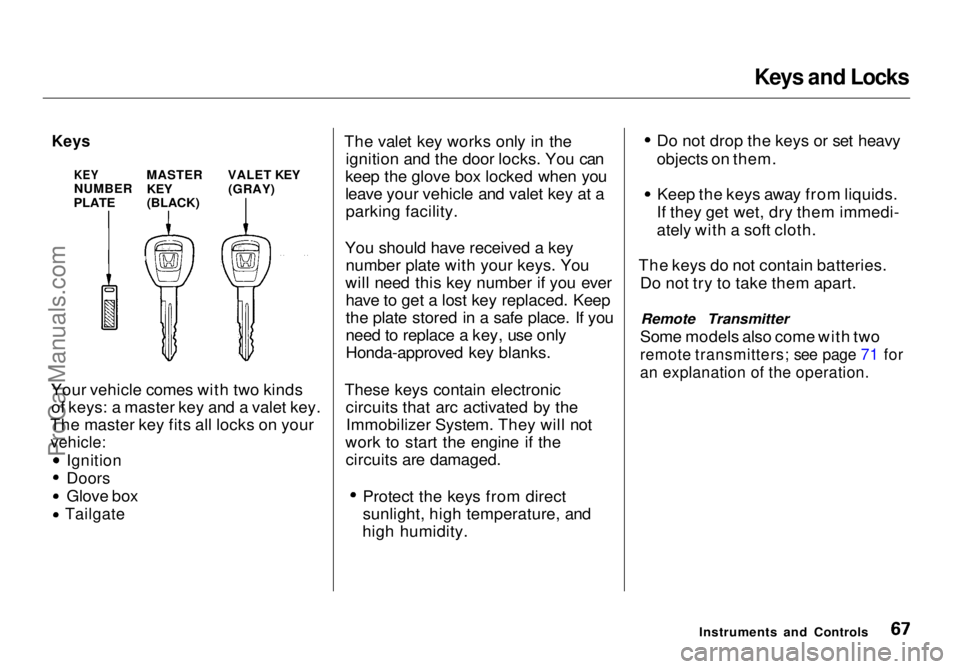
Your vehicle comes with two kinds of keys: a master key and a valet key.
The master key fits all locks on your
vehicle:
Ignition
Doors
Glove box
Tailgate
The valet key works only in the
ignition and the door locks. You can
keep the glove box locked when you
leave your vehicle and valet key at a parking facility.
You should have received a key number plate with your keys. You
will need this key number if you ever have to get a lost key replaced. Keep
the plate stored in a safe place. If you
need to replace a key, use only
Honda-approved key blanks.
These keys contain electronic circuits that arc activated by theImmobilizer System. They will not
work to start the engine if the circuits are damaged. Protect the keys from direct
sunlight, high temperature, and
high humidity. Do not drop the keys or set heavy
objects on them. Keep the keys away from liquids.
If they get wet, dry them immedi-
ately with a soft cloth.
The keys do not contain batteries. Do not try to take them apart.
Remote Transmitter
Some models also come with two
remote transmitters; see page 71 for
an explanation of the operation.
Instruments and Controls
KEY
NUMBER
PLATE
MASTER
KEY
(BLACK)
VALET KEY
(GRAY)ProCarManuals.comMain Menu Table of Contents s t
Page 69 of 272

Keys and Locks
Immobilizer System
The Immobilizer System protects
your vehicle from theft. A properly- coded master or valet key must be
used in the ignition switch for the
engine to start. If an improperly-
coded key (or other device) is used,
the engine's starting circuit is
disabled.
When you turn the ignition switch to ON (II), the Immobilizer System
indicator should come on for a few seconds, then go out. If the indicator
starts to blink, it means the system
does not recognize the coding of the
key. Turn the ignition switch to LOCK (0), remove the key, reinsert
it, and turn the switch to ON (II)
again.
If the system repeatedly does not
recognize the coding of your key,
contact your Honda dealer.
This indicator will also blink several times when you turn the ignitionswitch from ON (II) to ACCESSORY (I) or LOCK (0).
The system may not recognize your key's coding if the key is in contact
with a key from another immobilizer system. If you have a key from
another vehicle's immobilizer system,
keep it separate.
Do not attempt to alter this system
or add other devices to it. Electrical
problems could result that may make
your vehicle undriveable.
If you have lost your key and you
cannot start the engine, contact your
Honda dealer. As required by the FCC:
This device complies with Part 15 of the
FCC rules. Operation is subject to the
following two conditions: (1) This device
may not cause harmful interference, and (2) this device must accept any
interference received, including interference that may cause undesired operation.
Changes or modifications not expressly
approved by the party responsible for compliance could void the user's
authority to operate the equipment.
Instruments and ControlsProCarManuals.comMain Menu Table of Contents s t
Page 70 of 272
Keys and Locks
Ignition Switch
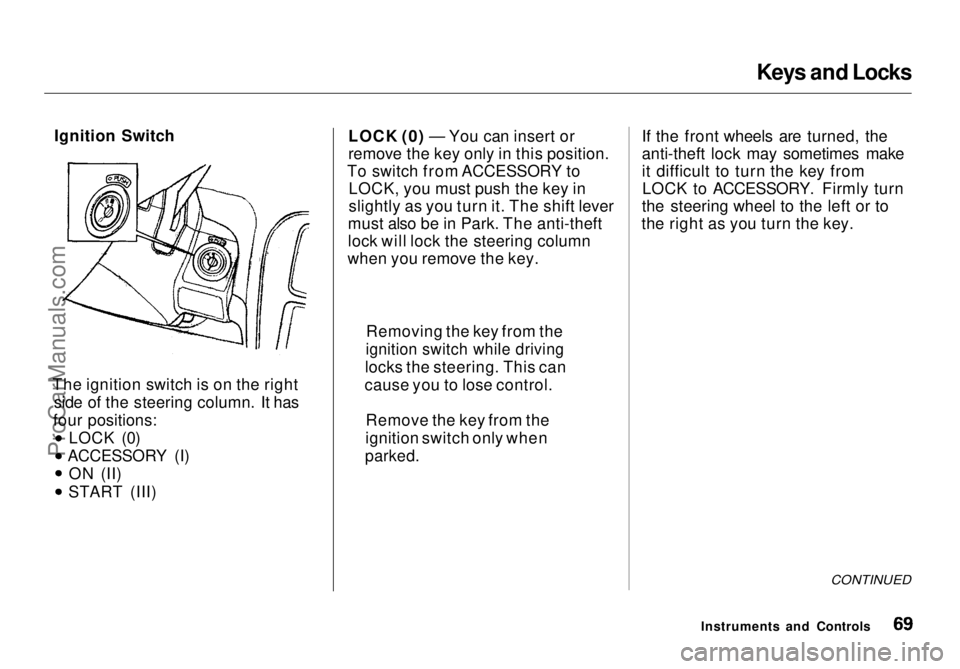
The ignition switch is on the right side of the steering column. It has
four positions: LOCK (0)
ACCESSORY (I) ON (II) START (III) LOCK (0) — You can insert or
remove the key only in this position.
To switch from ACCESSORY to LOCK, you must push the key in
slightly as you turn it. The shift lever
must also be in Park. The anti-theft
lock will lock the steering column
when you remove the key. If the front wheels are turned, the
anti-theft lock may sometimes make
it difficult to turn the key from
LOCK to ACCESSORY. Firmly turn
the steering wheel to the left or to
the right as you turn the key.
CONTINUED
Instruments and Controls
Removing the key from the
ignition switch while driving
locks the steering. This can
cause you to lose control.
Remove the key from the
ignition switch only when
parked.ProCarManuals.comMain Menu Table of Contents s t
Page 71 of 272
Keys and Locks
ACCESSORY (I) — In this position, you can operate the audio systemand the cigarette lighter.
ON (II) — This is the normal key
position when driving. All features and accessories on the vehicle are
usable. Several of the lights on the
instrument panel come on as a test
when you turn the ignition switch
from ACCESSORY to ON (see page 51). START (III) — Use this position
only to start the engine. The switch
returns to ON (II) when you let go of
the key.
The engine will not start if the Immobilizer System does not
recognize the key's coding (see page 68).
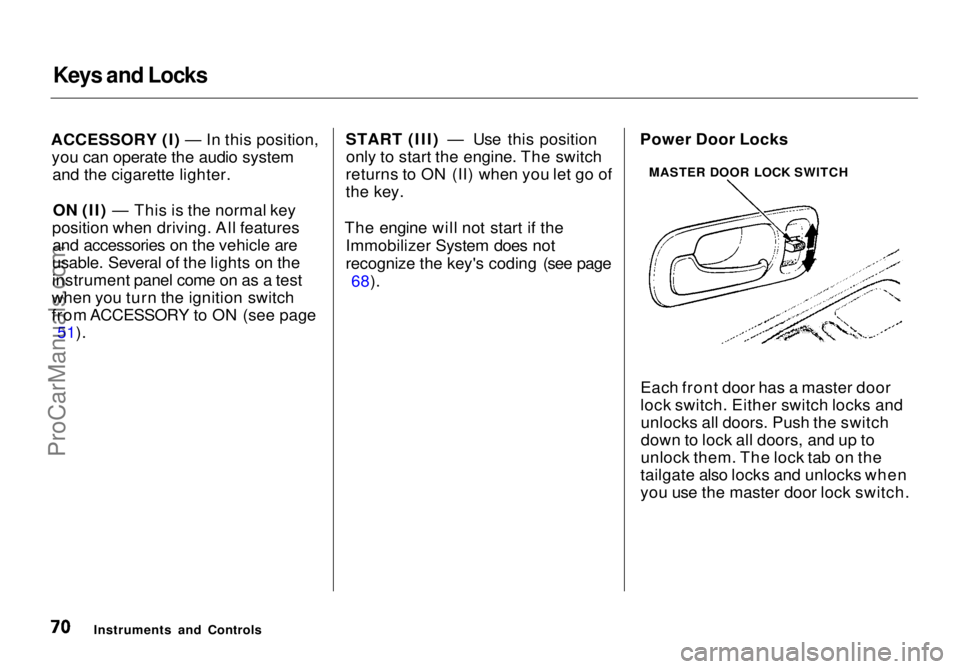
Each front door has a master door
lock switch. Either switch locks andunlocks all doors. Push the switch
down to lock all doors, and up to
unlock them. The lock tab on the
tailgate also locks and unlocks when
you use the master door lock switch.
Instruments and Controls Power Door Locks
MASTER DOOR LOCK SWITCHProCarManuals.comMain Menu Table of Contents s t
Page 73 of 272
Keys and Locks
If you use the unlock feature on the
remote transmitter, and a door or the
tailgate is not opened within 20 seconds, all doors and the tailgate
will automatically lock. The remote transmitter will not work if the key isin the ignition.
As required by the FCC: This device complies with Part 15 of the
FCC rules. Operation is subject to the
following two conditions: (1) This device may not cause harmful interference, and (2) this device must accept any
interference received, including
interference that may cause undesired operation.
Changes or modifications not expressly
approved by the party responsible for compliance could void the user's
authority to operate the equipment. Childproof Door Locks
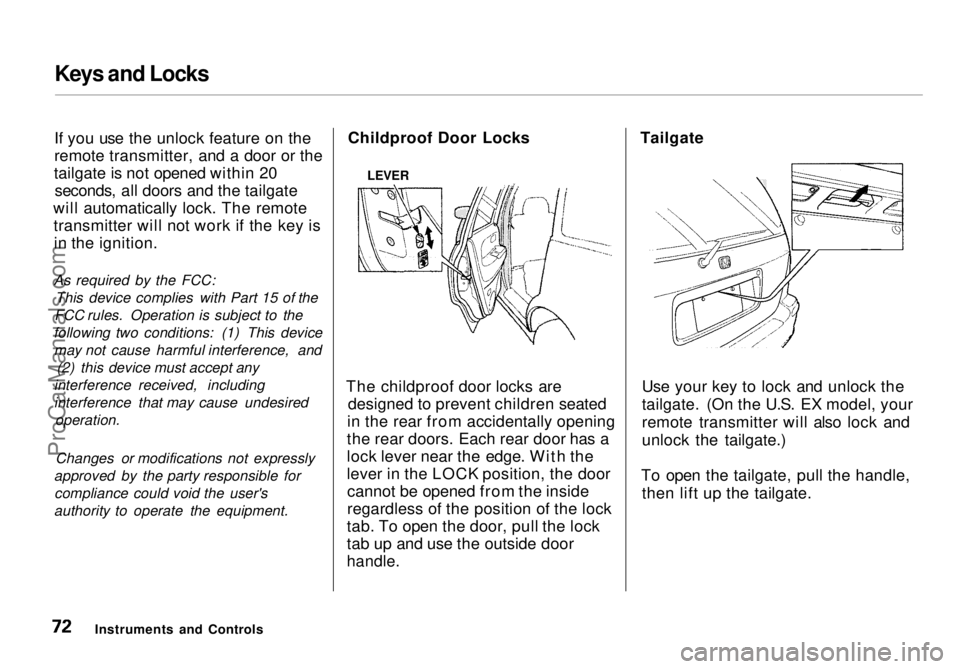
The childproof door locks are designed to prevent children seated
in the rear from accidentally opening
the rear doors. Each rear door has a
lock lever near the edge. With the
lever in the LOCK position, the door cannot be opened from the inside
regardless of the position of the lock
tab. To open the door, pull the lock
tab up and use the outside door
handle.
Tailgate
Use your key to lock and unlock the
tailgate. (On the U.S. EX model, your
remote transmitter will also lock and
unlock the tailgate.)
To open the tailgate, pull the handle, then lift up the tailgate.
Instruments and Controls
LEVERProCarManuals.comMain Menu Table of Contents s t
Page 83 of 272
Power Windows
Your vehicle's windows are electri- cally-powered. Turn the ignitionswitch to ON (II) to raise or lower
any window.
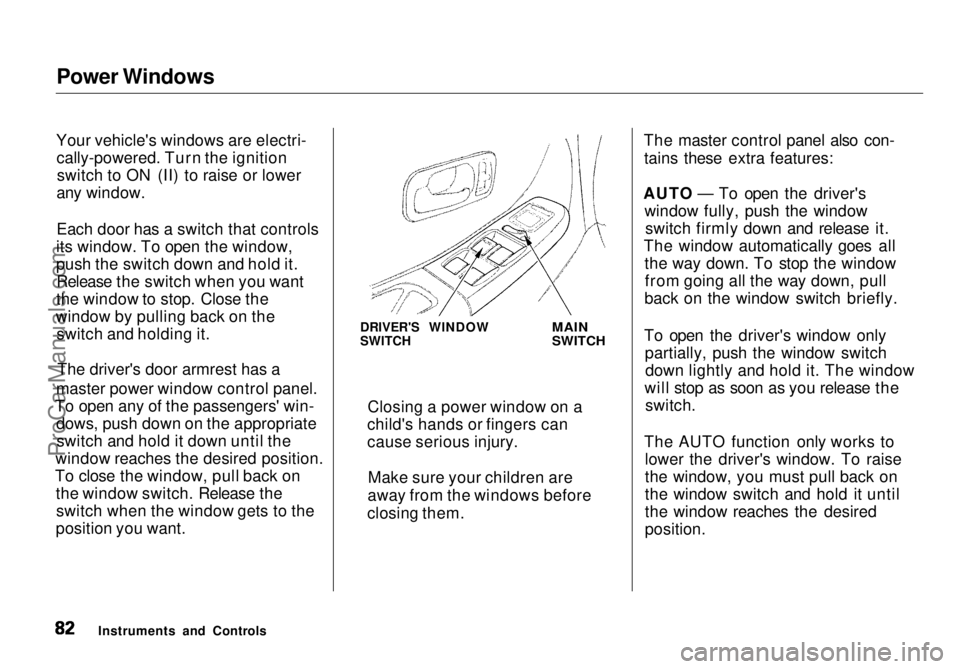
Each door has a switch that controls
its window. To open the window,
push the switch down and hold it. Release the switch when you want
the window to stop. Close the
window by pulling back on the switch and holding it.
master power window control panel.
To open any of the passengers' win- dows, push down on the appropriateswitch and hold it down until the
window reaches the desired position.
To close the window, pull back on the window switch. Release theswitch when the window gets to the
position you want. The master control panel also con-
tains these extra features:
AUTO — To open the driver's window fully, push the windowswitch firmly down and release it.
The window automatically goes all the way down. To stop the windowfrom going all the way down, pull
back on the window switch briefly.
To open the driver's window only partially, push the window switchdown lightly and hold it. The window
will stop as soon as you release the switch.
The AUTO function only works to lower the driver's window. To raise
the window, you must pull back on
the window switch and hold it until
the window reaches the desired
position.
Instruments and Controls DRIVER'S WINDOW
SWITCH
MAIN
SWITCH
Closing a power window on a
child's hands or fingers can
cause serious injury.
Make sure your children are
away from the windows before
closing them.The driver's door armrest has a
ProCarManuals.comMain Menu Table of Contents s t
Page 84 of 272
Power Windows, Sunroof
The MAIN switch controls power to the passengers' windows. With thisswitch off, the passengers' windows
cannot be raised or lowered. The
MAIN switch does not affect the
driver's window. Keep the MAIN
switch off when you have children in
the vehicle so they do not injure
themselves by operating the
windows unintentionally.
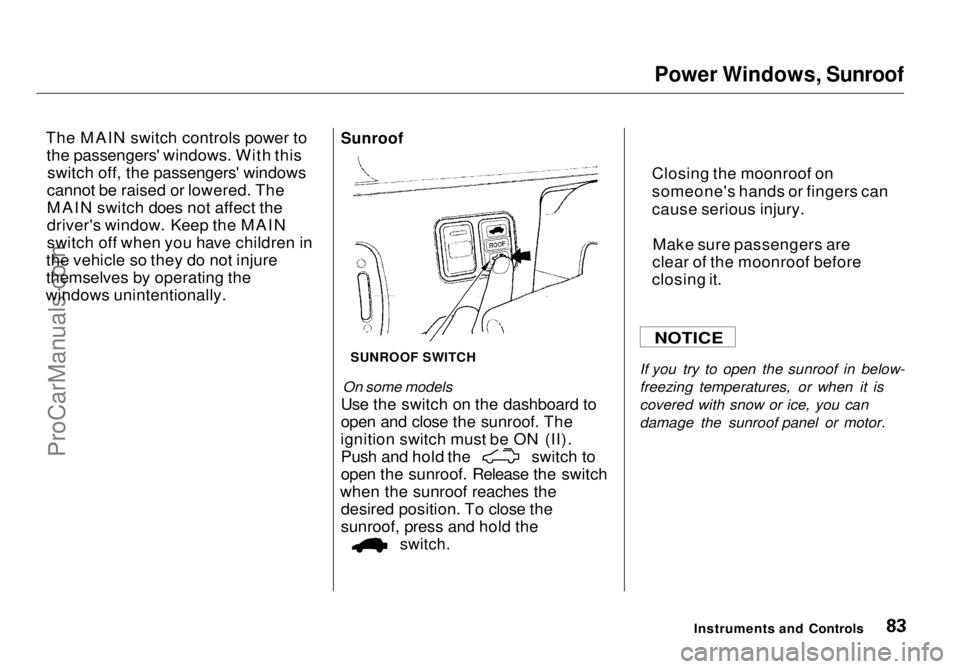
Sunroof
SUNROOF SWITCH
On some models
Use the switch on the dashboard to
open and close the sunroof. The
ignition switch must be ON (II). Push and hold the switch to
open the sunroof. Release the switch
when th
e sunroof reaches the
desired position. To close the
sunroof, press and hold the
switch.
If you try
to open the sunroof in below-
freezing temperatures, or when it is
covered with snow or ice, you can
damage the sunroof panel or motor.
Instruments and Controls
NOTICE
Closing the moonroof on
someone's hand
s or fingers can
cause serious injury.
Make sure passengers are
clear of the moonroof before
closing it.
ProCarManuals.comMain Menu Table of Contents s t
Page 85 of 272
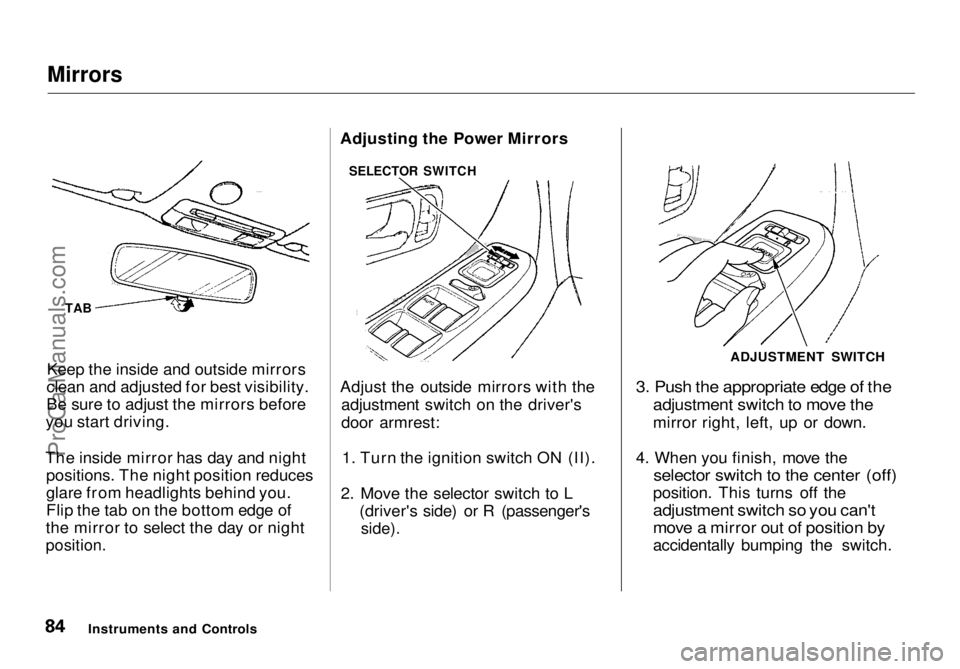
Mirrors
Keep the inside and outside mirrors
clean and adjusted for best visibility.
Be sure to adjust the mirrors before
you start driving.
The inside mirror has day and night positions. The night position reduces
glare from headlights behind you.
Flip the tab on the bottom edge of
the mirror to select the day or night
position.
Adjusting the Power Mirrors
Adjust the outside mirrors with the
adjustment switch on the driver's
door armrest:
1. Turn the ignition switch ON (II).
2. Move the selector switch to L (driver's side) or R (passenger's
side).
3. Push the appropriate edge of the
adjustment switch to move the
mirror right, left, up or down.
4. When you finish, move the
selector switch to the center (off)
position. This turns off the
adjustment switch so you can't
move a mirror out of position by
accidentally bumping the switch.
Instruments and Controls ADJUSTMENT SWITCH
TAB SELECTOR SWITCHProCarManuals.comMain Menu Table of Contents s t