wheel HONDA ODYSSEY 1998 Service Manual
[x] Cancel search | Manufacturer: HONDA, Model Year: 1998, Model line: ODYSSEY, Model: HONDA ODYSSEY 1998Pages: 272, PDF Size: 2.67 MB
Page 213 of 272

Exterior Care
Waxing
Always wash and dry the whole vehicle before waxing it. You should
wax your vehicle, including the metal
trim, whenever water sits on the surface in large patches. It should
form into beads or droplets after
waxing.
You should use a quality liquid or paste wax. Apply it according to theinstructions on the container. In
general, there are two types of
products:
Waxes — A wax coats the finish and protects it from damage by exposure
to sunlight, air pollution, etc. Youshould use a wax on your Honda
when it is new.
Polishes — Polishes and cleaner/
waxes can restore the shine to paint that has oxidized and lost some of itsshine. They normally contain mild
abrasives and solvents that remove the top layer of the finish. You
should use a polish on your Honda if
the finish does not have its original shine after using a wax.
Cleaning tar, insects, etc. with
removers also takes off the wax.
Remember to re-wax those areas,
even if the rest of the vehicle does
not need waxing.
Aluminum Wheels On some models
Clean your Honda's aluminum alloy
wheels as you do the rest of the exterior. Wash them with the same
solution, and rinse them thoroughly.
The wheels have a protective clear- coat that keeps the aluminum from
corroding and tarnishing. Using
harsh chemicals, including some
commercial wheel cleaners, or stiff
brushes can damage this clear-coat. Only use a mild detergent and soft
brush or sponge to clean the wheels. Paint Touch-up
Your dealer has touch-up paint to match your vehicle's color. The color
code is printed on a sticker on thedriver's doorjamb. Take this code to
your dealer so you are sure to get the correct color.
Inspect your vehicle frequently for
chips or scratches in the paint.
Repair them right away to prevent
corrosion of the metal underneath.
Use the touch-up paint only on small
chips and scratches. More extensive
paint damage should be repaired by a professional.
Appearance CareProCarManuals.comMain Menu Table of Contents s t
Page 216 of 272
Corrosion Protection
Two factors normally contribute to causing corrosion in your vehicle:
1. Moisture trapped in body cavities. Dirt and road salt that collects in
hollows on the underside of the
vehicle stays damp, promoting corrosion in that area.
2. Removal of paint and protective coatings from the exterior and
underside of the vehicle. Many corrosion-preventive measures
are built into your Honda. You can
help keep your vehicle from
corroding by performing some simple periodic maintenance: Repair chips and scratches in the
paint as soon as you discover them.
Inspect and clean out the drain
holes in the bottom of the doors and body.
Check the floor coverings for
dampness. Carpeting and floor
mats may remain damp for a long
time, especially in winter. This dampness can eventually cause
the floor panels to corrode. Use a high-pressure spray to clean
the underside of your vehicle. This
is especially important in areas
that use road salt in winter. It is also a good idea in humid climates
and areas subject to salt air. Be
careful of the ABS wheel sensors
and wiring at each wheel.
Have the corrosion-preventive coatings on the underside of your
vehicle inspected and repaired periodically.
Appearance CareProCarManuals.comMain Menu Table of Contents s t
Page 219 of 272
Compact Spare Tire
Your vehicle has a compact spare tire that takes up less space. Use thisspare tire as a temporary replace-
ment only. Get your regular tire
repaired or replaced and put back on
your vehicle as soon as you can.
Check the inflation pressure of the
compact spare tire every time you
check the other tires. It should be
inflated to:60 psi (420 kPa , 4.2 kgf/cm2)
Follow these
precautions whenever
you are using the compact spare tire:
Do not exceed 50 mph (80 km/h)
under any circumstances.
This tire gives a harsher ride and
less traction on some road sur-
faces than the regular tire. Use
greater caution while driving on
this tire.
Do not mount snow chains on the
compact spare.
The wheel of the compact spare
tire is designed especially to fit
your vehicle. Do not use your
spare tire on another vehicle
unless it is the same make and
model.
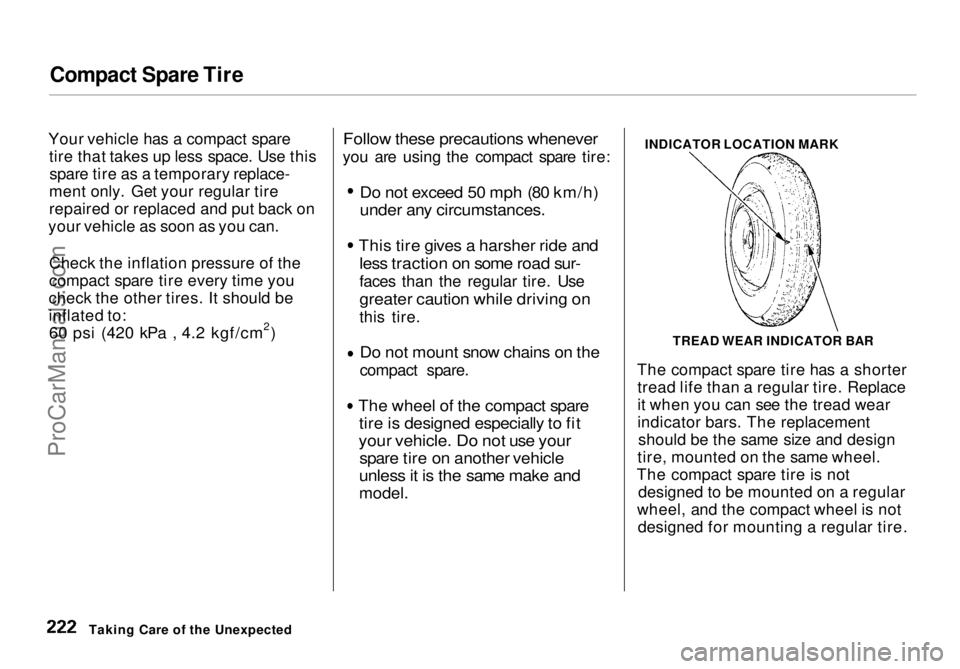
INDICATOR LOCATION MARK
The compact spare tire has a shorter tread life than a regular tire. Replace
it when you can see the tread wear
indicator bars. The replacement should be the same size and design
tire, mounted on the same wheel.
The compact spare tire is not designed to be mounted on a regular
wheel, and the compact wheel is not designed for mounting a regular tire.
Taking Care of the Unexpected TREAD WEAR INDICATOR BARProCarManuals.comMain Menu Table of Contents s t
Page 222 of 272
Changing a Flat Tire
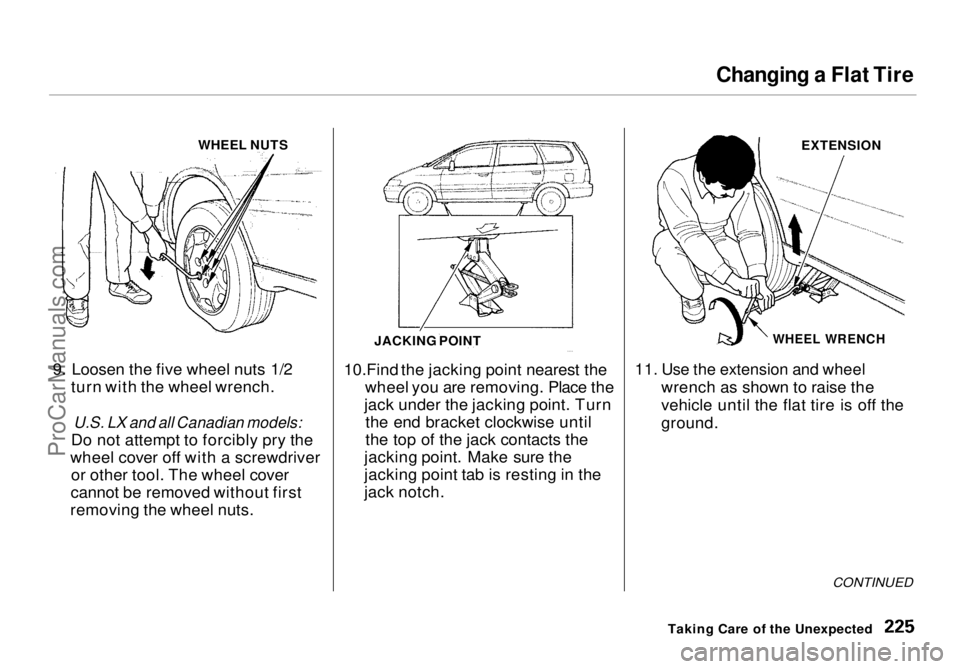
WHEEL NUTS
9. Loosen the five wheel nuts 1/2 turn with the wheel wrench.
U.S. LX and all Canadian models:
Do not attempt to forcibly pry the
wheel cover off with a screwdriver or other tool. The wheel cover
cannot be removed without first
removing the wheel nuts. 10.Find the jacking point nearest the
wheel you are removing. Place the
jack under the jacking point. Turn the end bracket clockwise until
the top of the jack contacts the
jacking point. Make sure the
jacking point tab is resting in the
jack notch. EXTENSION
WHEEL WRENCH
11. Use the extension and wheel
wrench as shown to raise the
vehicle until the flat tire is off the
ground.
CONTINUED
Taking Care of the Unexpected
JACKING POINTProCarManuals.comMain Menu Table of Contents s t
Page 223 of 272
Changing a Flat Tire
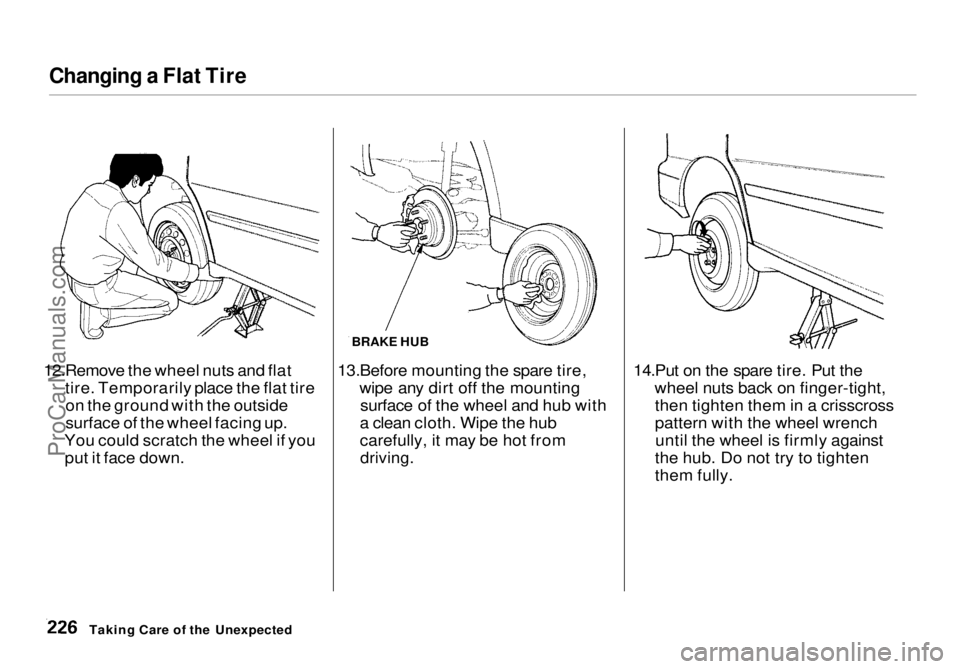
12.Remove the wheel nuts and flat tire. Temporarily place the flat tireon the ground with the outside
surface of the wheel facing up.
You could scratch the wheel if you put it face down. BRAKE HUB
13.Before mounting the spare tire, wipe any dirt off the mountingsurface of the wheel and hub with
a clean cloth. Wipe the hub
carefully, it may be hot from
driving.
14.Put on the spare tire. Put the
wheel nuts back on finger-tight,then tighten them in a crisscross
pattern with the wheel wrenchuntil the wheel is firmly against
the hub. Do not try to tighten
them fully.
Taking Care of the UnexpectedProCarManuals.comMain Menu Table of Contents s t
Page 224 of 272
Changing a Flat Tire
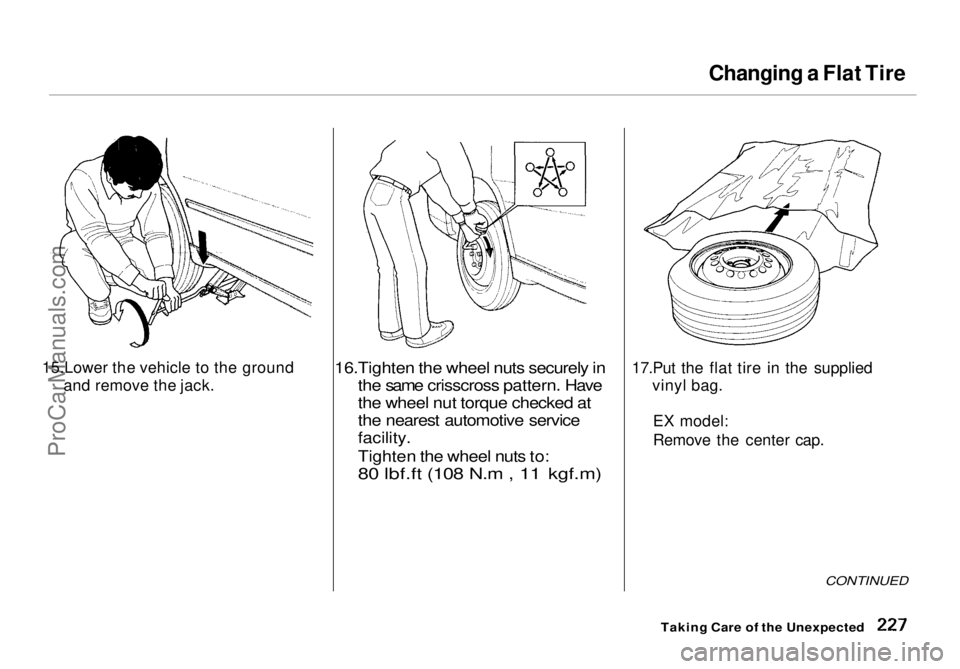
15.Lower the vehicle to the ground and remove the jack.
16.Tighten the wheel nuts securely in
the same crisscross pattern. Have
the wheel nut torque checked at
the nearest automotive service
facility.
Tighten the wheel nuts to:80 lbf.ft (108 N.m , 11 kgf.m)
17.Put the flat tire in the suppliedvinyl bag.
E
X model:
Remove the center cap.
Taking Care of the Unexpected
CONTINUEDProCarManuals.comMain Menu Table of Contents s t
Page 225 of 272
Changing a Flat Tire
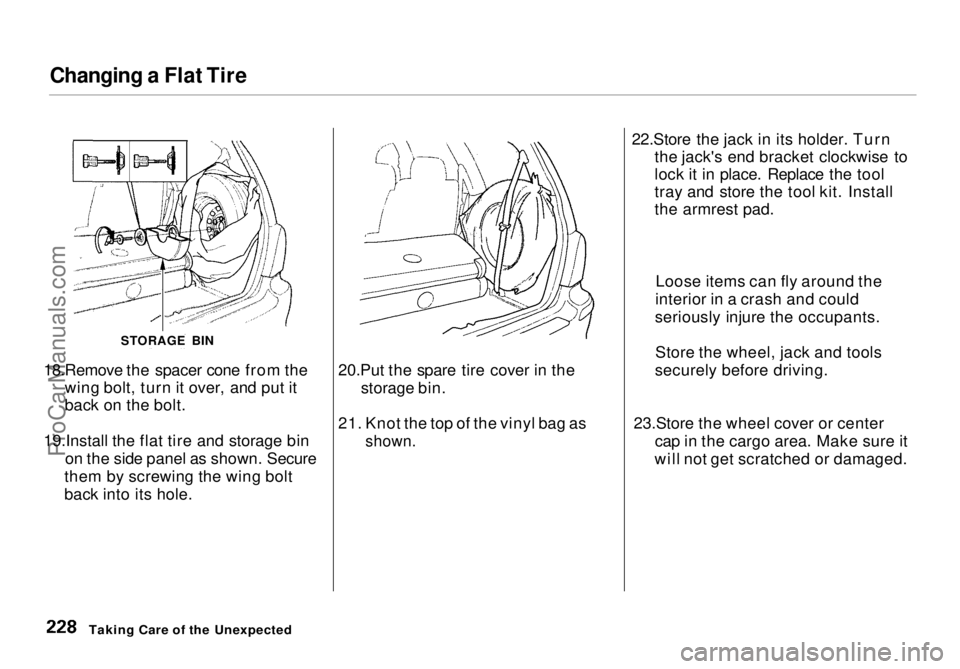
18.Remove the spacer cone from the wing bolt, turn it over, and put it
back on the bolt.
19.Install the flat tire and storage bin on the side panel as shown. Secure
them by screwing the wing bolt
back into its hole. 20.Put the spare tire cover in the
storage bin.
21. Knot the top of the vinyl bag as
shown.
22.Store the jack in its holder. Turn
the jack's end bracket clockwise to
lock it in place. Replace the tool
tray and store the tool kit. Install
the armrest pad.
23.Store the wheel cover or center cap in the cargo area. Make sure it
will not get scratched or damaged.
Taking Care of the Unexpected
STORAGE BIN
Loose items can fly around the
interior in a crash and could
seriously injure the occupants.
Store the wheel, jack and tools
securely before driving.ProCarManuals.comMain Menu Table of Contents s t
Page 234 of 272
Brake System Indicator
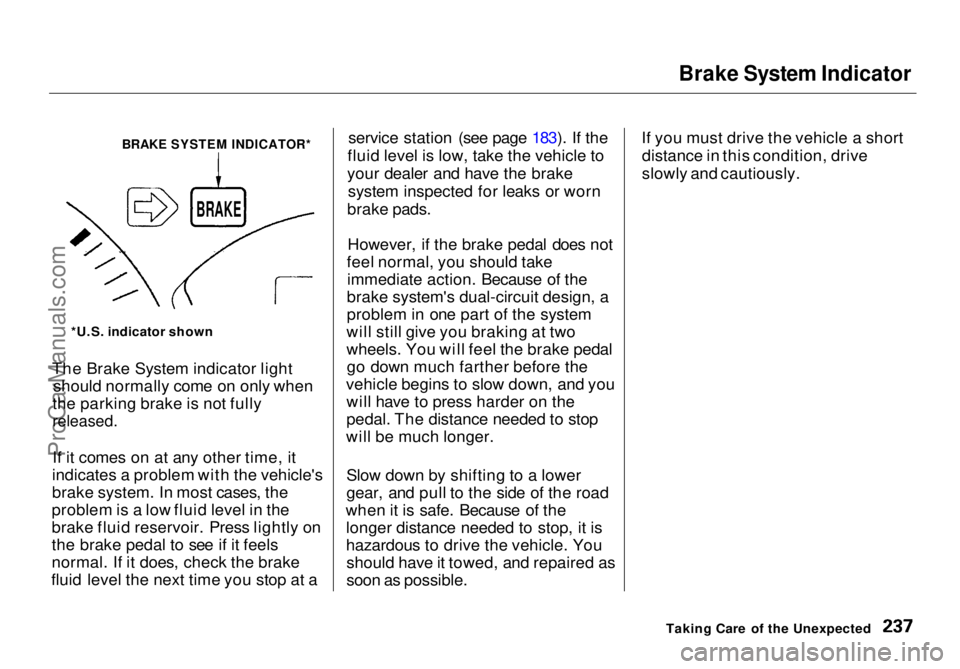
The Brake System indicator light should normally come on only when
the parking brake is not fully
released.
If it comes on at any other time, it
indicates a problem with the vehicle's
brake system. In most cases, the
problem is a low fluid level in the
brake fluid reservoir. Press lightly on
the brake pedal to see if it feels
normal. If it does, check the brake
fluid level the next time you stop at a service station (see page 183). If the
fluid level is low, take the vehicle to
your dealer and have the brake system inspected for leaks or worn
brake pads.
However, if the brake pedal does not
feel normal, you should take immediate action. Because of the
brake system's dual-circuit design, a
problem in one part of the system
will still give you braking at two
wheels. You will feel the brake pedal go down much farther before the
vehicle begins to slow down, and you will have to press harder on the
pedal. The distance needed to stop
will be much longer.
Slow down by shifting to a lower
gear, and pull to the side of the road
when it is safe. Because of the longer distance needed to stop, it is
hazardous to drive the vehicle. Youshould have it towed, and repaired as
soon as possible. If you must drive the vehicle a short
distance in this condition, drive
slowly and cautiously.
Taking Care of the Unexpected
BRAKE SYSTEM INDICATOR*
*U.S. indicator shown
BRAKEProCarManuals.comMain Menu Table of Contents s t
Page 241 of 272
Towing
If your vehicle needs to be towed,
call a professional towing service or,
if you belong to one, an organization
that provides roadside assistance.
Never tow your vehicle behind
another vehicle with just a rope or chain. It is very dangerous.
Emergency Towing
There are three popular methods of towing a vehicle:
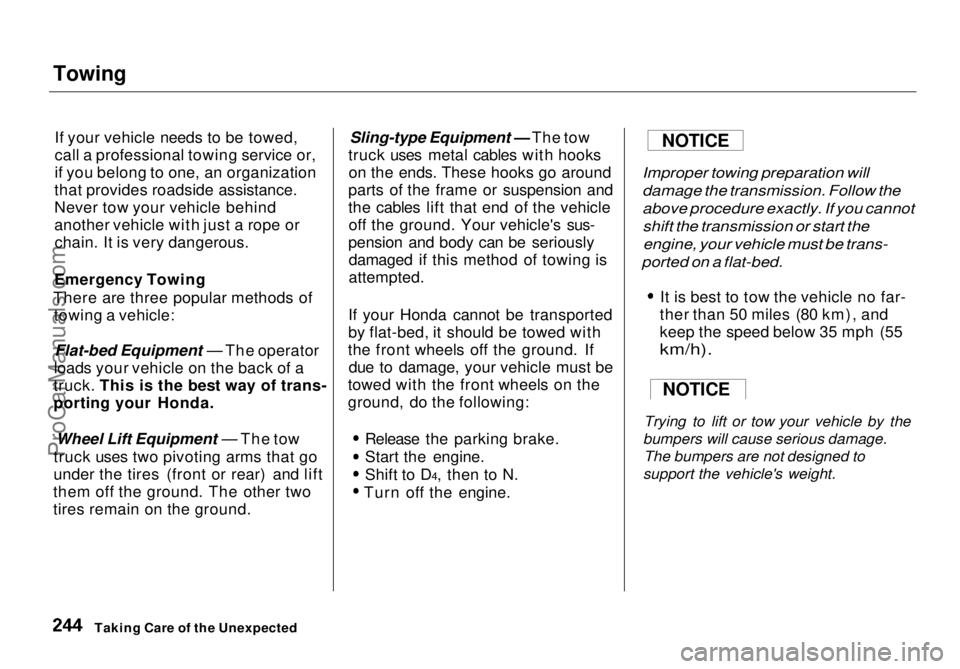
Flat-bed Equipment — The operator
loads your vehicle on the back of a
truck. This is the best way of trans-
porting your Honda.
Wheel Lift Equipment — The tow
truck uses two pivoting arms that go
under the tires (front or rear) and lift
them off the ground. The other two
tires remain on the ground.
Sling-type Equipment — The tow
truck uses metal cables with hooks on the ends. These hooks go around
parts of the frame or suspension and
the cables lift that end of the vehicle off the ground. Your vehicle's sus-
pension and body can be seriously damaged if this method of towing is
attempted.
If your Honda cannot be transported
by flat-bed, it should be towed with
the front wheels off the ground. If due to damage, your vehicle must be
towed with the front wheels on the
ground, do the following:
Release the parking brake.
Start the engine.
Shift to D4, then to N.
Turn off
the engine.
Improper towing preparation will
damage the transmission. Follow the
above procedure exactly. If you cannot
shift the transmission or start the
engine, your vehicle must be trans-
ported on a flat-bed.
It is best to tow the vehicle no far-
ther than 50 miles (80 km), and
keep the speed below 35 mph (55
km/h).
Trying to lift or tow your vehicle by the
bumpers will cause serious damage. The bumpers are not designed to
support the vehicle's weight.
Taking Care of the Unexpected
NOTICE
NOTICEProCarManuals.comMain Menu Table of Contents s t
Page 242 of 272
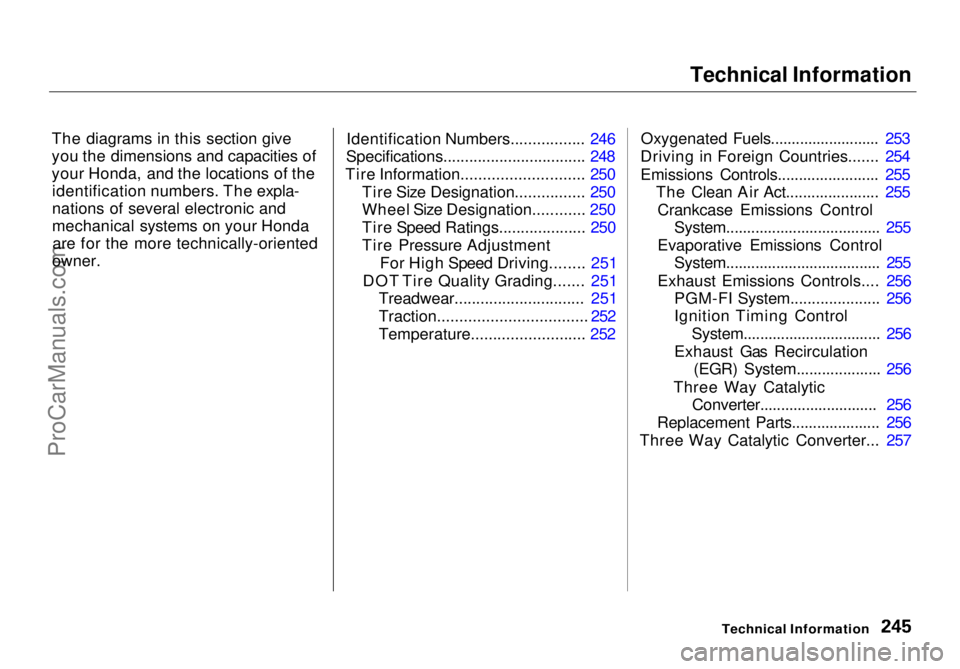
Technical Information
The diagrams in this section give
you the dimensions and capacities of
your Honda, and the locations of the identification numbers. The expla-
nations of several electronic and
mechanical systems on your Hondaare for the more technically-oriented
owner. Identification Numbers................. 246
Specifications................................. 248
Tire Information............................ 250 Tire Size Designation................ 250
Wheel Size Designation............ 250
Tire Speed Ratings.................... 250
Tire Pressure Adjustment For High Speed Driving........ 251
DOT Tire Quality Grading....... 251 Treadwear.............................. 251
Traction.................................. 252
Temperature.......................... 252 Oxygenated Fuels.......................... 253
Driving in Foreign Countries....... 254
Emissions Controls........................ 255 The Clean Air Act...................... 255
Crankcase Emissions Control System..................................... 255
Evaporative Emissions Control System..................................... 255
Exhaust Emissions Controls.... 256 PGM-FI System..................... 256
Ignition Timing Control
System................................. 256
Exhaust Gas Recirculation (EGR) System.................... 256
Three Way Catalytic Converter............................ 256
Replacement Parts..................... 256
Three Way Catalytic Converter... 257
Technical InformationProCarManuals.comMain Menu s t