ABS HONDA ODYSSEY 1999 User Guide
[x] Cancel search | Manufacturer: HONDA, Model Year: 1999, Model line: ODYSSEY, Model: HONDA ODYSSEY 1999Pages: 343, PDF Size: 3.73 MB
Page 207 of 343
The Braking System
Important Safety Reminders
ABS does not reduce the time or distance it takes to stop the
vehicle, it only helps with steering control during braking. You should
always maintain a safe followingdistance from other vehicles.
ABS will not prevent a skid that results from changing direction
abruptly, such as trying to take a
corner too fast or making a sudden
lane change. Always drive at a safe, prudent speed for the road and
weather conditions.
ABS cannot prevent a loss of stability. Always steer moderately
when you are braking hard. Severe or sharp steering wheel movement
can still cause your vehicle to veer
into oncoming traffic or off the road. A vehicle with ABS may require a
longer distance to stop on loose or
uneven surfaces, such as gravel orsnow, than a vehicle without anti-
lock. Slow down and allow a greater distance between vehicles under
those conditions.
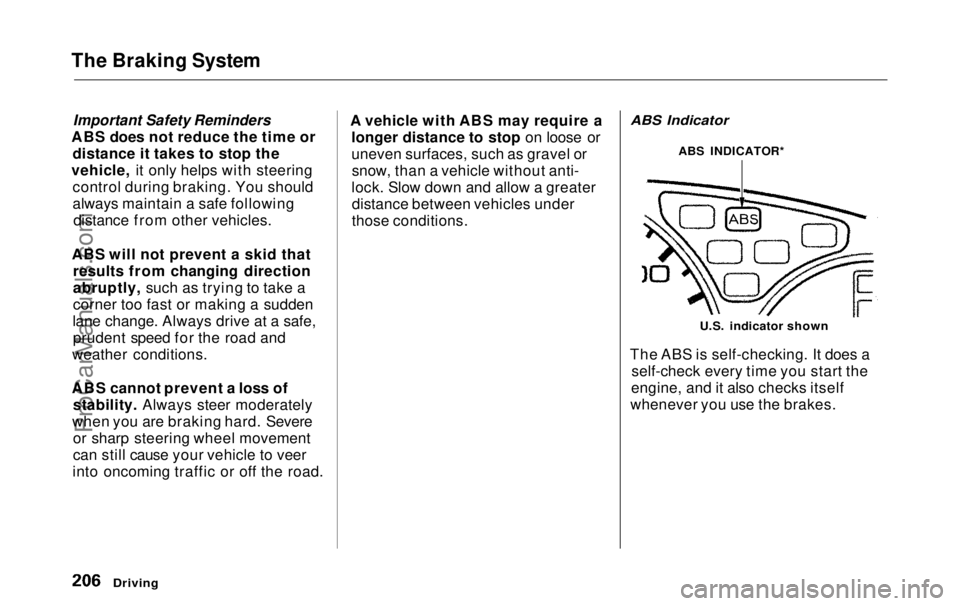
ABS Indicator
U.S. indicator shown
The ABS is self-checking. It does a self-check every time you start the
engine, and it also checks itself
whenever you use the brakes.
Driving
ABS INDICATOR*ProCarManuals.comMain Menu Table of Contents s t
Page 208 of 343
The Braking System, Traction Control System
If anything goes wrong, the ABS
indicator on the instrument panel
comes on (see page 59 ). This means
the anti-lock function of the braking system has shut down. The brakes
still work like a conventional system
without anti-lock, providing normal stopping ability. You should have the
dealer inspect your vehicle as soon
as possible.
If the ABS indicator and the brake
system indicator come on together,
and the parking brake is fully
released, the front-to-rear braking distribution system may also shut
down.
Test your brakes as instructed on page 304 . If the brakes feel normal,drive slowly and have your vehicle
repaired by your dealer as soon as
possible. Avoid sudden hard braking
which could cause the rear wheels to lock up and possibly lead to a loss of
control.
On EX model
The TCS indicator will come on along with the ABS indicator. Traction Control System
On EX model
Your Honda is equipped with a
Traction Control System (TCS) to assist you in maintaining traction
while driving slowly on loose or slippery surfaces. The TCS assists
only in low-speed, low-traction
conditions; up to approximately 18
mph (30km/h).
The TCS monitors the speed of all four wheels. When it senses a front
wheel losing traction, it applies
braking to that wheel. The TCSindicator flashes when this occurs.
Driving
CONTINUEDProCarManuals.comMain Menu Table of Contents s t
Page 210 of 343
Traction Control System
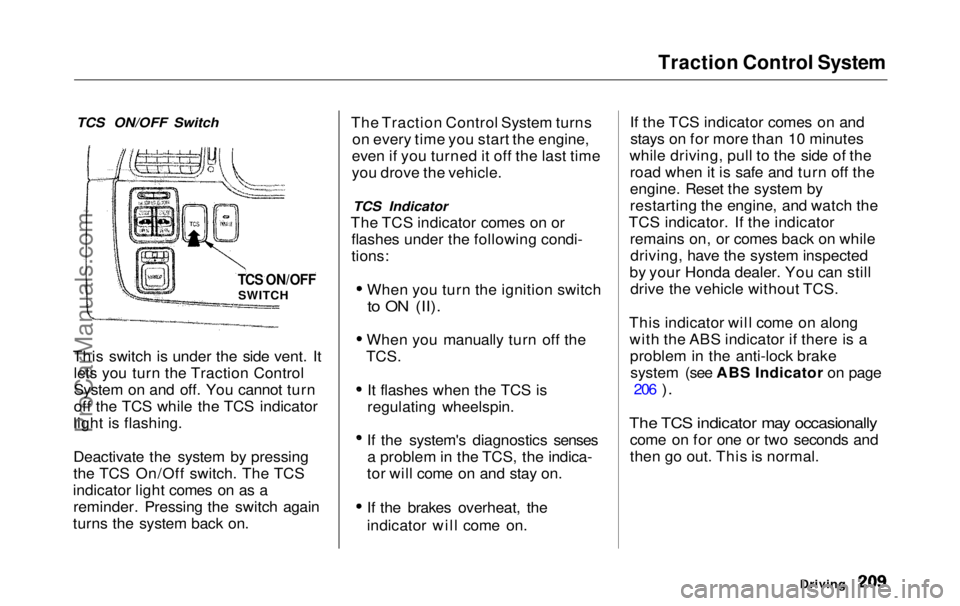
TCS ON/OFF Switch
This switch is under the side vent. It lets you turn the Traction Control
System on and off. You cannot turn
off the TCS while the TCS indicator
light is flashing.
Deactivate the system by pressing
the TCS On/Off switch. The TCS
indicator light comes on as a reminder. Pressing the switch again
turns the system back on. The Traction Control System turns
on every time you start the engine,
even if you turned it off the last time
you drove the vehicle.
TCS Indicator
The TCS indicator comes on or flashes under the following condi-
tions:
When you turn the ignition switch
to ON (II).
When you manually turn off the
TCS.
It flashes when the TCS is
regulating wheelspin.
If the system's diagnostics senses a problem in the TCS, the indica-
tor will come on and stay on.
If the brakes overheat, the
indicator will come on. If the TCS indicator comes on and
stays on for more than 10 minutes
while driving, pull to the side of the road when it is safe and turn off the
engine. Reset the system by
restarting the engine, and watch the
TCS indicator. If the indicator remains on, or comes back on whiledriving, have the system inspected
by your Honda dealer. You can still drive the vehicle without TCS.
This indicator will come on along with the ABS indicator if there is aproblem in the anti-lock brakesystem (see ABS Indicator on page 206
).
The TCS indicator may occasionally
come on for one or two seconds and
then go out. This is normal.
Driving
TCS ON/OFF
SWITCHProCarManuals.comMain Menu Table of Contents s t
Page 255 of 343
Wiper Blades
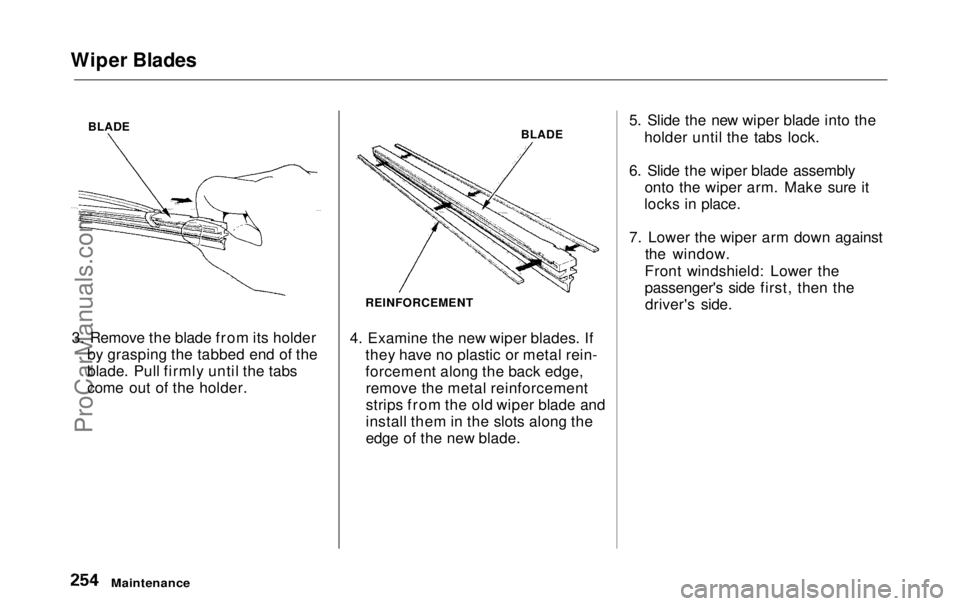
BLADE
3. Remove the blade from its holder by grasping the tabbed end of the
blade. Pull firmly until the tabs
come out of the holder. BLADE
REINFORCEMENT
4. Examine the new wiper blades. If they have no plastic or metal rein-
forcement along the back edge,remove the metal reinforcement
strips from the old wiper blade and
install them in the slots along the
edge of the new blade. 5. Slide the new wiper blade into the
holder until the tabs lock.
6. Slide the wiper blade assembly onto the wiper arm. Make sure it
locks in place.
7. Lower the wiper arm down against the window.
Front windshield: Lower the
passenger's side first, then the driver's side.
MaintenanceProCarManuals.comMain Menu Table of Contents s t
Page 263 of 343
Tires
The ABS works by comparing the speed of the wheels. When replacing
tires, use the same size originally supplied with the vehicle. Tire size
and construction can affect wheel speed and may cause the system to
work inconsistently.
If you ever need to replace a wheel,make sure the wheel's specifications
match those of the original wheel
that came on your vehicle. Re-
placement wheels are available at
your Honda dealer. Wheels and Tires
Wheel:16 x 6 1/2 JJ
Tire:
P215/65R16 96T
See Tire Information
on page 318 for
additional information about tire and
wheel size designations. See page 319 for information about DOT Tire
Quality Grading.
Winter Driving
Tires that are marked "M + S" or
"All Season" on the sidewall have an
all-weather tread design. They
should be suitable for most winter
driving conditions. Tires without
these markings are designed for optimum traction in dry conditions.
They may not provide adequate performance in winter driving.For the best performance in snowy
or icy conditions, you should install
snow tires or tire chains. They may
be required by local laws under certain conditions.
MaintenanceProCarManuals.comMain Menu Table of Contents s t
Page 268 of 343
Lights
5. Insert the new bulb into the hole, making sure the tabs are in theirslots. Pivot the hold-down wire
back in place and clip the end into
the slot.
6. Install the rubber seal over the back of the headlight assembly.
Make sure it is right side up; it is
marked "TOP."
7. Push the electrical connector onto the new bulb.
Turn on the headlights to test the new bulb.
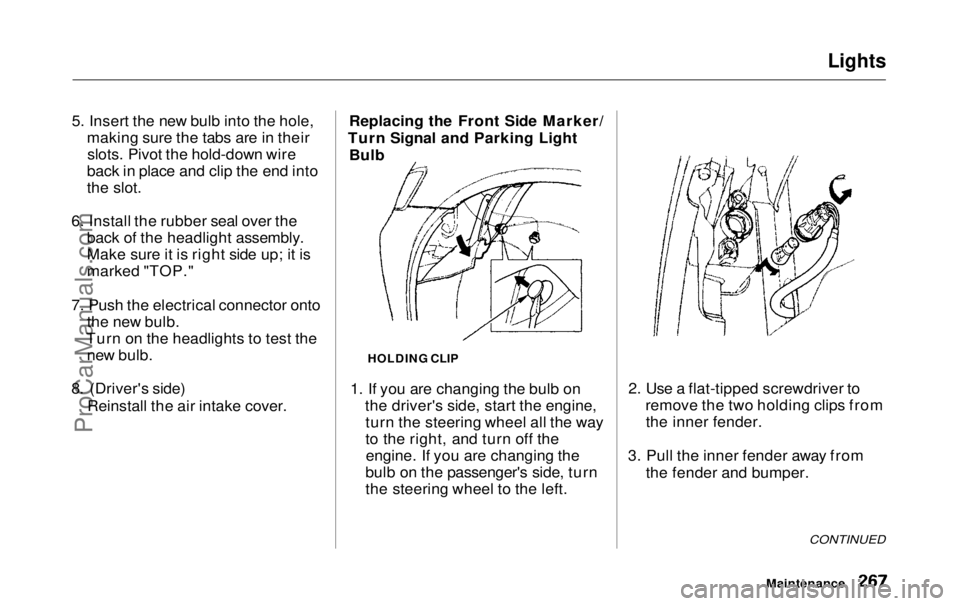
8. (Driver's side) Reinstall the air intake cover. Replacing the Front Side Marker/
Turn Signal and Parking Light Bulb
HOLDING CLIP
1. If you are changing the bulb on the driver's side, start the engine,turn the steering wheel all the way
to the right, and turn off theengine. If you are changing the
bulb on the passenger's side, turn
the steering wheel to the left. 2. Use a flat-tipped screwdriver to
remove the two holding clips fromthe inner fender.
3. Pull the inner fender away from the fender and bumper.
CONTINUED
MaintenanceProCarManuals.comMain Menu Table of Contents s t
Page 272 of 343
Lights
6. Put the socket back into the light assembly and turn it clockwise to
lock it in place.
7. Test the light to make sure the new bulb is working.
8. Put the light assembly back into the tailgate. Install the screw and
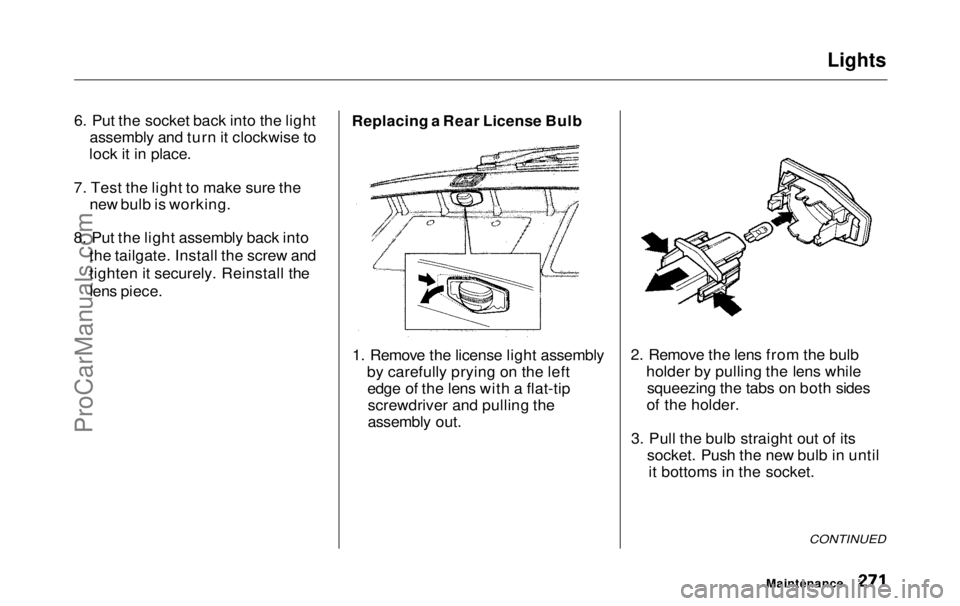
tighten it securely. Reinstall thelens piece. Replacing a Rear License Bulb
1. Remove the license light assembly by carefully prying on the leftedge of the lens with a flat-tipscrewdriver and pulling the
assembly out. 2. Remove the lens from the bulb
holder by pulling the lens whilesqueezing the tabs on both sides
of the holder.
3. Pull the bulb straight out of its socket. Push the new bulb in untilit bottoms in the socket.
CONTINUED
MaintenanceProCarManuals.comMain Menu Table of Contents s t
Page 274 of 343
Lights
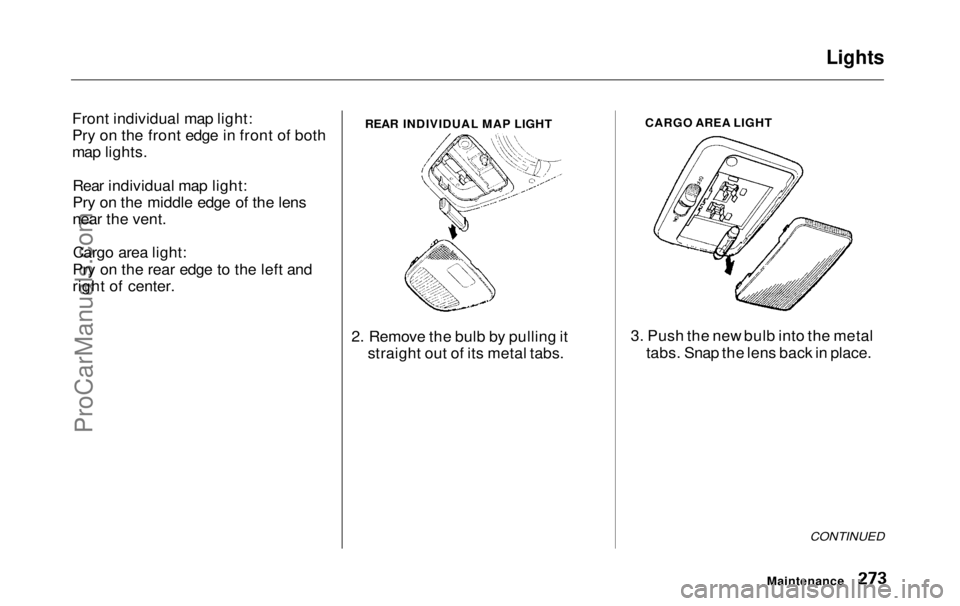
Front individual map light:
Pry on the front edge in front of both
map lights. Rear individual map light:
Pry on the middle edge of the lens
near the vent.Cargo area light:
Pry on the rear edge to the left and
right of center.
2. Remove the bulb by pulling itstraight out of its metal tabs. CARGO AREA LIGHT
3. Push the new bulb into the metal tabs. Snap the lens back in place.
CONTINUED
Maintenance
REAR INDIVIDUAL MAP LIGHTProCarManuals.comMain Menu Table of Contents s t
Page 282 of 343
Corrosion Protection
Two factors normally contribute to causing corrosion in your vehicle:
1. Moisture trapped in body cavities. Dirt and road salt that collects in
hollows on the underside of the
vehicle stays damp, promoting corrosion in that area.
2. Removal of paint and protective coatings from the exterior and
underside of the vehicle. Many corrosion-preventive measures
are built into your Honda. You can
help keep your vehicle from corroding by performing some
simple periodic maintenance: Repair chips and scratches in the
paint as soon as you discover them. Inspect and clean out the drain
holes in the bottom of the doors
and body. Check the floor coverings for
dampness. Carpeting and floor
mats may remain damp for a long
time, especially in winter. This dampness can eventually cause
the floor panels to corrode. Use a high-pressure spray to clean
the underside of your vehicle. This is especially important in areas
that use road salt in winter. It is also a good idea in humid climates
and areas subject to salt air. Be
careful of the ABS wheel sensors
and wiring at each wheel. Have the corrosion-preventive
coatings on the underside of your
vehicle inspected and repaired periodically.
Appearance CareProCarManuals.comMain Menu Table of Contents s t
Page 303 of 343
Brake System Indicator
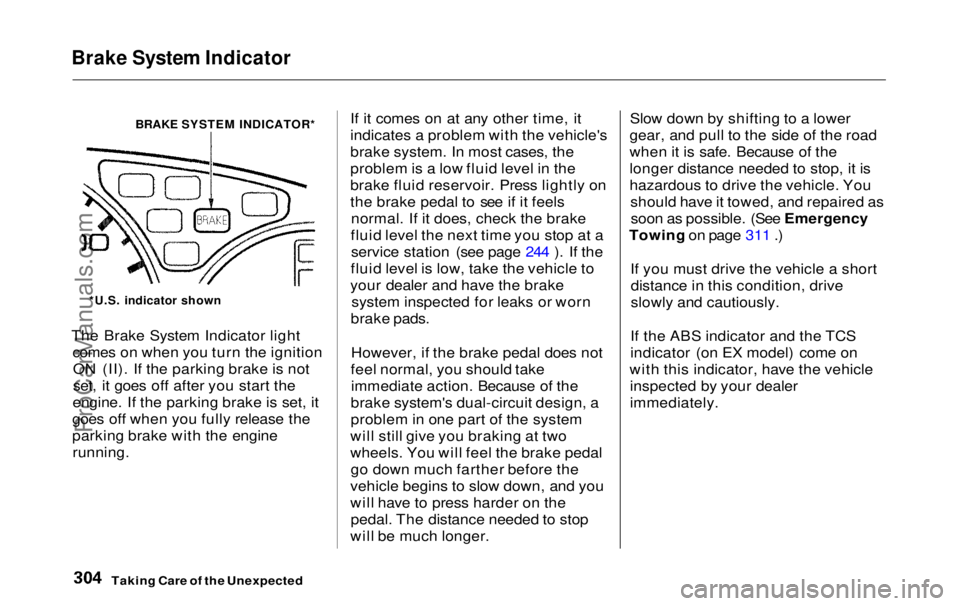
BRAKE SYSTEM INDICATOR*
The Brake System Indicator light comes on when you turn the ignitionON (II). If the parking brake is not
set, it goes off after you start the
engine. If the parking brake is set, it
goes off when you fully release the
parking brake with the engine
running.
If it comes on at any other time, it
indicates a problem with the vehicle's
brake system. In most cases, the
problem is a low fluid level in the
brake fluid reservoir. Press lightly on
the brake pedal to see if it feels
normal. If it does, check the brake
fluid level the next time you stop at a service station (see page 244 ). If the
fluid level is low, take the vehicle to
your dealer and have the brake system inspected for leaks or worn
brake pads.
However, if the brake pedal does not
feel normal, you should take immediate action. Because of the
brake system's dual-circuit design, a
problem in one part of the system
will still give you braking at two
wheels. You will feel the brake pedal go down much farther before the
vehicle begins to slow down, and you
will have to press harder on the pedal. The distance needed to stop
will be much longer. Slow down by shifting to a lower
gear, and pull to the side of the road
when it is safe. Because of the
longer distance needed to stop, it is
hazardous to drive the vehicle. You should have it towed, and repaired assoon as possible. (See Emergency
Towing on page 311 .)
If you must drive the vehicle a shortdistance in this condition, drive
slowly and cautiously.
If the ABS indicator and the TCS
indicator (on EX model) come on
with this indicator, have the vehicle inspected by your dealer
immediately.
Taking Care of the Unexpected
*U.S. indicator shownProCarManuals.comMain Menu Table of Contents s t