ECO mode HONDA ODYSSEY 1999 Owners Manual
[x] Cancel search | Manufacturer: HONDA, Model Year: 1999, Model line: ODYSSEY, Model: HONDA ODYSSEY 1999Pages: 343, PDF Size: 3.73 MB
Page 7 of 343
Important Safety Precautions
You'll find many safety recommendations throughout thissection, and throughout this manual.
The recommendations on this page are the ones we consider to be the
most important.
Always Wear Your Seat Belt A seat belt is your best protection in all types of collisions. Airbagssupplement seat belts, but airbags
are designed to inflate only in a
moderate to severe frontal collision.
So even though your vehicle is equipped with airbags, make sure
you and your passengers always
wear your seat belts, and wear them properly. (See page 15 .)
Restrain All ChildrenChildren are safest when they are
properly restrained in a back seat, not the front seat. A child who is too
small for a seat belt must be properly
restrained in a child safety seat. (See
page 22.) Be Aware of Airbag Hazards
While airbags save lives, they can cause serious or fatal injuries to
occupants who sit too close to them,
or are not properly restrained.
Infants, young children, and short
adults are at the greatest risk. Be sure to follow all instructions and
warnings in this manual. (See page 9.)
Don't Drink and Drive
Alcohol and driving don't mix. Even one drink can reduce your ability to
respond to changing conditions, and
your reaction time gets worse with every additional drink. So don't drink
and drive, and don't let your friends
drink and drive, either. Control Your Speed
Excessive speed is a major factor in
crash injuries and deaths. Generally,
the higher the speed the greater the risk, but serious accidents can alsooccur at lower speeds. Never drive
faster than is safe for current conditions, regardless of the
maximum speed posted.
Keep Your Vehicle in SafeCondition
Having a tire blowout or a
mechanical failure can be extremely
hazardous. To reduce the possibility of such problems, check your tire
pressures and condition frequently,
and perform all regularly scheduled
maintenance. (See page 224.)
Driver and Passenger SafetyProCarManuals.comMain Menu Table of Contents s t
Page 24 of 343
Protecting Children
Children Should Sit in the Back
Seat
According to accident statistics, children of all ages and sizes aresafer when they are restrained in the
back seat, not the front seat. The National Highway Traffic Safety
Administration and Transport Canada recommend that all children
ages 12 and under be properly
restrained in a back seat.
In a back seat, children are less
likely to be injured by striking hard interior parts during a collision or
hard braking. Also, children cannot be injured by an inflating airbag
when they ride in the back.
The Passenger's Airbag Poses
Serious Risks to Children
Airbags have been designed to help protect adults in a moderate to severe frontal collision. To do this,
the passenger's airbag is quite large, and it inflates with tremendous
speed.
Infants
Never put a rear-facing child seat in the front seat of a vehicle equipped
with a passenger's airbag. If the
airbag inflates, it can hit the back of
the child seat with enough force to
kill or very seriously injure an infant.
Small Children
Placing a forward-facing child seat in the front seat of a vehicle equipped
with a passenger's airbag can be
hazardous. If the vehicle seat is too
far forward, or the child's head is thrown forward during a collision, an
inflating airbag can strike the child
with enough force to kill or very seriously injure a small child.
Larger Children
Children who have outgrown child
seats are also at risk of being injured
or killed by an inflating passenger's
airbag. Whenever possible, larger
children should sit in a back seat,
properly restrained with a seat belt. (See page 39 for important
information about protecting larger
children.)
CONTINUED
Driver and Passenger SafetyProCarManuals.comMain Menu Table of Contents s t
Page 28 of 343
Protecting Children
3. The child seat should fit the vehicle seating position (or
positions) where it will be used.
Due to variations in the design of
child seats, vehicle seats, and seat
belts, all child seats will not fit all
vehicle seating positions.
However, Honda is confident that
one or more child seat models can fit
and be properly installed in all
recommended seating positions in
your vehicle. Before purchasing a child seat, we
recommend that parents test the
child seat in the specific vehicle seating position (or positions) where
they intend to use the seat. If a
previously purchased child seat does
not fit, you may need to buy a different one that will fit.
Driver and Passenger SafetyProCarManuals.comMain Menu Table of Contents s t
Page 31 of 343
Protecting Children
Protecting Infants
Child Seat Type
Only a rear-facing child seat provides
proper support for a baby's head,
neck, and back. Infants up to about
one year of age must be restrained in
a rear-facing child seat.
Two types of seats may be used: a seat designed exclusively for infants,
or a convertible seat used in the rear-facing, reclining mode. We recommend that an infant be
restrained in a rear-facing child seat
until the infant reaches the seat maker's weight or height limit and is
able to sit up without support.
Rear-Facing Child Seat Placement
In this vehicle, a rear-facing child
seat can be placed in any seating
position in a back seat, but not in the
front seat.
Never put a rear-facing child seat in
the front seat. If the passenger's
airbag inflates, it can hit the back of
the child seat with enough force to
kill or seriously injure an infant. If an infant must be closely watched, we
recommend that another adult sit in
a back seat with the baby.
Do not put a rear-facing child seat in
a forward-facing position. If placed
facing forward, an infant could be
very seriously injured during a frontal collision.
Driver and Passenger Safety
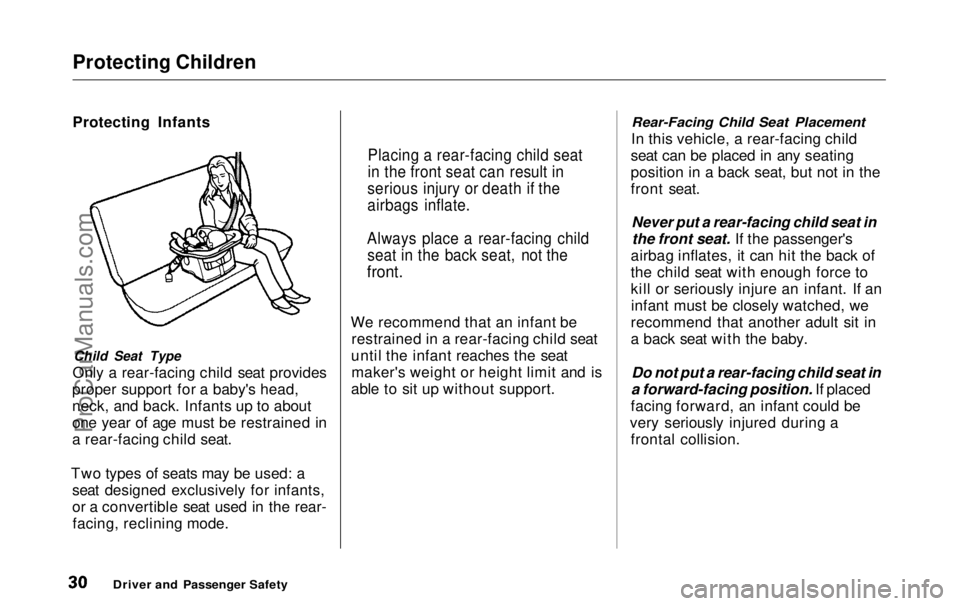
Placing a rear-facing child seat
in the front seat can result in
serious injury or death if the
airbags inflate.
Always place a rear-facing child seat in the back seat, not the
front.ProCarManuals.comMain Menu Table of Contents s t
Page 55 of 343
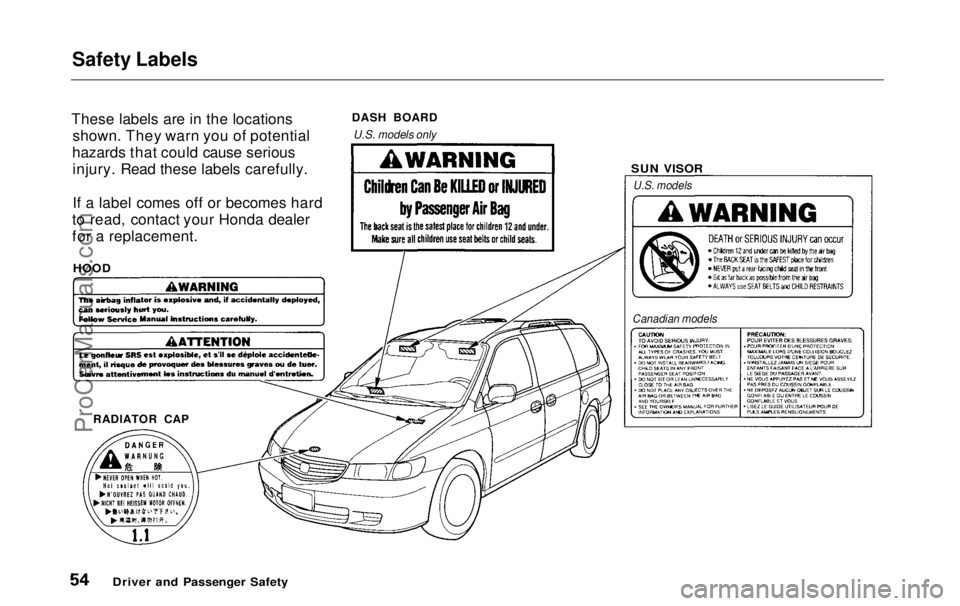
Safety Labels
These labels are in the locations shown. They warn you of potential
hazards that could cause serious injury. Read these labels carefully.
If a label comes off or becomes hard
to read, contact your Honda dealer
for a replacement.
Driver and Passenger Safety SUN VISOR
DASH BOARD
RADIATOR CAP
HOOD
U.S. models only
U.S. models
Canadian modelsProCarManuals.comMain Menu Table of Contents s t
Page 58 of 343
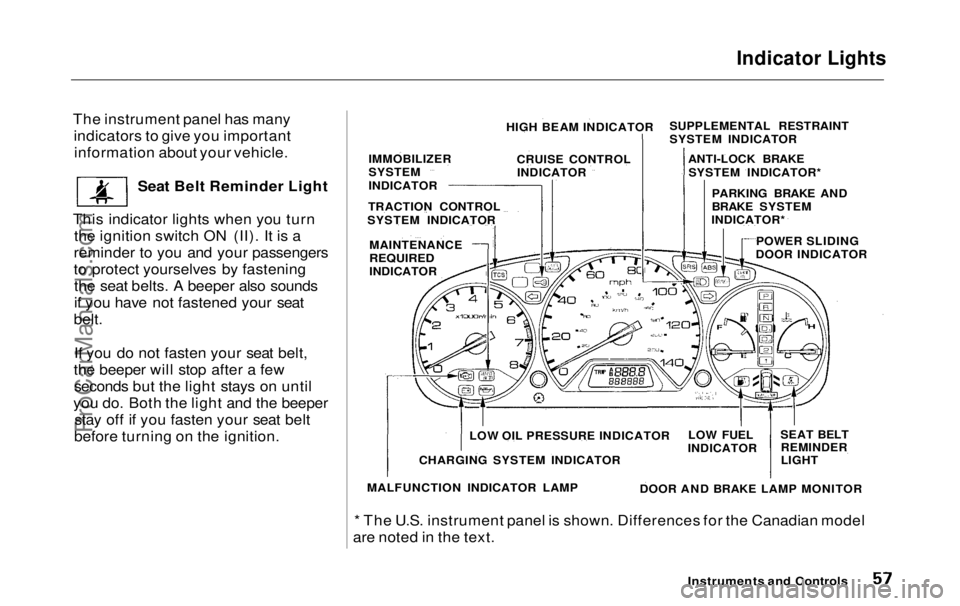
Indicator Lights
The instrument panel has many indicators to give you importantinformation about your vehicle.
Seat Belt Reminder Light
This indicator lights when you turn the ignition switch ON (II). It is a
reminder to you and your passengers
to protect yourselves by fastening the seat belts. A beeper also sounds
if you have not fastened your seat
belt.
If you do not fasten your seat belt,
the beeper will stop after a few seconds but the light stays on until
you do. Both the light and the beeper stay off if you fasten your seat belt
before turning on the ignition.
* The U.S. instrument panel is shown. Differences for the Canadian model
are noted in the text.
Instruments and Controls
HIGH BEAM INDICATOR
CRUISE CONTROLINDICATOR
IMMOBILIZER
SYSTEM
INDICATOR
TRACTION CONTROL
SYSTEM INDICATOR
MAINTENANCE
REQUIRED
INDICATOR SUPPLEMENTAL RESTRAINT
SYSTEM INDICATOR
ANTI-LOCK BRAKESYSTEM INDICATOR*
PARKING BRAKE AND
BRAKE SYSTEM
INDICATOR*
POWER SLIDING
DOOR INDICATOR
SEAT BELTREMINDER
LIGHT
LOW FUEL
INDICATOR
DOOR AND BRAKE LAMP MONITOR
LOW OIL PRESSURE INDICATOR
CHARGING SYSTEM INDICATOR
MALFUNCTION INDICATOR LAMPProCarManuals.comMain Menu Table of Contents s t
Page 60 of 343
Indicator Lights
U.S.
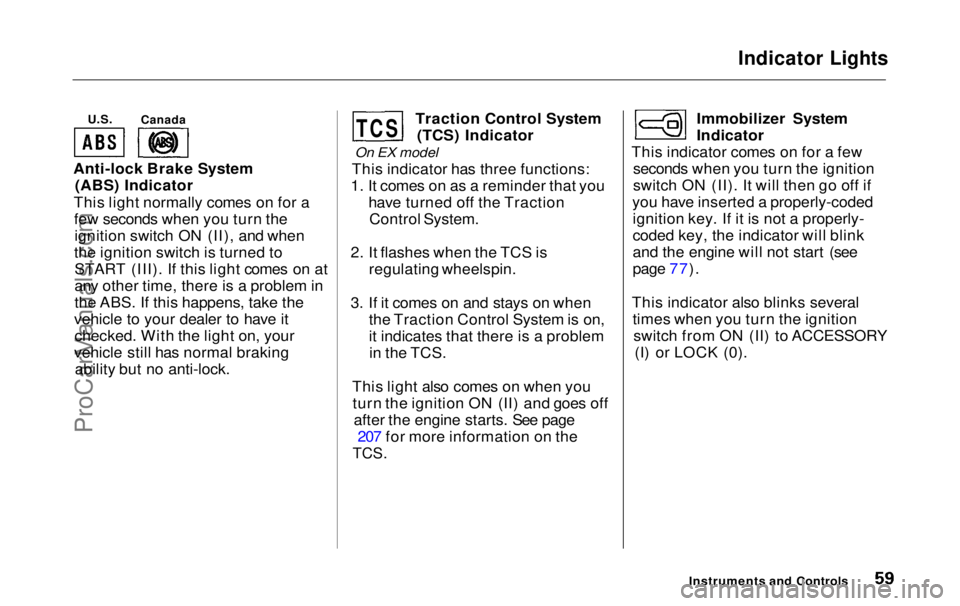
Anti-lock Brake System (ABS) Indicator
This light normally comes on for a few seconds when you turn theignition switch ON (II), and when
the ignition switch is turned to START (III). If this light comes on at
any other time, there is a problem in
the ABS. If this happens, take the
vehicle to your dealer to have it checked. With the light on, your
vehicle still has normal braking ability but no anti-lock. Traction Control System
(TCS) Indicator
On EX model
This indicator has three functions:
1. It comes on as a reminder that you have turned off the TractionControl System.
2. It flashes when the TCS is regulating wheelspin.
3. If it comes on and stays on when the Traction Control System is on,
it indicates that there is a problemin the TCS.
This light also comes on when you turn the ignition ON (II) and goes off after the engine starts. See page 207 for more information on the
TCS.
Immobilizer System
Indicator
This indicator comes on for a few seconds when you turn the ignition
switch ON (II). It will then go off if
you have inserted a properly-coded ignition key. If it is not a properly-
coded key, the indicator will blink
and the engine will not start (see
page 77).
This indicator also blinks several times when you turn the ignitionswitch from ON (II) to ACCESSORY (I) or LOCK (0).
Instruments and Controls
Canada
TCSProCarManuals.comMain Menu Table of Contents s t
Page 61 of 343
Indicator Lights
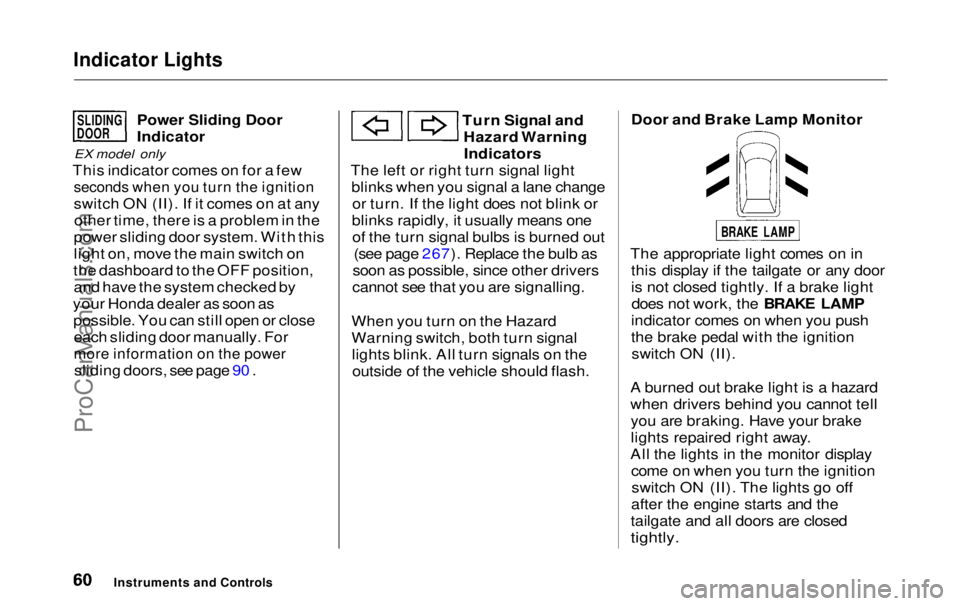
Power Sliding Door
Indicator
EX model only
This indicator comes on for a few
seconds when you turn the ignition
switch ON (II). If it comes on at anyother time, there is a problem in the
power sliding door system. With this
light on, move the main switch on
the dashboard to the OFF position, and have the system checked by
your Honda dealer as soon as possible. You can still open or closeeach sliding door manually. For
more information on the power
sliding doors, see page 90 . Turn Signal and
Hazard WarningIndicators
The left or right turn signal light blinks when you signal a lane changeor turn. If the light does not blink or
blinks rapidly, it usually means one of the turn signal bulbs is burned out (see page 267). Replace the bulb as
soon as possible, since other drivers
cannot see that you are signalling.
When you turn on the Hazard
Warning switch, both turn signal lights blink. All turn signals on theoutside of the vehicle should flash. Door and Brake Lamp Monitor
The appropriate light comes on in this display if the tailgate or any door
is not closed tightly. If a brake lightdoes not work, the BRAKE LAMP
indicator comes on when you push
the brake pedal with the ignition switch ON (II).
A burned out brake light is a hazard
when drivers behind you cannot tell you are braking. Have your brake
lights repaired right away.
All the lights in the monitor display come on when you turn the ignitionswitch ON (II). The lights go off
after the engine starts and the
tailgate and all doors are closed
tightly.
Instruments and Controls
SLIDING
DOOR
BRAKE LAMPProCarManuals.comMain Menu Table of Contents s t
Page 68 of 343
Controls Near the Steering Wheel
Automatic Lighting Off Feature
On EX model
The Automatic Lighting Off feature turns off the headlights, parking
lights, taillights, side marker lights,
license plate lights and instrumentpanel lights within 15 seconds ofremoving the key from the ignitionswitch and closing the driver's door.
This feature activates if you leave the headlight switch in the or
position, remove the key, and
open and close the driver's door.
If you remove the key from the
ignition switch with the headlight switch on, but do not open the door
and get out, the lights will turn off
after 10 minutes. The lights will turn on again when
you unlock or open the driver's door. If you unlock the door, but do not
open it within 15 seconds, the lights
will go off. With the driver's door open, you will hear a lights-on
reminder chime.
Daytime Running Lights(Canadian Models)
With the headlight switch off, the high beam headlights come on withreduced brightness when you turn
the ignition switch to ON (II) and release the parking brake. They
remain on until you turn the ignitionoff, even if you set the parking brake.
The headlights revert to normal operation when you turn them on
with the switch. Instrument Panel Brightness
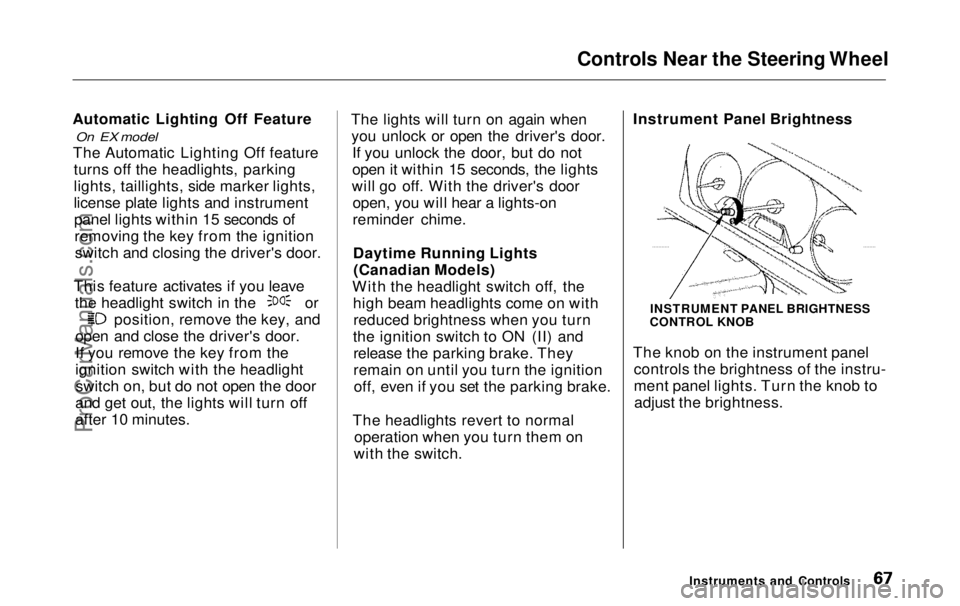
The knob on the instrument panel
controls the brightness of the instru-
ment panel lights. Turn the knob toadjust the brightness.
Instruments and Controls
INSTRUMENT PANEL BRIGHTNESS
CONTROL KNOBProCarManuals.comMain Menu Table of Contents s t
Page 70 of 343
Controls Near the Steering Wheel
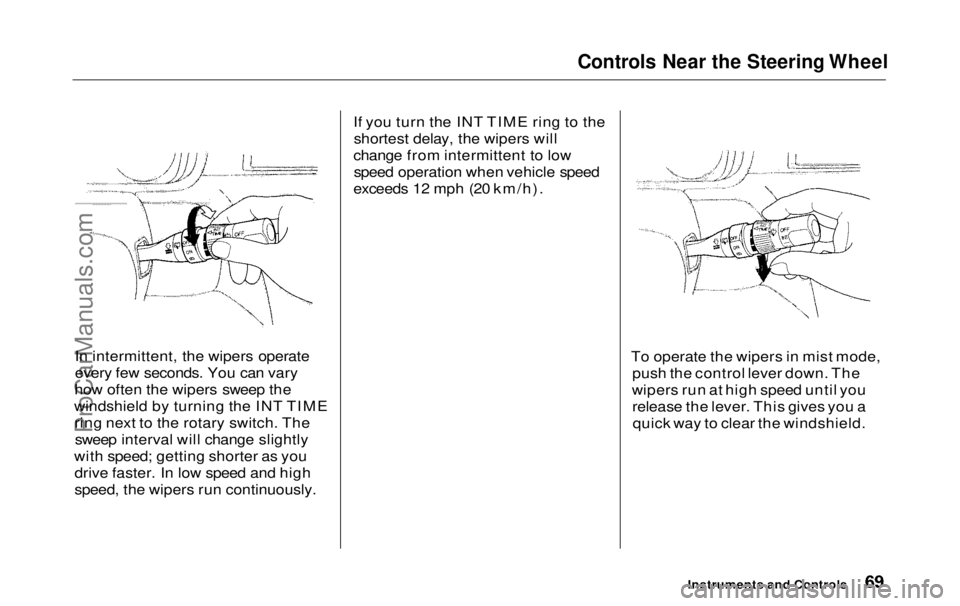
In intermittent, the wipers operate
every few seconds. You can vary
how often the wipers sweep the
windshield by turning the INT TIME ring next to the rotary switch. Thesweep interval will change slightly
with speed; getting shorter as you drive faster. In low speed and high
speed, the wipers run continuously. If you turn the INT TIME ring to the
shortest delay, the wipers will
change from intermittent to low speed operation when vehicle speed
exceeds 12 mph (20 km/h).
To operate the wipers in mist mode,push the control lever down. The
wipers run at high speed until you release the lever. This gives you aquick way to clear the windshield.
Instruments and ControlsProCarManuals.comMain Menu Table of Contents s t