battery HONDA ODYSSEY 2012 RB3-RB4 / 4.G User Guide
[x] Cancel search | Manufacturer: HONDA, Model Year: 2012, Model line: ODYSSEY, Model: HONDA ODYSSEY 2012 RB3-RB4 / 4.GPages: 441, PDF Size: 14.07 MB
Page 136 of 441
Continued
135
uuSecurity SystemuSecurity System Alarm
*
Controls
■
Setting the security system alarm
The security system alarm automatically sets when the following conditions have
been met:
•The ignition switch is in LOCK
(0
, and the key has been removed from the
ignition switch.
•The hood is closed.
•All doors and the tailgate are locked with the key or the remote transmitter.
■
When the security system alarm sets
The security system alarm indicator in the instrument panel blinks. When the
blinking interval changes after about 15 seconds, the security system alarm is set.
■
To cancel the security system alarm
The security system alarm is canceled when the vehicle is unlocked using the key or
remote transmitter. The security system alarm indicator goes off at the same time.
1Security System Alarm
Do not set the security system alarm when someone
is in the vehicle or a window is open. The system can
accidentally activate when:•Unlocking the door with the lock tab or the master
door lock switch.•Opening the tailgate with the power tailgate
button on the dashboard.
If the battery goes dead after you have set the
security system alarm, the security alarm may go off
once the battery is recharged or replaced.
If this occurs, deactivate the security system alarm by
unlocking a door using the key or remote transmitter.
Do not attempt to alter this system or add another
device to it.Models with power tailgate
Page 143 of 441
142
uuOperating the Switches Around the Steering WheeluTurn Signals
Controls
Turn Signals
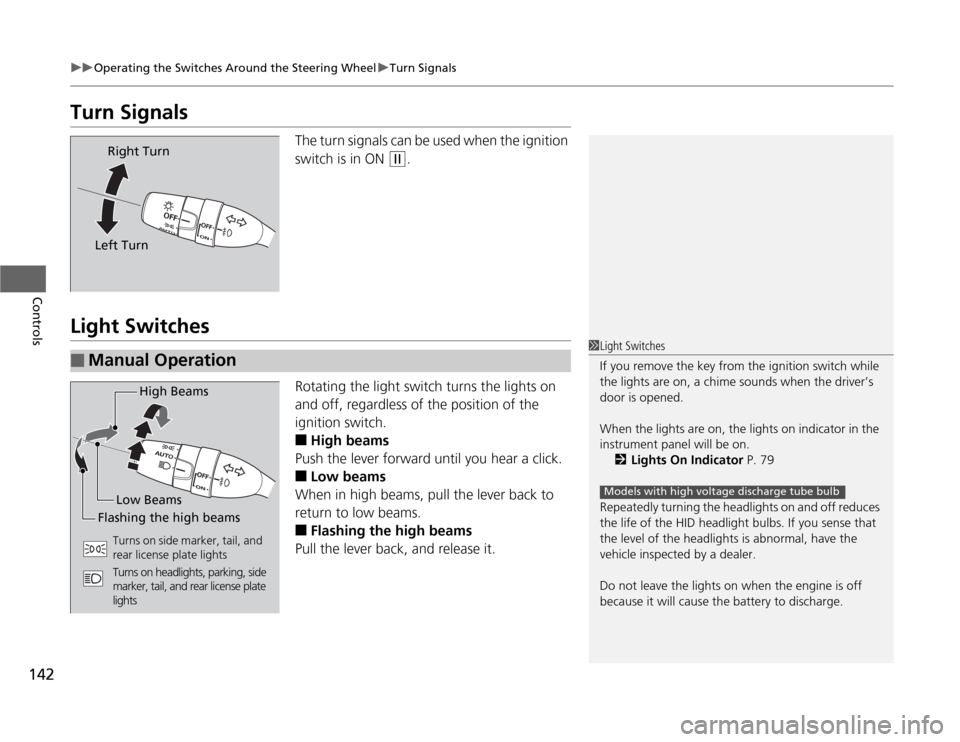
The turn signals can be used when the ignition
switch is in ON
(w
.
Light Switches
Rotating the light switch turns the lights on
and off, regardless of the position of the
ignition switch.■
High beams
Push the lever forward until you hear a click.
■
Low beams
When in high beams, pull the lever back to
return to low beams.
■
Flashing the high beams
Pull the lever back, and release it.
Right Turn
Left Turn
■
Manual Operation
1Light Switches
If you remove the key from the ignition switch while
the lights are on, a chime sounds when the driver’s
door is opened.
When the lights are on, the lights on indicator in the
instrument panel will be on.
2Lights On Indicator P. 79
Repeatedly turning the headlights on and off reduces
the life of the HID headlight bulbs. If you sense that
the level of the headlights is abnormal, have the
vehicle inspected by a dealer.
Do not leave the lights on when the engine is off
because it will cause the battery to discharge.
Models with high voltage discharge tube bulb
High Beams
Flashing the high beamsLow Beams
Turns on side marker, tail, and
rear license plate lights
Turns on headlights, parking, side
marker, tail, and rear license plate
lights
Page 149 of 441
148
uuOperating the Switches Around the Steering WheeluRear Defogger/Heated Door Mirror
* Button
Controls
Rear Defogger/Heated Door Mirror
* Button
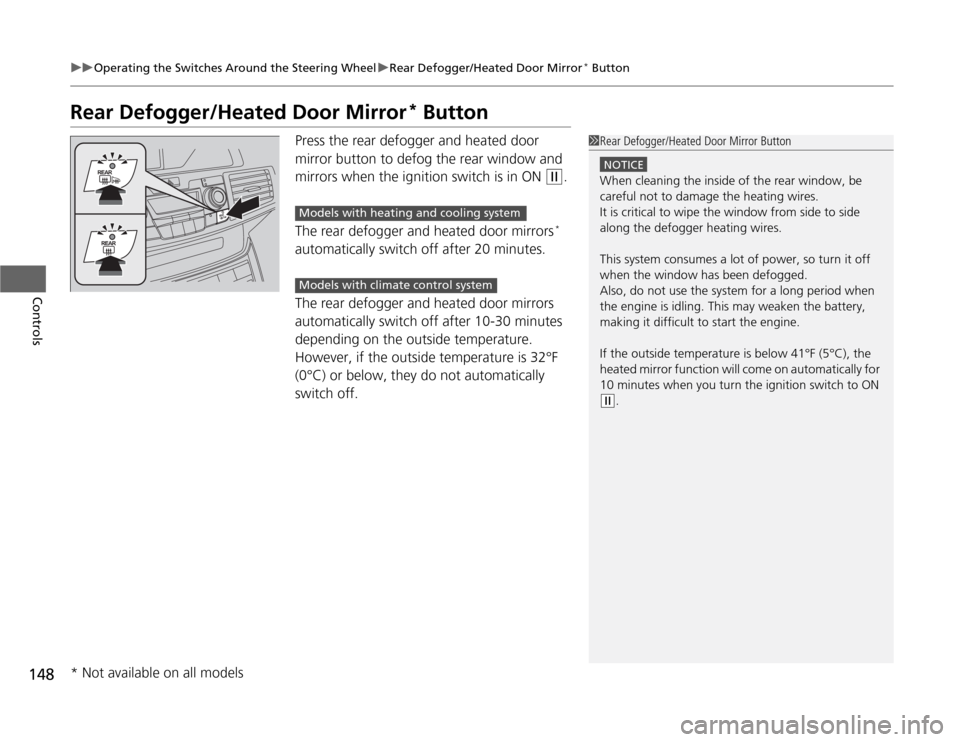
Press the rear defogger and heated door
mirror button to defog the rear window and
mirrors when the ignition switch is in ON
(w
.
The rear defogger and heated door mirrors*
automatically switch off after 20 minutes.
The rear defogger and heated door mirrors
automatically switch off after 10-30 minutes
depending on the outside temperature.
However, if the outside temperature is 32°F
(0°C) or below, they do not automatically
switch off.
1Rear Defogger/Heated Door Mirror Button
NOTICEWhen cleaning the inside of the rear window, be
careful not to damage the heating wires.
It is critical to wipe the window from side to side
along the defogger heating wires.
This system consumes a lot of power, so turn it off
when the window has been defogged.
Also, do not use the system for a long period when
the engine is idling. This may weaken the battery,
making it difficult to start the engine.
If the outside temperature is below 41°F (5°C), the
heated mirror function will come on automatically for
10 minutes when you turn the ignition switch to ON (w
.
Models with heating and cooling systemModels with climate control system
* Not available on all models
Page 177 of 441
uuInterior Lights/Interior Convenience ItemsuInterior Convenience Items
176Controls
The accessory power sockets can be used when the ignition switch is in ACCESSORY (q
or ON
(w
.
■
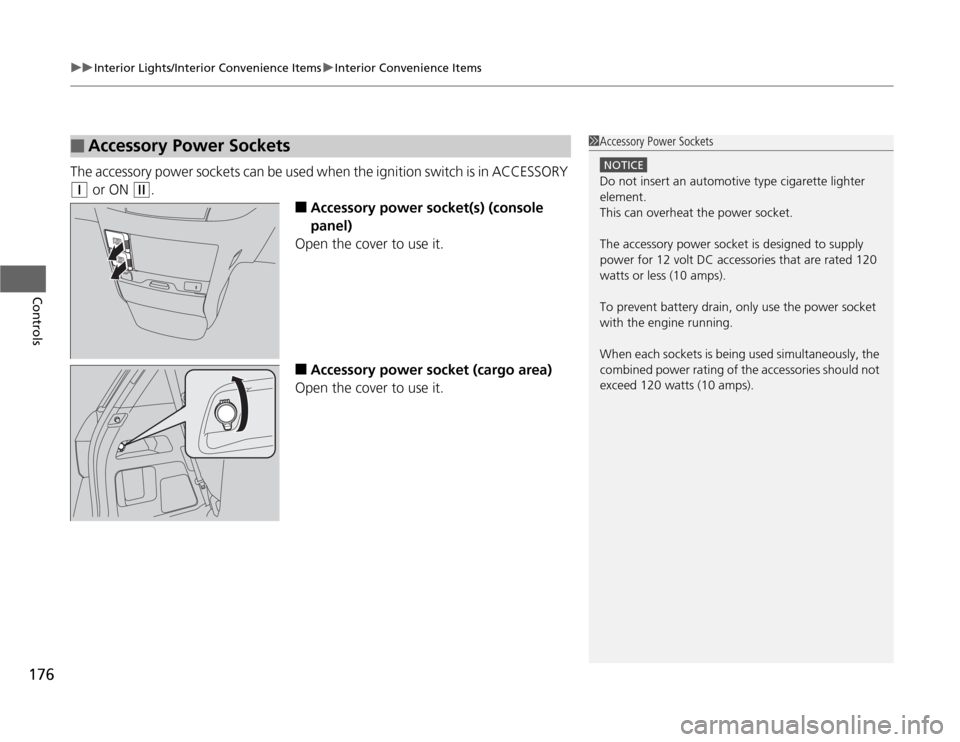
Accessory power socket(s) (console
panel)
Open the cover to use it.
■
Accessory power socket (cargo area)
Open the cover to use it.
■
Accessory Power Sockets
1Accessory Power Sockets
NOTICEDo not insert an automotive type cigarette lighter
element.
This can overheat the power socket.
The accessory power socket is designed to supply
power for 12 volt DC accessories that are rated 120
watts or less (10 amps).
To prevent battery drain, only use the power socket
with the engine running.
When each sockets is being used simultaneously, the
combined power rating of the accessories should not
exceed 120 watts (10 amps).
Page 182 of 441
Continued
181
uuInterior Lights/Interior Convenience ItemsuInterior Convenience Items
Controls
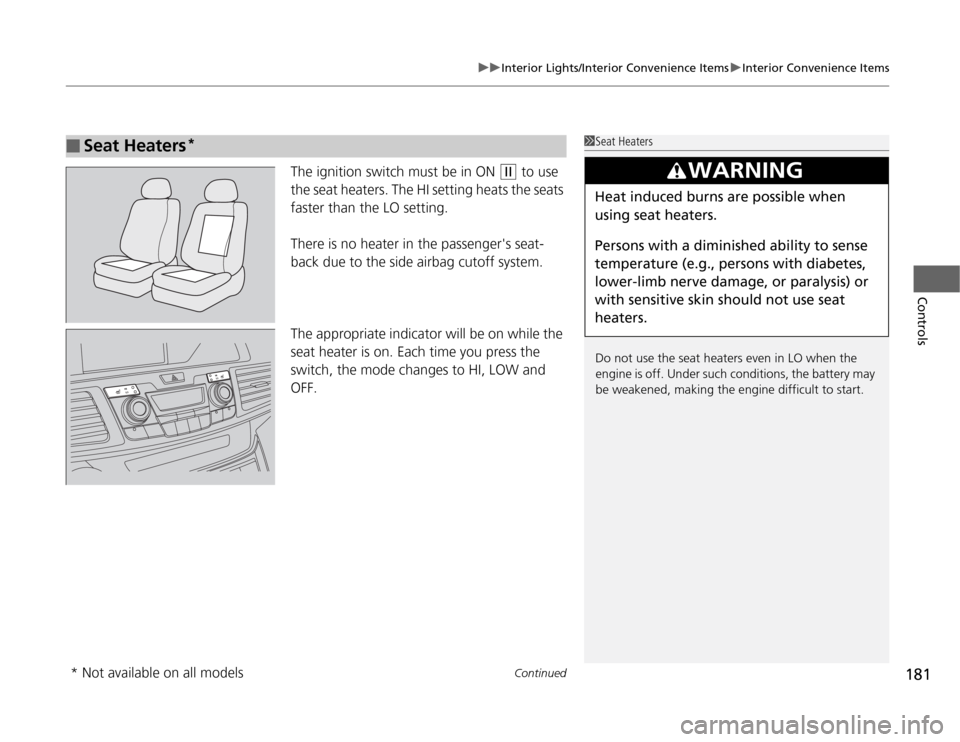
The ignition switch must be in ON
(w
to use
the seat heaters. The HI setting heats the seats
faster than the LO setting.
There is no heater in the passenger's seat-
back due to the side airbag cutoff system.
The appropriate indicator will be on while the
seat heater is on. Each time you press the
switch, the mode changes to HI, LOW and
OFF.
■
Seat Heaters
*
1Seat Heaters
Do not use the seat heaters even in LO when the
engine is off. Under such conditions, the battery may
be weakened, making the engine difficult to start.
3
WARNING
Heat induced burns are possible when
using seat heaters.
Persons with a diminished ability to sense
temperature (e.g., persons with diabetes,
lower-limb nerve damage, or paralysis) or
with sensitive skin should not use seat
heaters.
* Not available on all models
Page 197 of 441
196
uuAudio SystemuAudio System Theft Protection
*
Features
Audio System Theft Protection
*
The audio system is disabled when it is disconnected from the power source, such as
when the battery is disconnected or goes dead.■
Reactivating the audio system
1.Turn the ignition switch to ON
(w
, and turn on the audio system.
uIf you turn the ignition switch to ACCESSORY
(q
, you will be requested to
enter the audio security code. See step 3.
2.Press and hold the power volume knob again for more than two seconds.
uThe audio system is reactivated when the system’s control unit recognizes that
the system is in your vehicle.
If the control unit fails to recognize, ENTER CODE appears on the audio/
information screen.
3.Enter the audio security code using the preset buttons. If you enter an incorrect
digit, continue to the last digit, then try again. If you do not enter the code
correctly after 10 tries, leave the system for one hour before trying again, or visit
a dealer to have the system reset.
1Audio System Theft Protection
Find the audio system's security code and serial
number label in your owner’s manual kit.
We recommend that you write down the serial
number in this owner’s manual.
Do not store the label in your vehicle. If you lose the
label, you must first retrieve the serial number, and
then obtain the code.
You can find out about your serial number and
security code from a dealer.
You can register the security code at Owner Link
(owners.honda.com.), and find information on how
to retrieve the serial number and obtain the code at
radio-navicode.honda.com.
U.S. models
* Not available on all models
Page 261 of 441
uuBluetooth
® HandsFreeLink
®*uUsing HFL
260Features
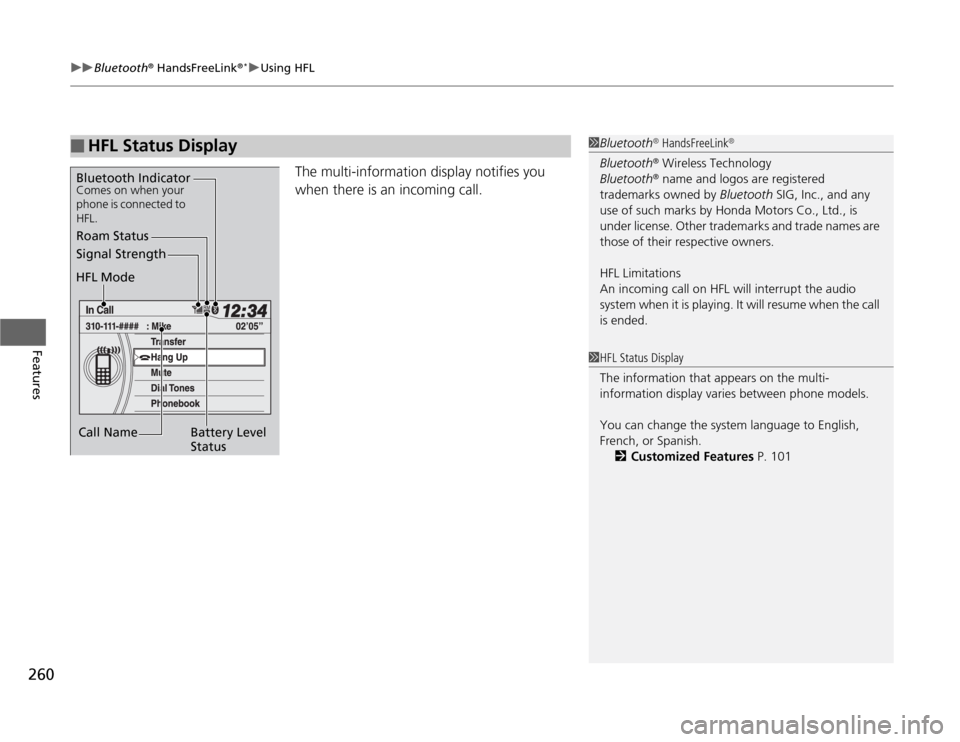
The multi-information display notifies you
when there is an incoming call.
■
HFL Status Display
1Bluetooth
® HandsFreeLink
®
Bluetooth
® Wireless Technology
Bluetooth® name and logos are registered
trademarks owned by Bluetooth SIG, Inc., and any
use of such marks by Honda Motors Co., Ltd., is
under license. Other trademarks and trade names are
those of their respective owners.
HFL Limitations
An incoming call on HFL will interrupt the audio
system when it is playing. It will resume when the call
is ended.
Signal Strength
HFL Mode
Battery Level
Status Roam Status
Call NameBluetooth IndicatorComes on when your
phone is connected to
HFL.
1HFL Status Display
The information that appears on the multi-
information display varies between phone models.
You can change the system language to English,
French, or Spanish.
2Customized Features P. 101
Page 265 of 441
uuBluetooth
® HandsFreeLink
®*uHFL Menus
264Features
■
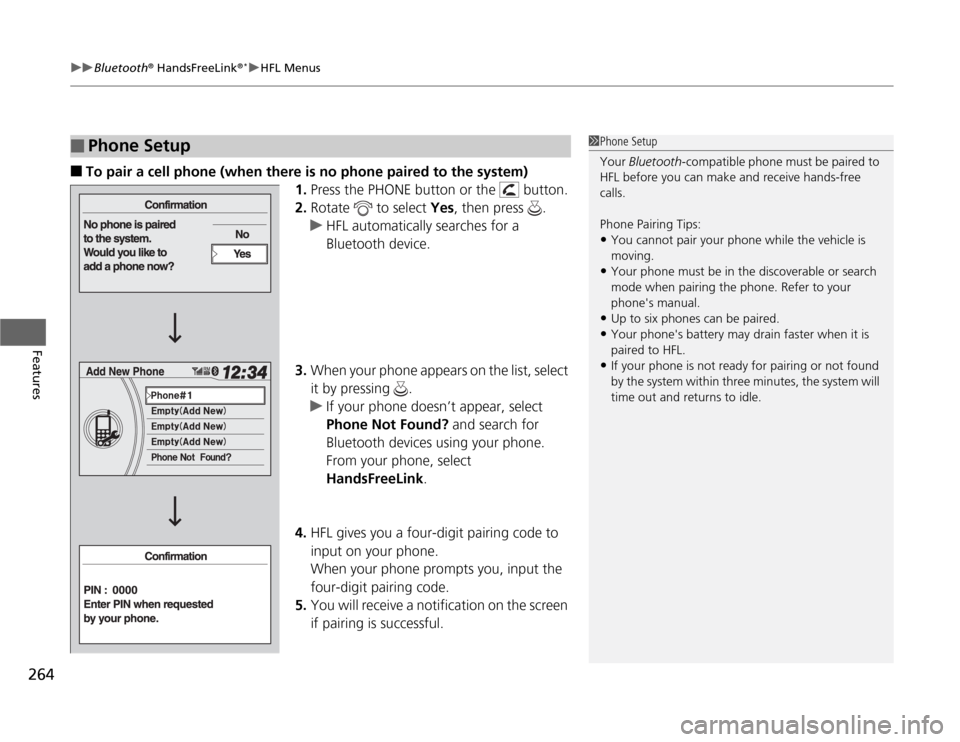
To pair a cell phone (when there is no phone paired to the system)
1.Press the PHONE button or the button.
2.Rotate to select Yes, then press .
uHFL automatically searches for a
Bluetooth device.
3.When your phone appears on the list, select
it by pressing .
uIf your phone doesn’t appear, select
Phone Not Found? and search for
Bluetooth devices using your phone.
From your phone, select
HandsFreeLink.
4.HFL gives you a four-digit pairing code to
input on your phone.
When your phone prompts you, input the
four-digit pairing code.
5.You will receive a notification on the screen
if pairing is successful.
■
Phone Setup
1Phone Setup
Your Bluetooth-compatible phone must be paired to
HFL before you can make and receive hands-free
calls.
Phone Pairing Tips:•You cannot pair your phone while the vehicle is
moving.•Your phone must be in the discoverable or search
mode when pairing the phone. Refer to your
phone's manual.•Up to six phones can be paired.•Your phone's battery may drain faster when it is
paired to HFL.•If your phone is not ready for pairing or not found
by the system within three minutes, the system will
time out and returns to idle.
Page 298 of 441
297
Continued
Driving
When DrivingStarting the Engine
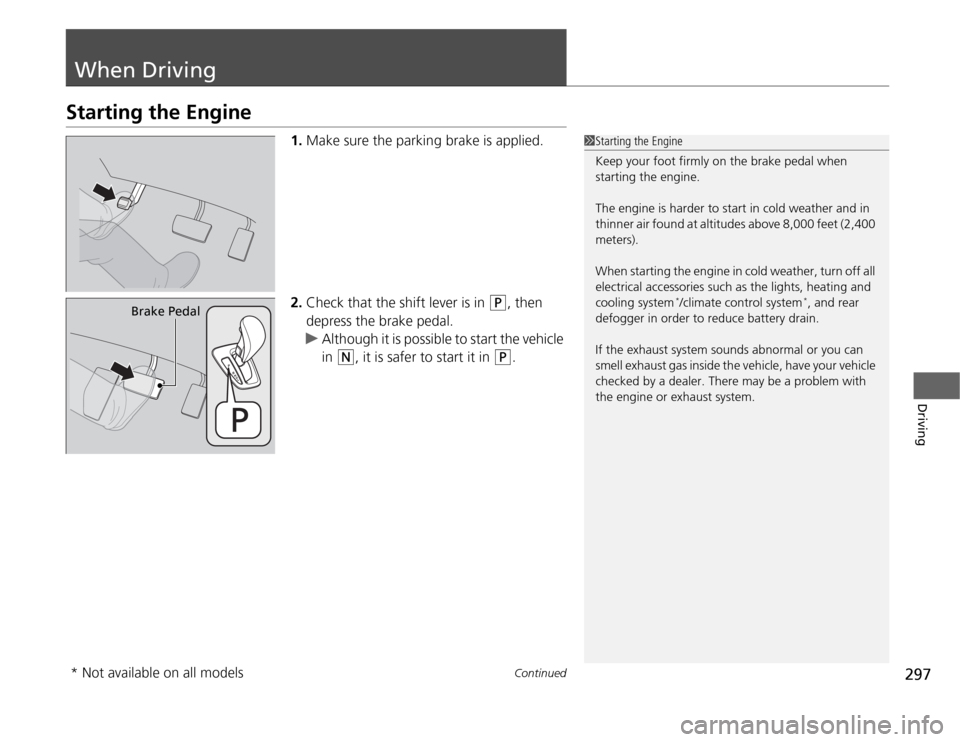
1.Make sure the parking brake is applied.
2.Check that the shift lever is in
(P
, then
depress the brake pedal.
uAlthough it is possible to start the vehicle
in
(N
, it is safer to start it in
(P
.
1Starting the Engine
Keep your foot firmly on the brake pedal when
starting the engine.
The engine is harder to start in cold weather and in
thinner air found at altitudes above 8,000 feet (2,400
meters).
When starting the engine in cold weather, turn off all
electrical accessories such as the lights, heating and
cooling system
*/climate control system
*, and rear
defogger in order to reduce battery drain.
If the exhaust system sounds abnormal or you can
smell exhaust gas inside the vehicle, have your vehicle
checked by a dealer. There may be a problem with
the engine or exhaust system.
Brake Pedal
* Not available on all models
Page 332 of 441
331
Maintenance
This chapter discusses basic maintenance.
Before Performing Maintenance
Inspection and Maintenance ............ 332
Safety When Performing Maintenance..... 333Parts and Fluids Used in Maintenance
Service ........................................... 334
Maintenance Minder™.................... 335
Maintenance Under the HoodMaintenance Items Under the Hood ..... 343Opening the Hood ........................... 344
Recommended Engine Oil ................ 345
Oil Check ......................................... 346
Adding Engine Oil ............................ 347Changing the Engine Oil and Oil Filter ..... 348
Engine Coolant ................................ 350
Transmission Fluid ............................ 352
Brake Fluid ....................................... 353
Power Steering Fluid Check.............. 354
Refilling Window Washer Fluid......... 354
Replacing Light Bulbs....................... 355
Checking and Maintaining Wiper Blades
.... 366
Checking and Maintaining Tires
Checking Tires ................................. 370
Tire and Loading Information Label ...... 371Tire Labeling .................................... 371DOT Tire Quality Grading (U.S. Vehicles)....... 373Wear Indicators................................ 375Tire Service Life ................................ 375
Tire and Wheel Replacement ........... 376
Tire Rotation .................................... 377
Winter Tires ..................................... 378
Battery............................................... 379
Remote Transmitter Care................. 380
Remote Control and Wireless
Headphone Care
*........................... 382
Heating and Cooling System
*/Climate
Control System
* Maintenance....... 384
Cleaning
Interior Care .................................... 385
Exterior Care.................................... 387
* Not available on all models