maintenance reset HONDA ODYSSEY 2016 RC1-RC2 / 5.G User Guide
[x] Cancel search | Manufacturer: HONDA, Model Year: 2016, Model line: ODYSSEY, Model: HONDA ODYSSEY 2016 RC1-RC2 / 5.GPages: 565
Page 459 of 565
uuMaintenance MinderTMuTo Use Maintenance MinderTM
458
Maintenance
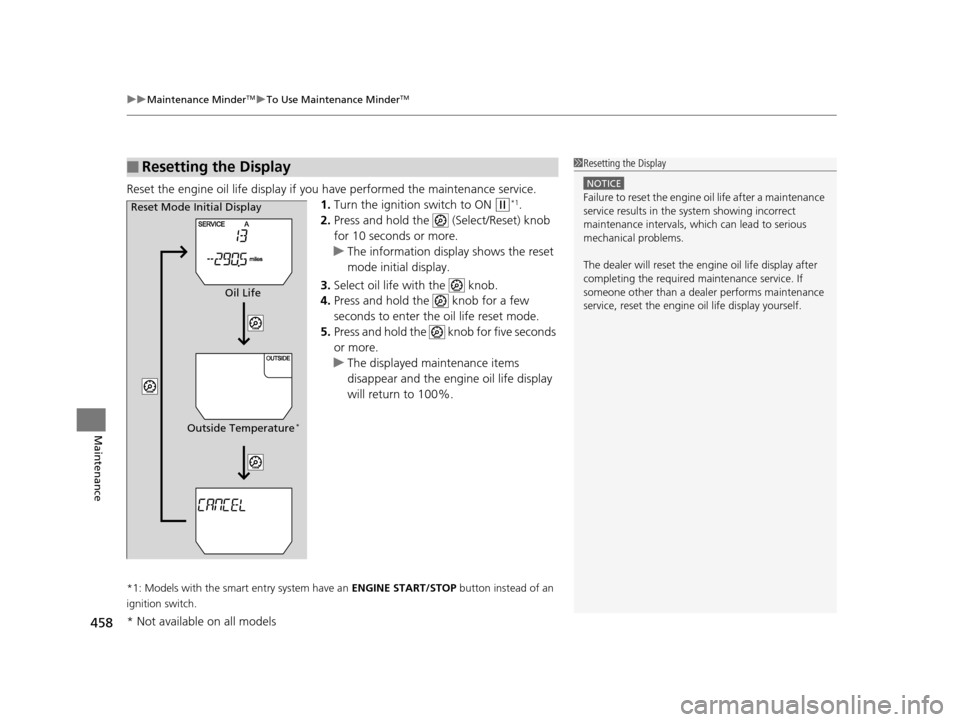
Reset the engine oil life display if yo u have performed the maintenance service.
1. Turn the ignition switch to ON
(w*1.
2. Press and hold the (Select/Reset) knob
for 10 seconds or more.
u The information display shows the reset
mode initial display.
3. Select oil life with the knob.
4. Press and hold the knob for a few
seconds to enter the oil life reset mode.
5. Press and hold the knob for five seconds
or more.
u The displayed maintenance items
disappear and the engine oil life display
will return to 100%.
*1: Models with the smart entry system have an ENGINE START/STOP button instead of an
ignition switch.
■Resetting the Display1 Resetting the Display
NOTICE
Failure to reset the engine oil life after a maintenance
service results in the sy stem showing incorrect
maintenance intervals, which can lead to serious
mechanical problems.
The dealer will reset the en gine oil life display after
completing the required ma intenance service. If
someone other than a deal er performs maintenance
service, reset the engine oil life display yourself.Reset Mode Initial Display
Oil Life
Outside Temperature
*
* Not available on all models
16 US ODYSSEY-31TK86500.book 458 ページ 2015年6月24日 水曜日 午後3時0分
Page 460 of 565
459
uuMaintenance MinderTMuTo Use Maintenance MinderTM
Continued
Maintenance
To Use Maintenance MinderTM
1. Set the power mode to ON.
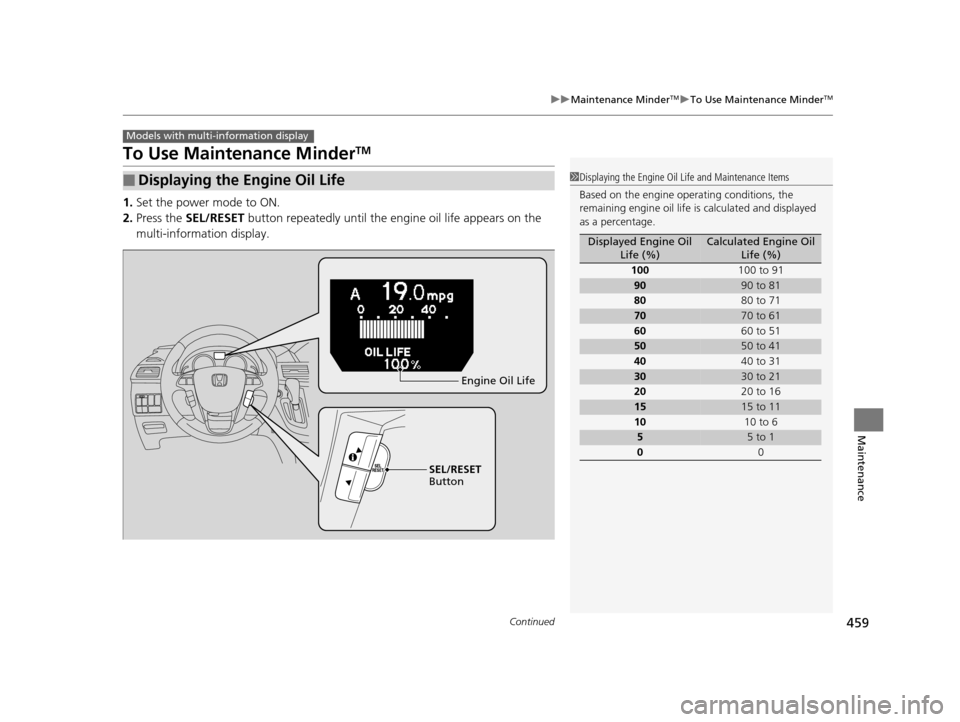
2. Press the SEL/RESET button repeatedly until the engine oil life appears on the
multi-information display.
■Displaying the Engine Oil Life
Models with multi- information display
1Displaying the Engine Oil Life and Maintenance Items
Based on the engine ope rating conditions, the
remaining engine oi l life is calculated and displayed
as a percentage.
Displayed Engine Oil Life (%)Calculated Engine Oil Life (%)
100 100 to 91
9090 to 81
80 80 to 71
7070 to 61
60 60 to 51
5050 to 41
40 40 to 31
3030 to 21
20 20 to 16
1515 to 11
10 10 to 6
55 to 1
0 0
SEL/RESET
Button Engine Oil Life
16 US ODYSSEY-31TK86500.book 459 ページ 2015年6月24日 水曜日 午後3時0分
Page 462 of 565
461
uuMaintenance MinderTMuTo Use Maintenance MinderTM
Continued
Maintenance
■Maintenance Service Items1Maintenance Service Items
•Independent of the Maintenance Minder
information, replace the brake fluid every 3 years.
•Inspect idle speed every 160,000 miles (256,000
km).
•Adjust the valves during services A, B, 1, 2, or 3 if
they are noisy.
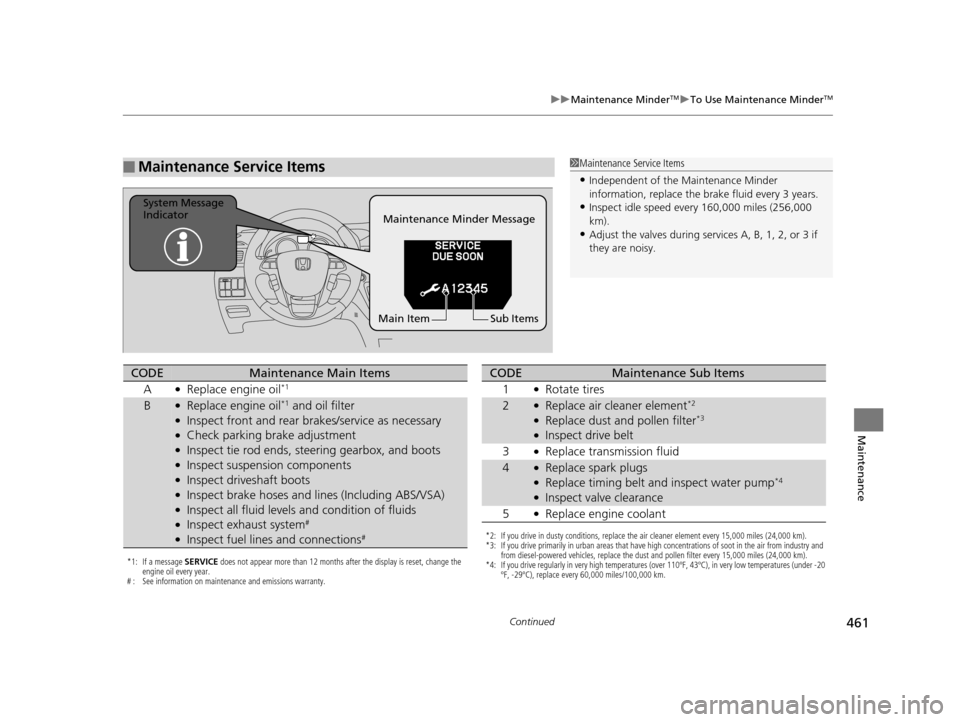
Maintenance Minder Message
System Message
Indicator
Sub Items
Main Item
*1: If a message SERVICE does not appear more than 12 months after the display is reset, change the
engine oil every year.
# : See information on maintenance and emissions warranty.
CODEMaintenance Main Items
A
●Replace engine oil*1
B●Replace engine oil*1 and oil filter●Inspect front and rear bra kes/service as necessary●Check parking brake adjustment●Inspect tie rod ends, steering gearbox, and boots●Inspect suspension components●Inspect driveshaft boots●Inspect brake hoses and li nes (Including ABS/VSA)●Inspect all fluid levels and condition of fluids●Inspect exhaust system#
●Inspect fuel lines and connections#*2: If you drive in dusty conditions, replace the air cleaner element every 15,000 miles (24,000 km).
*3: If you drive primarily in urban areas that have high concentrations of soot in the air from industry and
from diesel-powered vehicles, replace the dust and pollen filter every 15,000 miles (24,000 km).
*4: If you drive regularly in very high temperatures (over 110ºF, 43ºC), in very low temperatures (under -20 ºF, -29ºC), replace every 60,000 miles/100,000 km.
CODEMaintenance Sub Items
1
●Rotate tires
2●Replace air cleaner element*2
●Replace dust and pollen filter*3
●Inspect drive belt
3
●Replace transmission fluid
4●Replace spark plugs●Replace timing belt and inspect water pump*4
●Inspect valve clearance
5
●Replace engine coolant
16 US ODYSSEY-31TK86500.book 461 ページ 2015年6月24日 水曜日 午後3時0分
Page 463 of 565
uuMaintenance MinderTMuTo Use Maintenance MinderTM
462
Maintenance
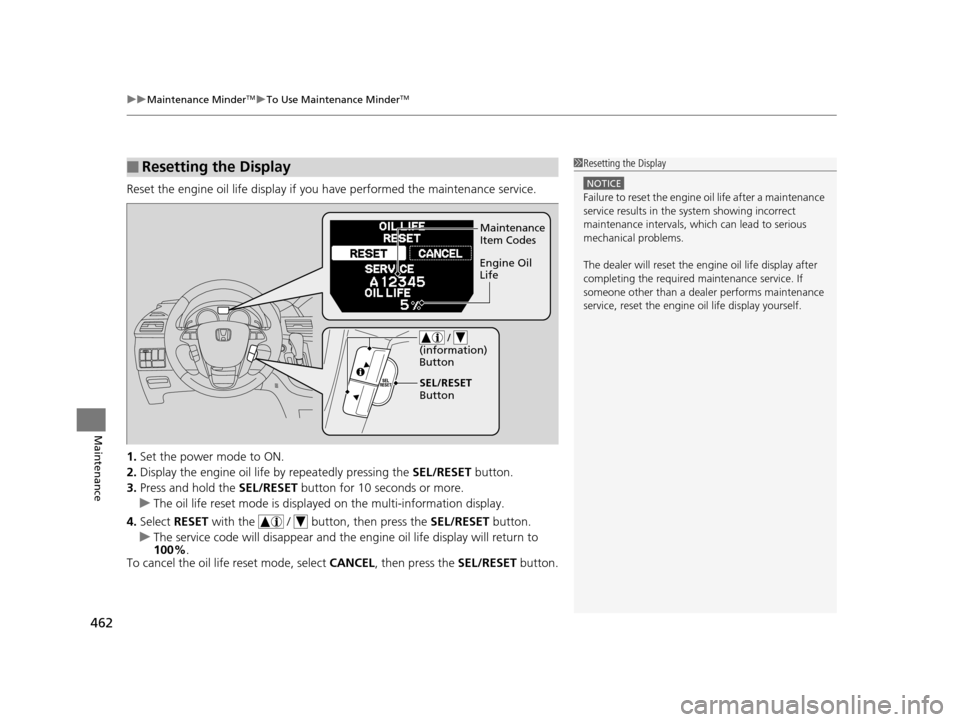
Reset the engine oil life display if yo u have performed the maintenance service.
1. Set the power mode to ON.
2. Display the engine oil life by repeatedly pressing the SEL/RESET button.
3. Press and hold the SEL/RESET button for 10 seconds or more.
u The oil life reset mode is displa yed on the multi-information display.
4. Select RESET with the / butto n, then press the SEL/RESET button.
u The service code will disappear and the en gine oil life display will return to
100% .
To cancel the oil life reset mode, select CANCEL, then press the SEL/RESET button.
■Resetting the Display1Resetting the Display
NOTICE
Failure to reset the engine oil life after a maintenance
service results in the sy stem showing incorrect
maintenance intervals, which can lead to serious
mechanical problems.
The dealer will reset the en gine oil life display after
completing the required ma intenance service. If
someone other than a deal er performs maintenance
service, reset the engine oil life display yourself.
Maintenance
Item Codes
Engine Oil
Life
/
(information)
Button
SEL/RESET
Button
16 US ODYSSEY-31TK86500.book 462 ページ 2015年6月24日 水曜日 午後3時0分
Page 500 of 565
499
Maintenance
Battery
Checking the Battery
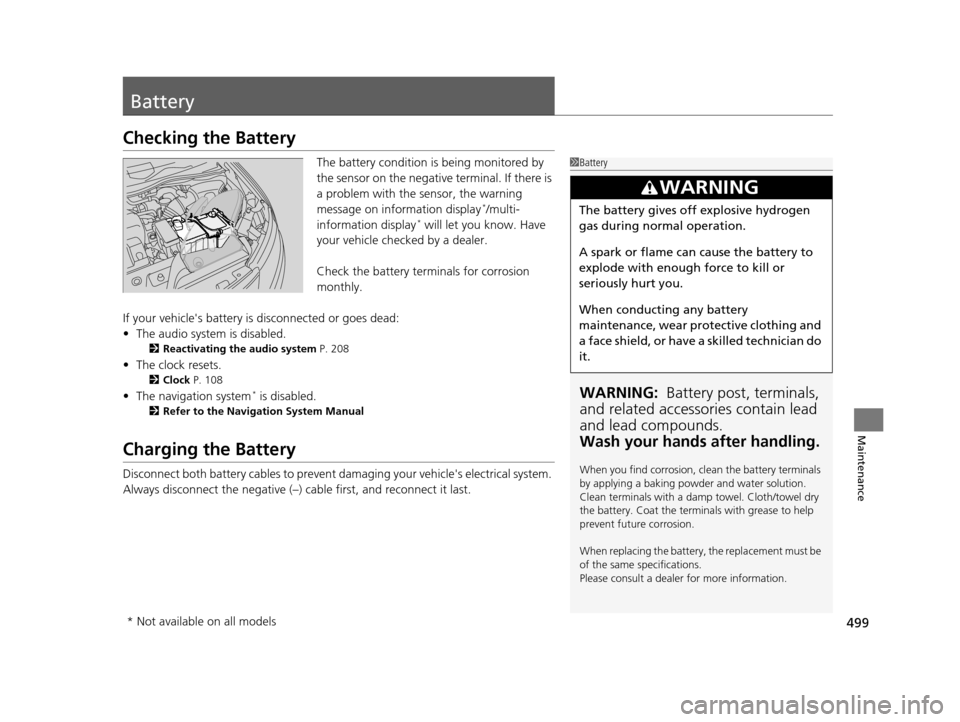
The battery condition is being monitored by
the sensor on the negative terminal. If there is
a problem with the sensor, the warning
message on information display
*/multi-
information display* will let you know. Have
your vehicle checked by a dealer.
Check the battery termi nals for corrosion
monthly.
If your vehicle's battery is disconnected or goes dead:
• The audio system is disabled.
2 Reactivating the audio system P. 208
•The clock resets.
2 Clock P. 108
•The navigation system* is disabled.
2 Refer to the Navigation System Manual
Charging the Battery
Disconnect both battery cables to prevent damaging your vehicle's electrical system.
Always disconnect the negative (–) cable first, and reconnect it last.
1Battery
WARNING: Battery post, terminals,
and related accessories contain lead
and lead compounds.
Wash your hands after handling.
When you find corrosion, cl ean the battery terminals
by applying a baking powder and water solution.
Clean terminals with a damp towel. Cloth/towel dry
the battery. Coat the terminals with grease to help
prevent future corrosion.
When replacing the battery, the replacement must be
of the same specifications.
Please consult a dealer for more information.
3WARNING
The battery gives off explosive hydrogen
gas during normal operation.
A spark or flame can cause the battery to
explode with enough force to kill or
seriously hurt you.
When conducting any battery
maintenance, wear prot ective clothing and
a face shield, or have a skilled technician do
it.
* Not available on all models
16 US ODYSSEY-31TK86500.book 499 ページ 2015年6月24日 水曜日 午後3時0分