dvd HONDA ODYSSEY 2018 (in English) Workshop Manual
[x] Cancel search | Manufacturer: HONDA, Model Year: 2018, Model line: ODYSSEY, Model: HONDA ODYSSEY 2018Pages: 763, PDF Size: 47.02 MB
Page 443 of 763
441
uuBlu-ray/DVD Rear Entertainment System*uDVD or Blu-rayTM Player Error Messages
Features
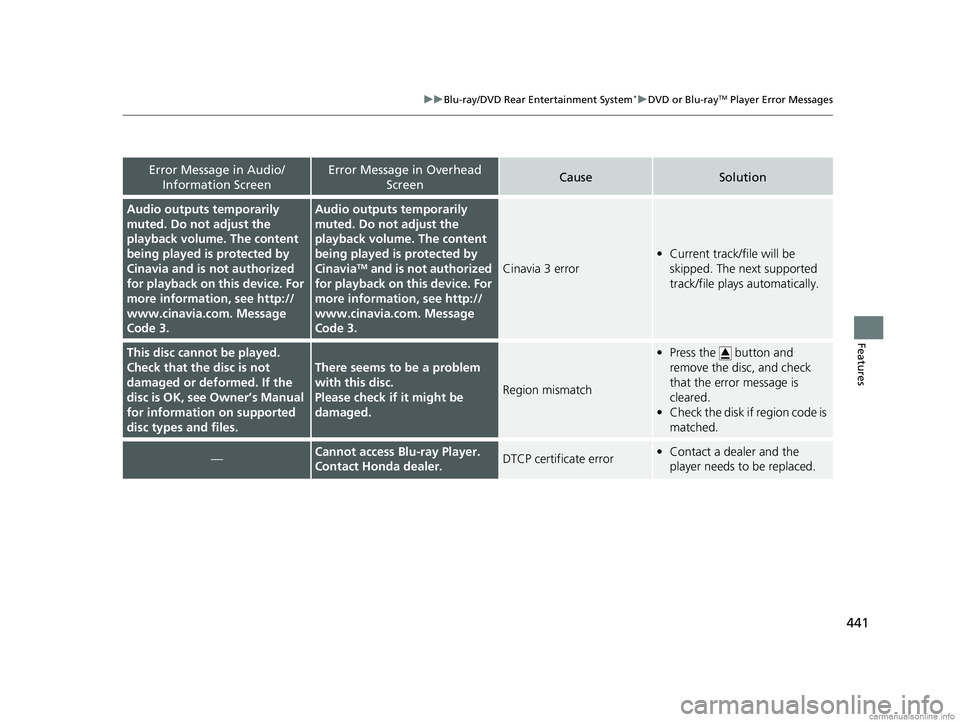
Error Message in Audio/
Information ScreenError Message in Overhead ScreenCauseSolution
Audio outputs temporarily
muted. Do not adjust the
playback volume. The content
being played is protected by
Cinavia and is not authorized
for playback on th is device. For
more information, see http://
www.cinavia.co m. Message
Code 3.Audio outputs temporarily
muted. Do not adjust the
playback volume. The content
being played is protected by
Cinavia
TM and is not authorized
for playback on th is device. For
more information, see http://
www.cinavia.co m. Message
Code 3.Cinavia 3 error
• Current track/file will be
skipped. The next supported
track/file plays automatically.
This disc cannot be played.
Check that the disc is not
damaged or deformed. If the
disc is OK, see Owner’s Manual
for information on supported
disc types and files.
There seems to be a problem
with this disc.
Please check if it might be
damaged.
Region mismatch
•Press the button and
remove the disc, and check
that the error message is
cleared.
• Check the disk if region code is
matched.
—Cannot access Blu-ray Player.
Contact Honda dealer.DTCP certificate error•Contact a dealer and the
player needs to be replaced.
18 US ODYSSEY-31THR6010.book 441 ページ 2018年12月6日 木曜日 午後4時18分
Page 524 of 763
522
Features
CabinTalkTM *
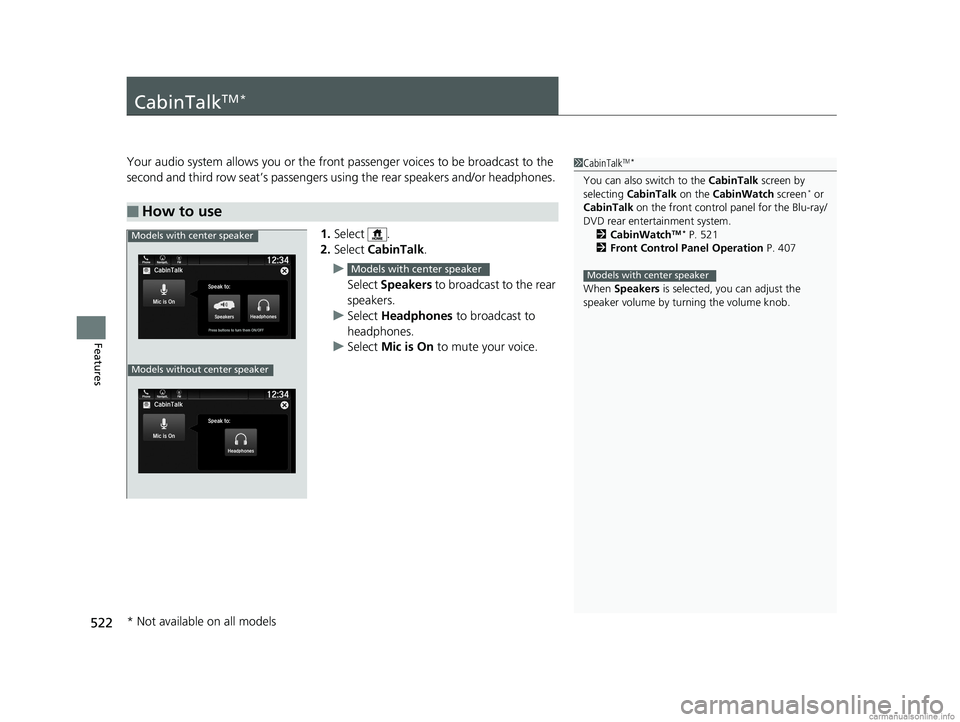
Your audio system allows you or the front passenger voices to be broadcast to the
second and third row seat’s passengers using the rear speakers and/or headphones.
1. Select .
2. Select CabinTalk .
u Select Speakers to broadcast to the rear
speakers.
u Select Headphones to broadcast to
headphones.
u Select Mic is On to mute your voice.
■How to use
1CabinTalkTM *
You can also switch to the CabinTalk screen by
selecting CabinTalk on the CabinWatch screen* or
CabinTalk on the front control panel for the Blu-ray/
DVD rear entertainment system. 2 CabinWatch
TM * P. 521
2 Front Control Panel Operation P. 407
When Speakers is selected, you can adjust the
speaker volume by tu rning the volume knob.
Models with center speaker
Models with center speaker
Phone FMCabinTalk
Mic is On
Speak to:
HeadphonesPress buttons to turn them ON/OFF
12:34Navigati..
Models without center speaker
Models with center speaker
* Not available on all models
18 US ODYSSEY-31THR6010.book 522 ページ 2018年12月6日 木曜日 午後4時18分
Page 687 of 763
685Continued
Maintenance
Remote Control and Wireless Headphone Care*
Replacing the Battery
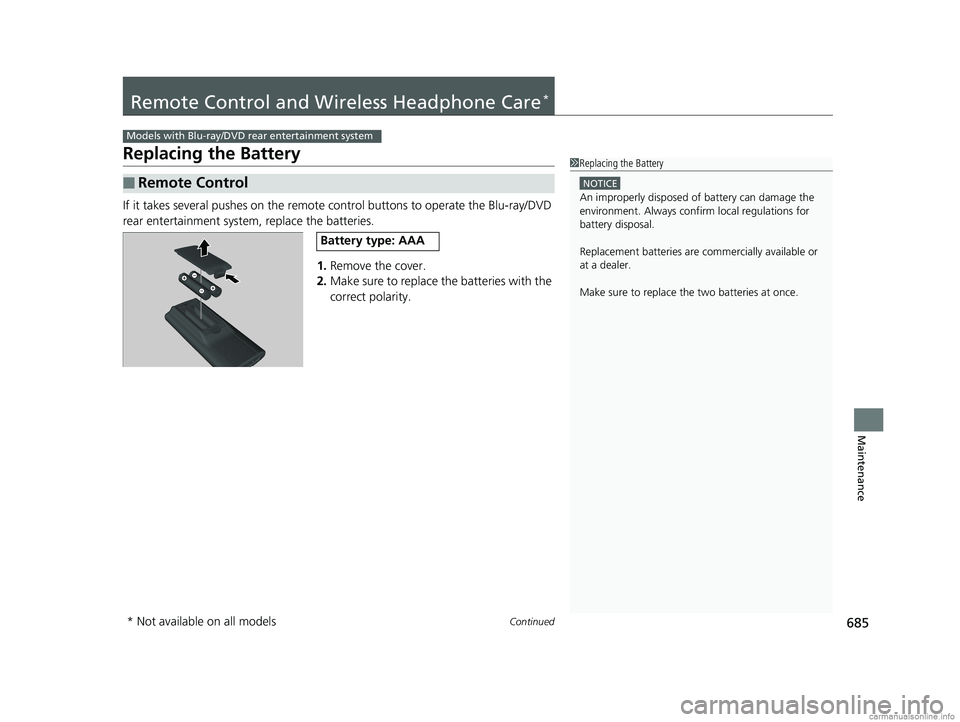
If it takes several pushes on the remote control buttons to operate the Blu-ray/DVD
rear entertainment system, replace the batteries.
1.Remove the cover.
2. Make sure to replace the batteries with the
correct polarity.
■Remote Control
Models with Blu-ray/DVD rear entertainment system
1Replacing the Battery
NOTICE
An improperly disposed of battery can damage the
environment. Always conf irm local regulations for
battery disposal.
Replacement batteries are commercially available or
at a dealer.
Make sure to replace the two batteries at once.
Battery type: AAA
* Not available on all models
18 US ODYSSEY-31THR6010.book 685 ページ 2018年12月6日 木曜日 午後4時18分
Page 743 of 763
741Continued
Information
Devices that Emit Radio Waves
The following products and systems on your vehicle emit radio waves when in
operation.
Each of the above complies with the appropriate requirements or the required
standards of FCC (Federal Communications Commission) and Industry Canada
Standard, described below:
Audio System
Bluetooth ® Audio
Bluetooth® HandsFreeLink ®
HomeLink® Universal Transceiver*
Immobilizer System
Smart Entry System*
Parking Sensor System*
Remote Transmitter
Tire Pressure Monitoring System (TPMS)
Collision Mitigati on Braking SystemTM *
Blind spot information System*
Remote Engine Start with Vehicle Feedback*
HondaLink*
Wireless charger*
Blu-ray/DVD Rear Entertainme nt System Remote Control
Models with Blu-ray/DVD rear entertainment system
* Not available on all models
18 US ODYSSEY-31THR6010.book 741 ページ 2018年12月6日 木曜日 午後4時18分
Page 753 of 763
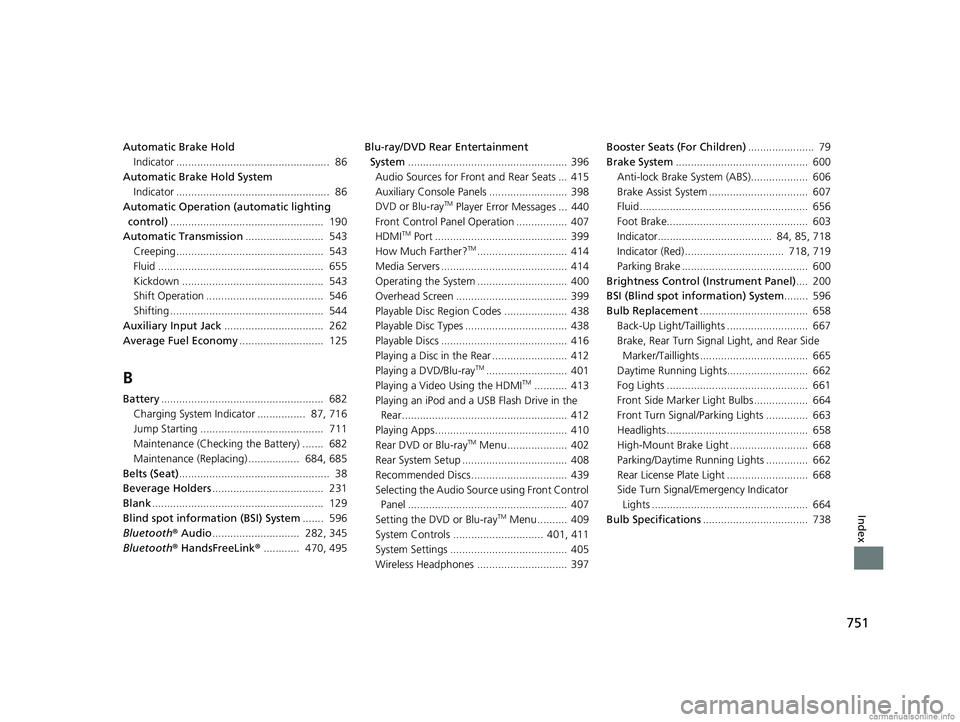
751
Index
Automatic Brake HoldIndicator ................................................... 86
Automatic Brake Hold System Indicator ................................................... 86
Automatic Operation (automatic lighting
control) ................................................... 190
Automatic Transmission .......................... 543
Creeping................................................. 543
Fluid ....................................................... 655
Kickdown ............................................... 543
Shift Operation ....................................... 546
Shifting ................................................... 544
Auxiliary Input Jack ................................. 262
Average Fuel Economy ............................ 125
B
Battery...................................................... 682
Charging System Indicator ................ 87, 716
Jump Starting ......................................... 711
Maintenance (Checking the Battery) ....... 682
Maintenance (Replacing) ................. 684, 685
Belts (Seat) .................................................. 38
Beverage Holders ..................................... 231
Blank ......................................................... 129
Blind spot information (BSI) System ....... 596
Bluetooth ® Audio ............................. 282, 345
Bluetooth ® HandsFreeLink ®............ 470, 495 Blu-ray/DVD Rear Entertainment
System ..................................................... 396
Audio Sources for Front and Rear Seats ... 415
Auxiliary Consol e Panels .......................... 398
DVD or Blu-ray
TM Player Error Messages ... 440
Front Control Panel Operation ................. 407
HDMI
TM Port ............................................ 399
How Much Farther?TM.............................. 414
Media Servers .......................................... 414
Operating the System .............................. 400
Overhead Screen ..................................... 399
Playable Disc Region Codes ..................... 438
Playable Disc Types .................................. 438
Playable Discs .......................................... 416
Playing a Disc in the Rear ......................... 412
Playing a DVD/Blu-ray
TM........................... 401
Playing a Video Using the HDMITM........... 413
Playing an iPod and a USB Flash Drive in the Rear....................................................... 412
Playing Apps ............................................ 410
Rear DVD or Blu-ray
TM Menu .................... 402
Rear System Setup ................................... 408
Recommended Discs ................................ 439
Selecting the Audio Sour ce using Front Control
Panel ..................................................... 407
Setting the DVD or Blu-ray
TM Menu .......... 409
System Controls .............................. 401, 411
System Settings ....................................... 405
Wireless Headphones .............................. 397 Booster Seats (For Children)
...................... 79
Brake System ............................................ 600
Anti-lock Brake System (ABS)................... 606
Brake Assist System ................................. 607
Fluid ........................................................ 656
Foot Brake............................................... 603
Indicator...................................... 84, 85, 718
Indicator (Red) ................................. 718, 719
Parking Brake .......................................... 600
Brightness Control (Instrument Panel) .... 200
BSI (Blind spot information) System ........ 596
Bulb Replacement .................................... 658
Back-Up Light/Taillights ........................... 667
Brake, Rear Turn Signal Light, and Rear Side
Marker/Taillights .................................... 665
Daytime Running Lights........................... 662
Fog Lights ............................................... 661
Front Side Marker Light Bulbs .................. 664
Front Turn Signal/Parking Lights .............. 663
Headlights ............................................... 658
High-Mount Brake Light .......................... 668
Parking/Daytime Running Lights .............. 662
Rear License Plate Light ........................... 668
Side Turn Signal/Emergency Indicator Lights .................................................... 664
Bulb Specifications ................................... 738
18 US ODYSSEY-31THR6010.book 751 ページ 2018年12月6日 木曜日 午後4時18分