Accessory mode HONDA ODYSSEY 2018 Owner's Manual (in English)
[x] Cancel search | Manufacturer: HONDA, Model Year: 2018, Model line: ODYSSEY, Model: HONDA ODYSSEY 2018Pages: 763, PDF Size: 47.02 MB
Page 32 of 763
30
Quick Reference Guide
What to Do If
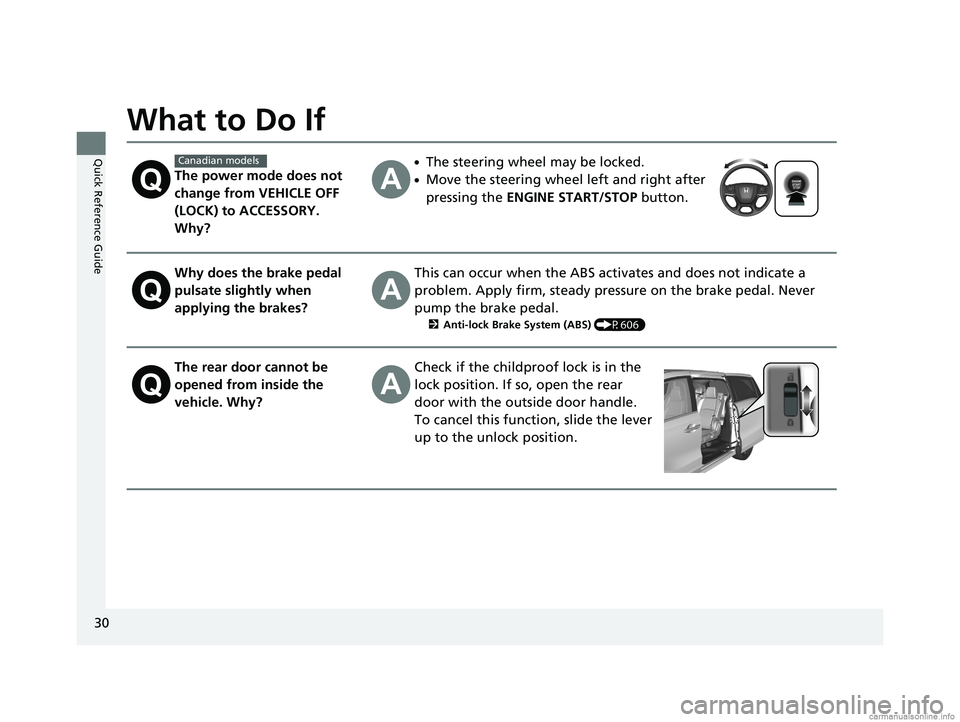
The power mode does not
change from VEHICLE OFF
(LOCK) to ACCESSORY.
Why?
●The steering wheel may be locked.
●Move the steering wheel left and right after
pressing the ENGINE START/STOP button.
Why does the brake pedal
pulsate slightly when
applying the brakes?This can occur when the ABS activates and does not indicate a
problem. Apply firm, steady pressure on the brake pedal. Never
pump the brake pedal.
2Anti-lock Brake System (ABS) (P606)
The rear door cannot be
opened from inside the
vehicle. Why?Check if the childproof lock is in the
lock position. If so, open the rear
door with the outside door handle.
To cancel this function, slide the lever
up to the unlock position.
Canadian models
18 US ODYSSEY-31THR6010.book 30 ページ 2018年12月6日 木曜日 午後4時18分
Page 33 of 763
31
Quick Reference Guide
Why do the doors lock
after I unlocked the doors?If you do not open the doors within 30 seconds, the doors are
relocked automatically for security.
Why does the beeper
sound when I open the
driver’s door?The beeper sounds when:
●The power mode is in ACCESSORY.
●The exterior lights are left on.
●The Auto Idle Stop is in operation.
Why does the beeper
sound when I start driving?The beeper sounds when the driver and/or front passenger are
not wearing their seat belts.
Why do I hear a screeching
sound when I apply the
brake pedal?The brake pads may need to be replaced. Have your vehicle
inspected by a dealer.
Models with Auto Idle Stop
18 US ODYSSEY-31THR6010.book 31 ページ 2018年12月6日 木曜日 午後4時18分
Page 95 of 763
93
uuIndicators u
Continued
Instrument Panel
*1:Canadian models only: Apply and hold th e brake pedal before selecting the ON mode.
IndicatorNameOn/BlinkingExplanationMessage
Lights On
Indicator
•Comes on whenever the light
switch is on, or in AUTO* when
the exterior lights are on.
• If you set the power mode to
ACCESSORY or VEHICLE OFF while the
lights are on, a chime sounds when the
driver’s door is opened.
—
Fog Light
Indicator*
•Comes on when the fog lights are
on.——
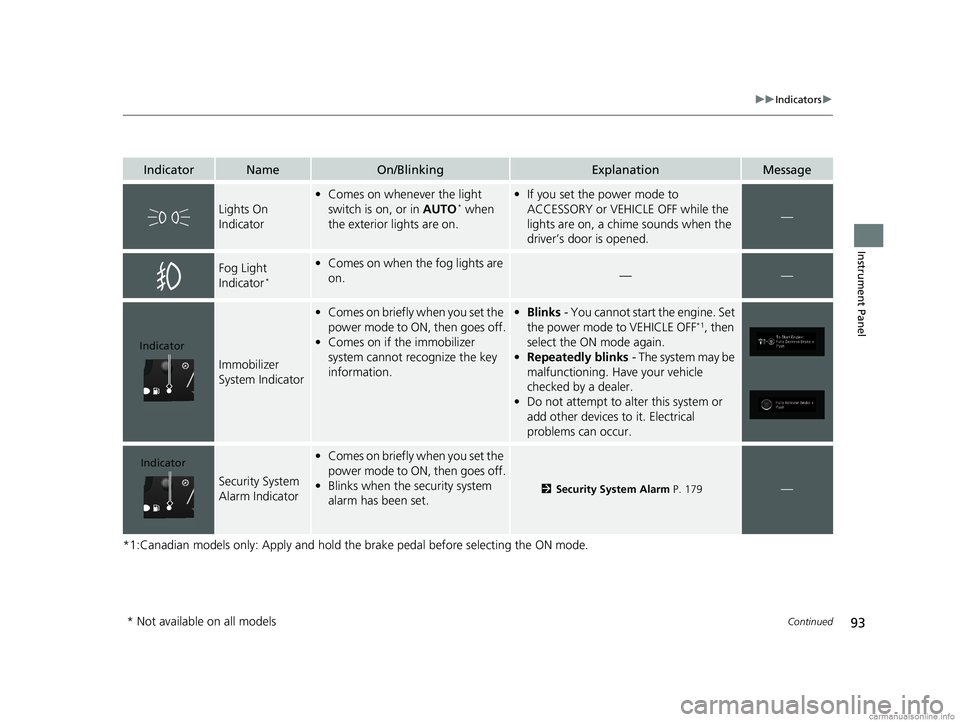
Immobilizer
System Indicator
•Comes on briefly when you set the
power mode to ON, then goes off.
• Comes on if the immobilizer
system cannot recognize the key
information.•Blinks - You cannot start the engine. Set
the power mode to VEHICLE OFF*1, then
select the ON mode again.
• Repeatedly blinks - The system may be
malfunctioning. Have your vehicle
checked by a dealer.
• Do not attempt to alter this system or
add other devices to it. Electrical
problems can occur.
Security System
Alarm Indicator
•Comes on briefly when you set the
power mode to ON, then goes off.
• Blinks when the security system
alarm has been set.
2 Security System Alarm P. 179—
Indicator
Indicator
* Not available on all models
18 US ODYSSEY-31THR6010.book 93 ページ 2018年12月6日 木曜日 午後4時18分
Page 108 of 763
106
uuIndicators uDriver Information Interface Wa rning and Information Messages
Instrument Panel
MessageConditionExplanation
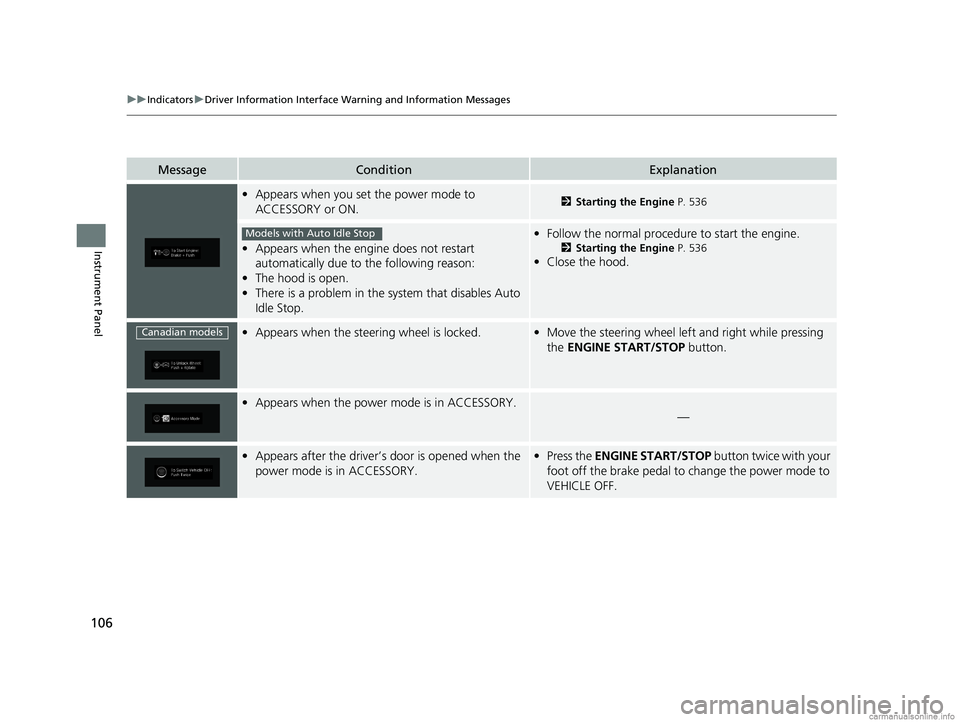
•Appears when you set the power mode to
ACCESSORY or ON.2 Starting the Engine P. 536
•Appears when the engine does not restart
automatically due to the following reason:
• The hood is open.
• There is a problem in the sy stem that disables Auto
Idle Stop.
• Follow the normal procedure to start the engine.
2 Starting the Engine P. 536
•Close the hood.
•Appears when the steering wheel is locked.•Move the steering wheel left and right while pressing
the ENGINE START/STOP button.
•Appears when the power mode is in ACCESSORY.
—
•Appears after the driver’s door is opened when the
power mode is in ACCESSORY.•Press the ENGINE START/STOP button twice with your
foot off the brake pedal to change the power mode to
VEHICLE OFF.
Models with Auto Idle Stop
Canadian models
18 US ODYSSEY-31THR6010.book 106 ページ 2018年12月6日 木曜日 午後4時18分
Page 109 of 763
107
uuIndicators uDriver Information Interface Wa rning and Information Messages
Continued
Instrument Panel
MessageConditionExplanation
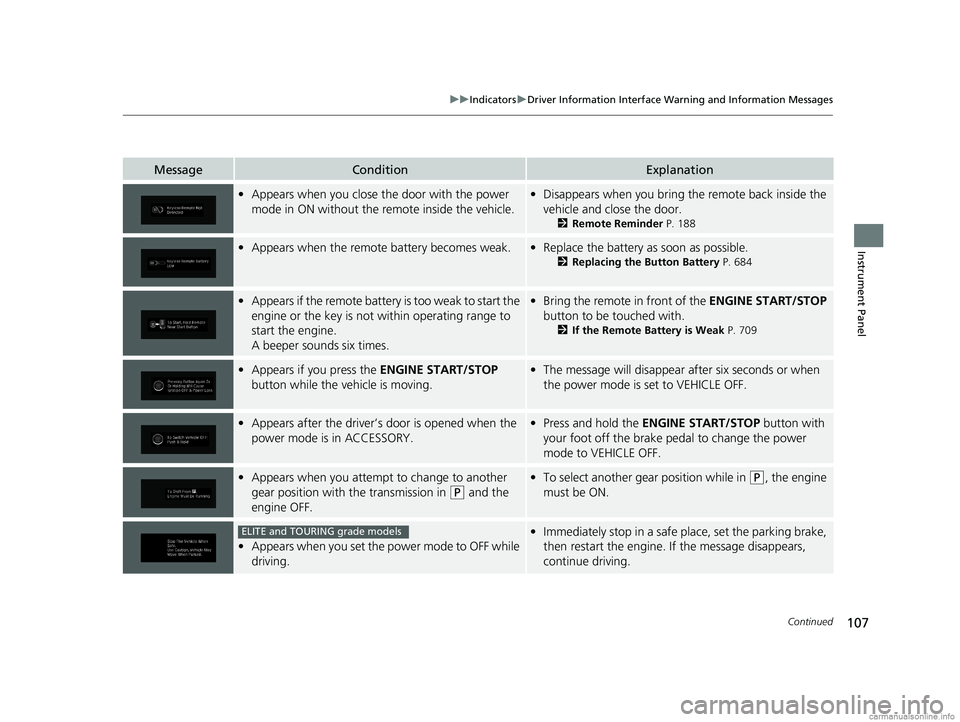
•Appears when you close th e door with the power
mode in ON without the remote inside the vehicle.• Disappears when you bring the remote back inside the
vehicle and close the door.
2 Remote Reminder P. 188
•Appears when the remote battery becomes weak.•Replace the battery as soon as possible.
2 Replacing the Button Battery P. 684
•Appears if the remote battery is too weak to start the
engine or the key is not within operating range to
start the engine.
A beeper sounds six times.•Bring the remote in front of the ENGINE START/STOP
button to be touched with.
2 If the Remote Battery is Weak P. 709
•Appears if you press the ENGINE START/STOP
button while the vehicle is moving.• The message will disappear after six seconds or when
the power mode is set to VEHICLE OFF.
•Appears after the driver’s door is opened when the
power mode is in ACCESSORY.• Press and hold the ENGINE START/STOP button with
your foot off the brake pedal to change the power
mode to VEHICLE OFF.
• Appears when you attempt to change to another
gear position with the transmission in
(P and the
engine OFF.
• To select another gear position while in (P, the engine
must be ON.
• Appears when you set the power mode to OFF while
driving.
•Immediately stop in a safe place, set the parking brake,
then restart the engine. If the message disappears,
continue driving.ELITE and TOURING grade models
18 US ODYSSEY-31THR6010.book 107 ページ 2018年12月6日 木曜日 午後4時18分
Page 188 of 763
186
Controls
Operating the Switches Around the Steering Wheel
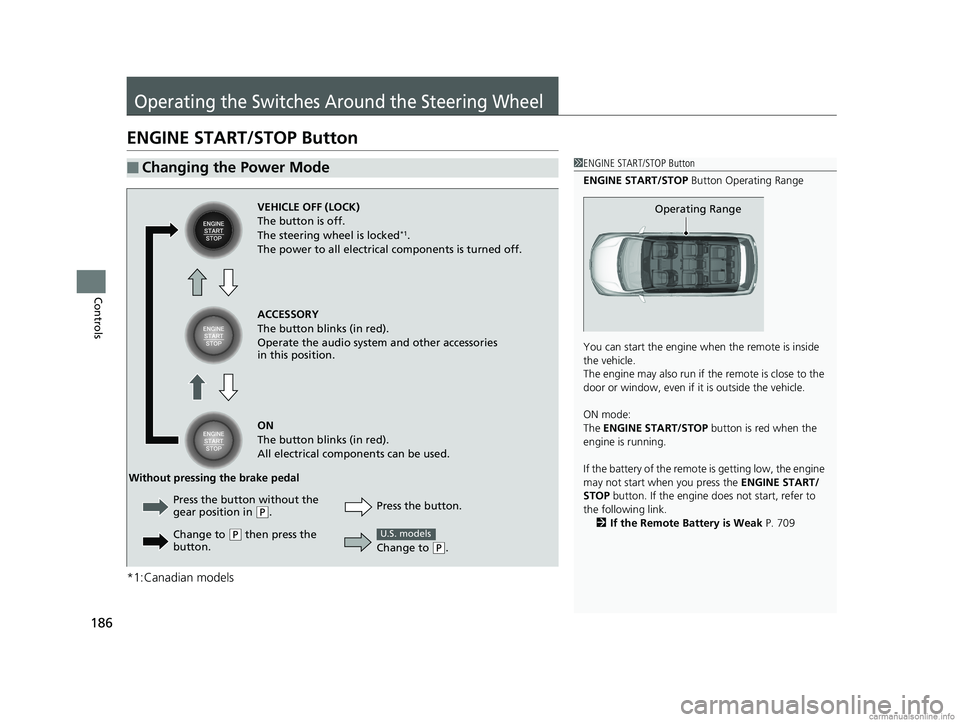
ENGINE START/STOP Button
*1:Canadian models
■Changing the Power Mode1ENGINE START/STOP Button
ENGINE START/STOP Button Operating Range
You can start the engine wh en the remote is inside
the vehicle.
The engine may also run if the remote is close to the
door or window, even if it is outside the vehicle.
ON mode:
The ENGINE START/STOP button is red when the
engine is running.
If the battery of the remote is getting low, the engine
may not start when you press the ENGINE START/
STOP button. If the engine do es not start, refer to
the following link. 2 If the Remote Battery is Weak P. 709
Operating RangeVEHICLE OFF (LOCK)
The button is off.
The steering wheel is locked
*1.
The power to all electrical components is turned off.
ACCESSORY
The button blinks (in red).
Operate the audio system and other accessories
in this position.
ON
The button blinks (in red).
All electrical components can be used.
Press the button.
Without pressing the brake pedal
Change to
(P.
U.S. models
Press the button without the
gear position in (P.
Change to
( P then press the
button.
18 US ODYSSEY-31THR6010.book 186 ページ 2018年12月6日 木曜日 午後4時18分
Page 189 of 763
Continued187
uuOperating the Switches Around the Steering Wheel uENGINE START/STOP Button
Controls
If you leave the vehicle for 30 to 60 minutes with the transmission in (P and the
power mode in ACCESSORY, the vehicle automa tically goes into the mode similar to
VEHICLE OFF (LOCK) to avoid draining the battery.
When in this mode:
The steering wheel does not lock.
You cannot lock or unlock doors with th e remote transmitter or the smart entry
system.
Press the ENGINE START/STOP button to switch the mode to VEHICLE OFF (LOCK).
■Automatic Power Off1ENGINE START/STOP Button
If the power mode does not change from VEHICLE
OFF to ACCESSORY, press the ENGINE START/STOP
button while moving the st eering wheel left and
right. The steering wheel will unlock, allowing the
mode to change.
Do not leave the power mode in ACCESSORY or ON
when you get out.
Canadian models
Canadian models
18 US ODYSSEY-31THR6010.book 187 ページ 2018年12月6日 木曜日 午後4時18分
Page 190 of 763
uuOperating the Switches Around the Steering Wheel uENGINE START/STOP Button
188
Controls
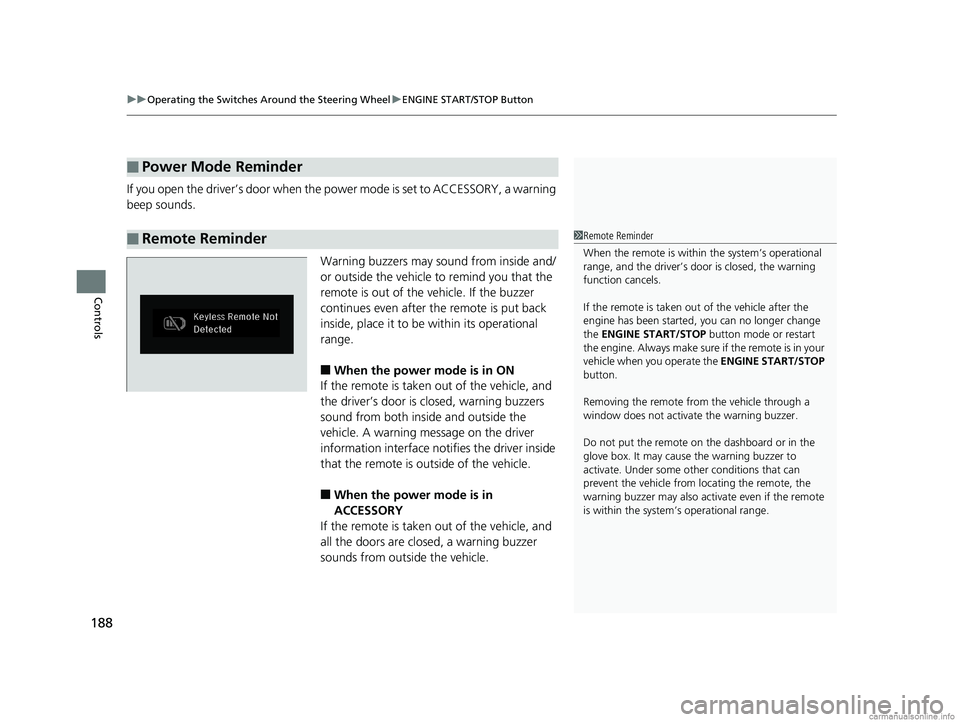
If you open the driver’s doo r when the power mode is set to ACCESSORY, a warning
beep sounds.
Warning buzzers may sound from inside and/
or outside the vehicle to remind you that the
remote is out of the vehicle. If the buzzer
continues even after the remote is put back
inside, place it to be within its operational
range.
■When the power mode is in ON
If the remote is taken out of the vehicle, and
the driver’s door is closed, warning buzzers
sound from both inside and outside the
vehicle. A warning me ssage on the driver
information interface notifies the driver inside
that the remote is outside of the vehicle.
■When the power mode is in
ACCESSORY
If the remote is taken out of the vehicle, and
all the doors are clos ed, a warning buzzer
sounds from outside the vehicle.
■Power Mode Reminder
■Remote Reminder1 Remote Reminder
When the remote is within the system’s operational
range, and the driver’s door is closed, the warning
function cancels.
If the remote is taken out of the vehicle after the
engine has been started, you can no longer change
the ENGINE START/STOP button mode or restart
the engin e. Always make sure if the remote is in your
vehicle when you operate the ENGINE START/STOP
button.
Removing the remote fr om the vehicle through a
window does not activate the warning buzzer.
Do not put the remote on the dashboard or in the
glove box. It may cause the warning buzzer to
activate. Under some ot her conditions that can
prevent the vehicle from locating the remote, the
warning buzzer may also activate even if the remote
is within the system’s operational range.
18 US ODYSSEY-31THR6010.book 188 ページ 2018年12月6日 木曜日 午後4時18分
Page 200 of 763
uuOperating the Switches Around the Steering Wheel uWipers and Washers
198
Controls
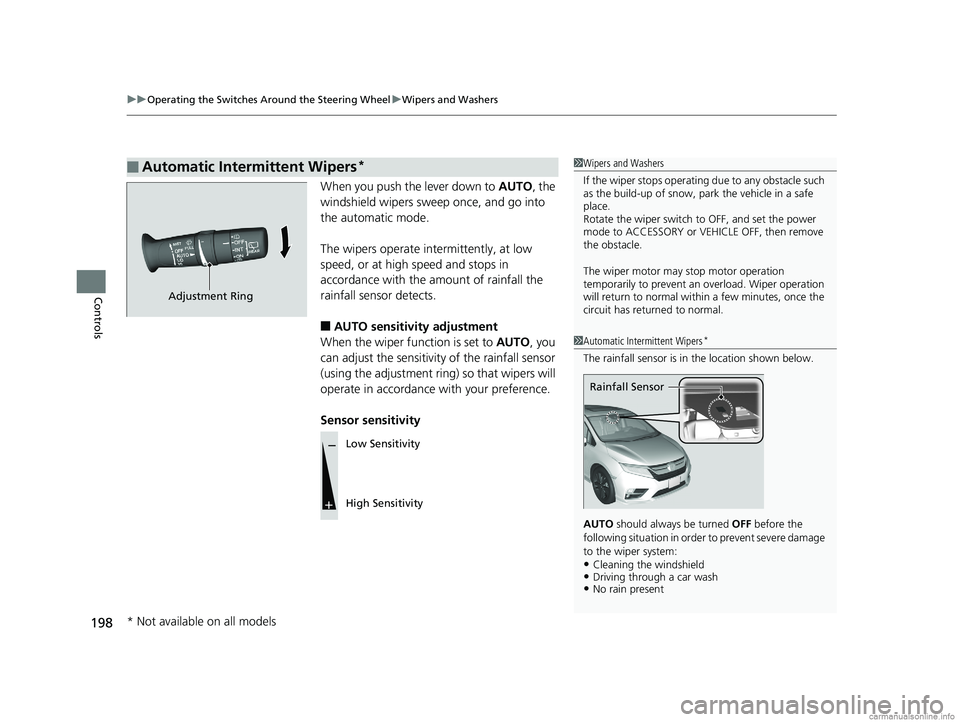
When you push the lever down to AUTO, the
windshield wipers sweep once, and go into
the automatic mode.
The wipers operate intermittently, at low
speed, or at high speed and stops in
accordance with the am ount of rainfall the
rainfall sensor detects.
■AUTO sensitivity adjustment
When the wiper function is set to AUTO, you
can adjust the sensitivity of the rainfall sensor
(using the adjustment ring) so that wipers will
operate in accordance with your preference.
Sensor sensitivity
■Automatic Intermittent Wipers*1 Wipers and Washers
If the wiper stops operating due to any obstacle such
as the build-up of snow, park the vehicle in a safe
place.
Rotate the wiper switch to OFF, and set the power
mode to ACCESSORY or VEHICLE OFF, then remove
the obstacle.
The wiper motor may stop motor operation
temporarily to prevent an overload. Wiper operation
will return to normal within a few minutes, once the
circuit has returned to normal.
1 Automatic Intermittent Wipers*
The rainfall sensor is in the location shown below.
AUTO should always be turned OFF before the
following situation in order to prevent severe damage
to the wiper system:
•Cleaning the windshield•Driving through a car wash•No rain present
Rainfall Sensor
Adjustment Ring
Low Sensitivity
High Sensitivity
* Not available on all models
18 US ODYSSEY-31THR6010.book 198 ページ 2018年12月6日 木曜日 午後4時18分
Page 205 of 763
203
uuOperating the Switches Around the Steering Wheel uDriving Position Memory System*
Continued
Controls
Driving Position Memory System*
You can store two driver’s seat positions (except for power lumbar) and outside
mirror positions with the driv ing position memory system.
When you unlock and open the driver’s door with a remote, the seat and outside
mirrors adjust automatically to one of the two preset positions.
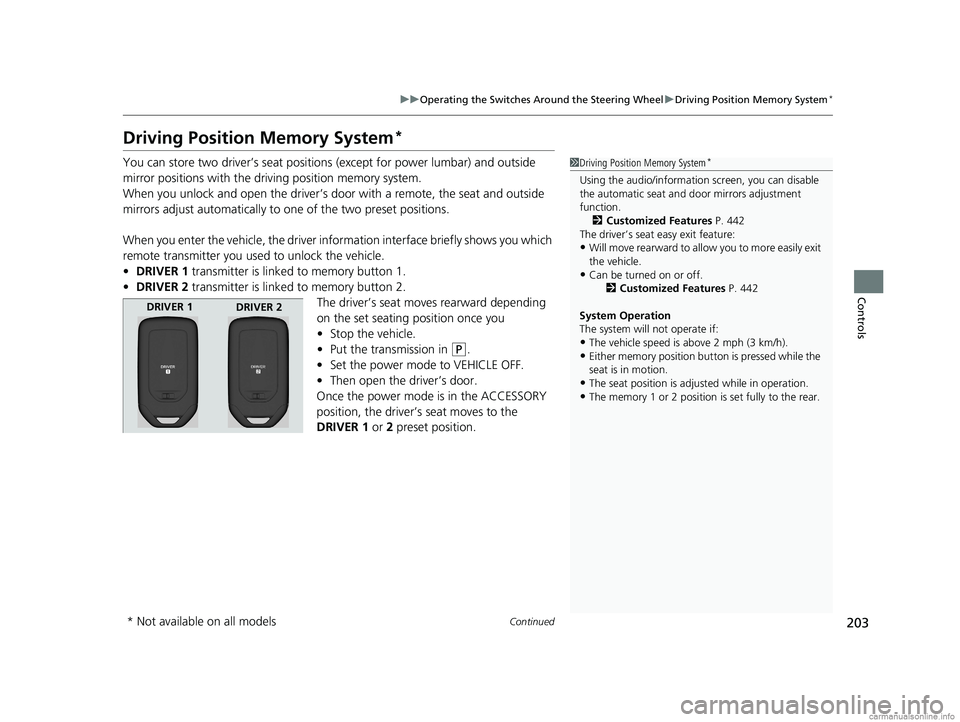
When you enter the vehicle, the driver information interface briefly shows you which
remote transmitter you used to unlock the vehicle.
• DRIVER 1 transmitter is linked to memory button 1.
• DRIVER 2 transmitter is linked to memory button 2.
The driver’s seat moves rearward depending
on the set seating position once you
•Stop the vehicle.
• Put the transmission in
(P.
• Set the power mode to VEHICLE OFF.
• Then open the driver’s door.
Once the power mode is in the ACCESSORY
position, the driver’s seat moves to the
DRIVER 1 or 2 preset position.
1 Driving Position Memory System*
Using the audio/informati on screen, you can disable
the automatic seat and d oor mirrors adjustment
function. 2 Customized Features P. 442
The driver’s seat easy exit feature:
•Will move rearward to allow you to more easily exit
the vehicle.
•Can be turned on or off. 2Customized Features P. 442
System Operation
The system will not operate if:
•The vehicle speed is above 2 mph (3 km/h).
•Either memory position button is pressed while the
seat is in motion.
•The seat position is adju sted while in operation.
•The memory 1 or 2 position is set fully to the rear.
DRIVER 1
DRIVER 2
* Not available on all models
18 US ODYSSEY-31THR6010.book 203 ページ 2018年12月6日 木曜日 午後4時18分