power steering HONDA ODYSSEY 2019 (in English) User Guide
[x] Cancel search | Manufacturer: HONDA, Model Year: 2019, Model line: ODYSSEY, Model: HONDA ODYSSEY 2019Pages: 767, PDF Size: 47.46 MB
Page 190 of 767
uuOperating the Switches Around the Steering Wheel uENGINE START/STOP Button
188
Controls
If you open the driver’s doo r when the power mode is set to ACCESSORY, a warning
beep sounds.
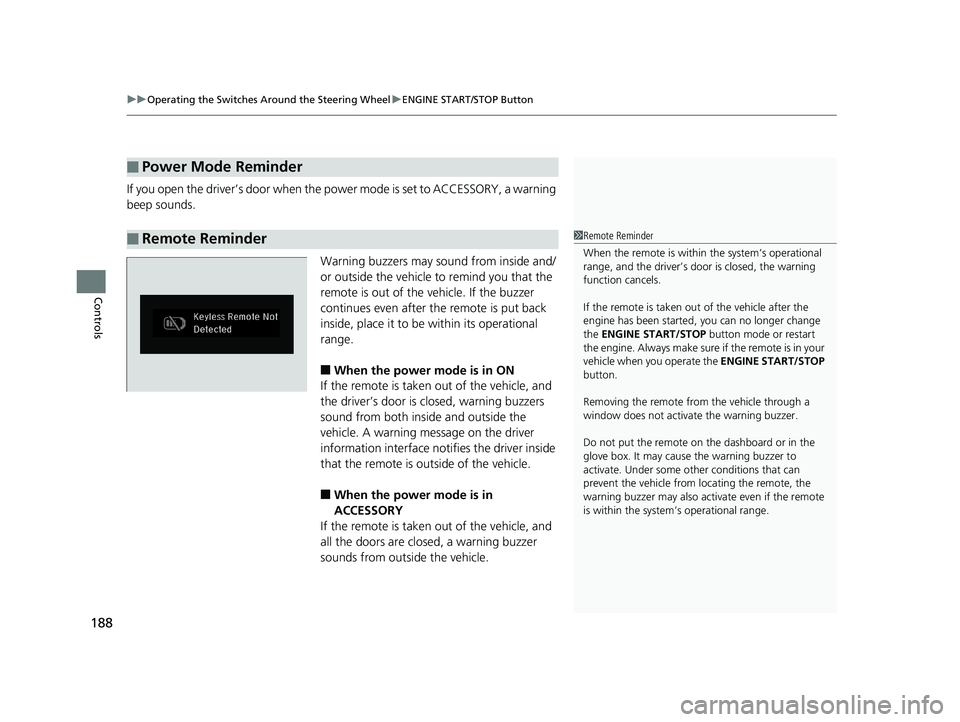
Warning buzzers may sound from inside and/
or outside the vehicle to remind you that the
remote is out of the vehicle. If the buzzer
continues even after the remote is put back
inside, place it to be within its operational
range.
■When the power mode is in ON
If the remote is taken out of the vehicle, and
the driver’s door is closed, warning buzzers
sound from both inside and outside the
vehicle. A warning me ssage on the driver
information interface notifies the driver inside
that the remote is outside of the vehicle.
■When the power mode is in
ACCESSORY
If the remote is taken out of the vehicle, and
all the doors are clos ed, a warning buzzer
sounds from outside the vehicle.
■Power Mode Reminder
■Remote Reminder1 Remote Reminder
When the remote is within the system’s operational
range, and the driver’s door is closed, the warning
function cancels.
If the remote is taken out of the vehicle after the
engine has been started, you can no longer change
the ENGINE START/STOP button mode or restart
the engin e. Always make sure if the remote is in your
vehicle when you operate the ENGINE START/STOP
button.
Removing the remote fr om the vehicle through a
window does not activate the warning buzzer.
Do not put the remote on the dashboard or in the
glove box. It may cause the warning buzzer to
activate. Under some ot her conditions that can
prevent the vehicle from locating the remote, the
warning buzzer may also activate even if the remote
is within the system’s operational range.
19 ODYSSEY-31THR6120.book 188 ページ 2018年12月6日 木曜日 午後4時35分
Page 191 of 767
189
uuOperating the Switches Around the Steering Wheel uTurn Signals
Continued
Controls
Turn Signals
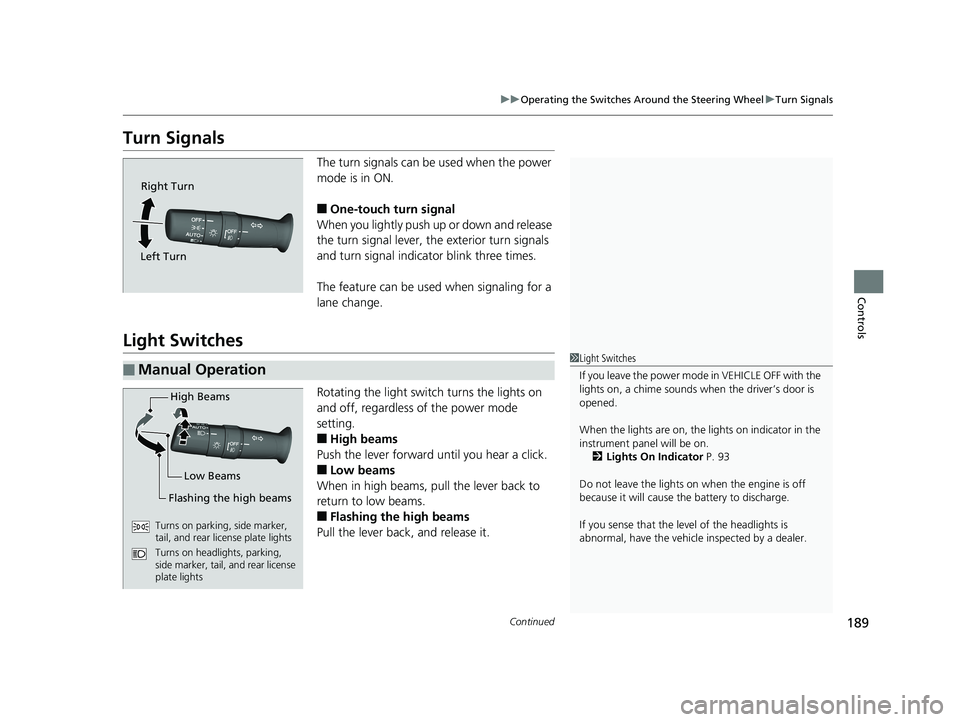
The turn signals can be used when the power
mode is in ON.
■One-touch turn signal
When you lightly push up or down and release
the turn signal lever, th e exterior turn signals
and turn signal indicator blink three times.
The feature can be used when signaling for a
lane change.
Light Switches
Rotating the light switch turns the lights on
and off, regardless of the power mode
setting.
■High beams
Push the lever forward until you hear a click.
■Low beams
When in high beams, pull the lever back to
return to low beams.
■Flashing the high beams
Pull the lever back, and release it.
Right Turn
Left Turn
■Manual Operation1 Light Switches
If you leave the power mode in VEHICLE OFF with the
lights on, a chime sounds when the driver’s door is
opened.
When the lights are on, the lights on indicator in the
instrument pane l will be on.
2 Lights On Indicator P. 93
Do not leave the lights on when the engine is off
because it will cause the battery to discharge.
If you sense that the le vel of the headlights is
abnormal, have the vehicl e inspected by a dealer.
High Beams
Flashing the high beams Low Beams
Turns on parking, side marker,
tail, and rear license plate lights
Turns on headlights, parking,
side marker, tail, and rear license
plate lights
19 ODYSSEY-31THR6120.book 189 ページ 2018年12月6日 木曜日 午後4時35分
Page 192 of 767
uuOperating the Switches Around the Steering Wheel uLight Switches
190
Controls
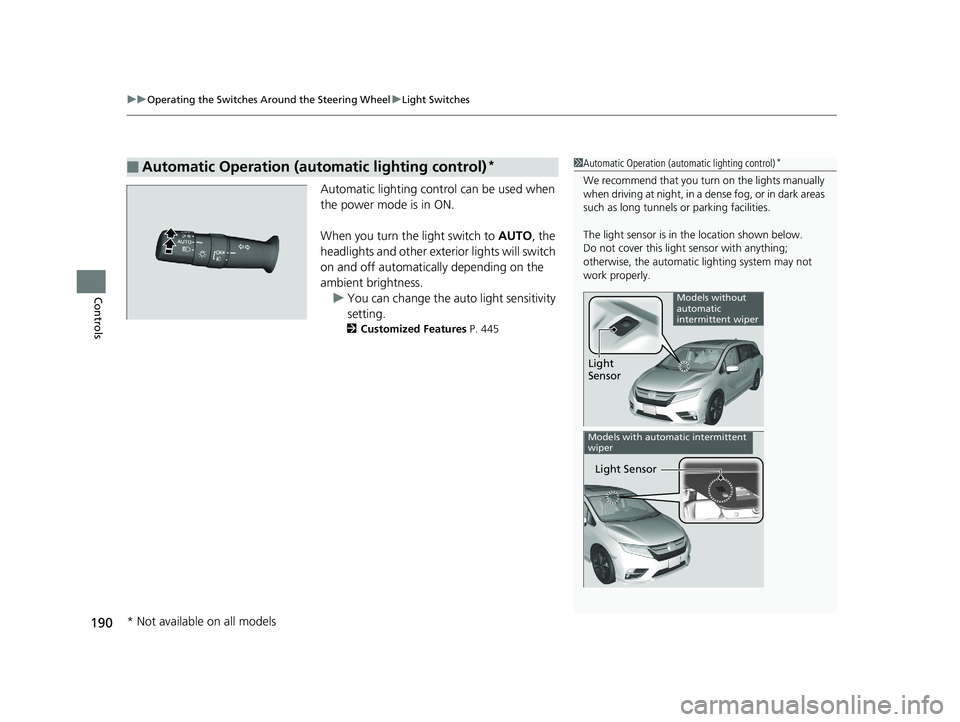
Automatic lighting control can be used when
the power mode is in ON.
When you turn the light switch to AUTO, the
headlights and other exterior lights will switch
on and off automatica lly depending on the
ambient brightness. u You can change the au to light sensitivity
setting.
2 Customized Features P. 445
■Automatic Operation (automatic lighting control)*1Automatic Operation (aut omatic lighting control)*
We recommend that you tu rn on the lights manually
when driving at night, in a dense fog, or in dark areas
such as long tunnels or parking facilities.
The light sensor is in the location shown below.
Do not cover this light sensor with anything;
otherwise, the automatic lighting system may not
work properly.
Light
Sensor
Models without
automatic
intermittent wiper
Light Sensor
Models with automatic intermittent
wiper
* Not available on all models
19 ODYSSEY-31THR6120.book 190 ページ 2018年12月6日 木曜日 午後4時35分
Page 193 of 767
191
uuOperating the Switches Around the Steering Wheel uLight Switches
Controls
The headlights automatically come on when the wipers are used several times within
a certain number of intervals with the headlight switch in AUTO.
The headlights automatically go off a few minutes later if the wipers are stopped.
The headlights, all other exterior lights, a nd the instrument panel lights turn off 15
seconds after you set the power mode to VEHICLE OFF, take the remote with you,
and close the driver’s door. u You can change the headlight auto off timer setting.
2Vehicle Customization P. 133
2 Customized Features P. 445
If you set the power mode to VEHICLE OFF with the headli ght switch on, but do not
open the door, the lights turn off after 10 minu tes (3 minutes, if the switch is in the
AUTO
* position).
The lights turn on again when you unlock or open the driver’s door. If you unlock
the door, but do not open it within 15 seconds, the lights go off. If you open the
driver’s door, you will hear a lights on reminder chime.
■Headlight Integration with Wiper*
■Automatic Lighting Off Feature
1 Automatic Operation (aut omatic lighting control)*
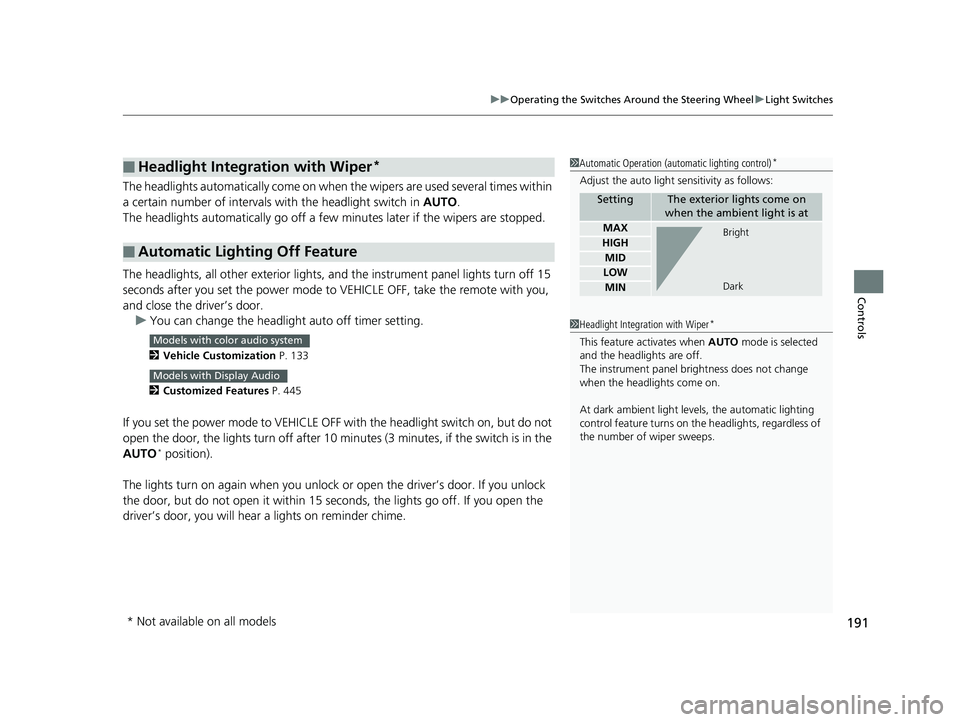
Adjust the auto light sensitivity as follows:
SettingThe exterior lights come on
when the ambient light is at
MAX
HIGH
MID
LOW
MIN
Bright
Dark
1 Headlight Integration with Wiper*
This feature activates when AUTO mode is selected
and the headlights are off.
The instrument panel br ightness does not change
when the headlights come on.
At dark ambient light leve ls, the automatic lighting
control feature turns on the headlights, regardless of
the number of wiper sweeps.Models with color audio system
Models with Display Audio
* Not available on all models
19 ODYSSEY-31THR6120.book 191 ページ 2018年12月6日 木曜日 午後4時35分
Page 195 of 767
193
uuOperating the Switches Around the Steering Wheel uDaytime Running Lights
Controls
Daytime Running Lights
When the conditions listed below are me t, the daytime running lights come on:
• The power mode is in ON.
• The headlight switch is off.
• The parking brake is released.
The lights remain on even if you set th e parking brake. Setting the power mode to
VEHICLE OFF will turn off the daytime running lights.
The daytime running lights go off once the headlight switch is turned on, or when
the headlight switch is in AUTO
* and it is getting dark outside.
The high beam headlights return to the original brightness once the headlight
switch is turned on.
1 Daytime Running Lights
The parking lights serve as daytime running lights.
The high beam headlights come on slightly dimmer
than normal to serve as daytime running lights.
Models with fog lights
Models without fog lights
Models without fog lights
* Not available on all models
19 ODYSSEY-31THR6120.book 193 ページ 2018年12月6日 木曜日 午後4時35分
Page 198 of 767
uuOperating the Switches Around the Steering Wheel uAuto High-Beam*
196
Controls
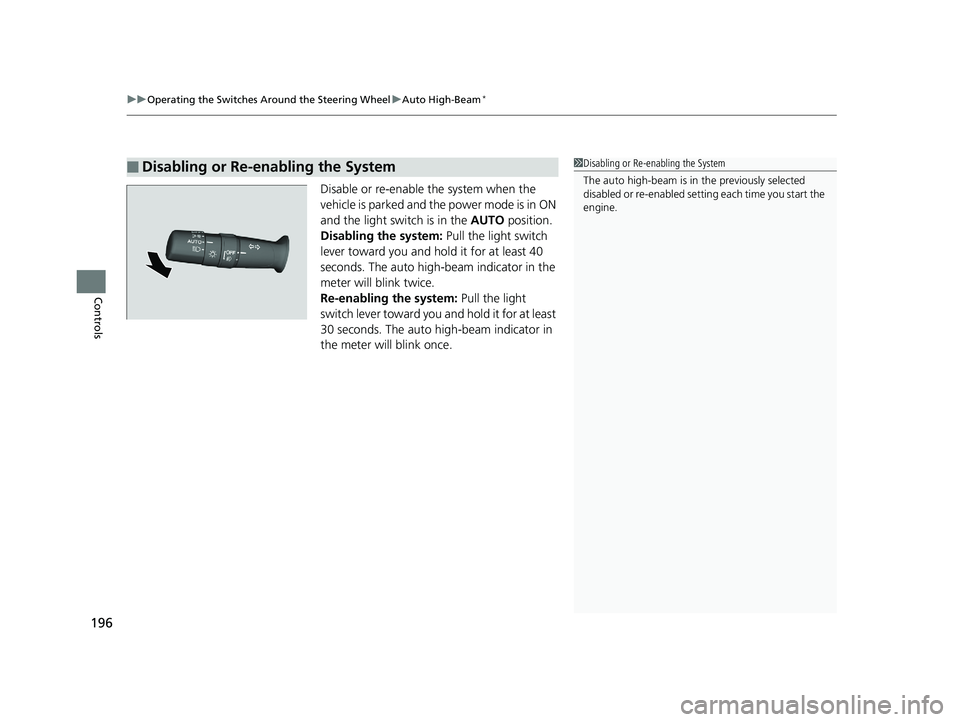
Disable or re-enable the system when the
vehicle is parked and the power mode is in ON
and the light switch is in the AUTO position.
Disabling the system: Pull the light switch
lever toward you and hold it for at least 40
seconds. The auto high-beam indicator in the
meter will blink twice.
Re-enabling the system: Pull the light
switch lever toward you and hold it for at least
30 seconds. The auto high-beam indicator in
the meter will blink once.
■Disabling or Re-enabling the System1 Disabling or Re-enabling the System
The auto high-beam is in the previously selected
disabled or re-enabled sett ing each time you start the
engine.
19 ODYSSEY-31THR6120.book 196 ページ 2018年12月6日 木曜日 午後4時35分
Page 199 of 767
197
uuOperating the Switches Around the Steering Wheel uWipers and Washers
Continued
Controls
Wipers and Washers
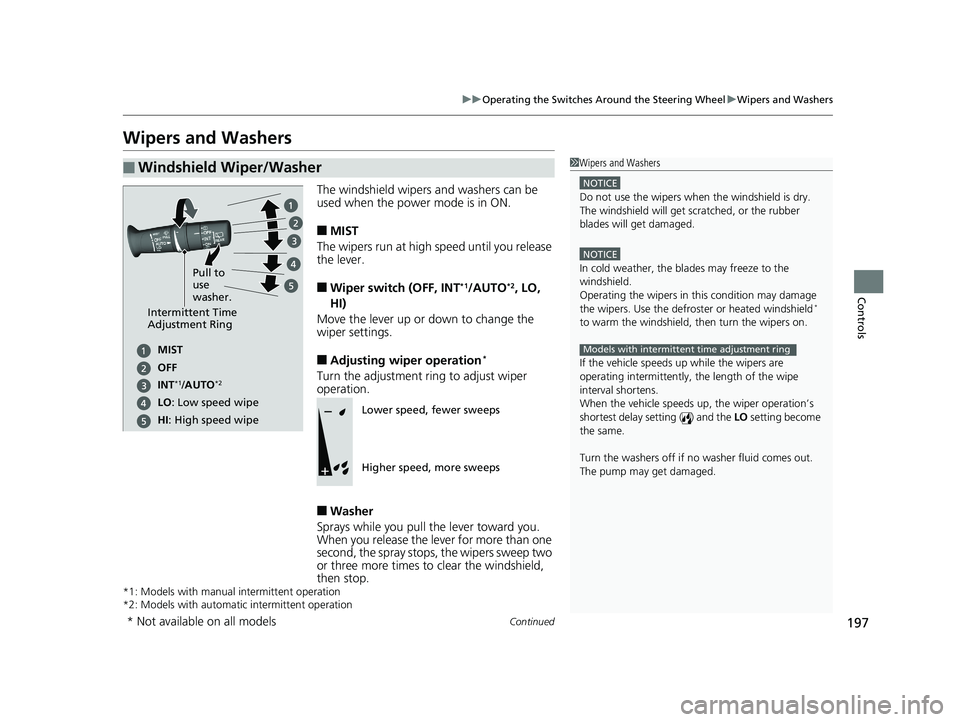
The windshield wipers and washers can be
used when the power mode is in ON.
■MIST
The wipers run at high speed until you release
the lever.
■Wiper switch (OFF, INT*1/AUTO*2, LO,
HI)
Move the lever up or down to change the
wiper settings.
■Adjusting wiper operation*
Turn the adjustment ring to adjust wiper
operation.
■Washer
Sprays while you pull the lever toward you.
When you release the le ver for more than one
second, the spray stops, the wipers sweep two
or three more times to clear the windshield,
then stop.
*1: Models with manual intermittent operation
*2: Models with automati c intermittent operation
■Windshield Wiper/Washer1Wipers and Washers
NOTICE
Do not use the wipers when the windshield is dry.
The windshield will get sc ratched, or the rubber
blades will get damaged.
NOTICE
In cold weather, the blades may freeze to the
windshield.
Operating the wipers in th is condition may damage
the wipers. Use the defrost er or heated windshield
*
to warm the windshield, then turn the wipers on.
If the vehicle speeds up while the wipers are
operating intermittently, the length of the wipe
interval shortens.
When the vehicle speeds up, the wiper operation’s
shortest delay setting ( ) and the LO setting become
the same.
Turn the washers off if no washer fluid comes out.
The pump may get damaged.
Models with intermittent time adjustment ring
Intermittent Time
Adjustment Ring
MIST
INT
*1/AUTO*2
OFF
LO : Low speed wipe
HI: High speed wipe Pull to
use
washer.
Lower speed, fewer sweeps
Higher speed, more sweeps
* Not available on all models
19 ODYSSEY-31THR6120.book 197 ページ 2018年12月6日 木曜日 午後4時35分
Page 200 of 767
uuOperating the Switches Around the Steering Wheel uWipers and Washers
198
Controls
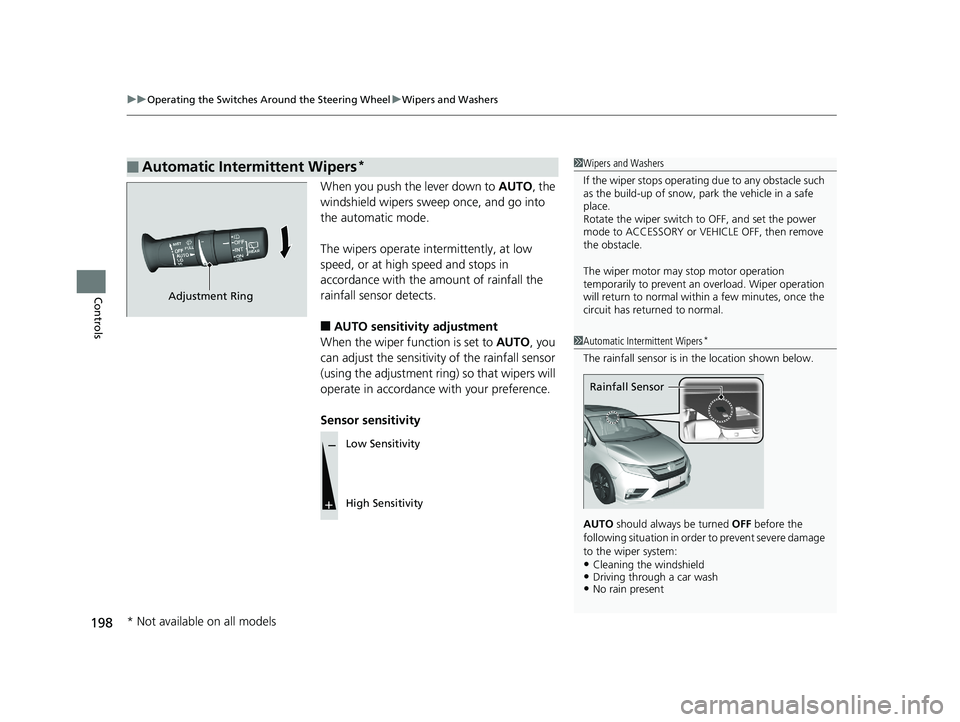
When you push the lever down to AUTO, the
windshield wipers sweep once, and go into
the automatic mode.
The wipers operate intermittently, at low
speed, or at high speed and stops in
accordance with the am ount of rainfall the
rainfall sensor detects.
■AUTO sensitivity adjustment
When the wiper function is set to AUTO, you
can adjust the sensitivity of the rainfall sensor
(using the adjustment ring) so that wipers will
operate in accordance with your preference.
Sensor sensitivity
■Automatic Intermittent Wipers*1 Wipers and Washers
If the wiper stops operating due to any obstacle such
as the build-up of snow, pa rk the vehicle in a safe
place.
Rotate the wiper sw itch to OFF, and set the power
mode to ACCESSORY or VEHICLE OFF, then remove
the obstacle.
The wiper motor may stop motor operation
temporarily to prevent an overload. Wiper operation
will return to normal within a few minutes, once the
circuit has returned to normal.
1 Automatic Intermittent Wipers*
The rainfall sensor is in the location shown below.
AUTO should always be turned OFF before the
following situation in order to prevent severe damage
to the wiper system:
•Cleaning the windshield•Driving through a car wash•No rain present
Rainfall Sensor
Adjustment Ring
Low Sensitivity
High Sensitivity
* Not available on all models
19 ODYSSEY-31THR6120.book 198 ページ 2018年12月6日 木曜日 午後4時35分
Page 201 of 767
199
uuOperating the Switches Around the Steering Wheel uWipers and Washers
Controls
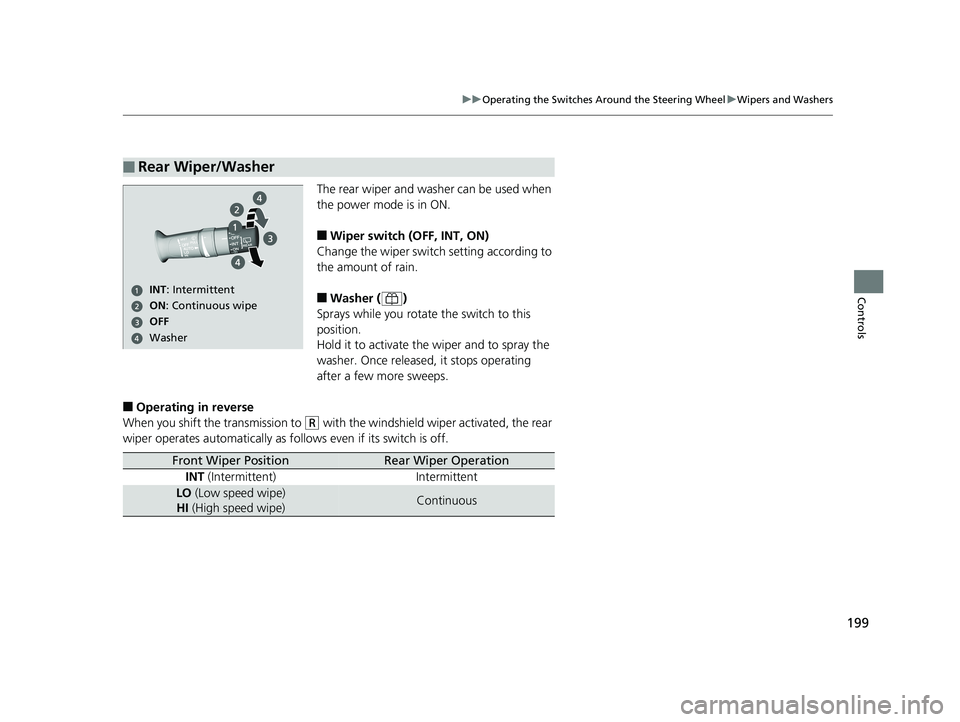
The rear wiper and washer can be used when
the power mode is in ON.
■Wiper switch (OFF, INT, ON)
Change the wiper switch setting according to
the amount of rain.
■Washer ( )
Sprays while you rotate the switch to this
position.
Hold it to activate th e wiper and to spray the
washer. Once released, it stops operating
after a few more sweeps.
■Operating in reverse
When you shift the transmission to
(R with the windshield wiper activated, the rear
wiper operates automati cally as follows even if its switch is off.
■Rear Wiper/Washer
ON: Continuous wipe
Washer OFF
INT: Intermittent
Front Wiper PositionRear Wiper Operation
INT (Intermittent) Intermittent
LO (Low speed wipe)
HI (High speed wipe)Continuous
19 ODYSSEY-31THR6120.book 199 ページ 2018年12月6日 木曜日 午後4時35分
Page 202 of 767
200
uuOperating the Switches Around the Steering Wheel uBrightness Control
Controls
Brightness Control
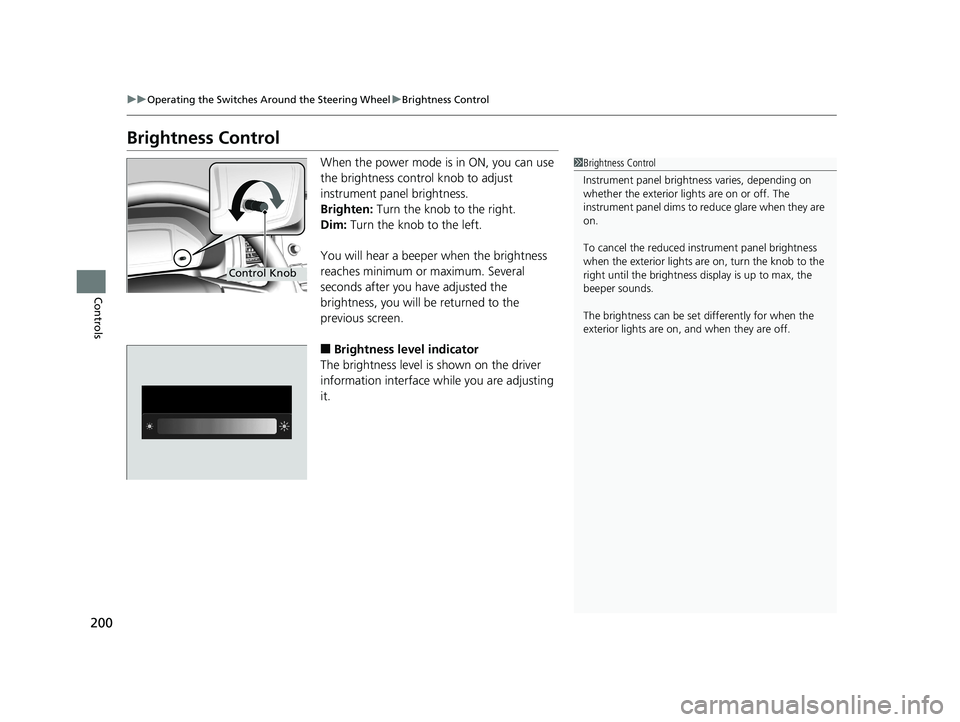
When the power mode is in ON, you can use
the brightness control knob to adjust
instrument panel brightness.
Brighten: Turn the knob to the right.
Dim: Turn the knob to the left.
You will hear a beeper when the brightness
reaches minimum or maximum. Several
seconds after you have adjusted the
brightness, you will be returned to the
previous screen.
■Brightness level indicator
The brightness level is shown on the driver
information interface wh ile you are adjusting
it.
1 Brightness Control
Instrument panel brightne ss varies, depending on
whether the exterior lights are on or off. The
instrument panel dims to reduce glare when they are
on.
To cancel the reduced in strument panel brightness
when the exterior lights are on, turn the knob to the
right until the brightness display is up to max, the
beeper sounds.
The brightness can be set differently for when the
exterior lights are on, and when they are off.
Control Knob
19 ODYSSEY-31THR6120.book 200 ページ 2018年12月6日 木曜日 午後4時35分