wheel HONDA ODYSSEY 2019 (in English) User Guide
[x] Cancel search | Manufacturer: HONDA, Model Year: 2019, Model line: ODYSSEY, Model: HONDA ODYSSEY 2019Pages: 767, PDF Size: 47.46 MB
Page 117 of 767
115
uuIndicators uDriver Information Interface Wa rning and Information Messages
Continued
Instrument Panel
MessageConditionExplanation
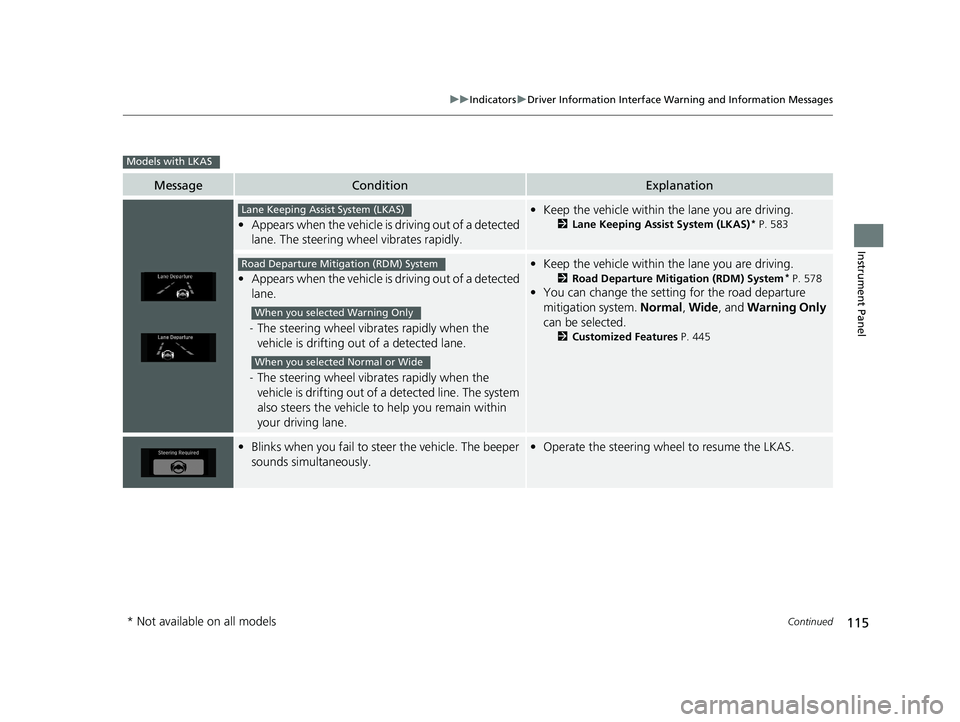
•Appears when the vehicle is driving out of a detected
lane. The steering wheel vibrates rapidly.
• Keep the vehicle within the lane you are driving.
2Lane Keeping Assist System (LKAS)* P. 583
•Appears when the vehicle is driving out of a detected
lane.
- The steering wheel vibr ates rapidly when the
vehicle is drifting out of a detected lane.
- The steering wheel vibr ates rapidly when the
vehicle is drifting out of a detected line. The system
also steers the vehicle to help you remain within
your driving lane.
• Keep the vehicle within the lane you are driving.
2Road Departure Mitigation (RDM) System* P. 578
•You can change the setting for the road departure
mitigation system. Normal, Wide , and Warning Only
can be selected.
2 Customized Features P. 445
•Blinks when you fail to steer the vehicle. The beeper
sounds simultaneously.•Operate the steering wheel to resume the LKAS.
Models with LKAS
Lane Keeping Assist System (LKAS)
Road Departure Mitigation (RDM) System
When you selected Warning Only
When you selected Normal or Wide
* Not available on all models
19 ODYSSEY-31THR6120.book 115 ページ 2018年12月6日 木曜日 午後4時35分
Page 143 of 767
141
Controls
This chapter explains how to operate the various controls necessary for driving.
Clock.................................................. 142
Locking and Unlocking the Doors Key Types and Functions .................. 144
Low Remote Signal Strength ............ 146
Locking/Unlocking the Doors from the Outside .... 147
Locking/Unlocking the Doors from the Inside ...154
Childproof Door Locks ..................... 157
Auto Door Locking/Unlocking .......... 158
Opening and Closing the Tailgate ... 159
Opening and Closing the Sliding Doors..... 170Security System
Immobilizer System .......................... 179
Security System Alarm ...................... 179
Opening and Closing the Windows.... 182Opening and Closing the Moonroof*..... 185
Operating the Switches Around the Steering Wheel ENGINE START/STOP Button............. 186
Turn Signals ..................................... 189
Light Switches.................................. 189
Fog Lights
*...................................... 192
Daytime Running Lights ................... 193
Auto High-Beam
*............................ 194
Wipers and Washers ........................ 197
Brightness Control ........................... 200
Rear Defogger/Heated Door Mirror* Button...201
Heated Windshield Button ............... 202
Driving Position Memory System*.... 203
Adjusting the Steering Wheel........... 205
Canadian models
Adjusting the Mirrors ....................... 206
Interior Rearview Mirror ................... 206
Power Door Mirrors .............................. 207
Adjusting the Seats Front Seats ........................................... 209
Head Restraints .................................... 212
Maintain a Proper Sitting Position ......... 215
Interior Lights/Interior Convenience Items...... 225Interior Lights ....................................... 225
Interior Convenience Items ................... 227
Climate Control System
Using Automatic Climate Control ......... 248
Using Automatic Climate Control ......... 252
Automatic Climate Control Sensors ...... 257
Dual-zone climate control system
Tri-zone climate control system
* Not available on all models
19 ODYSSEY-31THR6120.book 141 ページ 2018年12月6日 木曜日 午後4時35分
Page 159 of 767
157
uuLocking and Unlocking the Doors uChildproof Door Locks
Controls
Childproof Door Locks
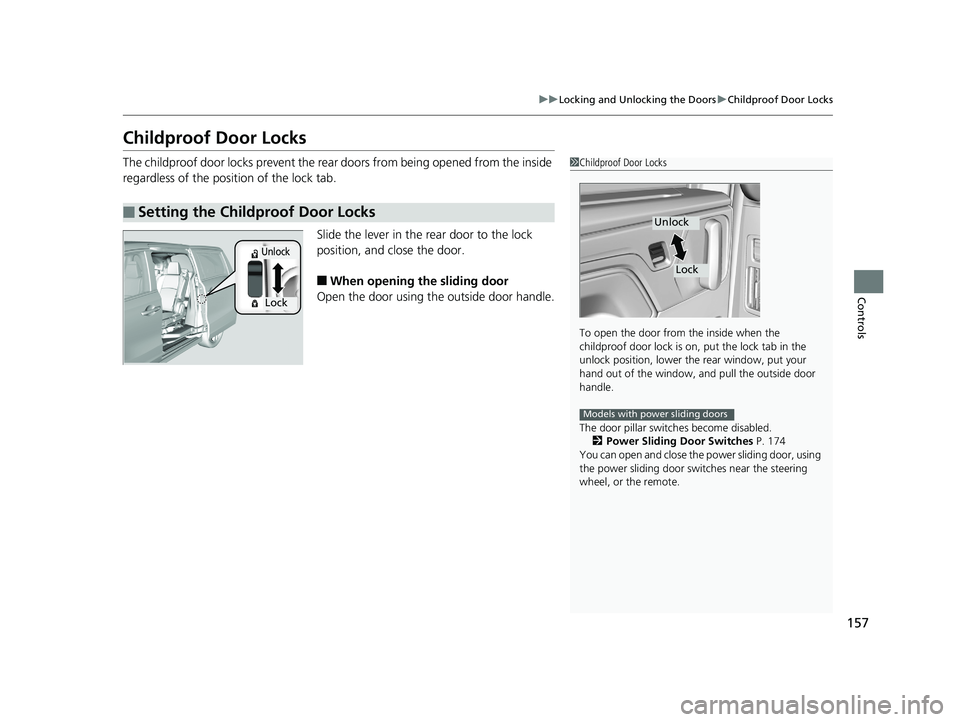
The childproof door locks prevent the rear doors from being opened from the inside
regardless of the position of the lock tab.
Slide the lever in the rear door to the lock
position, and close the door.
■When opening the sliding door
Open the door using the outside door handle.
■Setting the Childproof Door Locks
1 Childproof Door Locks
To open the door from the inside when the
childproof door lock is on, put the lock tab in the
unlock position, lower the rear window, put your
hand out of the window, and pull the outside door
handle.
The door pillar switch es become disabled.
2 Power Sliding Door Switches P. 174
You can open and close the power sliding door, using
the power sliding door swit ches near the steering
wheel, or the remote.
Unlock
Lock
Models with power sliding doors
Lock
Unlock
19 ODYSSEY-31THR6120.book 157 ページ 2018年12月6日 木曜日 午後4時35分
Page 188 of 767
186
Controls
Operating the Switches Around the Steering Wheel
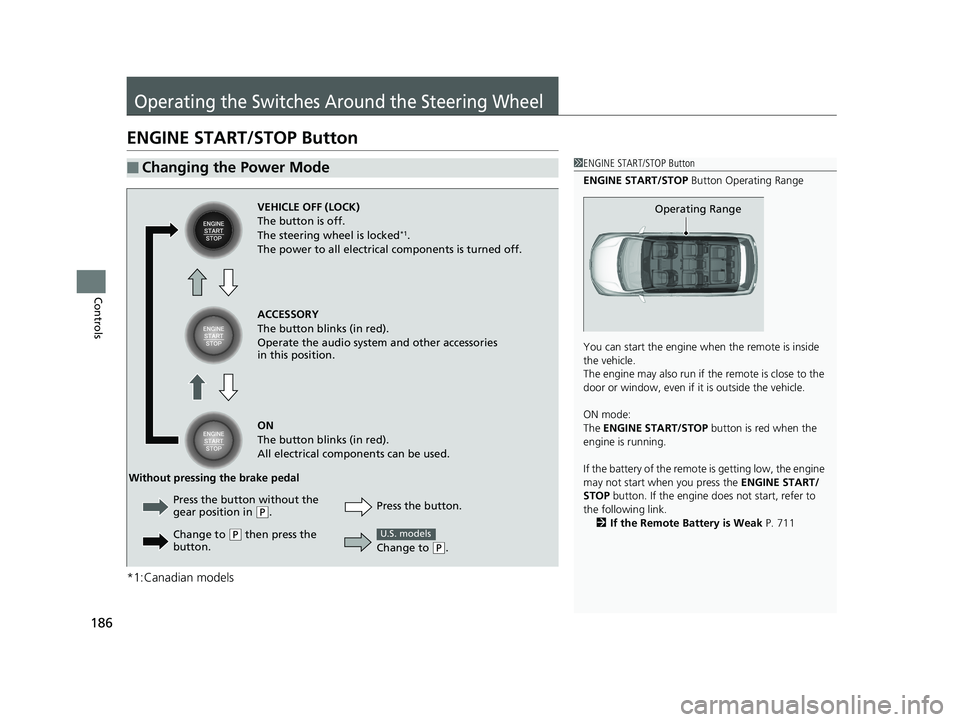
ENGINE START/STOP Button
*1:Canadian models
■Changing the Power Mode1ENGINE START/STOP Button
ENGINE START/STOP Button Operating Range
You can start the engine wh en the remote is inside
the vehicle.
The engine may also run if the remote is close to the
door or window, even if it is outside the vehicle.
ON mode:
The ENGINE START/STOP button is red when the
engine is running.
If the battery of the remote is getting low, the engine
may not start when you press the ENGINE START/
STOP button. If the engine do es not start, refer to
the following link. 2 If the Remote Battery is Weak P. 711
Operating RangeVEHICLE OFF (LOCK)
The button is off.
The steering wheel is locked
*1.
The power to all electrical components is turned off.
ACCESSORY
The button blinks (in red).
Operate the audio system and other accessories
in this position.
ON
The button blinks (in red).
All electrical components can be used.
Press the button.
Without pressing the brake pedal
Change to
(P.
U.S. models
Press the button without the
gear position in (P.
Change to
( P then press the
button.
19 ODYSSEY-31THR6120.book 186 ページ 2018年12月6日 木曜日 午後4時35分
Page 189 of 767
Continued187
uuOperating the Switches Around the Steering Wheel uENGINE START/STOP Button
Controls
If you leave the vehicle for 30 to 60 minutes with the transmission in (P and the
power mode in ACCESSORY, the vehicle automa tically goes into the mode similar to
VEHICLE OFF (LOCK) to avoid draining the battery.
When in this mode:
The steering wheel does not lock.
You cannot lock or unlock doors with th e remote transmitter or the smart entry
system.
Press the ENGINE START/STOP button to switch the mode to VEHICLE OFF (LOCK).
■Automatic Power Off1ENGINE START/STOP Button
If the power mode does not change from VEHICLE
OFF to ACCESSORY, press the ENGINE START/STOP
button while moving the st eering wheel left and
right. The steering wheel will unlock, allowing the
mode to change.
Do not leave the power mode in ACCESSORY or ON
when you get out.
Canadian models
Canadian models
19 ODYSSEY-31THR6120.book 187 ページ 2018年12月6日 木曜日 午後4時35分
Page 190 of 767
uuOperating the Switches Around the Steering Wheel uENGINE START/STOP Button
188
Controls
If you open the driver’s doo r when the power mode is set to ACCESSORY, a warning
beep sounds.
Warning buzzers may sound from inside and/
or outside the vehicle to remind you that the
remote is out of the vehicle. If the buzzer
continues even after the remote is put back
inside, place it to be within its operational
range.
■When the power mode is in ON
If the remote is taken out of the vehicle, and
the driver’s door is closed, warning buzzers
sound from both inside and outside the
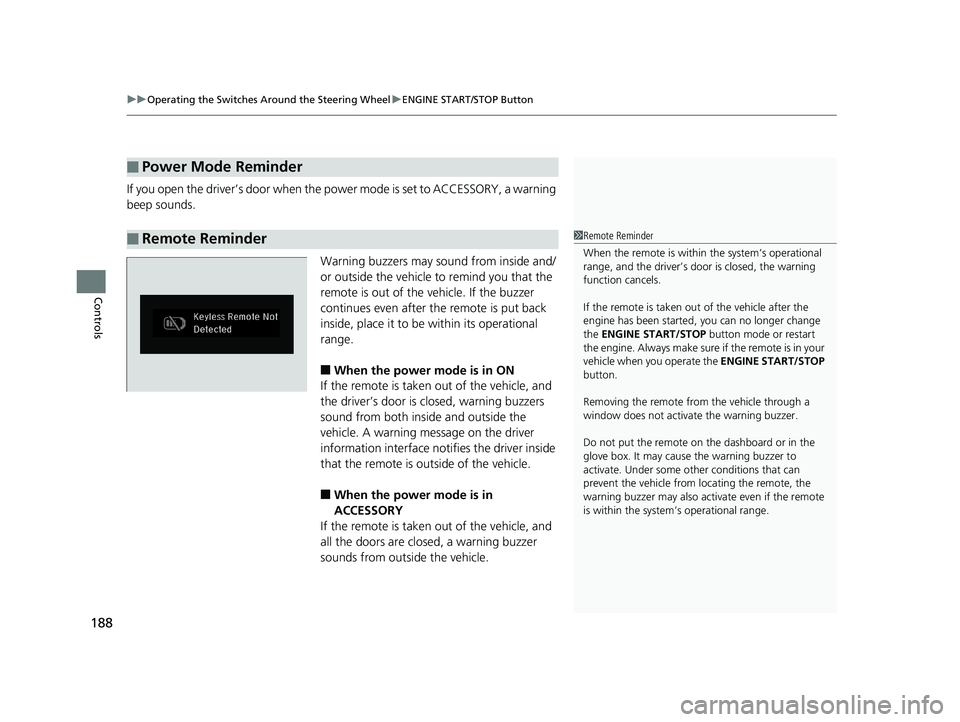
vehicle. A warning me ssage on the driver
information interface notifies the driver inside
that the remote is outside of the vehicle.
■When the power mode is in
ACCESSORY
If the remote is taken out of the vehicle, and
all the doors are clos ed, a warning buzzer
sounds from outside the vehicle.
■Power Mode Reminder
■Remote Reminder1 Remote Reminder
When the remote is within the system’s operational
range, and the driver’s door is closed, the warning
function cancels.
If the remote is taken out of the vehicle after the
engine has been started, you can no longer change
the ENGINE START/STOP button mode or restart
the engin e. Always make sure if the remote is in your
vehicle when you operate the ENGINE START/STOP
button.
Removing the remote fr om the vehicle through a
window does not activate the warning buzzer.
Do not put the remote on the dashboard or in the
glove box. It may cause the warning buzzer to
activate. Under some ot her conditions that can
prevent the vehicle from locating the remote, the
warning buzzer may also activate even if the remote
is within the system’s operational range.
19 ODYSSEY-31THR6120.book 188 ページ 2018年12月6日 木曜日 午後4時35分
Page 191 of 767
189
uuOperating the Switches Around the Steering Wheel uTurn Signals
Continued
Controls
Turn Signals
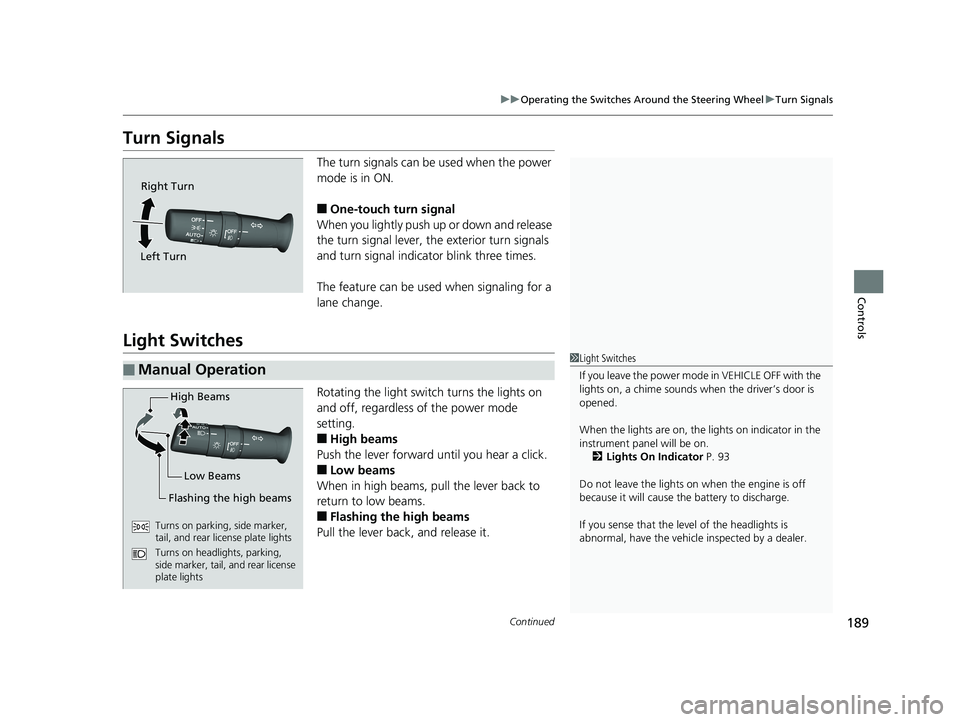
The turn signals can be used when the power
mode is in ON.
■One-touch turn signal
When you lightly push up or down and release
the turn signal lever, th e exterior turn signals
and turn signal indicator blink three times.
The feature can be used when signaling for a
lane change.
Light Switches
Rotating the light switch turns the lights on
and off, regardless of the power mode
setting.
■High beams
Push the lever forward until you hear a click.
■Low beams
When in high beams, pull the lever back to
return to low beams.
■Flashing the high beams
Pull the lever back, and release it.
Right Turn
Left Turn
■Manual Operation1 Light Switches
If you leave the power mode in VEHICLE OFF with the
lights on, a chime sounds when the driver’s door is
opened.
When the lights are on, the lights on indicator in the
instrument pane l will be on.
2 Lights On Indicator P. 93
Do not leave the lights on when the engine is off
because it will cause the battery to discharge.
If you sense that the le vel of the headlights is
abnormal, have the vehicl e inspected by a dealer.
High Beams
Flashing the high beams Low Beams
Turns on parking, side marker,
tail, and rear license plate lights
Turns on headlights, parking,
side marker, tail, and rear license
plate lights
19 ODYSSEY-31THR6120.book 189 ページ 2018年12月6日 木曜日 午後4時35分
Page 192 of 767
uuOperating the Switches Around the Steering Wheel uLight Switches
190
Controls
Automatic lighting control can be used when
the power mode is in ON.
When you turn the light switch to AUTO, the
headlights and other exterior lights will switch
on and off automatica lly depending on the
ambient brightness. u You can change the au to light sensitivity
setting.
2 Customized Features P. 445
■Automatic Operation (automatic lighting control)*1Automatic Operation (aut omatic lighting control)*
We recommend that you tu rn on the lights manually
when driving at night, in a dense fog, or in dark areas
such as long tunnels or parking facilities.
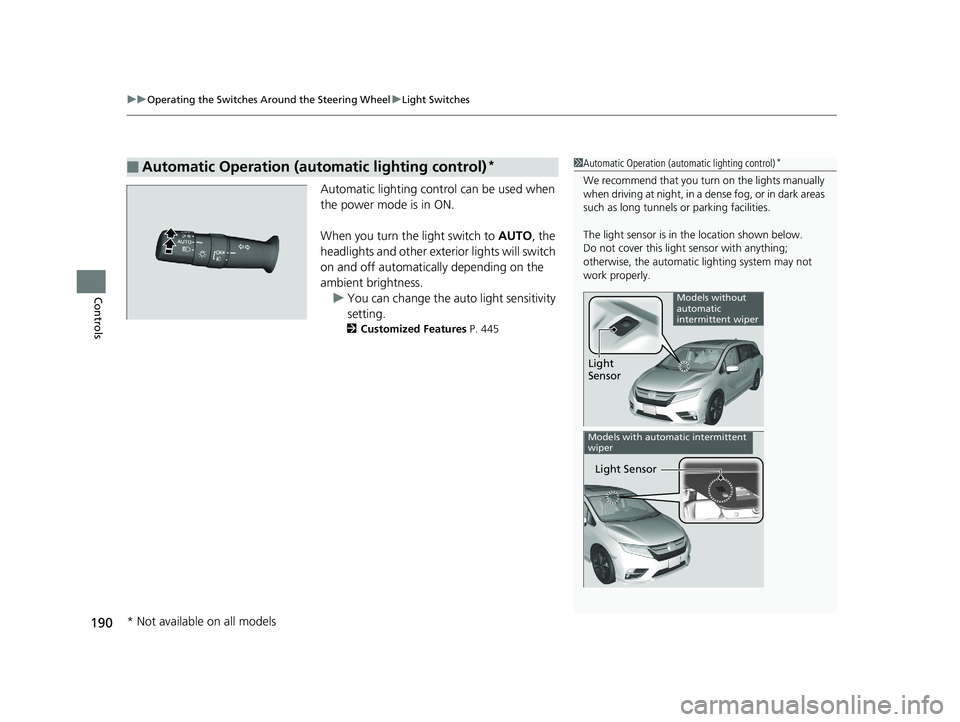
The light sensor is in the location shown below.
Do not cover this light sensor with anything;
otherwise, the automatic lighting system may not
work properly.
Light
Sensor
Models without
automatic
intermittent wiper
Light Sensor
Models with automatic intermittent
wiper
* Not available on all models
19 ODYSSEY-31THR6120.book 190 ページ 2018年12月6日 木曜日 午後4時35分
Page 193 of 767
191
uuOperating the Switches Around the Steering Wheel uLight Switches
Controls
The headlights automatically come on when the wipers are used several times within
a certain number of intervals with the headlight switch in AUTO.
The headlights automatically go off a few minutes later if the wipers are stopped.
The headlights, all other exterior lights, a nd the instrument panel lights turn off 15
seconds after you set the power mode to VEHICLE OFF, take the remote with you,
and close the driver’s door. u You can change the headlight auto off timer setting.
2Vehicle Customization P. 133
2 Customized Features P. 445
If you set the power mode to VEHICLE OFF with the headli ght switch on, but do not
open the door, the lights turn off after 10 minu tes (3 minutes, if the switch is in the
AUTO
* position).
The lights turn on again when you unlock or open the driver’s door. If you unlock
the door, but do not open it within 15 seconds, the lights go off. If you open the
driver’s door, you will hear a lights on reminder chime.
■Headlight Integration with Wiper*
■Automatic Lighting Off Feature
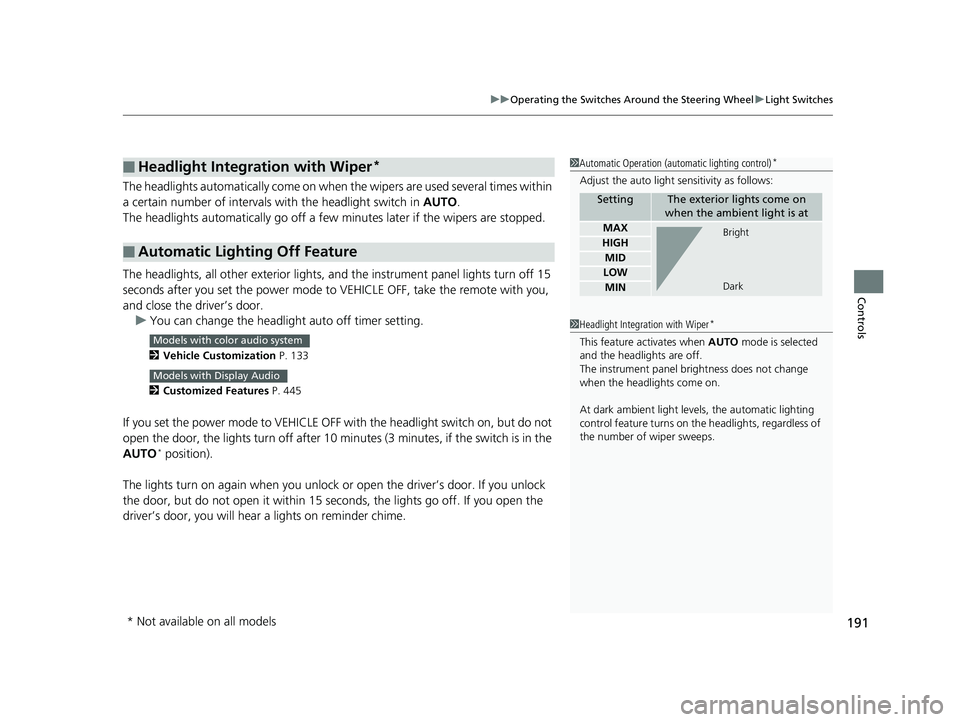
1 Automatic Operation (aut omatic lighting control)*
Adjust the auto light sensitivity as follows:
SettingThe exterior lights come on
when the ambient light is at
MAX
HIGH
MID
LOW
MIN
Bright
Dark
1 Headlight Integration with Wiper*
This feature activates when AUTO mode is selected
and the headlights are off.
The instrument panel br ightness does not change
when the headlights come on.
At dark ambient light leve ls, the automatic lighting
control feature turns on the headlights, regardless of
the number of wiper sweeps.Models with color audio system
Models with Display Audio
* Not available on all models
19 ODYSSEY-31THR6120.book 191 ページ 2018年12月6日 木曜日 午後4時35分
Page 194 of 767
192
uuOperating the Switches Around the Steering Wheel uFog Lights*
Controls
Fog Lights*
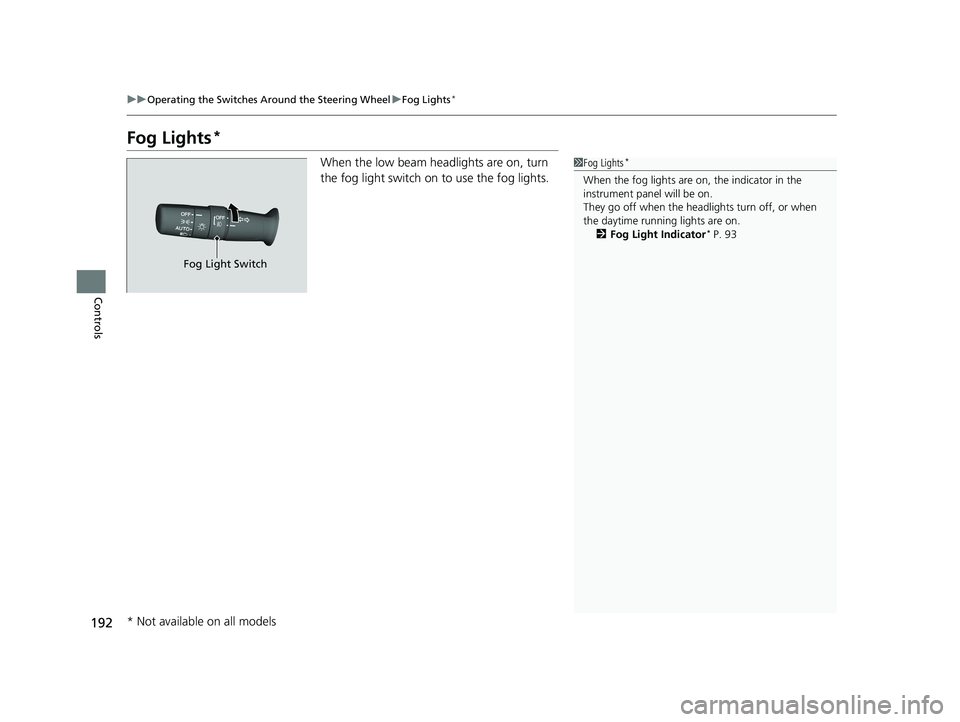
When the low beam headlights are on, turn
the fog light switch on to use the fog lights.1Fog Lights*
When the fog lights are on, the indicator in the
instrument pane l will be on.
They go off when the headlights turn off, or when
the daytime running lights are on. 2 Fog Light Indicator
* P. 93
Fog Light Switch
* Not available on all models
19 ODYSSEY-31THR6120.book 192 ページ 2018年12月6日 木曜日 午後4時35分