CD player HONDA ODYSSEY 2019 Owner's Manual (in English)
[x] Cancel search | Manufacturer: HONDA, Model Year: 2019, Model line: ODYSSEY, Model: HONDA ODYSSEY 2019Pages: 767, PDF Size: 47.46 MB
Page 23 of 767
21
Quick Reference Guide
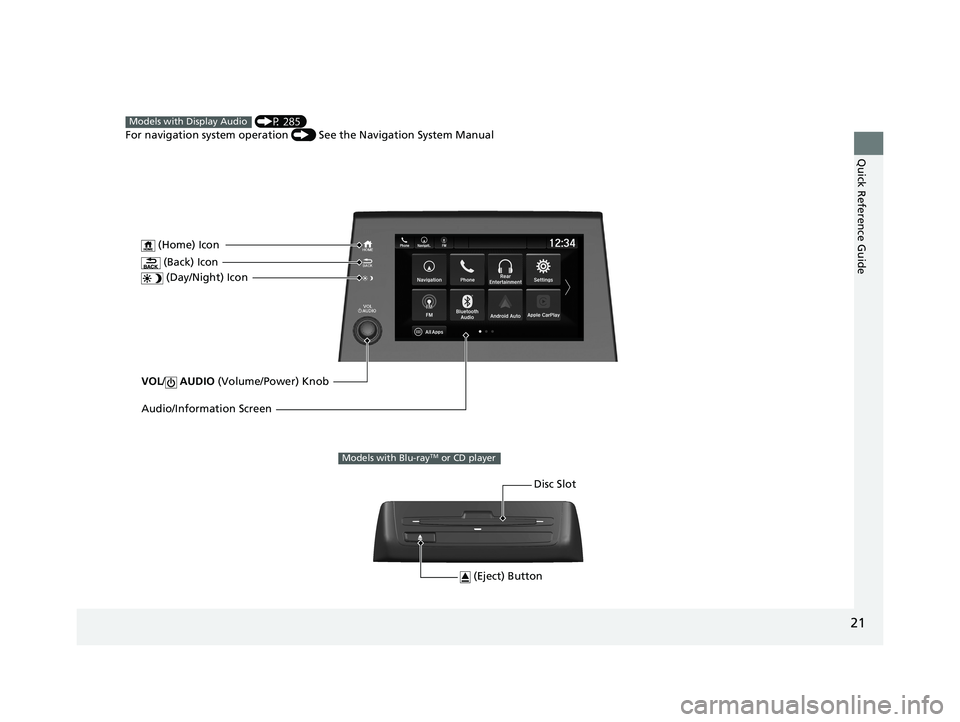
VOL/ AUDIO (Volume/Power) Knob
(Home) Icon
(Back) Icon
(Day/Night) Icon
Audio/Information Screen
(P 285)
For navigation system operation () See the Navigation System ManualModels with Display Audio
(Eject) Button
Disc Slot
Models with Blu-rayTM or CD player
19 ODYSSEY-31THR6120.book 21 ページ 2018年12月6日 木曜日 午後4時35分
Page 262 of 767
260
Features
Audio System
About Your Audio System
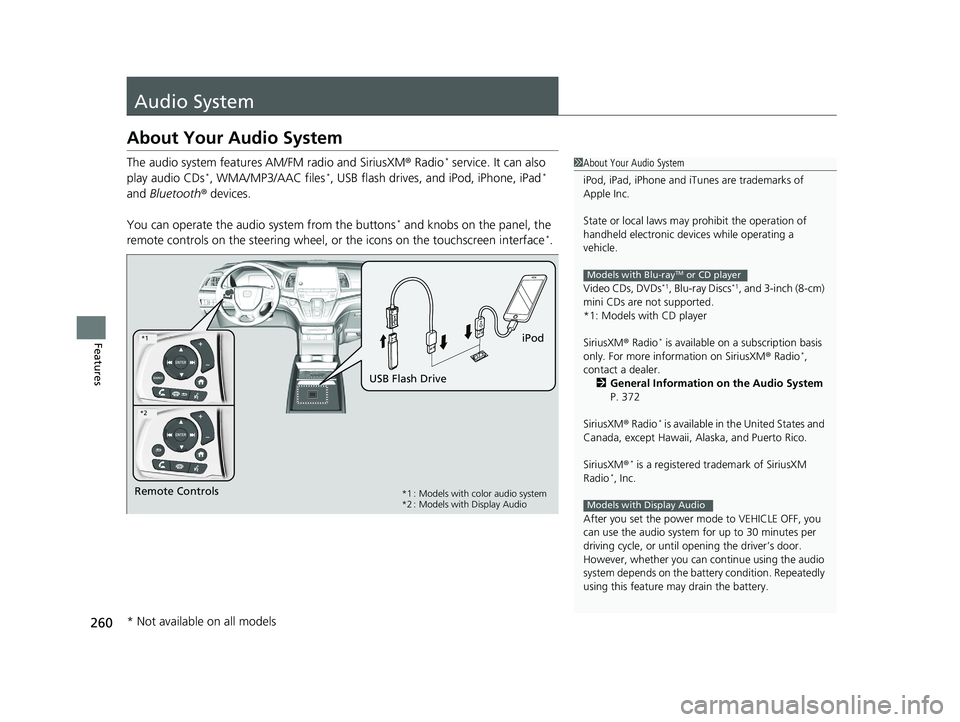
The audio system features AM/FM radio and SiriusXM ® Radio* service. It can also
play audio CDs*, WMA/MP3/AAC files*, USB flash drives, and iPod, iPhone, iPad*
and Bluetooth ® devices.
You can operate the audi o system from the buttons
* and knobs on the panel, the
remote controls on the steering wheel, or the icons on the touchscreen interface*.
1About Your Audio System
iPod, iPad, iPhone and iT unes are trademarks of
Apple Inc.
State or local laws may pr ohibit the operation of
handheld electronic devi ces while operating a
vehicle.
Video CDs, DVDs
*1, Blu-ray Discs*1, and 3-inch (8-cm)
mini CDs are not supported.
*1: Models with CD player
SiriusXM ® Radio
* is available on a subscription basis
only. For more information on SiriusXM ® Radio*,
contact a dealer.
2 General Information on the Audio System
P. 372
SiriusXM ® Radio
* is available in the United States and
Canada, except Ha waii, Alaska, and Puerto Rico.
SiriusXM ®
* is a registered trademark of SiriusXM
Radio*, Inc.
After you set the power m ode to VEHICLE OFF, you
can use the audio system for up to 30 minutes per
driving cycle, or until opening the driver’s door.
However, whether you can continue using the audio
system depends on the batter y condition. Repeatedly
using this feature ma y drain the battery.
Models with Blu-rayTM or CD player
Models with Display AudioRemote Controls iPod
USB Flash Drive*1 : Models with color audio system
*2 : Models with Display Audio
*1
*2
* Not available on all models
19 ODYSSEY-31THR6120.book 260 ページ 2018年12月6日 木曜日 午後4時35分
Page 369 of 767
367Continued
Features
Audio Error Messages
CD Player*
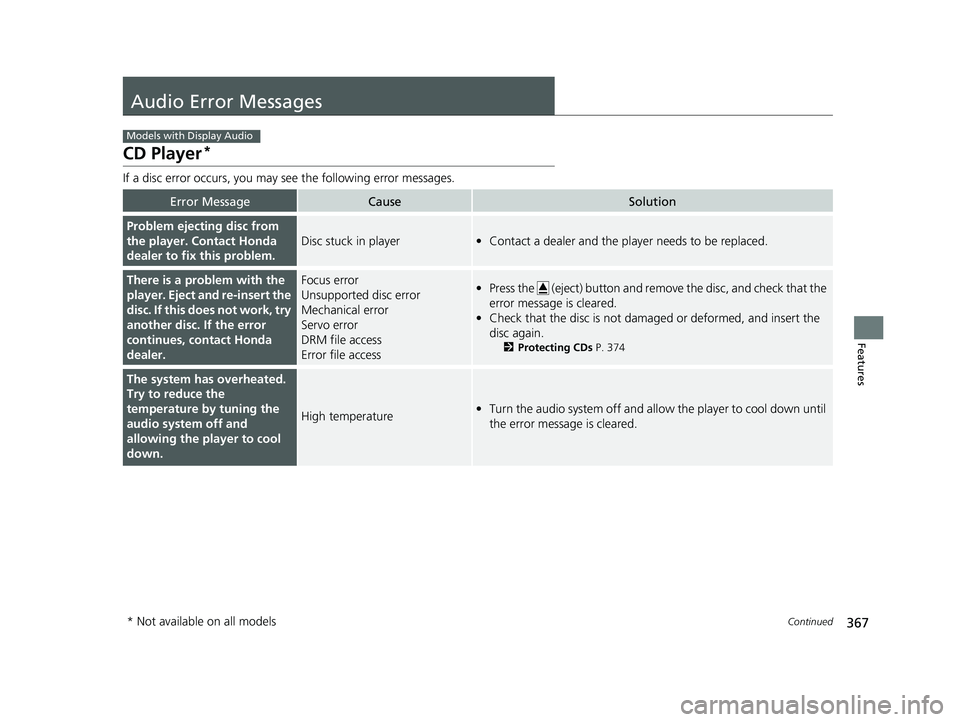
If a disc error occurs, you may see the following error messages.
Error MessageCauseSolution
Problem ejecting disc from
the player. Contact Honda
dealer to fix this problem.
Disc stuck in player•Contact a dealer and the play er needs to be replaced.
There is a problem with the
player. Eject and re-insert the
disc. If this does not work, try
another disc. If the error
continues, contact Honda
dealer.Focus error
Unsupported disc error
Mechanical error
Servo error
DRM file access
Error file access•Press the (eject) button and remo ve the disc, and check that the
error message is cleared.
• Check that the disc is not damaged or deformed, and insert the
disc again.
2 Protecting CDs P. 374
The system has overheated.
Try to reduce the
temperature by tuning the
audio system off and
allowing the player to cool
down.
High temperature•Turn the audio system off and allo w the player to cool down until
the error message is cleared.
Models with Display Audio
* Not available on all models
19 ODYSSEY-31THR6120.book 367 ページ 2018年12月6日 木曜日 午後4時35分
Page 370 of 767
368
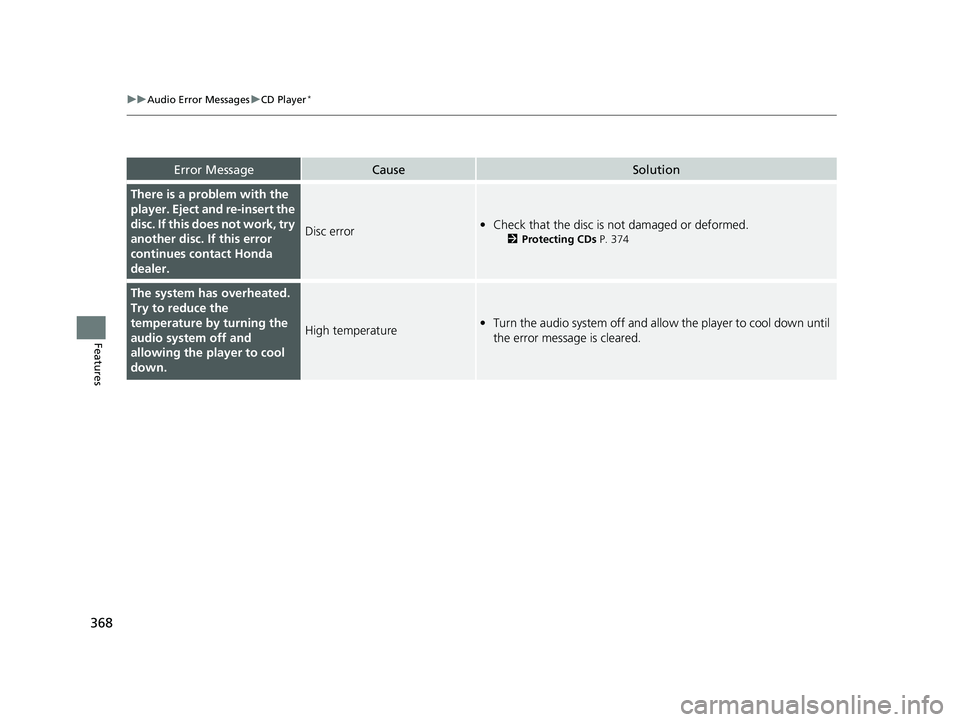
uuAudio Error Messages uCD Player*
Features
Error MessageCauseSolution
There is a problem with the
player. Eject and re-insert the
disc. If this does not work, try
another disc. If this error
continues contact Honda
dealer.
Disc error• Check that the disc is not damaged or deformed.
2 Protecting CDs P. 374
The system has overheated.
Try to reduce the
temperature by turning the
audio system off and
allowing the player to cool
down.
High temperature•Turn the audio system off and allo w the player to cool down until
the error message is cleared.
19 ODYSSEY-31THR6120.book 368 ページ 2018年12月6日 木曜日 午後4時35分
Page 376 of 767
uuGeneral Information on the Audio System uRecommended CDs*
374
Features
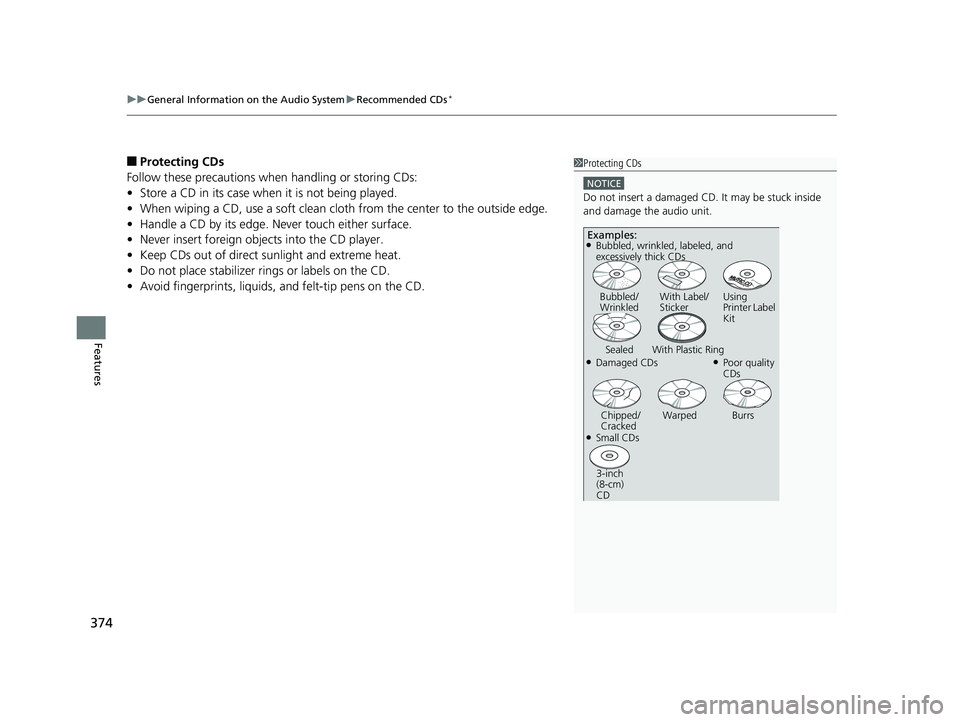
■Protecting CDs
Follow these precautions when handling or storing CDs:
• Store a CD in its case when it is not being played.
• When wiping a CD, use a soft clean clot h from the center to the outside edge.
• Handle a CD by its edge. Never touch either surface.
• Never insert foreign objects into the CD player.
• Keep CDs out of direct sunlight and extreme heat.
• Do not place stabilizer ri ngs or labels on the CD.
• Avoid fingerprints, liquids, and felt-tip pens on the CD.1Protecting CDs
NOTICE
Do not insert a damaged CD. It may be stuck inside
and damage the audio unit.
Examples:
●Damaged CDs Bubbled/
Wrinkled
With Label/
Sticker Using
Printer Label
Kit
Sealed With Plastic Ring●Poor quality
CDs
Chipped/
Cracked Warped Burrs
●Small CDs
3-inch
(8-cm)
CD
●Bubbled, wrinkled, labeled, and
excessively thick CDs
19 ODYSSEY-31THR6120.book 374 ページ 2018年12月6日 木曜日 午後4時35分
Page 377 of 767
375
uuGeneral Information on the Audio System uCompatible iPod, iPad, iPhone, and USB Flash Drives
Features
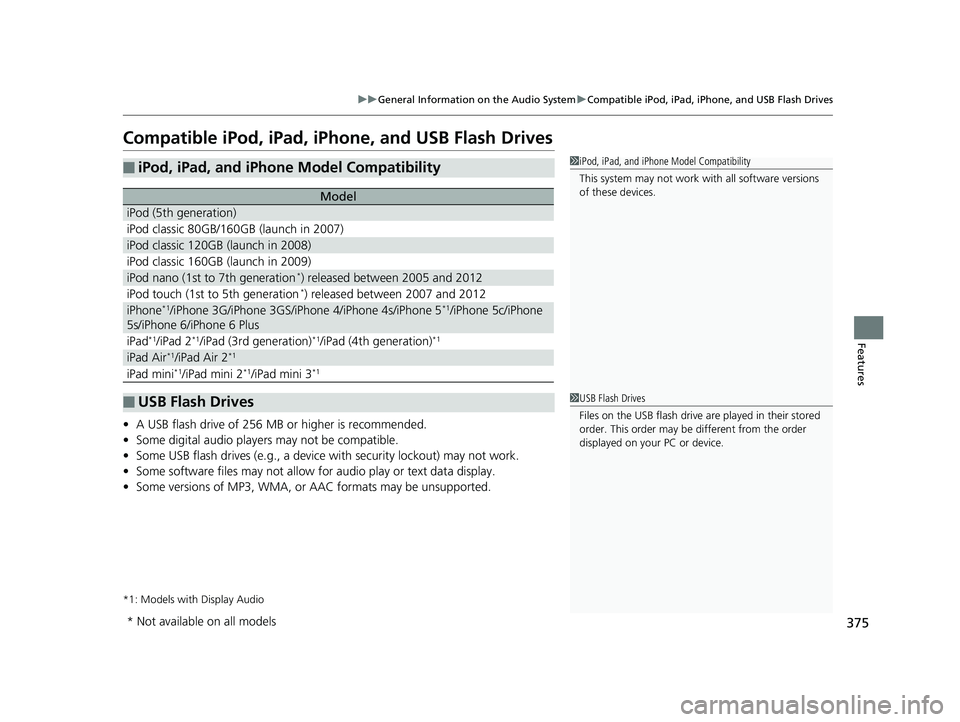
Compatible iPod, iPad, iP hone, and USB Flash Drives
•A USB flash drive of 256 MB or higher is recommended.
• Some digital audio players may not be compatible.
• Some USB flash drives (e.g., a device with security lockout) may not work.
• Some software files may not allow for audio play or text data display.
• Some versions of MP3, WMA, or AAC formats may be unsupported.
*1: Models with Display Audio
■iPod, iPad, and iPhone Model Compatibility
Model
iPod (5th generation)
iPod classic 80GB/160GB (launch in 2007)
iPod classic 120GB (launch in 2008)
iPod classic 160GB (launch in 2009)
iPod nano (1st to 7th generation*) released between 2005 and 2012
iPod touch (1st to 5th generation*) released between 2007 and 2012
iPhone*1/iPhone 3G/iPhone 3GS/iPhone 4/iPhone 4s/iPhone 5*1/iPhone 5c/iPhone
5s/iPhone 6/iPhone 6 Plus
iPad*1/iPad 2*1/iPad (3rd generation)*1/iPad (4th generation)*1
iPad Air*1/iPad Air 2*1
iPad mini*1/iPad mini 2*1/iPad mini 3*1
■USB Flash Drives
1 iPod, iPad, and iPhone Model Compatibility
This system may not work with all software versions
of these devices.
1 USB Flash Drives
Files on the USB flash drive are played in their stored
order. This order may be different from the order
displayed on your PC or device.
* Not available on all models
19 ODYSSEY-31THR6120.book 375 ページ 2018年12月6日 木曜日 午後4時35分
Page 406 of 767
uuBlu-ray/DVD Rear Entertainment System*uPlaying a DVD/Blu-rayTM
404
Features
1. Press the MENU button on the remote to display the menu screen.
2. Select an item and then press the ENTER button on the remote.
The following items are available:
• DVD Menu/Blu-ray Menu : Displays the top menu of the DVD or Blu-ray
TM.
• Aspect Ratio : Selects an aspect ratio of the image.
2Setting the Aspect Ratio P. 404
•Brightness : Adjusts the screen’s brightness.
• Contrast : Adjusts the screen’s contrast.
• Root Menu
*1: Displays the disc menu fo r the current playing title.
• Pop-up Menu*2: Displays the menu of the Blu-rayTM.
• Player Options : Displays while a DVD or Blu-rayTM is playing and changes the
DVD or Blu-rayTM preferences.
2 Setting the Player Options P. 405
■Setting the Aspect Ratio
1. Press the MENU button on the remote to display the menu screen.
2. Select Aspect Ratio .
3. Select the setting you want.
u You can select the three opti ons; normal, full, or zoom.
*1: Appears only when you select the DVD source.
*2: Appears only when you select the Blu-rayTM source.
■Rear DVD or Blu-rayTM Menu1Rear DVD or Blu-rayTM Menu
During DVD or Blu-ray
TM operation, when the source
is changed or the audio syst em is turned off, DVD or
Blu-ray
TM operation stops.
Depending on the disc you insert, some items may
not be displayed.
19 ODYSSEY-31THR6120.book 404 ページ 2018年12月6日 木曜日 午後4時35分
Page 407 of 767
405
uuBlu-ray/DVD Rear Entertainment System*uPlaying a DVD/Blu-rayTM
Continued
Features
■Setting the Player Options
1. Press the MENU button on the remote to display the menu screen.
2. Select Player Options .
3. Select an item and then press the ENTER button on the remote.
The following items are available:
• Repeat :
Off : Repeat mode is off.
Title (only for DVD-V, AVCREC and B DAV): Repeats the current title.
Chapter (only for DVD-V, AVCREC and B DAV): Repeats the current chapter.
Program (only for DVD-VR): Repeats the curre nt program if the disc has the
correspondence list.
Playlist (only for DVD-VR): Repeats the cu rrent playlist if the disc has the
correspondence list.
Entry Point (only for DVD-VR): Repeats the curre nt entry point if the disc has the
correspondence list.
• Subtitles and Audio : Selects the language of the DVD subtitle and audio.
• Angle : Selects the angle of the scen e shot with multiple cameras.
• Search : Skips to a title or chapter.
2Searching a title/chapter/program/playlist P. 406
•Change Order (only for DVD-VR, AVCREC and BDAV): Changes the order of
the program or playlist.
• Default Language : Selects the language for the menus, audio, and subtitle of
the DVD or Blu-ray
TM.
• Sound Leveling : Adjusts the range of the loud and soft sound. Select Auto, On
or Off .
• Secondary Audio (only for BDMV): Turns on and o ff the function that plays the
available commentary or narrator audi o along with the main disc track.
• Onscreen Remote : Displays the on-screen buttons for the remote.
19 ODYSSEY-31THR6120.book 405 ページ 2018年12月6日 木曜日 午後4時35分
Page 408 of 767
406
uuBlu-ray/DVD Rear Entertainment System*uPlaying a DVD/Blu-rayTM
Features
■Searching a title/chapter/program/playlist
1. Press the MENU button on the remote to display the menu screen.
2. Select Player Options .
3. Select Search .
4. Enter a number of a title, chapter, prog ram or playlist to skip, and then select
enter .
The following items are available:
• Title : Skips to a title you specify.
• Chapter : Skips to a chapter you specify.
• Program (only for DVD-VR): Skips to a prog ram you specify while playing with
the program list.
• Playlist (only for DVD-VR): Skips to a playlist you specify while pl aying with the
playlist.
19 ODYSSEY-31THR6120.book 406 ページ 2018年12月6日 木曜日 午後4時35分
Page 413 of 767
411
uuBlu-ray/DVD Rear Entertainment System*uFront Control Panel Operation
Features
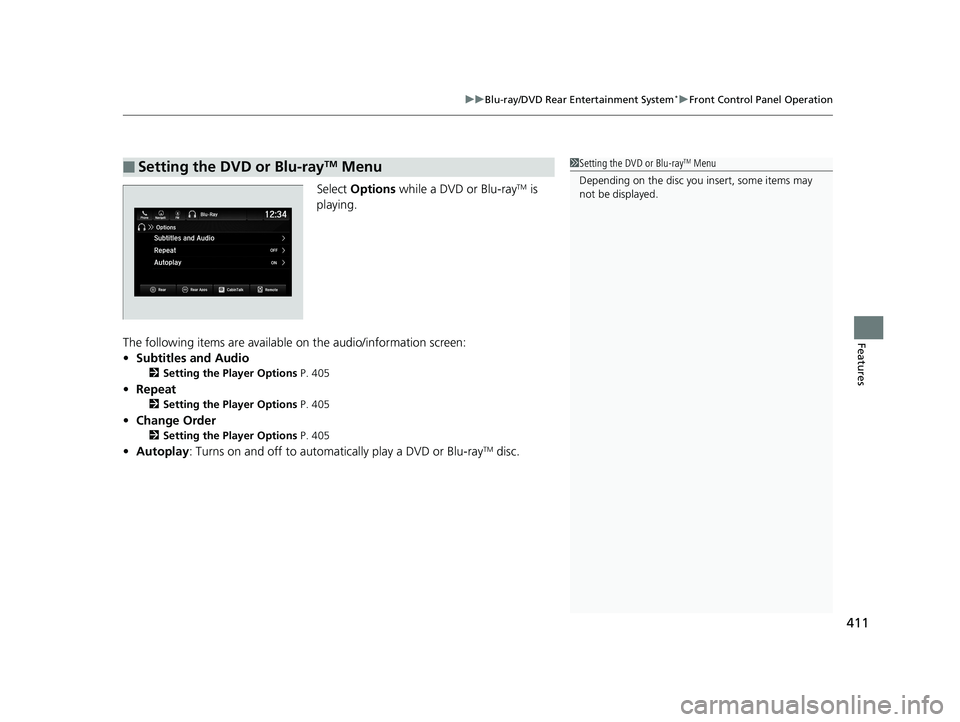
Select Options while a DVD or Blu-rayTM is
playing.
The following items are available on the audio/information screen:
• Subtitles and Audio
2 Setting the Player Options P. 405
•Repeat
2 Setting the Player Options P. 405
•Change Order
2 Setting the Player Options P. 405
•Autoplay: Turns on and off to automati cally play a DVD or Blu-rayTM disc.
■Setting the DVD or Blu-rayTM Menu1Setting the DVD or Blu-rayTM Menu
Depending on the disc you insert, some items may
not be displayed.
19 ODYSSEY-31THR6120.book 411 ページ 2018年12月6日 木曜日 午後4時35分