door HONDA ODYSSEY 2019 (in English) Manual PDF
[x] Cancel search | Manufacturer: HONDA, Model Year: 2019, Model line: ODYSSEY, Model: HONDA ODYSSEY 2019Pages: 767, PDF Size: 47.46 MB
Page 227 of 767
225Continued
Controls
Interior Lights/Interior Convenience Items
Interior Lights
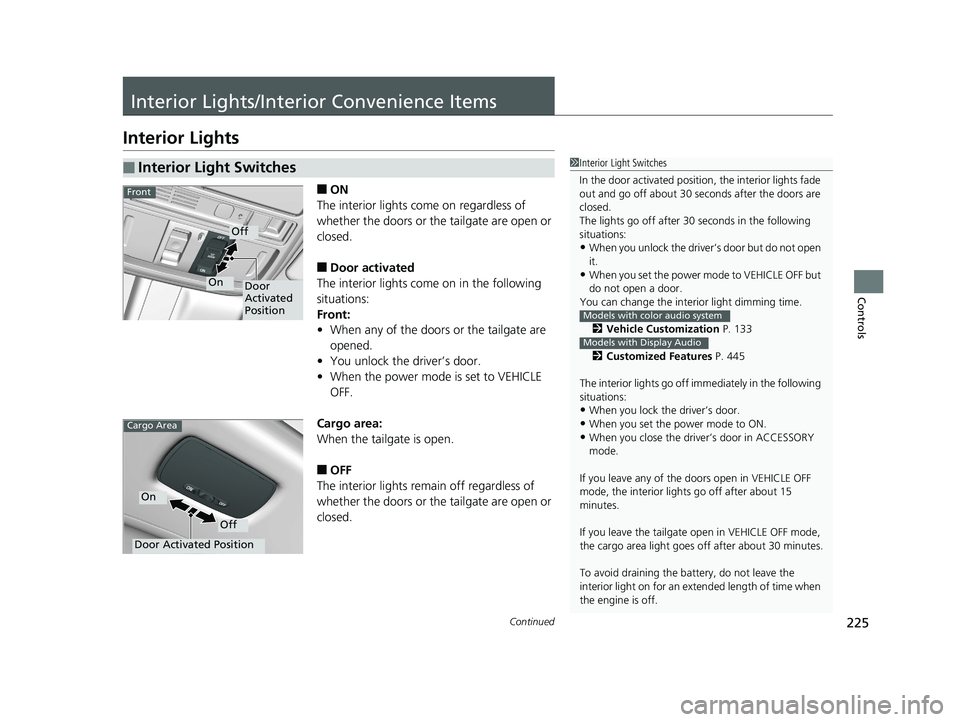
■ON
The interior lights come on regardless of
whether the doors or the tailgate are open or
closed.
■Door activated
The interior lights come on in the following
situations:
Front:
• When any of the doors or the tailgate are
opened.
• You unlock the driver’s door.
• When the power mode is set to VEHICLE
OFF.
Cargo area:
When the tailgate is open.
■OFF
The interior lights remain off regardless of
whether the doors or the tailgate are open or
closed.
■Interior Light Switches1 Interior Light Switches
In the door activated position, the interior lights fade
out and go off about 30 se conds after the doors are
closed.
The lights go off after 30 seconds in the following
situations:
•When you unlock the driver’s door but do not open
it.
•When you set the power mode to VEHICLE OFF but
do not open a door.
You can change the inte rior light dimming time.
2 Vehicle Customization P. 133
2 Customized Features P. 445
The interior lights go off i mmediately in the following
situations:
•When you lock the driver’s door.
•When you set the power mode to ON.
•When you close the driver’s door in ACCESSORY
mode.
If you leave any of the doors open in VEHICLE OFF
mode, the interior light s go off after about 15
minutes.
If you leave the tailgate open in VEHICLE OFF mode,
the cargo area light goes of f after about 30 minutes.
To avoid draining the ba ttery, do not leave the
interior light on for an extended length of time when
the engine is off.
Models with color audio system
Models with Display Audio
Door
Activated
Position
Off
On
Front
Door Activated Position
Off
On
Cargo Area
19 ODYSSEY-31THR6120.book 225 ページ 2018年12月6日 木曜日 午後4時35分
Page 228 of 767
uuInterior Lights/Interior Convenience Items uInterior Lights
226
Controls
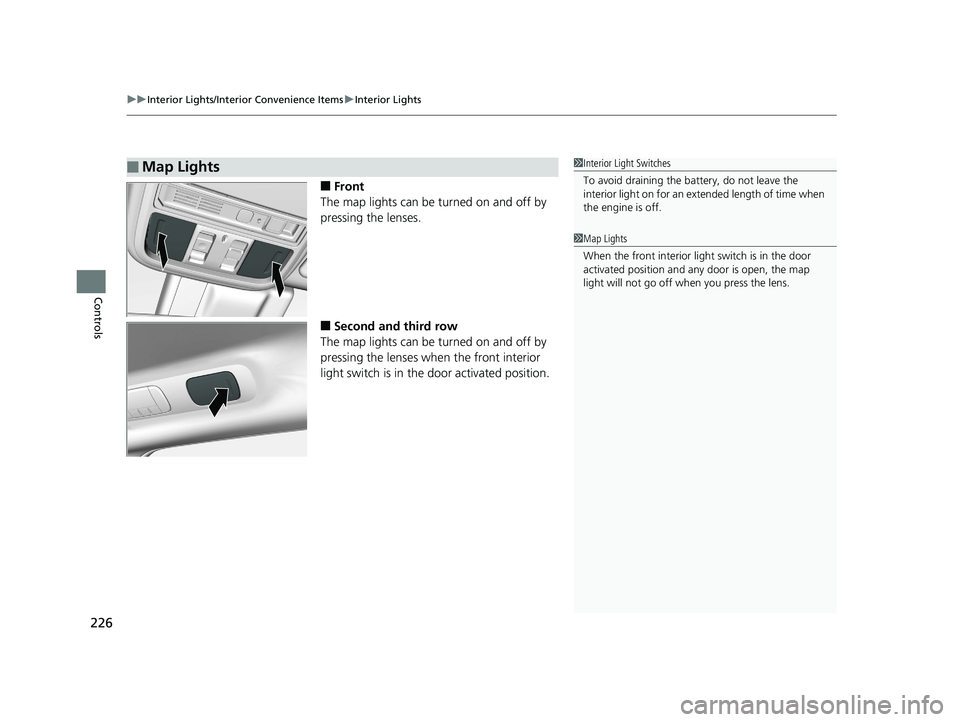
■Front
The map lights can be turned on and off by
pressing the lenses.
■Second and third row
The map lights can be turned on and off by
pressing the lenses when the front interior
light switch is in the door activated position.
■Map Lights1Interior Light Switches
To avoid draining the ba ttery, do not leave the
interior light on for an extended length of time when
the engine is off.
1 Map Lights
When the front interior li ght switch is in the door
activated position and any door is open, the map
light will not go off when you press the lens.
19 ODYSSEY-31THR6120.book 226 ページ 2018年12月6日 木曜日 午後4時35分
Page 233 of 767
Continued231
uuInterior Lights/Interior Convenience Items uInterior Convenience Items
Controls
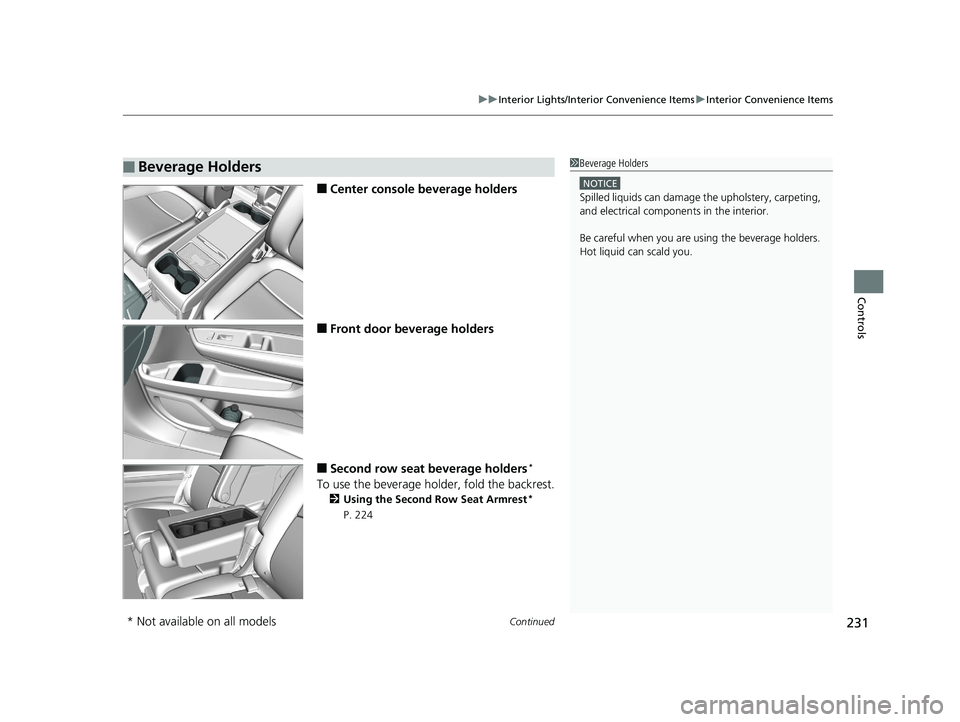
■Center console beverage holders
■Front door beverage holders
■Second row seat beverage holders*
To use the beverage holder, fold the backrest.
2 Using the Second Row Seat Armrest*
P. 224
■Beverage Holders1 Beverage Holders
NOTICE
Spilled liquids ca n damage the upholstery, carpeting,
and electrical components in the interior.
Be careful when you are us ing the beverage holders.
Hot liquid can scald you.
* Not available on all models
19 ODYSSEY-31THR6120.book 231 ページ 2018年12月6日 木曜日 午後4時35分
Page 234 of 767
232
uuInterior Lights/Interior Convenience Items uInterior Convenience Items
Controls
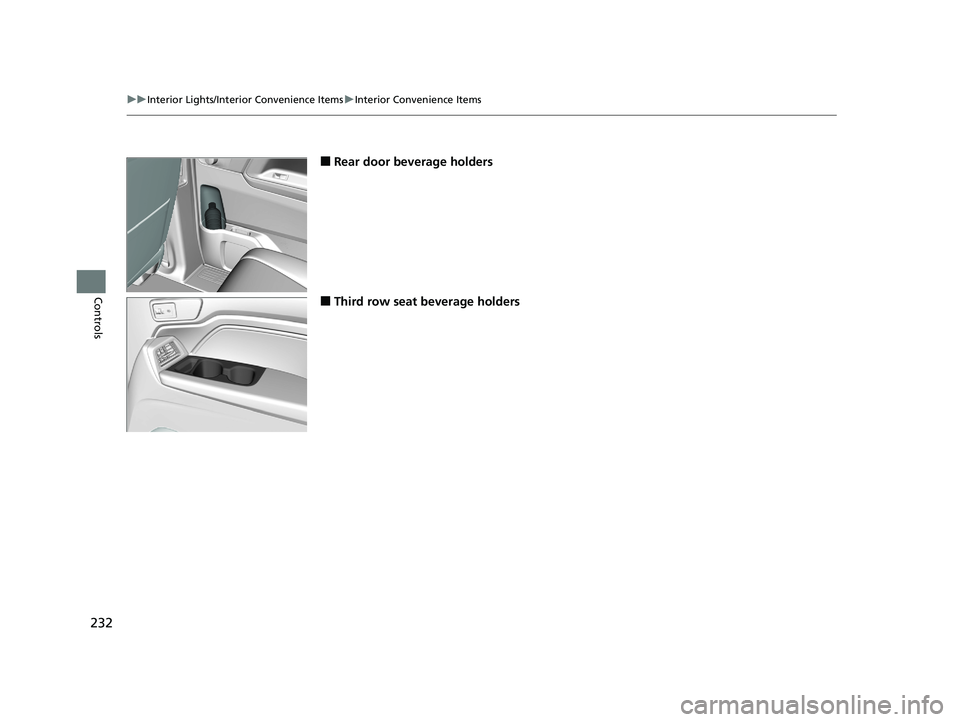
■Rear door beverage holders
■Third row seat beverage holders
19 ODYSSEY-31THR6120.book 232 ページ 2018年12月6日 木曜日 午後4時35分
Page 239 of 767
Continued237
uuInterior Lights/Interior Convenience Items uInterior Convenience Items
Controls
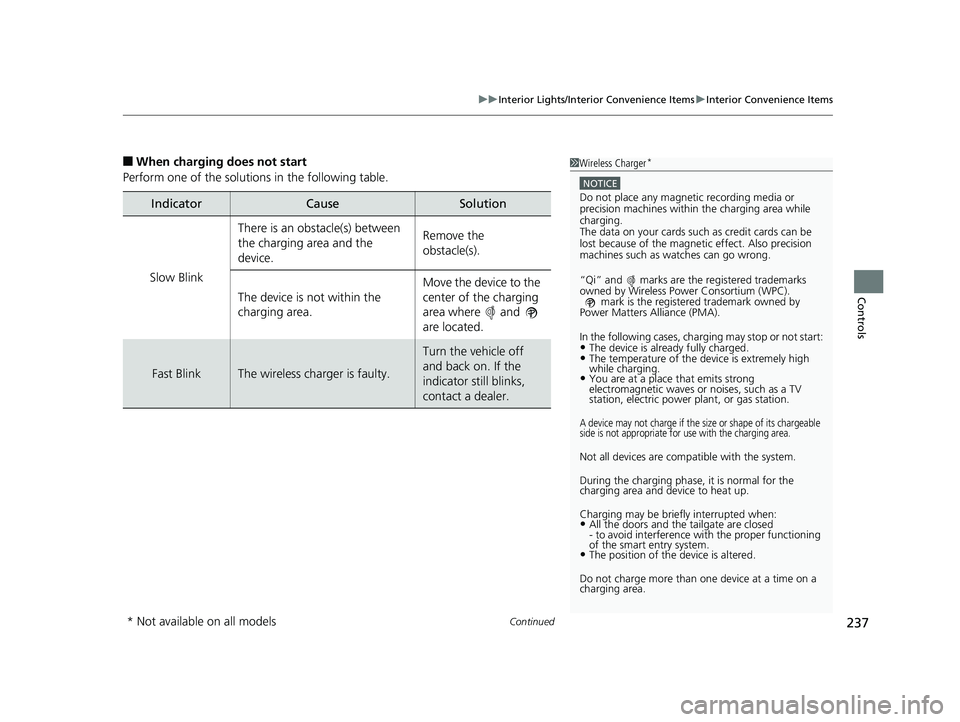
■When charging does not start
Perform one of the solutions in the following table.
IndicatorCauseSolution
Slow Blink
There is an obstacle(s) between
the charging area and the
device.Remove the
obstacle(s).
The device is not within the
charging area. Move the device to the
center of the charging
area where and
are located.
Fast BlinkThe wireless charger is faulty.
Turn the vehicle off
and back on. If the
indicator still blinks,
contact a dealer.
1
Wireless Charger*
NOTICE
Do not place any magneti c recording media or
precision machines within the charging area while
charging.
The data on your cards such as credit cards can be
lost because of the magneti c effect. Also precision
machines such as watches can go wrong.
“Qi” and marks are the registered trademarks
owned by Wire less Power Consortium (WPC).
mark is the registered trademark owned by
Power Matters Alliance (PMA).
In the following cases, ch arging may stop or not start:
•The device is already fully charged.•The temperature of the device is extremely high
while charging.
•You are at a place that emits strong
electromagnetic waves or noises, such as a TV
station, electric power plant, or gas station.
A device may not charge if the si ze or shape of its chargeable
side is not appropriate for use with the charging area.
Not all devices are compatible with the system.
During the charging phase, it is normal for the
charging area and de vice to heat up.
Charging may be briefl y interrupted when:
•All the doors and the tailgate are closed
- to avoid interference with the proper functioning
of the smart entry system.
•The position of the device is altered.
Do not charge more than one device at a time on a
charging area.
* Not available on all models
19 ODYSSEY-31THR6120.book 237 ページ 2018年12月6日 木曜日 午後4時35分
Page 247 of 767
Continued245
uuInterior Lights/Interior Convenience Items uInterior Convenience Items
Controls
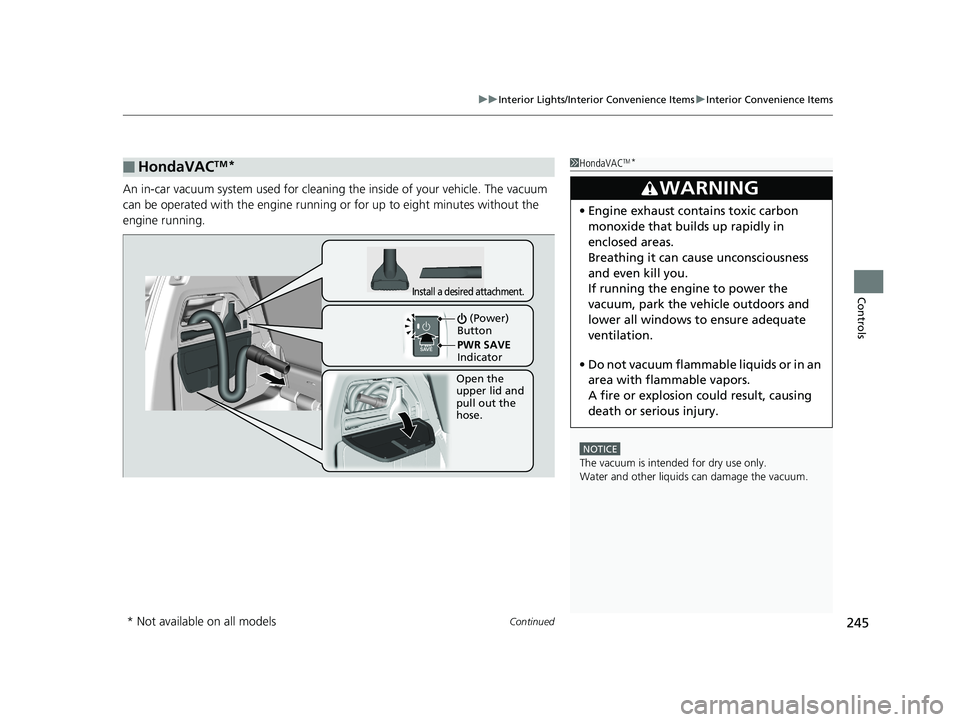
An in-car vacuum system us ed for cleaning the inside of your vehicle. The vacuum
can be operated with the engine running or for up to eight minutes without the
engine running.
■HondaVACTM*1 HondaVACTM*
NOTICE
The vacuum is intended for dry use only.
Water and other liquids can damage the vacuum.
3WARNING
•Engine exhaust contains toxic carbon
monoxide that builds up rapidly in
enclosed areas.
Breathing it can cause unconsciousness
and even kill you.
If running the engine to power the
vacuum, park the vehicle outdoors and
lower all windows to ensure adequate
ventilation.
• Do not vacuum flammabl e liquids or in an
area with flammable vapors.
A fire or explosion could result, causing
death or serious injury.
Open the
upper lid and
pull out the
hose.
Install a desired attachment.
(Power)
Button
PWR SAVE
Indicator
* Not available on all models
19 ODYSSEY-31THR6120.book 245 ページ 2018年12月6日 木曜日 午後4時35分
Page 262 of 767
260
Features
Audio System
About Your Audio System
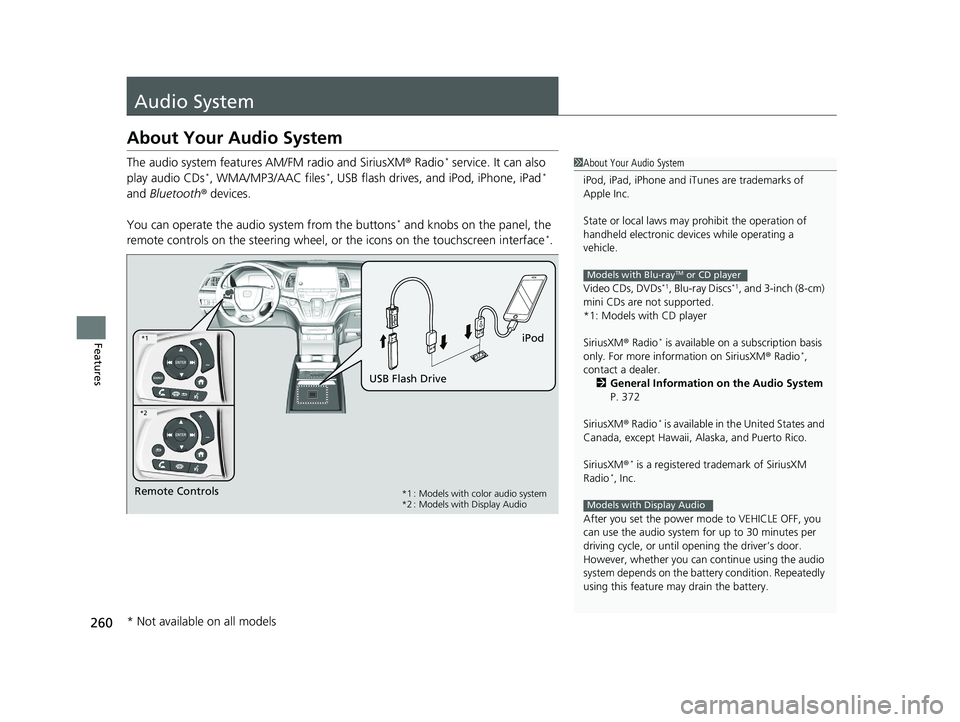
The audio system features AM/FM radio and SiriusXM ® Radio* service. It can also
play audio CDs*, WMA/MP3/AAC files*, USB flash drives, and iPod, iPhone, iPad*
and Bluetooth ® devices.
You can operate the audi o system from the buttons
* and knobs on the panel, the
remote controls on the steering wheel, or the icons on the touchscreen interface*.
1About Your Audio System
iPod, iPad, iPhone and iT unes are trademarks of
Apple Inc.
State or local laws may pr ohibit the operation of
handheld electronic devi ces while operating a
vehicle.
Video CDs, DVDs
*1, Blu-ray Discs*1, and 3-inch (8-cm)
mini CDs are not supported.
*1: Models with CD player
SiriusXM ® Radio
* is available on a subscription basis
only. For more information on SiriusXM ® Radio*,
contact a dealer.
2 General Information on the Audio System
P. 372
SiriusXM ® Radio
* is available in the United States and
Canada, except Ha waii, Alaska, and Puerto Rico.
SiriusXM ®
* is a registered trademark of SiriusXM
Radio*, Inc.
After you set the power m ode to VEHICLE OFF, you
can use the audio system for up to 30 minutes per
driving cycle, or until opening the driver’s door.
However, whether you can continue using the audio
system depends on the batter y condition. Repeatedly
using this feature ma y drain the battery.
Models with Blu-rayTM or CD player
Models with Display AudioRemote Controls iPod
USB Flash Drive*1 : Models with color audio system
*2 : Models with Display Audio
*1
*2
* Not available on all models
19 ODYSSEY-31THR6120.book 260 ページ 2018年12月6日 木曜日 午後4時35分
Page 384 of 767
382
uuGeneral Information on the Audio System uHonda App License Agreement
Features
E. Information Collection and Storage
1. Information Collecti on, Use, Transmission and Storage of Data. Consent to Use of Data: You agree that HONDA and PROVIDERS may
collect and use your information gathered in any manner as part of product support services related to the SOFTWARE or related services.
HONDA may share such information with third parties, including, without limitation, PROV IDERS, third party software and service s
suppliers, their affiliates and/or their design ated agents, solely to improve their products or to provide services or technologies to you.
HONDA, third party software and systems supp liers, their affiliates and/or their designated agent may disclose this information to others,
but not in a form that pe rsonally identifies you.
2. Information Storage. Depending on the type of multimedia system you have in your VEHICLE, certain information may be stored fo r ease
of use of the SOFTWARE including, without limitation, search hi story, location history in certain applications, previous and saved
destinations, map locations within certain applications, and device numbers and contact information.
(a) Vehicle Health Information. Your VEHICL E may remotely transmit information regardin g the status and health of your VEHICLE
(“VEHICLE INFORMATION”) to HONDA without notification to you. VEHICLE INFORMATION may contain VEHICLE maintenance and
malfunction status that is derived from VEHICLE diagnostic data and includes, but is not limited to, status of powered doors and windows,
battery life data, battery charging data, VEHICLE speed, coolant temperat ure, air compressor revolution, output power, warning codes,
diagnostic trouble codes, fuel injection volume, and engine rotati ons per minute. VEHICLE HEALTH INFORMATION may be used by HONDA
for research and development, to deliver HO NDA SERVICES and information to you, and to contact you, and is retained only for a period
of time necessary to fulfill these goals.
(b) VEHICLE Geolocation Data (non-navigation/map based). If you opt-in to geolocation-based SERVICES, your vehicle’s geolocation data
(latitude and longitude) will be automatically sent from your VEHICLE to HONDA and PROVIDERS.
(c) You understand that the inputting or uploading of information to your VEHICLE’s multimedia system or the SOFTWARE or SERVICES is
at your own risk and that HONDA is not resp onsible for unauthorized access to or use of any personal or other information. All information
uploaded to the SOFTWARE and SERVICES may be stored on your VEHI CLES’s multimedia system and you understand that the security and
safety of your VEHICLE’s multimedia system is your sole responsibility.
19 ODYSSEY-31THR6120.book 382 ページ 2018年12月6日 木曜日 午後4時35分
Page 457 of 767
455
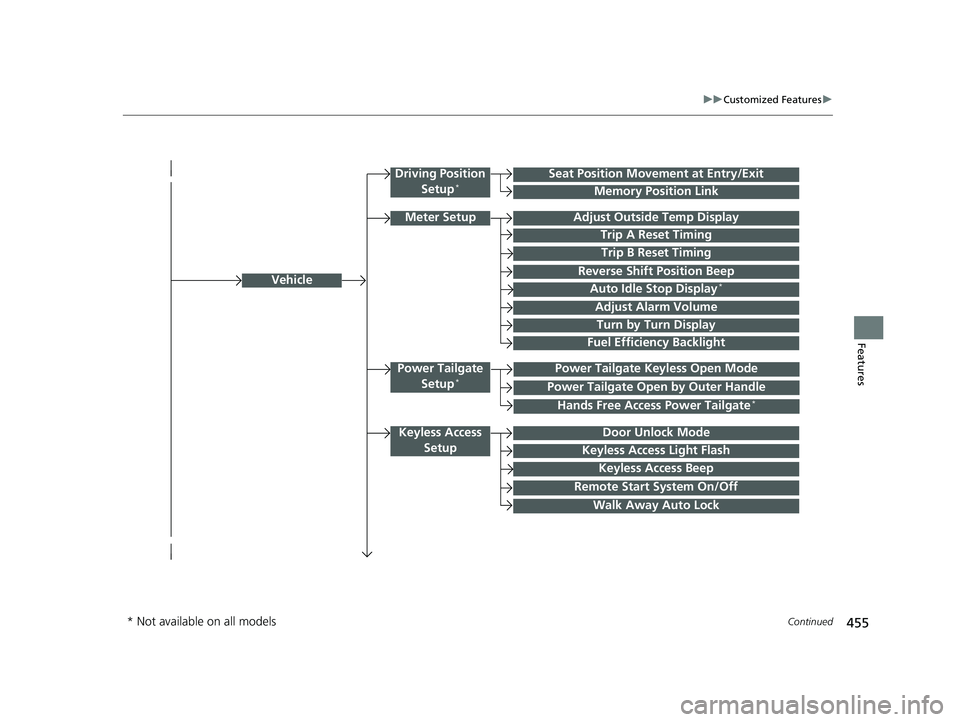
uuCustomized Features u
Continued
Features
Vehicle
Driving Position
Setup*Seat Position Movement at Entry/Exit
Memory Position Link
Meter SetupAdjust Outside Temp Display
Trip A Reset Timing
Trip B Reset Timing
Reverse Shift Position Beep
Auto Idle Stop Display*
Adjust Alarm Volume
Turn by Turn Display
Power Tailgate
Setup*Power Tailgate Keyless Open Mode
Power Tailgate Open by Outer Handle
Keyless Access SetupDoor Unlock Mode
Keyless Access Light Flash
Keyless Access Beep
Remote Start System On/Off
Walk Away Auto Lock
Fuel Efficiency Backlight
Hands Free Access Power Tailgate*
* Not available on all models
19 ODYSSEY-31THR6120.book 455 ページ 2018年12月6日 木曜日 午後4時35分
Page 458 of 767
456
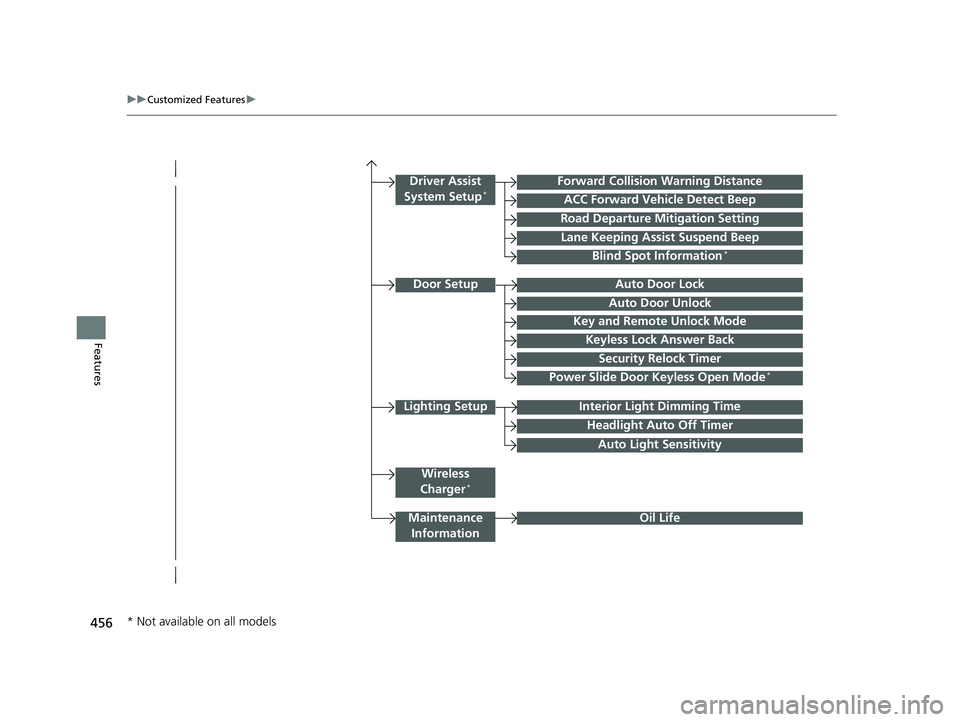
uuCustomized Features u
Features
Lighting SetupInterior Light Dimming Time
Headlight Auto Off Timer
Forward Collision Warning Distance
ACC Forward Vehicle Detect Beep
Auto Light Sensitivity
Door SetupAuto Door Lock
Auto Door Unlock
Key and Remote Unlock Mode
Keyless Lock Answer Back
Security Relock Timer
Maintenance
Information
Driver Assist
System Setup*
Oil Life
Road Departure Mitigation Setting
Lane Keeping Assist Suspend Beep
Blind Spot Information*
Power Slide Door Keyless Open Mode*
Wireless
Charger*
* Not available on all models
19 ODYSSEY-31THR6120.book 456 ページ 2018年12月6日 木曜日 午後4時35分