remove HONDA ODYSSEY 2020 (in English) Owner's Guide
[x] Cancel search | Manufacturer: HONDA, Model Year: 2020, Model line: ODYSSEY, Model: HONDA ODYSSEY 2020Pages: 767, PDF Size: 43.89 MB
Page 335 of 767
Continued333
uuAudio System Basic Operation uPlaying SiriusXM ® Radio*
Features
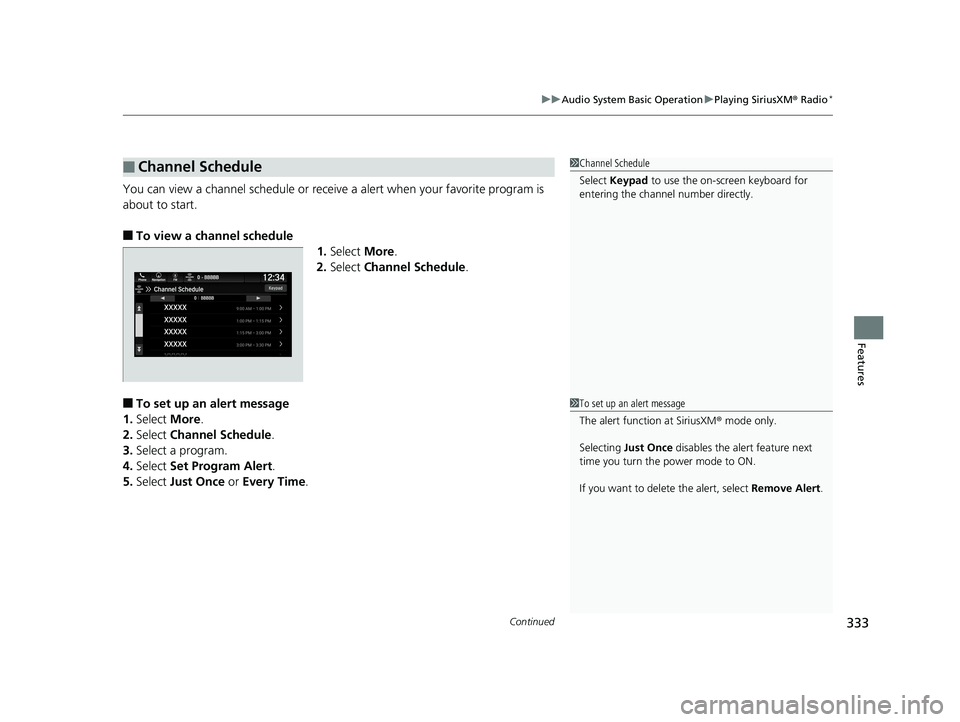
You can view a channel schedule or receiv e a alert when your favorite program is
about to start.
■To view a channel schedule 1.Select More.
2. Select Channel Schedule .
■To set up an alert message
1. Select More.
2. Select Channel Schedule .
3. Select a program.
4. Select Set Program Alert .
5. Select Just Once or Every Time .
■Channel Schedule1Channel Schedule
Select Keypad to use the on-screen keyboard for
entering the channel number directly.
1To set up an alert message
The alert function at SiriusXM ® mode only.
Selecting Just Once disables the alert feature next
time you turn the power mode to ON.
If you want to delete the alert, select Remove Alert.
20 US ODYSSEY-31THR6210.book 333 ページ 2020年2月28日 金曜日 午前7時26分
Page 336 of 767
334
uuAudio System Basic Operation uPlaying SiriusXM ® Radio*
Features
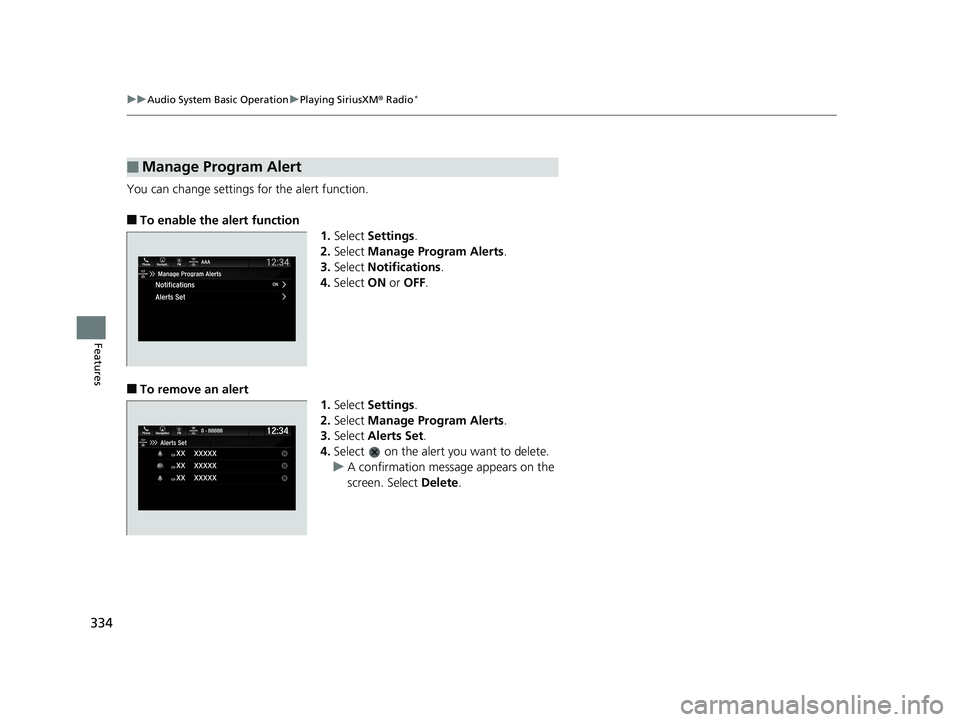
You can change settings for the alert function.
■To enable the alert function
1.Select Settings .
2. Select Manage Program Alerts .
3. Select Notifications .
4. Select ON or OFF .
■To remove an alert
1.Select Settings .
2. Select Manage Program Alerts .
3. Select Alerts Set .
4. Select on the alert you want to delete.
u A confirmation message appears on the
screen. Select Delete.
■Manage Program Alert
20 US ODYSSEY-31THR6210.book 334 ページ 2020年2月28日 金曜日 午前7時26分
Page 339 of 767
Continued337
uuAudio System Basic Operation uPlaying a CD*
Features
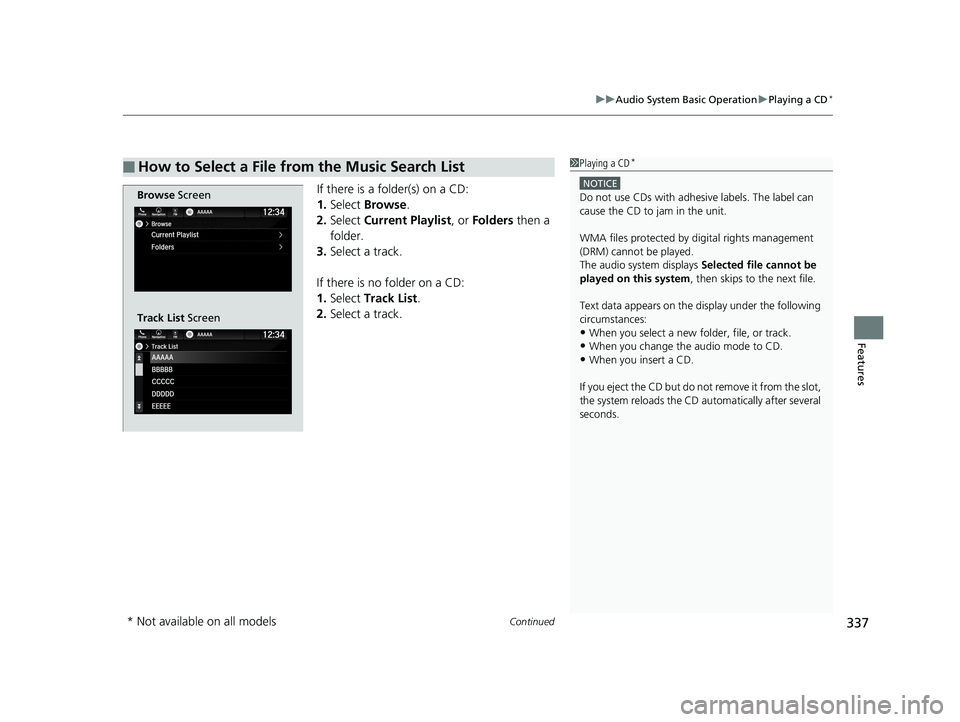
If there is a folder(s) on a CD:
1. Select Browse .
2. Select Current Playlist , or Folders then a
folder.
3. Select a track.
If there is no folder on a CD:
1. Select Track List .
2. Select a track.
■How to Select a File from the Music Search List1Playing a CD*
NOTICE
Do not use CDs with adhesive labels. The label can
cause the CD to jam in the unit.
WMA files protected by di gital rights management
(DRM) cannot be played.
The audio system displays Selected file cannot be
played on this system , then skips to the next file.
Text data appears on the di splay under the following
circumstances:
•When you select a new folder, file, or track.
•When you change the audio mode to CD.
•When you insert a CD.
If you eject the CD but do not remove it from the slot,
the system reloads the CD automatically after several
seconds.
Browse Screen
Track List Screen
* Not available on all models
20 US ODYSSEY-31THR6210.book 337 ページ 2020年2月28日 金曜日 午前7時26分
Page 353 of 767
351
uuAudio System Basic Operation uPlaying Social Playlist
Continued
Features
Playing Social Playlist
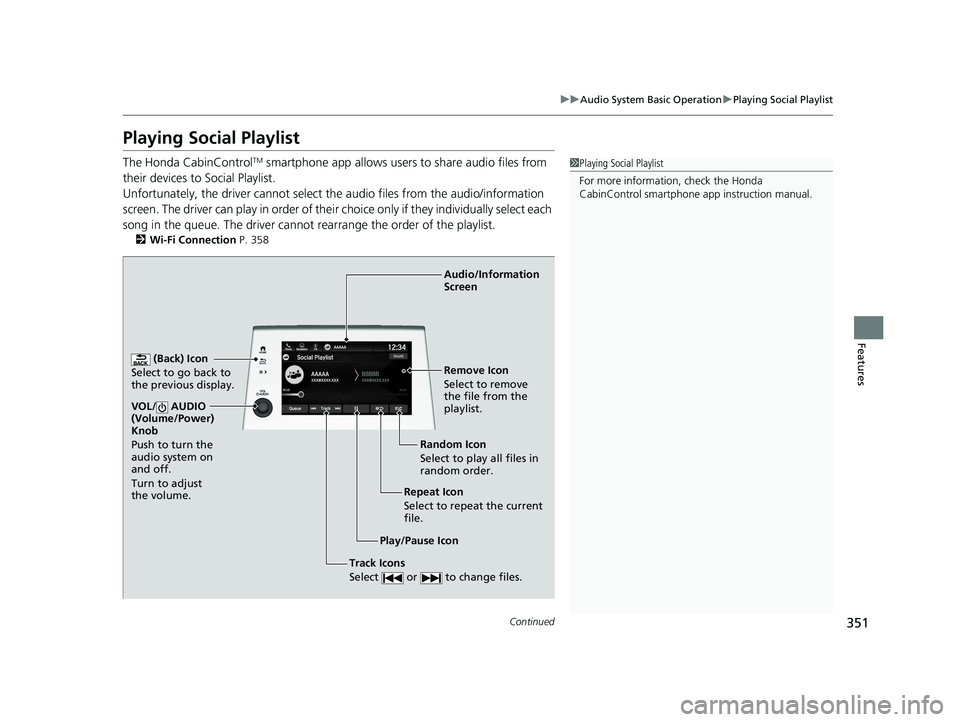
The Honda CabinControlTM smartphone app allows users to share audio files from
their devices to Social Playlist.
Unfortunately, the driver cannot select the audio files from the audio/information
screen. The driver can play in order of their choice only if they individually select each
song in the queue. The driver cannot rearrange the order of the playlist.
2 Wi-Fi Connection P. 358
1Playing Social Playlist
For more information, check the Honda
CabinControl smartphone app instruction manual.
(Back) Icon
Select to go back to
the previous display.
Track Icons
Select or to change files.
VOL/ AUDIO
(Volume/Power)
Knob
Push to turn the
audio system on
and off.
Turn to adjust
the volume.
Audio/Information
Screen
Play/Pause Icon Repeat Icon
Select to repeat the current
file.Random Icon
Select to play all files in
random order. Remove Icon
Select to remove
the file from the
playlist.
20 US ODYSSEY-31THR6210.book 351 ページ 2020年2月28日 金曜日 午前7時26分
Page 354 of 767
352
uuAudio System Basic Operation uPlaying Social Playlist
Features
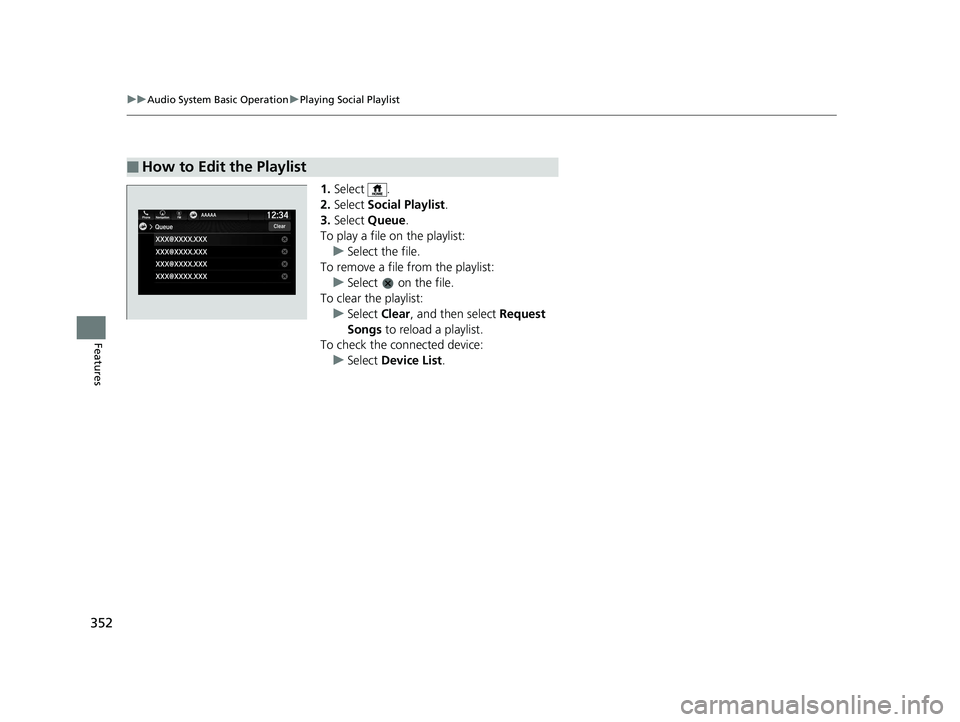
1. Select .
2. Select Social Playlist .
3. Select Queue .
To play a file on the playlist: u Select the file.
To remove a file from the playlist: u Select on the file.
To clear the playlist:
u Select Clear, and then select Request
Songs to reload a playlist.
To check the c onnected device:
u Select Device List .
■How to Edit the Playlist
20 US ODYSSEY-31THR6210.book 352 ページ 2020年2月28日 金曜日 午前7時26分
Page 430 of 767
428
uuBlu-ray/DVD Rear Entertainment System*uPlayable Discs
Features
zlib 1.1.3
@@ Acknowledgments:
Oracle gratefully acknowle dges the contributions of Jean-loup Gailly and Mark Adler in creating the zlib general purpose compression
library which is used in this product.
@@ Copyright notice:
(C) 1995-1998 Jean-loup Gailly and Mark Adler
This software is provided 'as-is ', without any express or implied warranty. In no event will the authors be held liable for any damages arising
from the use of this software.
Permission is granted to anyone to use this software for any purpose, including commercial applications, and to alter it and re distribute it
freely, subject to the following restrictions:
1. The origin of this software must not be misrepresented; you must not claim that yo u wrote the original software. If you use this software
in a product, an acknowledgment in the product documen tation would be appreciated but is not required.
2. Altered source versions must be plainly marked as such, and must not be misrepresented as being the original software.
3. This notice may not be removed or altered from any source distribution.
If you use the zlib library in a product, we would appreciate *not* receiving lengthy legal documents to sign. The sources are provided for
free but without warranty of any kind. The library has been entirely written by Jean-loup Gailly and Mark Adler; it does not include third-
party code. Jean-loup Gailly
[email protected] Mark Adler
[email protected]
20 US ODYSSEY-31THR6210.book 428 ページ 2020年2月28日 金曜日 午前7時26分
Page 436 of 767
434
uuBlu-ray/DVD Rear Entertainment System*uPlayable Discs
Features
THIS SOFTWARE IS PROVIDED BY THE OpenSSL PROJECT "AS IS " AND ANY EXPRESSED OR IMPLIED WARRANTIES, INCLUDING, BUT NOT
LIMITED TO, THE IMPLIED WARR ANTIES OF MERCHANTABILITY AND FITNESS FOR A PA RTICULAR PURPOSE ARE DISCLAIMED. IN NO
EVENT SHALL THE OpenSSL PROJECT OR ITS CO NTRIBUTORS BE LIABLE FOR ANY DIRECT, INDIRECT, INCIDENTAL, SPECIAL, EXEMPLARY,
OR CONSEQUENTIAL DAMAGES (INCLUDING, BUT NOT LIMITED TO, PROC UREMENT OF SUBSTITUTE GOODS OR SERVICES; LOSS OF USE,
DATA, OR PROFITS; OR BUSINESS INTERRUPTION) HOWEVER CAUSED AND ON ANY THEORY OF LIABILITY, WHETHER IN CONTRACT,
STRICT LIABILITY, OR TORT (INC LUDING NEGLIGENCE OR OTHERWISE) ARISING IN ANY WAY OUT OF THE USE OF THE POSSIBILITY OF
SUCH DAMAGE.
This product includes cryptogr aphic software written by Eric Young (eay@crypt soft.com). This product includes software written by Tim
Hudson ([email protected]).
Original SSLeay License
Copyright (C) 1995-1998 Eric Young (eay @cryptsoft.com) All rights reserved.
This package is an SSL implementation wr itten by Eric Young ([email protected]).
The implementation was written so as to conform with Netscapes SSL.
This library is free for commercial and non-commercial use as long as the following conditions are aheared to. The following co nditions
apply to all code found in this distribution, be it the RC4, RS A, lhash, DES, etc., code; not just the SSL code. The SSL docume ntation
included with this distri bution is covered by the same copyright terms except that the holder is Tim Hudson ([email protected]).
Copyright remains Eric Young's, and as such any C opyright notices in the code are not to be removed.
If this package is used in a product, Eric Young should be gi ven attribution as the author of the parts of the library used.
This can be in the form of a textual messag e at program startup or in documentation (online or textual) provided with the package.
20 US ODYSSEY-31THR6210.book 434 ページ 2020年2月28日 金曜日 午前7時26分
Page 445 of 767
443
uuBlu-ray/DVD Rear Entertainment System*uPlayable Discs
Continued
Features
zlib
zlib License
This software is provided 'as-is', without any express or implie d warranty. In no event will the authors be held liable for any damages arising
from the use of this software.
Permission is granted to anyone to use this software for any purpose, including commercial applications, and to alter it and re distribute it
freely, subject to the following restrictions:
1. The origin of this software must not be misrepresented; you must not claim that you wrote the original software. If you use this software
in a product, an acknowledgment in the product docum entation would beappreciated but is not required.
2. Altered source versions must be plainly marked as such, and must not be misrepresented as being the original software.
3. This notice may not be removed or altered from any source distribution.
■FDA
-Caution-
Use of controls or adjustments or performance of procedures othe r than those specified herein may result in hazardous radiation exposure.
20 US ODYSSEY-31THR6210.book 443 ページ 2020年2月28日 金曜日 午前7時26分
Page 448 of 767
446
uuBlu-ray/DVD Rear Entertainment System*uDVD or Blu-rayTM Player Error Messages
Features
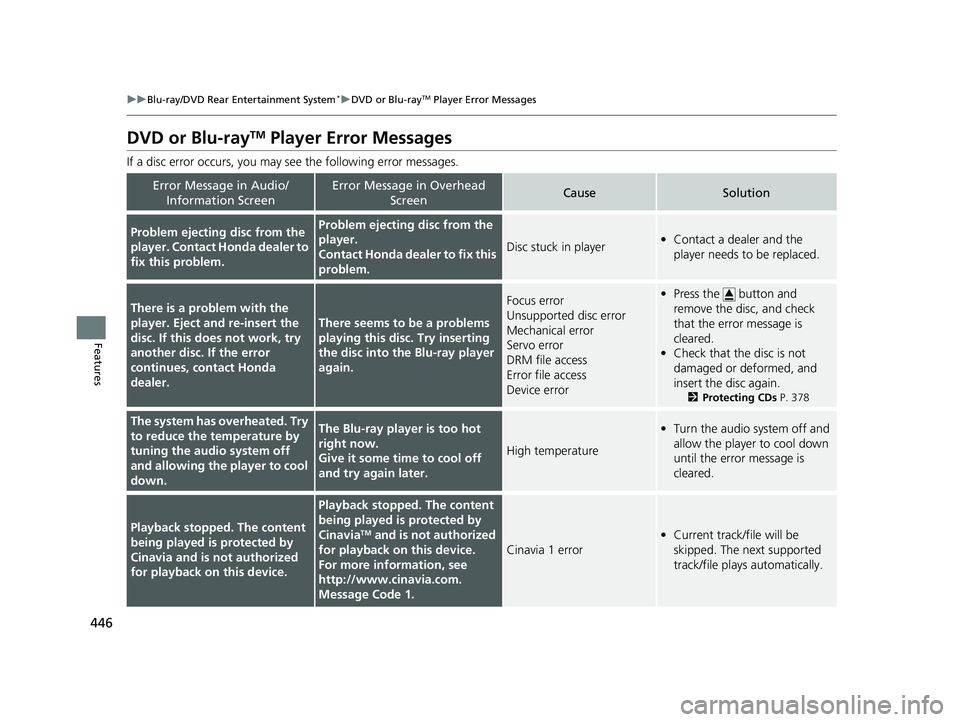
DVD or Blu-rayTM Player Error Messages
If a disc error occurs, you may see the following error messages.
Error Message in Audio/
Information ScreenError Message in Overhead ScreenCauseSolution
Problem ejecting disc from the
player. Contact Honda dealer to
fix this problem.Problem ejecting disc from the
player.
Contact Honda dealer to fix this
problem.
Disc stuck in player•Contact a dealer and the
player needs to be replaced.
There is a problem with the
player. Eject and re-insert the
disc. If this does not work, try
another disc. If the error
continues, contact Honda
dealer.
There seems to be a problems
playing this disc. Try inserting
the disc into the Blu-ray player
again.
Focus error
Unsupported disc error
Mechanical error
Servo error
DRM file access
Error file access
Device error•Press the button and
remove the disc, and check
that the error message is
cleared.
• Check that the disc is not
damaged or deformed, and
insert the disc again.
2 Protecting CDs P. 378
The system has overheated. Try
to reduce the temperature by
tuning the audio system off
and allowing the player to cool
down.The Blu-ray player is too hot
right now.
Give it some time to cool off
and try again later.
High temperature
•Turn the audio system off and
allow the player to cool down
until the error message is
cleared.
Playback stopped. The content
being played is protected by
Cinavia and is not authorized
for playback on this device.
Playback stopped. The content
being played is protected by
Cinavia
TM and is not authorized
for playback on this device.
For more information, see
http://www.cina via.com.
Message Code 1.
Cinavia 1 error
• Current track/file will be
skipped. The next supported
track/file plays automatically.
20 US ODYSSEY-31THR6210.book 446 ページ 2020年2月28日 金曜日 午前7時26分
Page 449 of 767
447
uuBlu-ray/DVD Rear Entertainment System*uDVD or Blu-rayTM Player Error Messages
Features
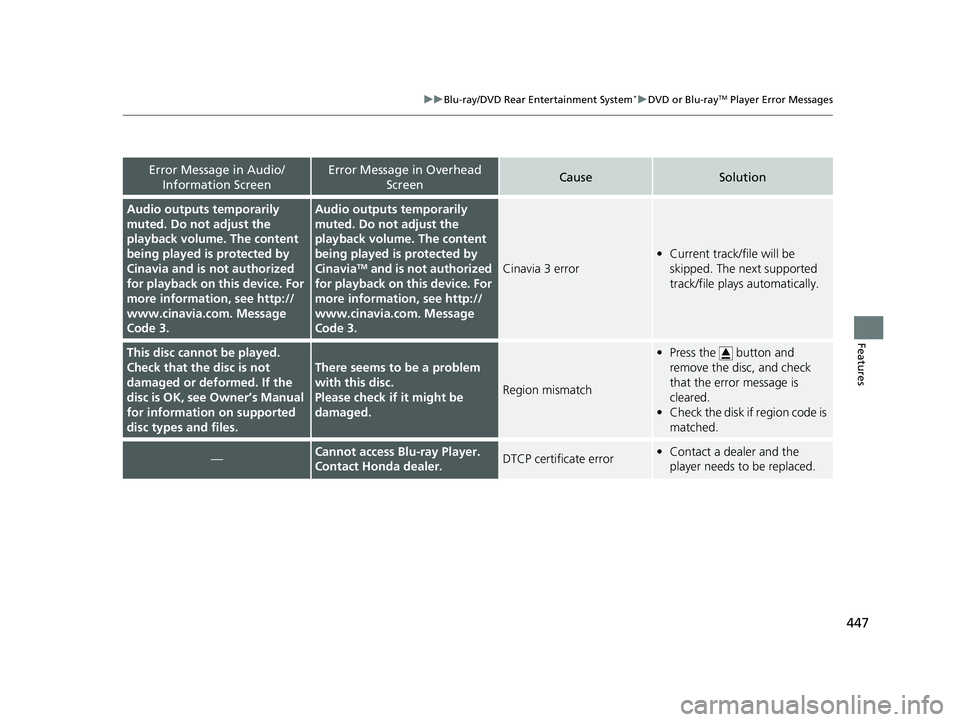
Error Message in Audio/
Information ScreenError Message in Overhead ScreenCauseSolution
Audio outputs temporarily
muted. Do not adjust the
playback volume. The content
being played is protected by
Cinavia and is not authorized
for playback on th is device. For
more information, see http://
www.cinavia.co m. Message
Code 3.Audio outputs temporarily
muted. Do not adjust the
playback volume. The content
being played is protected by
Cinavia
TM and is not authorized
for playback on this device. For
more information, see http://
www.cinavia.co m. Message
Code 3.Cinavia 3 error
• Current track/file will be
skipped. The next supported
track/file plays automatically.
This disc cannot be played.
Check that the disc is not
damaged or deformed. If the
disc is OK, see Owner’s Manual
for information on supported
disc types and files.
There seems to be a problem
with this disc.
Please check if it might be
damaged.
Region mismatch
•Press the button and
remove the disc, and check
that the error message is
cleared.
• Check the disk if region code is
matched.
—Cannot access Blu-ray Player.
Contact Honda dealer.DTCP certificate error•Contact a dealer and the
player needs to be replaced.
20 US ODYSSEY-31THR6210.book 447 ページ 2020年2月28日 金曜日 午前7時26分