warning HONDA ODYSSEY 2020 (in English) Owner's Guide
[x] Cancel search | Manufacturer: HONDA, Model Year: 2020, Model line: ODYSSEY, Model: HONDA ODYSSEY 2020Pages: 767, PDF Size: 43.89 MB
Page 90 of 767
88
uuIndicators u
Instrument Panel
IndicatorNameOn/BlinkingExplanationMessage
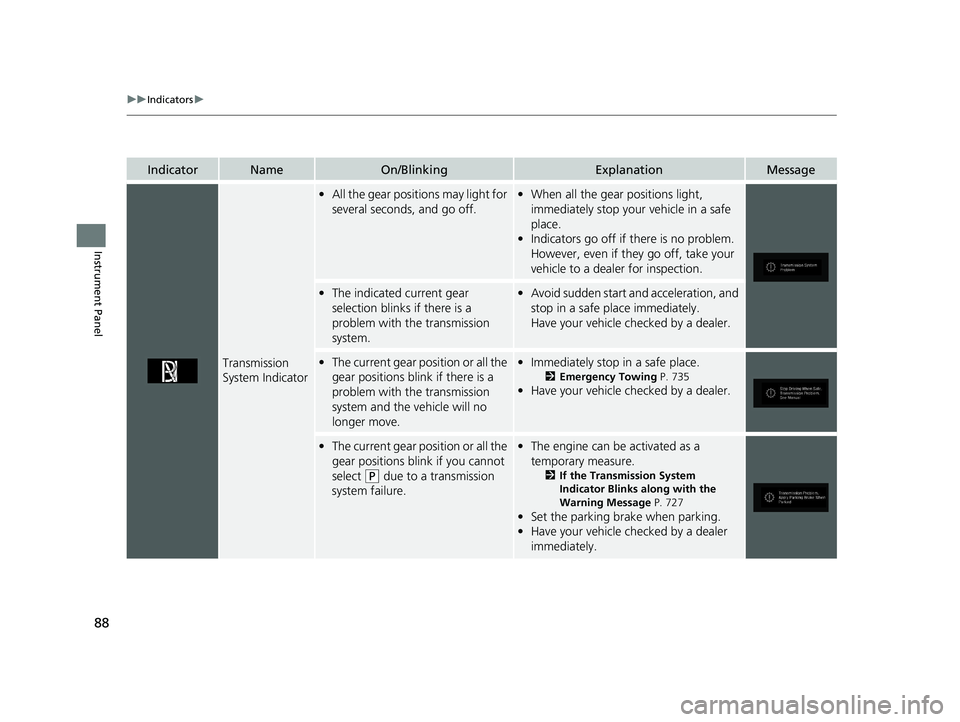
Transmission
System Indicator
•All the gear positions may light for
several seconds, and go off.•When all the gear positions light,
immediately stop your vehicle in a safe
place.
• Indicators go off if there is no problem.
However, even if they go off, take your
vehicle to a dealer for inspection.
• The indicated current gear
selection blinks if there is a
problem with the transmission
system.•Avoid sudden start and acceleration, and
stop in a safe place immediately.
Have your vehicle checked by a dealer.
•The current gear position or all the
gear positions blink if there is a
problem with the transmission
system and the vehicle will no
longer move.•Immediately stop in a safe place.
2 Emergency Towing P. 735
•Have your vehicle checked by a dealer.
•The current gear position or all the
gear positions blink if you cannot
select
(P due to a transmission
system failure.
• The engine can be activated as a
temporary measure.
2 If the Transmission System
Indicator Blinks along with the
Warning Message P. 727
•Set the parking brake when parking.
• Have your vehicle checked by a dealer
immediately.
20 US ODYSSEY-31THR6210.book 88 ページ 2020年2月28日 金曜日 午前7時26分
Page 94 of 767
92
uuIndicators u
Instrument Panel
IndicatorNameOn/BlinkingExplanationMessage
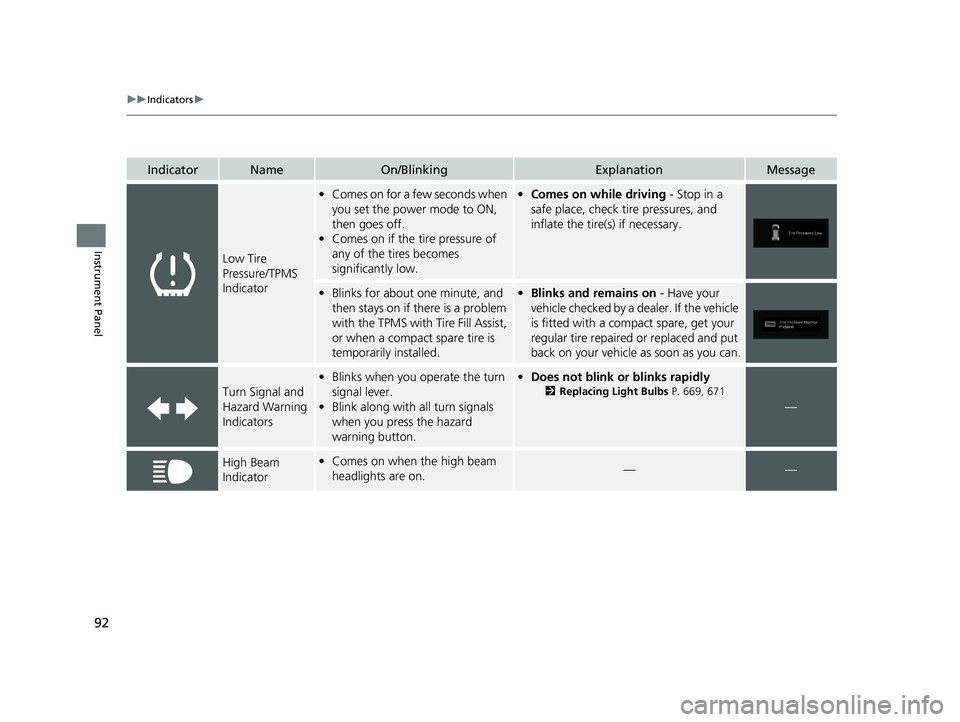
Low Tire
Pressure/TPMS
Indicator
•Comes on for a few seconds when
you set the power mode to ON,
then goes off.
• Comes on if the tire pressure of
any of the tires becomes
significantly low.•Comes on while driving - Stop in a
safe place, check tire pressures, and
inflate the tire(s) if necessary.
• Blinks for about one minute, and
then stays on if there is a problem
with the TPMS with Tire Fill Assist,
or when a compact spare tire is
temporarily installed.•Blinks and remains on - Have your
vehicle checked by a dealer. If the vehicle
is fitted with a compact spare, get your
regular tire repaired or replaced and put
back on your vehicle as soon as you can.
Turn Signal and
Hazard Warning
Indicators
• Blinks when you operate the turn
signal lever.
• Blink along with all turn signals
when you press the hazard
warning button.• Does not blink or blinks rapidly
2 Replacing Light Bulbs P. 669, 671
—
High Beam
Indicator•Comes on when the high beam
headlights are on.——
20 US ODYSSEY-31THR6210.book 92 ページ 2020年2月28日 金曜日 午前7時26分
Page 96 of 767
94
uuIndicators u
Instrument Panel
IndicatorNameOn/BlinkingExplanationMessage
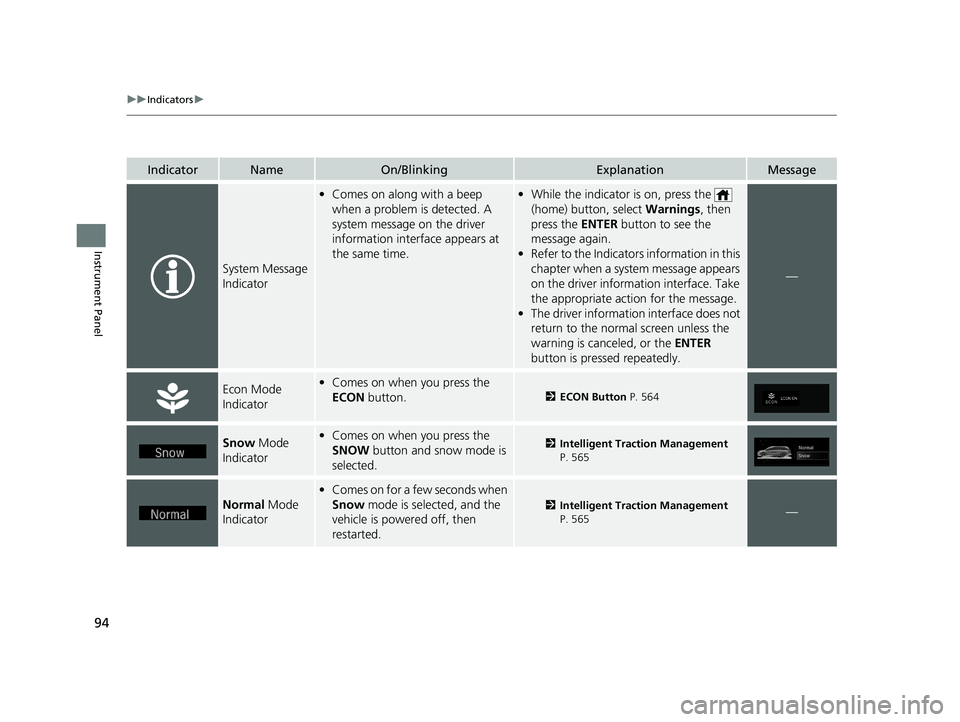
System Message
Indicator
•Comes on along with a beep
when a problem is detected. A
system message on the driver
information interface appears at
the same time.•While the indicator is on, press the
(home) button, select Warnings, then
press the ENTER button to see the
message again.
• Refer to the Indicators information in this
chapter when a syst em message appears
on the driver inform ation interface. Take
the appropriate action for the message.
• The driver information interface does not
return to the normal screen unless the
warning is canceled, or the ENTER
button is pressed repeatedly.
—
Econ Mode
Indicator• Comes on when you press the
ECON button.
2ECON Button P. 564
Snow Mode
Indicator• Comes on when you press the
SNOW button and snow mode is
selected.2 Intelligent Traction Management
P. 565
Normal Mode
Indicator
• Comes on for a few seconds when
Snow mode is selected, and the
vehicle is powered off, then
restarted.
2 Intelligent Traction Management
P. 565—
20 US ODYSSEY-31THR6210.book 94 ページ 2020年2月28日 金曜日 午前7時26分
Page 104 of 767
102
uuIndicators uDriver Information Interface Wa rning and Information Messages
Instrument Panel
Driver Information Interface Warning and Information Messages
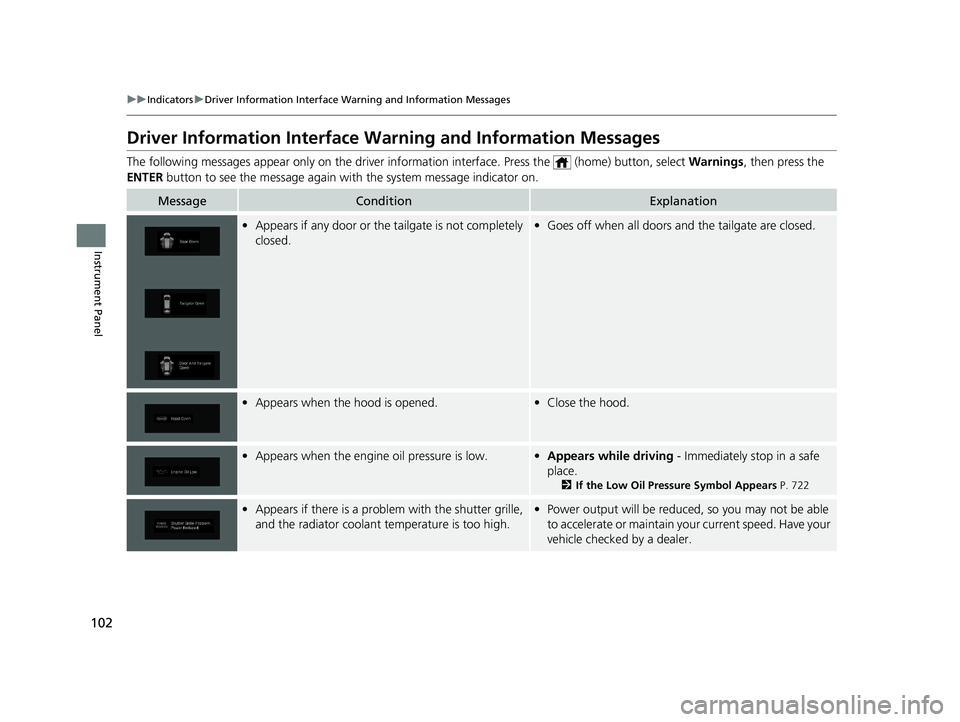
The following messages appear only on the driver information inte rface. Press the (home) button, select Warnings, then press the
ENTER button to see the message again with the system message indicator on.
MessageConditionExplanation
•Appears if any door or the tailgate is not completely
closed.•Goes off when all doors and the tailgate are closed.
•Appears when the hood is opened.•Close the hood.
•Appears when the engine oil pressure is low.•Appears while driving - Immediately stop in a safe
place.
2 If the Low Oil Pressure Symbol Appears P. 722
•Appears if there is a problem with the shutter grille,
and the radiator coolant temperature is too high.•Power output will be reduced, so you may not be able
to accelerate or maintain your current speed. Have your
vehicle checked by a dealer.
20 US ODYSSEY-31THR6210.book 102 ページ 2020年2月28日 金曜日 午前7時26分
Page 117 of 767
115
uuIndicators uDriver Information Interface Wa rning and Information Messages
Continued
Instrument Panel
MessageConditionExplanation
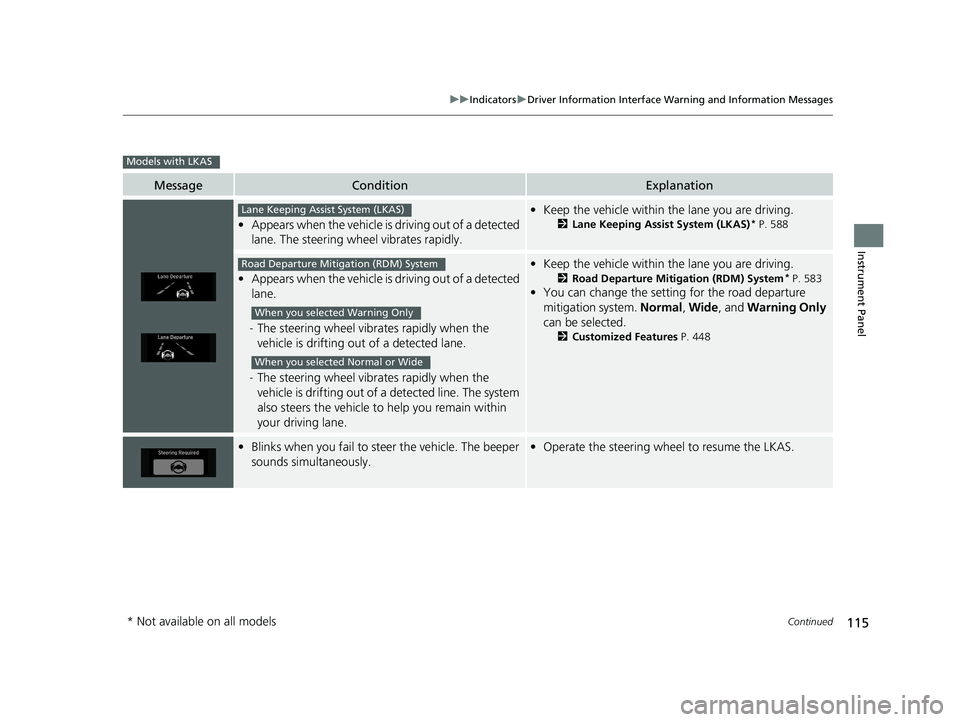
•Appears when the vehicle is driving out of a detected
lane. The steering wheel vibrates rapidly.
• Keep the vehicle within the lane you are driving.
2Lane Keeping Assist System (LKAS)* P. 588
•Appears when the vehicle is driving out of a detected
lane.
- The steering wheel vibr ates rapidly when the
vehicle is drifting out of a detected lane.
- The steering wheel vibr ates rapidly when the
vehicle is drifting out of a detected line. The system
also steers the vehicle to help you remain within
your driving lane.
• Keep the vehicle within the lane you are driving.
2Road Departure Mitigation (RDM) System* P. 583
•You can change the setting for the road departure
mitigation system. Normal, Wide , and Warning Only
can be selected.
2 Customized Features P. 448
•Blinks when you fail to steer the vehicle. The beeper
sounds simultaneously.•Operate the steering wheel to resume the LKAS.
Models with LKAS
Lane Keeping Assist System (LKAS)
Road Departure Mitigation (RDM) System
When you selected Warning Only
When you selected Normal or Wide
* Not available on all models
20 US ODYSSEY-31THR6210.book 115 ページ 2020年2月28日 金曜日 午前7時26分
Page 122 of 767
120
uuGauges and Displays uDriver Information Interface
Instrument Panel
Driver Information Interface
The driver information interface displays the speedometer, tachometer, odometer,
trip computer, outside temperature, and ot her gauges. It also displays important
messages such as warnings and other helpful information.
Displays your driving speed in mph or km/h.
Shows the number of engine revolutions per minute.
■Speedometer
■Tachometer
1 Speedometer
You can set the speedometer and the displayed
measurements to read in either mph and km/h.
2 Units P. 129
1Tachometer
You can turn on or off the tachometer display.
2 Show Tachometer P. 133
20 US ODYSSEY-31THR6210.book 120 ページ 2020年2月28日 金曜日 午前7時26分
Page 129 of 767
Continued127
uuGauges and Displays uDriver Information Interface
Instrument Panel
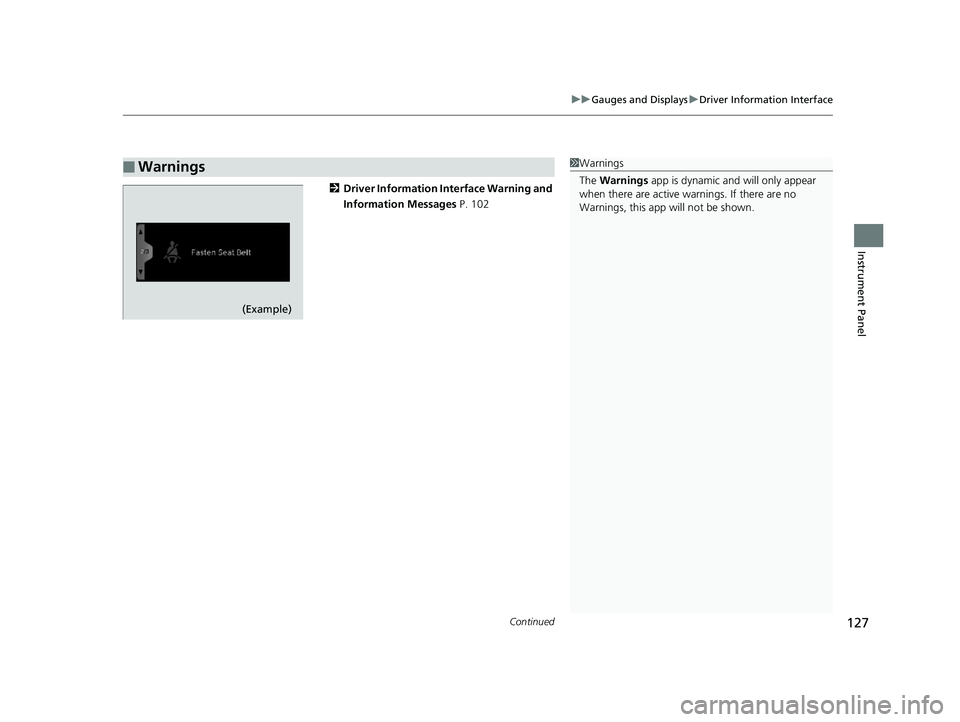
2 Driver Information Interface Warning and
Information Messages P. 102
■Warnings1Warnings
The Warnings app is dynamic a nd will only appear
when there are active warnings. If there are no
Warnings, this app will not be shown.
(Example)
20 US ODYSSEY-31THR6210.book 127 ページ 2020年2月28日 金曜日 午前7時26分
Page 139 of 767
137
uuGauges and Displays uDriver Information Interface
Continued
Instrument Panel
List of customizable options
*1:Default SettingSetup Group Customizable Features
Description Selectable settings
Meter Setup
Language SelectionChanges the displayed language.English*1/Français /Español
“Trip A” Reset TimingChanges the setting of how the distance and
average fuel economy of trip computer A is reset.When Fully Refueled /IGN OFF /
Manually Reset*1
“Trip B” Reset TimingChanges the setting of how the distance and
average fuel economy of trip computer B is reset.When Fully Refueled /IGN OFF /
Manually Reset*1
Adjust Alarm VolumeChanges the volume setting for buzzers, warnings,
turn signals, and ot her alerting systems.High/Mid*1/Low
Reverse Alert ToneCauses the beeper to sound once when the gear
position is changed to
(R.ON*1/OFF
Fuel Efficiency
BacklightTurns the ambient meter feature on and off.ON*1/OFF
Auto Engine Idle Stop
Guidance ScreensSelects whether the Auto Idle Stop guidance screens
comes on or not.ON /OFF*1
Lighting
Setup Interior Light
Dimming Time
Changes the length of time the interior lights stay on
after you close the doors.
60sec
/30sec
*1/15sec
Headlight Auto OFF
Timer Changes the length of time the exterior lights stay
on after you close the driver’s door.
60sec
/30sec /15sec
*1/ 0sec
20 US ODYSSEY-31THR6210.book 137 ページ 2020年2月28日 金曜日 午前7時26分
Page 153 of 767
Continued151
uuLocking and Unlocking the Doors uLocking/Unlocking the Doors from the Outside
Controls
To temporarily deactivate the function:
1. Set the power mode to OFF.
2. Open the driv er’s door.
3. Using the master door lock switch, operate
the lock as follows:
Lock Unlock Lock Unlock.
u The beeper sounds and the function is
deactivated.
To restore the function:
• Set the power mode to ON.
• Lock the vehicle withou t using the auto lock
function.
• With the smart entry remote on you, move
out of the auto lock function operation
range.
• Open any door.1Locking the doors and tailgate (Walk away auto lock)
The auto lock function does not operate when any of
the following conditions are met.
•The remote is inside the vehicle.
•A door or the hood is not closed.•The power mode is set to any mode other than
OFF.
•The remote is not located within a radius of about
5 feet (1.5 m) from the ve hicle when you get out of
the vehicle and close the doors.
Auto lock function operation stop beeper
After the auto lock function has been activated, the
auto lock operation stop beeper sounds for
approximately two seconds in the following cases.
•The remote is put inside the vehicle through a
window.
•You are located too close to the vehicle.
•The remote is put inside the tailgate.
If the warning beeper sounds, check that you are
carrying the remote. Then, open/close a door and
confirm the auto lock ac tivation beeper sounds once.
20 US ODYSSEY-31THR6210.book 151 ページ 2020年2月28日 金曜日 午前7時26分
Page 163 of 767
161Continued
Controls
Opening and Closing the Tailgate
Precautions for Opening/Closing the Tailgate
Always make sure individuals and objects are clear of the tailgate before opening or
closing it.
• Open the tailgate all the way.
u If it is not fully opened, the tailgate may begin to close under its own weight.
• Be careful when it is windy. The wi nd may cause the tailgate to close.
Keep the tailgate closed while driving to: u Avoid possible damage.
u Prevent exhaust gas from leaking into the vehicle.
2 Carbon Monoxide Gas P. 80
1Precautions for Opening/Closing the Tailgate
Be careful not to hit your head on the tailgate or to
put your hands between th e tailgate and the cargo
area when closing the tailgate.
When you are storing or pi cking up luggage from the
cargo area, or by using a forward and back kicking
motion under the center of the rear bumper for
hands free access
*, while the engine is idling, do not
stand in front of the ex haust pipe. You may get
burned.
Do not allow any passenger in the cargo space. They
may get hurt during hard braking, a sudden
acceleration, or a crash.
3WARNING
Anyone caught in the path of a tailgate
that is being opened or closed can be
seriously injured.
Make sure that all people are clear of the
tailgate before opening or closing it.
Models without power tailgate
All models
* Not available on all models
20 US ODYSSEY-31THR6210.book 161 ページ 2020年2月28日 金曜日 午前7時26分