brake HONDA ODYSSEY 2021 (in English) Owner's Guide
[x] Cancel search | Manufacturer: HONDA, Model Year: 2021, Model line: ODYSSEY, Model: HONDA ODYSSEY 2021Pages: 787, PDF Size: 48.31 MB
Page 113 of 787
111
uuIndicators uDriver Information Interface Wa rning and Information Messages
Continued
Instrument Panel
MessageConditionExplanation
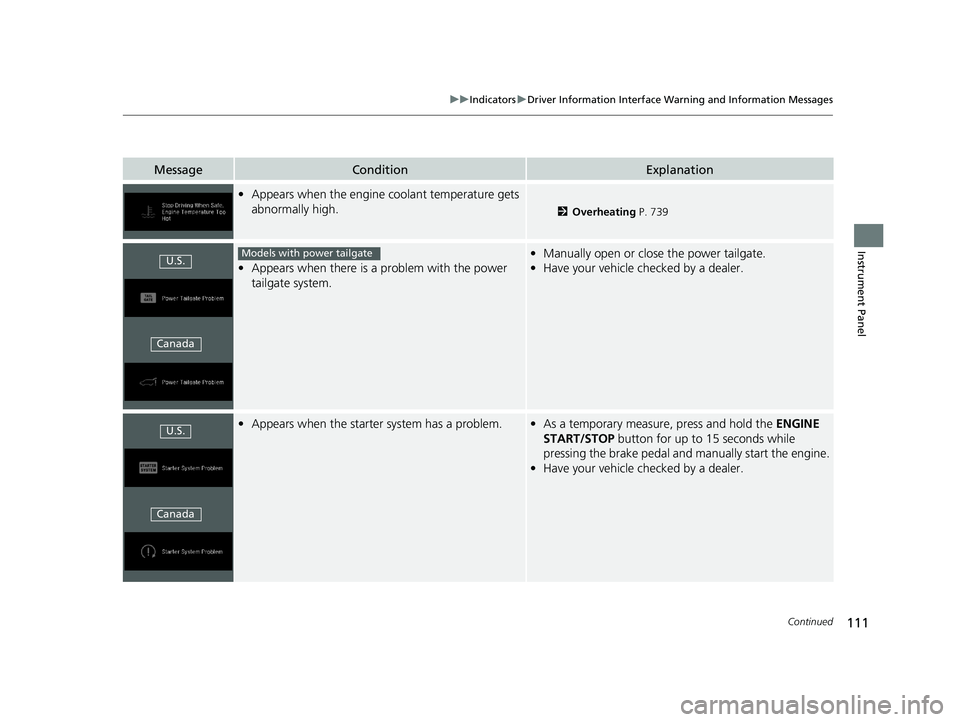
•Appears when the engine coolant temperature gets
abnormally high.
2 Overheating P. 739
•Appears when there is a problem with the power
tailgate system.
• Manually open or close the power tailgate.
• Have your vehicle checked by a dealer.
•Appears when the starter system has a problem.•As a temporary measure, press and hold the ENGINE
START/STOP button for up to 15 seconds while
pressing the brake pedal and manually start the engine.
• Have your vehicle checked by a dealer.
U.S.
CanadaModels with power tailgate
U.S.
Canada
21 US ODYSSEY-31THR6310.book 111 ページ 2020年6月17日 水曜日 午後2時46分
Page 115 of 787
113
uuIndicators uDriver Information Interface Wa rning and Information Messages
Continued
Instrument Panel
MessageConditionExplanation
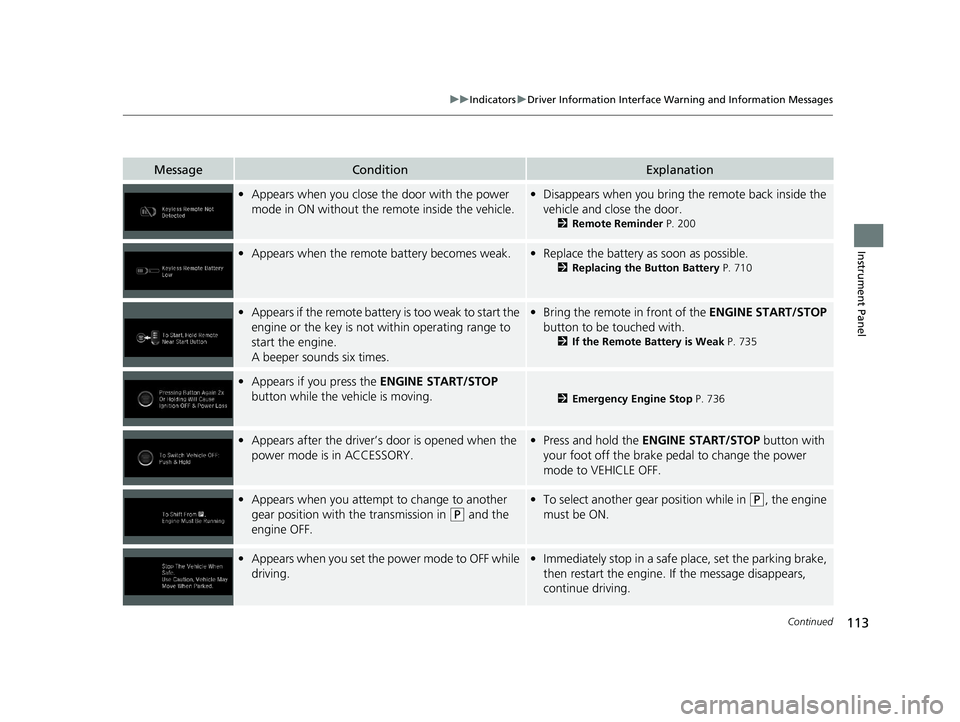
•Appears when you close the door with the power
mode in ON without the remote inside the vehicle.•Disappears when you bring the remote back inside the
vehicle and close the door.
2 Remote Reminder P. 200
•Appears when the remote battery becomes weak.•Replace the battery as soon as possible.
2 Replacing the Button Battery P. 710
•Appears if the remote battery is too weak to start the
engine or the key is not within operating range to
start the engine.
A beeper sounds six times.•Bring the remote in front of the ENGINE START/STOP
button to be touched with.
2 If the Remote Battery is Weak P. 735
•Appears if you press the ENGINE START/STOP
button while the vehicle is moving.
2 Emergency Engine Stop P. 736
•Appears after the driver’s door is opened when the
power mode is in ACCESSORY.• Press and hold the ENGINE START/STOP button with
your foot off the brake pedal to change the power
mode to VEHICLE OFF.
• Appears when you attempt to change to another
gear position with the transmission in
(P and the
engine OFF.
• To select another gear position while in (P, the engine
must be ON.
• Appears when you set the power mode to OFF while
driving.•Immediately stop in a safe place, set the parking brake,
then restart the engine. If the message disappears,
continue driving.
21 US ODYSSEY-31THR6310.book 113 ページ 2020年6月17日 水曜日 午後2時46分
Page 116 of 787
114
uuIndicators uDriver Information Interface Wa rning and Information Messages
Instrument Panel
MessageConditionExplanation
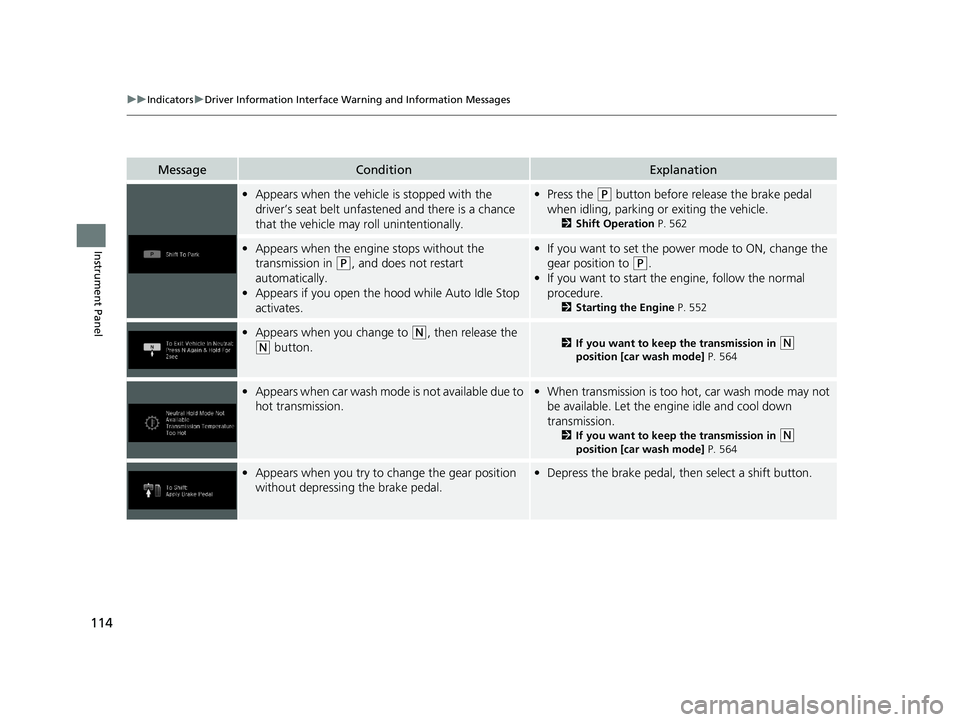
•Appears when the vehicle is stopped with the
driver’s seat belt unfastened and there is a chance
that the vehicle may roll unintentionally.•Press the (P button before release the brake pedal
when idling, parking or exiting the vehicle.
2 Shift Operation P. 562
•Appears when the engine stops without the
transmission in
(P, and does not restart
automatically.
• Appears if you open the hood while Auto Idle Stop
activates.
•If you want to set the power mode to ON, change the
gear position to
(P.
• If you want to start the engine, follow the normal
procedure.
2 Starting the Engine P. 552
•Appears when you change to (N, then release the
(N button.2 If you want to keep the transmission in (N
position [car wash mode] P. 564
•Appears when car wash mode is not available due to
hot transmission.• When transmission is too hot, car wash mode may not
be available. Let the engine idle and cool down
transmission.
2 If you want to keep the transmission in (N
position [car wash mode] P. 564
•Appears when you try to change the gear position
without depressing the brake pedal.• Depress the brake pedal, then select a shift button.
21 US ODYSSEY-31THR6310.book 114 ページ 2020年6月17日 水曜日 午後2時46分
Page 117 of 787
115
uuIndicators uDriver Information Interface Wa rning and Information Messages
Continued
Instrument Panel
MessageConditionExplanation
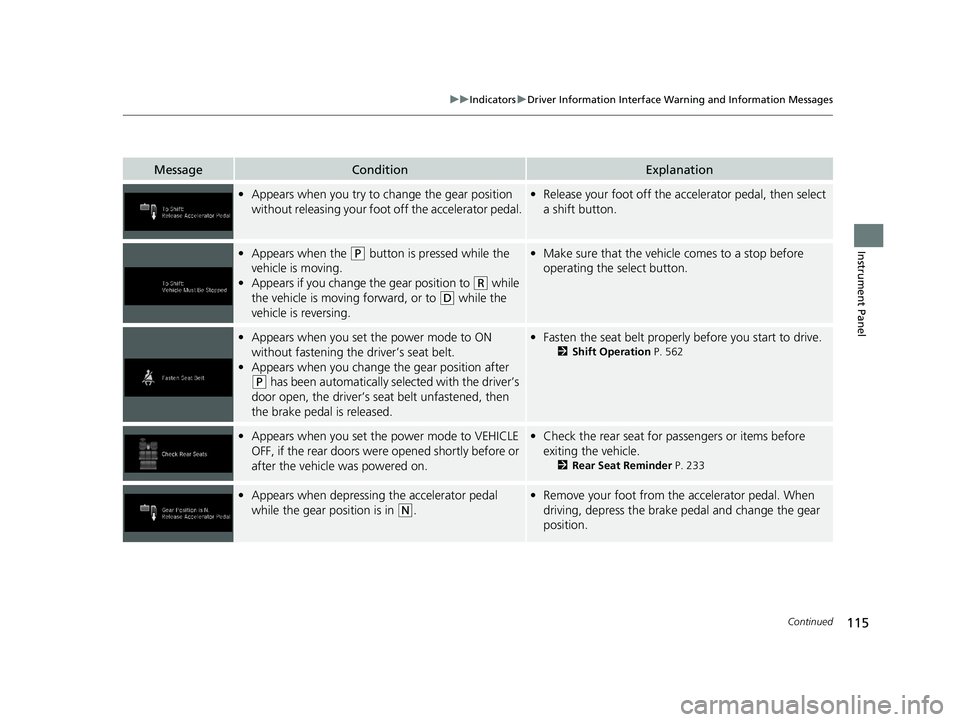
•Appears when you try to ch ange the gear position
without releasing your foot off the accelerator pedal.• Release your foot off the acce lerator pedal, then select
a shift button.
• Appears when the (P button is pressed while the
vehicle is moving.
• Appears if you change the gear position to
(R while
the vehicle is moving forward, or to
(D while the
vehicle is reversing.
• Make sure that the vehicle comes to a stop before
operating the select button.
•Appears when you set the power mode to ON
without fastening the driver’s seat belt.
• Appears when you change the gear position after
(P has been automatically se lected with the driver’s
door open, the driver’s seat belt unfastened, then
the brake pedal is released.
• Fasten the seat belt properly before you start to drive.
2 Shift Operation P. 562
•Appears when you set the power mode to VEHICLE
OFF, if the rear doors were opened shortly before or
after the vehicle was powered on.•Check the rear seat for passengers or items before
exiting the vehicle.
2 Rear Seat Reminder P. 233
•Appears when depressing the accelerator pedal
while the gear position is in
(N.
•Remove your foot from the accelerator pedal. When
driving, depress the brake pedal and change the gear
position.
21 US ODYSSEY-31THR6310.book 115 ページ 2020年6月17日 水曜日 午後2時46分
Page 119 of 787
117
uuIndicators uDriver Information Interface Wa rning and Information Messages
Continued
Instrument Panel
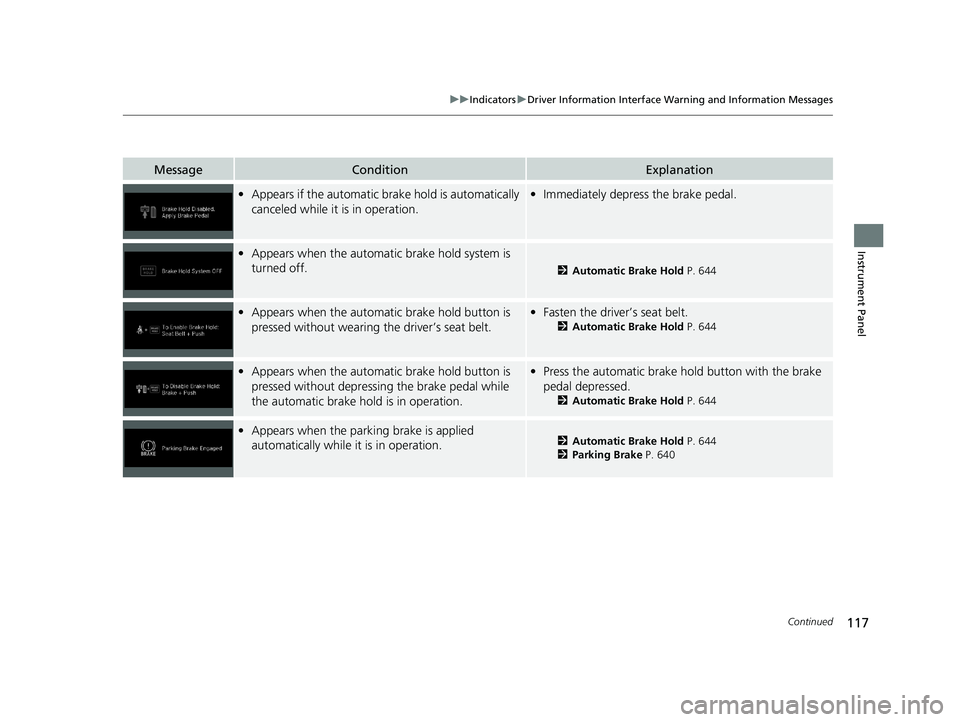
MessageConditionExplanation
•Appears if the automatic brake hold is automatically
canceled while it is in operation.•Immediately depress the brake pedal.
•Appears when the automati c brake hold system is
turned off.
2 Automatic Brake Hold P. 644
•Appears when the automatic brake hold button is
pressed without wearing the driver’s seat belt.•Fasten the driver’s seat belt.
2 Automatic Brake Hold P. 644
•Appears when the automatic brake hold button is
pressed without depressing the brake pedal while
the automatic brake hold is in operation.•Press the automatic brake hold button with the brake
pedal depressed.
2 Automatic Brake Hold P. 644
•Appears when the parking brake is applied
automatically while it is in operation.2 Automatic Brake Hold P. 644
2 Parking Brake P. 640
21 US ODYSSEY-31THR6310.book 117 ページ 2020年6月17日 水曜日 午後2時46分
Page 120 of 787
118
uuIndicators uDriver Information Interface Wa rning and Information Messages
Instrument Panel
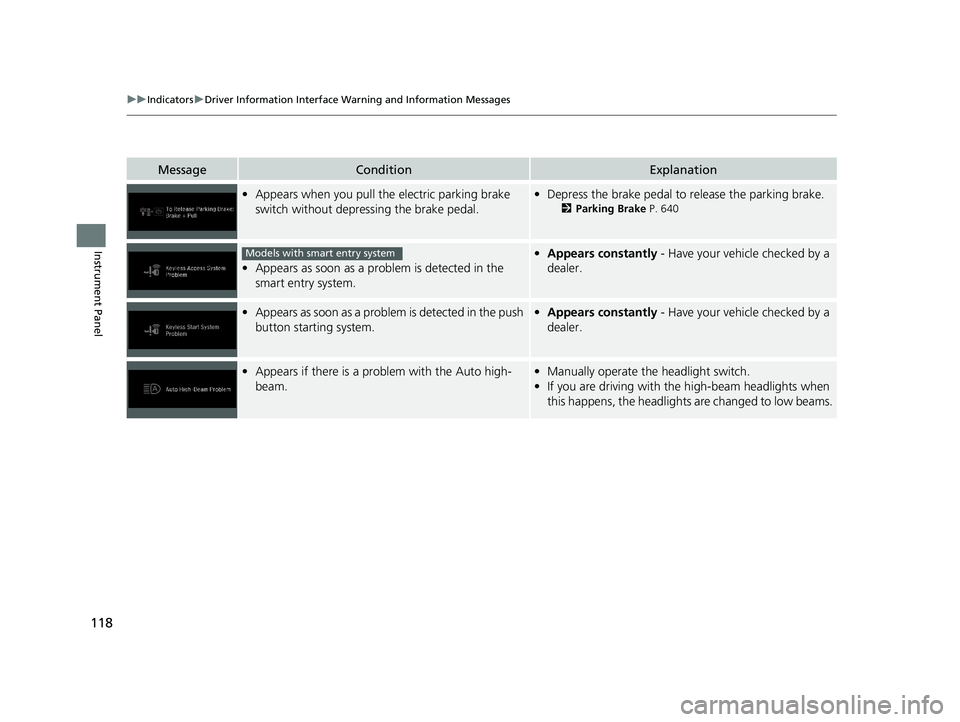
MessageConditionExplanation
•Appears when you pull the electric parking brake
switch without depressing the brake pedal.•Depress the brake pedal to release the parking brake.
2 Parking Brake P. 640
•Appears as soon as a problem is detected in the
smart entry system.
•Appears constantly - Have your vehicle checked by a
dealer.
• Appears as soon as a problem is detected in the push
button starting system.•Appears constantly - Have your vehicle checked by a
dealer.
• Appears if there is a prob lem with the Auto high-
beam.• Manually operate the headlight switch.
• If you are driving with th e high-beam headlights when
this happens, the headlights are changed to low beams.
Models with smart entry system
21 US ODYSSEY-31THR6310.book 118 ページ 2020年6月17日 水曜日 午後2時46分
Page 122 of 787
120
uuIndicators uDriver Information Interface Wa rning and Information Messages
Instrument Panel
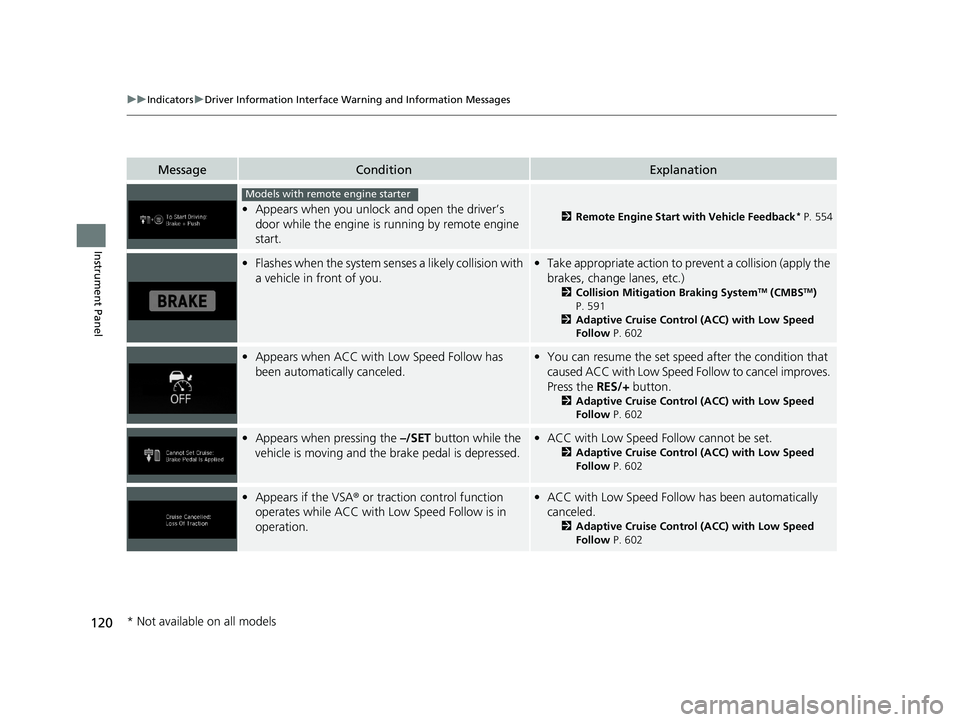
MessageConditionExplanation
•Appears when you unlock and open the driver’s
door while the engine is running by remote engine
start.2 Remote Engine Start with Vehicle Feedback* P. 554
•Flashes when the system senses a likely collision with
a vehicle in front of you.•Take appropriate action to prevent a collision (apply the
brakes, change lanes, etc.)
2 Collision Mitigation Braking SystemTM (CMBSTM)
P. 591
2 Adaptive Cruise Control (ACC) with Low Speed
Follow P. 602
•Appears when ACC with Low Speed Follow has
been automatically canceled.•You can resume the set speed after the condition that
caused ACC with Low Speed Fo llow to cancel improves.
Press the RES/+ button.
2Adaptive Cruise Control (ACC) with Low Speed
Follow P. 602
•Appears when pressing the –/SET button while the
vehicle is moving and the brake pedal is depressed.• ACC with Low Speed Follow cannot be set.
2 Adaptive Cruise Control (ACC) with Low Speed
Follow P. 602
•Appears if the VSA ® or traction control function
operates while ACC with Low Speed Follow is in
operation.• ACC with Low Speed Follow has been automatically
canceled.
2 Adaptive Cruise Control (ACC) with Low Speed
Follow P. 602
Models with remote engine starter
* Not available on all models
21 US ODYSSEY-31THR6310.book 120 ページ 2020年6月17日 水曜日 午後2時46分
Page 125 of 787
123
uuIndicators uDriver Information Interface Wa rning and Information Messages
Continued
Instrument Panel
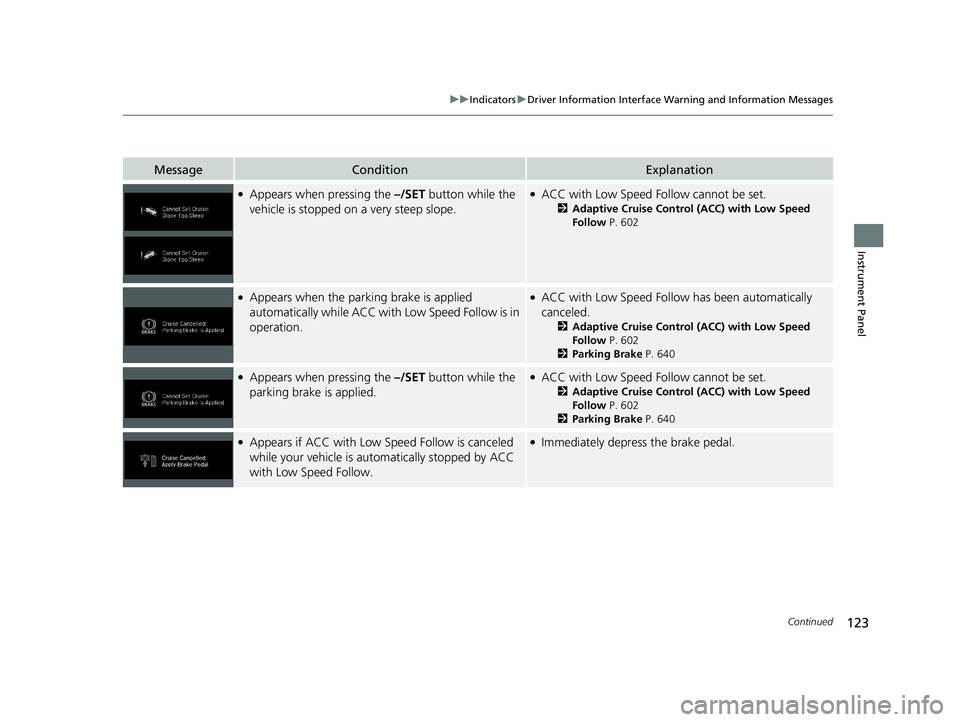
MessageConditionExplanation
●Appears when pressing the –/SET button while the
vehicle is stopped on a very steep slope.●ACC with Low Speed Follow cannot be set.
2 Adaptive Cruise Control (ACC) with Low Speed
Follow P. 602
●Appears when the parking brake is applied
automatically while ACC with Low Speed Follow is in
operation.●ACC with Low Speed Follow has been automatically
canceled.
2 Adaptive Cruise Control (ACC) with Low Speed
Follow P. 602
2 Parking Brake P. 640
●Appears when pressing the –/SET button while the
parking brake is applied.●ACC with Low Speed Follow cannot be set.
2 Adaptive Cruise Control (ACC) with Low Speed
Follow P. 602
2 Parking Brake P. 640
●Appears if ACC with Low Sp eed Follow is canceled
while your vehicle is automatically stopped by ACC
with Low Speed Follow.●Immediately depress the brake pedal.
21 US ODYSSEY-31THR6310.book 123 ページ 2020年6月17日 水曜日 午後2時46分
Page 128 of 787
126
uuIndicators uDriver Information Interface Wa rning and Information Messages
Instrument Panel
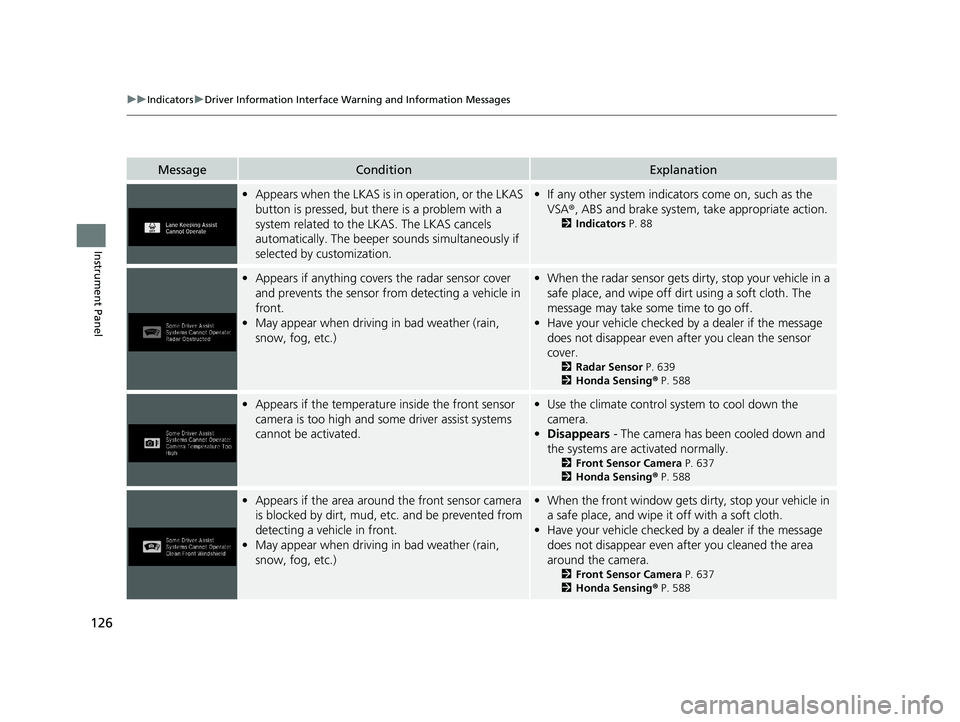
MessageConditionExplanation
•Appears when the LKAS is in operation, or the LKAS
button is pressed, but there is a problem with a
system related to the LKAS. The LKAS cancels
automatically. The beeper s ounds simultaneously if
selected by customization.• If any other system indicators come on, such as the
VSA ®, ABS and brake system, take appropriate action.
2Indicators P. 88
•Appears if anything covers the radar sensor cover
and prevents the sensor from detecting a vehicle in
front.
• May appear when driving in bad weather (rain,
snow, fog, etc.)•When the radar sensor gets dirty, stop your vehicle in a
safe place, and wipe off dirt using a soft cloth. The
message may take some time to go off.
• Have your vehicle checked by a dealer if the message
does not disappear even after you clean the sensor
cover.
2 Radar Sensor P. 639
2 Honda Sensing ® P. 588
• Appears if the temperature inside the front sensor
camera is too high and some driver assist systems
cannot be activated.•Use the climate control sy stem to cool down the
camera.
• Disappears - The camera has been cooled down and
the systems are activated normally.
2 Front Sensor Camera P. 637
2 Honda Sensing ® P. 588
• Appears if the area around the front sensor camera
is blocked by dirt, mud, etc. and be prevented from
detecting a vehicle in front.
• May appear when driving in bad weather (rain,
snow, fog, etc.)•When the front window gets dirty, stop your vehicle in
a safe place, and wipe it off with a soft cloth.
• Have your vehicle checked by a dealer if the message
does not disappear even after you cleaned the area
around the camera.
2 Front Sensor Camera P. 637
2 Honda Sensing ® P. 588
21 US ODYSSEY-31THR6310.book 126 ページ 2020年6月17日 水曜日 午後2時46分
Page 186 of 787
184
uuSliding Doors uOpening/Closing the Power Sliding Doors*
Controls
Opening/Closing the Power Sliding Doors*
The power sliding doors can be operated by pressing the power sliding door button
on the remote, pressing the power sliding door switches on the dashboard or door
pillars, or using the door handle.
The power sliding doors can be operated when:
• The sliding door main switch is in the ON position.
• The power sliding door is unlocked.
• The fuel fill door is closed (on the driver’s side sliding door only).
• The power mode is in VEHICLE OFF or the re mote engine start mode is active with
use of the remote.
• The transmission is in
(P, the brake pedal is depressed, or the parking brake is
applied (with the power mode in ON) when using the power sliding door switches
on the dashboard.
1 Opening/Closing the Power Sliding Doors*
If the transmission is in a position other than (P, and
release the brake pedal and the parking brake:
While opening – The sliding door stops and is left
ajar.
While closing – The beeper sounds until the door
closes.
Check that passengers, es pecially children, do not
have their hands on the sliding doors or on the door
pillars before its operation. If someone is caught in
the opening or closing sliding door, it can cause
serious injury.
Before replacing a rear ti re, turn the power sliding
door main switch to OFF.
Operate the power slidi ng doors only when the
vehicle is at a complete stop. Make sure you apply the
brake when rear passengers are boarding or exiting.
* Not available on all models
21 US ODYSSEY-31THR6310.book 184 ページ 2020年6月17日 水曜日 午後2時46分