lights HONDA ODYSSEY 2022 Manual PDF
[x] Cancel search | Manufacturer: HONDA, Model Year: 2022, Model line: ODYSSEY, Model: HONDA ODYSSEY 2022Pages: 782, PDF Size: 27.17 MB
Page 724 of 782
723Continued
Handling the Unexpected
If a Tire Goes Flat
Changing a Flat Tire
If a tire goes flat while driving, grasp the steering wheel firmly, and brake gradually
to reduce speed. Then, stop in a safe plac e. Replace the flat tire with a compact
spare tire. Go to a dealer as soon as possib le to have the full-size tire repaired or
replaced.
1. Park the vehicle on a firm, level, non-slippery surface and apply the parking brake.
2. Put the transmission into
(P.
3. Turn on the hazard warning lights an d set the power mode to VEHICLE OFF.
1Changing a Flat Tire
Follow compact spare precautions:
Periodically check the tire pressure of the compact
spare. It should be set to the specified pressure.
Specified Pressure: 60 psi (420 kPa, 4.2 kgf/cm
2)
When driving with the compact spare tire, keep the
vehicle speed under 50 mph (80 km/h). Replace with
a full-size tire as soon as possible.
The compact spare tire and wheel in your vehicle are
specifically for this model. Do not use them with
another vehicle. Do not us e another type of compact
spare tire or wheel with your vehicle.
Do not mount tire chains on a compact spare tire.
If a chain-mounted front tire goes flat, remove one of
the full-size rear tires and replace it with the compact
spare tire. Remove the flat front tire and replace it
with the full-size tire that was removed from the rear.
Mount the tire chains on the front tire.
Do not use a puncture-repairi ng agent on a flat tire,
as it can damage the tire pressure sensor.
Do not use the jack if it doesn’t work properly. Call
your dealer or a prof essional towing service.
22 US ODYSSEY-31THR6400.book 723 ページ 2020年11月16日 月曜日 午後1時41分
Page 733 of 782
732
Handling the Unexpected
Engine Does Not Start
Checking the Engine
If the engine does not start, check the starter.
Starter conditionChecklist
Starter doesn’t turn or turns
over slowly.
The battery may be dead. Check
each of the items on the right and
respond accordingly.Check for a message on the dr iver information interface.
• If the To Start, Hold Remote Near Start Button message appears
2If the Remote Battery is Weak P. 733
uMake sure the remote is in its operating range.
2 ENGINE START/STOP Button Operating Range P. 198
Check the brightness of the interior lights.
Turn on the interior light s and check the brightness.
• If the interior lights are dim or do not come on at all
2 Battery P. 706
•If the interior lights come on normally 2 Fuses P. 745
The starter turns over normally
but the engine doesn’t start.
There may be a problem with a
fuse. Check each of the items on
the right and respond accordingly. Review the engine start procedure.
Follow its instructions, and try to start the engine again.
2
Starting the Engine P. 550
Check the immobilizer system indicator.
When the immobilizer system indicator is blinking, the engine cannot be started.
2Immobilizer System P. 191
Check the fuel level.
There should be enough fuel in the tank.
2 Fuel Gauge P. 127
Check the fuses.
Check all fuses, or have the vehicle checked by a dealer.
2Inspecting and Changing Fuses P. 751
If the problem continues:
2Emergency Towing P. 752
1Checking the Engine
If you must start the vehi cle immediately, use an
assisting vehicle or booster battery to jump start it.
2 If the Battery Is Dead P. 735
22 US ODYSSEY-31THR6400.book 732 ページ 2020年11月16日 月曜日 午後1時41分
Page 736 of 782
735Continued
Handling the Unexpected
If the Battery Is Dead
Turn off the power to electric devices, such as audio and lights. Turn off the engine,
then open the hood. 1.Connect the first jumper cable to your
vehicle’s battery + terminal.
2. Connect the other end of the first jumper
cable to the booster battery + terminal.
u Use a 12-volt booster battery only.
u When using an automotive battery
charger to boost your 12-volt battery,
select a lower charging voltage than 15-
volt. Check the charger manual for the
proper setting.
3. Connect the second jumper cable to the
booster battery - terminal.
4. Connect the other end of the second
jumper cable to the engine mounting bolt
as shown. Do not connect this jumper cable
to any other part.
5. If your vehicle is connected to another
vehicle, start the assisting vehicle’s engine
and increase its rpm slightly.
6. Attempt to start your ve hicle’s engine. If it
turns over slowly, check that the jumper
cables have good metal-to-metal contact.
■Jump Starting Procedure1 If the Battery Is Dead
Securely attach the jumper cables clips so that they
do not come off when the e ngine vibrates. Also, be
careful not to tangle the ju mper cables or allow the
cable ends to touch each other while attaching or
detaching the jumper cables.
Battery performance degrades in cold conditions and
may prevent the engi ne from starting.
3WARNING
A battery can explode if you do not follow
the correct procedure, seriously injuring
anyone nearby.
Keep all sparks, open flames, and smoking
materials away from the battery.
Booster Battery
22 US ODYSSEY-31THR6400.book 735 ページ 2020年11月16日 月曜日 午後1時41分
Page 738 of 782
737Continued
Handling the Unexpected
Overheating
How to Handle Overheating
Overheating symptoms are as follows:
•The temperature gauge pointer is at th e mark or the engine suddenly loses
power.
• The Stop Driving When Safe. Engine Temperature Too Hot message appears
on the driver information interface.
• Steam or spray comes out of the engine compartment.
■First thing to do
1. Immediately park the vehicle in a safe place.
2. Turn off all accessories and turn on the hazard warning lights.
u No steam or spray present: Keep the engine running and open the hood.
u Steam or spray is present: Turn off the engine and wait until it subsides.
Then, open the hood.
1 How to Handle Overheating
NOTICE
Continuing to drive with the temperature gauge
pointer at the mark may damage the engine.
Continuing to drive with the Stop Driving When
Safe. Engine Temperature Too Hot message on
the driver information interface may damage the
engine.
3WARNING
Steam and spray from an overheated
engine can seri ously scald you.
Do not open the hood if steam is coming
out.
H
H
22 US ODYSSEY-31THR6400.book 737 ページ 2020年11月16日 月曜日 午後1時41分
Page 740 of 782
739
Handling the Unexpected
Indicator, Coming On/Blinking
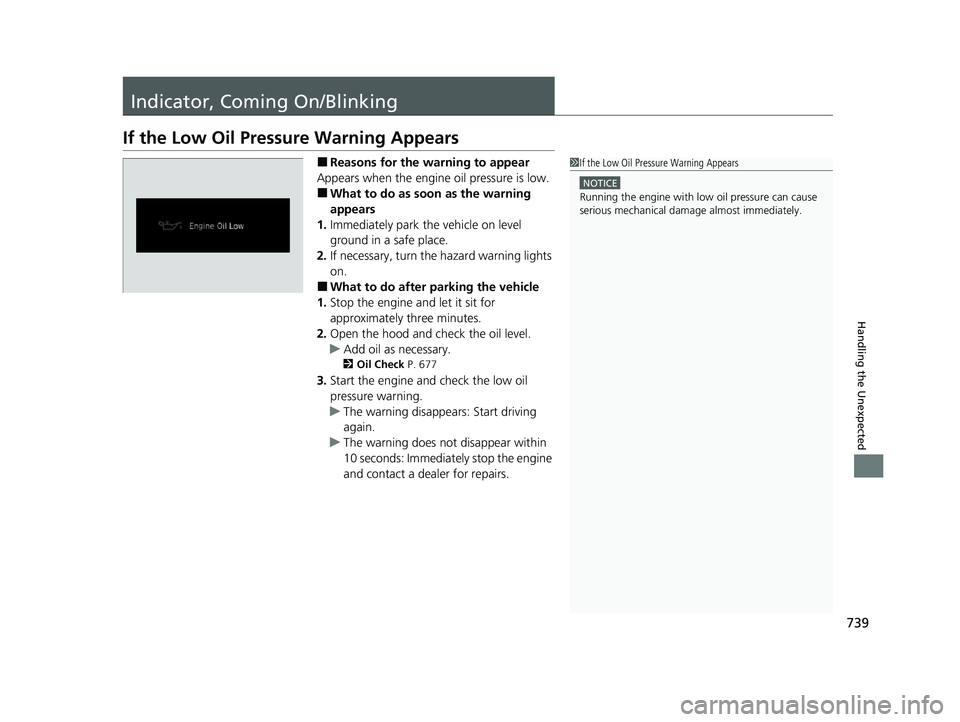
If the Low Oil Pressure Warning Appears
■Reasons for the warning to appear
Appears when the engine oil pressure is low.
■What to do as soon as the warning
appears
1. Immediately park the vehicle on level
ground in a safe place.
2. If necessary, turn the hazard warning lights
on.
■What to do after parking the vehicle
1. Stop the engine and let it sit for
approximately three minutes.
2. Open the hood and ch eck the oil level.
u Add oil as necessary.
2 Oil Check P. 677
3.Start the engine and check the low oil
pressure warning.
u The warning disappears: Start driving
again.
u The warning does not disappear within
10 seconds: Immediately stop the engine
and contact a dealer for repairs.
1If the Low Oil Pressure Warning Appears
NOTICE
Running the engine with low oil pressure can cause
serious mechanical damage almost immediately.
22 US ODYSSEY-31THR6400.book 739 ページ 2020年11月16日 月曜日 午後1時41分
Page 744 of 782
743
uuIndicator, Coming On/Blinking uIf the Electric Power Steering (EPS) System Indicator Comes On
Handling the Unexpected
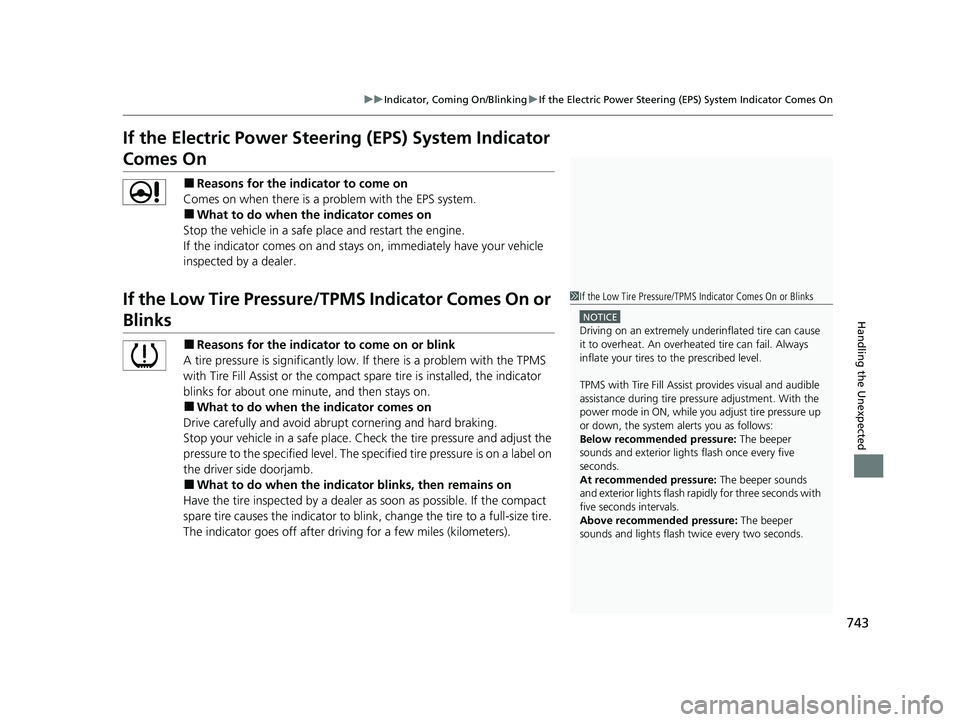
If the Electric Power Steeri ng (EPS) System Indicator
Comes On
■Reasons for the indicator to come on
Comes on when there is a pr oblem with the EPS system.
■What to do when the indicator comes on
Stop the vehicle in a safe place and restart the engine.
If the indicator comes on and stays on, immediately have your vehicle
inspected by a dealer.
If the Low Tire Pressure/TPMS Indicator Comes On or
Blinks
■Reasons for the indicator to come on or blink
A tire pressure is significantly low. If there is a problem with the TPMS
with Tire Fill Assist or the compact spare tire is installed, the indicator
blinks for about one minu te, and then stays on.
■What to do when the indicator comes on
Drive carefully and avoid abrupt cornering and hard braking.
Stop your vehicle in a safe place. Ch eck the tire pressure and adjust the
pressure to the specified level. The sp ecified tire pressure is on a label on
the driver side doorjamb.
■What to do when the indicator blinks, then remains on
Have the tire inspected by a dealer as soon as possible. If the compact
spare tire causes the indica tor to blink, change the tire to a full-size tire.
The indicator goes off after driving for a few miles (kilometers).
1 If the Low Tire Pressure/TPMS Indicator Comes On or Blinks
NOTICE
Driving on an extremely underinflated tire can cause
it to overheat. An overheated tire can fail. Always
inflate your tires to the prescribed level.
TPMS with Tire Fill Assist provides visual and audible
assistance during tire pre ssure adjustment. With the
power mode in ON, while y ou adjust tire pressure up
or down, the system alerts you as follows:
Below recommended pressure: The beeper
sounds and exterior lights flash once every five
seconds.
At recommended pressure: The beeper sounds
and exterior lights flash ra pidly for three seconds with
five seconds intervals.
Above recommended pressure: The beeper
sounds and lights flash tw ice every two seconds.
22 US ODYSSEY-31THR6400.book 743 ページ 2020年11月16日 月曜日 午後1時41分
Page 752 of 782
751
uuFuses uInspecting and Changing Fuses
Handling the Unexpected
Inspecting and Changing Fuses
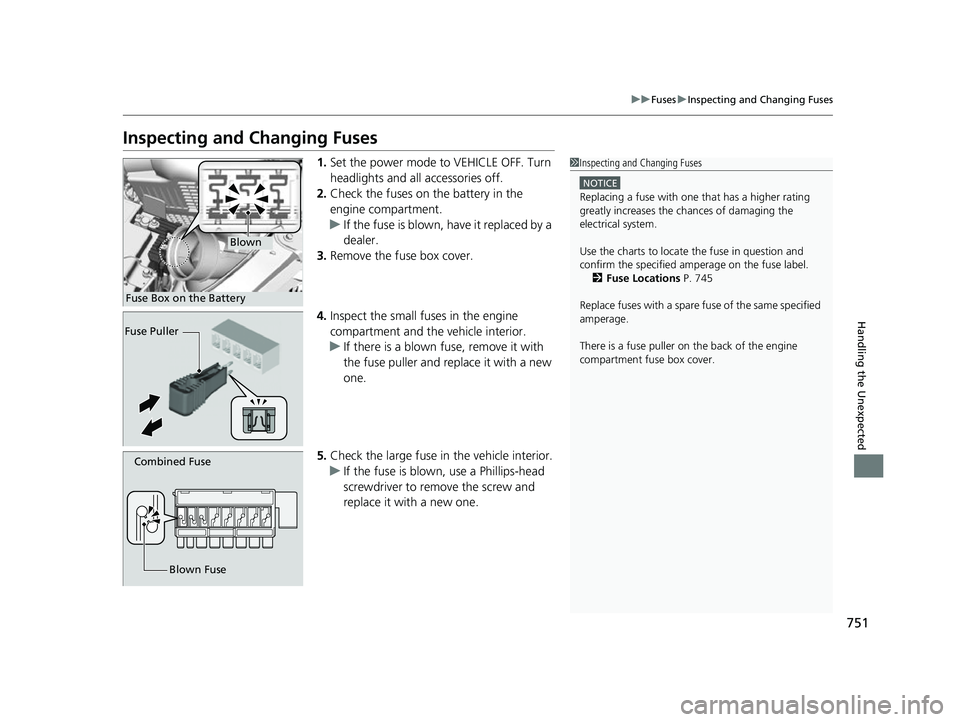
1. Set the power mode to VEHICLE OFF. Turn
headlights and all accessories off.
2. Check the fuses on the battery in the
engine compartment.
u If the fuse is blown, have it replaced by a
dealer.
3. Remove the fuse box cover.
4. Inspect the small fu ses in the engine
compartment and the vehicle interior.
u If there is a blown fuse, remove it with
the fuse puller and replace it with a new
one.
5. Check the large fuse in the vehicle interior.
u If the fuse is blown, use a Phillips-head
screwdriver to remove the screw and
replace it with a new one.1 Inspecting and Changing Fuses
NOTICE
Replacing a fuse with on e that has a higher rating
greatly increases the chances of damaging the
electrical system.
Use the charts to locate the fuse in question and
confirm the specified amperage on the fuse label. 2 Fuse Locations P. 745
Replace fuses with a spare fuse of the same specified
amperage.
There is a fuse puller on the back of the engine
compartment fuse box cover.
Blown
Fuse Box on the Battery
Fuse Puller
Combined Fuse
Blown Fuse
22 US ODYSSEY-31THR6400.book 751 ページ 2020年11月16日 月曜日 午後1時41分
Page 761 of 782
760
Information
Specifications
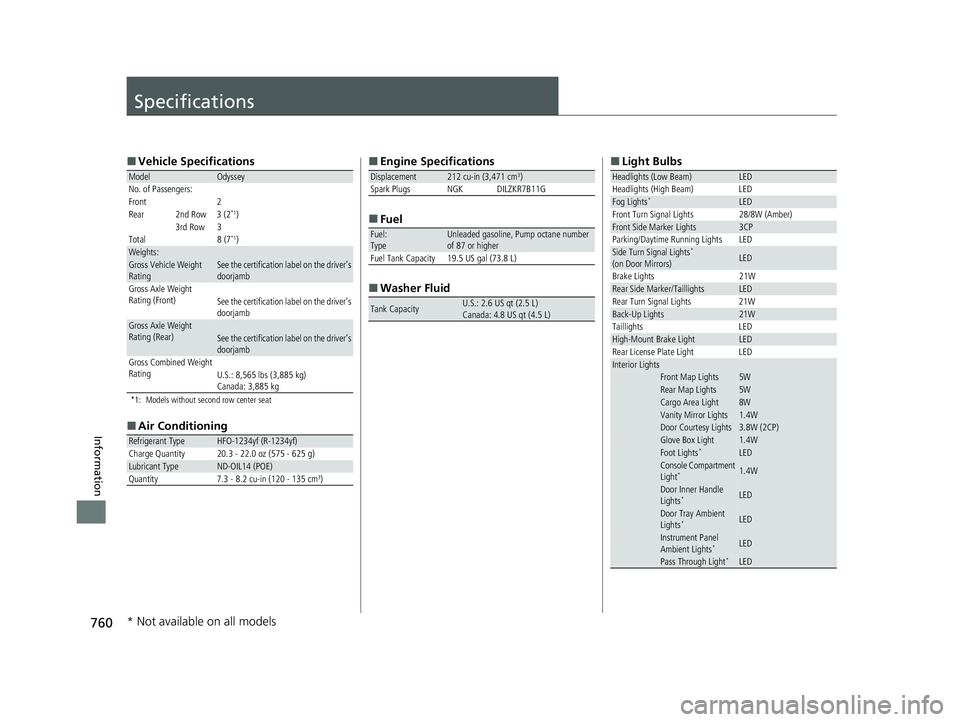
■Vehicle Specifications
*1: Models without second row center seat
■Air Conditioning
ModelOdyssey
No. of Passengers:
Front 2
Rear 2nd Row 3 (2
*1)
3rd Row 3
Total 8 (7
*1)Weights:Gross Vehicle Weight
Rating See the certification label on the driver’s
doorjamb
Gross Axle Weight
Rating (Front)See the certification label on the driver’s
doorjamb
Gross Axle Weight
Rating (Rear)See the certification label on the driver’s
doorjamb
Gross Combined Weight
Rating U.S.: 8,565 lbs (3,885 kg)
Canada: 3,885 kg
Refrigerant TypeHFO-1234yf (R-1234yf)
Charge Quantity 20.3 - 22.0 oz (575 - 625 g)
Lubricant TypeND-OIL14 (POE)
Quantity 7.3 - 8.2 cu-in (120 - 135 cm3)
■ Engine Specifications
■ Fuel
■ Washer Fluid
Displacement212 cu-in (3,471 cm3)
Spark Plugs NGK DILZKR7B11G
Fuel:
TypeUnleaded gasoline, Pump octane number
of 87 or higher
Fuel Tank Capacity 19.5 US gal (73.8 L)
Tank CapacityU.S.: 2.6 US qt (2.5 L)
Canada: 4.8 US qt (4.5 L)
■ Light Bulbs
Headlights (Low Beam)LED
Headlights (High Beam) LED
Fog Lights*LED
Front Turn Signal Lights 28/8W (Amber)
Front Side Marker Lights3CP
Parking/Daytime Running Lights LED
Side Turn Signal Lights*
(on Door Mirrors)LED
Brake Lights 21W
Rear Side Marker/TaillightsLED
Rear Turn Signal Lights 21W
Back-Up Lights21W
Taillights LED
High-Mount Brake LightLED
Rear License Plate Light LED
Interior LightsFront Map Lights5WRear Map Lights5WCargo Area Light8WVanity Mirror Lights1.4WDoor Courtesy Lights3.8W (2CP)Glove Box Light1.4WFoot Lights*LEDConsole Compartment
Light*1.4W
Door Inner Handle
Lights*LED
Door Tray Ambient
Lights*LED
Instrument Panel
Ambient Lights*LED
Pass Through Light*LED
* Not available on all models
22 US ODYSSEY-31THR6400.book 760 ページ 2020年11月16日 月曜日 午後1時41分
Page 774 of 782
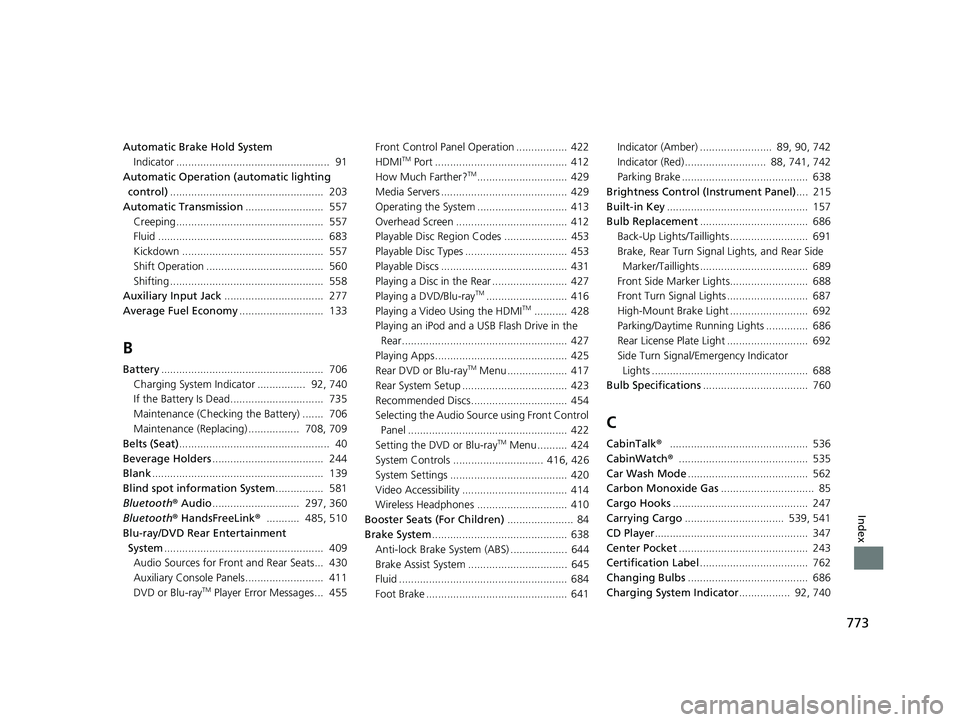
773
Index
Automatic Brake Hold SystemIndicator ................................................... 91
Automatic Operation (automatic lighting control) ................................................... 203
Automatic Transmission .......................... 557
Creeping................................................. 557
Fluid ....................................................... 683
Kickdown ............................................... 557
Shift Operation ....................................... 560
Shifting ................................................... 558
Auxiliary Input Jack ................................. 277
Average Fuel Economy ............................ 133
B
Battery...................................................... 706
Charging System Indicator ................ 92, 740
If the Battery Is Dead............................... 735
Maintenance (Checking the Battery) ....... 706
Maintenance (Replacing) ................. 708, 709
Belts (Seat) .................................................. 40
Beverage Holders ..................................... 244
Blank ......................................................... 139
Blind spot information System ................ 581
Bluetooth ® Audio ............................. 297, 360
Bluetooth ® HandsFreeLink ®........... 485, 510
Blu-ray/DVD Rear Entertainment
System ..................................................... 409
Audio Sources for Front and Rear Seats... 430
Auxiliary Console Panels.......................... 411
DVD or Blu-ray
TM Player Error Messages... 455 Front Control Panel Operation ................. 422
HDMI
TM Port ............................................ 412
How Much Farther?TM.............................. 429
Media Servers .......................................... 429
Operating the System .............................. 413
Overhead Screen ..................................... 412
Playable Disc Region Codes ..................... 453
Playable Disc Types .................................. 453
Playable Discs .......................................... 431
Playing a Disc in the Rear ......................... 427
Playing a DVD/Blu-ray
TM........................... 416
Playing a Video Using the HDMITM........... 428
Playing an iPod and a USB Flash Drive in the Rear....................................................... 427
Playing Apps ............................................ 425
Rear DVD or Blu-ray
TM Menu .................... 417
Rear System Setup ................................... 423
Recommended Discs ................................ 454
Selecting the Audio Sour ce using Front Control
Panel ..................................................... 422
Setting the DVD or Blu-ray
TM Menu .......... 424
System Controls .............................. 416, 426
System Settings ....................................... 420
Video Accessibility ................................... 414
Wireless Headphones .............................. 410
Booster Seats (For Children) ...................... 84
Brake System ............................................. 638
Anti-lock Brake System (ABS) ................... 644
Brake Assist System ................................. 645
Fluid ........................................................ 684
Foot Brake ............................................... 641 Indicator (Amber) ........................ 89, 90, 742
Indicator (Red) ........................... 88, 741, 742
Parking Brake .......................................... 638
Brightness Control (Instrument Panel) .... 215
Built-in Key ............................................... 157
Bulb Replacement .................................... 686
Back-Up Lights/Taillights .......................... 691
Brake, Rear Turn Signal Lights, and Rear Side
Marker/Taillights .................................... 689
Front Side Marker Lights.......................... 688
Front Turn Signal Lights ........................... 687
High-Mount Brake Light .......................... 692
Parking/Daytime Running Lights .............. 686
Rear License Plate Light ........................... 692
Side Turn Signal/Emergency Indicator Lights .................................................... 688
Bulb Specifications ................................... 760
C
CabinTalk®.............................................. 536
CabinWatch ®........................................... 535
Car Wash Mode ........................................ 562
Carbon Monoxide Gas ............................... 85
Cargo Hooks ............................................. 247
Carrying Cargo ................................. 539, 541
CD Player ................................................... 347
Center Pocket ........................................... 243
Certification Label .................................... 762
Changing Bulbs ........................................ 686
Charging System Indicator ................. 92, 740
22 US ODYSSEY-31THR6400.book 773 ページ 2020年11月16日 月曜日 午後1時41分
Page 775 of 782
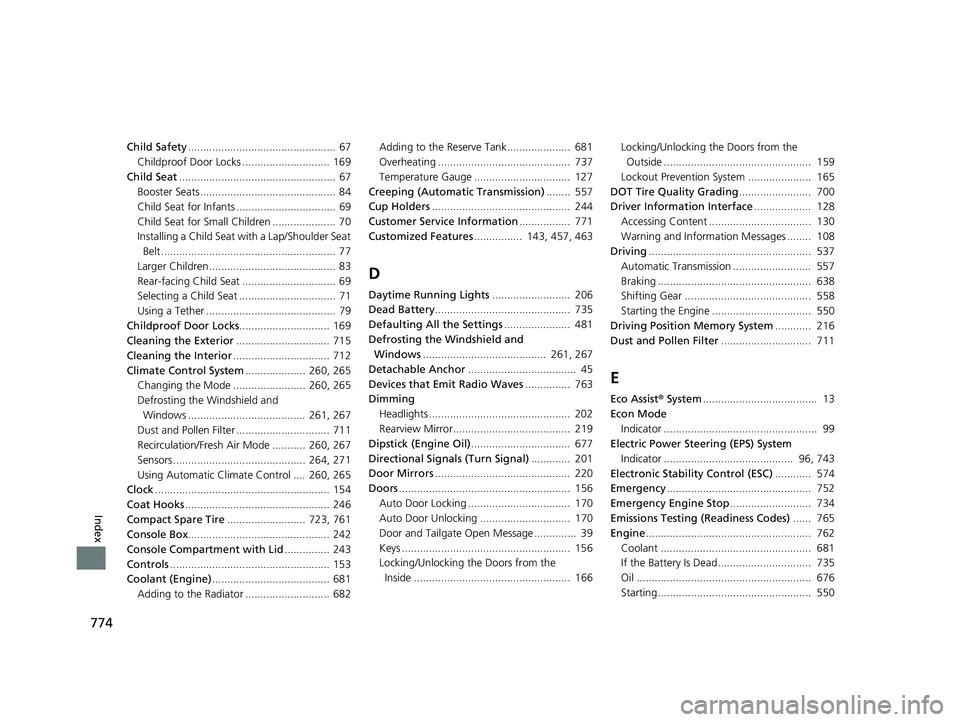
774
Index
Child Safety................................................. 67
Childproof Door Locks ............................. 169
Child Seat .................................................... 67
Booster Seats ............................................. 84
Child Seat for Infants ................................. 69
Child Seat for Small Children ..................... 70
Installing a Child Seat wi th a Lap/Shoulder Seat
Belt .......................................................... 77
Larger Children .......................................... 83
Rear-facing Child Seat ............................... 69
Selecting a Child Seat ................................ 71
Using a Tether ........................................... 79
Childproof Door Locks .............................. 169
Cleaning the Exterior ............................... 715
Cleaning the Interior ................................ 712
Climate Control System .................... 260, 265
Changing the Mode ........................ 260, 265
Defrosting the Windshield and Windows ....................................... 261, 267
Dust and Pollen Filter ............................... 711
Recirculation/Fresh Air Mode ........... 260, 267
Sensors ............................................ 264, 271
Using Automatic Climate Control .... 260, 265
Clock .......................................................... 154
Coat Hooks ................................................ 246
Compact Spare Tire .......................... 723, 761
Console Box ............................................... 242
Console Compartment with Lid ............... 243
Controls ..................................................... 153
Coolant (Engine) ....................................... 681
Adding to the Radiator ............................ 682 Adding to the Reserve Tank..................... 681
Overheating ............................................ 737
Temperature Gauge ................................ 127
Creeping (Automatic Transmission) ........ 557
Cup Holders .............................................. 244
Customer Service Information ................. 771
Customized Features ................ 143, 457, 463
D
Daytime Running Lights .......................... 206
Dead Battery ............................................. 735
Defaulting All the Settings ...................... 481
Defrosting the Windshield and Windows ......................................... 261, 267
Detachable Anchor .................................... 45
Devices that Emit Radio Waves ............... 763
Dimming
Headlights ............................................... 202
Rearview Mirror....................................... 219
Dipstick (Engine Oil) ................................. 677
Directional Signals (Turn Signal) ............. 201
Door Mirrors ............................................. 220
Doors ......................................................... 156
Auto Door Locking .................................. 170
Auto Door Unlocking .............................. 170
Door and Tailgate Open Message .............. 39
Keys ........................................................ 156
Locking/Unlocking the Doors from the Inside .................................................... 166 Locking/Unlocking the Doors from the
Outside ................................................. 159
Lockout Prevention System ..................... 165
DOT Tire Quality Grading ........................ 700
Driver Information Interface ................... 128
Accessing Content .................................. 130
Warning and Information Messages ........ 108
Driving ...................................................... 537
Automatic Transmission .......................... 557
Braking ................................................... 638
Shifting Gear .......................................... 558
Starting the Engine ................................. 550
Driving Position Memory System ............ 216
Dust and Pollen Filter .............................. 711
E
Eco Assist® System ...................................... 13
Econ Mode Indicator ................................................... 99
Electric Power Steering (EPS) System
Indicator ........................................... 96, 743
Electronic Stability Control (ESC) ............ 574
Emergency ................................................ 752
Emergency Engine Stop ........................... 734
Emissions Testing (Readiness Codes) ...... 765
Engine ....................................................... 762
Coolant .................................................. 681
If the Battery Is Dead............................... 735
Oil .......................................................... 676
Starting................................................... 550
22 US ODYSSEY-31THR6400.book 774 ページ 2020年11月16日 月曜日 午後1時41分