engine HONDA ODYSSEY 2023 Owner's Manual
[x] Cancel search | Manufacturer: HONDA, Model Year: 2023, Model line: ODYSSEY, Model: HONDA ODYSSEY 2023Pages: 707, PDF Size: 23.9 MB
Page 110 of 707
108
uuIndicators uDriver Information Interface Wa rning and Information Messages
Instrument Panel
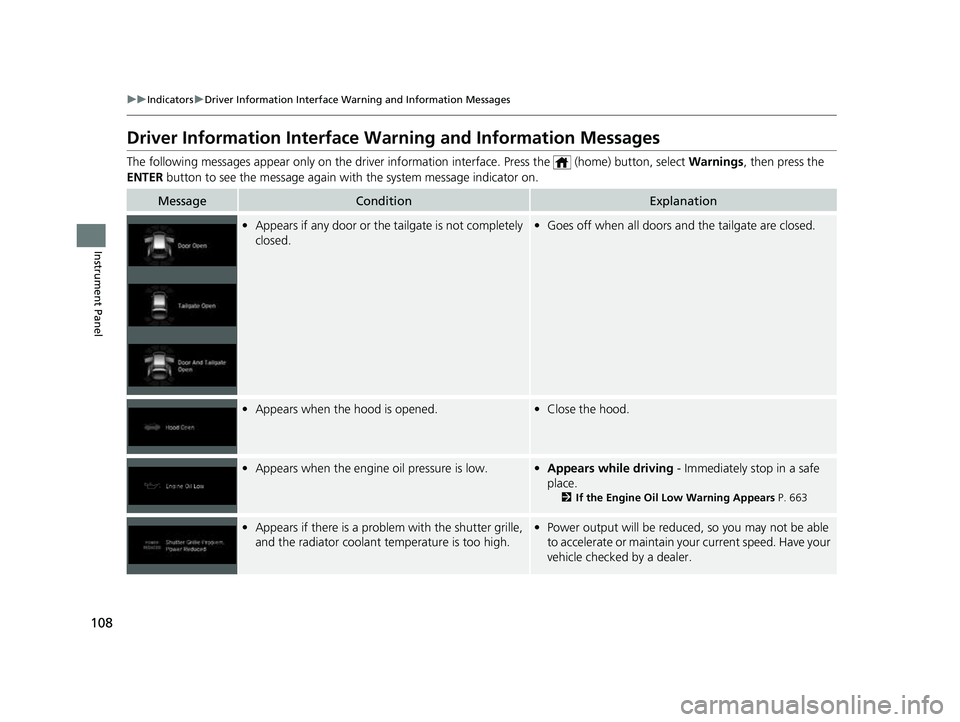
Driver Information Interface Warning and Information Messages
The following messages appear only on the driver information interface. Press the (home) button, select Warnings, then press the
ENTER button to see the message again with the system message indicator on.
MessageConditionExplanation
•Appears if any door or the tailgate is not completely
closed.•Goes off when all doors and the tailgate are closed.
•Appears when the hood is opened.•Close the hood.
•Appears when the engine oil pressure is low.•Appears while driving - Immediately stop in a safe
place.
2 If the Engine Oil Low Warning Appears P. 663
•Appears if there is a problem with the shutter grille,
and the radiator coolant temperature is too high.• Power output will be reduce d, so you may not be able
to accelerate or maintain your current speed. Have your
vehicle checked by a dealer.
23 US ODYSSEY-31THR6500.book 108 ページ 2022年1月24日 月曜日 午前11時35分
Page 113 of 707
111
uuIndicators uDriver Information Interface Wa rning and Information Messages
Continued
Instrument Panel
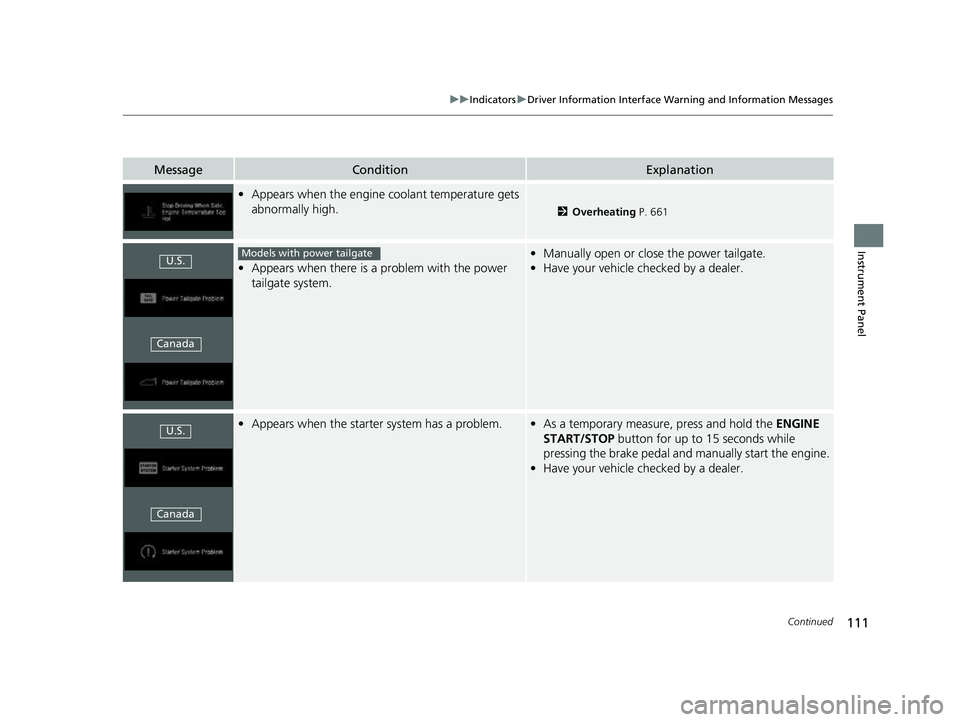
MessageConditionExplanation
•Appears when the engine coolant temperature gets
abnormally high.
2 Overheating P. 661
•Appears when there is a problem with the power
tailgate system.
• Manually open or close the power tailgate.
• Have your vehicle checked by a dealer.
•Appears when the starter system has a problem.•As a temporary measure, press and hold the ENGINE
START/STOP button for up to 15 seconds while
pressing the brake pedal and manually start the engine.
• Have your vehicle checked by a dealer.
U.S.
CanadaModels with power tailgate
U.S.
Canada
23 US ODYSSEY-31THR6500.book 111 ページ 2022年1月24日 月曜日 午前11時35分
Page 114 of 707
112
uuIndicators uDriver Information Interface Wa rning and Information Messages
Instrument Panel
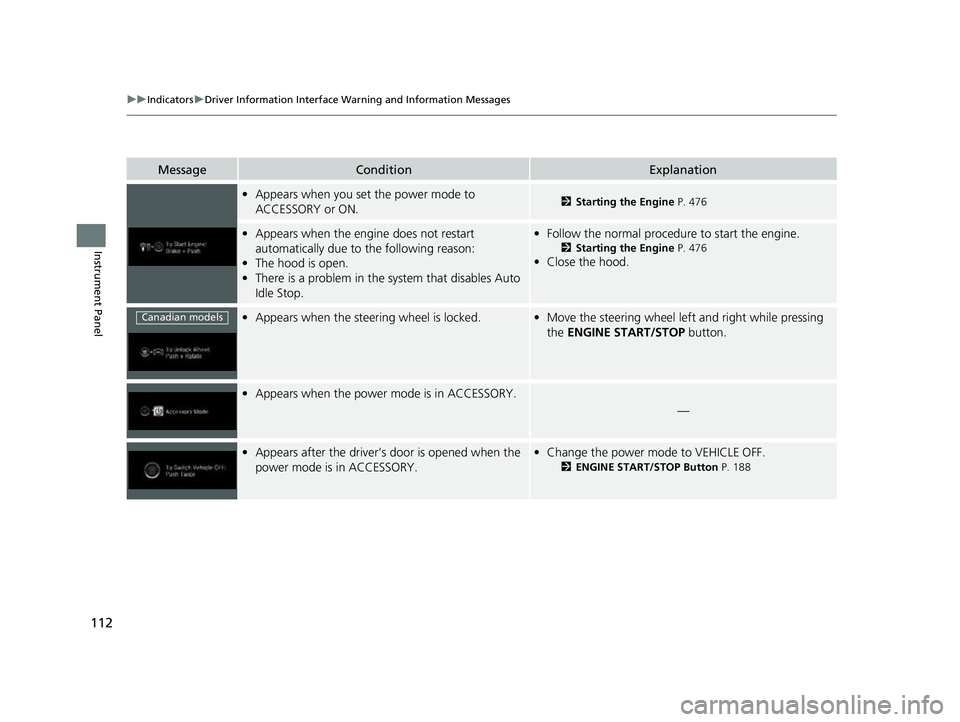
MessageConditionExplanation
•Appears when you set the power mode to
ACCESSORY or ON.2 Starting the Engine P. 476
•Appears when the engine does not restart
automatically due to the following reason:
• The hood is open.
• There is a problem in the sy stem that disables Auto
Idle Stop.• Follow the normal procedure to start the engine.
2 Starting the Engine P. 476
•Close the hood.
•Appears when the steering wheel is locked.•Move the steering wheel left and right while pressing
the ENGINE START/STOP button.
•Appears when the power mode is in ACCESSORY.
—
•Appears after the driver’s door is opened when the
power mode is in ACCESSORY.•Change the power mode to VEHICLE OFF.
2 ENGINE START/STOP Button P. 188
Canadian models
23 US ODYSSEY-31THR6500.book 112 ページ 2022年1月24日 月曜日 午前11時35分
Page 115 of 707
113
uuIndicators uDriver Information Interface Wa rning and Information Messages
Continued
Instrument Panel
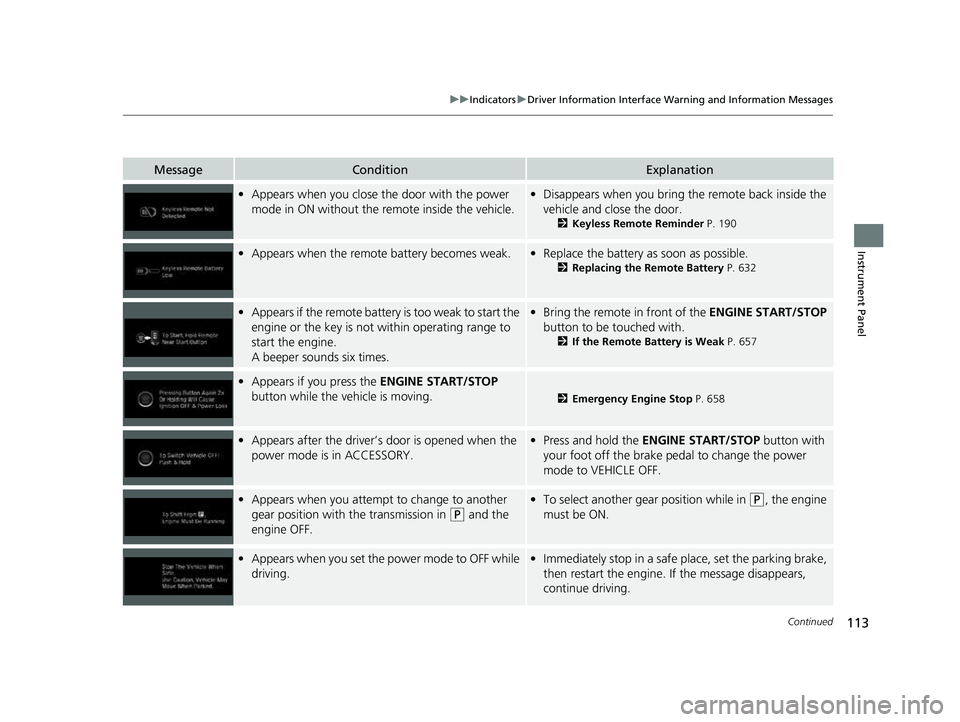
MessageConditionExplanation
•Appears when you close the door with the power
mode in ON without the remote inside the vehicle.•Disappears when you bring the remote back inside the
vehicle and close the door.
2 Keyless Remote Reminder P. 190
•Appears when the remote battery becomes weak.•Replace the battery as soon as possible.
2 Replacing the Remote Battery P. 632
•Appears if the remote battery is too weak to start the
engine or the key is not within operating range to
start the engine.
A beeper sounds six times.•Bring the remote in front of the ENGINE START/STOP
button to be touched with.
2 If the Remote Battery is Weak P. 657
•Appears if you press the ENGINE START/STOP
button while the vehicle is moving.
2 Emergency Engine Stop P. 658
•Appears after the driver’s door is opened when the
power mode is in ACCESSORY.• Press and hold the ENGINE START/STOP button with
your foot off the brake pedal to change the power
mode to VEHICLE OFF.
• Appears when you attempt to change to another
gear position with the transmission in
(P and the
engine OFF.
• To select another gear position while in (P, the engine
must be ON.
• Appears when you set the power mode to OFF while
driving.•Immediately stop in a safe place, set the parking brake,
then restart the engine. If the message disappears,
continue driving.
23 US ODYSSEY-31THR6500.book 113 ページ 2022年1月24日 月曜日 午前11時35分
Page 116 of 707
114
uuIndicators uDriver Information Interface Wa rning and Information Messages
Instrument Panel
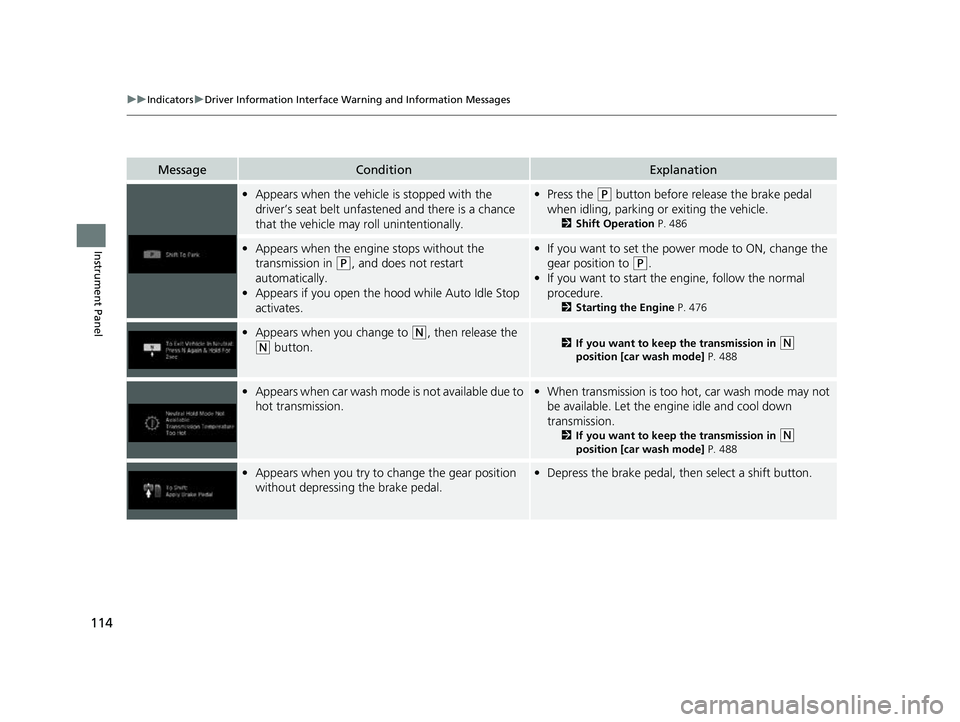
MessageConditionExplanation
•Appears when the vehicle is stopped with the
driver’s seat belt unfastened and there is a chance
that the vehicle may roll unintentionally.•Press the (P button before release the brake pedal
when idling, parking or exiting the vehicle.
2 Shift Operation P. 486
•Appears when the engine stops without the
transmission in
(P, and does not restart
automatically.
• Appears if you open the hood while Auto Idle Stop
activates.
•If you want to set the power mode to ON, change the
gear position to
(P.
• If you want to start the engine, follow the normal
procedure.
2 Starting the Engine P. 476
•Appears when you change to (N, then release the
(N button.2 If you want to keep the transmission in (N
position [car wash mode] P. 488
•Appears when car wash mode is not available due to
hot transmission.• When transmission is too hot, car wash mode may not
be available. Let the engine idle and cool down
transmission.
2 If you want to keep the transmission in (N
position [car wash mode] P. 488
•Appears when you try to change the gear position
without depressing the brake pedal.• Depress the brake pedal, then select a shift button.
23 US ODYSSEY-31THR6500.book 114 ページ 2022年1月24日 月曜日 午前11時35分
Page 121 of 707
119
uuIndicators uDriver Information Interface Wa rning and Information Messages
Continued
Instrument Panel
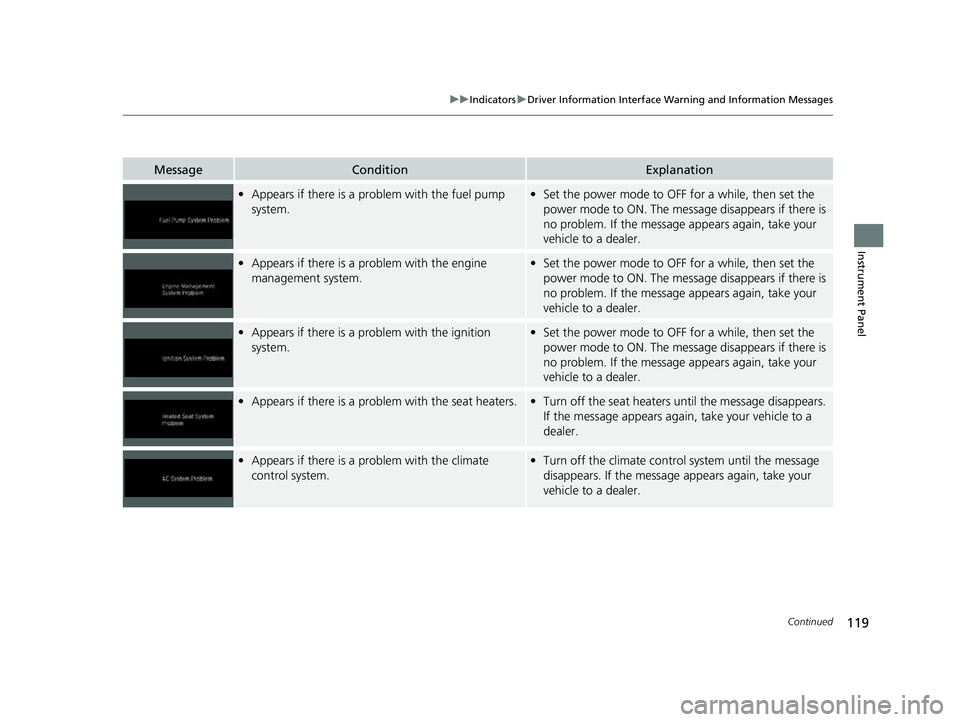
MessageConditionExplanation
•Appears if there is a problem with the fuel pump
system.•Set the power mode to OFF for a while, then set the
power mode to ON. The message disappears if there is
no problem. If the message appears again, take your
vehicle to a dealer.
• Appears if there is a problem with the engine
management system.•Set the power mode to OFF for a while, then set the
power mode to ON. The message disappears if there is
no problem. If the message appears again, take your
vehicle to a dealer.
• Appears if there is a problem with the ignition
system.•Set the power mode to OFF for a while, then set the
power mode to ON. The message disappears if there is
no problem. If the message appears again, take your
vehicle to a dealer.
• Appears if there is a problem with the seat heaters.•Turn off the seat heaters un til the message disappears.
If the message appears again, take your vehicle to a
dealer.
• Appears if there is a problem with the climate
control system.•Turn off the climate control system until the message
disappears. If the message appears again, take your
vehicle to a dealer.
23 US ODYSSEY-31THR6500.book 119 ページ 2022年1月24日 月曜日 午前11時35分
Page 122 of 707
120
uuIndicators uDriver Information Interface Wa rning and Information Messages
Instrument Panel
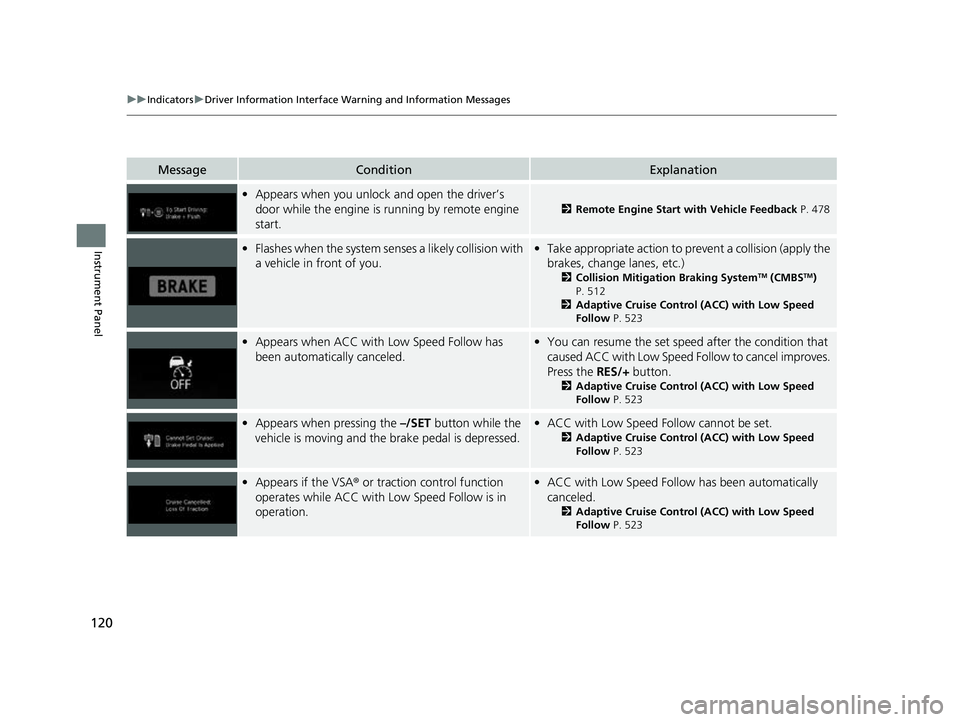
MessageConditionExplanation
•Appears when you unlock and open the driver’s
door while the engine is running by remote engine
start.
2 Remote Engine Start with Vehicle Feedback P. 478
•Flashes when the system senses a likely collision with
a vehicle in front of you.•Take appropriate action to prevent a collision (apply the
brakes, change lanes, etc.)
2 Collision Mitigation Braking SystemTM (CMBSTM)
P. 512
2 Adaptive Cruise Control (ACC) with Low Speed
Follow P. 523
•Appears when ACC with Low Speed Follow has
been automatically canceled.•You can resume the set speed after the condition that
caused ACC with Low Speed Fo llow to cancel improves.
Press the RES/+ button.
2Adaptive Cruise Control (ACC) with Low Speed
Follow P. 523
•Appears when pressing the –/SET button while the
vehicle is moving and the brake pedal is depressed.• ACC with Low Speed Follow cannot be set.
2 Adaptive Cruise Control (ACC) with Low Speed
Follow P. 523
•Appears if the VSA ® or traction control function
operates while ACC with Low Speed Follow is in
operation.• ACC with Low Speed Follow has been automatically
canceled.
2 Adaptive Cruise Control (ACC) with Low Speed
Follow P. 523
23 US ODYSSEY-31THR6500.book 120 ページ 2022年1月24日 月曜日 午前11時35分
Page 129 of 707
127
Instrument Panel
Gauges and Driver Information Interface
Gauges
Gauges include the fuel gauge, temperature gauge, and related indicators. They are
displayed when the power mode is set to ON.
Displays the amount of fuel left in the fuel tank.
Displays the temperature of the engine coolant.
■Fuel Gauge
■Temperature Gauge
1 Fuel Gauge
NOTICE
You should refuel when the reading approaches .
Running out of fuel can cause the engine to misfire,
damaging the cata lytic converter.
The actual amount of remain ing fuel may differ from
the fuel gauge reading.E
1 Temperature Gauge
NOTICE
Driving with the temperat ure gauge pointer in the
upper zone can cause serious engine damage. Pull
safely to the side of th e road and allow engine
temperature to return to normal. 2 Overheating P. 661
23 US ODYSSEY-31THR6500.book 127 ページ 2022年1月24日 月曜日 午前11時35分
Page 130 of 707
128
uuGauges and Driver Information Interface uDriver Information Interface
Instrument Panel
Driver Information Interface
The driver information interface shows in formation such as the estimated travelable
distance and fuel economy of the vehicle. It also displays messages such as warnings
and other helpful information.
Displays your driving speed in mph or km/h.
Shows the number of engine revolutions per minute.
■Speedometer
■Tachometer
1 Speedometer
You can set the speedometer and the displayed
measurements to read in either mph or km/h.
2 Units P. 138
1Tachometer
You can turn on or off the tachometer display.
2 Show Tachometer P. 142
23 US ODYSSEY-31THR6500.book 128 ページ 2022年1月24日 月曜日 午前11時35分
Page 145 of 707
143
Controls
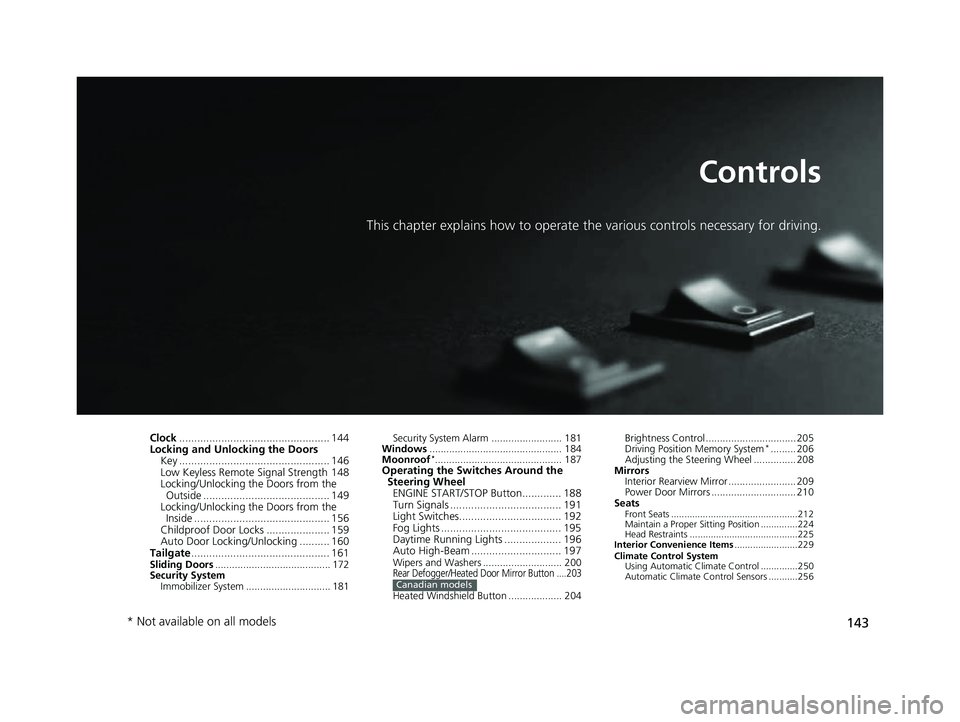
This chapter explains how to operate the various controls necessary for driving.
Clock.................................................. 144
Locking and Unlocking the Doors
Key .................................................. 146
Low Keyless Remote Signal Strength 148
Locking/Unlocking the Doors from the
Outside .......................................... 149
Locking/Unlocking the Doors from the Inside ............................................. 156
Childproof Door Locks ..................... 159
Auto Door Locking/Unlocking .......... 160
Tailgate .............................................. 161
Sliding Doors ......................................... 172
Security System
Immobilizer System .............................. 181 Security System Alarm ......................... 181
Windows ............................................... 184
Moonroof
*............................................. 187Operating the Switches Around the Steering Wheel
ENGINE START/STOP Button............. 188
Turn Signals ..................................... 191
Light Switches.................................. 192
Fog Lights ........................................ 195
Daytime Running Lights ................... 196
Auto High-Beam .............................. 197
Wipers and Washers ............................ 200Rear Defogger/Heated Door Mirror Button ....203
Heated Windshield Button ................... 204Canadian models
Brightness Control ................................ 205
Driving Position Memory System*......... 206
Adjusting the Steering Wheel ............... 208
Mirrors Interior Rearview Mirror ........................ 209
Power Door Mirrors .............................. 210
Seats
Front Seats ................................................212
Maintain a Proper Sitting Position ..............224
Head Restraints .........................................225
Interior Convenience Items ........................229
Climate Control System Using Automatic Climate Control ..............250
Automatic Climate Control Sensors ...........256
* Not available on all models
23 US ODYSSEY-31THR6500.book 143 ページ 2022年1月24日 月曜日 午前11時35分