phone HONDA ODYSSEY 2023 Owner's Guide
[x] Cancel search | Manufacturer: HONDA, Model Year: 2023, Model line: ODYSSEY, Model: HONDA ODYSSEY 2023Pages: 707, PDF Size: 23.9 MB
Page 339 of 707
Continued337
uuAudio System Basic Operation uAndroid AutoTM
Features
d Music and audio
Play Google Play Music an d music apps that are compatible with Android Auto.
To switch between music apps, press this icon.
e Go back to the Home Screen.
f Voice
Operate Android Auto with your voice.
When you connect an Android phone to the unit via the USB port, Android Auto is
automatically initiated.
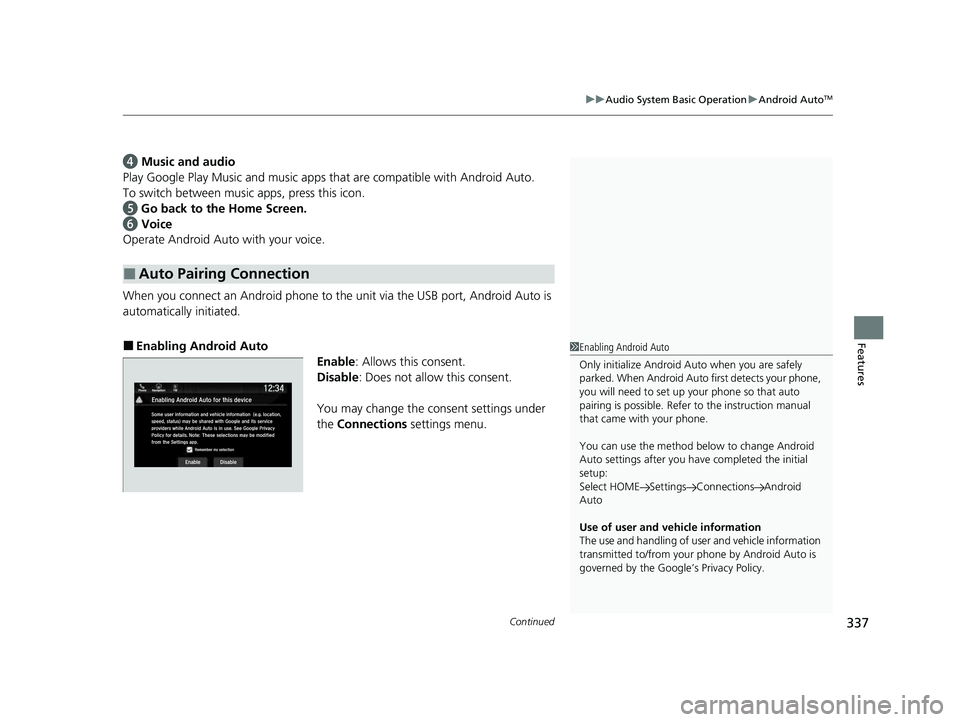
■Enabling Android Auto
Enable: Allows this consent.
Disable : Does not allow this consent.
You may change the consent settings under
the Connections settings menu.
■Auto Pairing Connection
1Enabling Android Auto
Only initialize Android Auto when you are safely
parked. When Android Auto first detects your phone,
you will need to set up your phone so that auto
pairing is possibl e. Refer to the instruction manual
that came with your phone.
You can use the method below to change Android
Auto settings after you ha ve completed the initial
setup:
Select HOME Settings Connections Android
Auto
Use of user and vehicle information
The use and handling of user and vehicle information
transmitted to/from your phone by Android Auto is
governed by the Google’s Privacy Policy.
23 US ODYSSEY-31THR6500.book 337 ページ 2022年1月24日 月曜日 午前11時35分
Page 346 of 707
344
uuGeneral Information on the Audio System uCompatible iPod, iPad, iPhone, and USB Flash Drives
Features
Compatible iPod, iPad, iPhone, and USB Flash Drives
• A USB flash drive of 256 MB or higher is recommended.
• Some digital audio players may not be compatible.
• Some USB flash drives (e.g., a device with security lockout) may not work.
• Some software files may not allow for audio play or text data display.
• Some versions of MP3, WMA, or AAC formats may be unsupported.
■iPod, iPad, and iPhone Model Compatibility
Model
Made for iPod (5th generation)
Made for iPod classic 80GB/160GB (launch in 2007)
Made for iPod classic 120GB (launch in 2008)
Made for iPod classic 160GB (launch in 2009)
Made for iPod nano (1st to 7th generation) released between 2005 and 2012
Made for iPod touch (1st to 5th generation) released between 2007 and 2012
Made for iPhone/iPhone 3G/iPhone 3GS/iP hone 4/iPhone 4s/iPhone 5/iPhone 5c/
iPhone 5s/iPhone 6/iPhone 6 Plus
Made for iPad/iPad 2/iPad (3rd generation)/iPad (4th generation)
Made for iPad Air/iPad Air 2
Made for iPad mini/iPad mini 2/iPad mini 3
■USB Flash Drives
1iPod, iPad, and iPhone Model Compatibility
This system may not work with all software versions
of these devices.
1 USB Flash Drives
Files on the USB flash drive are played in their stored
order. This order may be different from the order
displayed on your PC or device.
23 US ODYSSEY-31THR6500.book 344 ページ 2022年1月24日 月曜日 午前11時35分
Page 357 of 707
355
uuGeneral Information on the Audio System uHonda App License Agreement
Continued
Features
L. Changes to the SOFTWARE or SERVICES. WE may change, modify, or update the SOFT WARE or SERVICES from time to time. Unless
explicitly stated otherwise, any new featur es or services that augment or enhance the SOFTWARE or SERVICES in the future shall
respectively be considered part of the SOFTWARE or SERVICES and s ubject to this AGREEMENT. WE reserve the right at any time and from
time to time to interrupt, res trict, modify, suspend, discontinue, temporarily or permanently, the SOFTWARE or SERVICES (or any portion
thereof), with or without notice to you, and you agree that HONDA shall not be li able to you or to any third party for any modification,
suspension or discontinuance of the SOFTWARE or SERVICES.
M. ARBITRATION:
PLEASE READ THIS ARBITRATION PROVISION CAREFULLY TO UNDER STAND YOUR RIGHTS. YOU AGREE THAT ANY CLAIM THAT YOU
MAY HAVE IN THE FUTURE MUST BE RESOLVED THROUGH BIND ING ARBITRATION. YOU WAIVE THE RIGHT TO HAVE YOUR DISPUTE
HEARD IN COURT AND WAIVE THE RIGHT TO BRING CLASS CLAIMS. YOU UNDERSTAND THAT DISCOVERY AND APPEAL RIGHTS ARE
MORE LIMITED IN ARBITRATION.
Arbitration is a method of resolving a clai m, dispute or controversy without filing a lawsuit. By agreeing to arbitrate, the right to go to
court is waived and instead claims, disputes or controversies ar e submitted to binding arbitration. This provision sets forth the terms and
conditions of our agreement. YOU and HONDA agree and acknowle dge that this Agreement affects interstate commerce and the
Federal Arbitration Act (“FAA”) applies. By using the Software, Vehicle, or Services, YO U elect to have disputes resolved by arbitration.
YOU, HONDA or any involved third party may pursue a Claim. “Claim” means any dispute between YOU, HONDA, or any involved third
party relating to your use of the Software , the Vehicle, or the Services, this Agreement, or our relationship, including any
representations, omissions or warranties. “Claim” does not include personal injury or wrongful death claims. YOU or HONDA may s eek
remedies in small claims court or provisional judicial remedi es without arbitrating. In addition, notwithstanding anything here in to the
contrary, YOU or HONDA may seek equitable re lief in a court of competent jurisdiction.
YOU or HONDA may select arbitration with American Arbitration Asso ciation, JAMS or National Arbitration and Mediation. Contact
these sponsors for their rules. The hearing will be in the federa l district where YOU reside. If agreed, it may be by telephone or written
submissions. Filing and arbitrator fees to be paid per the sponsor rules. You may contact the sponsor for a fee waiver. If no fee waivers,
HONDA will pay filing and arbitrator fees up to $5,000, unless law requires more. Each party is responsible for other fees. Arbitrator
may award costs or fees to prevailing party, if permitted by law. HONDA will not seek fees, unless the claims are frivolous.
23 US ODYSSEY-31THR6500.book 355 ページ 2022年1月24日 月曜日 午前11時35分
Page 359 of 707
357
uuGeneral Information on the Audio System uLegal Information on Apple CarPlay/Android Auto
Continued
Features
Legal Information on Appl e CarPlay/Android Auto
USE OF APPLE CARPLAY IS SUBJECT TO YOUR AGREEMENT TO THE CARPLAY TERMS OF USE, WHICH ARE INCLUDED AS PART OF THE
APPLE iOS TERMS OF USE. IN SUMMARY, THE CARPLAY TERMS OF USE DISCLAIM APPLE AND ITS SERVICE PROVIDERS’ LIABILITY IF THE
SERVICES FAIL TO PERFORM CORRECTLY OR ARE DISCONTINUED, STRICTLY LIMIT APPLE AND ITS SERVICE PROVIDERS’ OTHER
LIABILITIES, DESCRIBE THE KINDS OF USER INFORMATION (INCLUDING, FOR EXAMPL E, VEHICLE LOCATION, VEHICLE SPEED, AND
VEHICLE STATUS) BEING GATHERED AND STORED BY APPLE AND IT S SERVICE PROVIDERS, AND DISCLOSE CERTAIN POSSIBLE RISKS
ASSOCIATED WITH THE USE OF CARPLAY, INCLUDING THE POTENTIAL FOR DRIVER DISTRACTION. SEE APPLE’S PRIVACY POLICY FOR
DETAILS REGARDING APPLE’S USE AND HANDL ING OF DATA UPLOADED BY CARPLAY.
USE OF ANDROID AUTO IS SUBJECT TO YOUR AGREEMENT TO THE ANDROID AUTO TERMS OF USE WHICH MUST BE AGREED TO WHEN\
THE ANDROID AUTO APPLICATION IS DOWNLOADED TO YOUR ANDR OID PHONE. IN SUMMARY, THE ANDROID AUTO TERMS OF USE
DISCLAIM GOOGLE AND ITS SERVICE PROVIDERS’ LIABILITY IF THE SERVICES FAIL TO PERFORM CORRECTLY OR ARE DISCONTINUED,
STRICTLY LIMIT GOOGLE AND ITS SERVICE PROV IDERS’ OTHER LIABILITIES, DESCRIBE THE KINDS OF USER INFORMATION (INCLUDING,
FOR EXAMPLE, VEHICLE LOCATION, VEHI CLE SPEED, AND VEHICLE STATUS) BEING GATHERED AND STORED BY GOOGLE AND ITS
SERVICE PROVIDERS, AND DISCLOSE CERTAIN POSSIBLE RISKS ASSOCIATED WITH THE USE OF ANDROID AUTO, INCLUDING THE
POTENTIAL FOR DRIVER DISTRACTION. SEE GOOGLE’S PRIVACY PO LICY FOR DETAILS REGARDING GOOGLE’S USE AND HANDLING OF
DATA UPLOADED BY ANDROID AUTO.
■OWNER’S MANUAL LICENSE/LIABILITY STATEMENTS
23 US ODYSSEY-31THR6500.book 357 ページ 2022年1月24日 月曜日 午前11時35分
Page 368 of 707
366
uuBlu-ray/DVD Rear Entertainment System*uWireless Headphones
Features
Wireless Headphones
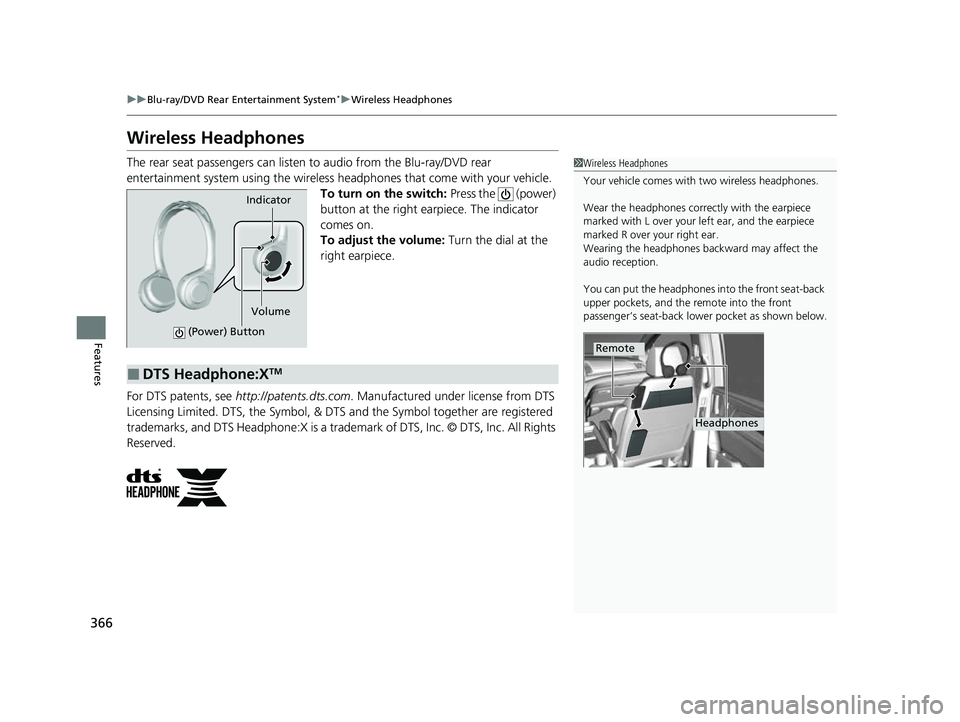
The rear seat passengers can listen to audio from the Blu-ray/DVD rear
entertainment system using the wireless headphones that come with your vehicle. To turn on the switch: Press the (power)
button at the right earpiece. The indicator
comes on.
To adjust the volume: Turn the dial at the
right earpiece.
For DTS patents, see http://patents.dts.com . Manufactured under license from DTS
Licensing Limited. DTS, the Symbol, & DTS and the Symbol together are registered
trademarks, and DTS Headphone:X is a trademark of DTS, Inc. © DTS, Inc. All Rights
Reserved.1 Wireless Headphones
Your vehicle comes with two wireless headphones.
Wear the headphones correctly with the earpiece
marked with L over your left ear, and the earpiece
marked R over your right ear.
Wearing the headphones back ward may affect the
audio reception.
You can put the headphones into the front seat-back
upper pockets, and the remote into the front
passenger’s seat-back lowe r pocket as shown below.
Remote
Headphones
Indicator
(Power) Button
Volume
■DTS Headphone:XTM
23 US ODYSSEY-31THR6500.book 366 ページ 2022年1月24日 月曜日 午前11時35分
Page 369 of 707
367
uuBlu-ray/DVD Rear Entertainment System*uAuxiliary Console Panels
Features
Auxiliary Console Panels
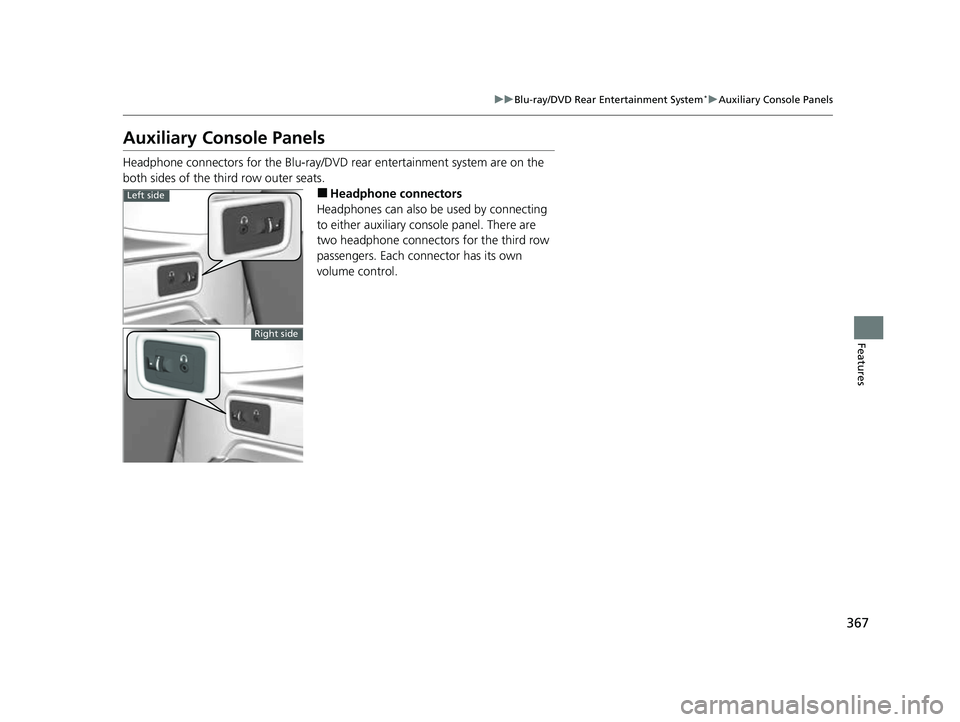
Headphone connectors for the Blu-ray/DV D rear entertainment system are on the
both sides of the third row outer seats.
■Headphone connectors
Headphones can also be used by connecting
to either auxiliary console panel. There are
two headphone connectors for the third row
passengers. Each connector has its own
volume control.Left side
Right side
23 US ODYSSEY-31THR6500.book 367 ページ 2022年1月24日 月曜日 午前11時35分
Page 372 of 707
370
uuBlu-ray/DVD Rear Entertainment System*uVideo Accessibility
Features
Video Accessibility
The Blu-ray/DVD Rear Entertainment System (RES) supports an accessibility function
which allows the user to enable audio fe edback of on-screen operations through the
wireless and wired headphones.
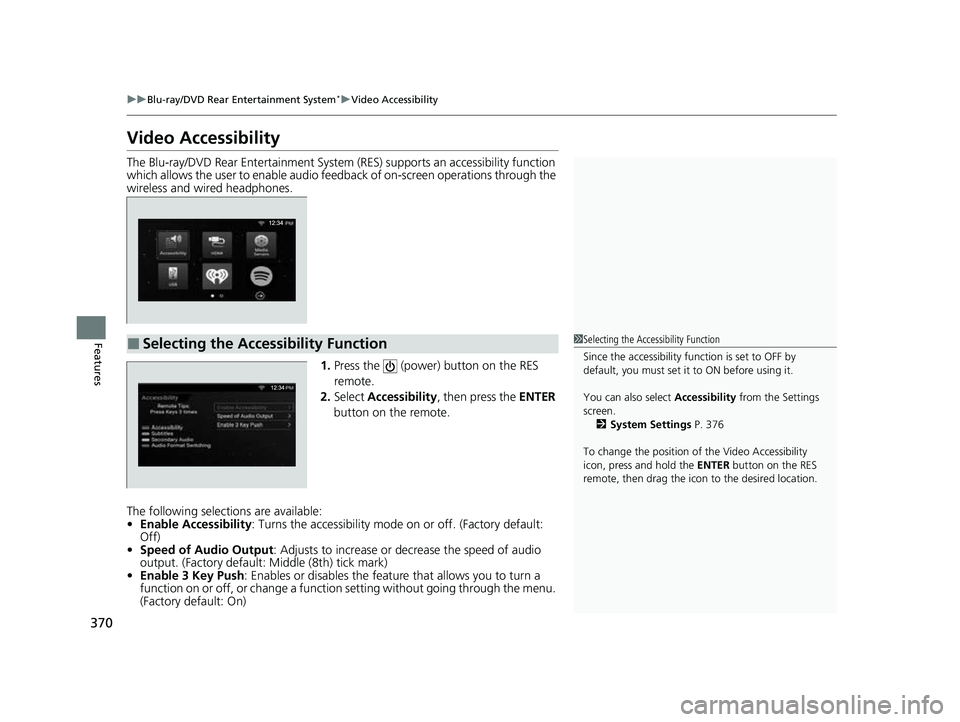
1.Press the (power) button on the RES
remote.
2. Select Accessibility , then press the ENTER
button on the remote.
The following selections are available:
• Enable Accessibility : Turns the accessibility mode on or off. (Factory default:
Off)
• Speed of Audio Output : Adjusts to increase or de crease the speed of audio
output. (Factory default: Middle (8th) tick mark)
• Enable 3 Key Push : Enables or disables the featur e that allows you to turn a
function on or off, or change a functi on setting without going through the menu.
(Factory default: On)
■Selecting the Accessibility Function1 Selecting the Accessibility Function
Since the accessibility function is set to OFF by
default, you must set it to ON before using it.
You can also select Accessibility from the Settings
screen. 2 System Settings P. 376
To change the position of the Video Accessibility
icon, press and hold the ENTER button on the RES
remote, then drag the icon to the desired location.
23 US ODYSSEY-31THR6500.book 370 ページ 2022年1月24日 月曜日 午前11時35分
Page 378 of 707
376
uuBlu-ray/DVD Rear Entertainment System*uPlaying a DVD/Blu-rayTM
Features
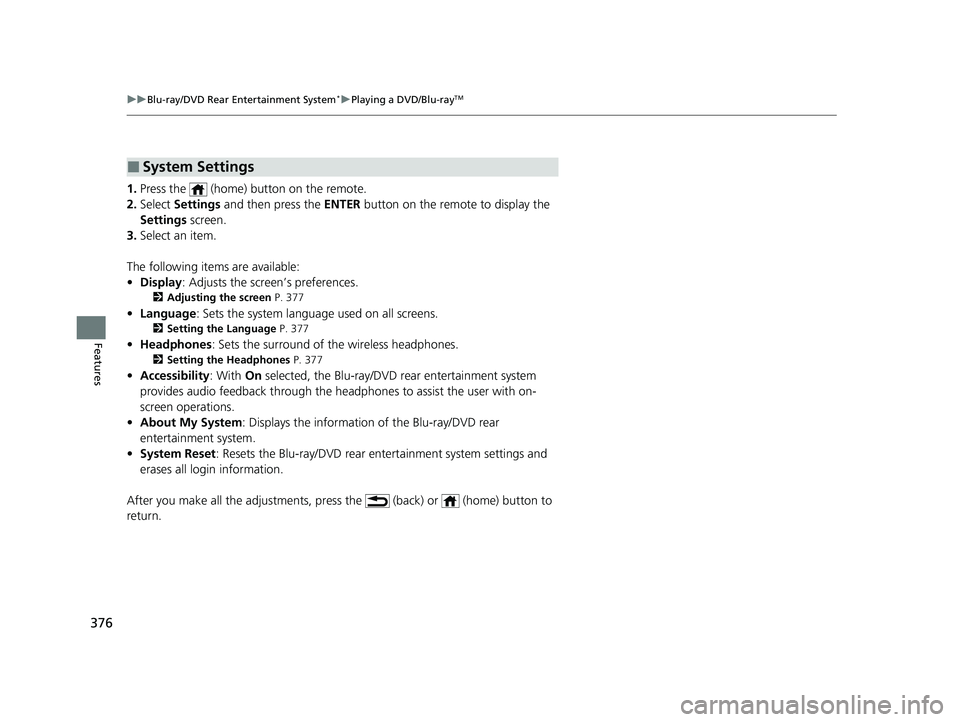
1. Press the (home) button on the remote.
2. Select Settings and then press the ENTER button on the remote to display the
Settings screen.
3. Select an item.
The following items are available:
• Display : Adjusts the screen’s preferences.
2Adjusting the screen P. 377
•Language : Sets the system language used on all screens.
2Setting the Language P. 377
•Headphones : Sets the surround of the wireless headphones.
2Setting the Headphones P. 377
•Accessibility : With On selected, the Blu-ray/DVD rear entertainment system
provides audio feedback through the headphones to assist the user with on-
screen operations.
• About My System : Displays the information of the Blu-ray/DVD rear
entertainment system.
• System Reset : Resets the Blu-ray/DVD rear en tertainment system settings and
erases all login information.
After you make all the adjustments, pres s the (back) or (home) button to
return.
■System Settings
23 US ODYSSEY-31THR6500.book 376 ページ 2022年1月24日 月曜日 午前11時35分
Page 379 of 707
377
uuBlu-ray/DVD Rear Entertainment System*uPlaying a DVD/Blu-rayTM
Features
■Adjusting the screen
1. Press the (home) button on the remote.
2. Select Settings and then press the ENTER button on the remote to display the
Settings screen.
3. Select Display and then press the ENTER button on the remote.
4. Select the setting you want.
The following items are available:
• Brightness: Adjusts the screen’s brightness.
• Contrast : Adjusts the screen’s contrast.
• Tint : Adjusts the screen’s hue.
• Color : Adjusts the screen ’s color strength.
■Setting the Language
1. Press the (home) button on the remote.
2. Select Settings and then press the ENTER button on the remote to display the
Settings screen.
3. Select Language and then press the ENTER button on the remote.
4. Select the setting you want.
u You can select the language from US English, UK English , Spanish ,
Canadian French , Arabic , or Korean .
■Setting the Headphones
1. Press the (home) button on the remote.
2. Select Settings and then press the ENTER button on the remote to display the
Settings screen.
3. Select Headphones and then press the ENTER button on the remote.
4. Select the setting you want.
u You can select the options from Off or On. Select Off to disable the feature.
23 US ODYSSEY-31THR6500.book 377 ページ 2022年1月24日 月曜日 午前11時35分
Page 387 of 707
385
uuBlu-ray/DVD Rear Entertainment System*uPlaying Apps
Features
Displays the current location temperature, time remaining, distance traveled, and
distance remaining with an animation.
To play the app, press the (home) bu tton on the remote, and then select the
How Much Farther? icon on the overhead screen.
You can select a background from five ty pes using or on the remote, and bring
some items (at top of the scre en) up and down using or .
Plays a stored video or audio file from a connected device via Wi-Fi.
Connect the device using Wi-Fi.
2 Wi-Fi Connection P. 329
Press the (home) button on the remote, and then select the Media Servers icon
on the overhead screen.
The operation are the same as the USB mode.
■How Much Farther?TM*
■Media Servers
1 How Much Farther?TM*
When there is no destinat ion set on the navigation
system, an animated demons tration will be displayed.
34
1Media Servers
NOTE: For this feature to work, an app that exposes
your device as a media se rver must be installed on
your device. Open this a pp on your device prior to
selecting the Media Servers icon. This feature is only
supported on Android phones.
* Not available on all models
23 US ODYSSEY-31THR6500.book 385 ページ 2022年1月24日 月曜日 午前11時35分