mirror controls HONDA ODYSSEY 2023 Owners Manual
[x] Cancel search | Manufacturer: HONDA, Model Year: 2023, Model line: ODYSSEY, Model: HONDA ODYSSEY 2023Pages: 707, PDF Size: 23.9 MB
Page 6 of 707
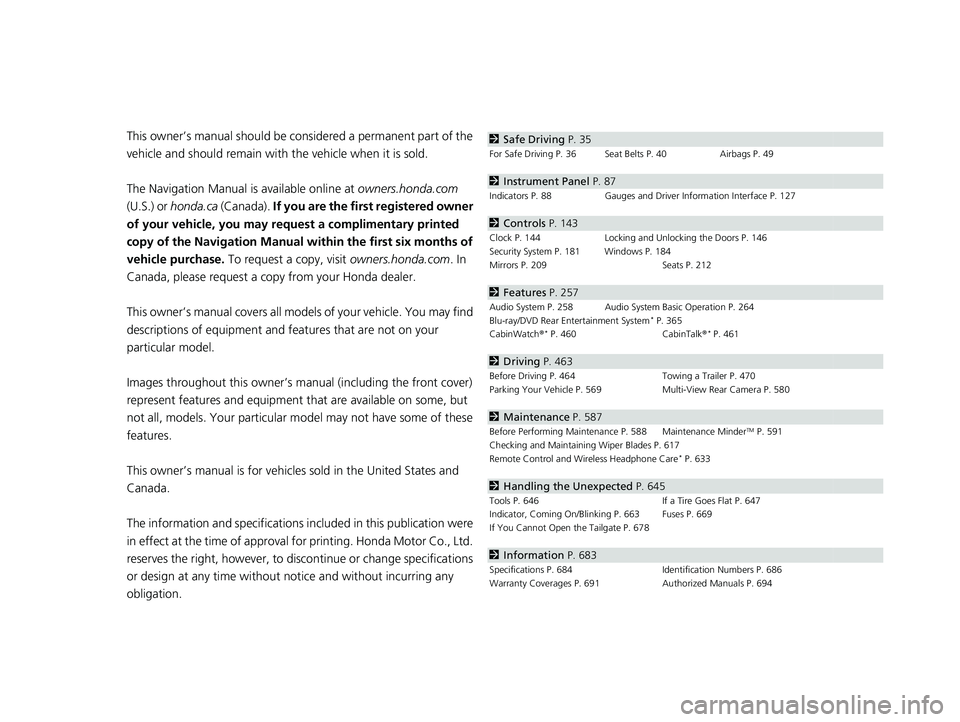
Contents
This owner’s manual should be considered a permanent part of the
vehicle and should remain with the vehicle when it is sold.
The Navigation Manual is available online at owners.honda.com
(U.S.) or honda.ca (Canada). If you are the first registered owner
of your vehicle, you may request a complimentary printed
copy of the Navigation Manual within the first six months of
vehicle purchase. To request a copy, visit owners.honda.com. In
Canada, please request a copy from your Honda dealer.
This owner’s manual covers all models of your vehicle. You may find
descriptions of equipment and features that are not on your
particular model.
Images throughout this owner’s ma nual (including the front cover)
represent features and equipment that are available on some, but
not all, models. Your particular mo del may not have some of these
features.
This owner’s manual is for vehicles sold in the United States and
Canada.
The information and specifications in cluded in this publication were
in effect at the time of approval for printing. Honda Motor Co., Ltd.
reserves the right, however, to discontinue or change specifications
or design at any time without notice and without incurring any
obligation.2 Safe Driving P. 35
For Safe Driving P. 36 Seat Belts P. 40 Airbags P. 49
2Instrument Panel P. 87
Indicators P. 88 Gauges and Driver Information Interface P. 127
2Controls P. 143
Clock P. 144 Locking and Unlocking the Doors P. 146
Security System P. 181 Windows P. 184
Mirrors P. 209 Seats P. 212
2Features P. 257
Audio System P. 258 Audio System Basic Operation P. 264
Blu-ray/DVD Rear Entertainment System* P. 365
CabinWatch ®* P. 460 CabinTalk®* P. 461
2Driving P. 463
Before Driving P. 464 Towing a Trailer P. 470
Parking Your Vehicle P. 569 Multi-View Rear Camera P. 580
2Maintenance P. 587
Before Performing Maintenance P. 588 Maintenance MinderTM P. 591
Checking and Maintaining Wiper Blades P. 617
Remote Control and Wireless Headphone Care
* P. 633
2 Handling the Unexpected P. 645
Tools P. 646 If a Tire Goes Flat P. 647
Indicator, Coming On/Blinking P. 663 Fuses P. 669
If You Cannot Open the Tailgate P. 678
2Information P. 683
Specifications P. 684 Identification Numbers P. 686
Warranty Coverages P. 691 Authorized Manuals P. 694
23 US ODYSSEY-31THR6500.book 4 ページ 2022年1月24日 月曜日 午前11時35分
Page 10 of 707
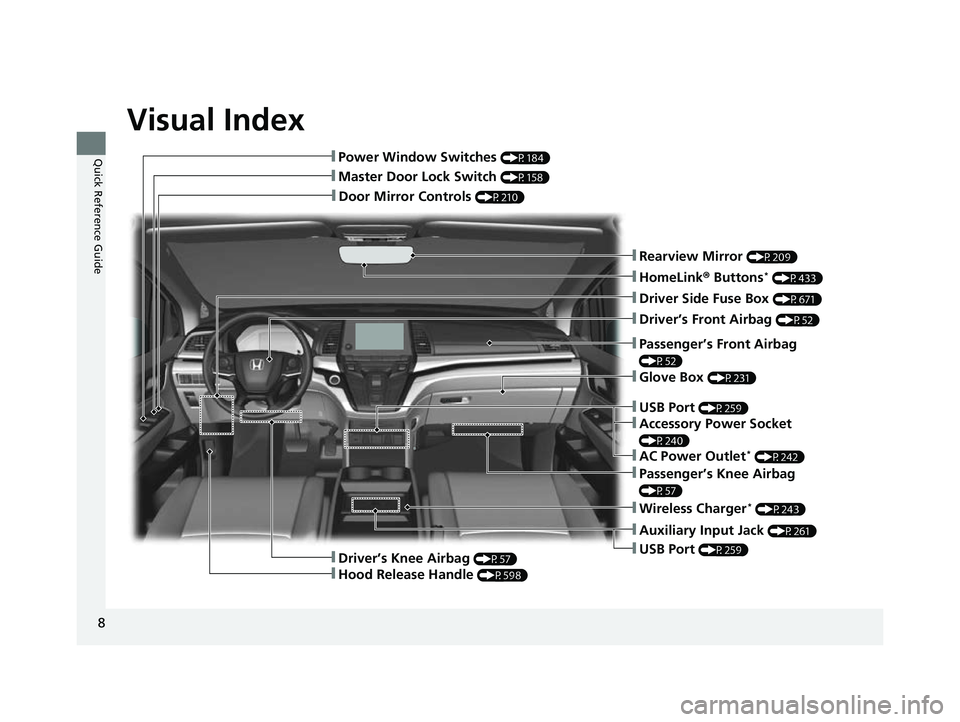
Visual Index
8
Quick Reference Guide
❚Door Mirror Controls (P210)
❚Master Door Lock Switch (P158)
❚Power Window Switches (P184)
❚Rearview Mirror (P209)
❚Driver Side Fuse Box (P671)
❚Glove Box (P231)
❚Driver’s Front Airbag (P52)
❚Passenger’s Knee Airbag
(P57)
❚Auxiliary Input Jack (P261)
❚USB Port (P259)
❚Passenger’s Front Airbag
(P52)
❚HomeLink® Buttons* (P433)
❚Wireless Charger* (P243)
❚Driver’s Knee Airbag (P57)
❚Hood Release Handle (P598)
❚USB Port (P259)
❚Accessory Power Socket
(P240)
❚AC Power Outlet* (P242)
23 US ODYSSEY-31THR6500.book 8 ページ 2022年1月24日 月曜日 午前11時35分
Page 145 of 707
143
Controls
This chapter explains how to operate the various controls necessary for driving.
Clock.................................................. 144
Locking and Unlocking the Doors
Key .................................................. 146
Low Keyless Remote Signal Strength 148
Locking/Unlocking the Doors from the
Outside .......................................... 149
Locking/Unlocking the Doors from the Inside ............................................. 156
Childproof Door Locks ..................... 159
Auto Door Locking/Unlocking .......... 160
Tailgate .............................................. 161
Sliding Doors ......................................... 172
Security System
Immobilizer System .............................. 181 Security System Alarm ......................... 181
Windows ............................................... 184
Moonroof
*............................................. 187Operating the Switches Around the Steering Wheel
ENGINE START/STOP Button............. 188
Turn Signals ..................................... 191
Light Switches.................................. 192
Fog Lights ........................................ 195
Daytime Running Lights ................... 196
Auto High-Beam .............................. 197
Wipers and Washers ............................ 200Rear Defogger/Heated Door Mirror Button ....203
Heated Windshield Button ................... 204Canadian models
Brightness Control ................................ 205
Driving Position Memory System*......... 206
Adjusting the Steering Wheel ............... 208
Mirrors Interior Rearview Mirror ........................ 209
Power Door Mirrors .............................. 210
Seats
Front Seats ................................................212
Maintain a Proper Sitting Position ..............224
Head Restraints .........................................225
Interior Convenience Items ........................229
Climate Control System Using Automatic Climate Control ..............250
Automatic Climate Control Sensors ...........256
* Not available on all models
23 US ODYSSEY-31THR6500.book 143 ページ 2022年1月24日 月曜日 午前11時35分
Page 200 of 707
uuOperating the Switches Around the Steering Wheel uAuto High-Beam
198
Controls
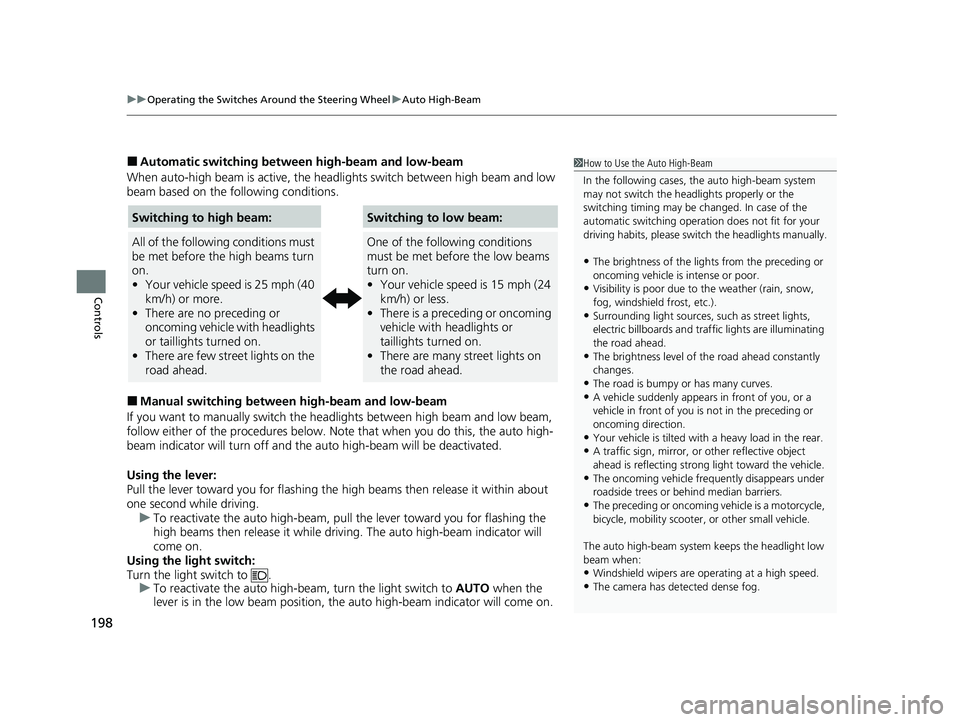
■Automatic switching between high-beam and low-beam
When auto-high beam is active, the head lights switch between high beam and low
beam based on the following conditions.
■Manual switching between high-beam and low-beam
If you want to manually switch the headlights between high beam and low beam,
follow either of the proced ures below. Note that when you do this, the auto high-
beam indicator will turn off and the auto high-beam will be deactivated.
Using the lever:
Pull the lever toward you fo r flashing the high beams then release it within about
one second while driving. u To reactivate the auto high-beam, pull the lever toward you for flashing the
high beams then release it while driving. The auto high-beam indicator will
come on.
Using the light switch:
Turn the light switch to . u To reactivate the auto high-be am, turn the light switch to AUTO when the
lever is in the low beam position, the auto high-beam indicator will come on.
1 How to Use the Auto High-Beam
In the following cases, th e auto high-beam system
may not switch the head lights properly or the
switching timing may be ch anged. In case of the
automatic switching operati on does not fit for your
driving habits, please swit ch the headlights manually.
•The brightness of the lights from the preceding or
oncoming vehicle is intense or poor.
•Visibility is poor due to the weather (rain, snow,
fog, windshield frost, etc.).
•Surrounding light sources, such as street lights,
electric billboards and traf fic lights are illuminating
the road ahead.
•The brightness level of th e road ahead constantly
changes.
•The road is bumpy or has many curves.•A vehicle suddenly appears in front of you, or a
vehicle in front of you is not in the preceding or
oncoming direction.
•Your vehicle is tilted with a heavy load in the rear.•A traffic sign, mirror, or other reflective object
ahead is reflecting strong light toward the vehicle.
•The oncoming vehicle freq uently disappears under
roadside trees or be hind median barriers.
•The preceding or oncoming vehicle is a motorcycle,
bicycle, mobility scooter, or other small vehicle.
The auto high-beam system keeps the headlight low
beam when:
•Windshield wipers are op erating at a high speed.
•The camera has detected dense fog.
Switching to high beam:
All of the following conditions must
be met before the high beams turn
on.
•Your vehicle speed is 25 mph (40
km/h) or more.
• There are no preceding or
oncoming vehicle with headlights
or taillights turned on.
• There are few street lights on the
road ahead.
Switching to low beam:
One of the following conditions
must be met before the low beams
turn on.
•Your vehicle speed is 15 mph (24
km/h) or less.
• There is a preceding or oncoming
vehicle with headlights or
taillights turned on.
• There are many street lights on
the road ahead.
23 US ODYSSEY-31THR6500.book 198 ページ 2022年1月24日 月曜日 午前11時35分
Page 205 of 707
203
uuOperating the Switches Around the Steering Wheel uRear Defogger/Heated Door Mirror Button
Controls
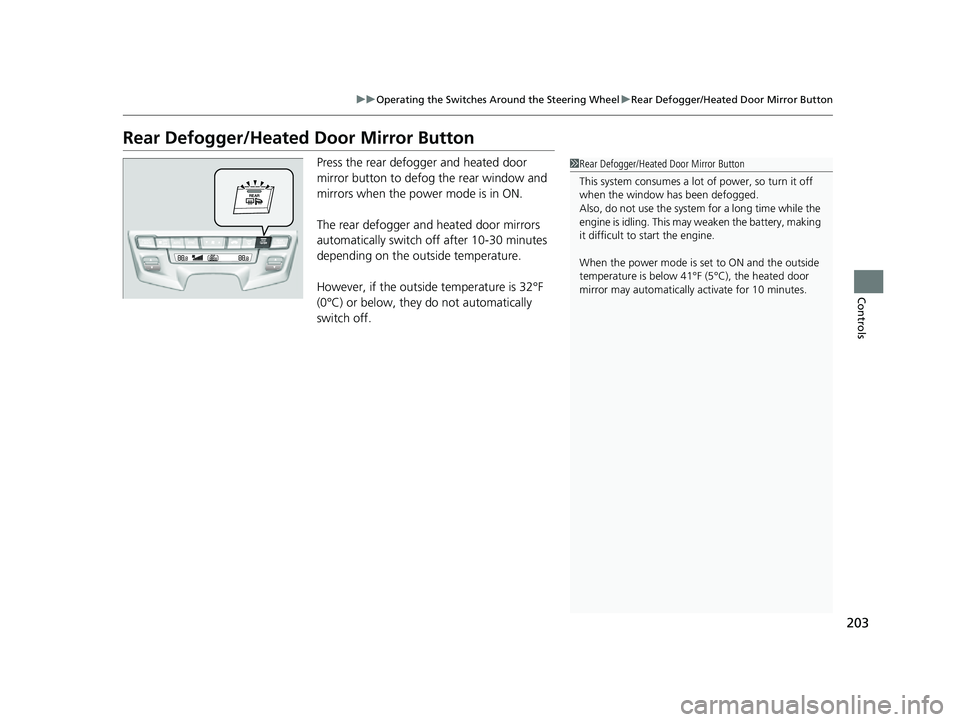
Rear Defogger/Heated Door Mirror Button
Press the rear defogger and heated door
mirror button to defog the rear window and
mirrors when the power mode is in ON.
The rear defogger and heated door mirrors
automatically switch off after 10-30 minutes
depending on the outside temperature.
However, if the outsid e temperature is 32°F
(0°C) or below, they do not automatically
switch off.1 Rear Defogger/Heated Door Mirror Button
This system consumes a lot of power, so turn it off
when the window has been defogged.
Also, do not use the system for a long time while the
engine is idling. This may weaken the battery, making
it difficult to start the engine.
When the power mode is se t to ON and the outside
temperature is below 41°F (5°C), the heated door
mirror may automatically activate for 10 minutes.
23 US ODYSSEY-31THR6500.book 203 ページ 2022年1月24日 月曜日 午前11時35分
Page 208 of 707
206
uuOperating the Switches Around the Steering Wheel uDriving Position Memory System*
Controls
Driving Position Memory System*
You can store two driver’s seat positions (except for power lumbar) and outside
mirror positions with the driv ing position memory system.
When you unlock and open the driver’s door with a remote, the seat and outside
mirrors adjust automatically to one of the two preset positions.
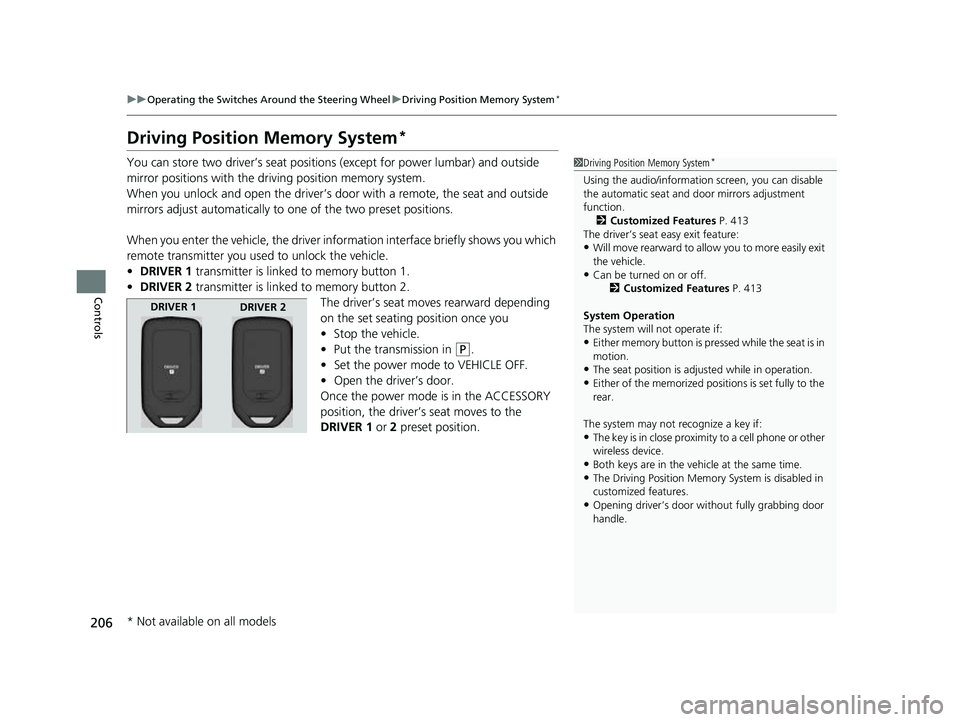
When you enter the vehicle, the driver in formation interface briefly shows you which
remote transmitter you used to unlock the vehicle.
• DRIVER 1 transmitter is linked to memory button 1.
• DRIVER 2 transmitter is linked to memory button 2.
The driver’s seat moves rearward depending
on the set seating position once you
•Stop the vehicle.
• Put the transmission in
(P.
• Set the power mode to VEHICLE OFF.
• Open the driver’s door.
Once the power mode is in the ACCESSORY
position, the driver’s seat moves to the
DRIVER 1 or 2 preset position.
1Driving Position Memory System*
Using the audio/informati on screen, you can disable
the automatic seat and d oor mirrors adjustment
function.
2 Customized Features P. 413
The driver’s seat easy exit feature:
•Will move rearward to allow you to more easily exit
the vehicle.
•Can be turned on or off. 2Customized Features P. 413
System Operation
The system will not operate if:
•Either memory button is pressed while the seat is in
motion.
•The seat position is adju sted while in operation.•Either of the memorized positions is set fully to the
rear.
The system may not recognize a key if:
•The key is in close proximity to a cell phone or other
wireless device.
•Both keys are in the vehicle at the same time.
•The Driving Position Memory System is disabled in
customized features.
•Opening driver’s door wi thout fully grabbing door
handle.
DRIVER 1 DRIVER 2
* Not available on all models
23 US ODYSSEY-31THR6500.book 206 ページ 2022年1月24日 月曜日 午前11時35分
Page 209 of 707
207
uuOperating the Switches Around the Steering Wheel uDriving Position Memory System*
Controls
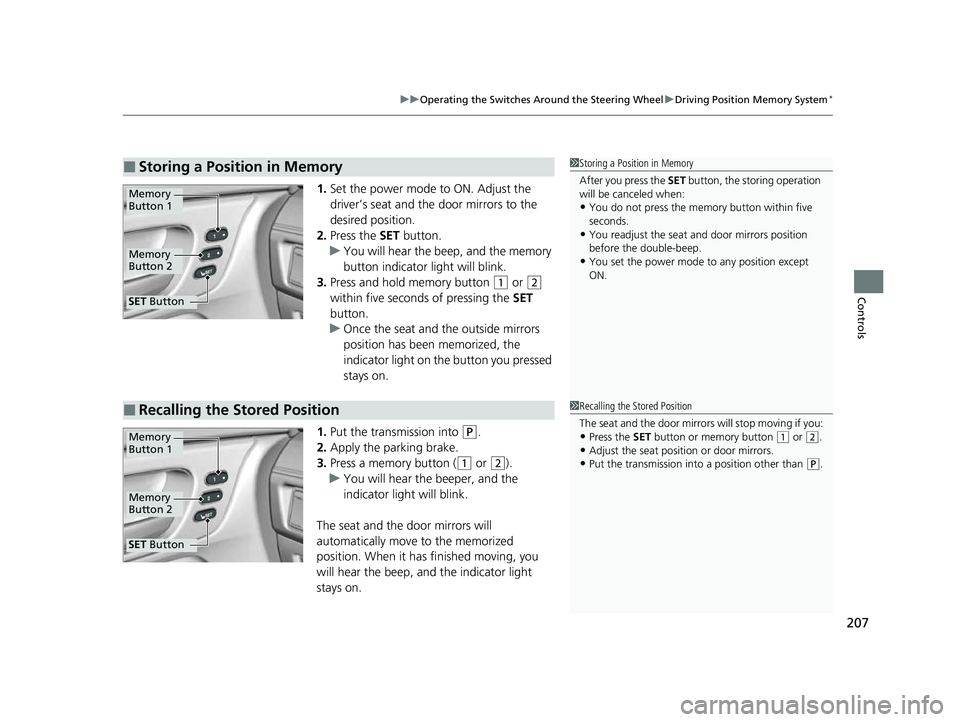
1. Set the power mode to ON. Adjust the
driver’s seat and the door mirrors to the
desired position.
2. Press the SET button.
u You will hear the beep, and the memory
button indicator light will blink.
3. Press and hold memory button
(1 or (2
within five seconds of pressing the SET
button.
u Once the seat and the outside mirrors
position has been memorized, the
indicator light on the button you pressed
stays on.
1. Put the transmission into
(P.
2. Apply the parking brake.
3. Press a memory button (
(1 or (2).
u You will hear the beeper, and the
indicator light will blink.
The seat and the door mirrors will
automatically move to the memorized
position. When it has finished moving, you
will hear the beep, and the indicator light
stays on.
■Storing a Position in Memory1 Storing a Position in Memory
After you press the SET button, the storing operation
will be canceled when:
•You do not press the memory button within five
seconds.
•You readjust the seat and door mirrors position
before the double-beep.
•You set the power mode to any position except
ON.
Memory
Button 1
Memory
Button 2
SET Button
■Recalling the Stored Position1Recalling the Stored Position
The seat and the door mirrors will stop moving if you:
•Press the SET button or memory button (1 or (2.
•Adjust the seat position or door mirrors.•Put the transmission into a position other than (P.
Memory
Button 1
Memory
Button 2
SET Button
23 US ODYSSEY-31THR6500.book 207 ページ 2022年1月24日 月曜日 午前11時35分
Page 211 of 707
209
Controls
Mirrors
Interior Rearview Mirror
Adjust the angle of the rearview mirror when you are sitting in the correct driving
position.
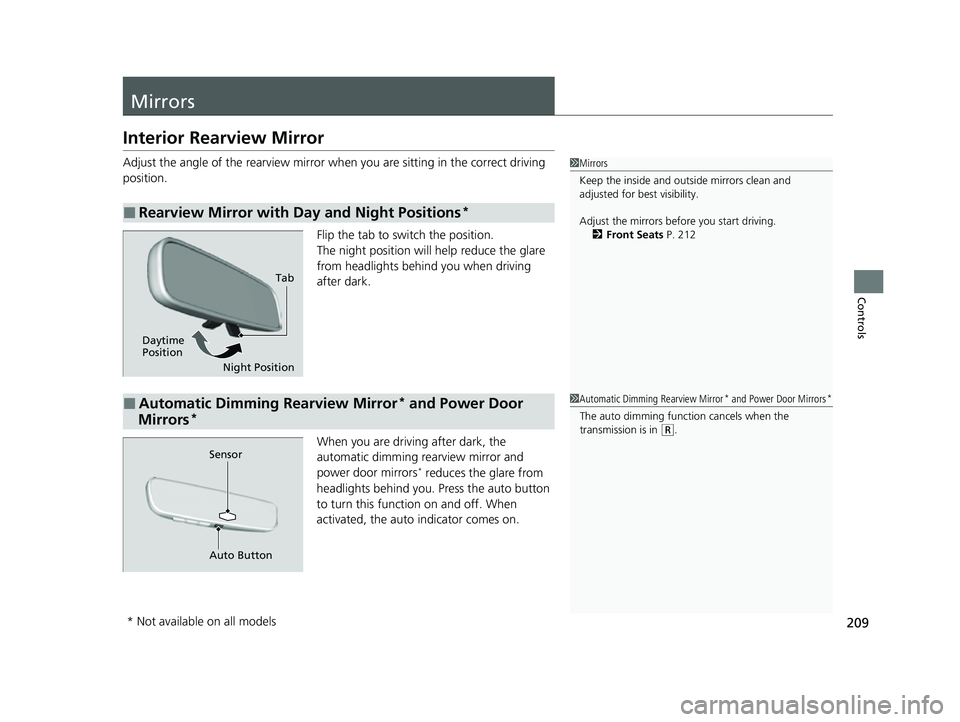
Flip the tab to switch the position.
The night position will help reduce the glare
from headlights behind you when driving
after dark.
When you are driving after dark, the
automatic dimming rearview mirror and
power door mirrors
* reduces the glare from
headlights behind you. Press the auto button
to turn this functi on on and off. When
activated, the auto indicator comes on.
■Rearview Mirror with Day and Night Positions*
1Mirrors
Keep the inside and out side mirrors clean and
adjusted for best visibility.
Adjust the mirrors before you start driving. 2 Front Seats P. 212
Tab
Daytime
Position Night Position
■Automatic Dimming Rearview Mirror* and Power Door
Mirrors*
1 Automatic Dimming Rearview Mirror* and Power Door Mirrors*
The auto dimming function cancels when the
transmission is in (R.
Sensor
Auto Button
* Not available on all models
23 US ODYSSEY-31THR6500.book 209 ページ 2022年1月24日 月曜日 午前11時35分
Page 212 of 707
210
uuMirrors uPower Door Mirrors
Controls
Power Door Mirrors
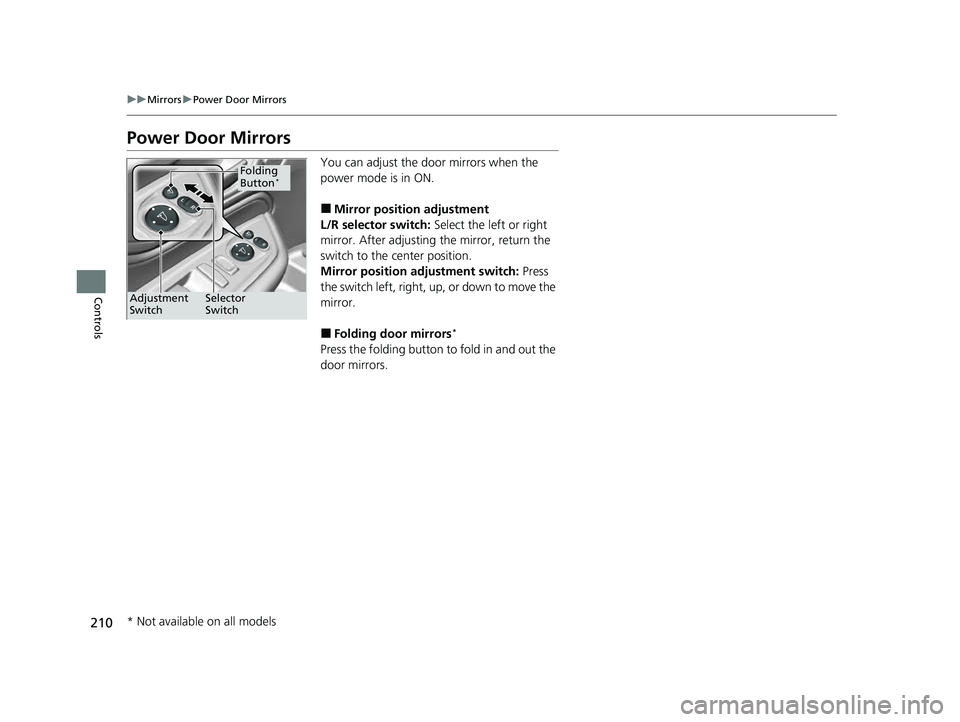
You can adjust the door mirrors when the
power mode is in ON.
■Mirror position adjustment
L/R selector switch: Select the left or right
mirror. After adjusting the mirror, return the
switch to the center position.
Mirror position adjustment switch: Press
the switch left, right, up, or down to move the
mirror.
■Folding door mirrors*
Press the folding button to fold in and out the
door mirrors.
Selector
Switch
Adjustment
Switch
Folding
Button*
* Not available on all models
23 US ODYSSEY-31THR6500.book 210 ページ 2022年1月24日 月曜日 午前11時35分
Page 213 of 707
211
uuMirrors uPower Door Mirrors
Controls
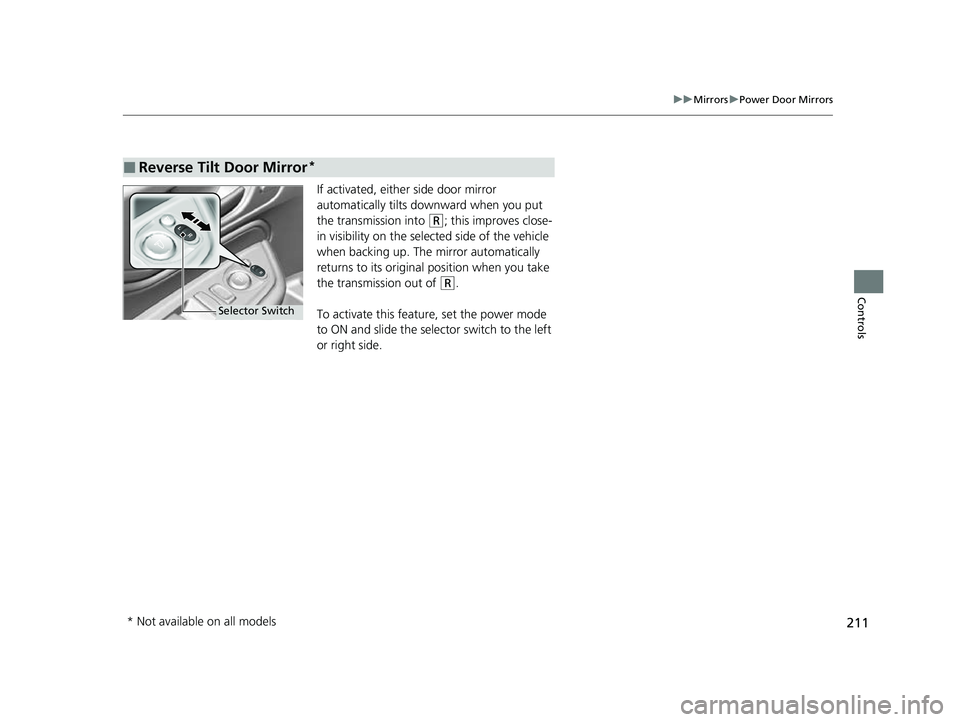
If activated, either side door mirror
automatically tilts do wnward when you put
the transmission into
(R; this improves close-
in visibility on the selected side of the vehicle
when backing up. The mirror automatically
returns to its original position when you take
the transmission out of
(R.
To activate this feature, set the power mode
to ON and slide the sele ctor switch to the left
or right side.
■Reverse Tilt Door Mirror*
Selector Switch
* Not available on all models
23 US ODYSSEY-31THR6500.book 211 ページ 2022年1月24日 月曜日 午前11時35分