Transmission HONDA PASSPORT 2000 2.G User Guide
[x] Cancel search | Manufacturer: HONDA, Model Year: 2000, Model line: PASSPORT, Model: HONDA PASSPORT 2000 2.GPages: 267, PDF Size: 3.03 MB
Page 80 of 267
1. Check that the parking brake
is fully applied.
2. Turn the key switch to "ACC" position.
3. Move the shift lever from "P" to "N" position, depress the
brake pedal, and start the
engine again.
4. Operate the shift lever.
Have the transmission checked by
your Honda dealer as soon as
possible. Drivin
g Tip s
Before going down a steep or long
grade, reduce speed and shift the
transmission into a lower gear or
range to control the vehicle's speed. This will provide engine
braking to help slow the vehicle.
Try not to hold the brake pedal
down too long or too often. This
could cause the brakes to get hot
and not work properly.
Downshifting to a lower gear is
especially important when towing a trailer in mountainous terrain.
Do not hold the vehicle on a hill
by pressing on the accelerator. Do
not press on the accelerator pedal and brake pedal at the same time.
Either of these actions can
overheat the automatic
transmission and cause damage. Always keep your foot off the
accelerator pedal when shifting
from "P" or "N" to another gear.
Do not shift to "P" (Park) when
the vehicle is moving; you could
damage the automatic
transmission. Always come to a
complete stop.
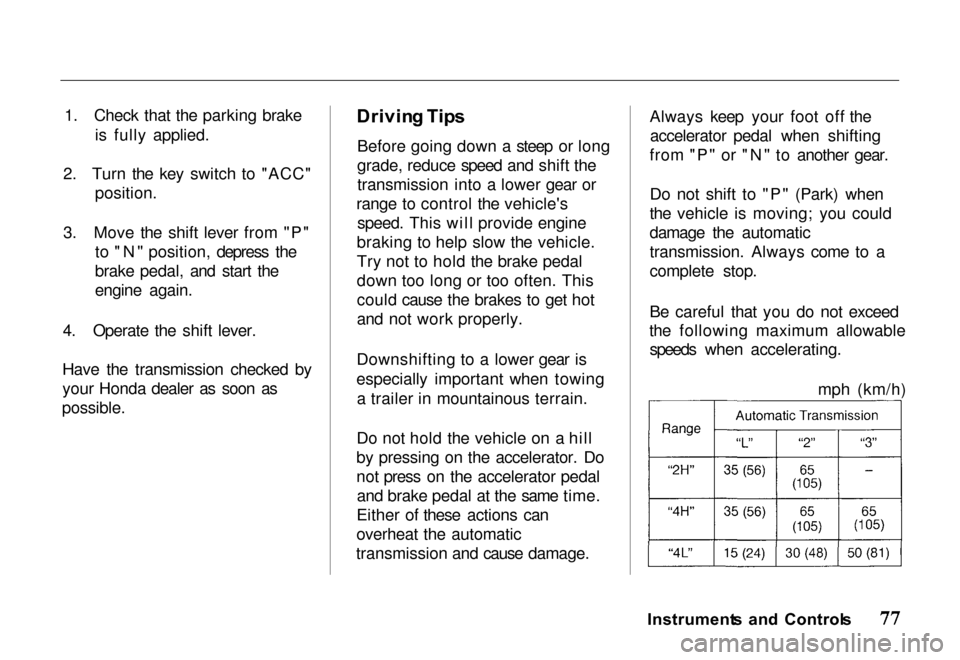
Be careful that you do not exceed
the following maximum allowable speeds when accelerating.
Instrument s an d Control s
mph (km/h)
Page 82 of 267
Shifting the Transfer Control
Lever
4H 4L: Stop the vehicle. Place
the transmission leverin "N" (Neutral)
position. Then move the transfer controllever from 4H to 4L,
or 4L to 4H.
Move the transfer control lever
quickly and securely between
positions. Do not stop midway.
The transfer gear box can be
damaged if the control lever is not
firmly in gear. Some noise is
normal when shifting.
Always stop the vehicle before shifting between low and high range (4H 4L or 4L 4H).
If the 4WD indicator continues to
blink rapidly, it indicates that the system was shifted out of
sequence. Stop the vehicle, select 4WD with the 4WD-2WD switch,
shift the lever from 4L to 4H, then
select 2WD. Drive in a straight
line to reset the system. If the indicator continues to blink, see
your Honda dealer.
Do not use 4-wheel drive for
driving on dry pavement. This
causes noise and wear, and taking
tight turns can damage thetransfer case and driveshafts. It
also reduces fuel economy.
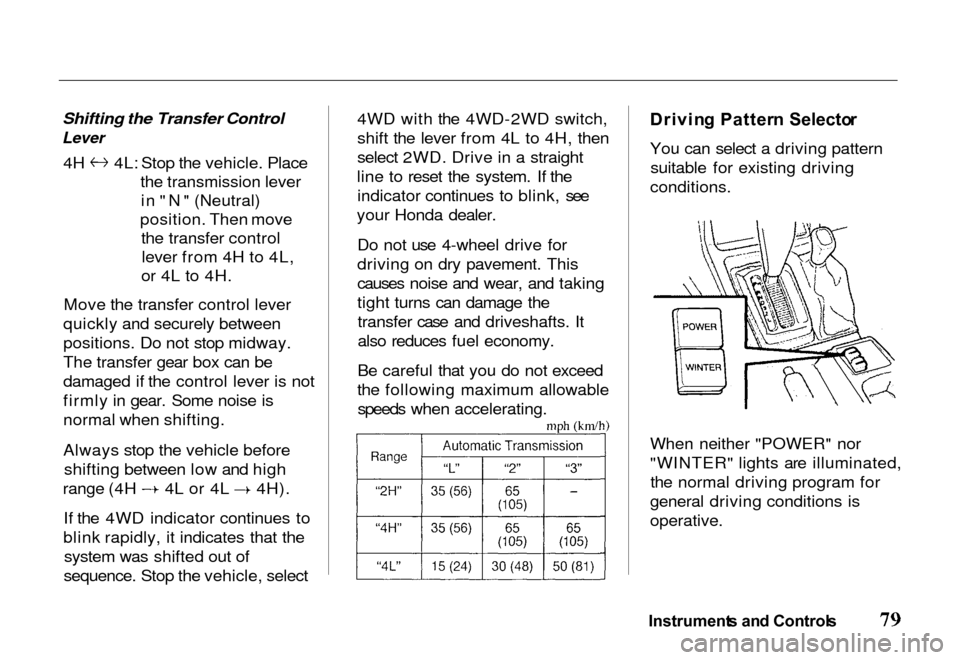
Be careful that you do not exceed
the following maximum allowable speeds when accelerating.
Drivin
g Patter n Selecto r
You can select a driving pattern suitable for existing driving
conditions.
When neither "POWER" nor
"WINTER" lights are illuminated, the normal driving program for
general driving conditions is
operative.
Instrument s an d Control s
Page 83 of 267
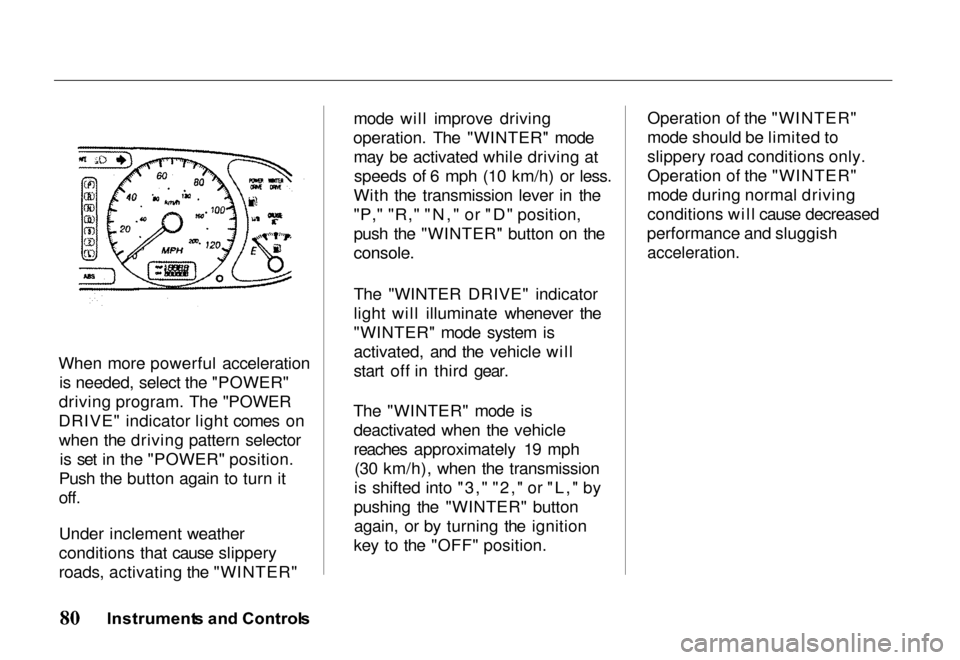
When more powerful acceleration
is needed, select the "POWER"
driving program. The "POWER
DRIVE" indicator light comes on when the driving pattern selector is set in the "POWER" position.
Push the button again to turn it
off.
Under inclement weather
conditions that cause slippery
roads, activating the "WINTER" mode will improve driving
operation. The "WINTER" mode may be activated while driving atspeeds of 6 mph (10 km/h) or less.
With the transmission lever in the
"P," "R," "N," or "D" position,
push the "WINTER" button on the
console.
The "WINTER DRIVE" indicator
light will illuminate whenever the
"WINTER" mode system is
activated, and the vehicle will
start off in third gear.
The "WINTER" mode is deactivated when the vehicle
reaches approximately 19 mph (30 km/h), when the transmission
is shifted into "3," "2," or "L," by
pushing the "WINTER" button again, or by turning the ignition
key to the "OFF" position. Operation of the "WINTER"
mode should be limited to
slippery road conditions only.
Operation of the "WINTER"
mode during normal driving
conditions will cause decreased
performance and sluggish
acceleration.
Instrument s an d Control s
Page 84 of 267
5-Spee
d Manua l Transmissio n
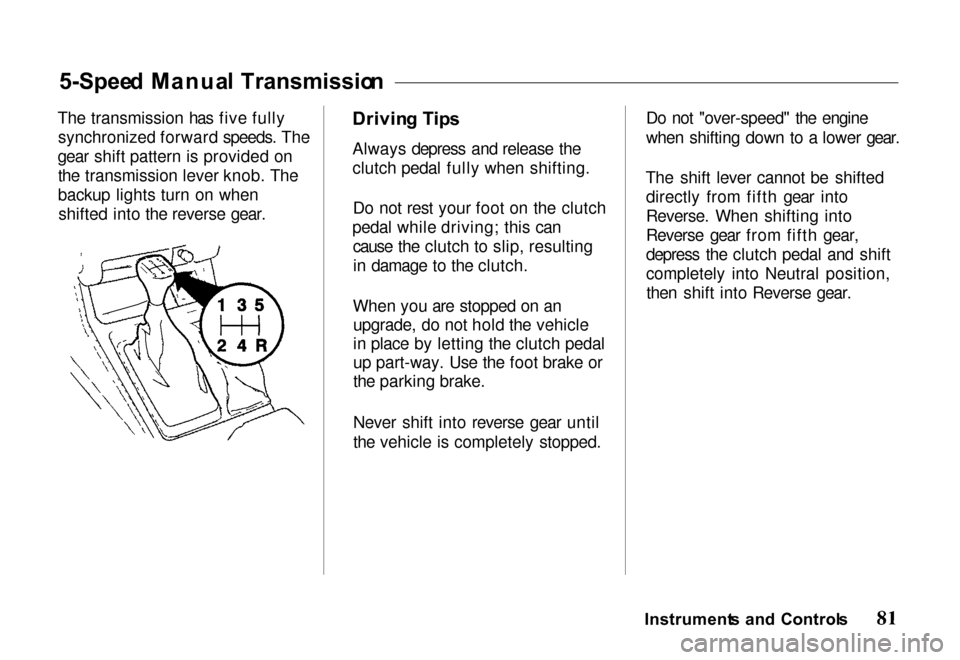
The transmission has five fully synchronized forward speeds. The
gear shift pattern is provided on the transmission lever knob. The
backup lights turn on whenshifted into the reverse gear. Drivin
g Tip s
Always depress and release the
clutch pedal fully when shifting.
Do not rest your foot on the clutch
pedal while driving; this can cause the clutch to slip, resultingin damage to the clutch.
When you are stopped on an upgrade, do not hold the vehicle
in place by letting the clutch pedal
up part-way. Use the foot brake or
the parking brake.
Never shift into reverse gear until
the vehicle is completely stopped. Do not "over-speed" the engine
when shifting down to a lower gear.
The shift lever cannot be shifted directly from fifth gear into
Reverse. When shifting into
Reverse gear from fifth gear,
depress the clutch pedal and shift
completely into Neutral position,then shift into Reverse gear.Instrument s an d Control s
Page 85 of 267
Shif
t Spee d Char t
The lower gears of the transmission are used for normal
acceleration of the vehicle to the
desired cruising speed. The
highest gear of the transmission is used to maintain the desiredspeed. The fifth gear is
recommended for use in
maintaining highway cruising speeds. Use of the fifth gear in
city traffic is not recommended.
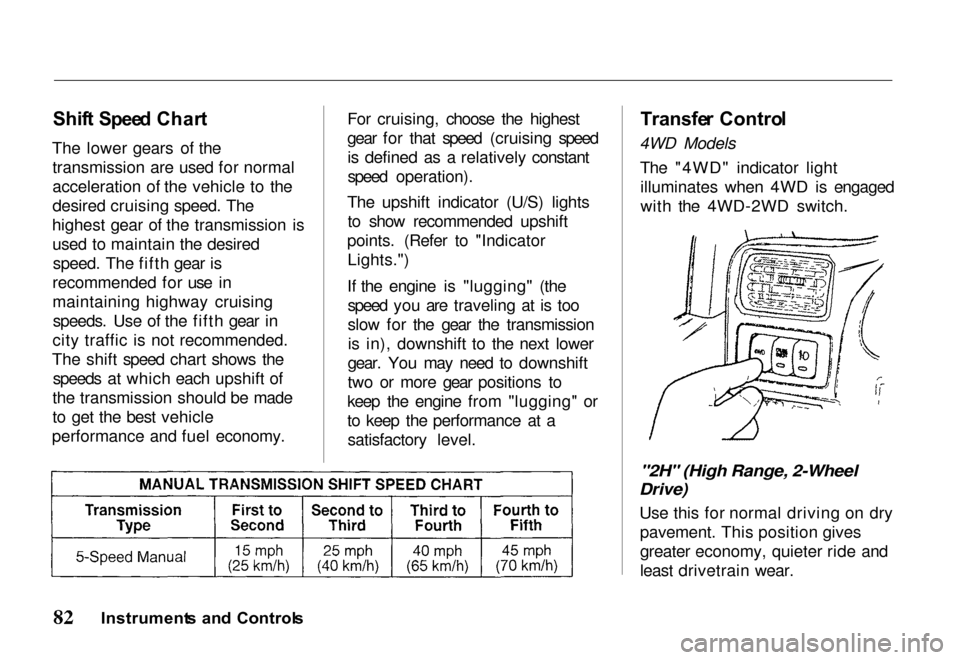
The shift speed chart shows the speeds at which each upshift of
the transmission should be made
to get the best vehicle
performance and fuel economy. For cruising, choose the highest
gear for that speed (cruising speed
is defined as a relatively constant
speed operation).
The upshift indicator (U/S) lights to show recommended upshift
points. (Refer to "Indicator Lights.")
If the engine is "lugging" (the speed you are traveling at is too
slow for the gear the transmissionis in), downshift to the next lower
gear. You may need to downshift
two or more gear positions to
keep the engine from "lugging" or
to keep the performance at a satisfactory level.
Transfe
r Contro l
4WD Models
The "4WD" indicator lightilluminates when 4WD is engaged
with the 4WD-2WD switch.
"2H" (High Range, 2-Wheel
Drive)
Use this for normal driving on drypavement. This position gives
greater economy, quieter ride and
least drivetrain wear.
Instrument s an d Control s
Page 87 of 267
Operatio
n
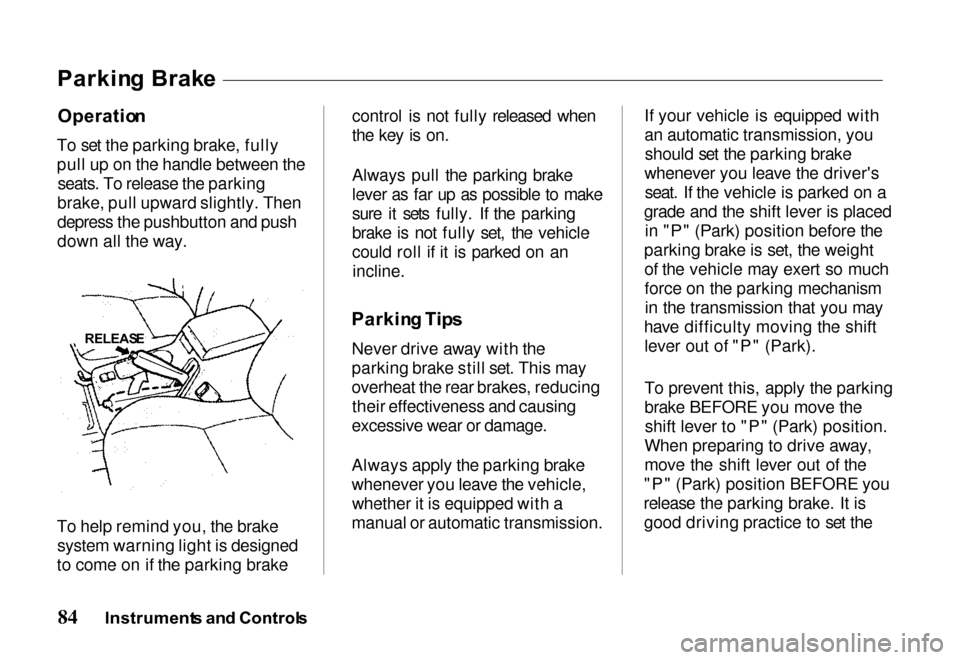
To set the parking brake, fully
pull up on the handle between the seats. To release the parking
brake, pull upward slightly. Then
depress the pushbutton and push
down all the way.
To help remind you, the brake system warning light is designed
to come on if the parking brake control is not fully released when
the key is on.
Always pull the parking brake
lever as far up as possible to make
sure it sets fully. If the parking
brake is not fully set, the vehicle
could roll if it is parked on an
incline.
Parkin g Tip s
Never drive away with the
parking brake still set. This may
overheat the rear brakes, reducing their effectiveness and causing
excessive wear or damage.
Always apply the parking brake
whenever you leave the vehicle, whether it is equipped with a
manual or automatic transmission. If your vehicle is equipped with
an automatic transmission, you
should set the parking brake
whenever you leave the driver's seat. If the vehicle is parked on a
grade and the shift lever is placed in "P" (Park) position before the
parking brake is set, the weight of the vehicle may exert so much
force on the parking mechanismin the transmission that you may
have difficulty moving the shift lever out of "P" (Park).
To prevent this, apply the parking
brake BEFORE you move theshift lever to "P" (Park) position.
When preparing to drive away,
move the shift lever out of the
"P" (Park) position BEFORE you
release the parking brake. It is good driving practice to set the
Instrument s an d Control s
Parkin
g Brak e
RELEAS E
Page 88 of 267
parking brake first, then place the
transmission in "P" (Park)
position, even on level surfaces.
When parking a vehicle equippedwith a manual transmission on an
upward slope or on a levelsurface, place the shift lever in the
" 1" (first gear) position.
When parking a vehicle equipped
with a manual transmission on a
downward slope, place the shift lever in the "R" (Reverse)
position. Accelerato
r Peda l
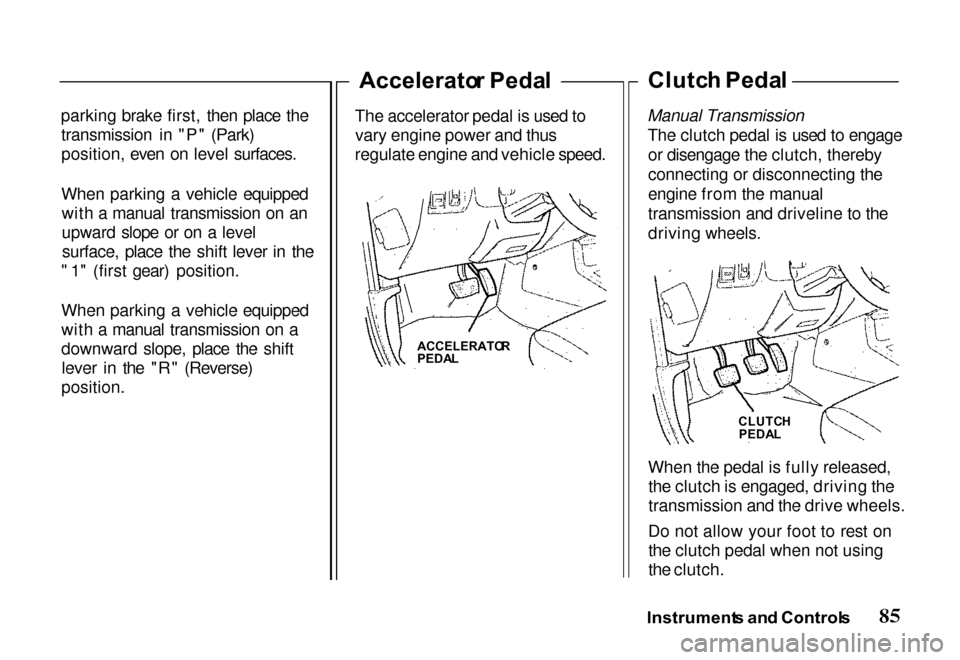
The accelerator pedal is used to vary engine power and thus
regulate engine and vehicle speed. Clutc
h Peda l
Manual Transmission The clutch pedal is used to engageor disengage the clutch, thereby
connecting or disconnecting the
engine from the manual
transmission and driveline to the
driving wheels.
When the pedal is fully released,the clutch is engaged, driving the
transmission and the drive wheels.
Do not allow your foot to rest on the clutch pedal when not using
the clutch.
Instrument s an d Control s
ACCELERATO
R
PEDA L
CLUTCH
PEDA L
Page 100 of 267
Key
s an d Ignitio n
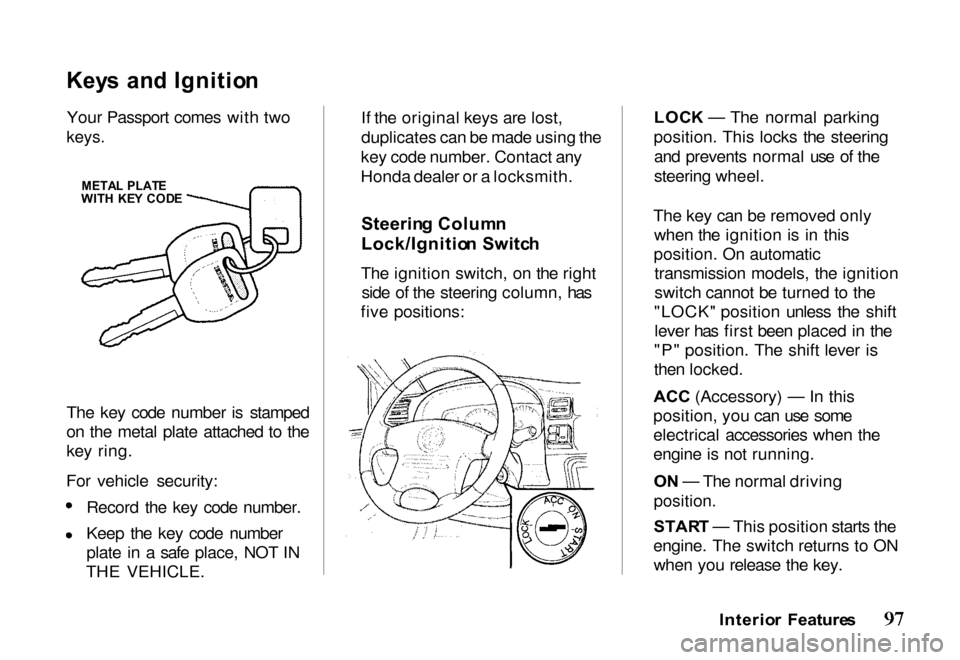
Your Passport comes with two
keys.
The key code number is stamped
on the metal plate attached to the
key ring.
For vehicle security: Record the key code number.
Keep the key code number
plate in a safe place, NOT IN
THE VEHICLE. If the original keys are lost,
duplicates can be made using the
key code number. Contact any
Honda dealer or a locksmith.
Steerin g Colum n
Lock/Ignitio n Switc h
The ignition switch, on the right side of the steering column, has
five positions: LOC
K — The normal parking
position. This locks the steering and prevents normal use of the
steering wheel.
The key can be removed only when the ignition is in this
position. On automatic transmission models, the ignition
switch cannot be turned to the
"LOCK" position unless the shift lever has first been placed in the
"P" position. The shift lever is
then locked.
ACC (Accessory) — In this
position, yo
u can use some
electrical accessories when the
engine is not running.
O N — The normal driving
position.
STAR T — This position starts the
engine. The switch returns to ON when you release the key.
Interior Feature s
META
L PLAT E
WIT H KE Y COD E
Page 101 of 267
The anti-theft steering column
lock is not interconnected with the
parking brake. You must alwaysset the parking brake when
leaving the vehicle.
To prevent discharging the battery, avoid use of electrical accessories
with the engine shut off.
For easier key operation when
unlocking, rotate the steering
wheel slightly to relieve pressure
on the steering lock.
Ke y Remova l
Manual Transmission With the vehicle fully stopped,remove the key from the switch
by turning it to the "LOCK"
position and removing it. Automatic Transmission
With the vehicle fully stopped, place
the automatic transmission shift
lever in "P" (Park) position. Turn
the key to the "LOCK" position.
Ke y Reminde r
The key reminder circuit causes a beeper to sound when the door is
held open with the key left in theignition switch. This is to help
prevent accidentally locking the
key inside the vehicle.
The beeper stops when the door is
closed or when the key is removed.
Guar d Agains t Thef t
Your new Passport has features to
help prevent theft of the vehicle, its equipment, and its contents.
These anti-theft features work
depending on how well you use
them.
Park in a well-lighted areawhenever possible.
Lock the steering column and
take the key with you.
— Turn the ignition switch to "LOCK" and remove the key.
This locks both the ignition switch and steering control.
Interio r Feature s
Removing the key from the
ignition switch while driving
locks the steering. This can
cause you to lose control.
Remove the key from the
ignition switch only when
parked.
Page 148 of 267
Tap Down (While Cruise Control
System Is in Use)
Quickly pressing and releasing the
"SET/COAST" button with the
cruise control engaged allows you
to "tap down" the preset cruising speed. Each depression decreases
the preset cruising speed by one
mile per hour (1.6 km/h). The
preset cruising speed can be decreased to a minimum of 25
miles per hour (40 km/h) in this
manner.
Disengaging
Disengage the cruise control
system by depressing the brake
pedal, or the clutch pedal on manual transmission vehicles.
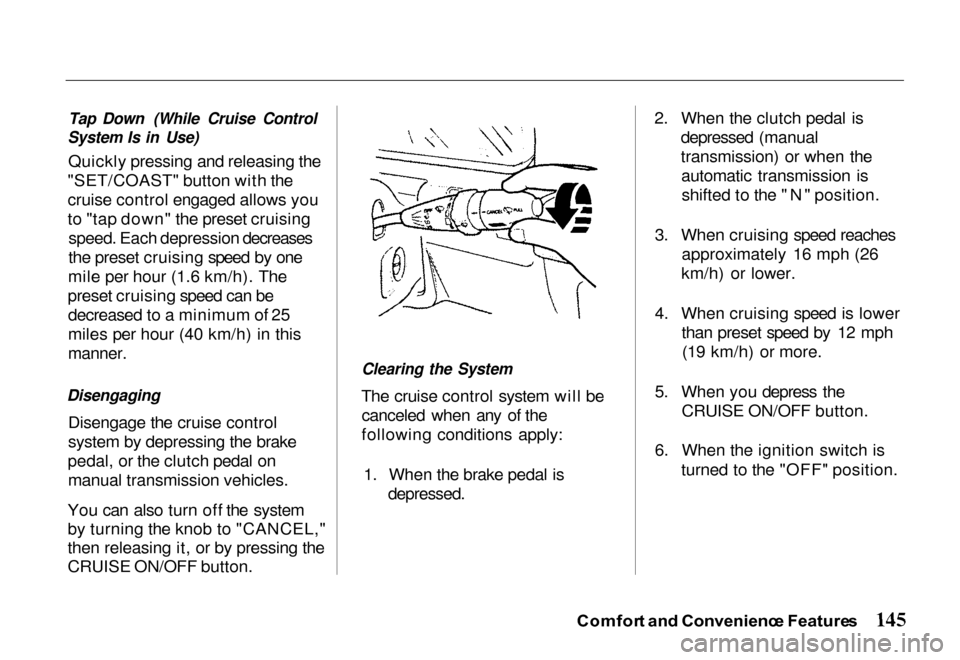
You can also turn off the system
by turning the knob to "CANCEL,"
then releasing it, or by pressing the
CRUISE ON/OFF button.
Clearing the System
The cruise control system will be canceled when any of the
following conditions apply:
1. When the brake pedal is
depressed.
2. When the clutch pedal is
depressed (manual
transmission) or when theautomatic transmission isshifted to the "N" position.
3. When cruising speed reaches approximately 16 mph (26
km/h) or lower.
4. When cruising speed is lower than preset speed by 12 mph(19 km/h) or more.
5. When you depress the CRUISE ON/OFF button.
6. When the ignition switch is turned to the "OFF" position.
Comfor t an d Convenienc e Feature s