parking HONDA PASSPORT 2023 User Guide
[x] Cancel search | Manufacturer: HONDA, Model Year: 2023, Model line: PASSPORT, Model: HONDA PASSPORT 2023Pages: 610, PDF Size: 20.93 MB
Page 102 of 610
101
uuIndicators uDriver Information Interface Wa rning and Information Messages
Continued
Instrument Panel
MessageConditionExplanation
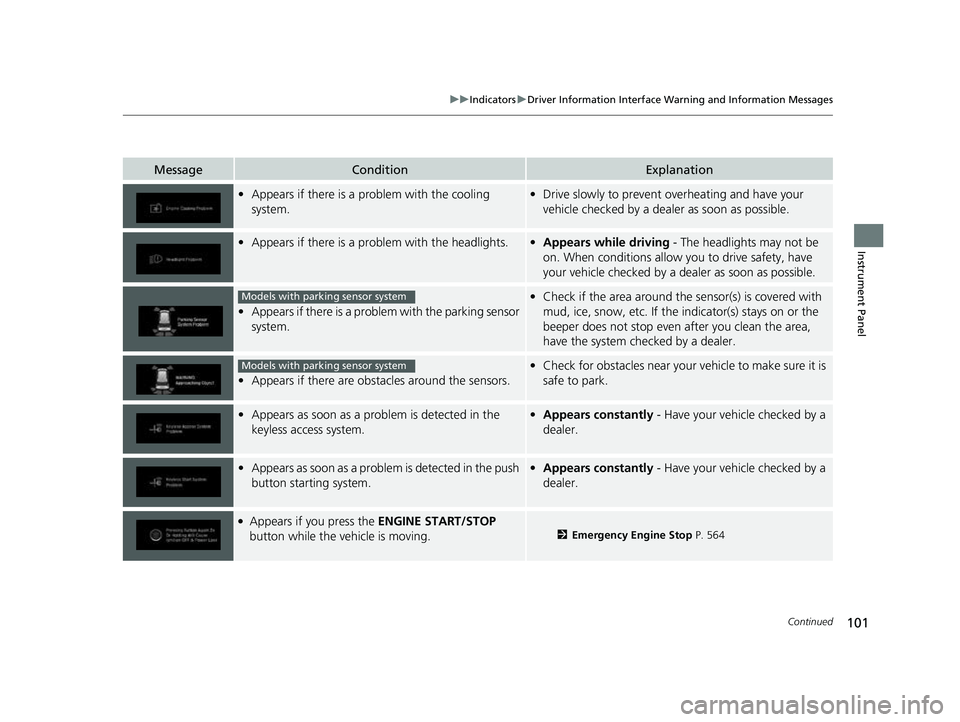
•Appears if there is a problem with the cooling
system.•Drive slowly to prevent ov erheating and have your
vehicle checked by a dealer as soon as possible.
• Appears if there is a pr oblem with the headlights.•Appears while driving - The headlights may not be
on. When conditions allow you to drive safety, have
your vehicle checked by a d ealer as soon as possible.
•Appears if there is a proble m with the parking sensor
system.
• Check if the area around the sensor(s) is covered with
mud, ice, snow, etc. If the indicator(s) stays on or the
beeper does not stop even after you clean the area,
have the system checked by a dealer.
• Appears if there are obstacles around the sensors.
•Check for obstacles near your vehicle to make sure it is
safe to park.
• Appears as soon as a prob lem is detected in the
keyless access system.• Appears constantly - Have your vehicle checked by a
dealer.
• Appears as soon as a problem is detected in the push
button starting system.•Appears constantly - Have your vehicle checked by a
dealer.
●Appears if you press the ENGINE START/STOP
button while the vehicle is moving.2 Emergency Engine Stop P. 564
Models with parking sensor system
Models with parking sensor system
23 PASSPORT-31TGS6400.book 101 ページ 2022年8月5日 金曜日 午後9時2分
Page 107 of 610
106
uuIndicators uDriver Information Interface Wa rning and Information Messages
Instrument Panel
MessageConditionExplanation
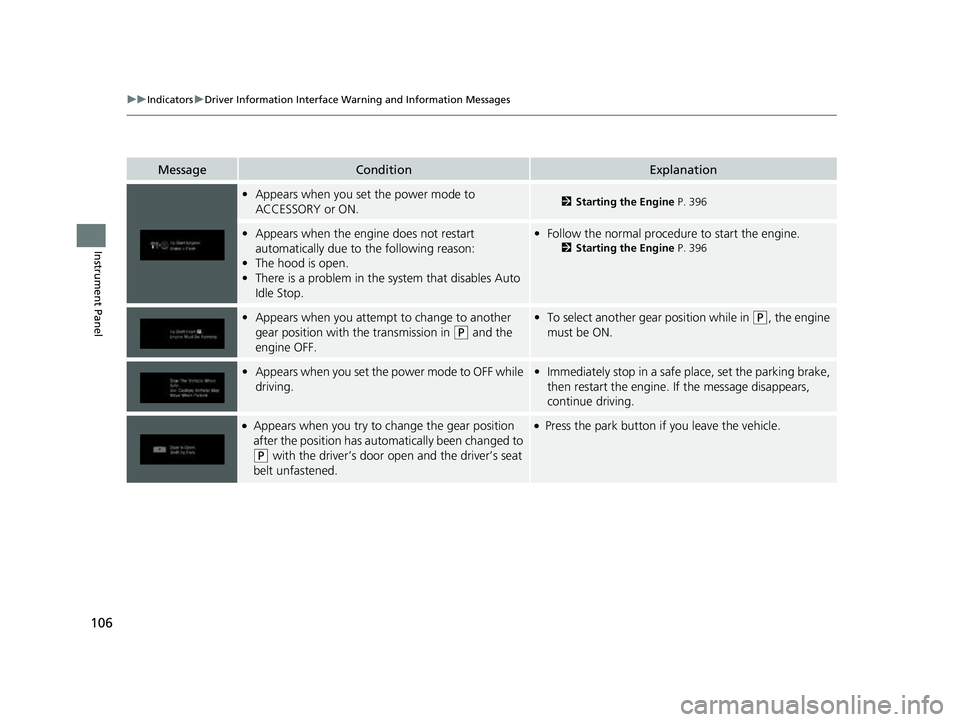
•Appears when you set the power mode to
ACCESSORY or ON.2 Starting the Engine P. 396
•Appears when the engine does not restart
automatically due to the following reason:
• The hood is open.
• There is a problem in the sy stem that disables Auto
Idle Stop.• Follow the normal procedure to start the engine.
2 Starting the Engine P. 396
•Appears when you attempt to change to another
gear position with the transmission in
(P and the
engine OFF.
• To select another gear position while in (P, the engine
must be ON.
• Appears when you set the power mode to OFF while
driving.•Immediately stop in a safe place, set the parking brake,
then restart the engine. If the message disappears,
continue driving.
●Appears when you try to change the gear position
after the position has auto matically been changed to
(P with the driver’s door open and the driver’s seat
belt unfastened.
●Press the park button if you leave the vehicle.
23 PASSPORT-31TGS6400.book 106 ページ 2022年8月5日 金曜日 午後9時2分
Page 108 of 610
107
uuIndicators uDriver Information Interface Wa rning and Information Messages
Continued
Instrument Panel
MessageConditionExplanation
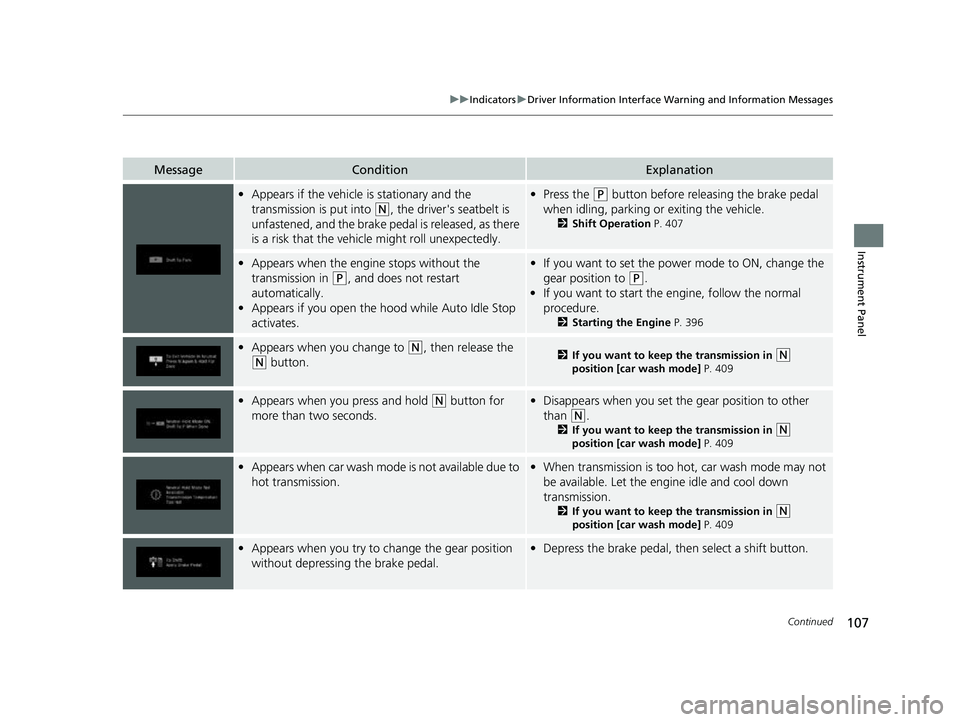
•Appears if the vehicle is stationary and the
transmission is put into
(N, the driver's seatbelt is
unfastened, and the brake pedal is released, as there
is a risk that the vehicle might roll unexpectedly.
• Press the (P button before releasing the brake pedal
when idling, parking or exiting the vehicle.
2 Shift Operation P. 407
•Appears when the engine stops without the
transmission in
(P, and does not restart
automatically.
• Appears if you open the h ood while Auto Idle Stop
activates.
• If you want to set the power mode to ON, change the
gear position to
(P.
• If you want to start the engine, follow the normal
procedure.
2 Starting the Engine P. 396
•Appears when you change to (N, then release the
(N button.2 If you want to keep the transmission in (N
position [car wash mode] P. 409
•Appears when you press and hold (N button for
more than two seconds.• Disappears when you set the gear position to other
than
(N.
2 If you want to keep the transmission in (N
position [car wash mode] P. 409
•Appears when car wash mode is not available due to
hot transmission.•When transmission is too ho t, car wash mode may not
be available. Let the engine idle and cool down
transmission.
2 If you want to keep the transmission in (N
position [car wash mode] P. 409
•Appears when you try to ch ange the gear position
without depressing the brake pedal.• Depress the brake pedal, then select a shift button.
23 PASSPORT-31TGS6400.book 107 ページ 2022年8月5日 金曜日 午後9時2分
Page 165 of 610
164
uuOperating the Switches Around the Steering Wheel uLight Switches
Controls
Light Switches
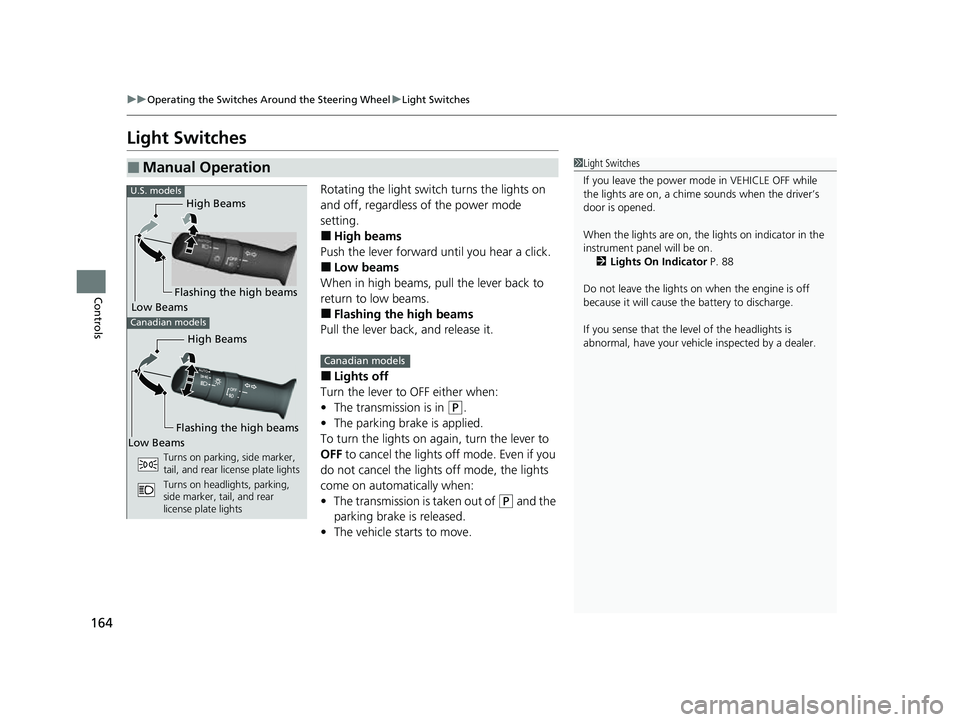
Rotating the light switch turns the lights on
and off, regardless of the power mode
setting.
■High beams
Push the lever forward until you hear a click.
■Low beams
When in high beams, pull the lever back to
return to low beams.
■Flashing the high beams
Pull the lever back, and release it.
■Lights off
Turn the lever to OFF either when:
• The transmission is in
(P.
• The parking brake is applied.
To turn the lights on ag ain, turn the lever to
OFF to cancel the lights off mode. Even if you
do not cancel the lights off mode, the lights
come on automatically when:
• The transmission is taken out of
(P and the
parking brake is released.
• The vehicle starts to move.
■Manual Operation1Light Switches
If you leave the power mode in VEHICLE OFF while
the lights are on, a chime sounds when the driver’s
door is opened.
When the lights are on, the lights on indicator in the
instrument pane l will be on.
2 Lights On Indicator P. 88
Do not leave the lights on when the engine is off
because it will cause the battery to discharge.
If you sense that the le vel of the headlights is
abnormal, have your vehicle inspected by a dealer.
High Beams
Flashing the high beams
Low Beams
Turns on parking, side marker,
tail, and rear license plate lights
Turns on headlights, parking,
side marker, tail, and rear
license plate lights
U.S. models
Canadian models
High Beams
Flashing the high beams
Low Beams
Canadian models
23 PASSPORT-31TGS6400.book 164 ページ 2022年8月5日 金曜日 午後9時2分
Page 166 of 610
Continued165
uuOperating the Switches Around the Steering Wheel uLight Switches
Controls
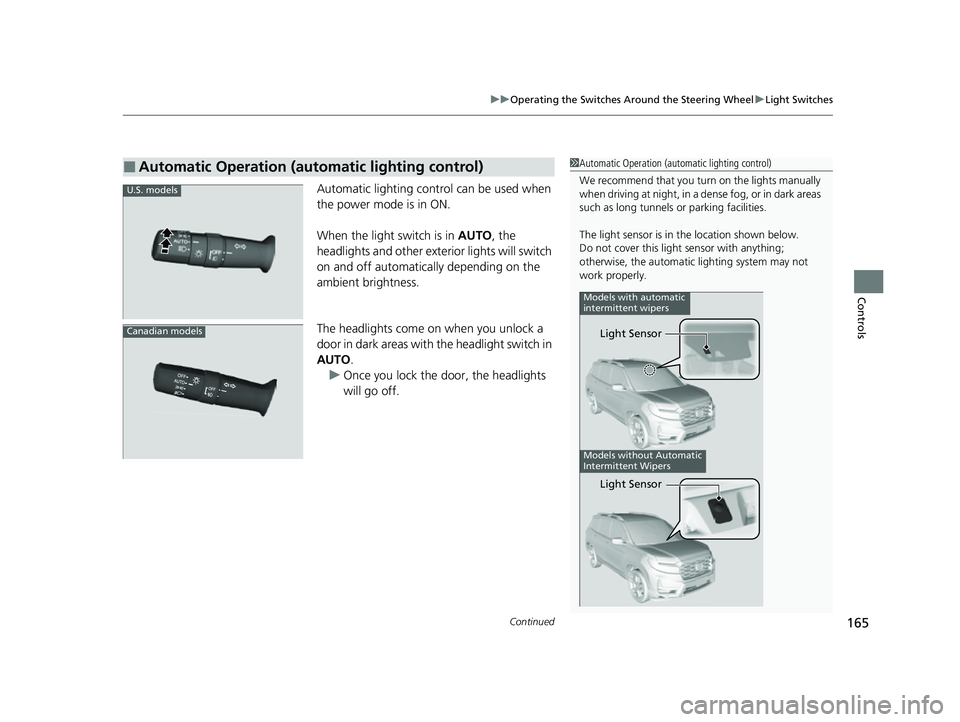
Automatic lighting control can be used when
the power mode is in ON.
When the light switch is in AUTO, the
headlights and other exterior lights will switch
on and off automatically depending on the
ambient brightness.
The headlights come on when you unlock a
door in dark areas with the headlight switch in
AUTO .
u Once you lock the door, the headlights
will go off.
■Automatic Operation (automatic lighting control)1 Automatic Operation (aut omatic lighting control)
We recommend that you tu rn on the lights manually
when driving at night, in a de nse fog, or in dark areas
such as long tunnels or parking facilities.
The light sensor is in the location shown below.
Do not cover this light sensor with anything;
otherwise, the automatic lighting system may not
work properly.
Models without Automatic
Intermittent Wipers
Models with automatic
intermittent wipers
Light Sensor
Light Sensor
U.S. models
Canadian models
23 PASSPORT-31TGS6400.book 165 ページ 2022年8月5日 金曜日 午後9時2分
Page 168 of 610
167
uuOperating the Switches Around the Steering Wheel uFog Lights*
Controls
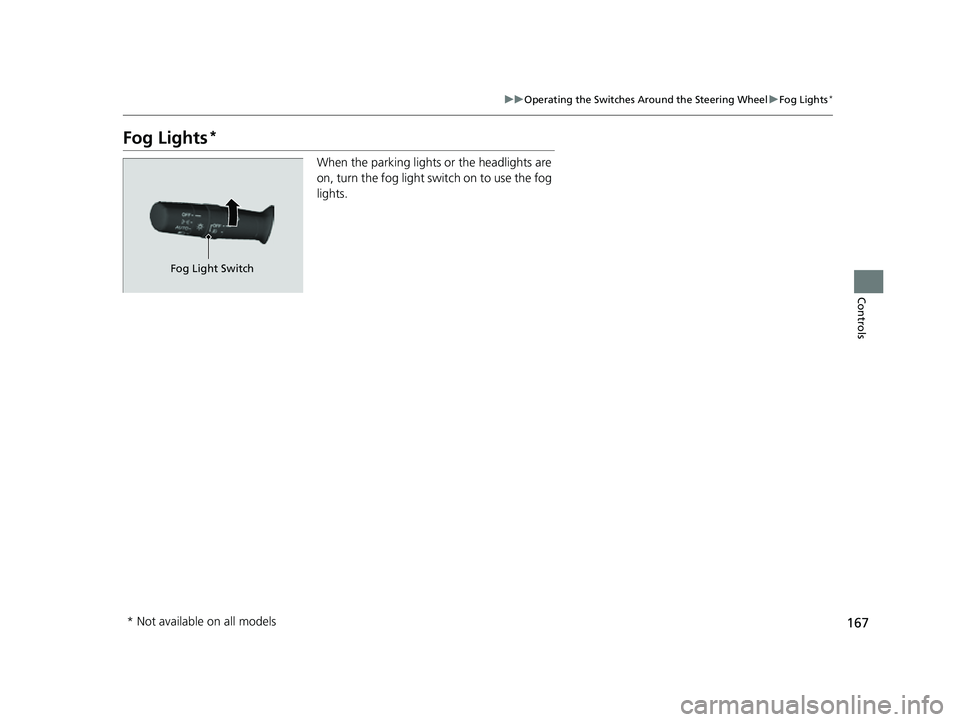
Fog Lights*
When the parking lights or the headlights are
on, turn the fog light switch on to use the fog
lights.
Fog Light Switch
* Not available on all models
23 PASSPORT-31TGS6400.book 167 ページ 2022年8月5日 金曜日 午後9時2分
Page 169 of 610
168
uuOperating the Switches Around the Steering Wheel uDaytime Running Lights
Controls
Daytime Running Lights
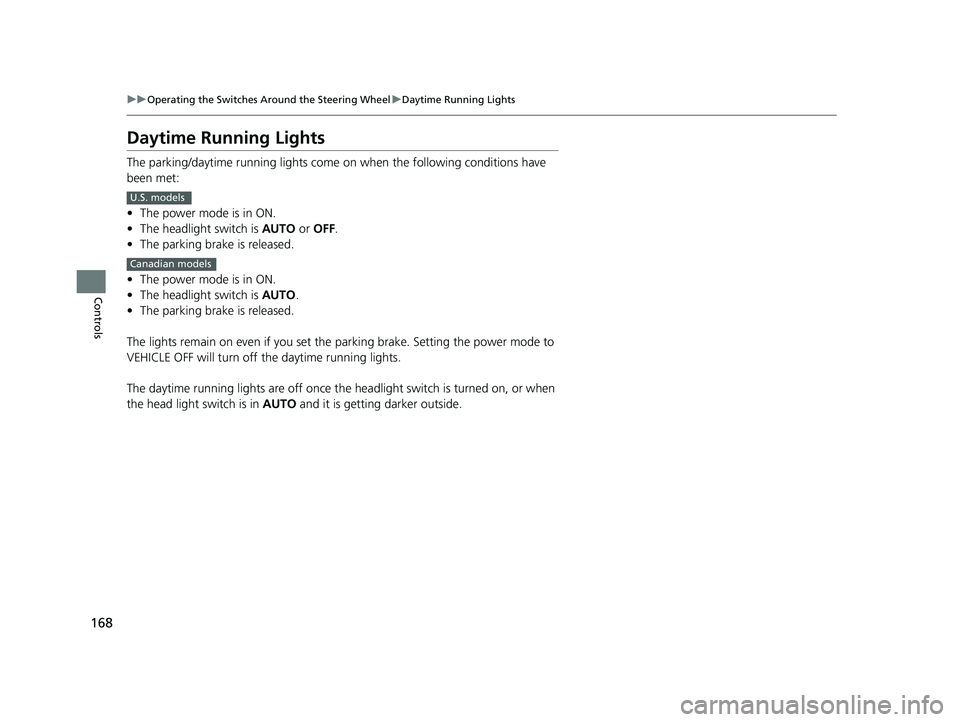
The parking/daytime running lights come on when the following conditions have
been met:
• The power mode is in ON.
• The headlight switch is AUTO or OFF .
• The parking brake is released.
• The power mode is in ON.
• The headlight switch is AUTO.
• The parking brake is released.
The lights remain on even if you set the parking brake. Setting the power mode to
VEHICLE OFF will turn off the daytime running lights.
The daytime running lights are off once the headlight switch is turned on, or when
the head light switch is in AUTO and it is getting darker outside.
U.S. models
Canadian models
23 PASSPORT-31TGS6400.book 168 ページ 2022年8月5日 金曜日 午後9時2分
Page 180 of 610
179
uuOperating the Switches Around the Steering Wheel uDriving Position Memory System*
Controls
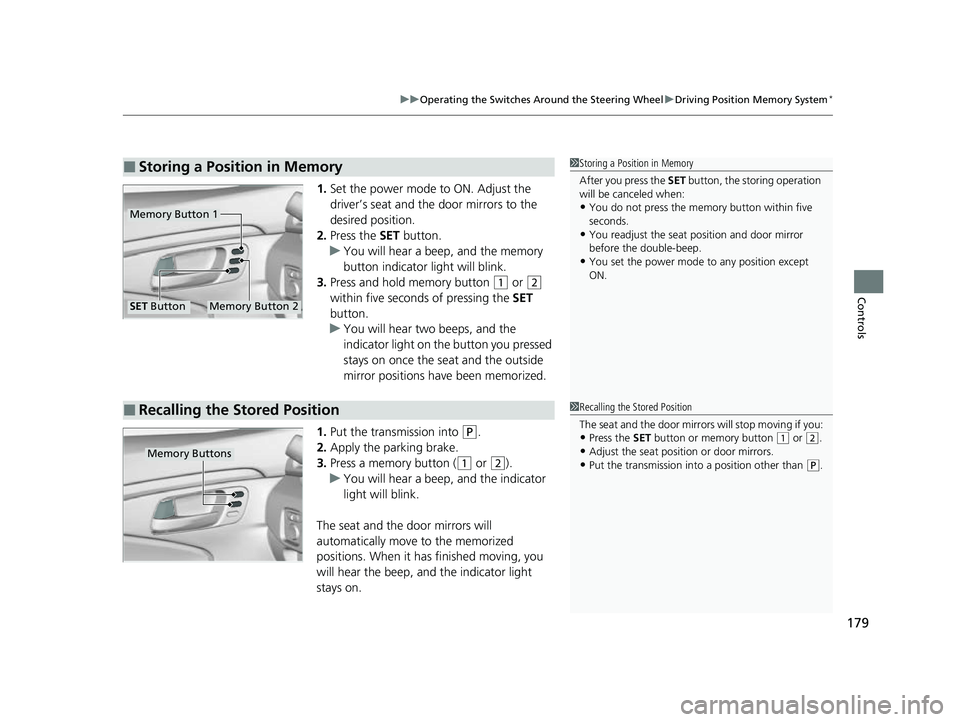
1. Set the power mode to ON. Adjust the
driver’s seat and the door mirrors to the
desired position.
2. Press the SET button.
u You will hear a beep, and the memory
button indicator light will blink.
3. Press and hold memory button
(1 or (2
within five seconds of pressing the SET
button.
u You will hear two beeps, and the
indicator light on the button you pressed
stays on once the seat and the outside
mirror positions have been memorized.
1. Put the transmission into
(P.
2. Apply the parking brake.
3. Press a memory button (
(1 or (2).
u You will hear a beep, and the indicator
light will blink.
The seat and the door mirrors will
automatically move to the memorized
positions. When it has finished moving, you
will hear the beep, and the indicator light
stays on.
■Storing a Position in Memory1 Storing a Position in Memory
After you press the SET button, the storing operation
will be canceled when:
•You do not press the memory button within five
seconds.
•You readjust the seat position and door mirror
before the double-beep.
•You set the power mode to any position except
ON.
Memory Button 1
Memory Button 2SET Button
■Recalling the Stored Position1 Recalling the Stored Position
The seat and the door mirrors will stop moving if you:
•Press the SET button or memory button (1 or (2.
•Adjust the seat position or door mirrors.
•Put the transmission into a position other than (P.Memory Buttons
23 PASSPORT-31TGS6400.book 179 ページ 2022年8月5日 金曜日 午後9時2分
Page 378 of 610
377
Driving
This chapter discusses driving and refueling.
Before Driving................................... 378
Towing a Trailer ................................ 384
Off-Highway Driving Guidelines ..... 394
When Driving Starting the Engine .......................... 396
Automatic Transmission ................... 404
Shifting ............................................ 405
Auto Idle Stop .................................. 413
ECON Mode .................................... 418
Intelligent Traction Management...... 419
Vehicle Stability AssistTM (VSA®), aka Electronic
Stability Control (ESC), System ............... 421
Agile Handling Assist ....................... 423
Blind spot information System*........ 424 Intelligent Variable To
rque Management (i-
VTM4
TM) AWD System*.................. 427
Tire Pressure Monitoring System (TPMS) with Tire Fill Assist .......................... 428
Tire Pressure Monitoring System (TPMS) -
Required Federal Explanation ......... 430
Honda Sensing ®................................ 432
Collision Mitigati on Braking System
TM
(CMBSTM) ....................................... 435
Adaptive Cruise Control (ACC)......... 447
Lane Keeping Assist System (LKAS) .. 460
Road Departure Mitigation (RDM)
System ....................................... 469
Front Sensor Camera ....................... 474
Radar Sensor.................................... 476 Braking
Brake System ................................... 477
Anti-lock Brake System (ABS) ........... 479
Brake Assist System ......................... 480
Parking Your Vehicle
When Stopped ................................ 481
Parking Sensor System
*................... 483
Cross Traffic Monitor*..................... 488
Multi-View Rear Camera .................. 492
Refueling Fuel Information .............................. 494
How to Refuel ................................. 495
Fuel Economy and CO
2 Emissions
Improving Fuel Economy and Reducing CO
2 Emissions ................................ 497
* Not available on all models
23 PASSPORT-31TGS6400.book 377 ページ 2022年8月5日 金曜日 午後9時2分
Page 388 of 610
Continued387
uuTowing a Trailer uTowing Preparation
Driving
Towing generally requires a vari ety of supplemental equipment.
To ensure the best quality, we recommend that you purchase Honda equipment
whenever possible.
■Trailer brakes
Recommended for any trailer with a total weight of 1,000 lbs (450 kg) or more:
There are two common types of trailer bra kes: surge and electric. Surge brakes are
common for boat trailers, since the brakes will get wet.
If you choose electric brakes, be sure th ey are electronically actuated. Do not
attempt to attach trailer brakes to your ve hicle’s hydraulic system, as it will lower
braking effectiveness and create a potential hazard.
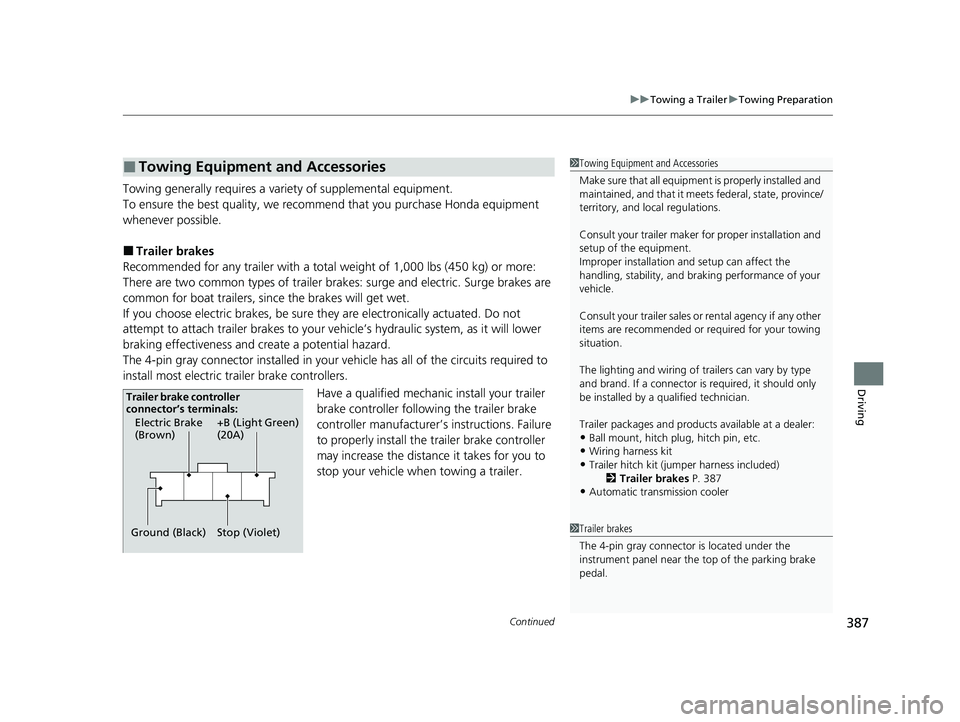
The 4-pin gray connector installed in your vehicle has all of the circuits required to
install most electric trailer brake controllers.
Have a qualified mechanic install your trailer
brake controller following the trailer brake
controller manufacturer’s instructions. Failure
to properly install the trailer brake controller
may increase the distance it takes for you to
stop your vehicle when towing a trailer.
■Towing Equipment and Accessories1Towing Equipment and Accessories
Make sure that all equipmen t is properly installed and
maintained, and that it meets federal, state, province/
territory, and lo cal regulations.
Consult your trai ler maker for prope r installation and
setup of the equipment.
Improper installation and setup can affect the
handling, stability, and br aking performance of your
vehicle.
Consult your traile r sales or rental agency if any other
items are recommended or required for your towing
situation.
The lighting and wiring of tra ilers can vary by type
and brand. If a connector is required, it should only
be installed by a qua lified technician.
Trailer packages and products availa ble at a dealer:
•Ball mount, hitch plug, hitch pin, etc.•Wiring harness kit
•Trailer hitch kit (jum per harness included)
2 Trailer brakes P. 387
•Automatic transmission cooler
1Trailer brakes
The 4-pin gray connector is located under the
instrument panel near the top of the parking brake
pedal.
Electric Brake
(Brown)
Ground (Black) +B (Light Green)
(20A)
Stop (Violet)
Trailer brake controller
connector’s terminals:
23 PASSPORT-31TGS6400.book 387 ページ 2022年8月5日 金曜日 午後9時2分