parking HONDA PASSPORT 2023 Owner's Guide
[x] Cancel search | Manufacturer: HONDA, Model Year: 2023, Model line: PASSPORT, Model: HONDA PASSPORT 2023Pages: 610, PDF Size: 20.93 MB
Page 475 of 610
474
uuHonda Sensing ®u Front Sensor Camera
Driving
Front Sensor Camera
The camera, used in systems such as LKAS, RDM, ACC, and CMBSTM, is designed to
detect an object that triggers any of the systems to operate its functions.
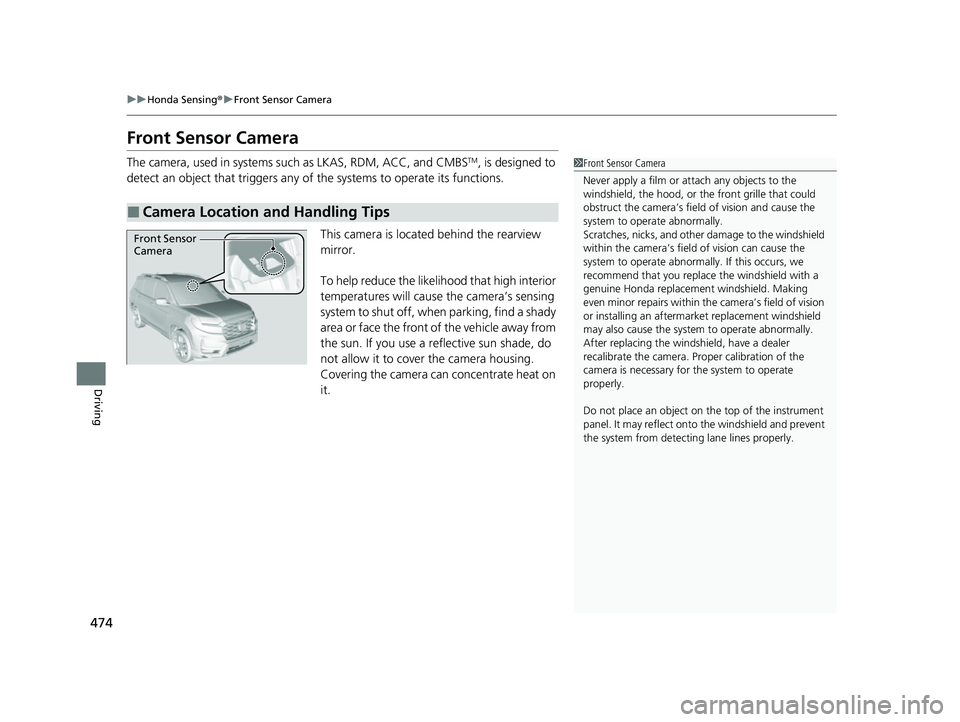
This camera is located behind the rearview
mirror.
To help reduce the likelihood that high interior
temperatures will cause the camera’s sensing
system to shut off, when parking, find a shady
area or face the front of the vehicle away from
the sun. If you use a re flective sun shade, do
not allow it to cover the camera housing.
Covering the camera can concentrate heat on
it.
■Camera Location and Handling Tips
1 Front Sensor Camera
Never apply a film or attach any objects to the
windshield, the hood, or th e front grille that could
obstruct the camera’s fiel d of vision and cause the
system to operate abnormally.
Scratches, nicks, and othe r damage to the windshield
within the camera’s fiel d of vision can cause the
system to operate abnormall y. If this occurs, we
recommend that you replac e the windshield with a
genuine Honda replacem ent windshield. Making
even minor repairs within th e camera’s field of vision
or installing an aftermarket replacement windshield
may also cause the system to operate abnormally.
After replacing the winds hield, have a dealer
recalibrate the camera. Pr oper calibration of the
camera is necessary for the system to operate
properly.
Do not place an object on the top of the instrument
panel. It may reflect onto the windshield and prevent
the system from detecting lane lines properly.
Front Sensor
Camera
23 PASSPORT-31TGS6400.book 474 ページ 2022年8月5日 金曜日 午後9時2分
Page 478 of 610
477Continued
Driving
Braking
Brake System
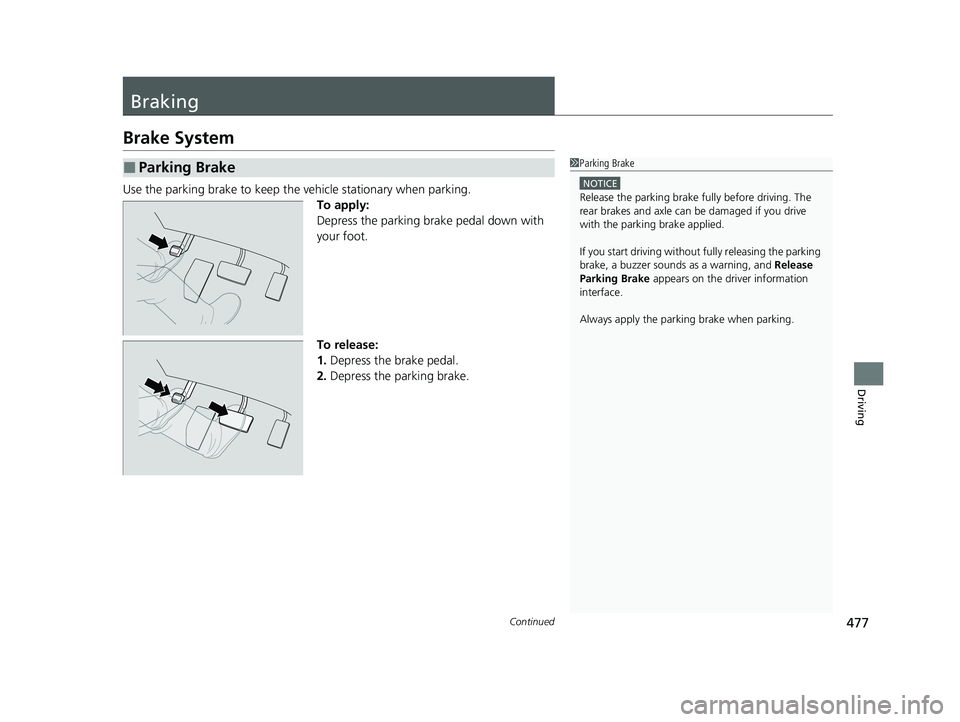
Use the parking brake to keep the vehicle stationary when parking.
To apply:
Depress the parking brake pedal down with
your foot.
To release:
1. Depress the brake pedal.
2. Depress the parking brake.
■Parking Brake1Parking Brake
NOTICE
Release the parking brake fu lly before driving. The
rear brakes and axle can be damaged if you drive
with the parki ng brake applied.
If you start driving without fully releasing the parking
brake, a buzzer sounds as a warning, and Release
Parking Brake appears on the driver information
interface.
Always apply the parki ng brake when parking.
23 PASSPORT-31TGS6400.book 477 ページ 2022年8月5日 金曜日 午後9時2分
Page 482 of 610
481Continued
Driving
Parking Your Vehicle
When Stopped
1.Depress the brake pedal firmly and come to a complete stop.
2. Apply the parking brake.
3. Change the gear position to
(P.
u Do not release the brake pedal until you have confirmed that
(P is shown on
the gear position indicator.
4. Turn off the engine.
Always set the parking brake firmly, in pa rticular if you are parked on an incline.
1Parking Your Vehicle
Do not park your vehicle near flammable objects,
such as dry grass, oil, or timber.
Heat from the exhaust can cause a fire.
3WARNING
The vehicle can roll aw ay if left unattended
without confirming th at Park is engaged.
A vehicle that rolls away could cause a crash
resulting in serious injury or death.
Always keep your foot on the brake pedal
until you have confirmed that
( P is shown
on the gear position Indicator.
1 When Stopped
NOTICE
The following can dama ge the transmission:•Depressing the accelerator and brake pedals
simultaneously.
•Holding the vehicle in place when facing uphill by
depressing the accelerator pedal.
•Changing into ( P before the vehicle stops
completely.
23 PASSPORT-31TGS6400.book 481 ページ 2022年8月5日 金曜日 午後9時2分
Page 483 of 610
uuParking Your Vehicle uWhen Stopped
482
Driving
1When Stopped
In extremely cold temper atures, the parking brake
may freeze up if applied. If such temperatures are
expected, do not apply the parking brake but, if
parking on a slope, either turn the front wheels so
they will contact the curb if the vehicle rolls down the
slope or block the wheels to keep the vehicle from
moving. If you do not take either precaution, the
vehicle may roll unexpect edly, leading to a crash.
23 PASSPORT-31TGS6400.book 482 ページ 2022年8月5日 金曜日 午後9時2分
Page 484 of 610
483
uuParking Your Vehicle uParking Sensor System*
Continued
Driving
Parking Sensor System*
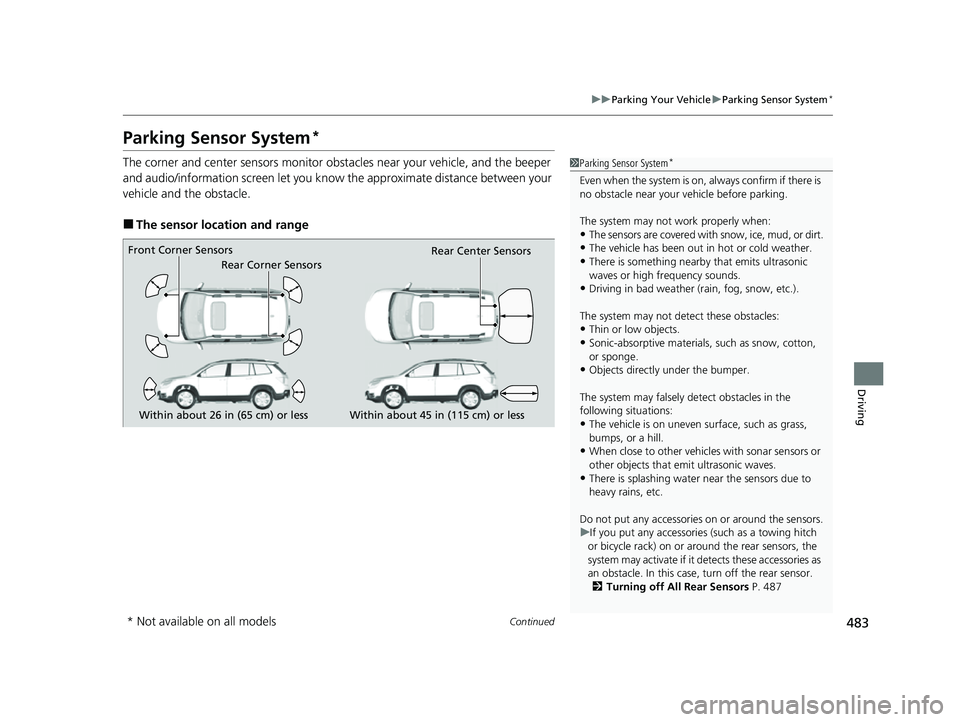
The corner and center sensors monitor obst acles near your vehicle, and the beeper
and audio/information screen let you know the approximate distance between your
vehicle and the obstacle.
■The sensor location and range
1 Parking Sensor System*
Even when the system is on, always confirm if there is
no obstacle near your ve hicle before parking.
The system may not work properly when:
•The sensors are covered with snow, ice, mud, or dirt.
•The vehicle has been out in hot or cold weather.
•There is something nearby that emits ultrasonic
waves or high frequency sounds.
•Driving in bad weather (rain, fog, snow, etc.).
The system may not de tect these obstacles:
•Thin or low objects.
•Sonic-absorptive materials, such as snow, cotton,
or sponge.
•Objects directly under the bumper.
The system may falsely de tect obstacles in the
following situations:
•The vehicle is on uneven su rface, such as grass,
bumps, or a hill.
•When close to other vehicl es with sonar sensors or
other objects that em it ultrasonic waves.
•There is splashing water near the sensors due to
heavy rains, etc.
Do not put any accessories on or around the sensors.
u If you put any accessorie s (such as a towing hitch
or bicycle rack) on or around the rear sensors, the
system may activate if it detects these accessories as
an obstacle. In this case, turn off the rear sensor. 2 Turning off All Rear Sensors P. 487
Within about 26 in (65 cm) or less
Front Corner Sensors
Rear Corner Sensors
Rear Center Sensors
Within about 45 in (115 cm) or less
* Not available on all models
23 PASSPORT-31TGS6400.book 483 ページ 2022年8月5日 金曜日 午後9時2分
Page 485 of 610
484
uuParking Your Vehicle uParking Sensor System*
Driving
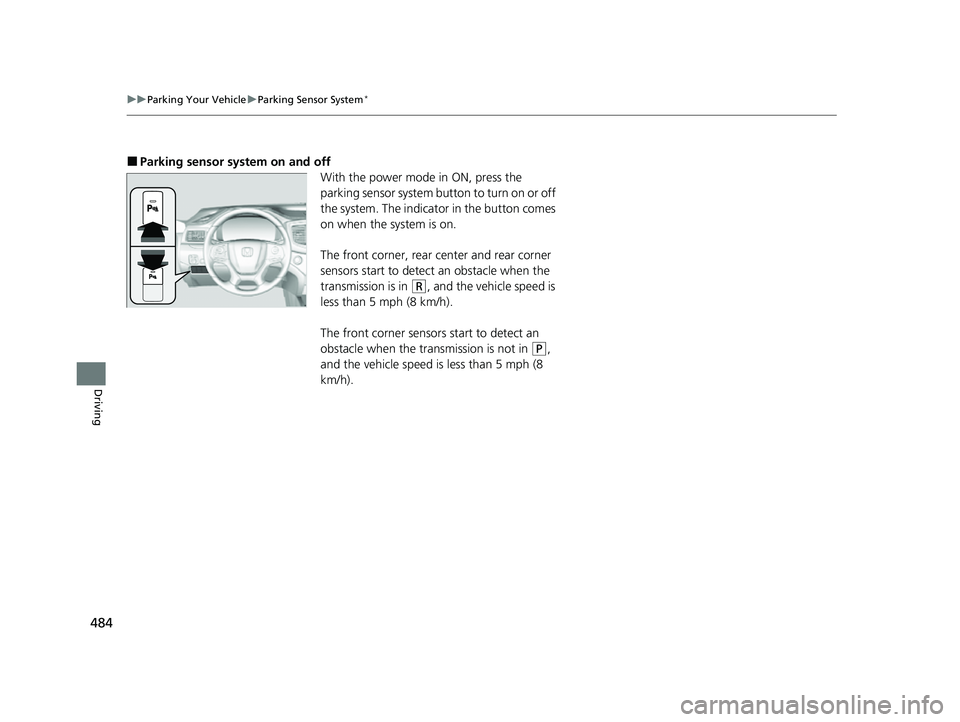
■Parking sensor system on and off
With the power mode in ON, press the
parking sensor system button to turn on or off
the system. The indicator in the button comes
on when the system is on.
The front corner, rear center and rear corner
sensors start to detect an obstacle when the
transmission is in
(R, and the vehicle speed is
less than 5 mph (8 km/h).
The front corner sensors start to detect an
obstacle when the transmission is not in
(P,
and the vehicle speed is less than 5 mph (8
km/h).
23 PASSPORT-31TGS6400.book 484 ページ 2022年8月5日 金曜日 午後9時2分
Page 486 of 610
Continued485
uuParking Your Vehicle uParking Sensor System*
Driving
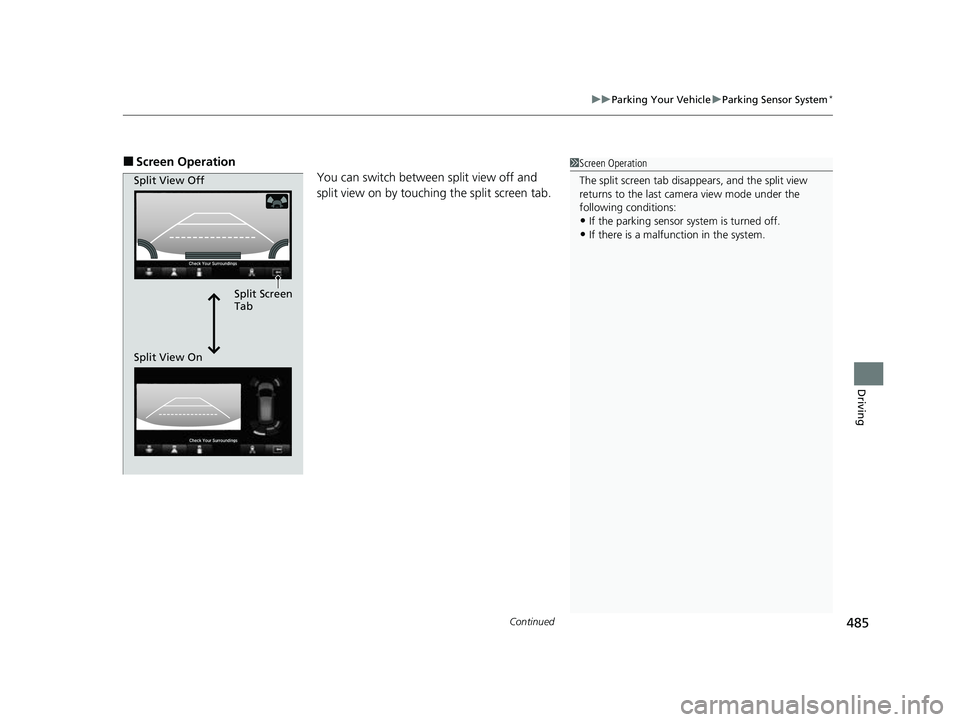
■Screen Operation
You can switch between split view off and
split view on by touching the split screen tab.1Screen Operation
The split screen tab disappears, and the split view
returns to the last camera view mode under the
following conditions:
•If the parking sensor system is turned off.•If there is a malfunction in the system.
Split Screen
Tab
Split View Off
Split View On
23 PASSPORT-31TGS6400.book 485 ページ 2022年8月5日 金曜日 午後9時2分
Page 487 of 610
486
uuParking Your Vehicle uParking Sensor System*
Driving
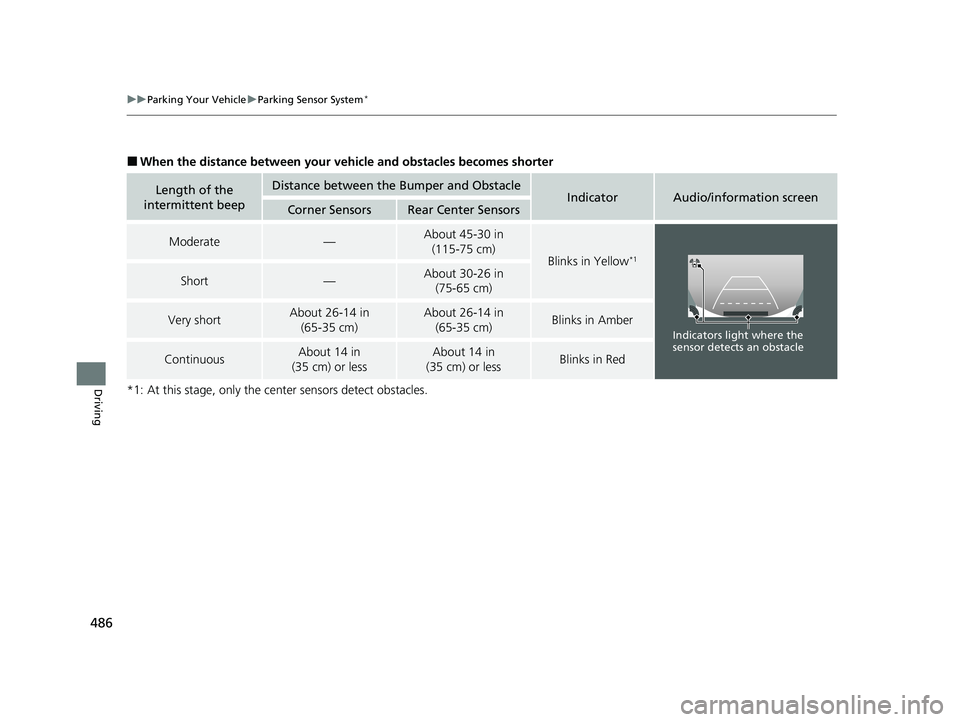
■When the distance between your ve hicle and obstacles becomes shorter
*1: At this stage, only the ce nter sensors detect obstacles.
Length of the
intermittent beepDistance between the Bumper and ObstacleIndicatorAudio/information screenCorner SensorsRear Center Sensors
Moderate—About 45-30 in (115-75 cm)
Blinks in Yellow*1
Short—About 30-26 in (75-65 cm)
Very shortAbout 26-14 in
(65-35 cm)About 26-14 in (65-35 cm)Blinks in Amber
ContinuousAbout 14 in
(35 cm) or lessAbout 14 in
(35 cm) or lessBlinks in Red
Indicators light where the
sensor detects an obstacle
23 PASSPORT-31TGS6400.book 486 ページ 2022年8月5日 金曜日 午後9時2分
Page 488 of 610
487
uuParking Your Vehicle uParking Sensor System*
Driving
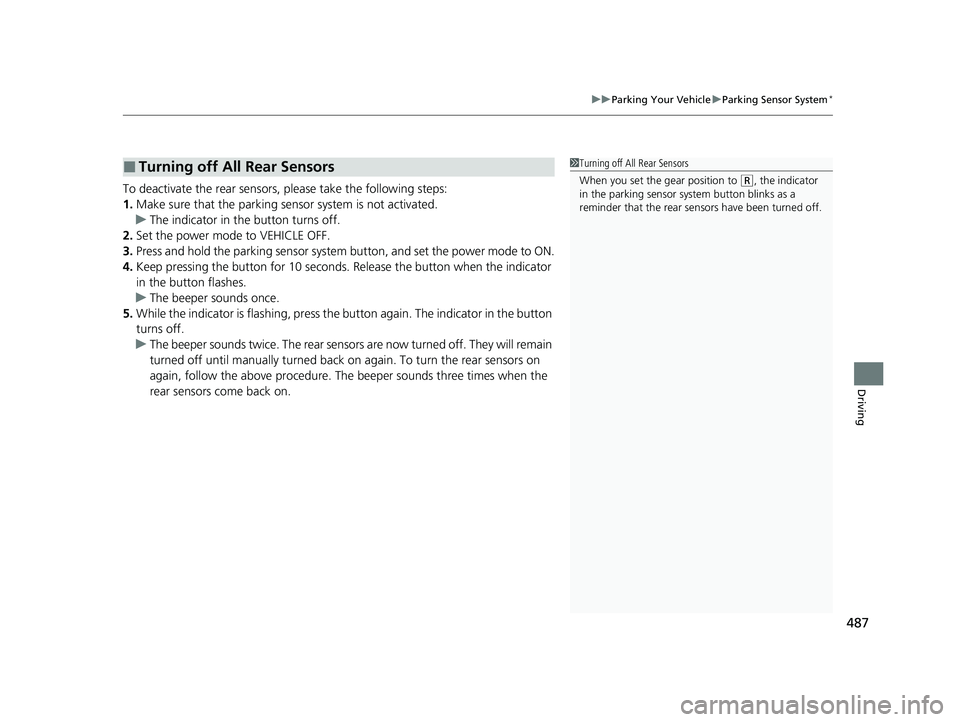
To deactivate the rear sensors, please take the following steps:
1. Make sure that the parking sensor system is not activated.
u The indicator in the button turns off.
2. Set the power mode to VEHICLE OFF.
3. Press and hold the parking sensor system button, and set the power mode to ON.
4. Keep pressing the button for 10 seconds. Release the button when the indicator
in the button flashes.
u The beeper sounds once.
5. While the indicator is flashing, press the button again. The indicator in the button
turns off.
u The beeper sounds twice. The rear sensor s are now turned off. They will remain
turned off until manually turned back on again. To turn the rear sensors on
again, follow the above pr ocedure. The beeper sounds three times when the
rear sensors come back on.
■Turning off All Rear Sensors1 Turning off All Rear Sensors
When you set the gear position to
(R, the indicator
in the parking sensor system button blinks as a
reminder that the rear sens ors have been turned off.
23 PASSPORT-31TGS6400.book 487 ページ 2022年8月5日 金曜日 午後9時2分
Page 489 of 610
488
uuParking Your Vehicle uCross Traffic Monitor*
Driving
Cross Traffic Monitor*
Monitors the rear corner areas using the radar sensors when reversing, and alerts
you if a vehicle approaching fro m a rear corner is detected.
The system is convenient when you are backing out of a parking space.1 Cross Traffic Monitor*
3CAUTION
Cross Traffic Monitor cannot detect all
approaching vehicles and may not detect
an approaching vehicle at all.
Failure to visually confirm that it is safe to
back up the vehicle before doing so may
result in a collision.
Do not solely rely on the system when
reversing; always also use your mirrors, and
look behind and to the sides of your vehicle
before reversing.
* Not available on all models
23 PASSPORT-31TGS6400.book 488 ページ 2022年8月5日 金曜日 午後9時2分