front camera HONDA PASSPORT 2023 Owners Manual
[x] Cancel search | Manufacturer: HONDA, Model Year: 2023, Model line: PASSPORT, Model: HONDA PASSPORT 2023Pages: 610, PDF Size: 20.93 MB
Page 7 of 610
Contents
This owner’s manual should be considered a permanent part of the
vehicle and should remain with the vehicle when it is sold.
The Navigation Manual is available online at owners.honda.com
(U.S.) or honda.ca (Canada). If you are the first registered owner
of your vehicle, you may request a complimentary printed
copy of the Navigation Manual within the first six months of
vehicle purchase. To request a copy, visit owners.honda.com. In
Canada, please request a copy from your Honda dealer.
This owner’s manual covers all models of your vehicle. You may find
descriptions of equipment and features that are not on your
particular model.
Images throughout this owner’s manu al (including the front cover)
represent features and equipment that are available on some, but
not all, models. Your particular mo del may not have some of these
features.
This owner’s manual is for vehicles sold in the United States and
Canada.
The information and specifications in cluded in this publication were
in effect at the time of approval for printing. Honda Motor Co., Ltd.
reserves the right, however, to discontinue or change specifications
or design at any time without notice and without incurring any
obligation.2 Safe Driving P. 33
For Safe Driving P. 34 Seat Belts P. 39 Airbags P. 49
2Instrument Panel P. 81
Indicators P. 82 Gauges and Displays P. 109
2Controls P. 125
Clock P. 126 Locking and Unlocking the Doors P. 128
Opening and Closing the Windows P. 156 Moonroof* P. 159
Adjusting the Seats P. 183
2 Features P. 223
Audio System P. 224
General Information on the Audio System P. 307
Bluetooth® HandsFreeLink ® P. 351
2 Driving P. 377
Before Driving P. 378 Towing a Trailer P. 384
Parking Your Vehicle P. 481Multi-View Rear Camera P. 492
2Maintenance P. 499
Before Performing Maintenance P. 500 Maintenance MinderTM P. 503
Checking and Maintaining Wiper Blades P. 526
Remote Transmitter Care P. 541
Accessories and Modifications P. 549
2 Handling the Unexpected P. 551
Tools P. 552 If a Tire Goes Flat P. 553
Indicator, Coming On/Blinking P. 570 Fuses P. 575
Refueling P. 582 If You Cannot Open the Tailgate P. 583
2Information P. 585
Specifications P. 586 Identification Numbers P. 588
Emissions Testing P. 591 Warranty Coverages P. 593
23 PASSPORT-31TGS6400.book 6 ページ 2022年8月5日 金曜日 午後9時2分
Page 13 of 610
Visual Index
12
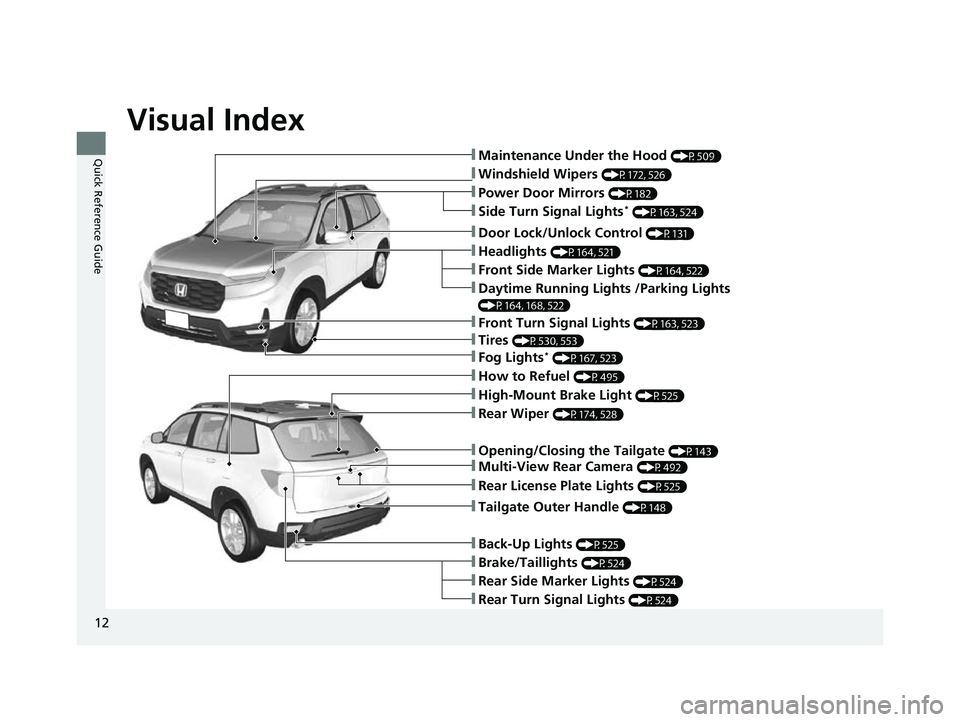
Quick Reference Guide❚Maintenance Under the Hood (P509)
❚Windshield Wipers (P172, 526)
❚Tires (P530, 553)
❚Power Door Mirrors (P182)
❚Headlights (P164, 521)
❚Front Side Marker Lights (P164, 522)
❚Side Turn Signal Lights* (P163, 524)
❚Daytime Running Lights /Parking Lights
(P164, 168, 522)
❚How to Refuel (P495)
❚High-Mount Brake Light (P525)
❚Rear Wiper (P174, 528)
❚Rear Side Marker Lights (P524)
❚Rear Turn Signal Lights (P524)
❚Brake/Taillights (P524)
❚Opening/Closing the Tailgate (P143)
❚Door Lock/Unlock Control (P131)
❚Fog Lights* (P167, 523)
❚Front Turn Signal Lights (P163, 523)
❚Back-Up Lights (P525)
❚Tailgate Outer Handle (P148)
❚Multi-View Rear Camera (P492)
❚Rear License Plate Lights (P525)
23 PASSPORT-31TGS6400.book 12 ページ 2022年8月5日 金曜日 午後9時2分
Page 28 of 610
27
Quick Reference Guide
Honda Sensing® (P432)
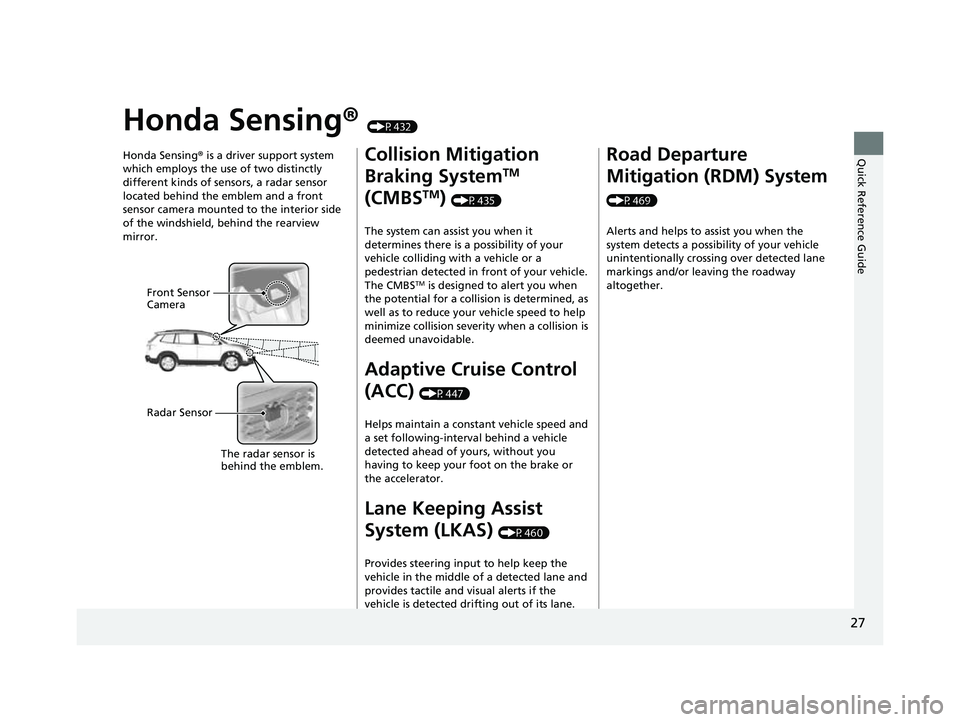
Honda Sensing ® is a driver support system
which employs the use of two distinctly
different kinds of sensors, a radar sensor
located behind the emblem and a front
sensor camera mounted to the interior side
of the windshield, behind the rearview
mirror.
Front Sensor
Camera
Radar Sensor
The radar sensor is
behi
nd the emblem.
Collision Mitigation
Braking System
TM
(CMBS
TM) (P435)
The system can assist you when it
determines there is a possibility of your
vehicle colliding with a vehicle or a
pedestrian detected in front of your vehicle.
The CMBS
TM is designed to alert you when
the potential for a collision is determined, as
well as to reduce your vehicle speed to help
minimize collision severity when a collision is
deemed unavoidable.
Adaptive Cruise Control
(ACC)
(P447)
Helps maintain a constant vehicle speed and
a set following-interval behind a vehicle
detected ahead of yours, without you
having to keep your foot on the brake or
the accelerator.
Lane Keeping Assist
System (LKAS)
(P460)
Provides steering input to help keep the
vehicle in the middle of a detected lane and
provides tactile and visual alerts if the
vehicle is detected drifting out of its lane.
Road Departure
Mitigation (RDM) System
(P469) Alerts and helps to assist you when the
system detects a possibility of your vehicle
unintentionally crossing over detected lane
markings and/or leaving the roadway
altogether.
23 PASSPORT-31TGS6400.book 27 ページ 2022年8月5日 金曜日 午後9時2分
Page 95 of 610
94
uuIndicators u
Instrument Panel
IndicatorNameOn/BlinkingExplanationMessage
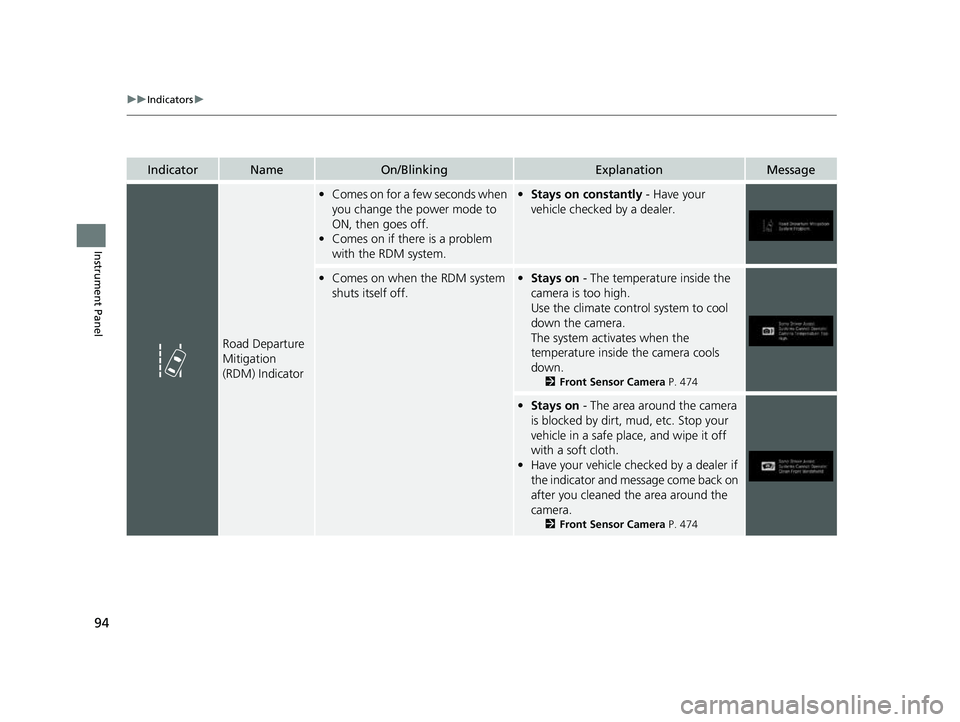
Road Departure
Mitigation
(RDM) Indicator
•Comes on for a few seconds when
you change the power mode to
ON, then goes off.
• Comes on if there is a problem
with the RDM system.•Stays on constantly - Have your
vehicle checked by a dealer.
• Comes on when the RDM system
shuts itself off.•Stays on - The temperature inside the
camera is too high.
Use the climate contro l system to cool
down the camera.
The system activates when the
temperature inside the camera cools
down.
2 Front Sensor Camera P. 474
•Stays on - The area around the camera
is blocked by dirt, mud, etc. Stop your
vehicle in a safe place, and wipe it off
with a soft cloth.
• Have your vehicle checked by a dealer if
the indicator and message come back on
after you cleaned the area around the
camera.
2 Front Sensor Camera P. 474
23 PASSPORT-31TGS6400.book 94 ページ 2022年8月5日 金曜日 午後9時2分
Page 97 of 610
96
uuIndicators u
Instrument Panel
IndicatorNameOn/BlinkingExplanationMessage
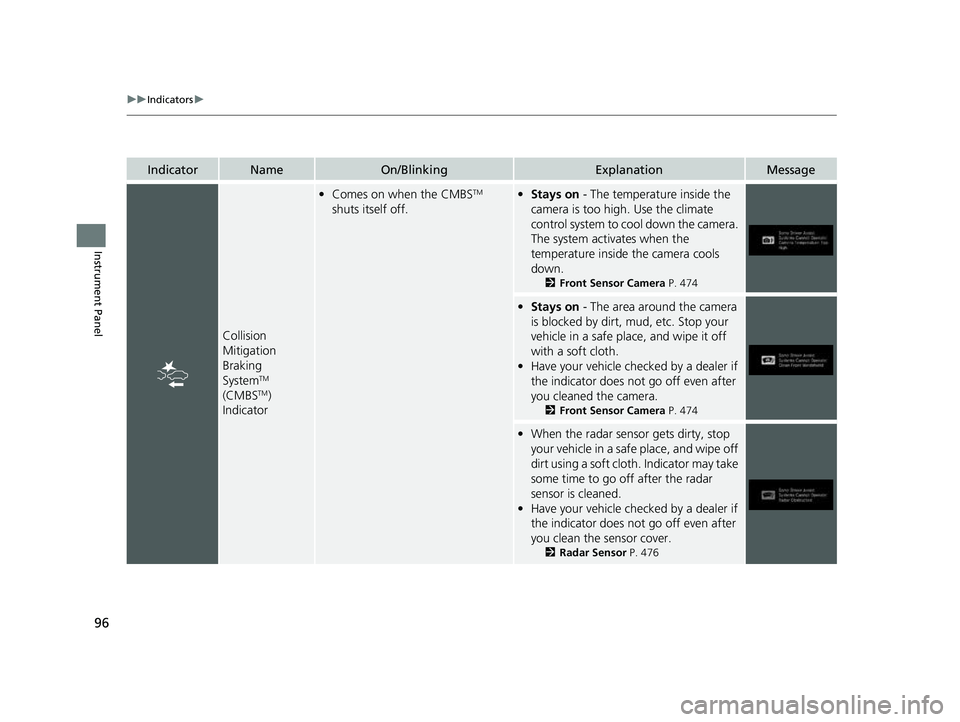
Collision
Mitigation
Braking
System
TM
(CMBSTM)
Indicator
• Comes on when the CMBSTM
shuts itself off.• Stays on - The temperature inside the
camera is too high. Use the climate
control system to cool down the camera.
The system activates when the
temperature inside the camera cools
down.
2 Front Sensor Camera P. 474
•Stays on - The area around the camera
is blocked by dirt, mud, etc. Stop your
vehicle in a safe place, and wipe it off
with a soft cloth.
• Have your vehicle checked by a dealer if
the indicator does not go off even after
you cleaned the camera.
2 Front Sensor Camera P. 474
•When the radar sensor gets dirty, stop
your vehicle in a safe place, and wipe off
dirt using a soft clot h. Indicator may take
some time to go off after the radar
sensor is cleaned.
• Have your vehicle checked by a dealer if
the indicator does not go off even after
you clean the sensor cover.
2 Radar Sensor P. 476
23 PASSPORT-31TGS6400.book 96 ページ 2022年8月5日 金曜日 午後9時2分
Page 103 of 610
102
uuIndicators uDriver Information Interface Wa rning and Information Messages
Instrument Panel
MessageConditionExplanation
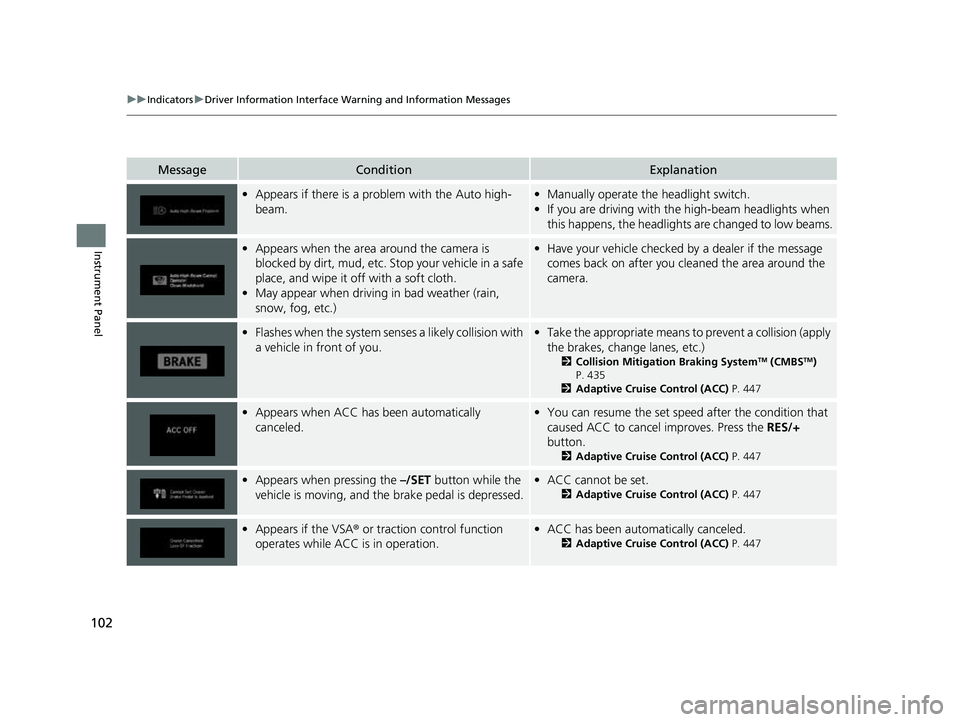
•Appears if there is a prob lem with the Auto high-
beam.• Manually operate the headlight switch.
• If you are driving with th e high-beam headlights when
this happens, the headlights are changed to low beams.
• Appears when the area around the camera is
blocked by dirt, mud, etc. Stop your vehicle in a safe
place, and wipe it off with a soft cloth.
• May appear when driving in bad weather (rain,
snow, fog, etc.)•Have your vehicle checked by a dealer if the message
comes back on after you cl eaned the area around the
camera.
• Flashes when the system senses a likely collision with
a vehicle in front of you.•Take the appropriate means to prevent a collision (apply
the brakes, change lanes, etc.)
2 Collision Mitigation Braking SystemTM (CMBSTM)
P. 435
2 Adaptive Cruise Control (ACC) P. 447
•Appears when ACC has been automatically
canceled.•You can resume the set speed after the condition that
caused ACC to cancel improves. Press the RES/+
button.
2 Adaptive Cruise Control (ACC) P. 447
•Appears when pressing the –/SET button while the
vehicle is moving, and the brake pedal is depressed.• ACC cannot be set.
2 Adaptive Cruise Control (ACC) P. 447
•Appears if the VSA ® or traction control function
operates while ACC is in operation.• ACC has been automatically canceled.
2 Adaptive Cruise Control (ACC) P. 447
23 PASSPORT-31TGS6400.book 102 ページ 2022年8月5日 金曜日 午後9時2分
Page 106 of 610
105
uuIndicators uDriver Information Interface Wa rning and Information Messages
Continued
Instrument Panel
MessageConditionExplanation
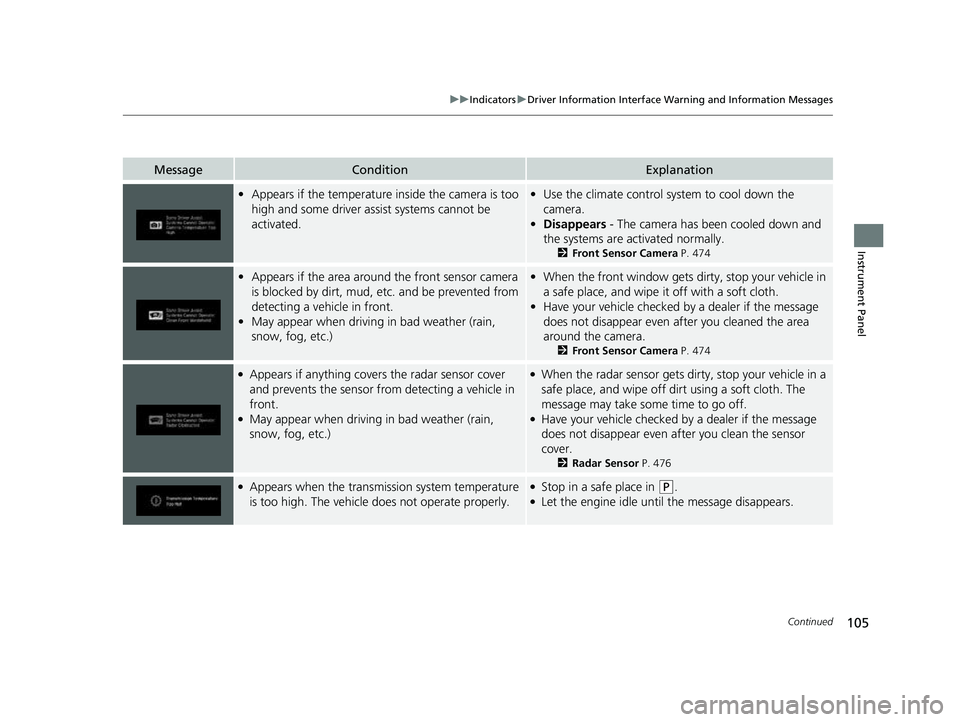
•Appears if the temperature inside the camera is too
high and some driver assist systems cannot be
activated.•Use the climate control sy stem to cool down the
camera.
• Disappears - The camera has been cooled down and
the systems are activated normally.
2 Front Sensor Camera P. 474
•Appears if the area around the front sensor camera
is blocked by dirt, mud, et c. and be prevented from
detecting a vehicle in front.
• May appear when driving in bad weather (rain,
snow, fog, etc.)•When the front window gets dirty, stop your vehicle in
a safe place, and wipe it off with a soft cloth.
• Have your vehicle checked by a dealer if the message
does not disappear even a fter you cleaned the area
around the camera.
2 Front Sensor Camera P. 474
●Appears if anything covers the radar sensor cover
and prevents the sensor fro m detecting a vehicle in
front.
●May appear when driving in bad weather (rain,
snow, fog, etc.)
●When the radar sensor gets dirty, stop your vehicle in a
safe place, and wipe off dirt using a soft cloth. The
message may take some time to go off.
●Have your vehicle checked by a dealer if the message
does not disappear even a fter you clean the sensor
cover.
2 Radar Sensor P. 476
●Appears when the transmission system temperature
is too high. The vehicle do es not operate properly.●Stop in a safe place in (P.●Let the engine idle until the message disappears.
23 PASSPORT-31TGS6400.book 105 ページ 2022年8月5日 金曜日 午後9時2分
Page 170 of 610
169
uuOperating the Switches Around the Steering Wheel uAuto High-Beam
Continued
Controls
Auto High-Beam
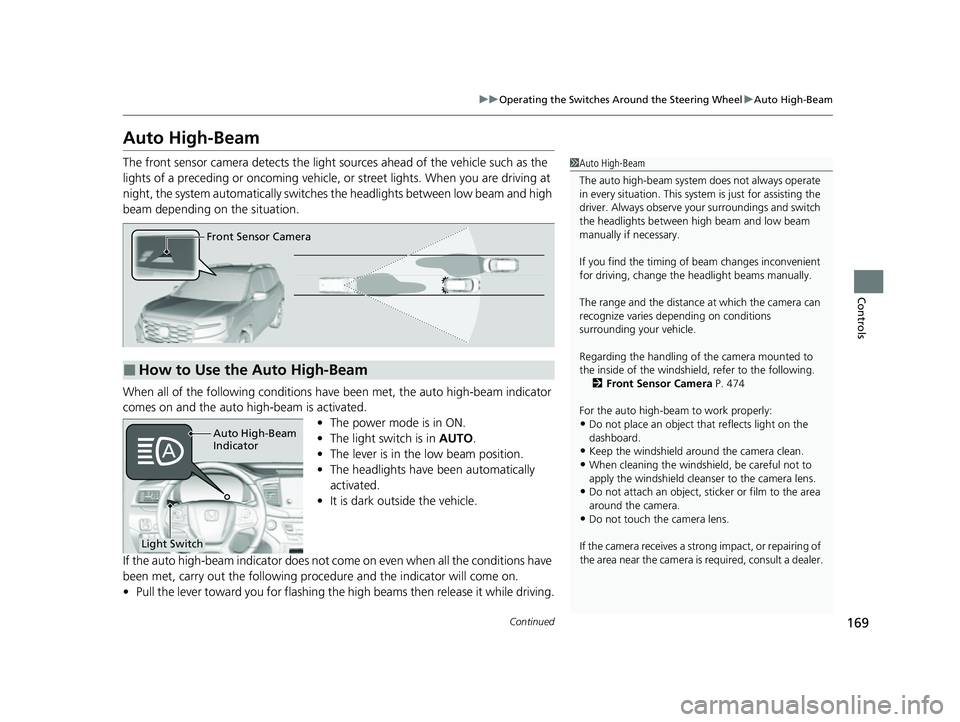
The front sensor camera detects the light sources ahead of the vehicle such as the
lights of a preceding or oncoming vehicle, or street lights. When you are driving at
night, the system automatically switches the headlights between low beam and high
beam depending on the situation.
When all of the following conditions have been met, the auto high-beam indicator
comes on and the auto high-beam is activated.
•The power mode is in ON.
• The light switch is in AUTO.
• The lever is in the low beam position.
• The headlights have been automatically
activated.
• It is dark outside the vehicle.
If the auto high-beam indica tor does not come on even when all the conditions have
been met, carry out the following procedure and the indicator will come on.
• Pull the lever toward you for flashing the high beams then release it while driving.1Auto High-Beam
The auto high-beam system does not always operate
in every situation. This syst em is just for assisting the
driver. Always observe your surroundings and switch
the headlights between high beam and low beam
manually if necessary.
If you find the timing of beam changes inconvenient
for driving, change the headlight beams manually.
The range and the distance at which the camera can
recognize varies de pending on conditions
surrounding your vehicle.
Regarding the handling of the camera mounted to
the inside of the windshiel d, refer to the following.
2 Front Sensor Camera P. 474
For the auto high-beam to work properly:
•Do not place an object that reflects light on the
dashboard.
•Keep the windshield around the camera clean.
•When cleaning the windshield, be careful not to
apply the windshield cleans er to the camera lens.
•Do not attach an object, sticker or film to the area
around the camera.
•Do not touch the camera lens.
If the camera receives a st rong impact, or repairing of
the area near the camera is required, consult a dealer.
■How to Use the Auto High-Beam
Front Sensor Camera
Auto High-Beam
Indicator
Light Switch
23 PASSPORT-31TGS6400.book 169 ページ 2022年8月5日 金曜日 午後9時2分
Page 171 of 610
uuOperating the Switches Around the Steering Wheel uAuto High-Beam
170
Controls
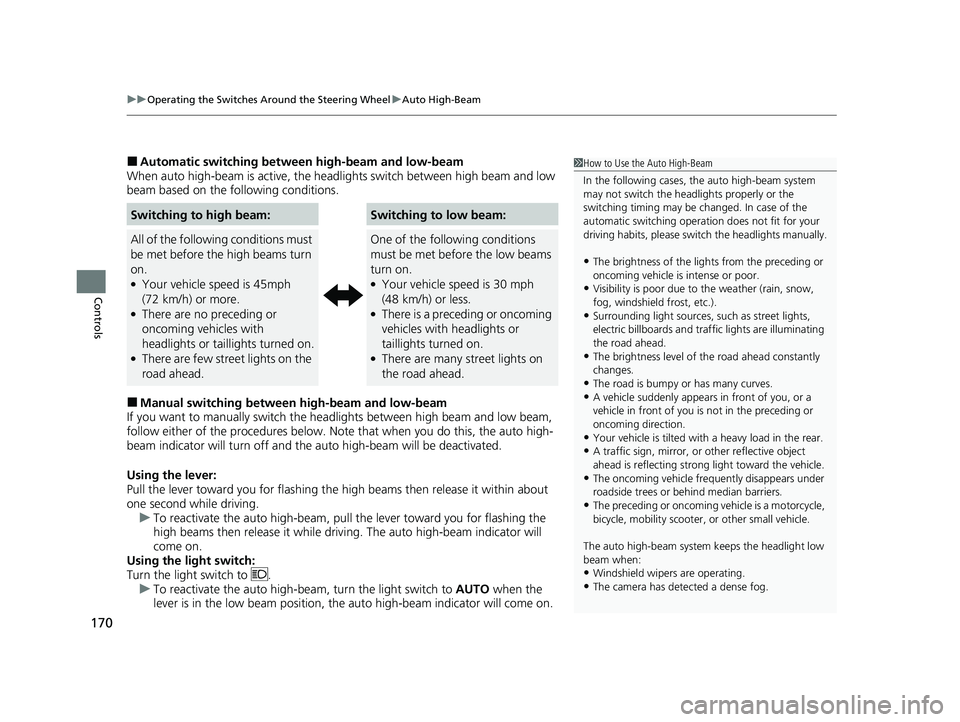
■Automatic switching between high-beam and low-beam
When auto high-beam is acti ve, the headlights switch between high beam and low
beam based on the following conditions.
■Manual switching between high-beam and low-beam
If you want to manually switch the headlights between high beam and low beam,
follow either of the proced ures below. Note that when you do this, the auto high-
beam indicator will turn off and the auto high-beam will be deactivated.
Using the lever:
Pull the lever toward you fo r flashing the high beams th en release it within about
one second while driving. u To reactivate the auto high-beam, pull the lever toward you for flashing the
high beams then release it while driving. The auto high-beam indicator will
come on.
Using the light switch:
Turn the light switch to . u To reactivate the auto high-be am, turn the light switch to AUTO when the
lever is in the low beam position, the auto high-beam indicator will come on.
Switching to high beam:Switching to low beam:
All of the following conditions must
be met before the high beams turn
on.
●Your vehicle speed is 45mph
(72 km/h) or more.
●There are no preceding or
oncoming vehicles with
headlights or taillights turned on.
●There are few street lights on the
road ahead.
One of the following conditions
must be met before the low beams
turn on.
●Your vehicle speed is 30 mph
(48 km/h) or less.
●There is a preceding or oncoming
vehicles with headlights or
taillights turned on.
●There are many street lights on
the road ahead.
1How to Use the Auto High-Beam
In the following cases, th e auto high-beam system
may not switch the head lights properly or the
switching timing may be ch anged. In case of the
automatic switching operation does not fit for your
driving habits, please swit ch the headlights manually.
•The brightness of the lights from the preceding or
oncoming vehicle is intense or poor.
•Visibility is poor due to the weather (rain, snow,
fog, windshield frost, etc.).
•Surrounding light sources, such as street lights,
electric billboards and traf fic lights are illuminating
the road ahead.
•The brightness level of th e road ahead constantly
changes.
•The road is bumpy or has many curves.•A vehicle suddenly appears in front of you, or a
vehicle in front of you is not in the preceding or
oncoming direction.
•Your vehicle is tilted with a heavy load in the rear.•A traffic sign, mirror, or other reflective object
ahead is reflecting strong light toward the vehicle.
•The oncoming vehicle freq uently disappears under
roadside trees or be hind median barriers.
•The preceding or oncoming vehicle is a motorcycle,
bicycle, mobility scooter, or other small vehicle.
The auto high-beam system keeps the headlight low
beam when:
•Windshield wipers are operating.
•The camera has dete cted a dense fog.
23 PASSPORT-31TGS6400.book 170 ページ 2022年8月5日 金曜日 午後9時2分
Page 172 of 610
171
uuOperating the Switches Around the Steering Wheel uAuto High-Beam
Controls
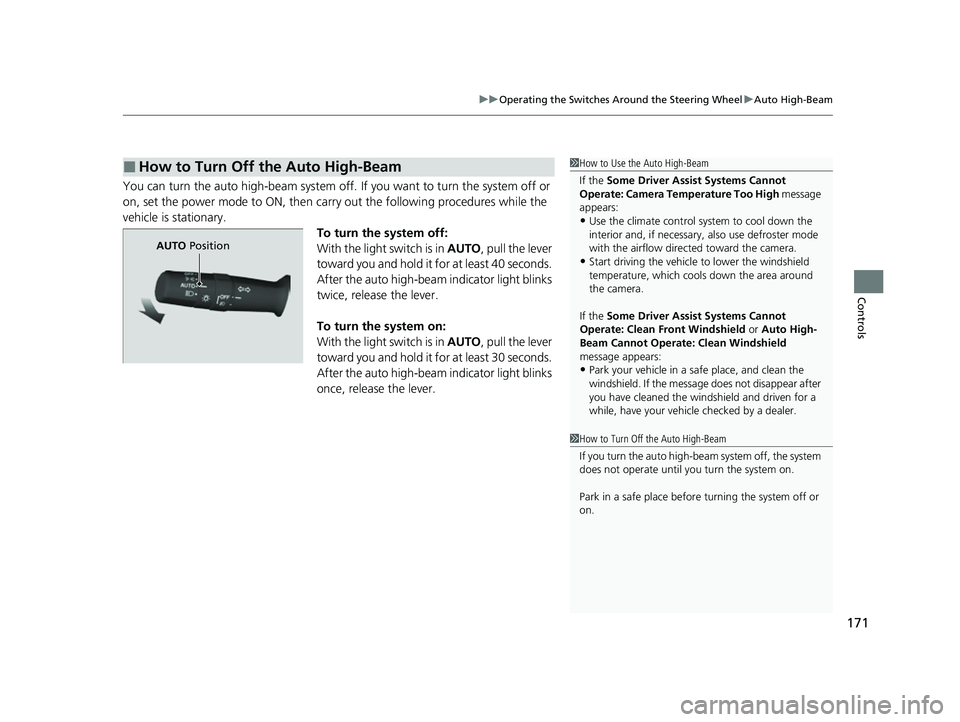
You can turn the auto high-beam system off. If you want to turn the system off or
on, set the power mode to ON, then carry out the following procedures while the
vehicle is stationary.
To turn the system off:
With the light switch is in AUTO, pull the lever
toward you and hold it for at least 40 seconds.
After the auto high-beam indicator light blinks
twice, release the lever.
To turn the system on:
With the light switch is in AUTO, pull the lever
toward you and hold it for at least 30 seconds.
After the auto high-beam indicator light blinks
once, release the lever.
■How to Turn Off the Auto High-Beam1 How to Use the Auto High-Beam
If the Some Driver Assist Systems Cannot
Operate: Camera Temperature Too High message
appears:
•Use the climate control system to cool down the
interior and, if necessary, also use defroster mode
with the airflow directed toward the camera.
•Start driving the vehicle to lower the windshield
temperature, which cool s down the area around
the camera.
If the Some Driver Assist Systems Cannot
Operate: Clean Front Windshield or Auto High-
Beam Cannot Operate: Clean Windshield
message appears:
•Park your vehicle in a sa fe place, and clean the
windshield. If the message does not disappear after
you have cleaned the winds hield and driven for a
while, have your vehicle checked by a dealer.
1 How to Turn Off the Auto High-Beam
If you turn the au to high-beam system off, the system
does not operate until you turn the system on.
Park in a safe place before turning the system off or
on.
AUTO Position
23 PASSPORT-31TGS6400.book 171 ページ 2022年8月5日 金曜日 午後9時2分