battery HONDA PILOT 2011 2.G User Guide
[x] Cancel search | Manufacturer: HONDA, Model Year: 2011, Model line: PILOT, Model: HONDA PILOT 2011 2.GPages: 574, PDF Size: 14.02 MB
Page 317 of 574

Your vehicle’s audio system may
disable itself if it is disconnected
f rom electrical power f or any reason.
To make it work again, you must
enter a specif ic f ive-digit code with
the preset buttons. Because there
are hundreds of number
combinations possible f rom the f ive
digits, making the system work
without knowing the exact code is
nearly impossible.
Youshouldhavereceivedacardthat
lists your audio system code number
and serial number. It is best to store
this card in a saf e place at home. In
addition, you should write the audio
system’s serial number in this owner’s
manual.
If you lose the card, you must obtain
the code number f rom your dealer.
To do this, you will need the audio
system’s serial number.If you make a mistake entering the
code, do not start over; complete the
f ive-digit sequence, then enter the
correct code. You have ten tries to
enter the correct code. If you are
unsuccessful in ten attempts, you
must then leave the system on for 1
hour bef ore trying again. If your vehicle’s battery is discon-
nected or goes dead, or the radio
f use is removed, the audio system
will disable itself . If this happens,
youwillsee‘‘ ’’intheaudio
display the next time you turn on the
system. Use the preset buttons to
enter the f ive-digit code. The code is
locatedontheradiocodecard
included in your owner’s manual kit.
When it is entered correctly, the
radio will start playing.The system will retain your AM and
FM presets even if power is
disconnected.
Radio T hef t Protection
Features
313
10/01/26 19:16:24 31SZA620_318
2011 Pilot
Page 318 of 574
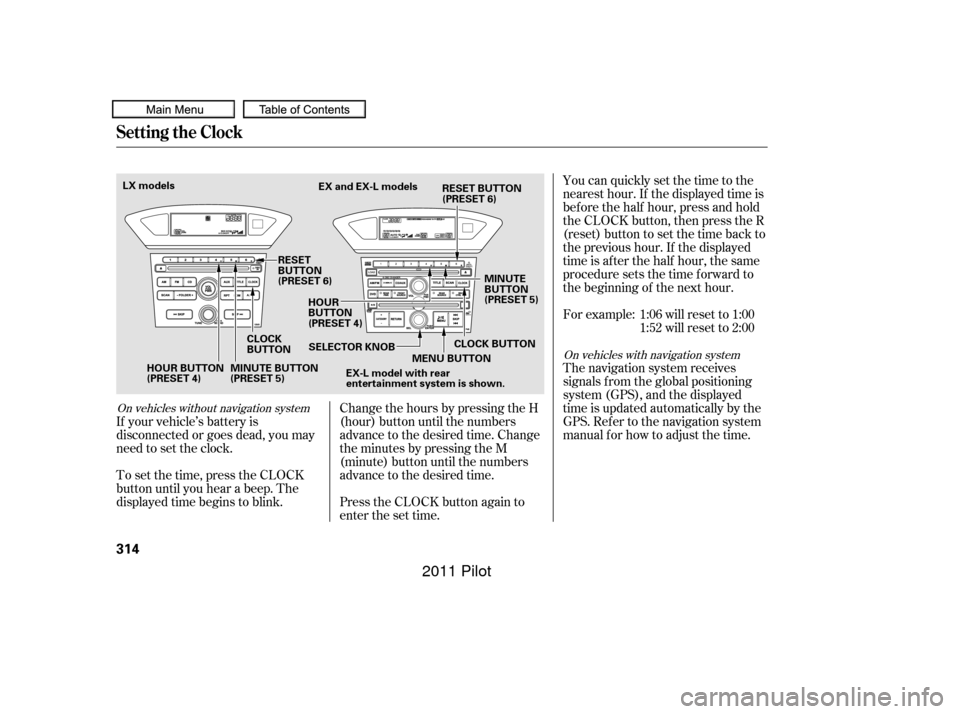
You can quickly set the time to the
nearest hour. If the displayed time is
bef ore the half hour, press and hold
the CLOCK button, then press the R
(reset) button to set the time back to
the previous hour. If the displayed
time is af ter the half hour, the same
procedure sets the time f orward to
the beginning of the next hour.
For example: 1:06 will reset to 1:001:52 will reset to 2:00
The navigation system receives
signals f rom the global positioning
system (GPS), and the displayed
time is updated automatically by the
GPS. Ref er to the navigation system
manual f or how to adjust the time.
If your vehicle’s battery is
disconnected or goes dead, you may
need to set the clock.
To set the time, press the CLOCK
button until you hear a beep. The
displayed time begins to blink. Change the hours by pressing the H
(hour) button until the numbers
advance to the desired time. Change
the minutes by pressing the M
(minute) button until the numbers
advance to the desired time.
Press the CLOCK button again to
enter the set time.
On vehicles without navigation system
On vehicles with navigation system
Setting the Clock
314
HOUR BUTTON
(PRESET 4)
CLOCK
BUTTONEX and EX-L models
RESET
BUTTON
(PRESET 6) HOUR
BUTTON
(PRESET 4) MINUTE
BUTTON
(PRESET 5)
MINUTE BUTTON
(PRESET 5) SELECTOR KNOB
MENU BUTTON
EX-L model with rear
entertainment system is shown.
LX models
CLOCK BUTTON
RESET BUTTON
(PRESET 6)
10/01/26 19:16:39 31SZA620_319
2011 Pilot
Page 347 of 574
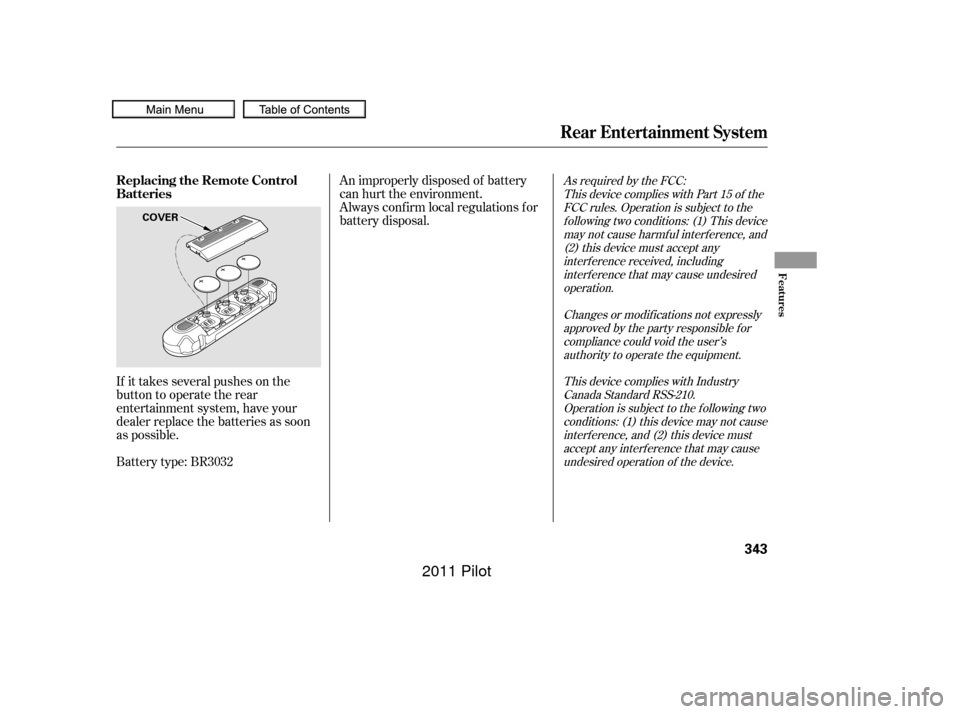
If it takes several pushes on the
button to operate the rear
entertainment system, have your
dealer replace the batteries as soon
as possible.
Battery type: BR3032An improperly disposed of battery
can hurt the environment.
Always conf irm local regulations f or
battery disposal.
As required by the FCC:
This device complies with Part 15 of theFCC rules. Operation is subject to thef ollowing two conditions: (1) This devicemay not cause harmf ul interf erence, and(2) this device must accept anyinterf erence received, includinginterf erence that may cause undesiredoperation.
Changes or modif ications not expresslyapproved by the party responsible f orcompliance could void the user’sauthority to operate the equipment.
This device complies with IndustryCanada Standard RSS-210.Operation is subject to the f ollowing twoconditions: (1) this device may not causeinterf erence, and (2) this device mustaccept any interf erence that may causeundesired operation of the device.
Rear Entertainment System
Replacing the Remote Control
Batteries
Features
343
COVER
10/01/26 19:21:33 31SZA620_348
2011 Pilot
Page 351 of 574
CONT INUED
Auxiliary input jacks and headphone
connectors f or the rear
entertainment system are on the
back of the center console
compartment.
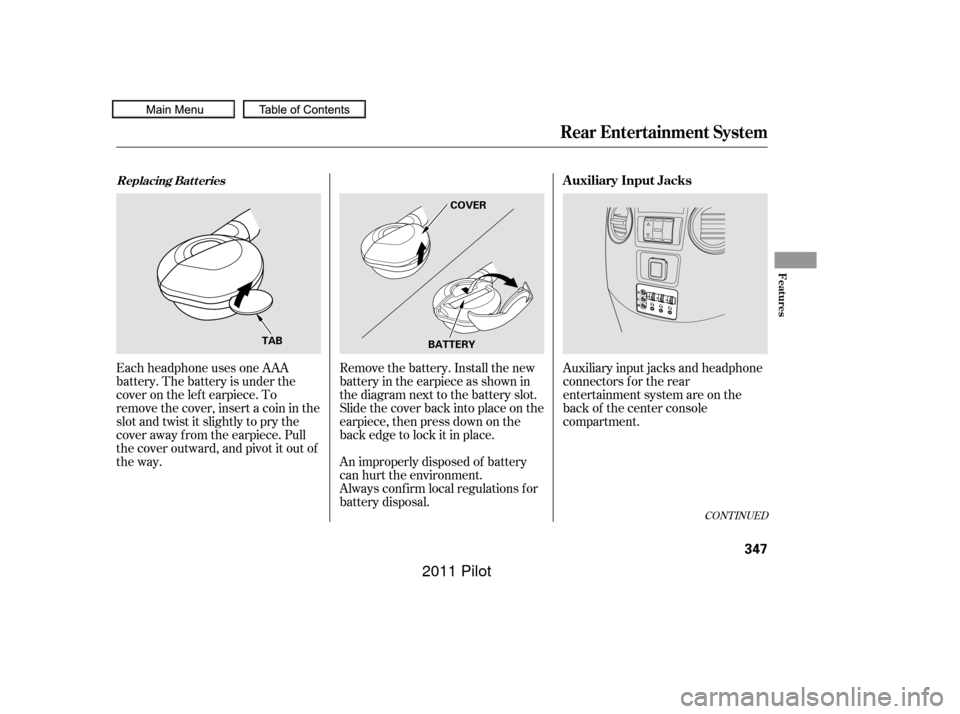
Remove the battery. Install the new
battery in the earpiece as shown in
the diagram next to the battery slot.
Slide the cover back into place on the
earpiece, then press down on the
back edge to lock it in place.
Each headphone uses one AAA
battery. The battery is under the
cover on the lef t earpiece. To
remove the cover, insert a coin in the
slot and twist it slightly to pry the
cover away f rom the earpiece. Pull
the cover outward, and pivot it out of
the way.
An improperly disposed of battery
can hurt the environment.
Always conf irm local regulations f or
battery disposal.
Rear Entertainment System
Replacing Bat t eriesAuxiliary Input Jacks
Features
347
COVER
BATTERY
TAB
10/01/26 19:22:12 31SZA620_352
2011 Pilot
Page 367 of 574
CONT INUED
To hear general HFL inf ormation,
including help on pairing a phone
or setting up the system, say
‘‘Tutorial.’’
For help at any time, including a
list of available commands, say
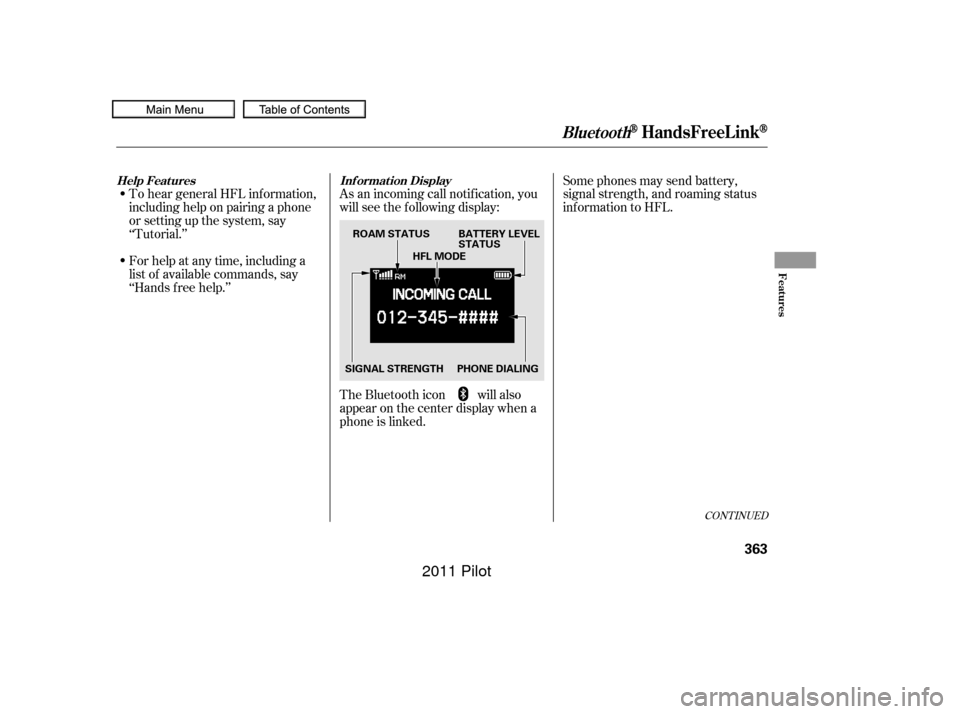
‘‘Hands f ree help.’’As an incoming call notif ication, you
will see the f ollowing display:
Some phones may send battery,
signal strength, and roaming status
inf ormation to HFL.
The Bluetooth icon will also
appear on the center display when a
phone is linked.
BluetoothHandsFreeL ink
Help Features Inf ormation Display
Features
363
PHONE DIALINGBATTERY LEVEL
STATUS
SIGNAL STRENGTH HFL MODE
ROAM STATUS
10/01/26 19:24:56 31SZA620_368
2011 Pilot
Page 372 of 574

To use HFL, you need to pair your
Bluetooth-compatible cell phone to
the system.This command group is available f or
paired cell phones.
You cannot pair your phone while
the vehicle is moving.
Your phone must be in discovery
or search mode to pair. Ref er to
your phone’s manual.
Up to six phones can be paired.
Your phone’s battery may drain
f aster when it is paired to HFL.
If af ter three minutes your phone
is not ready to pair or a phone is
not f ound, the system will time out
andreturntoidle. Press and release the HFL Talk
button. If you are pairing a phone
f or the f irst time, HFL will give
you inf ormation about the pairing
process. If it is not the f irst phone
you are pairing, say ‘‘
’’ and say ‘‘ .’’
Follow the HFL prompts and put
your phone in discovery or search
mode. HFL will give you a 4-digit
pairing code and begin searching
foryourphone.
When your phone f inds a
Bluetooth device, select HFL f rom
the options and enter the 4-digit
code f rom the previous step.
Follow the HFL prompts and
name the newly paired phone.
1.
2.
3.
4.
Phone Setup
Phone
setup Pair
Phone pairing tips T o pair a cell phone:
BluetoothHandsFreeL ink
368
10/01/26 19:25:36 31SZA620_373
2011 Pilot
Page 375 of 574

CONT INUED
You can make calls using any phone
number or a name in the HFL
phonebook. You can also redial the
last number called.Press and release the HFL Talk
button bef ore a command.
Say ‘‘ ’’ or ‘‘ .’’
Follow the HFL prompts and say
the phone number you want to dial.
Follow the HFL prompts to
conf irm the number and say
‘‘ ’’ or ‘‘ .’’
Once connected, you will hear the
person you called through the audio
speakers. Press and release the HFL Talk
button bef ore a command.
Follow the HFL prompts to
conf irm the name and make the
call. Follow the HFL prompts and say
thenamestoredintheHFL
phonebook that you want to call. Say ‘‘ ’’ or ‘‘ .’’
HFLusesaClass2Bluetooth,which
means, the maximum range between
yourphoneandvehicleis30feet(10
meters).
During a call, HFL allows you to talk
up to 30 minutes af ter you remove
the key from the ignition switch.
However, this may weaken the
vehicle’s battery. 1.
2.
3.
1.
2.
3.
BluetoothHandsFreeL ink
Making a Call
Call Dial
Call Dial Call DialT o make a call using a phone
number: Tomakeacallusinganameinthe
HFL phonebook:
Features
371
10/01/26 19:26:21 31SZA620_376
2011 Pilot
Page 415 of 574
CONT INUED
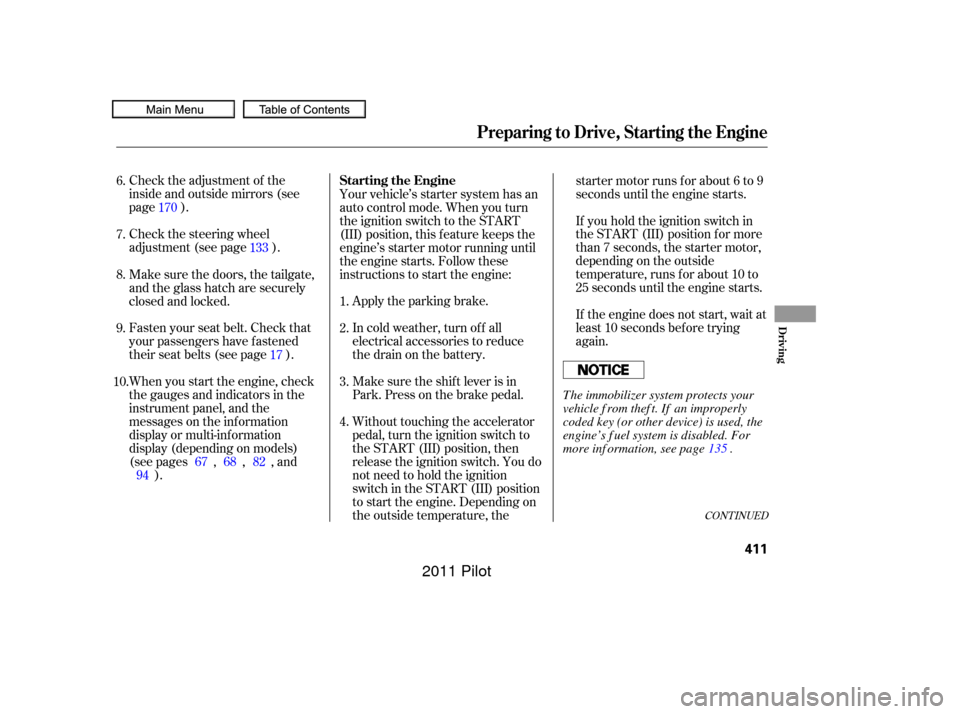
Check the adjustment of the
inside and outside mirrors (see
page ).
Check the steering wheel
adjustment (see page ).Without touching the accelerator
pedal, turn the ignition switch to
the START (III) position, then
release the ignition switch. You do
not need to hold the ignition
switch in the START (III) position
to start the engine. Depending on
the outside temperature, thestarter motor runs f or about 6 to 9
seconds until the engine starts.
If you hold the ignition switch in
the START (III) position f or more
than 7 seconds, the starter motor,
depending on the outside
temperature, runs f or about 10 to
25 seconds until the engine starts.
If the engine does not start, wait at
least 10 seconds bef ore trying
again.
Make sure the shif t lever is in
Park. Press on the brake pedal. In cold weather, turn of f all
electrical accessories to reduce
the drain on the battery. Apply the parking brake.
Fasten your seat belt. Check that
your passengers have f astened
their seat belts (see page ). Your vehicle’s starter system has an
auto control mode. When you turn
the ignition switch to the START
(III) position, this f eature keeps the
engine’s starter motor running until
the engine starts. Follow these
instructions to start the engine:
When you start the engine, check
the gauges and indicators in the
instrument panel, and the
messages on the inf ormation
display or multi-inf ormation
display (depending on models)
(seepages,,,and ).
Make sure the doors, the tailgate,
and the glass hatch are securely
closed and locked.
1.
2.
3.
4.
6.
7.
8.
9.
10. 170
133
17
67 68 82
94
Preparing to Drive, Starting the Engine
Starting the Engine
Driving
411
T he immobilizer system protects your
vehicle f rom thef t. If an improperly
coded key (or other device) is used, the
engine’s f uel system is disabled. For
more inf ormation, see page . 135
10/01/28 14:48:16 31SZA620_416
2011 Pilot
Page 457 of 574
This section explains why it is
important to keep your vehicle well
maintained and how to f ollow basic
maintenance saf ety precautions.
This section also includes
instructions on how to read the
maintenance inf ormation messages
on the inf ormation display or multi-
inf ormation display (depending on
models), and instructions f or simple
maintenance tasks you may want to
take care of yourself .
If you have the skills and tools to
perf orm more complex maintenance
tasks on your vehicle, you may want
to purchase the service manual. See
page f or inf ormation on how to
obtain a copy, or see your dealer.......................
Maintenance Saf ety .454
............
Maintenance Inf ormation . 455
..............................
Fluid Locations .470
......
Engine Compartment Covers . 471
........................
Adding Engine Oil .472
Changing the Engine Oil and ...........................................
Filter .473
..............................
Engine Coolant .475
....................
Windshield Washers .477
....
Automatic Transmission Fluid . 478
.................
Rear Dif f erential Fluid . 480
.............
Transf er Assembly Fluid . 480
....................................
Brake Fluid .481
....................
Power Steering Fluid . 482
....................................
Timing Belt .482
.............................................
Lights .483
..................
Dust and Pollen Filter . 490
................
Cleaning the Seat Belts . 490
.....................................
Floor Mats .491
.................................
Wiper Blades .492
...............................................
Tires .496
...................
Checking the Battery . 504
.............................
Vehicle Storage .505
..................................
Interior Care .506
557
Maintenance
Maint enance
453
10/01/26 19:42:06 31SZA620_458
2011 Pilot
Page 458 of 574
To eliminate potential hazards, read
the instructions bef ore you begin,
and make sure you have the tools
and skills required.Make sure your vehicle is parked
on level ground, the parking brake
is set, and the engine is of f .
To clean parts, use a commercially
available degreaser or parts
cleaner, not gasoline.
To reduce the possibility of f ire or
explosion, keep cigarettes, sparks,
and flames away from the battery
and all f uel-related parts. Wear eye protection and
protective clothing when working
with the battery or compressed air.
All service items not detailed in this
section should be perf ormed by a
certif ied technician or other qualif ied
mechanic.
Some of the most important saf ety
precautions are given here. However,
we cannot warn you of every
conceivable hazard that can arise in
perf orming maintenance. Only you
can decide whether or not you
should perf orm a given task.Do
not run the engine unless
instructed to do so.
Let the engine and exhaust system cool
down bef ore touching any parts.
Be sure there is
adequate ventilation whenever you
operate the engine.
Maintenance Saf ety
Important Saf ety Precautions Injury f rom moving parts.
Burns f rom hot parts. Carbon Monoxide poison f rom
engine exhaust.
Potential Vehicle Hazards
454
Improperly maintaining this
vehicle, or failing to correct a
problem before driving can
cause a crash in which you can
be seriously hurt or killed.
Always follow the inspection
and maintenance
recommendations and
schedules in this owner’s
manual. Failure to properly follow
maintenance instructions and
precautions can cause you to
be seriously hurt or killed.
Always follow the procedures
and precautions in this owner’s
manual.
10/01/26 19:42:20 31SZA620_459
2011 Pilot