sensor HONDA PILOT 2012 2.G User Guide
[x] Cancel search | Manufacturer: HONDA, Model Year: 2012, Model line: PILOT, Model: HONDA PILOT 2012 2.GPages: 681, PDF Size: 15.06 MB
Page 215 of 681
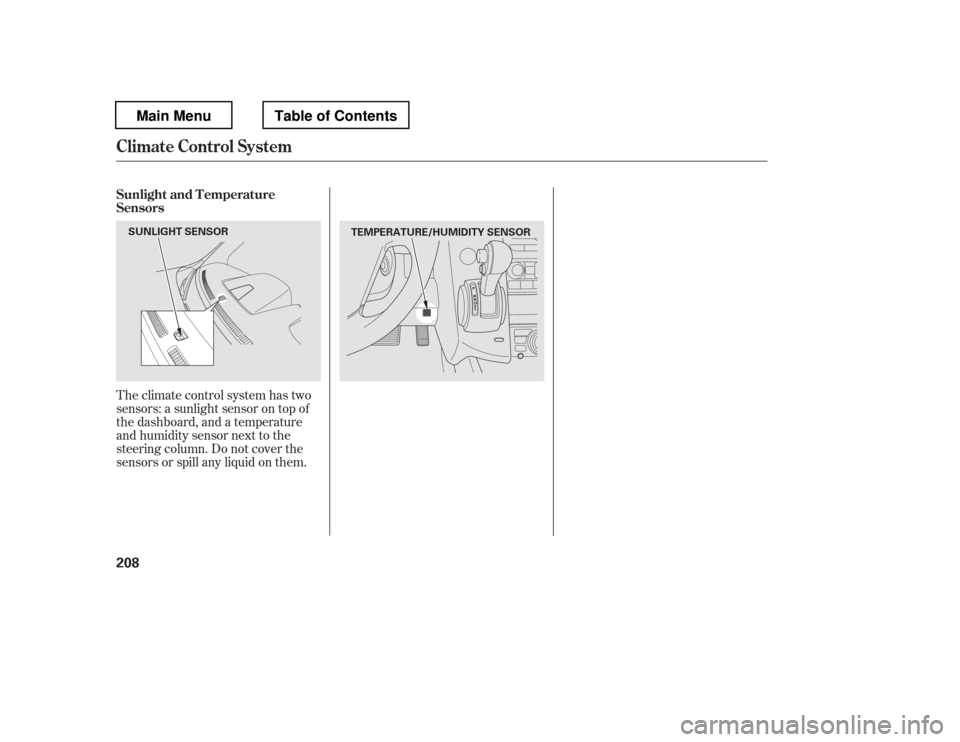
Theclimatecontrolsystemhastwo
sensors: a sunlight sensor on top of
the dashboard, and a temperature
and humidity sensor next to the
steering column. Do not cover the
sensors or spill any liquid on them.
Sunlight and T emperature
Sensors
Climate Control System
208
TEMPERATURE/HUMIDITY SENSOR
SUNLIGHT SENSOR
Main MenuTable of Contents
Page 491 of 681
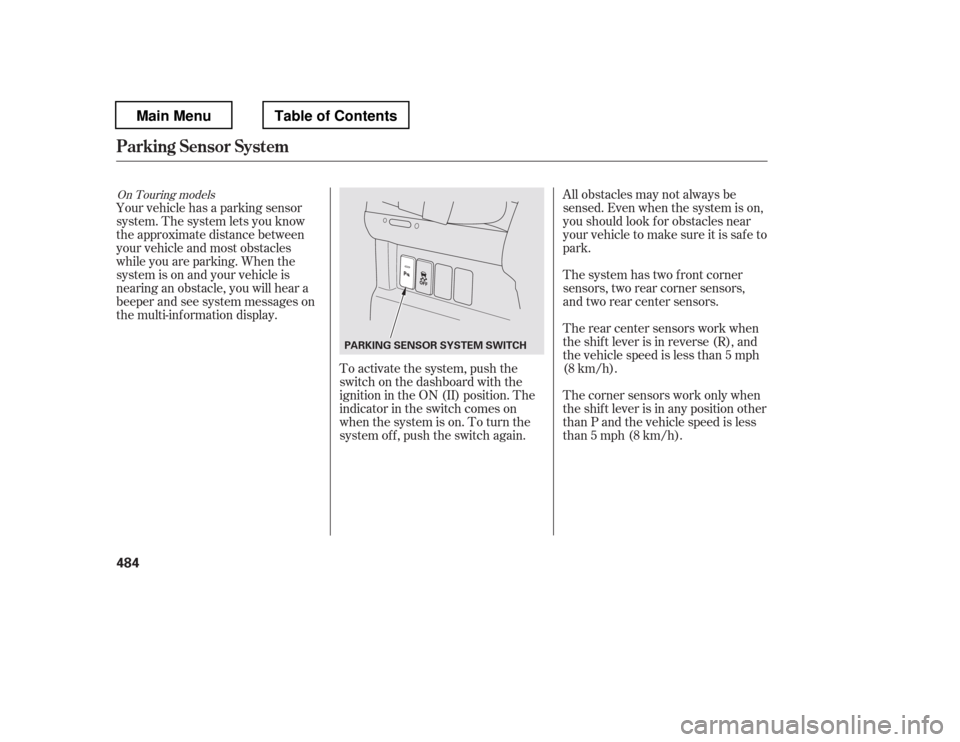
To activate the system, push the
switch on the dashboard with the
ignition in the ON (II) position. The
indicator in the switch comes on
when the system is on. To turn the
system of f , push the switch again.All obstacles may not always be
sensed. Even when the system is on,
youshouldlookforobstaclesnear
your vehicle to make sure it is safe to
park.
The system has two front corner
sensors, two rear corner sensors,
and two rear center sensors.
The rear center sensors work when
the shif t lever is in reverse (R), and
the vehicle speed is less than 5 mph
(8 km/h).
The corner sensors work only when
the shif t lever is in any position other
than P and the vehicle speed is less
than 5 mph (8 km/h).
Your vehicle has a parking sensor
system. The system lets you know
theapproximatedistancebetween
your vehicle and most obstacles
while you are parking. When the
system is on and your vehicle is
nearinganobstacle,youwillheara
beeper and see system messages on
the multi-information display.
On Touring models
Parking Sensor System
484
PARKING SENSOR SYSTEM SWITCH
Main MenuTable of Contents
Page 492 of 681
CONT INUED
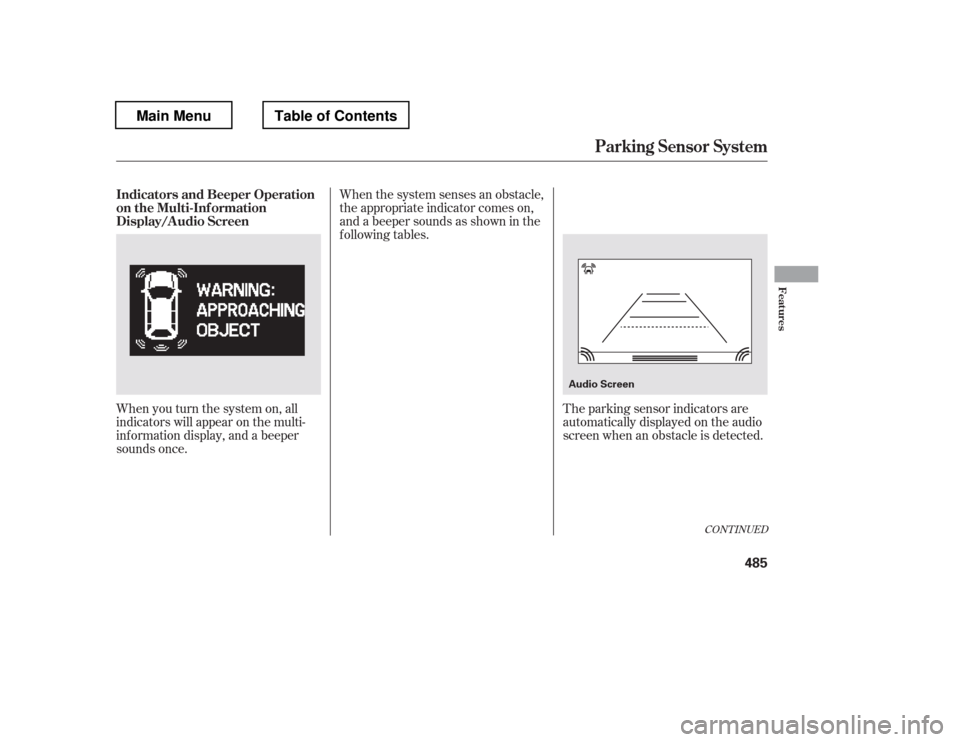
When the system senses an obstacle,
the appropriate indicator comes on,
and a beeper sounds as shown in the
f ollowing tables.
When you turn the system on, all
indicators will appear on the multi-
inf ormation display, and a beeper
sounds once. The parking sensor indicators are
automatically displayed on the audio
screen when an obstacle is detected.
Parking Sensor System
Indicators and Beeper Operation
on the Multi-Inf ormation
Display/A udio Screen
Features
485
Audio Screen
Main MenuTable of Contents
Page 493 of 681
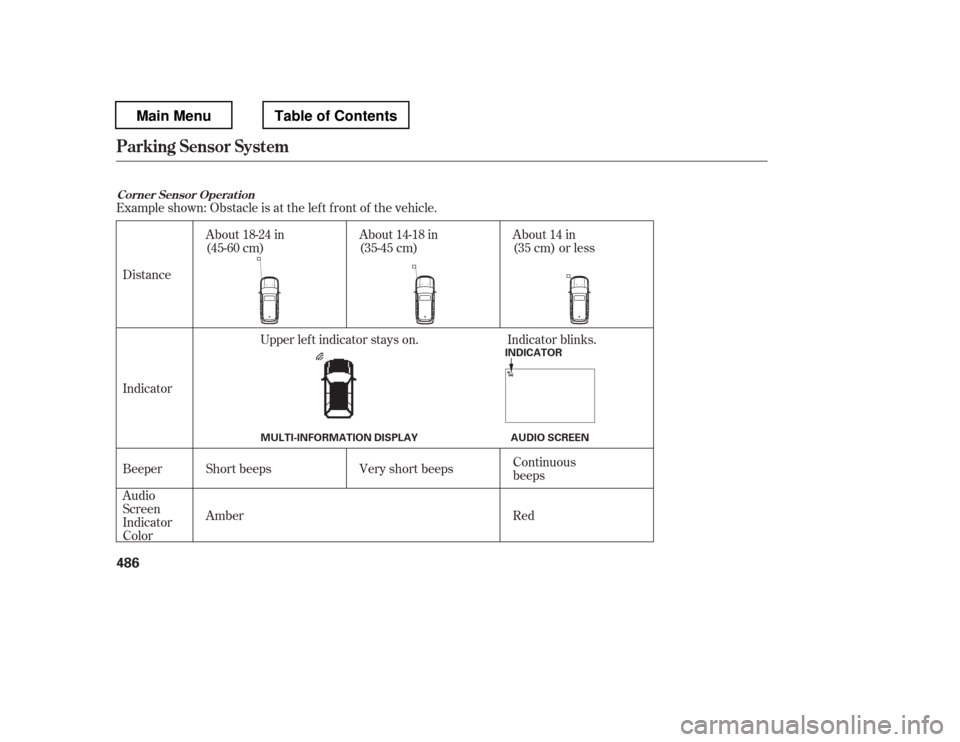
Example shown: Obstacle is at the lef t f ront of the vehicle.Beeper
Indicator
Audio
Screen
Indicator
Color
Distance
About 14 in
(35 cm) or less
About 14-18 in
(35-45 cm)
About 18-24 in
(45-60 cm)
Short beeps
Very short beeps Continuous
beeps
Red
Amber Upper lef t indicator stays on. Indicator blinks.
Corner Sensor Operat ion
Parking Sensor System
486
INDICATOR
MULTI-INFORMATION DISPLAY AUDIO SCREEN
Main MenuTable of Contents
Page 494 of 681
CONT INUED
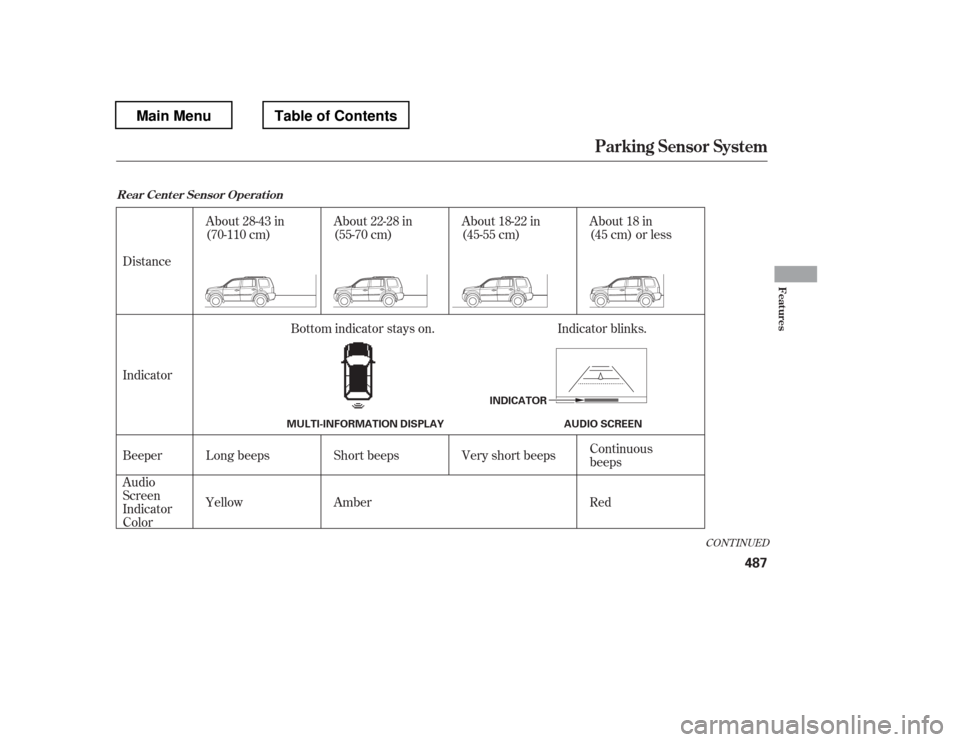
Distance
Indicator
Beeper
Audio
Screen
Indicator
ColorAbout 28-43 in
(70-110 cm)
About 18 in
(45 cm) or less
About 18-22 in
(45-55 cm)
About 22-28 in
(55-70 cm)
Long beeps Continuous
beeps
Very short beeps
Short beeps
Yellow Red
Amber
Bottom indicator stays on. Indicator blinks.
Rear Cent er Sensor Operat ion
Parking Sensor System
Features
487
INDICATOR
MULTI-INFORMATION DISPLAY AUDIO SCREEN
Main MenuTable of Contents
Page 495 of 681
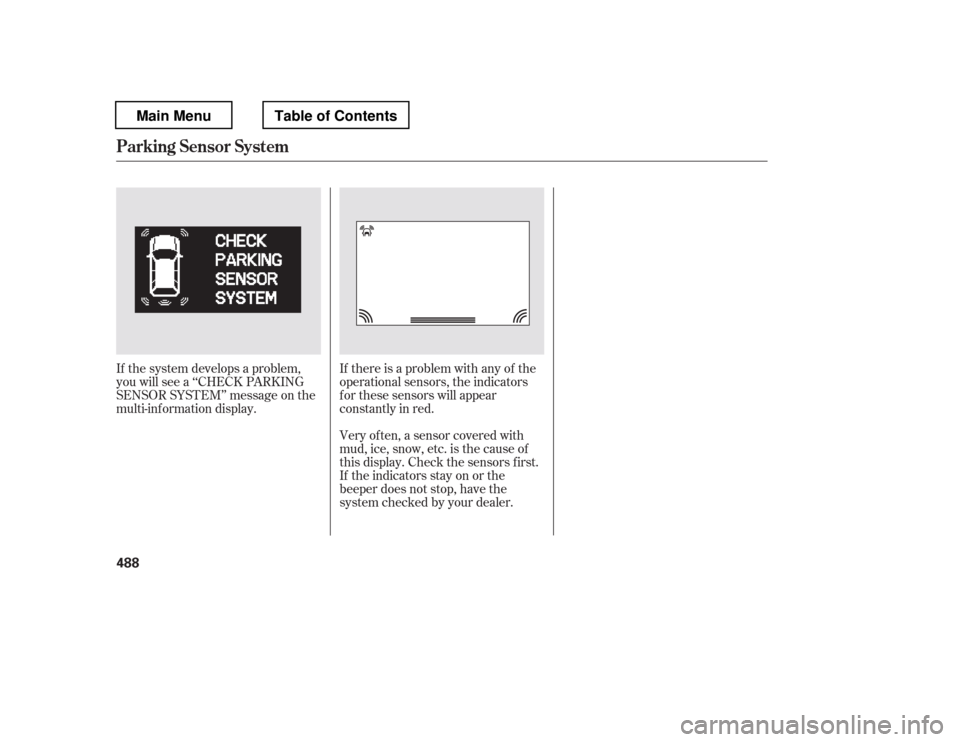
If there is a problem with any of the
operational sensors, the indicators
f or these sensors will appear
constantly in red.
Very of ten, a sensor covered with
mud, ice, snow, etc. is the cause of
this display. Check the sensors first.
If the indicators stay on or the
beeper does not stop, have the
system checked by your dealer.
If the system develops a problem,
you will see a ‘‘CHECK PARKING
SENSOR SYSTEM
Page 496 of 681
Do not put any accessories on or
around the sensors.The system may not f unction
properly under these conditions:
The sensors are covered with
snow,ice,mud,etc.
When the vehicle is on a rough
road, on grass, or on a hill.
After the vehicle has been sitting
out in hot or cold weather. When the system is af f ected by
some electrical equipment or
devices generating an ultrasonic
wave.
When operating the vehicle in bad
weather.
Thesystemmaynotsensethinor
low objects, or sonic-absorptive
materials such as snow, cotton, or
sponge.
The system cannot sense objects
directly under the bumper.
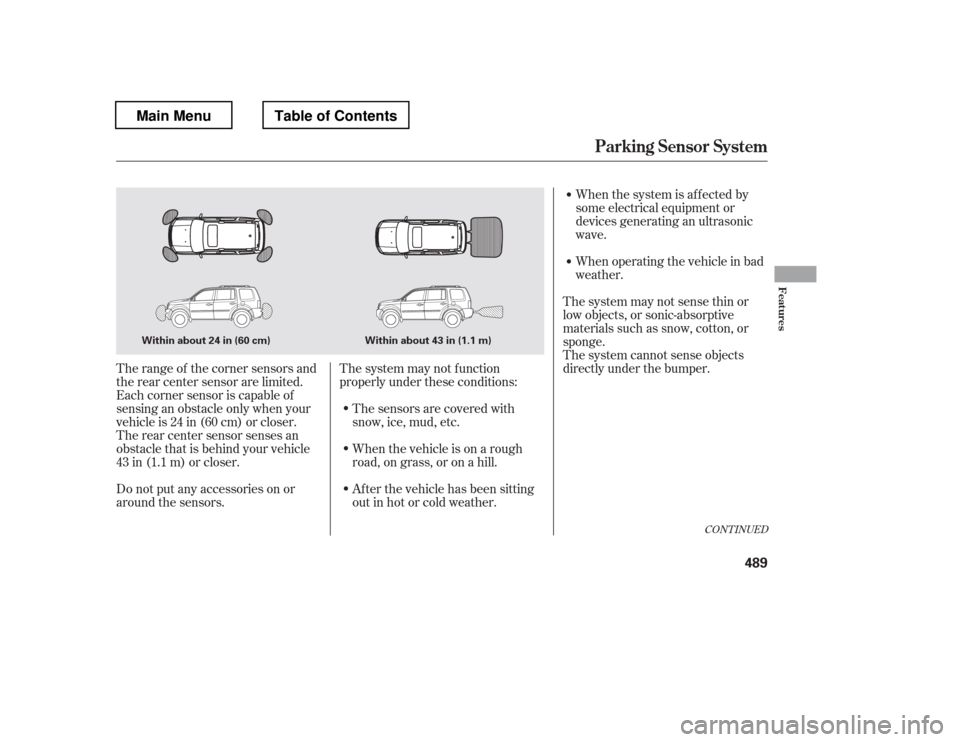
The range of the corner sensors and
the rear center sensor are limited.
Each corner sensor is capable of
sensing an obstacle only when your
vehicleis24in(60cm)orcloser.
The rear center sensor senses an
obstacle that is behind your vehicle
43 in (1.1 m) or closer.
CONT INUED
Parking Sensor System
Features
489
Within about 24 in (60 cm) Within about 43 in (1.1 m)
Main MenuTable of Contents
Page 497 of 681

The parking sensor system must be
turned of f bef ore beginning this
procedure.When you shif t to reverse (R), the
LED indicator in the switch will blink
as a reminder that the rear sensors
are disabled.
Press and hold the parking sensor
system switch and then turn the
ignition switch to the ON (II)
position.
Keep pressing the switch f or 10
seconds. The LED indicator in the
switch will f lash. To return to the original setting,
repeat the procedure. A beeper will
sound 3 times to conf irm that the
rear sensors are now enabled.
Press the switch again and the
LED indicator will turn off. A
beeper will sound twice to conf irm
that the rear sensors are now
disabled.
1. 2. 3.
Canadian Owners:
This device complies with IndustryCanada Standard RSS-210.
Operation is subject to the f ollowing two conditions: (1) this device may not causeinterf erence, and (2) this device must
accept any interf erence that may causeundesired operation of the device.
This ISM device complies with CanadianICES-001.
Parking Sensor System
To turn of f all rear sensors
490
Main MenuTable of Contents
Page 516 of 681

Store or secure all items that could
be thrown around and hurt
someone during a crash.
Be sure items placed on the f loor
behind the f ront seats cannot roll
underneath and interf ere with the
proper operation of the seats, the
sensors under the seats, or the
driver
Page 534 of 681
CONT INUED
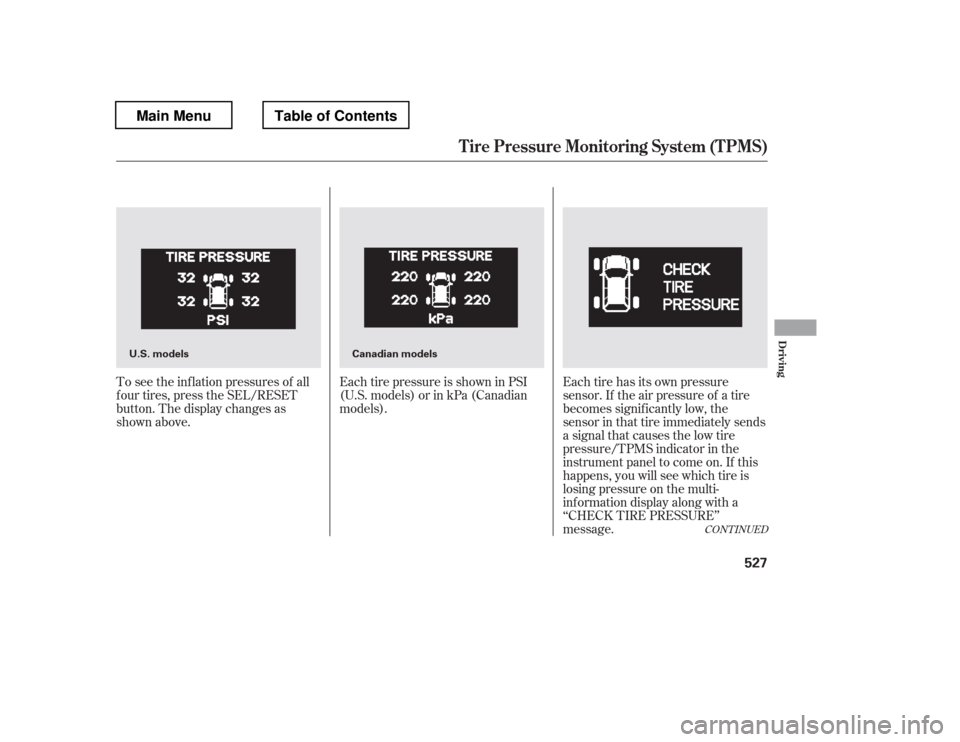
To see the inf lation pressures of all
f our tires, press the SEL/RESET
button. The display changes as
shown above.Each tire pressure is shown in PSI
(U.S. models) or in kPa (Canadian
models).
Each tire has its own pressure
sensor. If the air pressure of a tire
becomes signif icantly low, the
sensor in that tire immediately sends
a signal that causes the low tire
pressure/TPMS indicator in the
instrument panel to come on. If this
happens, you will see which tire is
losing pressure on the multi-
inf ormation display along with a
‘‘CHECK TIRE PRESSURE