tail light HONDA PILOT 2014 2.G Owners Manual
[x] Cancel search | Manufacturer: HONDA, Model Year: 2014, Model line: PILOT, Model: HONDA PILOT 2014 2.GPages: 488, PDF Size: 12.11 MB
Page 2 of 488
Contents
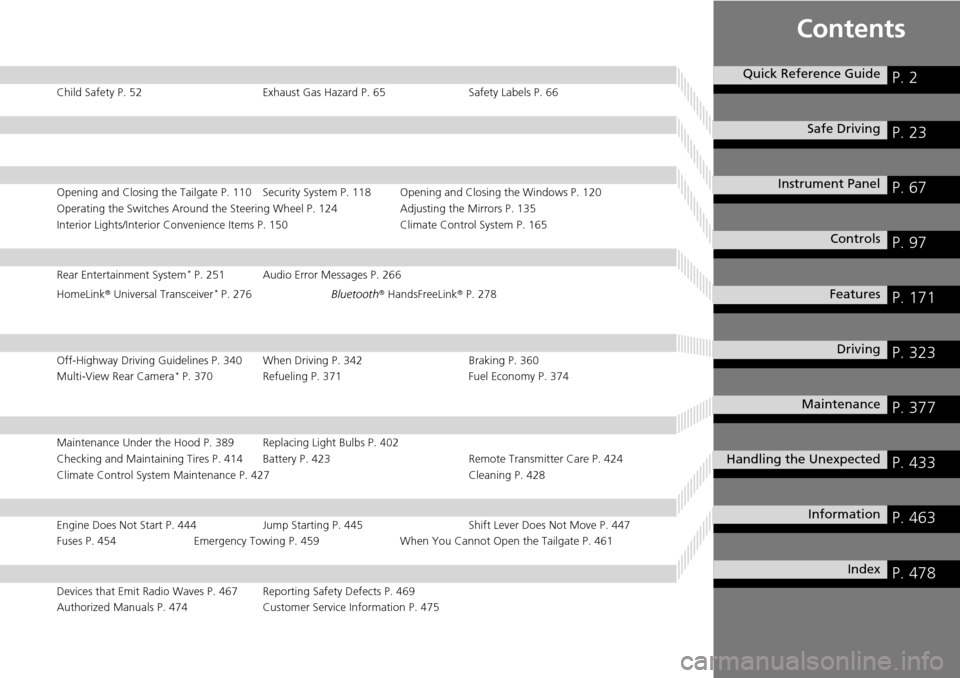
Child Safety P. 52 Exhaust Gas Hazard P. 65 Safety Labels P. 66
Opening and Closing the Tailgate P. 110 Security System P. 118 Opening and Closing the Windows P. 120
Operating the Switches Around the Steering Wheel P. 124 Adjusting the Mirrors P. 135
Interior Lights/Interior Convenience Items P. 150 Climate Control System P. 165
Rear Entertainment System * P. 251 Audio Error Messages P. 266
HomeLink ® U
niversal Transceiver * P. 276 Bluetooth® Hands FreeLink® P. 278
Off-Highway Driving Guidelines P. 340 When Driving P. 342 Braking P. 360
Multi-View Rear Camera * P. 370 Refueling P. 371 Fuel Economy P. 374
Maintenance Under the Hood P. 389 Replacing Light Bulbs P. 402
Checking and Maintaining Tires P. 414 Battery P. 423 Remote Transmitter Care P. 424
Climate Control System Maintenance P. 427 Cleaning P. 428
Engine Does Not Start P. 444 Jump Starting P. 445 Shift Lever Does Not Move P. 447
Fuses P. 454 Emergency Towing P. 459 When You Cannot Open the Tailgate P. 461
Devices that Emit Radio Waves P. 467 Reporting Safety Defects P. 469
Authorized Manuals P. 474 Customer Service Information P. 475
Quick Reference GuideP. 2
Safe Driving P. 23
Instrument Panel P. 67
Controls P. 97
Features P. 171
Driving P. 323
Maintenance P. 377
Handling the Unexpected P. 433
Information P. 463
Index P. 478
Page 7 of 488
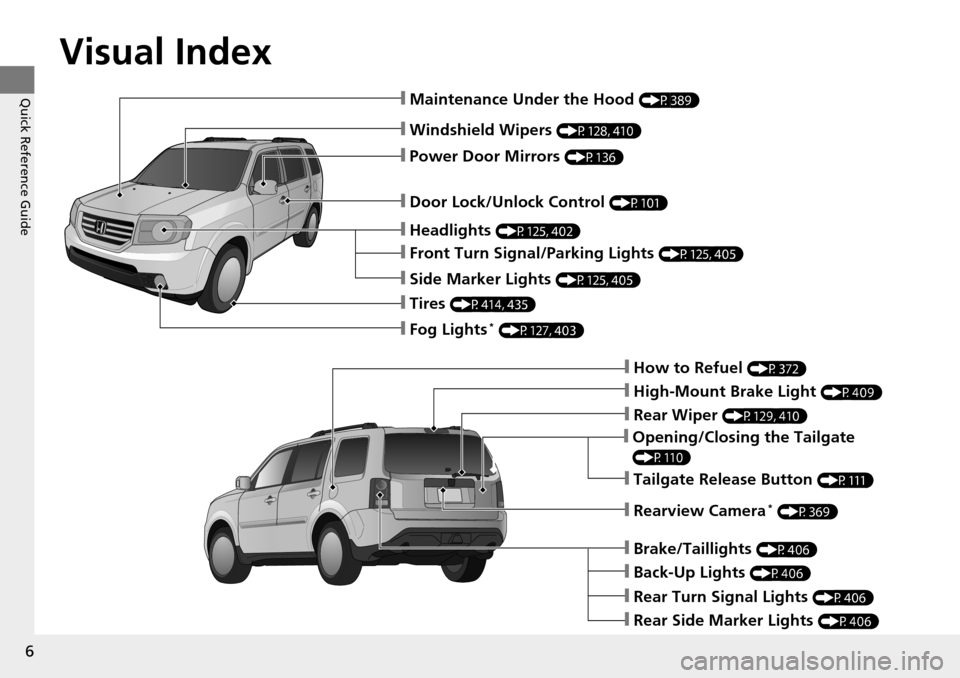
Visual Index
6
Quick Reference Guide
❙Windshield Wipers (P128, 410)
❙Door Lock/Unlock Control (P101)
❙How to Refuel (P372)
❙High-Mount Brake Light (P409)
❙Opening/Closing the Tailgate
(P110)
❙Rear Wiper (P129, 410)
❙Back-Up Lights (P406)
❙Brake/Taillights (P406)
❙Rear Turn Signal Lights (P406)
❙Rear Side Marker Lights (P406)
❙Power Door Mirrors (P136)
❙Maintenance Under the Hood (P389)
❙Fog Lights * (P127, 403)
❙Rearview Camera * (P369)
❙Front Turn Signal/Parking Lights (P125, 405)
❙Side Marker Lights (P125, 405)
❙Tires (P414, 435)
❙Headlights (P125, 402)
❙Tailgate Release Button (P111)
Page 9 of 488
8
Quick Reference Guide
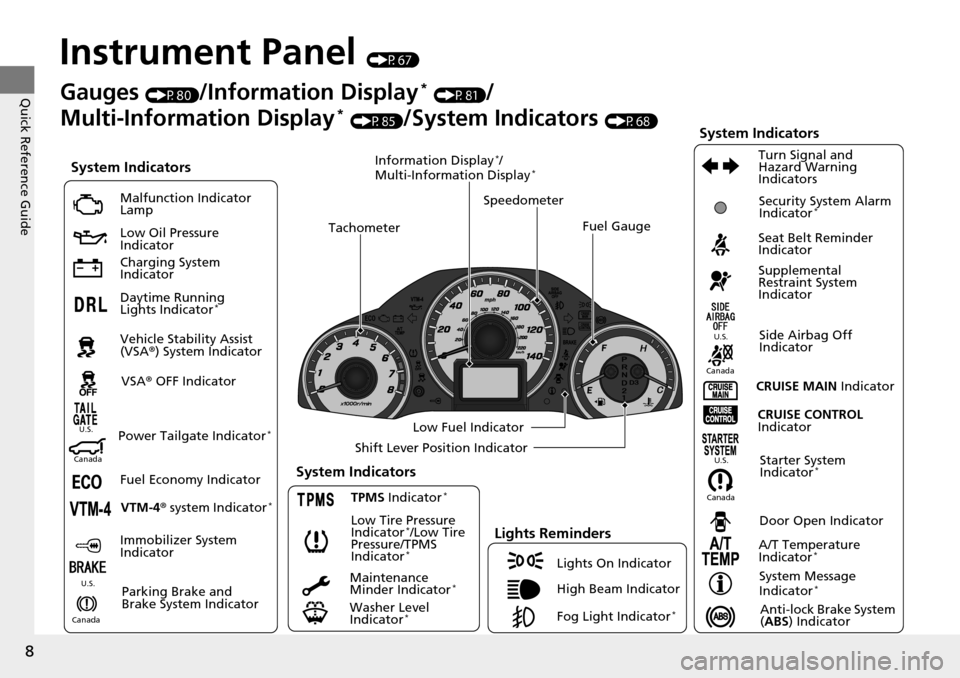
Instrument Panel (P67)
System Indicators
Malfunction Indicator
Lamp
Low Oil Pressure
Indicator
Charging System
Indicator
Daytime Running
Lights Indicator
*
Vehicle Stability Assist
(VSA® ) System Indicator
VSA ® OFF Indicator
Low Tire Pressure
Indicator
*/Low Tire
Pressure/TPMS
Indicator
*
Lights Reminders
Lights On Indicator
High Beam Indicator
Fog Light Indicator
*
Immobilizer System
Indicator Seat Belt Reminder
Indicator
System Indicators
CRUISE CONTROL
Indicator
Parking Brake and
Brake System Indicator Supplemental
Restraint System
Indicator
Side Airbag Off
Indicator
Door Open Indicator
CRUISE MAIN
Indicator
Tachometer
Speedometer
Fuel Gauge
Low Fuel Indicator
Shift Lever Position Indicator
System Message
Indicator
*
Gauges (P80)/Information Display * (P81)/
Multi-Information Display
* (P85)/System Indicators (P68)
Fuel Economy Indicator VTM-4 r system Indicator
*TPMS Indicator *
Maintenance
Minder Indicator *
Washer Level
Indicator *
A/T Temperature
Indicator *
Turn Signal and
Hazard Warning
Indicators
Starter System
Indicator *System Indicators
CanadaU.S.
Canada
U.S.
Anti-lock Brake System
(
ABS ) Indicator
Power Tailgate Indicator *
Security System Alarm
Indicator *
Information Display */
Multi-Information Display *
Canada U.S.
CanadaU.S.
Page 98 of 488
97
Controls
This chapter explains how to operate the various controls necessary for driving.
Setting the Clock................................ 98
Locking and Unlocking the Doors
Key Types and Functions .................... 99
Locking/Unlocking the Doors from the Outside .......................................... 101
Locking/Unlocking the Doors from the Inside ............................................. 103
Childproof Door Locks ..................... 104
Auto Door Locking/Unlocking .......... 105
Opening and Closing the Tailgate ...
110
Security System ...... .......................... 118
Immobilizer System .......................... 118
Security System Alarm
*....................118Opening and Closing the Windows ..... 120
Opening and Closing the Moonroof *......123Operating the Switches Around the
Steering Wheel Ignition Switch ................................. 124
Turn Signals ..................................... 125
Light Switches.................................. 125
Fog Lights
*......................................127
Daytime Running Lights ................... 127
Wipers and Washers ........................ 128
Brightness Control ........................... 130
Rear Defogger/Heat ed Doo
r Mirror *
Button ........................................... 131
Driving Position Me
mory System *....132
Adjusting the Steering Wheel........... 134 Adjusting the Mirrors
..........
............. 135
Interior Rearview Mirror ................... 135
Power Door Mirrors ......................... 136
Adjusting the Seats .............
............. 137
Adjusting the Seat Positions ............. 137
Interior Lights/Interior Convenience Items ..............
.................................. 150
Interior Lights .................................. 150
Interior Convenience Items .............. 152
Climate Control System ......
............. 165
Using Automatic Climate Control .... 165
Automatic Climate Control Sensors ...... 170
* Not available on all models
Page 100 of 488
99Continued
Controls
Locking and Unlocking the Doors
Key Types and Functions
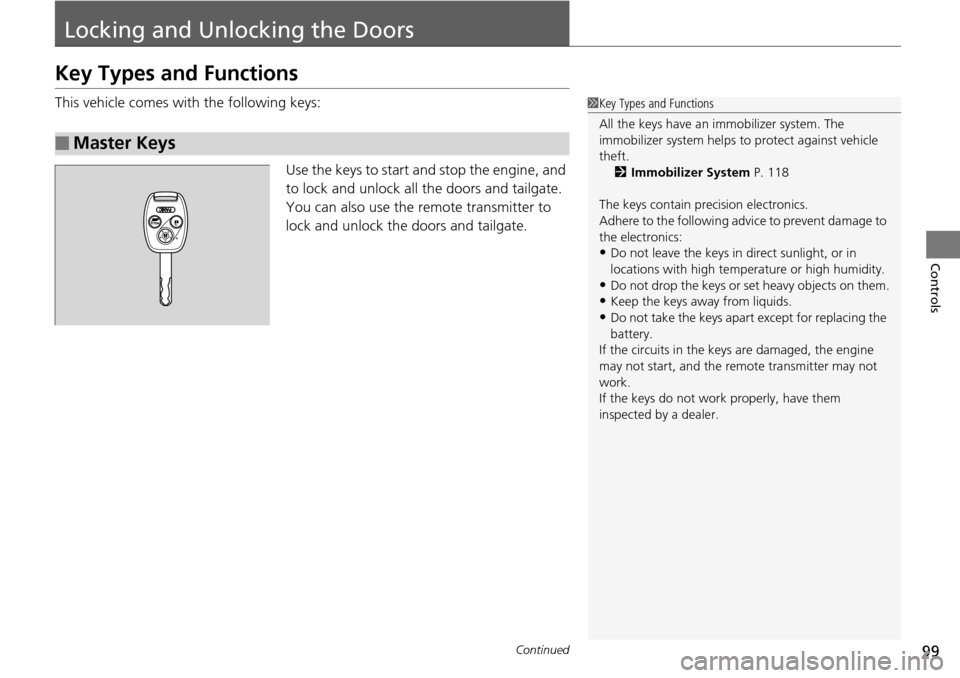
This vehicle comes with the following keys:
Use the keys to start and stop the engine, and
to
lock and unlock all the doors and tailgate.
You can also use the remote transmitter to
lock and unlock the doors and tailgate.
■Master Keys
1 Key Types and Functions
All the keys have an immobilizer system. The
immobilizer system helps to protect against vehicle
theft. 2 Immobilizer System P. 118
The keys contain precision electronics.
Adhere to the following advi ce to prevent damage to
the electronics:
•Do not leave the keys in direct sunlight, or in
locations with high temperature or high humidity.
•Do not drop the keys or set heavy objects on them.
•Keep the keys away from liquids.
•Do not take the keys apart except for replacing the
battery.
If the circuits in the keys are damaged, the engine
may not start, and the remote transmitter may not
work.
If the keys do not work properly, have them
inspected by a dealer.
Page 102 of 488
101
uu Locking and Unlocking the Doors u Locking/Unlocking the Doors from the Outside
Continued
Controls
Locking/Unlocking the Doors from the Outside
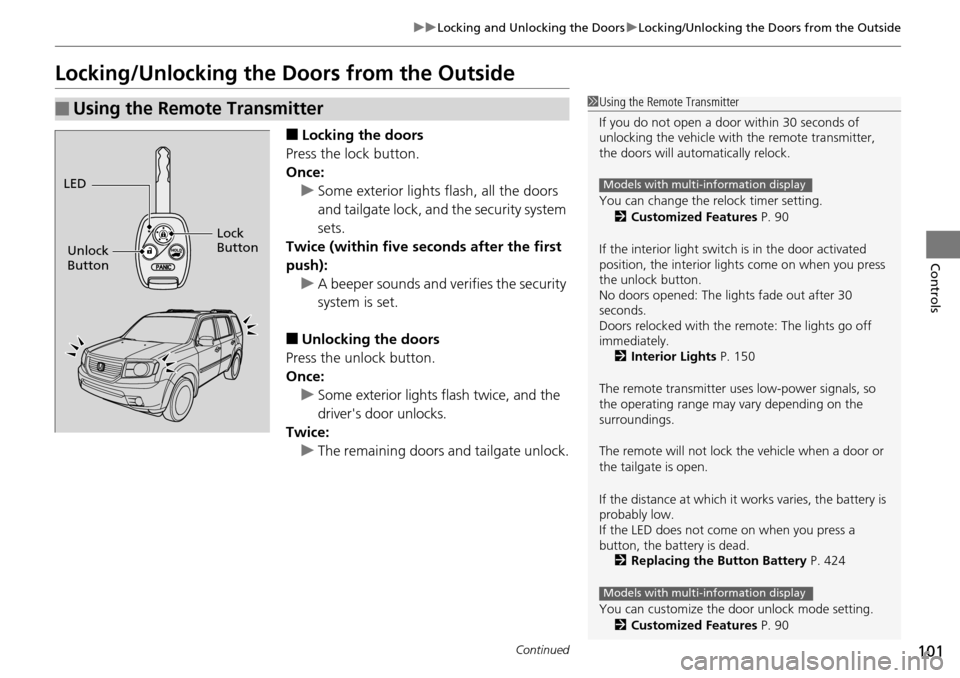
■Locking the doors
Press the lock button.
Once: u So
me exterior lights flash, all the doors
and tailgate lock, and the security system
sets.
Twice (within five se conds afte
r the first
push): u A beeper sounds and verifies
the security
system is set.
■Unlocking the doors
Press the unlock button.
Once: u S
ome exterior lights flash twice, and the
driver's door unlocks.
Twice:
u Th
e remaining doors and tailgate unlock.
■Using the Remote Transmitter1Using the Remote Transmitter
If you do not open a door within 30 seconds of
unlocking the vehicle with the remote transmitter,
the doors will automatically relock.
You can change the relock timer setting.
2 Customized Features P. 90
If the interior light switch is in the door activated
position, the interior light s come on when you press
the unlock button.
No doors opened: The li ghts fade out after 30
seconds.
Doors relocked with the remote: The lights go off
immediately. 2 Interior Lights P. 150
The remote transmitter us es low-power signals, so
the operating range may vary depending on the
surroundings.
The remote will not lock th e vehicle when a door or
the tailgate is open.
If the distance at which it works varies, the battery is
probably low.
If the LED does not come on when you press a
button, the battery is dead. 2 Replacing the Button Battery P. 424
You can customize the door unlock mode setting. 2 Customized Features P. 90
Models with multi-information display
Models with multi-information display
LED
Unlock
Button Lock
Button
Page 115 of 488
uu Opening and Closing the Tailgate u Opening/Closing the Power Tailgate *
114
Controls
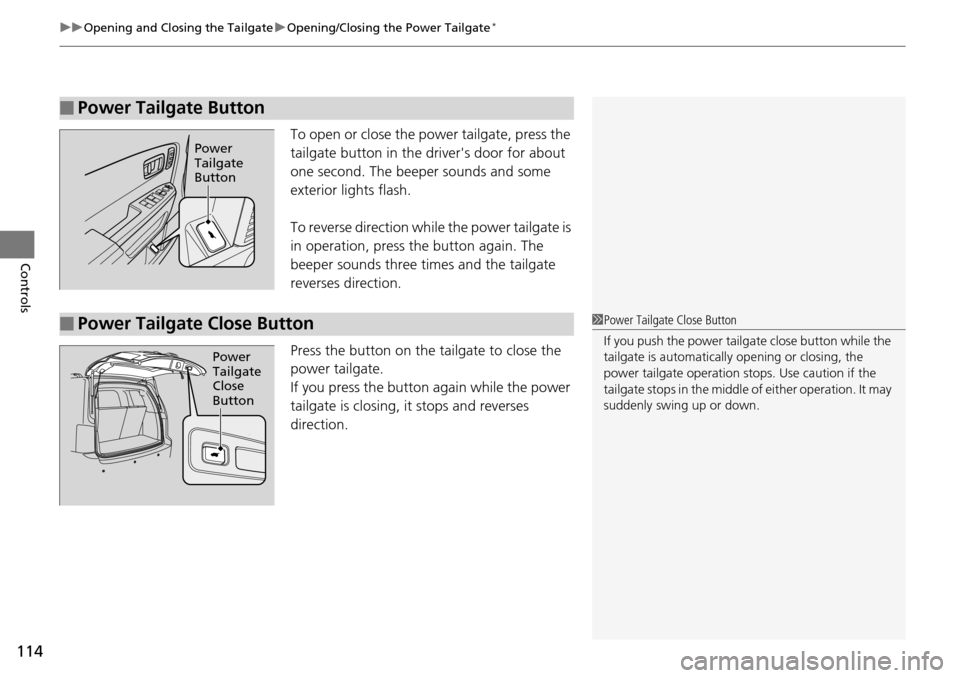
To open or close the pow er tailgate, press the
tailgate button in the driver's door for about
one second. The beeper sounds and some
exterior lights flash.
To reverse direction whil e the power tailgate is
in operation, press the button again. The
beeper sounds three times and the tailgate
reverses direction.
Press the button on the tailgate to close the
power tail
gate.
If you press the button again while the power
tailgate is cl
osing, it stops and reverses
direction.
■Power Tailgate Button
Power
Tailgate
Button
■Power Tailgate Close Button1 Power Tailgate Close Button
If you push the power tailga te close button while the
tailgate is automaticall y opening or closing, the
power tailgate ope ration stops. Use caution if the
tailgate stops in the middle of either operation. It may
suddenly swing up or down.
Power
Tailgate
Close
Button
Page 118 of 488
117
uu Opening and Closing the Tailgate u Opening/Closing the Glass Hatch
Controls
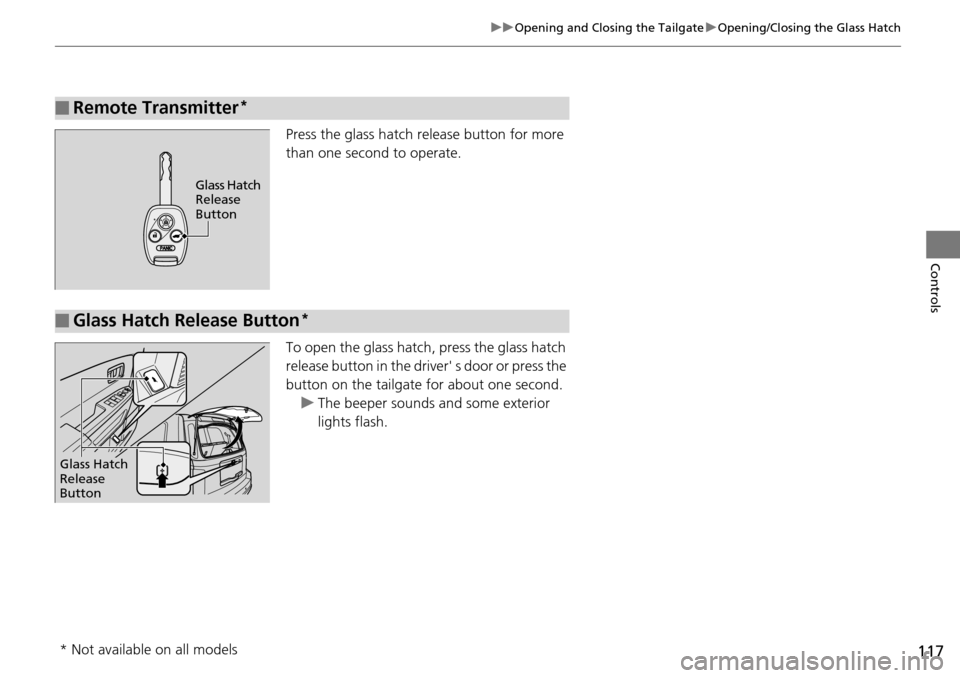
Press the glass hatch release button for more
than one second to operate.
To open the glass hatch, press the glass hatch
release button in the driver' s door or press the
button on the tailgate for about one second.
u The
beeper sounds and some exterior
lights flash.
■Remote Transmitter *
Glass Hatch
Release
Button
■Glass Hatch Release Button *
Glass Hatch
Release
Button
* Not available on all models
Page 119 of 488
118
Controls
Security System
Immobilizer System
The immobilizer system prevents a key that has not been pre-registered from
starting the engine. Each key contains el ectronic transmitters that use electronic
signals to verify the key.
Pay attention to the following when inserting
the key into the ignition switch:
• Do
not allow objects that emit strong radio waves near the ignition switch.
•Make sure the k
ey is not covered by or touching a metal object.
• Do
not bring a key from anot her vehicle's immobilizer system near the ignition
switch.
Security System Alarm *
The security system alarm activates when th e doors, tailgate, glass hatch, or hood is
opened without the key, or remote transmitter.
■When the security sy stem alarm activates
The horn sounds intermittently, and all the exterior lights flash.
■To deactivate the security system alarm
Unlock the vehicle using the key
or remote transmitter. The system, along with the
horn and flashing lights, is deactivated.
1 Immobilizer System
NOTICE
Leaving the ignition key in the vehicle can result in
theft or accidental move ment of the vehicle.
Always take the ignition key with you whenever you
leave the vehicle unattended.
Do not alter the system or add other devices to it.
Doing so may damage the system and make your
vehicle inoperable.
1 Security System Alarm *
The security alarm continues for a maximum of two
minutes until the security system alarm deactivates.
* Not available on all models
Page 120 of 488
119
uu Security System u Security System Alarm *
Controls
■Setting the security system alarm
The security system alarm automatically s
ets when the following conditions have
been met:
• The ign
ition switch is in LOCK (0
, and the key has been removed from the
ignition switch.
• The hoo
d and tailgate are closed.
•All d
oors, the tailgate, and the glass hatc h are locked with the key or the remote
transmitter.
■When the security system alarm sets
The security system alarm indicator in
the instrument panel blinks. When the
blinking interval changes after about 15 se conds, the security system alarm is set.
■To cancel the security system alarm
The security system alarm is canceled when the
vehicle is unlocked using the key or
remote transmitter. The security system al arm indicator goes off at the same time.
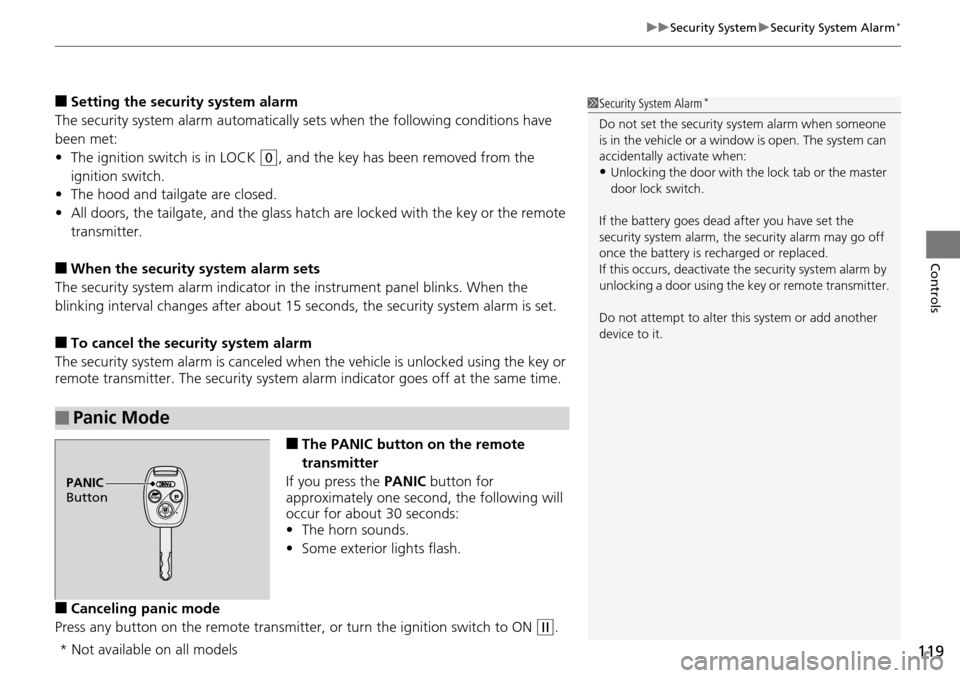
■The PANIC button on the remote
transmitter
If you press the PA
NIC button for
approximately one second, the following will
occur for about 30 seconds:
• The horn so
unds.
• Some
exterior lights flash.
■Canceling panic mode
Press any button on the remote transmitter, or t
urn the ignition switch to ON (w
.
■Panic Mode
1Security System Alarm *
Do not set the security system alarm when someone
is in the vehicle or a window is open. The system can
accidentally activate when:
•Unlocking the door with th e lock tab or the master
door lock switch.
If the battery goes dead after you have set the
security system alarm, the security alarm may go off
once the battery is re charged or replaced.
If this occurs, deactivate the security system alarm by
unlocking a door using the ke y or remote transmitter.
Do not attempt to alter th is system or add another
device to it.
PANIC
Button
* Not available on all models